

15 ਅਪ੍ਰੈ 2025·8 ਮਿੰਟ
AI-ਤਿਆਰ ਕੋਡ ਵਿੱਚ ਪ੍ਰਮਾਣਿਕਤਾ, ਅਧਿਕਾਰ ਅਤੇ ਭੂਮਿਕਾਵਾਂ ਕਿਵੇਂ ਲਾਗੂ ਹੁੰਦੀਆਂ ਹਨ
ਸਿੱਖੋ ਕਿ AI-ਤਿਆਰ ਕੀਤਾ ਕੋਡ ਆਮ ਤੌਰ 'ਤੇ ਲਾਗਇਨ, ਅਧਿਕਾਰ (authorization) ਅਤੇ ਭੂਮਿਕਾ ਢਾਂਚਿਆਂ ਨੂੰ ਕਿਵੇਂ ਅਨੁਮਾਨ ਲਗਾਉਂਦਾ ਹੈ, ਕਿਹੜੇ ਪੈਟਰਨ ਵਰਤਦਾ ਹੈ, ਅਤੇ ਨਤੀਜੇ ਨੂੰ ਕਿਵੇਂ ਜਾਣਚ ਅਤੇ ਮਜ਼ਬੂਤ ਕੀਤਾ ਜਾ ਸਕਦਾ ਹੈ।
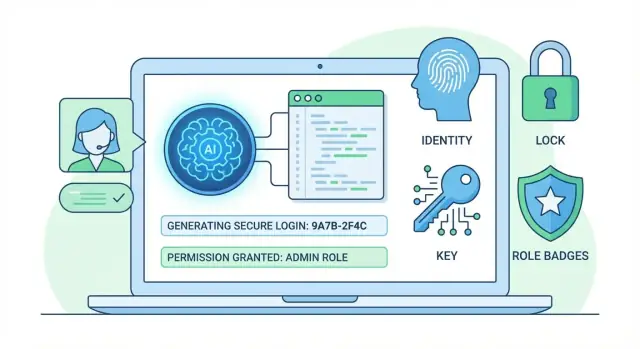
Authentication, Authorization, and Roles: What They Mean
Authentication answers: “Who are you?” It’s the step where an app verifies identity—usually with a password, a one-time code, an OAuth login (Google, Microsoft), or a signed token like a JWT.
Authorization answers: “What are you allowed to do?” After the app knows who you are, it checks whether you can view this page, edit that record, or call this API endpoint. Authorization is about rules and decisions.
Roles (often called RBAC—Role-Based Access Control) are a common way to organize authorization. Instead of assigning dozens of permissions to every user, you assign a role (like Admin, Manager, Viewer), and the role implies a set of permissions.
When you’re generating code with AI (including “vibe-coding” platforms like Koder.ai), keeping these boundaries clear is essential. The fastest way to ship an insecure system is to let “login” and “permissions” collapse into one vague “auth” feature.
Why AI-generated code often mixes these concepts
AI tools frequently blend authentication, authorization, and roles because prompts and example snippets blur them too. You’ll see outputs where:
- “Auth” middleware both identifies the user and decides access (two jobs in one place).
- A “role check” is treated as authentication (“if role exists, user is logged in”).
- Tokens (JWT) are used as if they automatically enforce permissions, even though they only carry claims.
This can produce code that works in happy-path demos but has unclear security boundaries.
What to expect from the rest of this guide
AI can draft standard patterns—login flows, session/JWT handling, and basic RBAC wiring—but it can’t guarantee your rules match your business needs or that edge cases are safe. Humans still need to validate threat scenarios, data access rules, and configuration.
Next, we’ll cover how AI infers requirements from your prompt and codebase, the typical authentication flows it generates (JWT vs sessions vs OAuth), how authorization is implemented (middleware/guards/policies), the security gaps that often appear, and practical prompting and review checklists to make AI-generated access control safer.
How AI Infers Requirements From Your Prompt and Codebase
AI doesn’t “discover” your auth requirements the way a teammate would. It infers them from a handful of signals and fills in gaps with patterns it has seen most often.
The inputs it relies on
Most AI-generated auth and role code is shaped by:
- Your prompt: the words you use (“admin portal”, “multi-tenant”, “employee vs customer”) act like requirements.
- Your existing codebase: current models, tables, route naming, error handling, and even folder structure steer what gets generated.
- Framework defaults: NextAuth sessions, Django permissions, Laravel guards, Spring Security annotations—AI often follows the “blessed” path for the stack you mention.
- Examples it has seen: common tutorials and snippets heavily influence outputs, even when your app differs.
If you’re using a chat-first builder like Koder.ai, you get an extra lever here: you can keep a reusable “security spec” message (or use a planning step) that the platform applies consistently while generating routes, services, and database models. That reduces drift between features.
Why naming matters more than you think
If your codebase already contains User, Role, and Permission, AI will usually mirror that vocabulary—creating tables/collections, endpoints, and DTOs that match those names. If you instead use Account, Member, Plan, or Org, the generated schemas often shift toward subscription or tenancy semantics.
Small naming cues can steer big decisions:
- “Role” nudges toward RBAC.
- “Scope” nudges toward OAuth-style permissions.
- “Policy” nudges toward per-resource checks.
Common assumptions when requirements are vague
When you don’t specify details, AI frequently assumes:
- JWT access tokens (often long-lived) for APIs
- a single “admin” role with broad power
- email/password login, even if you meant SSO
- authorization checks only at the route/controller layer
The mismatch risk: popular patterns copied blindly
AI may copy a well-known pattern (e.g., “roles array in JWT”, “isAdmin boolean”, “permission strings in middleware”) because it’s popular—not because it fits your threat model or compliance needs.
The fix is simple: state constraints explicitly (tenancy boundaries, role granularity, token lifetimes, and where checks must be enforced) before asking it to generate code.
Typical Authentication Flows AI-Generated Code Produces
AI tools tend to assemble authentication from familiar templates. That’s helpful for speed, but it also means you’ll often get the most common flow, not necessarily the one that matches your risk level, compliance needs, or product UX.
Common login flows you’ll see
Email + password is the default. Generated code usually includes a registration endpoint, login endpoint, password reset, and a “current user” endpoint.
Magic links (email one-time links/codes) often show up when you mention “passwordless.” AI commonly generates a table for one-time tokens and an endpoint to verify them.
SSO (OAuth/OIDC: Google, Microsoft, GitHub) appears when you ask for “Sign in with X.” AI typically uses a library integration and stores a provider user ID plus an email.
API tokens are common for “CLI access” or “server-to-server.” AI-generated code often creates a static token per user (or per app) and checks it on every request.
Sessions vs. JWT: typical AI defaults
If your prompt mentions “stateless,” “mobile apps,” or “microservices,” AI usually picks JWTs. Otherwise it often defaults to server-side sessions.
With JWTs, generated code frequently:
- Stores tokens in
localStorage(convenient, but riskier for XSS) - Uses long-lived access tokens without rotation
- Skips audience/issuer validation unless you ask
With sessions, it often gets the concept right but misses cookie hardening. You may need to explicitly request cookie settings like HttpOnly, Secure, and a strict SameSite policy.
Basics AI-generated auth code often forgets
Even when the flow works, the security “boring parts” are easy to omit:
- Rate limiting on login, signup, and password reset
- Safe password hashing parameters (e.g., bcrypt cost/Argon2 settings)
- Brute-force protections (lockouts, backoff, IP/device signals)
- Consistent error messages (avoid account enumeration)
How to prompt for the flow you actually want
State the flow and constraints in one place: “Use server-side sessions with secure cookies, add login rate limits, use Argon2id with specified parameters, and implement password reset tokens that expire in 15 minutes.”
If you want JWTs, specify storage (prefer cookies), rotation, and revocation strategy up front.
Tip for AI-assisted builders: in Koder.ai, you can ask the system to generate not only endpoints but also “acceptance checks” (status codes, cookie flags, token TTLs) as part of the plan, then iterate with snapshots/rollback if the implementation diverges.
How Authorization Gets Implemented in Generated Code
Authorization is the part that answers: “Is this already-authenticated user allowed to do this action on that resource?” In AI-generated projects, it’s usually implemented as a chain of checks spread across the request path.
A typical stack AI produces
Most generated code follows a predictable stack:
- Authentication middleware / guards: runs early, attaches a
user(orprincipal) object to the request. - Route-level policies: per endpoint checks like “must be admin” or “must have
billing:read”. - Database checks: confirm ownership or membership (e.g., “user owns this document”, “user is in this workspace”).
This layered approach is good when each layer has a clear responsibility: authentication identifies the user; authorization evaluates permissions; database checks verify resource-specific facts.
“Deny by default” vs. “allow by default”
AI-generated code often drifts into allow by default: if a policy is missing, the endpoint still works. That’s convenient during scaffolding, but it’s risky—new routes or refactors silently become public.
A safer pattern is deny by default:
- Every protected route must explicitly declare its policy.
- If a policy isn’t present (or fails), return 403.
- If a route is intentionally public, mark it as such (e.g.,
@Public()), rather than relying on omission.
How checks get wired
Two common wiring styles show up:
- Per-route decorators / annotations (e.g.,
@Roles('admin'),@Require('project:update')). Easy to read, but easy to forget. - Central policy layer (e.g.,
can(user, action, resource)), called from controllers/services. More consistent, but requires discipline so developers don’t bypass it.
Where authorization is often missing
Even when HTTP routes are protected, generated code frequently forgets non-obvious entry points:
- Background jobs and queues (workers performing actions without re-checking permissions).
- Admin endpoints and “internal” tools assumed to be private.
- GraphQL resolvers where auth is checked on the top-level query but not on nested fields.
Treat every execution path—HTTP, jobs, webhooks—as needing the same authorization guarantees.
Role and Permission Models AI Commonly Chooses
When an AI generates authorization code, it usually has to pick a model even if you didn’t specify one. The choice often reflects what’s most common in tutorials and frameworks, not necessarily what best matches your product.
The usual suspects: RBAC, permissions, ABAC, and hybrids
RBAC (Role-Based Access Control) assigns users a role like admin, manager, or viewer, and the code checks the role to allow actions.
Permission-based access assigns explicit capabilities such as invoice.read or invoice.approve. Roles can still exist, but they’re just bundles of permissions.
ABAC (Attribute-Based Access Control) decides based on attributes and context: user department, resource owner, time, tenant, subscription tier, region, etc. Rules look like “can edit if user.id == doc.ownerId” or “can export if plan == pro and region == EU”.
Hybrids are most common in real apps: RBAC for broad admin vs non-admin distinctions, plus permissions and resource checks for the details.
Why AI defaults to RBAC (and when that’s fine)
AI-generated code tends to default to RBAC because it’s easy to explain and implement: a role column on users, a middleware that checks req.user.role, and a few if statements.
RBAC is usually sufficient when:
- Your app has a small number of clearly distinct user types (e.g., Admin / Staff / Customer)
- Access rules don’t depend heavily on resource ownership or business context
- You want a fast, understandable first version
It starts to strain when “role” becomes a dumping ground for fine-grained rules (“support_admin_limited_no_export_v2”).
Granularity: coarse roles vs. feature permissions
A helpful rule: use roles for identity, permissions for capabilities.
- Coarse roles answer “who are you in the org?” (Admin, Member, Guest).
- Permissions answer “what can you do?” (Create project, Delete user, View billing).
If you find yourself adding new roles every sprint, you likely need permissions (and maybe ownership checks) instead.
A simple starting model—and an upgrade path
Start with:
users.rolewith 2–4 roles- A small permission set for sensitive actions (billing, user management)
- Ownership checks for user-generated content (edit your own)
Then evolve to:
- Role → role + permissions (roles map to permission bundles)
- Add resource-level policies (owner/tenant checks)
- Introduce ABAC-style attributes where business rules demand it (plan, region, department)
This keeps the early code readable while giving you a clean path to scale authorization without rewriting everything.
Data Modeling Patterns for Users, Roles, and Permissions
Test auth in a real deploy
Deploy a test environment to validate 401 vs 403 behavior end to end.
AI-generated auth systems tend to snap to a few familiar database shapes. Knowing these patterns helps you spot when the model is over-simplifying your needs—especially around multi-tenancy and ownership rules.
The common core: users, roles, permissions
Most generated code creates a users table plus either:
- RBAC (Role-Based Access Control):
roles,user_roles(join table) - RBAC + permissions:
permissions,role_permissions, and sometimesuser_permissions
A typical relational layout looks like:
users(id, email, password_hash, ...)
roles(id, name)
permissions(id, key)
user_roles(user_id, role_id)
role_permissions(role_id, permission_id)
AI often defaults role names like admin, user, editor. That’s fine for prototypes, but in real products you’ll want stable identifiers (e.g., key = "org_admin") and human-friendly labels stored separately.
Tenant and organization modeling (where AI guesses wrong)
If your prompt mentions “teams,” “workspaces,” or “organizations,” AI commonly infers multi-tenancy and adds organization_id / tenant_id fields. The mistake is inconsistency: it may add the field to users but forget to add it to roles, join tables, and resource tables.
Decide early whether:
- Roles are global (same across all orgs), or
- Roles are scoped to an org (same role name can exist in different orgs)
In org-scoped RBAC, you typically need roles(…, organization_id) and user_roles(…, organization_id) (or a memberships table that anchors the relationship).
Modeling “ownership” alongside roles
Roles answer “what can this person do?” Ownership answers “what can they do to this specific record?” AI-generated code often forgets ownership and tries to solve everything with roles.
A practical pattern is to keep explicit ownership fields on resources (e.g., projects.owner_user_id) and enforce rules like “owner OR org_admin can edit.” For shared resources, add membership tables (e.g., project_members(project_id, user_id, role)), rather than stretching global roles.
Migration pitfalls to watch for
Generated migrations frequently miss constraints that prevent subtle auth bugs:
- Unique constraints:
users.email(and(organization_id, email)in multi-tenant setups) - Composite uniqueness on join tables:
(user_id, role_id)and(role_id, permission_id) - Cascading deletes: deleting a user should clean up
user_roles, but avoid cascading into shared resources unintentionally - Seed data: initial roles/permissions must be idempotent (safe to run twice) and environment-aware
If the schema doesn’t encode these rules, your authorization layer will end up compensating in code—usually in inconsistent ways.
Middleware, Guards, and Policy Layers: Typical Wiring
AI-generated auth stacks often share a predictable “assembly line”: authenticate the request, load the user context, then authorize each action using reusable policies.
Common building blocks AI tends to create
Most code generators produce some mix of:
- Auth middleware: parses a session cookie or
Authorization: Bearer <JWT>header, verifies it, and attachesreq.user(or an equivalent context). - Guards/filters (framework-specific): short-circuit requests before they hit the handler (e.g., “must be logged in”).
- Policy functions/helpers: small functions like
canEditProject(user, project)orrequireRole(user, "admin"). - Permission lookup helpers: load roles/permissions from the DB or from token claims.
Where authorization checks should live
AI code often puts checks directly in controllers because it’s easy to generate. That works for simple apps, but it becomes inconsistent fast.
A safer wiring pattern is:
- Controllers: do request parsing and call a service method.
- Services: enforce business rules and call policy helpers (“user can approve invoice”).
- Database queries: enforce data scoping (e.g.,
WHERE org_id = user.orgId) so you don’t accidentally fetch forbidden data and filter it later.
Consistency: one source of truth
Centralize decisions in policy helpers and standardize responses. For example, always return 401 when unauthenticated and 403 when authenticated but forbidden—don’t mix these per endpoint.
A single authorize(action, resource, user) wrapper reduces “forgotten check” bugs and makes auditing easier. If you’re building with Koder.ai and exporting the generated code, this kind of single entry point is also a convenient “diff hotspot” to review after each iteration.
Performance without stale access
AI-generated code may cache roles/claims aggressively. Prefer:
- Short-lived JWTs or session TTLs.
- A lightweight cache with invalidation (e.g., bump a
permissions_versionon role changes).
That keeps authorization fast while ensuring role updates take effect quickly.
Common Security Gaps Introduced by AI-Generated Auth Code
Generate auth with clear layers
Generate a login flow plus policy checks with boundaries that stay easy to review.
AI can generate working authentication and role checks quickly, but it often optimizes for “happy path” functionality. When prompts are vague, examples are incomplete, or the codebase lacks clear conventions, the model tends to stitch together common snippets it has seen before—sometimes including insecure defaults.
Token and session handling mistakes
A frequent issue is creating tokens or sessions that are valid for too long, never rotate, or are stored unsafely.
- Missing rotation: refresh tokens are reused indefinitely, so a leaked token can live forever.
- Long-lived access tokens: short-lived access tokens plus refresh flows are skipped for simplicity.
- Insecure cookies: cookies set without
HttpOnly,Secure, and appropriateSameSitevalues, or sessions stored in localStorage “because it works.”
Prevention: require explicit expirations, implement refresh-token rotation with server-side revocation, and standardize cookie settings in one shared helper so every route uses the same secure defaults.
Authorization bugs (the most costly)
Generated code often checks “is logged in” but misses “is allowed.” Typical failures include:
- IDOR (Insecure Direct Object References): fetching
/orders/:idwithout verifying the order belongs to the current user. - Trusting client-sent roles: reading
rolefrom the request body or headers instead of server-stored claims. - Missing object-level checks: a single
isAdmingate replaces per-record authorization.
Prevention: enforce server-side authorization from authoritative data, add object-level checks in the data layer (e.g., query filtered by userId/orgId), and default to denying access unless explicitly allowed.
Hidden admin backdoors
AI sometimes “helps” with testing shortcuts: hardcoded admin emails, default passwords, or undocumented admin routes.
Prevention: ban hardcoded credentials in reviews, require feature flags for debug endpoints, and fail builds on secrets/default passwords via scanning and lint rules.
Prompting Techniques to Get Safer Auth and Role Implementations
AI will happily fill in missing access-control details with “reasonable defaults”—which is exactly how subtle security bugs get shipped. The safest approach is to treat your prompt like a mini security spec: explicit requirements, explicit non-requirements, and explicit acceptance tests.
Specify the access model, not just “add auth”
Write down what exists in your product and how it should behave:
- Roles list (e.g.,
admin,manager,member,viewer) and how users get them. - Actions + resources (e.g., “edit invoice”, “delete project”, “invite user”).
- Tenant rules: “Users can only access records within their
org_id,” including edge cases like cross-org invites. - Ownership rules: “A user can update their own profile but not other users’.”
This prevents the model from inventing an overly broad “admin bypass” or skipping tenant isolation.
If you’re working in a system that supports a structured planning step (for example, Koder.ai’s planning mode), ask the model to output:
- a roles/permissions matrix,
- the enforcement points (routes/services/queries), and
- a list of negative test cases.
Then only generate code once that plan looks correct.
Require default-deny and object-level checks
Ask for:
- Default deny: every protected route/controller starts blocked unless explicitly allowed.
- Object-level authorization: checks that compare the current user to the specific record being accessed (not only role checks).
- Explicit error handling: distinguish
401(not logged in) vs403(logged in, not allowed), without leaking sensitive details.
Ask for tests and threat scenarios with the code
Don’t just request implementation—request proof:
- Unit/integration tests for each role and key endpoint.
- Negative tests (role escalation attempts, IDOR/object swapping, cross-tenant access).
- One or two “abuse stories” that the tests cover.
Add security constraints upfront
Include non-negotiables such as:
- Password hashing algorithm (e.g., Argon2id or bcrypt with cost)
- Token expiry/rotation rules (JWT/OAuth session duration)
- Audit logging requirements (what events, what fields, retention)
If you want a template prompt your team can reuse, keep it in a shared doc and link it internally (e.g., /docs/auth-prompt-template).
Code Review Checklist for AI-Generated Authentication and Authorization
AI can generate working auth quickly, but reviews should assume the code is incomplete until proven otherwise. Use a checklist that focuses on coverage (where access is enforced) and correctness (how it’s enforced).
1) Coverage: where auth/authz must apply
Enumerate every entry point and verify the same access rules are enforced consistently:
- Public HTTP endpoints: confirm every route that reads or writes protected data checks authentication and authorization.
- Background tasks / queues / cron jobs: make sure workers don’t “skip” auth by directly calling privileged service methods.
- Internal tools and admin panels: verify admin-only actions aren’t guarded by “hidden URLs” or environment checks alone.
- Webhooks and inbound integrations: ensure webhook endpoints validate signatures/secrets and don’t accidentally map to a privileged user.
A quick technique: scan for any data access function (e.g., getUserById, updateOrder) and confirm it receives an actor/context and applies checks.
2) Security settings and defaults
Verify the implementation details that are easy for AI to miss:
- Cookies/session:
HttpOnly,Secure,SameSiteset correctly; short session TTLs; rotation on login. - CORS: minimal allowed origins; no
*with credentials; preflight handled. - CSRF: required for cookie-based auth; validate token on state-changing requests.
- Headers: HSTS, no-sniff, frame protections where relevant.
- Rate limiting: login, password reset, token refresh, and any endpoint that leaks existence of accounts.
3) Libraries, analysis, and change control
Prefer known-safe, widely used libraries for JWT/OAuth/password hashing; avoid custom crypto.
Run static analysis and dependency checks (SAST + npm audit/pip-audit/bundle audit) and confirm versions match your security policy.
Finally, add a peer-review gate for any auth/authz change, even if AI-authored: require at least one reviewer to follow the checklist and verify tests cover both allowed and denied cases.
If your workflow includes generating code rapidly (for example, with Koder.ai), use snapshots and rollback to keep reviews tight: generate a small, reviewable change set, run tests, and revert quickly if the output introduced risky defaults.
Testing and Monitoring to Prove Access Control Works
Start with a secure stack
Spin up a React app with a Go API and PostgreSQL, then add auth safely.
Access control bugs are often “silent”: users simply see data they shouldn’t, and nothing crashes. When code is AI-generated, tests and monitoring are the quickest way to confirm the rules you think you have are the rules you actually run.
Unit tests: policy functions and role matrices
Start by testing the smallest decision points: your policy/permission helpers (e.g., canViewInvoice(user, invoice)). Build a compact “role matrix” where each role is tested against each action.
Focus on both allow and deny cases:
- Admin can do X; member cannot.
- Support can read but not update.
- “No role” (or anonymous) is denied by default.
A good sign is when tests force you to define what happens on missing data (no tenant id, no owner id, null user).
Integration tests: real flows that change state
Integration tests should cover the flows that commonly break authorization after AI refactors:
- Login → access token issued → request succeeds.
- Refresh token rotation (old refresh rejected, new accepted).
- Logout (token/session invalidated).
- Role changes (existing sessions updated or forced to re-authenticate).
These tests should hit actual routes/controllers and verify HTTP status codes and response bodies (no partial data leakage).
Negative tests: prove isolation and revocation
Add explicit tests for:
- Cross-tenant access (tenant A cannot read tenant B resources).
- Resource ownership (user cannot access another user’s objects).
- Revoked roles/disabled users (access fails immediately or within a defined TTL).
Logging and monitoring: detect abuse and regressions
Log authorization denials with reason codes (not sensitive data), and alert on:
- Spikes in 401/403 responses.
- Repeated failures from the same account/IP.
- Sudden increases in permission denials after a deploy.
Treat these metrics as release gates: if denial patterns change unexpectedly, investigate before users do.
A Practical Rollout Plan for Teams Using AI Code Generation
Rolling out AI-generated auth isn’t a one-shot merge. Treat it like a product change: define the rules, implement a narrow slice, verify behavior, then expand.
1) Start with the rules, not the framework
Before prompting for code, write down your access rules in plain English:
- Roles you actually need (often fewer than you think)
- Permissions those roles grant
- Ownership rules (e.g., “users can edit only their own profile,” “admins can view all”)
This becomes your “source of truth” for prompts, reviews, and tests. If you want a quick template, see /blog/auth-checklist.
2) Pick one authentication mechanism and standardize it
Choose a single primary approach—session cookies, JWT, or OAuth/OIDC—and document it in your repo (README or /docs). Ask the AI to follow that standard every time.
Avoid mixed patterns (e.g., some endpoints using sessions, others using JWT) unless you have a migration plan and clear boundaries.
3) Make authorization explicit at every entry point
Teams often secure HTTP routes but forget “side doors.” Ensure authorization is enforced consistently for:
- HTTP controllers/routes
- Background jobs and queue workers
- Admin scripts/CLI tasks
- Webhooks and internal services
Require the AI to show where checks happen and to fail closed (default deny).
4) Roll out in thin vertical slices
Start with one user journey end-to-end (e.g., login + view account + update account). Merge it behind a feature flag if needed. Then add the next slice (e.g., admin-only actions).
If you’re building end-to-end with Koder.ai (for example, a React web app, a Go backend, and a PostgreSQL database), this “thin slice” approach also helps constrain what the model generates: smaller diffs, clearer review boundaries, and fewer accidental authorization bypasses.
5) Add guardrails: review, tests, and monitoring
Use a checklist-based review process and require tests for each permission rule. Keep a small set of “cannot ever happen” monitors (e.g., non-admin accessing admin endpoints).
For modeling decisions (RBAC vs ABAC), align early with /blog/rbac-vs-abac.
A steady rollout beats a big-bang auth rewrite—especially when AI can generate code faster than teams can validate it.
If you want an extra safety net, choose tools and workflows that make verification easy: exportable source code for audit, repeatable deployments, and the ability to revert quickly when a generated change doesn’t meet your security spec. Koder.ai is designed around that style of iteration, with source export and snapshot-based rollback—useful when you’re tightening access control over multiple generations of AI-produced code.