

05 ਅਗ 2025·8 ਮਿੰਟ
ਏਕ ਖਿਆਲ ਨੂੰ ਏਆਈ ਕੋਡਿੰਗ ਟੂਲਾਂ ਨਾਲ ਇੱਕ ਹਫ਼ਤੇਅੰਤ SaaS ਵਿੱਚ ਬਦਲੋ
ਇੱਕ ਪ੍ਰਾਇਗਮੈਟਿਕ ਹਫ਼ਤੇਅੰਤ ਯੋਜਨਾ ਜੋ ਆਈਡੀਆ ਨੂੰ ਵੇਰੀਫਾਈ, ਡਿਜ਼ਾਈਨ, ਬਣਾਉਂਦਾ ਅਤੇ ਏਆਈ ਕੋਡਿੰਗ ਸਹਾਇਕਾਂ, ਟੈਂਪਲੇਟਾਂ ਅਤੇ ਸੁਰੱਖਿਅਤ ਸ਼ੌਰਟਕੱਟਾਂ ਨਾਲ ਇੱਕ ਸਧਾਰਨ SaaS ਲਾਂਚ ਕਰਨ 'ਤੇ ਕੇਂਦਰਿਤ ਹੈ।
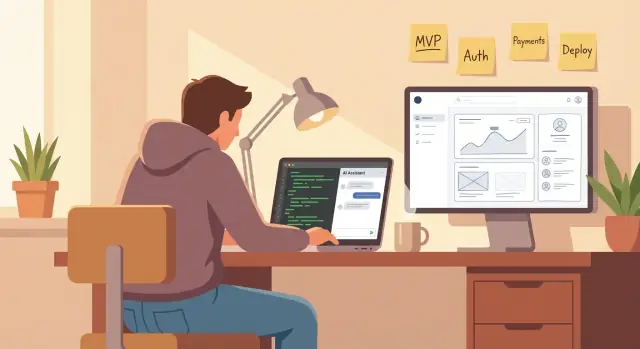
ਇੱਕ ਪ੍ਰਾਇਗਮੈਟਿਕ ਹਫ਼ਤੇਅੰਤ ਯੋਜਨਾ ਜੋ ਆਈਡੀਆ ਨੂੰ ਵੇਰੀਫਾਈ, ਡਿਜ਼ਾਈਨ, ਬਣਾਉਂਦਾ ਅਤੇ ਏਆਈ ਕੋਡਿੰਗ ਸਹਾਇਕਾਂ, ਟੈਂਪਲੇਟਾਂ ਅਤੇ ਸੁਰੱਖਿਅਤ ਸ਼ੌਰਟਕੱਟਾਂ ਨਾਲ ਇੱਕ ਸਧਾਰਨ SaaS ਲਾਂਚ ਕਰਨ 'ਤੇ ਕੇਂਦਰਿਤ ਹੈ।
A weekend SaaS build succeeds or fails on scope, not skill. Before you touch a tech stack or open an AI code assistant, define what “working” means by Sunday night: one core job, for one specific user type.
If you can’t explain the problem in one sentence, you can’t validate it quickly or build a clean MVP in a weekend.
Use this template:
“For [user type], who struggles with [pain], my SaaS [does one job] so they can [benefit].”
Example: “For freelance designers, who waste time chasing invoices, this app sends scheduled reminders so they get paid faster.”
Your goal is a shippable, end-to-end loop—not a pile of features. “Done” means a user can:
That’s it. Everything else is optional.
To build a SaaS fast, you need a “no” list. Common weekend cuts:
Write these down now so you don’t negotiate with yourself at 1 a.m.
A weekend MVP needs a measurable outcome. Choose one:
This metric will guide your AI code assistant workflow and keep you building the minimum that proves the idea.
Before you build anything, spend one focused block validating that the problem is real, specific, and urgent enough to pay for. Your goal isn’t “proof.” It’s enough signal to confidently choose what to build this weekend.
Pick 2–3 ideas and score each from 1–5 on:
Choose the highest total that also feels easy to explain.
Don’t overthink sampling. You just need real conversations with people who might use (and buy) the tool.
Try:
Keep outreach simple: “I’m testing a tiny tool for [job role] who struggle with [problem]. Can I ask 3 quick questions? No pitch.”
Use questions that produce stories, not opinions:
Pricing probe (pick one):
Document exact phrasing users use—those words become your landing page headline and onboarding copy. Save:
If you can’t find anyone to talk to, that’s useful evidence too—pivot to a market where reaching users is easier before you open your editor.
Your weekend SaaS succeeds or fails based on one decision: what you will not build. Before you open your editor, define the smallest user journey that proves the product works.
Write a single sentence that describes the full loop:
landing → signup → do the thing → get result
Example: “A user visits the landing page, creates an account, uploads a CSV, and receives a cleaned file to download.” If you can’t describe it that clearly, the MVP is still too fuzzy.
User stories keep your AI coding assistant (and you) focused. Limit yourself to what must work when everything goes right:
Skip password resets, team accounts, roles, settings pages, and edge cases for now.
Pick the minimum UI surface area:
Then define exactly one output format: a file, a short report, a tiny dashboard, or an email. One output forces product clarity and reduces build time.
Write a parking-lot list to prevent scope creep: integrations, analytics, fancy UI polish, multi-step onboarding, admin panels, “just one more feature.” Your MVP’s job is to deliver the core result—not to be complete.
Your weekend doesn’t have room for “perfect” tech choices. Pick tools that minimize setup, give you reliable defaults, and make it easy to ship a working product with auth, data, and deployment.
Choose something with a huge ecosystem and plenty of examples your AI coding assistant can mirror.
If you already know one of these, use it. Switching frameworks on Friday night is how weekend projects fail.
If you want an even faster start without stitching tools together yourself, a vibe-coding platform like Koder.ai can generate a working React + Go + PostgreSQL app from chat, then let you export the source code later—useful when the goal is “ship by Sunday,” not “design the perfect repo.”
Pick your host before you write code so you don’t accidentally build against assumptions that break at deploy time.
Common “ship fast” combos:
This decision affects environment variables, file storage, and background tasks. Keep your architecture aligned with what your host supports well.
If you’re unsure, choose managed Postgres. The extra setup time is usually small compared to the cost of migrating later.
Limit integrations to the ones that create a complete loop:
Defer everything else—analytics, CRM, webhooks, multi-provider auth—until after you’ve shipped a working “happy path” experience.
AI coding tools work best when you give them a tight, concrete target. Before you ask for code, write a single “build spec” that you could hand to a contractor and feel confident they’d deliver the right thing.
Describe the app in plain language, then pin down the moving parts:
Keep it “small and shippable.” If you can’t explain it clearly, your AI won’t guess correctly.
Prompt your assistant: “Propose a file-by-file plan with brief responsibility for each file. Don’t write code yet.”
Then review it like a checklist. If a file or concept is unclear, ask for a simpler alternative. A good rule: if you can’t explain why a file exists, you’re not ready to generate it.
If you’re using Koder.ai, apply the same discipline: start in planning mode, get an explicit screen/data/API checklist, and only then let agents generate the implementation.
Once your user flow is set, ask for:
Have the AI show sample requests/responses so you can spot missing fields early.
Add a “definition of done” the assistant must satisfy:
This turns the AI from a code generator into a predictable teammate.
Your biggest weekend advantage is starting from something that already works. A good starter kit gives you “boring” features—auth, database wiring, styling, email, and routing—so you can spend your time on the one feature that makes the product worth paying for.
Look for a template that includes:
If your idea needs accounts and payments, don’t start from a blank repo. Choose a starter that already has protected routes and an account area.
Create the repo, install dependencies, and get a clean first run locally. Then set environment variables early—auth secrets, database URL, and any third-party keys—so you don’t discover missing configuration at midnight.
Document a few commands in your README so you (and your AI coding assistant) can stay consistent:
dev (local server)db:migrate (schema changes)test or a quick lint/typecheckCreate the “skeleton” screens before deep logic:
This gives you a navigable product early and makes it easier to wire features end-to-end.
Keep it simple and consistent. Track only a few events:
Name events clearly and log the user ID (or anonymous ID) so you can answer: “Are people getting to value?”
This is the moment you stop polishing plans and start shipping value. Your weekend SaaS lives or dies by one “main action” that a real person can complete end-to-end.
Define a single, clean flow: input → processing → output. Example: user uploads a file → your app analyzes it → user gets a downloadable result. Build only what’s required to make that flow work for one user, one time.
When using AI coding tools, be explicit about what “done” means:
Don’t hand-roll auth on a weekend. Use a known provider or library so you get secure defaults and fewer moving parts.
Keep requirements minimal: email login or OAuth, a session, and a “must be signed in” guard for the core screen. If you need a north star prompt for your AI assistant: “Add auth that protects /app and exposes the current user id to server routes.”
Create only the tables you need to support the happy path and one future rerun:
Prefer simple relationships: one user → many jobs. Add fields you’ll use immediately: status, created_at, and one “payload” field for input/output metadata.
Your goal isn’t perfect validation—it’s preventing confusing failures.
Validate on the server: required fields, file size/type limits, and “you must be signed in.” Then show messages in plain language (“Please upload a PDF under 10MB”) and include a retry path.
A good weekend rule: every error should tell the user what happened and what to do next.
Your weekend SaaS doesn’t need polished branding to feel “real.” It needs a UI that’s consistent, predictable, and forgiving when things go wrong.
Pick one lightweight UI kit (or even a single page template) and commit to it. Consistent spacing and typography will do more for perceived quality than custom visuals.
Use a small set of rules and reuse them everywhere:
If you’re using an AI coding assistant, ask it to create a tiny “style contract” (colors, spacing, button variants) and apply it across your main screens.
Most weekend apps break trust in the in-between moments. Add three states for every main screen:
Keep copy short and specific. “Something went wrong” is less helpful than “Couldn’t load your saved items. Retry?”
Make sure the core flow works on a phone: readable text, buttons you can tap, no horizontal scrolling. Use a simple single-column layout and stack side-by-side elements under ~768px. Don’t spend hours on edge-case responsiveness—just prevent obvious breakage.
Cover the essentials:
These tweaks are small, but they reduce support requests and make onboarding smoother.
Payments are where “a demo” becomes “a product.” For a weekend build, keep pricing so simple you can say it in one line and defend it in one sentence.
Choose one model and stick to it:
If you’re unsure, default to one monthly plan. It’s easier to explain, easier to support, and matches most SaaS expectations.
Use Stripe (or a similar provider) so you don’t build billing yourself.
Minimal weekend setup:
stripeCustomerId and (if subscription) subscriptionId in your database.If your AI coding assistant is generating this, be explicit: “Use Stripe Checkout + Billing Portal, and persist Stripe IDs on the user record.”
You don’t need a full billing rules engine. You need a few clear states and what the app should do:
trial_ends_at.Implement this by listening to Stripe webhooks (e.g., subscription created/updated/deleted) and updating a simple billing_status field.
Don’t block the whole app unless you must. Gate the value moment:
This keeps friction low while still protecting your costs.
Deployment is where weekend projects usually break: secrets are missing, databases point to the wrong place, and “it worked locally” turns into a blank screen. Treat production like a product feature—small, intentional, and tested.
Create a dedicated production database (separate from dev). Lock down access (strong password, limited IPs if possible), and run migrations against production only after you’ve tested them on a fresh copy of the schema.
Then set production environment variables in your hosting provider (not in code):
Do a quick “cold start” test by redeploying with an empty build cache to ensure nothing depends on local files.
If you use a managed build-and-deploy workflow (including platforms like Koder.ai that offer hosting and custom domains), still do the same verification: check environment variables, run the happy path in production, and confirm rollback/snapshots are available before announcing.
Attach your domain and make sure it redirects to a single canonical URL (either www or non-www). Confirm HTTPS is enforced.
Add basic security headers (via your framework config or hosting settings):
Even a simple setup is better than guessing. At minimum:
If you don’t want a full stack, start with structured logs and email/Slack alerts for crashes. The goal is: when someone reports “billing failed,” you can find the exact event.
Open an incognito window and run the full flow like a stranger would:
If any step requires you to “just check the database,” fix it. Shipping means it works without you.
Your weekend SaaS isn’t “launched” when it’s deployed—it’s launched when strangers can understand it, try it, and tell you what to fix. Keep this phase tight: one page, one onboarding nudge, one support route.
Write the landing page using the exact words you heard during validation (DMs, calls, forum replies). If people said “I waste 30 minutes rewriting client updates,” don’t replace it with “streamline communications.” Mirror their phrasing.
Keep the structure simple:
If you have pricing ready, link to /pricing. Otherwise, use “Get early access” and capture emails.
Skip the full product tour. Add one onboarding element that helps users reach the “aha” moment:
The goal is to reduce hesitation, not explain everything.
Add a small support path users can trust:
Link it from the header/footer so it’s always visible.
Post to a small audience first (friends in the niche, a Slack group, a subreddit that allows it). Ask for one next step: “Try it and tell me where you got stuck,” or “Run one real task and reply with what you expected to happen.”
A weekend build is about shipping something real—not building a “future platform.” AI coding tools help you move fast, but they also make it easy to accidentally generate complexity you didn’t mean to sign up for.
Hidden complexity is the big one: a quick “add teams, roles, audit logs” request can multiply screens, database tables, and edge cases.
Insecure code is another. AI can produce working auth flows and webhook handlers that are missing basics like input validation, signature verification, rate limits, or safe error handling.
Finally, unused features: it’s tempting to ask for “admin dashboards” and “analytics” because AI can draft them quickly—but if users won’t touch them, they slow down the core experience.
When you request a feature, explicitly ask for:
A useful prompt add-on: “Before writing code, summarize risks and assumptions, then propose the simplest safe solution.”
If you’re building with an agent-based platform (like Koder.ai or similar), the same rule applies: require a short risk/assumption summary before letting agents generate auth, payments, or webhook code.
AI can draft flows, but you decide product scope, pricing clarity, and user experience tradeoffs. Pick one primary user journey and make it feel reliable. If your pricing is confusing, no amount of code will fix conversion.
Stabilize what you shipped: add a few high-value tests, refactor the messiest module, and write short docs (setup, billing rules, support FAQs). Then validate deeper: talk to 5–10 users, track drop-offs, and iterate on onboarding before adding new features.
Define “done” as a complete loop: signup → do the main action once → see a result.
If any step is missing (e.g., users can’t get an output), you don’t have an MVP yet—just components.
Use a single sentence:
“For [user type], who struggles with [pain], my SaaS [does one job] so they can [benefit].”
If you can’t say it clearly, you’ll struggle to validate it quickly and your build scope will balloon.
Make a deliberate “no” list before you start, such as:
Writing these down prevents 1 a.m. scope negotiations.
Pick one metric that matches your goal, for example:
This metric should dictate what you build and what you don’t.
Do a fast pass:
You’re looking for signal, not certainty.
Capture:
If you can’t find anyone to talk to, treat that as evidence to pivot to a market you can reach quickly.
Choose a common, well-supported stack you already know. Popular defaults:
Also decide hosting early (e.g., Vercel vs Render/Fly) so your architecture matches deployment constraints.
Don’t hand-roll it. Use a proven provider/library and keep requirements minimal:
/app)A practical requirement: server routes must reliably access the current user ID for authorization.
Model only what the happy path needs, typically:
usersjobs/requests (input + status)results (output or pointer to stored output)Keep it simple (one user → many jobs) and include fields you’ll use immediately like and .
Keep pricing and billing minimal:
Gate payment at the value moment (when they run the core action), not at signup.
statuscreated_at