

Cách xây dựng website tư vấn với form liên hệ và lịch đặt cuộc hẹn
Hướng dẫn từng bước để xây dựng website tư vấn chuyển đổi: xác định rõ vị trí, trang dịch vụ, form tạo lead và lịch đặt cuộc hẹn với tích hợp đơn giản.
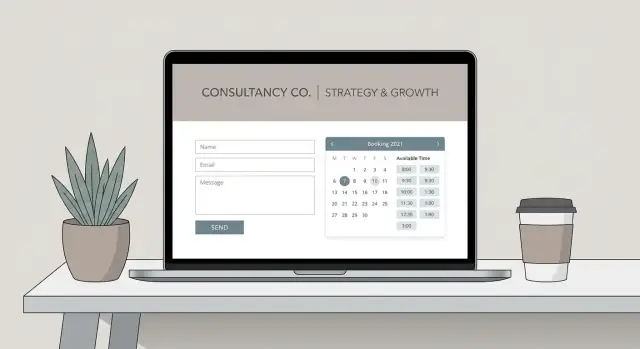
What a Consultant Website Must Do (Beyond Looking Good)
A consultant website isn’t a portfolio piece—it’s a sales assistant that works when you’re not in the room. The goal is to turn the right visitors into qualified leads and, ideally, a booked client discovery call.
Define the goal: booked calls, qualified leads, or both
Before you touch consulting website design, decide what “conversion” means for you:
- Booked calls: visitors go straight to an appointment booking calendar and schedule time.
- Qualified leads: visitors complete lead generation forms so you can review fit before scheduling.
- Both: a form first (to pre-qualify), then booking for people who match your criteria.
This choice affects everything—homepage layout, service pages, your copy, and what you ask for in a form.
What “good” looks like: traffic → form → booking → follow-up
A high-performing consultant website supports a clear flow:
- Traffic arrives (search, referrals, LinkedIn, email).
- Visitors immediately understand who you help, what you help with, and what result you deliver.
- They take one primary action: submit a form or book time.
- They get a fast response (automated + personal), ideally through CRM integration.
If any step is fuzzy, conversion rate optimization turns into guesswork.
Key pages and features you’ll build in this guide
You’ll assemble a practical lead engine: a focused homepage, specific service pages, lead forms that encourage replies, an appointment booking calendar that matches your workflow, and a simple follow-up system.
Common mistakes to avoid
Most underperforming sites fail for predictable reasons: beautiful design with unclear positioning, vague website copy for consultants, too many calls-to-action, and no follow-up after someone reaches out. The fix usually isn’t more pages—it’s a clearer path to “yes.”
Clarify Your Offer, Audience, and Primary Call-to-Action
Before you pick a template or write a headline, get clear on what you’re selling and who it’s for. A consultant website works best when it helps the right people self-identify quickly—and helps the wrong people opt out.
Choose a niche (or at least a clear focus)
You don’t need an ultra-narrow specialty, but you do need a specific “who” and “what.” Compare:
- “I do business consulting” (too broad)
- “I help B2B SaaS founders fix churn by improving onboarding and lifecycle emails” (clear)
Clarity makes your service pages easier to write and your lead forms easier to qualify.
Write a one-sentence positioning statement
Use this simple formula:
I help [audience] achieve [outcome] by [approach], without [common pain].
Example: I help operations leaders in manufacturing reduce late orders by redesigning planning workflows, without adding new software.
This sentence becomes the backbone of your homepage hero, service page intros, and your “Book a call” pitch.
Decide your primary call-to-action
Pick one primary action across the site:
- “Book a call” if you sell high-touch services and can qualify quickly on a discovery call.
- “Request info” if you need more context first (RFP-style work, enterprise procurement, variable scope).
Whichever you choose, keep it consistent in your header button, homepage sections, and service pages.
Define qualification criteria (so your website can filter)
Write down what a good-fit lead looks like. Typical criteria:
- Budget range or minimum engagement
- Timeline (e.g., “within 60–90 days”)
- Industry or company size
- Problem fit (what you do and don’t take on)
These points will directly shape your lead generation forms and your booking rules in later steps.
Plan Your Site Structure: Pages That Support Lead Flow
A consultant website shouldn’t feel like a full brochure. Its job is to move the right visitor toward one clear next step—usually a client discovery call booked through your appointment booking calendar or a short inquiry via lead generation forms.
Start with a simple “lead flow” map
Before you design anything, decide what you want most visitors to do:
- Primary action: Book a discovery call
- Secondary action: Submit a short form (for people not ready to book)
- Support actions: Read proof (case studies), understand your services, confirm you’re credible
When your structure matches this flow, you don’t need more pages—you need the right ones.
The core pages (and what each must accomplish)
Homepage (trust + direction):
Your homepage should quickly confirm: “I’m in the right place, and I know what to do next.” Use it to state who you help, the outcomes you deliver, and a clear CTA button (“Book a discovery call”). Save the details for service pages.
Service page(s) (sell and pre-qualify):
Create one page per service line if they’re meaningfully different. Strong website copy for consultants explains outcomes, who it’s for/not for, your process, and your pricing approach (even if it’s ranges or “starting at”). This reduces mismatched leads and improves conversion rate optimization.
Case studies/testimonials (reduce perceived risk):
A dedicated proof page helps skeptical buyers. Include the situation, what you did, and measurable results when possible. If your work is confidential, anonymize details and focus on the transformation.
About page (credibility + connection):
This is where people decide whether they trust you. Keep it client-focused: your relevant experience, your approach, and why it benefits them.
Contact page (fallback):
Even if your calendar is the primary path, include a Contact page with a short form and clear expectations (response time, what details to include). This is also useful for media, partnerships, and referrals.
Optional: Blog/resources for SEO and authority
If you plan to invest in SEO for consultants, add a simple blog/resources section. Publish practical articles that match your buyers’ questions and link naturally to your service pages.
Next, you’ll design your homepage layout and CTA placement so visitors always know where to go.
Create a High-Converting Homepage Layout
Your homepage has one job: move the right visitors to one clear next step (usually a discovery call or inquiry form). A high-converting layout is less about clever design and more about clarity, proof, and momentum.
Above the fold: make the offer obvious
Start with a headline that says who you help and what outcome you deliver.
Headline formula: Who you help + outcome + timeframe/approach (only if accurate)
Examples:
- “Helping SaaS founders reduce churn with a 30-day retention sprint.”
- “Finance teams streamline close with a practical automation roadmap.”
Right under the headline, add:
- One primary CTA button (e.g., “Book a discovery call” or “Get a project estimate”)
- 2–3 short proof points (e.g., “Ex–Big 4,” “10+ years,” “Worked with 40+ teams”)
- A professional photo (or your firm logo)
Keep the CTA visually dominant and repeat it throughout the page—same label, same destination.
Build the page around outcomes (not features)
After the hero section, use outcome-focused blocks that answer what prospects are silently asking:
- The problems you solve: name the common pain points in plain language.
- The results: specific metrics or concrete wins (even if they’re “time saved” or “fewer errors”).
- Your process: 3–5 steps that show what working together actually looks like.
- FAQs: pricing range, timelines, “who it’s for / not for,” and what you need from the client.
Trust elements that reduce hesitation
Add credibility where decisions happen:
- Testimonials with context (role, company type, problem solved)
- Client logos only if permitted
- Credentials, certifications, or speaking/publishing highlights
Place one strong testimonial near the first CTA repeat.
After the CTA: explain “what happens next”
Don’t leave visitors wondering. Under the button or form, add a short “Next steps” line, such as:
“Pick a time → answer 3 questions → get a short agenda email → meet for 20 minutes.”
That small clarity can be the difference between a click and a bounce.
Write Service Pages That Pre-Qualify and Sell
A strong service page doesn’t just describe what you do—it helps the right people self-identify, understand the engagement, and take the next step with confidence.
One page per core offer
Create one service page for each core offer (e.g., “Strategy Sprint,” “Fractional Ops,” “Leadership Coaching”). Mixing multiple offers on one page usually forces you into vague language and makes visitors unsure which option fits.
Keep each page focused on:
- Who it’s for (and who it’s not for)
- The problem it addresses
- The specific engagement format (timeline, cadence, level of access)
Deliverables vs. outcomes (set expectations)
People hire consultants for outcomes, but they compare consultants using deliverables. Include both:
- Outcomes: what changes for the client (clarity, faster decisions, fewer errors, stronger pipeline)
- Deliverables: what they receive (workshop, audit report, roadmap, SOPs, training session)
Add one short “What this is not” paragraph to prevent mismatched expectations (for example: “This isn’t done-for-you implementation”).
Add a simple 3–5 step process
A clear process reduces uncertainty and signals professionalism. Keep it lightweight:
- Discovery + goals
- Assessment
- Recommendation / plan
- Implementation support
- Review + next steps
Write it in plain language and specify typical timing (e.g., “Weeks 1–2”).
Handle pricing without scaring off qualified leads
You have three practical options:
- Starting at: good for standardized packages
- Range: good when scope varies but you can anchor expectations
- Request a quote: best for complex work—pair it with a “minimum engagement” to filter tire-kickers
Repeat a strong CTA near the end
End with a clear next action that matches intent (not everyone is ready to book).
Include a CTA block such as:
- Primary: “Book a 20-minute discovery call”
- Alternative: “Request a proposal” or “Ask a question”
Link to your booking or contact flow using a relative link (e.g., /contact).
Build Lead Forms That Get Replies (Not Drop-Offs)
Your lead form is where “interested” turns into “action.” If it feels long, vague, or risky to submit, people will bounce. The goal is to make it quick to raise a hand, while still collecting enough detail to respond confidently.
Choose the right form format
Start by deciding what you’re optimizing for:
- Single form: best when you want maximum volume (newsletter, general inquiries).
- Multi-step form: best when you want more detail without looking “long” (great for higher-ticket consulting).
- Form + calendar combo: best when you’re selling a client discovery call and want faster momentum—submit details, then book immediately.
If your workflow requires a quick review before booking, use the form first and send qualified leads to scheduling on the thank-you page.
Keep fields minimal (but useful)
Every extra field is a reason to quit. A strong baseline is:
- Name
- Goal/problem (one open text field)
- Company (optional)
Then add 1–3 qualifying questions that help you route and prioritize. Examples:
- “What’s your timeline?” (This month / 1–3 months / 3+ months)
- “What’s your current situation?” (Starting from scratch / Switching providers / Scaling)
- “Do you have a budget range in mind?” (ranges work better than open numbers)
Reduce anxiety with clear consent language
People hesitate when they think they’ll be spammed. Use plain language like:
“By submitting this form, you agree to receive follow-up emails about your inquiry. Unsubscribe anytime.”
Skip scary, overly legal text—clarity builds trust.
Don’t end with a dead-end: build a real thank-you page
After submission, send visitors to a dedicated thank-you page with next steps:
- Confirm what happens next (“I’ll reply within 1 business day.”)
- Offer an optional next action (e.g., “Book a call” or “Read what to expect”)
- Link to relevant pages like /services or /contact
A good form doesn’t just collect leads—it sets expectations and starts the relationship well.
Add a Booking Calendar That Fits Your Workflow
A booking calendar should make it easy for qualified prospects to meet you—without turning your week into a patchwork of calls. Aim for a scheduling experience that feels effortless to the visitor while still protecting your time.
Set booking rules that protect your week
Start by defining when you actually want calls to happen. Pick clear availability windows (for example, Tue–Thu mornings), then add buffer time so you can prep and write notes without running late.
Meeting length matters, too. If your calls regularly run over, don’t fight it—set the default duration to match reality. A calendar that reflects your real workflow reduces stress and creates a better first impression.
Offer the right meeting types
Most consulting sites benefit from two options:
- 15-minute intro call for quick fit checks and simple questions
- 45-minute discovery call for deeper context, problem definition, and next steps
Keep labels plain and outcome-focused. “Discovery Call” is fine, but “Discuss your goals and see if we’re a fit” is clearer. If you offer too many meeting types, prospects hesitate—so start with the minimum set that matches your sales process.
Collect the right details at booking (without making it a form marathon)
Use the booking step to gather context that helps you show up prepared. A few high-value fields usually outperform a long questionnaire:
- What do you want help with?
- What outcome are you aiming for?
- Any deadline or upcoming decision?
- Phone vs Zoom preference (or “video call” vs “phone call”)
This also pre-qualifies leads gently—people who can’t describe their goal may need a different entry point (like a contact form).
Confirmations and reminders that reduce no-shows
Enable instant confirmation emails and add at least one reminder (commonly 24 hours and/or 1 hour before). Include the call link, time zone, and what to prepare. A short, polite line like “If something changes, please reschedule rather than missing the slot” sets expectations without sounding strict.
Make rescheduling and cancellation easy (and professional)
Allow self-serve reschedule/cancel options, but set guardrails—such as a minimum notice period. This protects your calendar while keeping the experience respectful and low-friction.
If you want the rest of your site to support this, your homepage and service pages should point to the right meeting type with a single, clear CTA.
Connect Forms and Calendars into One Smooth Funnel
A lead form and a booking calendar are powerful on their own—but the real lift happens when they work as a single, intentional flow. Reduce friction for serious prospects while filtering out the “just browsing” crowd.
Pick one primary action per page
Decide what you want visitors to do next on each page: submit a form or book a time. If both are equally loud, people hesitate.
A practical rule: service pages often work best with a form-first CTA (“Tell me about your project”), while your contact page can be calendar-first (“Book a discovery call”).
Use a two-step flow to improve quality
A high-performing pattern for consultants is:
- Form → capture context (budget range, timeline, problem, company size)
- Calendar (optional) → only after the form, offer a time slot
This does two things: it pre-qualifies the inquiry and makes the call more productive because you already have the basics.
If you don’t want to gate the calendar, you can still ask lightweight questions during booking—just don’t overload the scheduler.
Keep CTAs consistent (and calm)
Use the same CTA placement rhythm across key pages:
- A clear header button
- One mid-page CTA after you explain outcomes
- One end-of-page CTA after objections are answered
Avoid stacking multiple competing buttons in the same screen area (e.g., “Book,” “Download,” “Subscribe”). Choose the single next step.
Add microcopy that answers “Why book now?”
Your button text and nearby microcopy should lower anxiety and set expectations:
- “Book a 20-minute discovery call (no pitch—just clarity).”
- “Get a reply within 1 business day.”
- “We’ll confirm fit before any proposal.”
When form → calendar feels like one continuous experience, your lead flow becomes smoother—and your calls get better.
Integrate with Email/CRM and Automate Follow-Up
A lead form or booking link is only half the system. The other half is what happens after someone clicks Submit or schedules a call—where their details go, how they’re organized, and how quickly you respond.
Decide where leads should land (and why)
Start by choosing the “source of truth” for new inquiries:
- Email inbox (simplest): great when you get low volume and respond personally.
- CRM (best for repeatable sales): keeps a timeline of conversations, notes, and deal stages.
- Spreadsheet (good for quick reporting): easy to scan and share, but weaker for follow-up.
If you want redundancy, send to all three—but keep the CRM as the primary record so you don’t manage duplicates everywhere.
Auto-tag and route leads based on intent
Your form fields can do more than collect contact info. Use answers to automatically apply tags like:
- Service interest (e.g., “Strategy Workshop” vs “Ongoing Retainer”)
- Budget range
- Timeline (urgent vs flexible)
- Role (Founder, Ops Lead, HR, etc.)
Those tags can then route the lead to the right pipeline, assign an owner, or trigger the right email template—so you’re not starting from scratch every time.
Create a simple follow-up sequence (manual or automated)
At minimum, send an immediate confirmation that sets expectations:
- When you’ll reply (e.g., “within 1 business day”)
- What to include next (brief context, links, files)
- A link to your booking page if they didn’t schedule
If you automate, keep it short: 1 instant email + 1 reminder 24–48 hours later. The goal is clarity, not a newsletter.
Add tracking you’ll actually use
Track three things end-to-end:
- Form submits
- Bookings
- Source attribution (where they came from)
Use UTM links in your ads and social profiles, and store the UTM fields in your CRM so you can see which channels create real conversations.
Keep integrations simple—and test the whole path
Pick one integration method (native integration if available; otherwise an automation tool). Then test it like a prospect:
- Submit the form and confirm the lead appears in the right place
- Check tags/fields populated correctly
- Confirm the confirmation email sends
- Book a test meeting and verify it creates the right record
Do this before launch day and anytime you change a form field or calendar settings.
Make It Fast, Mobile-Friendly, and Easy to Find
A consultant website should feel effortless on a phone: quick to load, simple to scan, and obvious where to tap. Speed and clarity aren’t “nice-to-haves”—they directly affect how many people reach your form or booking page.
Mobile-first checks (before you polish anything else)
Start by viewing every key page on a real phone:
- Tap targets: buttons and links should be easy to hit with a thumb (especially “Book a call” and “Contact”).
- Short sections: keep paragraphs tight, break up long pages with clear subheadings, and avoid huge hero blocks that hide the call-to-action.
- Speed basics: compress images, avoid autoplay video, and limit heavy animation. If your calendar widget loads slowly, consider linking to a dedicated booking page like /book.
Accessibility basics that also boost conversions
Accessible pages are clearer for everyone:
- Use readable font sizes, strong color contrast, and generous line spacing.
- Every form field needs a visible label (not just placeholder text).
- Make sure the site works with keyboard navigation and has clear focus states.
SEO essentials you can do in an afternoon
- Write a unique page title and meta description for each core page.
- Use one clear H1 per page, with helpful H2/H3 subheadings.
- Add internal links to guide visitors: from /services to a relevant /case-studies or /book page.
A “Consultant SEO” starter set (3–6 pages)
Build pages that match how buyers search:
- / (homepage)
- /services (or one page per service)
- /industries or /who-i-help
- /about
- /case-studies or /results
- Optional: service + location pages if you truly serve a region (avoid making dozens)
Analytics + privacy, without overpromising
Install analytics (GA4, Plausible, or similar) to track form submissions and booking clicks. Add a simple /privacy-policy, and only show a cookie banner if your tools require it. Keep tracking statements accurate and minimal.
Launch Checklist and Ongoing Optimization
Launching isn’t the finish line—it’s the moment your consultant website starts proving whether your funnel actually works. Before you announce it on LinkedIn or email your list, run one end-to-end test that mirrors a real prospect.
Run a Full Funnel Test (Like a Prospect Would)
Open your site on both desktop and mobile and go through the entire path:
- Visit the homepage → click your main call-to-action
- Submit the lead form (use a real email you can access)
- Book a time on your appointment booking calendar
- Confirm you receive every expected email: confirmation, any prep instructions, and reminders
Pay attention to the “in-between” moments: the thank-you page, the confirmation screen, and the tone of the emails. These are small, but they heavily influence whether someone shows up to a client discovery call.
Quick Launch Checklist (Don’t Skip the Boring Stuff)
A clean launch prevents embarrassing first impressions and protects your tracking:
- Broken links: click every navigation item, footer link, and button
- Typos and formatting: check service pages, headings, and mobile line breaks
- Image compression: make sure images load fast and don’t look blurry
- Tracking: confirm analytics and ad pixels are installed and firing correctly
- Spam protection: verify your forms block obvious spam without adding friction
If you want a deeper guide to form quality, keep it simple and start here: /blog/lead-form-best-practices.
Post-launch improvements that move conversions
Once real traffic hits the site, improve one thing at a time so you can tell what helped:
- A/B test homepage headlines: clarity usually beats cleverness
- Shorten forms: remove fields that don’t change how you follow up
- Adjust availability: fewer time options can increase bookings (less decision fatigue)
If you’re rewriting your pages, focus on clarity and specificity—this overview helps: /blog/consultant-website-copy.
Build faster (when you don’t want a long dev cycle)
If you want to ship a consultant website quickly—without stitching together a theme, form tool, calendar embed, and custom pages—you can use a vibe-coding platform like Koder.ai to generate a production-ready web app from a simple chat prompt, then iterate in “planning mode” before making changes. It also supports deployment/hosting, custom domains, source code export, and snapshots/rollback—handy when you’re testing new CTAs or form fields and want to revert fast.
A simple monthly routine (30–60 minutes)
Consistency beats big redesigns. Each month:
- Update testimonials (add one recent, specific result)
- Publish one helpful article answering a common buyer question
- Review lead quality: who booked, who showed up, and which service page they came from
Over time, this creates a consultant website that doesn’t just look professional, but steadily improves lead generation forms, booking rates, and the quality of calls you take.
Câu hỏi thường gặp
Should my consultant website optimize for booked calls, qualified leads, or both?
Chọn một chuyển đổi chính và xây mọi thứ xung quanh nó:
- Booked calls nếu dịch vụ của bạn cần tiếp xúc nhiều và bạn có thể đánh giá qua cuộc gọi khám phá ngắn.
- Qualified leads nếu phạm vi công việc thay đổi hoặc bạn cần bối cảnh trước khi dành thời gian.
- Both nếu bạn muốn dùng form trước để sàng lọc, rồi cho người phù hợp đặt lịch trên trang cảm ơn.
Khi đã chọn, dùng cùng một nhãn CTA và điểm đến trên toàn site.
What’s the fastest way to clarify my positioning on the homepage?
Dùng một câu ngắn, rõ ràng mà người mua hiểu trong 5 giây:
I help [audience] achieve [outcome] by [approach], without [common pain].
Rồi đặt câu này ở phần hero của trang chủ, mở đầu trang dịch vụ và gần CTA chính để khách truy cập biết ngay ai là đối tượng và kết quả họ nhận được.
What pages does a consultant website actually need to generate leads?
Bắt đầu với một tập trang nhỏ hỗ trợ luồng chuyển đổi:
- Homepage: tạo niềm tin + chỉ hướng tới bước tiếp theo
- Service page(s): bán hàng + sàng lọc trước (ai phù hợp/không phù hợp, kết quả, quy trình)
- Case studies/testimonials: giảm rủi ro cảm nhận
- About: uy tín và sự phù hợp
- Contact: form dự phòng và kỳ vọng
Chỉ thêm blog nếu bạn có kế hoạch xuất bản liên tục cho SEO.
What should be included “above the fold” on a high-converting consultant homepage?
Ở phần đầu trang (above the fold), làm rõ ba điều:
- Ai bạn giúp và kết quả (headline)
- Một nút CTA nổi bật (nhất quán trên site)
- Bằng chứng nhanh (2–3 điểm uy tín + một testimonial mạnh gần đó)
Rồi xây phần còn lại của trang quanh kết quả, quy trình (3–5 bước) và một dòng “chuyện tiếp theo” dưới CTA.
Should I create one service page or multiple service pages?
Tạo một trang cho mỗi gói chính khi các gói khác biệt về thời gian, deliverables, loại khách hàng hoặc mức giá. Giữ từng trang tập trung vào đối tượng, vấn đề và hình thức hợp tác.
Nếu gom nhiều dịch vụ trên một trang, nội dung thường sẽ mơ hồ và làm tăng các lead không phù hợp, giảm chuyển đổi.
How do I write a service page that sells without overpromising?
Bao gồm cả hai vì khách hàng thuê bạn vì kết quả nhưng so sánh các tư vấn qua deliverables:
- Outcomes: điều thay đổi cho khách (quyết định nhanh hơn, ít lỗi hơn, giữ chân khách tốt hơn)
- Deliverables: những gì họ nhận được (audit, roadmap, SOP, workshop)
Thêm đoạn ngắn “This is not” để tránh kỳ vọng sai và giảm lead không phù hợp.
What should I ask in a lead form so it converts but still qualifies leads?
Giữ trường tối thiểu và chỉ thêm vài câu hỏi để phân loại:
- Tên
- Một ô văn bản ngắn (mục tiêu/vấn đề)
- Công ty (tùy chọn)
- 1–3 câu hỏi phân loại (timeline, khoảng giá, tình huống)
Nếu cần nhiều chi tiết hơn, dùng multi-step form để người dùng cảm thấy ngắn gọn và giảm tỉ lệ rời bỏ.
When should I use a form-first flow instead of sending people straight to my calendar?
Dùng form → calendar khi bạn muốn cuộc gọi chất lượng hơn và buổi khám phá hiệu quả hơn:
- Thu thập bối cảnh trước (khoảng giá, timeline, vấn đề, quy mô công ty)
- Rồi chỉ cho người phù hợp đặt lịch trên trang cảm ơn
Nếu không cần sàng lọc, cho phép đặt lịch trực tiếp nhưng giữ các câu hỏi trên bộ lịch ngắn để không biến nó thành một form dài thứ hai.
How do I set up a booking calendar without turning my week into random calls?
Bảo vệ thời gian bằng quy tắc đơn giản:
- Chọn khung giờ có sẵn rõ ràng (ví dụ: Tue–Thu buổi sáng)
- Thêm thời gian đệm giữa các cuộc họp
- Chỉ cung cấp 1–2 loại cuộc hẹn (ví dụ: 15 phút intro + 45 phút discovery)
- Bật email xác nhận và nhắc nhở (24 giờ và/hoặc 1 giờ trước)
- Cho phép tự phục vụ đổi lịch/hủy với thời gian thông báo tối thiểu
Nếu widget lịch chậm trên thiết bị di động, link đến trang riêng như /book.
What should I measure and test after launching my consultant website?
Theo dõi toàn bộ funnel và test end-to-end:
- Form submits
- Bookings
- Source attribution (UTM lưu trong CRM)
Trước khi ra mắt (và sau khi thay đổi), gửi form thử, xác nhận lead xuất hiện đúng chỗ, kiểm tra tags/routing, và hoàn tất một booking thử để đảm bảo mọi email và nhắc nhở được gửi đúng.