

Çevrimdışı Kontrol Listesi için Mobil Uygulama Nasıl Yapılır (Adım Adım)
İnternetsiz çalışan bir mobil kontrol listesi uygulamasını nasıl tasarlayıp test edeceğinizi öğrenin: yerel depolama, senkronizasyon, çakışma çözümü, güvenlik ve yayın ipuçları.
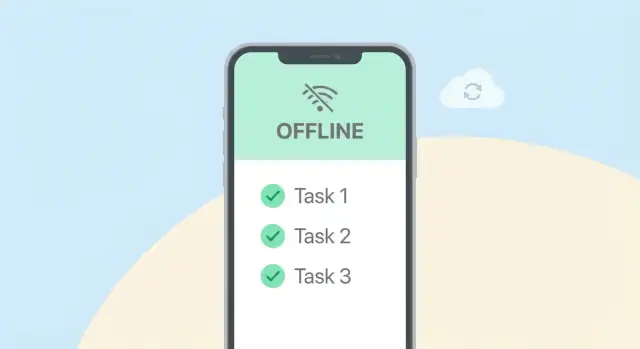
Define the Offline Checklist Use Case
Before you choose databases or sync tactics, get specific about who will rely on offline checklists—and what “offline” really means for them. An app used by a home organizer has very different expectations than one used by inspectors in basements, factories, or rural sites.
Who is the checklist for?
Start by naming the primary users and their environments:
- Field teams doing maintenance visits with spotty reception
- Auditors running through time-boxed compliance checks
- Inspectors collecting evidence (photos, readings) on-site
- Individuals managing home or personal tasks
For each group, note device constraints (shared devices vs. personal), typical session length, and how often they return online.
What jobs must the app support?
Write down the core actions users must complete without thinking about connectivity:
- Create and manage checklist templates (or at least download and reuse them)
- Complete items with statuses (pass/fail, done/not done), quantities, or measurements
- Add notes, photos, and attachments as proof
- Capture signatures for handoff or acknowledgment
Also list “nice-to-have” actions that can wait (e.g., searching global history, exporting reports).
Define offline vs. online requirements
Be explicit about what must work fully offline (creating a new checklist run, saving progress instantly, attaching photos) versus what can be delayed (uploading media, syncing to teammates, admin edits).
Regulatory and audit needs
If you operate under compliance rules, define requirements early: trusted timestamps, user identity, an immutable activity log, and rules about edits after submission. These decisions affect your data model and how you design sync later.
Choose an Offline-First Approach
An offline checklist app succeeds or fails based on one early decision: offline-first or online-first with offline fallback.
Offline-first vs. online-first (with fallback)
Offline-first means the app treats the phone as the primary place where work happens. The network is a nice-to-have: syncing is a background task, not a requirement to use the app.
Online-first with offline fallback means the server is the source of truth most of the time, and the app only “limps along” offline (often read-only, or with limited edits).
For checklists used on job sites, warehouses, flights, and basements, offline-first is usually the better fit because it avoids awkward “Sorry, try again later” moments when a worker needs to tick a box right now.
Decide what users can do while offline
Be explicit about read/write rules. A practical offline-first baseline:
- Read: open any previously synced checklist, see recent activity, search local items.
- Create: new checklists and new items should work offline.
- Edit: changes to titles, notes, due dates, assignees, and item states should work offline.
- Delete: allow “soft delete” offline (mark for deletion), then finalize on sync.
- Attachments: allow capturing photos/files offline, but queue uploads and show a clear “pending upload” state.
When you restrict something offline (for example, inviting new team members), say so in the UI and explain why.
Set expectations for eventual sync
Offline-first still needs a promise: your work will sync when connectivity returns. Decide and communicate:
- How long data can stay local before the app nags the user (e.g., “Not synced for 7 days”).
- What happens if the user logs out, reinstalls, or runs out of storage.
- Whether the app requires an occasional online check-in for compliance or account status.
Plan for multi-device and shared checklists
Single-user checklists are simpler: conflicts are rare and can often be resolved automatically.
Teams and shared lists require stricter rules: two people can edit the same item offline.
Choose upfront whether you’ll support true real-time collaboration later, and design now for multi-device sync, audit history, and clear “last updated by” cues to reduce surprises.
Design the Data Model for Checklists
A good offline checklist app is mostly a data problem. If your model is clean and predictable, offline edits, retries, and sync become much easier.
Separate “templates” from “runs”
Start by splitting the checklist someone fills out from the checklist someone authors.
- Checklist templates: the reusable definition (title, sections, item prompts, validation rules, required flags, scoring logic).
- Checklist runs (sessions/instances): a user’s concrete completion of a template at a point in time (who did it, where, when, status).
This lets you update templates without breaking historical submissions.
Model items and answers explicitly
Treat each question/task as an item with a stable ID. Store user input in answers linked to a run + item.
Practical fields to include:
id: stable UUID (generated client-side so it exists offline)template_version: to know which template definition the run was started fromupdated_at: last modified timestamp (per record)version(orrevision): an integer you bump on every local change
These “who changed what, when” hints are the foundation for your sync logic later.
Support partial completion and resumable sessions
Offline work is often interrupted. Add fields like status (draft, in_progress, submitted), started_at, and last_opened_at. For answers, allow nullable values and a lightweight “validation state” so users can save a draft even if required items aren’t done yet.
Plan attachments without bloating your tables
Photos and files should be referenced, not stored as blobs in your main checklist tables.
Create an attachments table with:
- local file path / URI
- remote URL (after upload)
- MIME type, size
answer_id(orrun_id) link- upload state (
pending,uploading,uploaded,failed)
This keeps checklist reads fast and makes retrying uploads straightforward.
Select Local Storage and Handle Migrations
Offline checklists live or die by the local store. You need something fast, searchable, and upgradeable—because your schema will change as soon as real users start asking for “just one more field.”
Choosing a local store (SQLite vs Realm vs platform storage)
- SQLite (often via Room/SQLDelight/FMDB): A great default. It’s predictable, easy to debug, and excels at queries like “show all incomplete tasks for this site today.” Best when you expect filtering, reporting, or large datasets.
- Realm: Convenient object model and reactive updates. It can speed up development, but you’ll want to understand its migration flow and file-size behavior. Great when your team prefers working with objects over SQL.
- Platform storage (Key-Value / files): Fine for small, simple data (settings, feature flags, cached tokens). It becomes painful for anything that needs querying, relationships, or bulk updates—so avoid it for the checklist core.
Add indexes for fast search and filter
Design for common “list screens.” Index the fields you filter by most:
- status (open/completed/failed)
- dates (scheduledAt, completedAt)
- locationId / siteId
- assigneeId
A small number of well-chosen indexes usually beats indexing everything (which slows writes and increases storage).
Use migrations from day one
Version your schema from the first release. Each change should include:
- a schema version bump
- a migration script (create/alter tables, add indexes)
- optional backfills (e.g., setting a new
priorityfield based on template defaults)
Test migrations with real-ish data, not empty databases.
Handle large datasets
Offline databases grow quietly. Plan early for:
- pagination for list views (limit/offset or cursor by date)
- pruning rules (e.g., remove local copies of completed items after 90 days if synced)
- archiving (keep history but move it to “archive tables” or compressed records)
This keeps the app snappy even after months in the field.
Build a Reliable Sync Queue
A good offline checklist app doesn’t “sync screens”—it syncs user actions. The simplest way to do that is an outbox (sync) queue: every change a user makes is recorded locally first, then sent to the server later.
Use an outbox queue (actions, not objects)
When a user checks an item, adds a note, or completes a checklist, write that action into a local table like outbox_events with:
- a unique
event_id(UUID) type(e.g.,CHECK_ITEM,ADD_NOTE)payload(the details)created_atstatus(pending,sending,sent,failed)
This makes offline work instant and predictable: the UI updates from the local database, while the sync system works in the background.
Decide what triggers sync
Sync shouldn’t run constantly. Pick clear triggers so users get timely updates without draining battery:
- App start / resume: flush pending events early
- Connectivity change: when the network returns, try again
- Manual “Sync now”: a safety valve for users
- Background task (when allowed): periodic catch-up
Keep rules simple and visible. If the app can’t sync, show a small status indicator and keep the work usable.
Batch requests to save battery
Instead of sending one HTTP call per checkbox, batch multiple outbox events into a single request (e.g., 20–100 events). Batching reduces radio wakeups, improves throughput on shaky networks, and keeps sync time short.
Make sync idempotent (safe to retry)
Real networks drop requests. Your sync must assume every request might be sent twice.
Make each event idempotent by including event_id and having the server store processed IDs (or use an idempotency key). If the same event arrives again, the server returns success without applying it twice. That lets you retry aggressively with backoff, without creating duplicate checklist items or double-completing tasks.
If you want to go deeper on UX signals around syncing, connect this with the next section on offline workflows.
Plan Conflict Resolution Early
Offline checklists are deceptively simple until the same checklist is edited on two devices (or edited offline on one device while another edits online). If you don’t plan for conflicts up front, you’ll end up with “mysteriously missing” items, duplicated tasks, or overwritten notes—exactly the kind of reliability issue checklist apps can’t afford.
Common conflict scenarios
A few patterns show up repeatedly:
- Two people check the same item (or uncheck it) while offline.
- A user edits item text on a tablet, while a phone edits the same item’s due date.
- Reordering items on one device while another device adds or deletes items.
- Edits after deletion (one device deletes a checklist; another device keeps editing it offline).
Choose a resolution strategy
Pick one strategy and be explicit about where it applies:
- Last-write-wins (LWW): simplest, but can silently overwrite important changes. Good for low-stakes fields like “last opened.”
- Per-field merge: treat fields independently (e.g., title, notes, due date). This reduces data loss and works well for checklist item metadata.
- User-assisted resolution: when you can’t safely merge (e.g., both edited the same note), prompt the user to choose.
Most apps combine these: per-field merge by default, LWW for a few fields, and user-assisted for the rest.
Store enough history to detect conflicts
Conflicts aren’t something you “notice later”—you need signals built into your data:
- A server revision (incrementing number) or ETag per checklist/item.
- A local base revision recorded when the user started editing.
- Optional: an operation timestamp and device/user ID for auditability.
When syncing, if the server revision has changed since the local base revision, you have a conflict to resolve.
Design a simple conflict UI
When user input is required, keep it quick:
- Show “Your version” vs “Server version” with the differing fields highlighted.
- Offer Keep mine / Keep theirs plus an optional Copy both for text fields.
- Let users resolve inline and continue working; don’t block the entire app.
Planning this early keeps your sync logic, storage schema, and UX aligned—and prevents unpleasant surprises right before launch.
Design UX for Offline Workflows
Offline support only feels “real” when the interface makes it obvious what’s happening. People using checklists in warehouses, hospitals, or on job sites don’t want to guess whether their work is safe.
Make connectivity visible (without being noisy)
Show a small, consistent status indicator near the top of key screens:
- Offline / Online state (simple label or icon)
- Last synced time (e.g., “Last synced 9:42 AM”)
When the app goes offline, avoid pop-ups that block work. A lightweight banner that can be dismissed is usually enough. When it returns online, show a brief “Syncing…” state, then quietly clear it.
“Safe save” feedback users can trust
Every edit should feel saved immediately, even when disconnected. A good pattern is a three-stage save status:
- Saved locally (instant confirmation)
- Pending sync (queued for upload)
- Synced (confirmed by server)
Place this feedback close to the action: next to the checklist title, at the item row level (for critical fields), or in a small footer summary (“3 changes pending sync”). If something fails to sync, show a clear retry action—don’t make users hunt for it.
Prevent accidental data loss
Offline work increases the cost of mistakes. Add guardrails:
- Drafts for partially completed checklists (auto-save as you type)
- Undo for quick reversals (especially toggles and deletions)
- Confirm destructive actions when they remove multiple items or a whole checklist
Also consider a “Restore recently deleted” view for a short window.
Optimize for one-handed, fast entry
Checklists are often completed while carrying tools or wearing gloves. Prioritize speed:
- Large tap targets for toggles and checkboxes
- Smart defaults (pre-fill assignee, location, or common values)
- Quick actions (add item, mark all complete, duplicate last entry)
Design for the happy path: users should be able to complete a checklist quickly, with the app quietly handling offline details in the background.
Cache Templates and Reference Data
Offline checklists break down if the user can’t access the context needed to complete them—task templates, equipment lists, site info, required photos, safety rules, or dropdown options. Treat these as “reference data” and cache them locally alongside the checklist itself.
What to cache (and why)
Start with the minimum set required to finish work without guessing:
- Checklist templates: steps, required fields, validation rules, and any conditional logic.
- Lookups: dropdown values (locations, asset IDs, defect types), plus human-readable labels.
- Instructions and attachments metadata: text guidance, file names, and checksums; optionally the files themselves.
A good rule: if the UI would show a spinner when opening a checklist online, cache that dependency.
TTLs and refresh rules
Not everything needs the same freshness. Define a TTL (time-to-live) per data type:
- Templates: longer TTL (days/weeks) but refreshed on app start or when online.
- Compliance/safety rules: shorter TTL (hours/days) and refreshed more aggressively.
- Large media: fetch on demand, but pin “must-have” items for offline use.
Also add event-based refresh triggers: user changes site/project, receives a new assignment, or opens a template that hasn’t been checked recently.
Handling stale data when requirements change
If a template updates while someone is mid-checklist, avoid silently changing the form. Show a clear “template updated” banner with options:
- Continue with cached version (most predictable)
- Update and review changes (show a short diff: added/removed required fields)
If new required fields appear, mark the checklist as “needs update before submit” rather than blocking offline completion.
Incremental updates over full downloads
Use versioning and deltas: sync only changed templates/lookup rows (by updatedAt or server change tokens). Store per-dataset sync cursors so the app can resume quickly and reduce bandwidth—especially important on cellular connections.
Secure Offline Data and Access
Offline checklists are useful because data lives on the device—even when there’s no network. That also means you’re responsible for protecting it if a phone is lost, shared, or compromised.
Start with a simple threat model
Decide what you’re protecting against:
- A casual attacker with physical access to an unlocked device
- A lost/stolen device that’s later accessed
- Malware or rooted/jailbroken devices (harder to fully defend)
This helps you choose the right security level without slowing the app down unnecessarily.
Store secrets safely (tokens, keys)
Never store access tokens in plain local storage. Use the OS-provided secure storage:
- iOS: Keychain
- Android: Keystore (often via EncryptedSharedPreferences or a library wrapper)
Keep the local database free of long-lived secrets. If you need an encryption key for the database, store that key in the Keychain/Keystore.
Encrypt local data (when it’s worth it)
Database encryption can be a good idea for checklists that include personal data, addresses, photos, or compliance notes. The tradeoffs are usually:
- Slight performance overhead
- More complexity in key management and recovery
If the main risk is “someone browses app files,” encryption is valuable. If your data is low sensitivity and devices already use OS-level full-disk encryption, you may skip it.
Authentication when offline
Plan what happens if a session expires while offline:
- Allow read-only access to already-downloaded checklists for a grace period
- Queue edits but require re-login before syncing
- Show a clear banner: “You’re offline—sign in required to sync”
Protect attachments
Store photos/files in app-private storage paths, not shared galleries. Tie each attachment to a signed-in user, enforce access checks in-app, and wipe cached files on logout (and optionally via a “Remove offline data” action in settings).
Make Sync Resilient on Real Networks
A sync feature that works on your office Wi‑Fi can still fail in elevators, rural areas, or when the OS throttles background work. Treat “the network” as unreliable by default, and design sync to fail safely and recover quickly.
Handle timeouts, retries, and backoff
Make every network call time-bounded. A request that hangs for 2 minutes feels like the app is frozen, and it can block other work.
Use retries for transient failures (timeouts, 502/503, temporary DNS issues), but don’t hammer the server. Apply exponential backoff (e.g., 1s, 2s, 4s, 8s…) with a little random jitter so thousands of devices don’t retry at the same time after an outage.
Background sync + “Sync now”
When the platform allows it, run sync in the background so checklists quietly upload when connectivity returns. Still provide a visible manual action like “Sync now” for reassurance and for cases where background sync is delayed.
Pair this with clear status: “Last synced 12 min ago”, “3 items pending”, and a non-alarming banner when offline.
Prevent duplicates with request IDs
Offline apps often retry the same action multiple times. Assign a unique request ID to each queued change (your event_id) and send it with the request. On the server, store processed IDs and ignore duplicates. This keeps users from accidentally creating two inspections, two signatures, or double-checking an item.
Log errors people can act on
Store sync errors with context: which checklist, which step, and what the user can do next. Prefer messages like “Couldn’t upload 2 photos—connection too slow. Keep the app open and tap Sync now.” over “Sync failed.” Include a lightweight “Copy details” option for support.
Test Offline Scenarios and Performance
Offline features usually fail at the edges: a tunnel, a weak signal, a half-finished save, or a huge checklist that takes just long enough to be interrupted. A focused test plan catches those issues before your users do.
Exercise real offline flows (not just “no internet”)
Test airplane mode end-to-end on physical devices, not only simulators. Then go further: change connectivity mid-action.
Try scenarios like:
- Start checking items, then enable airplane mode before tapping Save.
- Turn connectivity on/off while an attachment is uploading.
- Kill the app during a save, reopen, and confirm no data loss or duplicates.
- Log out / token expires while offline; verify users can still view and edit what they’re allowed to.
You’re validating that writes are durable locally, UI states remain consistent, and the app doesn’t “forget” pending changes.
Automate the sync queue and conflict logic
Your sync queue is a piece of business logic, so treat it like one. Add automated tests that cover:
- Ordering (oldest-first vs priority items)
- Retries with backoff and “don’t retry” errors
- Idempotency (re-sending the same operation doesn’t create duplicates)
- Conflict cases (server changed the same item; ensure the expected resolution outcome)
A small set of deterministic tests here prevents the most expensive class of bugs: silent data corruption.
Load test local DB operations
Create large, realistic datasets: long checklists, many completed items, and attachments. Measure:
- Time to open a checklist
- Time to mark many items quickly
- Storage growth and query speed over weeks of use
Also test worst-case devices (low-end Android, older iPhones) where slower I/O exposes bottlenecks.
Instrument sync success in production
Add analytics to track sync success rate and time-to-sync (from local change to confirmed server state). Watch for spikes after releases and segment by network type. This turns “sync feels flaky” into clear, actionable numbers.
Ship, Monitor, and Iterate
Shipping an offline checklist app isn’t a one-time event—it’s the start of a feedback loop. The goal is to release safely, watch real usage, and improve sync and data quality without surprising users.
Finalize sync API contracts
Before rollout, lock down the endpoints your app relies on so client and server evolve predictably:
- Pull changes: fetch server updates since the last sync (e.g., by cursor or timestamp).
- Push actions: upload a batch of local actions (create item, tick box, edit notes) with stable IDs.
- Resolve conflicts: return the winning version (or a merge result) plus enough context to explain what happened.
Keep responses consistent and explicit (what was accepted, rejected, retried) so the app can recover gracefully.
Add monitoring you can act on
Offline issues are often invisible unless you measure them. Track:
- Sync failure rate and top error reasons (auth expired, timeout, payload too large).
- Queue depth and time-to-sync (how long actions sit unsent).
- Data integrity signals (duplicate items, missing checklist entries, unexpected deletes).
Alert on spikes, not single errors, and log correlation IDs so support can trace a single user’s sync story.
Roll out with safety rails
Use feature flags to release sync changes gradually and to disable a broken path quickly. Pair this with schema migration safeguards:
- Backward-compatible migrations when possible.
- A “safe mode” fallback if the local database upgrade fails.
Teach offline usage clearly
Add lightweight onboarding: how to recognize offline status, what “Queued” means, and when data will sync. Publish a help article and link it from the app (see ideas in /blog/).
Prototyping tip: ship an offline checklist MVP faster
If you want to validate these offline patterns quickly (local store, outbox queue, and a basic Go/PostgreSQL backend), a vibe-coding platform like Koder.ai can help you stand up a working prototype from a chat-driven spec. You can iterate on the checklist UX and sync rules, export the source code when you’re ready, and keep tightening reliability based on real field feedback.
SSS
What does “offline” mean for an offline checklist app?
"Offline" farklı şeyler ifade edebilir: kısa kesilmelerden günlerce bağlantısız kalmaya kadar. Tanımlayın:
- Kullanıcıların nerede çalıştığı (bodrumlar, kırsal sahalar, uçuşlar).
- Hangi işlerin tamamen ağ olmadan yapılması gerektiği (çalışma başlatma, ilerlemeyi kaydetme, fotoğraf çekme).
- Uygulamanın ne kadar süre senkronize olmadan kalabileceği ve ne zaman kullanıcıyı uyarması gerektiği (ör. 7 gün).
Should I build offline-first or online-first with offline fallback?
Kullanıcılar düşük veya sıfır kapsama alanında güvenilir şekilde liste tamamlamak zorundaysa offline-first seçin: cihaz birincil çalışma alanıdır ve senkronizasyon arka planda gerçekleşir.
Eğer işlerin çoğu çevrimiçi gerçekleşiyorsa ve çevrimdışı mod sınırlı kalabiliyorsa (çoğunlukla salt okunur veya az düzenleme), o zaman online-first with fallback düşünülebilir.
What features should work while the user is offline?
Pratik bir temel şunları içerir:
- Okuma: önceden senkronize edilmiş checklistleri ve referans verileri açma.
- Oluştur/Düzenle: yeni oturumlar, maddelerin durumu, notlar, miktarlar, ölçümler.
- Silme: çevrimdışı iken soft delete yapın; senkronizasyonda kesinleştirin.
- Ekler: çevrimdışı fotoğraf/fayl yakalayın; yüklemeleri sıraya alın ve “yükleme bekliyor” durumu gösterin.
Bir şey kısıtlıysa (ör. ekip davet etme), bunu UI’da açıklayın.
Why should I separate checklist templates from checklist runs?
Veriyi şu şekilde ayırın:
- Şablonlar (tekrar kullanılabilir tanımlar: bölümler, sorular, doğrulama kuralları).
- Runs (bir şablonun belirli bir zamanda, kim tarafından/nerede/kaçta tamamlandığına dair örnek).
Bu sayede şablon güncellemeleri geçmiş gönderimleri bozmaz ve denetimi kolaylaşır.
What fields are essential to support offline edits and syncing?
Çevrimdışı düzenlemeleri ve senkronizasyonu desteklemek için şunlar şarttır:
- Müşteri tarafında oluşturulan stabil ID'ler (UUID) — böylece kayıtlar çevrimdışı da var olur.
- Her kayıt için
updated_at. - Her yerel değişiklikte artırılan bir
version/revisionsayacı. - Oturumların hangi şablon versiyonuyla başladığını göstermek için
template_version.
Bu alanlar, senkronizasyon, yeniden denemeler ve çakışma tespitini tahmin edilebilir kılar.
What’s the simplest reliable way to implement sync?
Yerel bir outbox (senkronizasyon) kuyruğu kullanın; ekranı değil, kullanıcı eylemlerini kaydeder. Her olay şunları içermeli:
event_id(UUID)type(ör.CHECK_ITEM,ADD_NOTE)payloadcreated_atstatus(pending,sending,sent,failed)
UI, yerel veritabanından anında güncellenir; outbox arka planda senkronize eder.
How do I prevent duplicates when sync retries happen?
Her değişikliği tekrar denemeye uygun hâle getirin: her işlem için bir event_id (idempotency anahtarı) gönderin. Sunucu işlenmiş ID'leri saklar ve çift gelen olayları görmezden gelir.
Böylece ağ kopmaları veya yeniden gönderimler sırasında çift kayıt, çift onay gibi sorunlar önlenir.
How should I handle conflicts when two devices edit the same checklist?
Çoğu uygulama şu stratejileri kombine eder:
- Bağımsız alanlar için alan bazlı birleştirme (ör. başlık ayrı, teslim tarihi ayrı).
- Düşük öneme sahip alanlar için last-write-wins (LWW).
- Güvenli bir şekilde birleştirilemeyen durumlarda kullanıcı destekli çözüm (ör. aynı not iki tarafta farklı şekilde düzenlenmişse).
Çakışmaları tespit etmek için bir sunucu revizyonu/ETag ve kullanıcının düzenlemeye başladığı zamanki base revision kaydedilmelidir.
Which local database should I use, and how do I handle migrations?
Sorgulama ve raporlama bekliyorsanız güvenilir, sorgulanabilir bir depoyu tercih edin:
- Filtreleme ve raporlama için güçlü bir varsayılan: SQLite (Room/SQLDelight/FMDB aracılığıyla).
- Nesne modeliyle hızlı geliştirme isterseniz Realm; ancak migrate ve dosya boyut davranışını planlayın.
- Checklist çekirdeği için key-value depolamadan kaçının — ilişkiler ve karmaşık sorgular için yetersizdir.
Ayrıca baştan itibaren migration (şema geçiş) mekanizması ekleyin ki şema değişiklikleri kurulu uygulamaları kırmasın.
How do I secure offline data and attachments on the device?
İşlem yapmadan önce tehdidi belirleyin:
- Kilitli olmayan bir cihaza erişen sıradan bir saldırgan.
- Kaybolan/çalınan bir cihazın ele geçirilmesi.
- Köklenmiş/jailbreak yapılmış cihazlardaki kötü amaçlı yazılımlar (bunlar tam korunması zor senaryolar).
Buna göre gerekli güvenlik seviyesini seçin ve uygulamayı gereksiz yere yavaşlatmayın.
How do I make sync resilient on real networks?
Gerçek ağlarla dayanıklı senkronizasyon için şunlara dikkat edin:
- Her ağ çağrısını zaman sınırına alın; uzun süre bekleyen istekler uygulamanın donduğunu hissettirir.
- Geçici hatalar için yeniden denemeler uygulayın, fakat sunucuyu yormamak için üs artan geri çekilme (exponential backoff) ve küçük rasgele gecikme (jitter) kullanın.
- Arka planda senkronizasyon ve kullanıcı için “Sync now” butonu sunun; ayrıca senkronizasyon durumunu net gösterin (ör. “3 öğe beklemede”).
How do I test offline scenarios and performance?
Testleri sadece “internet yok” durumu yerine gerçekçi çevrimdışı akışlar olarak yapın:
- Fiziksel cihazlarda uçak moduyla uçtan uca test edin; simulasyon tek başına yeterli değildir.
- Aşağıdakileri deneyin:
- Maddeleri işaretlemeye başlayın, sonra Save işleminden önce uçak modunu açın.
- Bir ek yüklenirken bağlantıyı açıp kapatın.
- Kaydetme sırasında uygulamayı sonlandırın, tekrar açın; veri kaybı veya çift kayıt olmadığından emin olun.
- Çevrimdışıyken oturum kapatma / token süresi dolma durumlarını test edin.
Ayrıca senkronizasyon kuyruğu ve çakışma mantığı için otomatik testler yazın; yerel veritabanı performansını büyük verilerle yük testiyle ölçün.
How should I ship, monitor, and iterate on an offline checklist app?
Piyasaya sürmek bir başlangıçtır; izleyin ve yineleyin. Dikkat edilecekler:
- Senkronizasyon API sözleşmelerini netleştirin: değişiklikleri çekme (cursor/timestamp ile), aksiyonları gönderme (batch), çakışma çözümü geri dönüşleri.
- İzleme ekleyin: senkronizasyon hata oranı, kuyruğun derinliği, verinin sunucuya ulaşma süresi, veri bütünlüğü sinyalleri.
- Özellik bayrakları (feature flags) kullanarak önce küçük kullanıcı gruplarına açın; başarısız bir yolu hızlı kapatın.
- Kullanıcılara çevrimdışı kullanımın nasıl göründüğünü öğreten hafif bir onboarding ve bir yardım makalesi sunun (ör. /blog/ fikrini gösterin).
Prototip için hızlı doğrulama isterseniz, Koder.ai gibi araçlarla bir MVP (yerel depo, outbox kuyruğu, temel backend ile) hızlıca kurup sahadan gelen geri bildirimlere göre iyileştirebilirsiniz.