

12 Exotic Programming Languages Worth Exploring in 2025
Explore 12 exotic programming languages in 2025: what makes them unusual, where they shine, and simple ways to try them without getting lost.
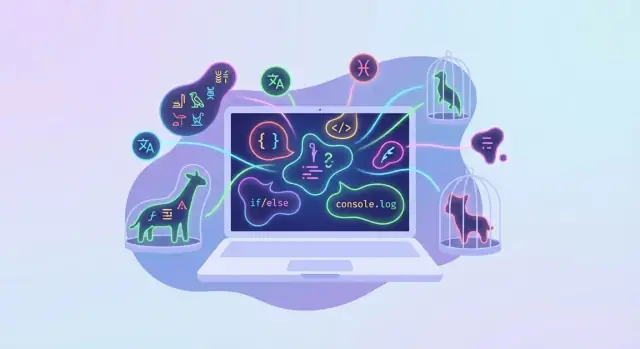
What “Exotic” Means for Programming Languages
“Exotic” doesn’t mean “better” or “harder.” It usually means a language is trying something unusual—either in how you write code, what the language is designed to optimize for, or what idea it wants to teach.
A practical definition
In this article, a programming language counts as exotic if it fits at least one of these:
- Unusual syntax: code that looks nothing like mainstream languages (sometimes symbol-heavy, sometimes almost invisible).
- Niche goals: built for a specific style of thinking—arrays, logic queries, stack-based composition, or constrained minimalism.
- Experimental ideas: explores a different execution model (2D code flow, rule-based evaluation, or quantum concepts).
Set expectations (so you enjoy it)
Learning an exotic or esoteric language is often fun and surprisingly educational, because it forces you to rethink assumptions: what a “program” is, how data flows, and how much syntax you actually need.
Many of these languages are not daily-work tools. Some are puzzles, some are research vehicles, and some are great at one narrow task while being awkward for everything else. The payoff is insight—not necessarily productivity.
Why this matters in 2025
2025 is a great moment to explore: several niche languages have active communities, better docs, and friendlier tooling (REPLs, packages, online playgrounds). There’s also renewed curiosity around alternative paradigms—array programming for data work, logic programming for rules, and quantum “toy” environments that let you experiment without special hardware.
How this list is organized
Rather than ranking “weirdness,” the list is grouped into families (minimalist, invisible, 2D, array, logic, stack-based, safety-focused, quantum). Each section includes a simple “what to try” idea so you can get a quick win before deciding whether to go deeper.
How We Picked the Languages (and How to Try Them Safely)
“Exotic” can mean a lot of things, so this list isn’t just a parade of weird syntax. We picked languages that feel genuinely different and are still practical to learn in 2025.
Our selection criteria
First, we looked for originality: languages that force a new mental model (2D code, stack-based thinking, rules/queries, arrays-as-a-default, quantum circuits).
Second, we prioritized learnability. Even when a language is unusual, you should be able to find a clear “hello world,” a tutorial, and a path to writing small programs without a week of setup.
Third, we checked for tooling you can actually use: public documentation, a working interpreter/compiler, or an active repository. A language can be brilliant, but if you can’t run it on a modern machine, it’s hard to recommend.
Finally, we aimed for balance—a mix of classic esolangs (fun, mind-bending) and serious niche or research languages (useful ideas that transfer into mainstream work).
A quick safety note before you run anything
Treat unfamiliar code like you would a random download. Prefer running interpreters and sample programs in a container or sandbox (or at least a throwaway folder), and avoid pasting unknown code into environments that have access to your personal files, SSH keys, or cloud credentials.
If you’re experimenting frequently, it can help to standardize a “safe playground” setup. For example, you can spin up a small disposable web app that runs interpreters behind an API and resets state between runs. Platforms like Koder.ai are useful here because you can describe the playground you want in chat (frontend + backend + database if needed), iterate quickly, and export the source code when you’re happy with it.
Brainfuck: Minimalism Turned into a Puzzle
Brainfuck is “exotic” for one simple reason: it tries to do everything with an almost laughably tiny instruction set. The language has only eight commands (+ - \u003c \u003e [ ] . ,), no keywords, no variables (in the usual sense), and no readable structure unless you already know the trick.
Why it’s exotic
Instead of named variables, Brainfuck gives you a tape of memory cells and a pointer that moves left and right. You increment/decrement the current cell, move the pointer, and use brackets for loops. That’s it. The result feels more like solving a logic puzzle than writing an application.
What it teaches
Brainfuck is a hands-on lesson in how little a computer needs to compute. It forces you to think about:
- memory and state (the tape)
- control flow (loops via
[and]) - input/output at the lowest level (characters, not strings)
If you’ve ever wondered what an interpreter or compiler really does, Brainfuck is a great practice target.
Where it’s used
Mostly in programming puzzles, theory discussions, code golf, and as a training exercise for writing interpreters.
Try it
“Hello World” (classic version):
++++++++++[\u003e+++++++\u003e++++++++++\u003e+++\u003e+\u003c\u003c\u003c\u003c-]\u003e++.\u003e+.+++++++..+++.\u003e++.\u003c\u003c+++++++++++++++.\u003e.+++.------.--------.\u003e+.\u003e.
A tiny loop example that sets a value and prints it as a character:
+++++[\u003e++++++++\u003c-]\u003e.
Tip: use an online Brainfuck interpreter with step-by-step execution so you can watch the tape change as you run each command.
Whitespace: Programs You Can’t See
Whitespace is an esoteric language where only spaces, tabs, and line breaks are meaningful. Everything else is treated as a comment. That means a valid program can look completely blank in your editor—and still run.
Why it’s exotic
Most languages use visible keywords and punctuation. Whitespace flips that expectation: the entire source code is “invisible” unless you reveal it with special settings. It’s a perfect example of how much programming depends on conventions, tooling, and the human eye.
What it teaches (and why it’s surprisingly practical)
Whitespace forces you to think about parsing and tokenization at the lowest level:
- How do you reliably distinguish tokens when they’re not visible?
- How do you represent numbers and operations with minimal symbols?
- How much “complexity” can hide behind a tiny set of characters?
If you’ve ever built a small parser, written a lexer, or debugged “invisible” characters in real code (mixed tabs/spaces, odd line endings), Whitespace turns that pain into a learning exercise.
What to watch for
Debugging is the main challenge. A single wrong tab or linefeed can completely change meaning.
Use visualizers (tools that render spaces/tabs/newlines as visible markers) and editors that can “show invisibles.” Without them, even reading your own program later is frustrating.
Try it
Write the smallest program you can in Whitespace that prints a character or number, then implement the same behavior in a normal language (Python/JavaScript). Compare:
- Code length vs. clarity
- How you test and debug
- How you document intent when the source isn’t readable
Befunge: Two-Dimensional, Self-Modifying Code
Befunge is exotic because the program isn’t a neat set of lines you read top to bottom. Instead, it lives on a 2D grid, and the instruction pointer moves around that grid—right, left, up, and down—following arrows you place in the code. It feels more like navigating a tiny circuit diagram or pinball table than writing a script.
Why it’s so weird (in a good way)
In most languages, code is fixed text. In Befunge, the program can edit itself while it runs: instructions can write new characters into the grid, changing what will execute next. That self-modifying ability is part of the language’s identity, and it can create surprising, puzzle-like programs.
What it teaches you
Befunge nudges you into dataflow and state-machine thinking: you plan paths, loops are literal routes, and branching is steering. Because multiple directions are natural, it’s also easier to think about parallel-looking flows (even if your interpreter still runs one instruction at a time).
Where it’s a good fit
Befunge shines in playful contexts: programming puzzles, code golf, interactive installations that need quirky generative behavior, or quick demos where the code itself is part of the art.
Try it: a tiny number transformer
Here’s a simple Befunge-93 program that reads a single digit and prints the digit doubled:
\u00262*.
Run it in any Befunge interpreter: type a number (0–9), and it outputs the result. From there, experiment by adding direction arrows (\u003e \u003c ^ v) and extra cells so the instruction pointer takes a “route” instead of a straight line.
Hexagony: Coding on a Hex Grid
Hexagony is exotic because your program isn’t a line of text—it’s arranged on a hexagonal “honeycomb” of cells. An instruction pointer moves across that grid, turning at edges and following rules that feel more like navigating a board game than writing typical code.
What it teaches (surprisingly well)
Hexagony forces you to think spatially: where an instruction lives matters as much as what it does. That makes it a great way to practice:
- Spatial reasoning: you plan paths, not just sequences.
- State machines: movement direction and cell behavior become “state” you manage.
- Constraint thinking: limited space pushes you toward compact, deliberate control flow.
Expectations: fun first, productivity later
This is mostly for exploration. You won’t replace Python or JavaScript with Hexagony at work, but you will come away with a sharper feel for how interpreters, instruction pointers, and control flow work.
Try it: a tiny walkthrough of movement rules
Start by imagining a small grid where each cell holds one character instruction. You place the instruction pointer on the starting cell with a direction (one of six possible directions on a hex grid). Then:
- Read the current cell’s instruction (e.g., change direction, perform arithmetic, read/write a value).
- Move to the next cell in the current direction.
- When you hit an edge, the pointer “wraps” or turns according to the grid’s geometry.
A good first exercise is stepping through a program that only changes direction and outputs a single character—just enough to feel how navigation is control flow. If you want a safe playground approach, use an online interpreter and single-step execution (see /blog/how-to-try-esoteric-languages-safely).
Wolfram Language: Rule-Based Thinking at Scale
Most languages encourage you to describe steps: do this, then that, loop until finished. Wolfram Language feels exotic because you can often describe rules instead—relationships and transformations—and let the system apply them.
Why it’s exotic
At its core, Wolfram Language is symbolic and rule-based. You write patterns that match parts of an expression, then specify how to rewrite them. Instead of manually controlling flow, you lean on pattern matching and transformation rules to evolve an expression toward a result.
What it teaches
This style is a practical introduction to term rewriting: computation as repeated replacement. You start noticing that many “algorithms” are just a small set of rewrite rules plus a strategy for applying them. It also builds intuition for pattern matching—not just on strings, but on structured expressions.
When it’s useful
Rule-based programming shines when you’re modeling transformations: simplifying algebra, rewriting formulas, manipulating trees, converting between formats, or expressing systems where the rules matter more than the procedure.
Try it: a tiny rewrite system
Paste this into Wolfram Language and watch how a few rules produce surprising behavior:
rules = {
  x_ + 0 -\u003e x,
  0 + x_ -\u003e x,
  x_ * 1 -\u003e x,
  1 * x_ -\u003e x,
  x_ + x_ -\u003e 2 x
};

expr = (a + 0) + (a + a) * 1;

FixedPoint[# //. rules \u0026, expr]
Then tweak one rule (for example, add a distributive rewrite) and see how the “personality” of the system changes.
APL and BQN: Symbol-Heavy Array Power
APL and its modern cousin BQN feel “exotic” because they flip the default mental model of programming. Instead of thinking in terms of single values and loops, you treat everything as an array (a list, a table, or higher‑dimensional data), and most operations automatically apply across whole collections.
Why it’s exotic: arrays first, broadcasting everywhere
In typical languages, adding a number to a list requires a loop or a helper function. In APL/BQN, “add 10” can mean “add 10 to every element,” and the language makes that the natural interpretation. This broadcasting behavior is powerful—but the real shock is the notation: compact symbols (“glyphs”) represent common operations, so programs can look like dense math.
What it teaches: vector thinking and deliberate concision
Working in APL/BQN trains you to ask: “What is the shape of my data?” and “Can I express this as a transform of whole arrays?” You’ll start replacing step-by-step procedures with a small number of clear data operations: reshape, sort, group, reduce (sum), scan (running totals), and outer products.
Where it shines: analytics, finance, simulation
If your work involves crunching columns, matrices, and time series, array languages can be remarkably expressive. That’s why they’ve long had a foothold in finance and scientific computing, and why BQN has attracted developers who want the array superpowers with a more modern feel.
Try it: rewrite a loop as array expressions
Pick a familiar task—like normalizing a list of numbers or computing a moving average—and write it twice: once with a loop, once as “whole-array” transforms. Even if the symbols feel foreign, the exercise will teach you how to see the computation as data flow rather than control flow.
J and K: Dense, Composable Array Languages
J and K are “exotic” because they encourage you to think in whole arrays (lists, tables) and in compositions rather than step-by-step instructions. Instead of writing loops and temporary variables, you build pipelines of small functions—often so compact they look like punctuation.
Why it’s exotic: programming by composing functions and pipes
Both languages are designed for chaining operations: take some data, transform it, reduce it, reshape it. J leans into “tacit” (point-free) programming where you define behavior without naming inputs. K (and its close relative q in kdb+) is similarly terse and built for fast, composable data transforms.
What it teaches: tacit programming and point-free style
Spending even an hour with J/K changes what you notice in other languages: you start asking “What’s the transformation?” not “What’s the loop?” You also learn to read programs as compositions—like math—where the structure of the pipeline is the explanation.
Where it shines: data transforms and elegant small solutions
These languages excel at “take this collection and compute that summary” tasks: ranking, grouping, normalization, filtering, and quick exploratory analysis. They’re especially satisfying for problems where most code would be boilerplate.
Try it: build a mini text or number pipeline without variables
In J, try defining a normalization pipeline (min-max scale) without naming the input:
norm =: (] - \u003c./) % (\u003e./ - \u003c./)
norm 3 10 5 7
Or a tiny text pipeline—count words in a string:
#@;: 'J makes pipelines feel like algebra'
Don’t worry if the symbols feel dense at first—that initial friction is the point: it forces you to see data operations as composable building blocks.
Forth and Factor: The Stack as a Language
Forth and Factor feel “exotic” because you don’t write expressions the way you do in Python or JavaScript. Instead, you mostly write sequences of stack operations: push values, apply a word (function), and leave results on the stack for the next word.
Why it’s exotic
In a stack language, order is the syntax. A tiny change in sequence changes meaning, and there are fewer visible “nouns” (variables) on the page. Forth is famously minimal, often implemented with a very small core. Factor keeps the stack model but adds a modern standard library, tooling, and a more structured feel.
What it teaches
You learn how stack machines work and why they’re appealing for interpreters and virtual machines. You also get a practical lesson in composition: building small words that snap together cleanly, because keeping the stack balanced forces discipline.
Benefits in real projects
Because the core can be small, Forth-like systems are easy to embed in devices, games, and scripts where you want a compact command language. Factor can be a playground for building composable programs quickly.
Try it
Start with arithmetic and stack manipulation (e.g., duplicating and swapping values). Then build a tiny calculator REPL: read a token, push numbers, run words like + and *, and print the stack. If that clicks, extend it into a mini interpreter with a dictionary of user-defined words.
Prolog and Datalog: Ask Questions, Get Answers
Most programming languages ask you to spell out how to do something: loop here, branch there, update this variable. Prolog and Datalog flip that around. You describe facts and rules, then ask questions—and the system searches for answers.
Why they’re “exotic”
Instead of control flow, you write logic rules. A Prolog program often reads like a compact set of laws about a world, plus queries. Under the hood, Prolog uses unification (matching patterns) and backtracking (trying alternatives) to find solutions.
Datalog is a close cousin: usually more restricted (no complex terms in the same way), but great for scalable rule evaluation and database-style reasoning.
What they teach you
Working in a declarative style forces a different mental model:
- Think in constraints and relationships, not steps.
- Separate knowledge (facts) from reasoning (rules).
- Notice how a small rule set can generate many valid solutions.
These ideas show up far beyond esoteric languages—rule engines, policy systems, query planners, and experimental language research.
Where they shine
Logic programming languages are especially good for scheduling, configuration rules, knowledge bases, and puzzle solving—anywhere “find a solution that satisfies these conditions” is the goal.
Try it: a tiny family tree
parent(alex, sam).
parent(sam, riley).

grandparent(X, Y) :- parent(X, Z), parent(Z, Y).
Now query:
?- grandparent(alex, Who).
You didn’t write a loop; you asked a question. That shift is the real lesson—and why these niche programming languages still feel fresh in 2025.
Rust: Unusual Safety Rules with Real-World Payoff
Rust can feel “exotic” not because it’s obscure, but because it asks you to learn a new mental model: ownership. Instead of relying on a garbage collector (like JavaScript or Python) or trusting you to manually free memory (like C), Rust enforces rules about who “owns” a value and how it can be shared.
Why it’s exotic: ownership and borrowing
The borrow checker is a compile-time referee. It prevents many common bugs—use-after-free, double frees, and data races—by rejecting code that could be unsafe. That can be surprising at first: you may know what you mean, but Rust wants proof.
What it teaches: safety without garbage collection
Rust’s big lesson is that performance and safety don’t have to be a tradeoff. You start thinking in lifetimes, explicit data flow, and clear boundaries between “one owner” and “shared access.” Even if you never ship Rust, those habits transfer to other languages.
Where it shines
Rust is a practical choice for systems tools, command-line utilities, game engines, embedded projects, and performance-sensitive services—places where speed matters and crashes are expensive.
Try it: translate a tiny program and watch the guarantees
Take a small script you know well (a word counter, CSV cleaner, or file renamer). Implement it in Rust, then deliberately introduce a bug:
- Hold a reference to a string, then try to modify the string.
- Share a value across threads without synchronization.
Rust often won’t let you compile until the risky behavior is resolved. Treat the error messages as guided reading: they explain which rule you broke and usually suggest a safer structure.
Q# and Qiskit: Quantum Programming You Can Actually Try
Quantum programming feels exotic because you’re not describing a sequence of steps so much as describing a quantum circuit: qubits, gates, and measurements. Instead of “the function returns X,” you often get probabilities—run the same program many times and you may see different results.
Why it’s exotic
Q# (Microsoft) and Qiskit (IBM) are built around circuit operations and measurement. You write code that sets up superposition and entanglement, then collapses it by measuring. That mindset is very different from typical apps.
What it teaches
Even if you never touch real quantum hardware, these tools make core concepts concrete:
- Superposition: a qubit can represent a mix of 0 and 1 until measured.
- Entanglement: qubits can become linked so their results correlate.
- Probabilistic outcomes: results are distributions, not single values.
Reality check (simulators are the norm)
Most people run quantum programs on simulators. Real devices have noise, queues, and constraints. Simulators are still valuable: you learn the mental model without fighting hardware quirks.
Try it: a tiny circuit on a simulator (Qiskit)
This creates two entangled qubits (a Bell pair) and measures them.
from qiskit import QuantumCircuit
from qiskit_aer import AerSimulator

qc = QuantumCircuit(2, 2)
qc.h(0)
qc.cx(0, 1)
qc.measure([0, 1], [0, 1])

sim = AerSimulator()
result = sim.run(qc, shots=1000).result()
print(result.get_counts())
You’ll typically see mostly 00 and 11, which is the “aha” moment: the qubits behave like a pair, not two independent bits.
How to Choose Your Next Exotic Language Experiment
Picking an exotic language is easier when you start with your goal. Some languages teach ideas (logic, arrays, quantum thinking), others teach discipline (safety rules), and some are simply fun constraints that sharpen problem-solving.
Choose by what you want to learn
- Theory & new mental models: Prolog/Datalog (querying), Wolfram Language (rule-based), quantum tools (Q#/Qiskit).
- Mathy expressiveness: APL/BQN, J/K (array thinking and terse composition).
- Safety & engineering habits: Rust (ownership and borrowing).
- Playful constraint-solving: Brainfuck, Whitespace, Befunge, Hexagony.
If you’re unsure, pick the one that feels slightly uncomfortable but still tractable—you want friction, not frustration.
A lightweight learning path (1 hour → 1 day → 1 week)
1-hour intro:
Read a short tutorial and run 3–5 tiny examples. Your only objective is to understand how code looks and how you execute it.
1-day project:
Build something small enough to finish. Good options:
- A mini interpreter for a subset of the language (or a Brainfuck-style VM).
- A pretty-printer/visualizer (great for Befunge/Hexagony grids).
- A puzzle solver (logic languages shine here).
1-week deep dive:
Rebuild the same project with better structure: tests, error messages, docs, and performance tweaks. This is where the language’s real strengths and tradeoffs become clear.
If you want to accelerate the “1-day project” stage, you can use Koder.ai to scaffold a small web runner (React UI + Go backend + PostgreSQL if you need storage) from a simple chat brief, then iterate in planning mode and export the source code when you’re done. It’s an easy way to turn language curiosity into a runnable playground you can share.
Where to go next
For more hands-on experiments and write-ups, browse /blog.
If you want tooling context—editors, runners, sandboxes, or team workflows—see /pricing and decide what would actually make you practice more consistently.
FAQ
What makes a programming language exotic?
An exotic language uses an unusual syntax, execution model, or way of thinking. It may focus on arrays, logic rules, stacks, two-dimensional code, or very small instruction sets instead of familiar variables and loops.
Which exotic language should I try first?
Start with a language that matches your goal. Try Prolog for rules and queries, APL or BQN for array work, Rust for ownership, or Brainfuck and Befunge for puzzles and interpreter practice.
Are exotic programming languages useful for real work?
No. Many are designed for learning, experiments, or puzzles rather than building everyday products. Rust, Prolog, Datalog, Wolfram Language, and array languages can support real projects in the right domain.
How can I run unfamiliar language tools safely?
Use a sandbox, container, or throwaway folder, especially for interpreters and samples from unfamiliar sources. Keep personal files, SSH keys, cloud credentials, and production data out of the environment.
What does Brainfuck teach you?
Brainfuck uses eight commands to move through memory cells, change values, loop, and handle character input or output. It teaches how low-level state and control flow can produce a complete program.
Why is Whitespace hard to debug?
Whitespace treats spaces, tabs, and line breaks as instructions while ignoring visible text. Use an editor that shows invisible characters, because one misplaced tab or line break can change the program.
How is Befunge different from normal code?
Befunge places instructions on a grid, so execution can move right, left, up, or down. Some versions also let a program change cells in its own grid while it runs.
Why do APL, BQN, J, and K use so many symbols?
Array languages operate on whole lists, tables, and matrices by default. Instead of writing a loop for each value, you often express one transformation that applies across the entire array.
When should I use Prolog or Datalog?
Prolog and Datalog let you write facts and rules, then query for solutions. They work well when you need to describe relationships, constraints, schedules, policies, or puzzle conditions.
Why does Rust feel unusual to many developers?
Rust checks ownership and borrowing rules at compile time. Those rules prevent many memory errors and unsafe sharing between threads, though they require you to be explicit about how data moves and who can access it.