

Abandoned checkout recovery SMS and WhatsApp: 3-touch plan
Abandoned checkout recovery SMS and WhatsApp: a simple 3-touch sequence, timing rules, and the exact data to personalize messages without crossing the line.
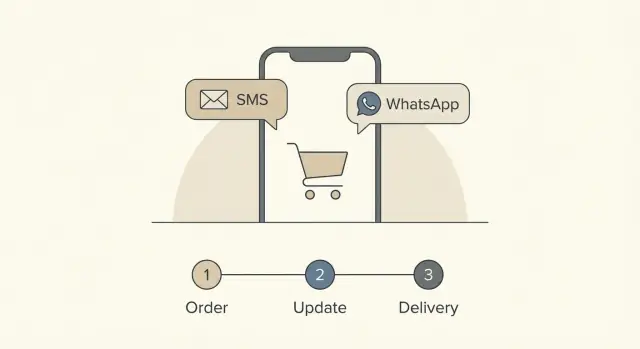
What abandoned checkout recovery looks like without email
Abandoned cart and abandoned checkout sound similar, but they are not the same. An abandoned cart is when someone adds items to a cart and leaves before starting checkout. An abandoned checkout is later in the journey: they enter details (like shipping, payment, or contact info) and then stop before placing the order.
When you recover abandoned checkouts without email, you are meeting people where they already pay attention. Many shoppers ignore promotional emails or never see them because of inbox overload and filters. SMS and WhatsApp messages are harder to miss, and they work best as short, timed nudges that remove friction.
The goal is not to chase people. The goal is to help them finish what they already started. That could mean reminding them their items are still available, re-opening a saved checkout, or answering a quick question like delivery time or return policy.
Success also looks like more than extra revenue. Track a few signals that tell you if you are being useful:
- Reply rate (questions, requests for help, or “yes, send the link”)
- Opt-out rate (a sign your timing or tone is off)
- Completed checkouts after each touch (which message actually works)
- Complaint rate (even a few is worth investigating)
A good abandoned checkout recovery SMS and WhatsApp sequence feels like a service message, not a promotion. Keep it calm, clear, and permission-based. Use language like “Need help?” and “Reply STOP to opt out.” Avoid urgency tricks unless they are true (for example, a real reservation window), and never imply you are watching someone in real time.
Example: someone reaches the payment step and leaves. A helpful message is: “Your checkout is still saved. Want the link again or help with payment?” That sets the right expectation: a reminder, not pressure.
SMS vs WhatsApp: when to use each channel
SMS is the “tap and go” option. It works best when you need a short reminder that’s easy to read on any phone, even with weak data or no app installed. It also fits messages that feel time-sensitive, like “your cart is still saved” or “your discount ends tonight”, without needing extra context.
WhatsApp is better when the customer may have questions, needs reassurance, or benefits from seeing details. You can include a product name, a small summary, and a clear reply path like “Reply 1 for help, 2 to finish checkout”. In many regions, WhatsApp is also the default messaging app, so it can feel more natural than SMS.
Use behavior and region to pick the primary channel. If most customers already message you on WhatsApp (support, order updates), keep recovery there. If your audience is broad, international, or you cannot assume app usage, SMS often wins for reach. Many brands run abandoned checkout recovery SMS and WhatsApp together, but only if it’s clear why and not repetitive.
A simple way to decide:
- Choose SMS if you need maximum reach and a one-sentence nudge.
- Choose WhatsApp if you expect replies or need to reduce anxiety (shipping, returns, payment).
- Prioritize the channel the customer used before (opt-in history matters).
- Match the channel to the device experience (mobile checkout favors quick taps).
- Don’t double-message the same person unless you set a clear rule (for example, WhatsApp only if SMS is unread).
Keep the experience consistent. Use the same sender name, tone, and sign-off so customers instantly recognize it’s you, not a random number.
Rules that keep you helpful, not intrusive
People tolerate checkout reminders when they feel expected, clear, and easy to stop. The fastest way to lose trust is to act like you know more than you should, or to message at the wrong time.
Start with consent. SMS and WhatsApp are personal channels, so only message customers who clearly opted in for that specific channel. If someone agreed to SMS updates, that is not permission to message them on WhatsApp too. Keep a simple record of when and how they opted in, and don’t message numbers you can’t verify.
Timing matters as much as wording. Send based on the customer’s local time zone, not your office hours. Avoid late nights and early mornings. If you sell globally, this one change can lift results and cut complaints.
Make the first line unmistakable. A checkout reminder should never feel like an unknown number fishing for a reply. Say your brand name immediately and keep the purpose obvious.
A few practical rules for abandoned checkout recovery SMS and WhatsApp:
- Confirm opt-in per channel before the first message goes out.
- Respect quiet hours (and the customer’s time zone) by default.
- Identify your brand in the first line, every time.
- Always include a simple opt-out (Reply STOP, or equivalent) and honor it quickly.
- Don’t ask for sensitive info (passwords, full card details, full address) in chat.
If you’re building the flow in a platform like Koder.ai, treat these as non-negotiable checks in your automation. It’s easier to prevent an intrusive sequence than to rebuild trust after one bad message.
The 3-touch sequence: timing and purpose for each message
A good 3-touch flow feels like a helpful nudge, not surveillance. The goal is simple: remind, remove doubt, then offer one clear next step. This works well for abandoned checkout recovery SMS and WhatsApp because people see messages fast, but they also expect you to be brief.
Touch 1: Gentle reminder (soon after abandonment)
Send it while the intent is still warm. A safe window is 15 to 30 minutes after checkout is abandoned (up to 60 minutes for higher-consideration items).
Keep it short: confirm they left something behind and give a direct way back to checkout. Avoid guilt, urgency tricks, or mentioning anything that feels too personal (like location or browsing history).
Touch 2: Reassurance + friction removal (later the same day)
If there is no purchase, follow up 6 to 12 hours later (or the next morning if the abandonment happened late at night). This touch is for doubts: shipping cost, delivery time, returns, payment issues, and trust.
You can ask a simple question that invites a reply, like whether they had trouble with payment or had a shipping question. If you have support, this is where you offer it.
Touch 3: Last check-in with one clear next step (final touch)
Send 24 to 48 hours after abandonment. This is a calm final reminder, not a threat. Offer one action: finish checkout, ask for help, or opt out.
Timing adjustments: shorten the gaps for low-priced impulse buys; extend them for expensive products or complex subscriptions. If your audience is global, schedule in local waking hours.
Stop early as soon as any of these happens:
- They complete the purchase
- They opt out (or ask you to stop)
- They reply with a question or problem (switch from automation to a human response)
Message templates for SMS and WhatsApp (copy you can adapt)
Keep the tone simple and human. Use one clear action per message, and always include an easy out for SMS.
SMS (3-touch sequence)
Use short lines and plain words. Replace placeholders like {first_name} and {store_name}.
SMS Touch 1 (30-60 min after abandon)
Hi {first_name} - {store_name} here. Your checkout is saved. Finish when ready: {short_link}
Reply STOP to opt out.

SMS Touch 2 (18-24 hours)
Hi {first_name}, need help finishing your order at {store_name}? Reply with a question and we’ll help.
Reply STOP to opt out.

SMS Touch 3 (48-72 hours, final nudge)
Last reminder, {first_name}: your cart is still waiting at {store_name}. If you want it, complete here: {short_link}
No more texts after this. Reply STOP to opt out.
WhatsApp (same timing, richer formatting)
WhatsApp lets you be clearer without adding length. Keep it skimmable.
WA Touch 1
Hi {first_name}! This is {store_name}.
Your checkout is saved.

• Item: {top_item_name}
• Total: {cart_total}

Resume here: {link}

WA Touch 2
Quick check-in, {first_name}. Want help finishing your order?
Reply 1 for shipping info, 2 for payment help, 3 to change items.

WA Touch 3
Final note from {store_name}: your checkout is still available until {hold_until}.
Finish here: {link}
If you don’t want reminders, reply STOP.
Support reply script (use as quick answers):
- Shipping: “Shipping to {city} takes {eta}. Cost is {shipping_cost}. Want me to hold this cart for you?”
- Payment: “If the payment page fails, try {alt_payment_method} or I can send a new checkout link.”
- Changes: “Tell me what to remove or swap, and I’ll update your cart.”
- Stock: “{top_item_name} is {in_stock_status}. I can suggest a similar option if you want.”
- Discount request: “I can’t promise discounts, but I can help with shipping, sizing, or a smoother checkout.”
Exactly what data to personalize without being creepy
Good personalization feels like a cashier who remembers your name. Creepy personalization feels like someone reading over your shoulder. The safest rule is simple: only use data the shopper knowingly gave you during checkout, and only mention what helps them finish.
For abandoned checkout recovery SMS and WhatsApp, you can get most of the lift with a small set of fields:
- First name (or a friendly fallback like "there")
- Product name or a broad category ("running shoes" beats a long SKU)
- Cart value as a range ("around $50" instead of "$53.17")
- A secure checkout link token (unique, short-lived, and revocable)
- The store name (so the message is instantly recognizable)
That is enough to write a helpful message like: "Hi Sam, your running shoes are still in your cart. Resume checkout here." It feels normal because it matches what they were already doing.
If you have it, add only details that reduce friction or prevent disappointment:
- Shipping estimate or delivery window (especially if it changed)
- Stock status (only if it is truly low or back in stock)
- Preferred language (so you do not force English on everyone)
- Last purchase date (use it lightly: "welcome back" is safer than quoting the date)
- Device or channel preference (so you do not double-message)
Context data matters because it stops awkward follow-ups. Suppress the sequence if they already bought, if the cart is empty, if they opted out, or if you already sent a recent recovery message. Also store a simple "contacted recently" flag to avoid piling on.
Keep storage limited to what you actually send. Set an expiry (for example, 7 to 30 days), encrypt sensitive fields, restrict access, and log message sends. If you would feel uneasy reading the message aloud to the shopper, remove the data point.
Where personalization crosses the line (and safer alternatives)
Personalization works when it feels like good service. It backfires when it feels like surveillance. With abandoned checkout recovery SMS and WhatsApp, the line is thin because messages feel personal by default.
A simple rule: if the detail would surprise the customer, do not use it. If you would feel weird hearing it from a store clerk, it will feel weird in a text.
Here are common “too much” examples and safer swaps:
- “We saw you hesitate for 47 seconds on the payment screen.” -> “Looks like checkout didn’t go through.”
- “Still thinking about the size M in blue?” -> “Your items are still in the cart.” (Mention color/size only if they chose it intentionally and it is essential.)
- “We noticed you tried 3 different cards.” -> “If payment failed, try a different method.”
- “Your order total is $183.42.” -> “Your total is ready at checkout.” (Use price ranges like “under $50” only when it truly helps.)
- “Ship to your home at 14 Oak Street?” -> “Choose delivery or pickup at checkout.” (Never repeat full address details.)
How to reference items without sounding like you’re watching them: focus on the customer’s goal, not your tracking. “That running jacket is still available” feels helpful. “We saw you click the jacket twice” feels creepy.
When in doubt, use categories or ranges instead of exact details. “Your skincare items” is safer than listing every product. “Your cart is around $50 to $100” is safer than exact cents.
Also, pick one personalization point per message, not five. Too many specifics in one text can feel like a profile dump.
Quick guardrails you can set in your team:
- Only use data the customer knowingly gave (cart items, chosen variant, selected shipping option).
- Avoid health, personal situation, or sensitive inferences, even if you can guess.
- Do not mention browsing history, click counts, device type, or location guesses.
- If support could not act on the detail, do not mention it.
- When uncertain, write the message as if it will be screenshot and shared.
Segmentation that changes the message in a simple way
Segmentation does not need 20 rules. For abandoned checkout recovery SMS and WhatsApp, a few simple splits can change tone, timing, and what help you offer.
1) Segment by intent (who they are)
First-time shoppers usually need reassurance. Returning customers usually need a quick path back to checkout.
Use one of these two message angles:
- First-time: “Any questions before you place your first order?” + remind about returns, delivery window, or support.
- Returning: “Want to finish your order?” + a shorter message and a faster checkout link.
Example: If Priya has never bought before, your second touch can mention support and delivery time. If Alex has ordered twice, keep it short and assume they know the basics.
2) Segment by friction (why they stopped)
Most drop-offs fall into a few buckets. If you can detect the reason, you can remove it in one line.
Pick the closest friction label and adjust the message:
- Payment failed: suggest trying another method, reassure no charge happened, offer help.
- Shipping cost shock: call out shipping options, thresholds, or estimated total (no surprises).
- Account creation required: offer a guest checkout option or explain the fastest way to continue.
- Address or form errors: “It looks like something did not save. Want us to help fix it?”
3) Segment by cart value (how you show up)
Keep your tone proportional. Low-value carts get simple nudges. High-value checkouts get a calm, human help path.
A practical rule:
- Low: friendly reminder only.
- Mid: reminder + one helpful detail (shipping estimate, sizing help, warranty).
- High: include a direct “reply to this message and a person will help” option, and consider WhatsApp first if the user opted in.
The goal is to feel useful, not intense: fewer words for high-intent shoppers, more clarity for high-friction checkouts.
Common mistakes that hurt conversions and trust
The fastest way to lose a customer is to make your reminder feel like pressure. If your first ping lands 30 seconds after they leave checkout, it reads like you are watching them. If it lands two days later, they may have already bought the same item somewhere else.
Another trust-killer is treating discounts as your default. If every abandoned checkout triggers 10% off, people learn to abandon on purpose and wait for the coupon. Save discounts for specific cases (high margin items, second touch only, or first-time buyers) and keep the first message focused on help: “Want me to hold your cart?”
A common problem with abandoned checkout recovery SMS and WhatsApp is sending both channels at the same time. The customer experiences it as spam, even if each message is polite. Pick one primary channel per customer, and only switch if the first one is ignored.
Here are five mistakes that show up most often in real flows:
- Timing extremes: too fast feels pushy; too late loses the sale.
- Discount addiction: you train customers to wait for a deal.
- Channel pile-on: SMS and WhatsApp fire together with different wording.
- No stop signal: messages continue after purchase or after they ask you to stop.
- Compliance gaps: missing consent, opt-out, or ignoring local quiet hours.
Not stopping the sequence after purchase is more than annoying. It makes your systems look sloppy. Make sure your checkout, payment, and order confirmation events cancel any remaining touches instantly.
Finally, don’t overlook consent and quiet hours. A midnight buzz from a brand you barely know can turn a “maybe later” into a block or complaint. For example, if someone opts into WhatsApp updates but never agreed to SMS, keep recovery on WhatsApp only, and always include a simple opt-out line that works in one reply.
Quick checklist before you turn on the sequence
Before you send the first message, do a quick pass on the basics. A clean setup protects trust and usually improves results.
Start with consent. Confirm you have clear opt-in for SMS and for WhatsApp (they are not the same). Make sure every message includes an easy way to stop messages, and that opt-outs are processed right away.
Make each touch do one job. The first message should simply remind. The second should offer help (answer a question, fix a checkout issue). The third should be a polite last check-in, not a threat or guilt trip.
Review personalization so it feels normal, not spooky. Stick to what the shopper expects you to know: first name, the items in the cart, and the total. Avoid anything that implies tracking (exact browsing history, device details, precise location).
Put stop rules in writing and test them. Messages should stop immediately when someone buys, replies asking for help, or opts out.
Double-check timing. Schedule by the shopper’s time zone, and keep sends inside reasonable business hours for your audience. If you sell globally, this matters more than perfect copy.
Track a few metrics weekly so you can adjust without guesswork:
- Recovered orders (and revenue)
- Opt-out rate by touch
- Reply rate (and top reasons)
- Deliverability issues (failed sends)
- Time-to-purchase after each touch
If anything looks off, fix the rules before you “fix” the wording.
Example scenario: a simple recovery flow from start to finish
Maya adds a pair of running shoes to her cart and starts checkout. She reaches the shipping step, then stops when the total jumps because express shipping is selected by default. She closes the tab. You have her opt-in mobile number from checkout, so you run an abandoned checkout recovery SMS and WhatsApp sequence that focuses on fixing the surprise cost.
Here’s how a simple 3-touch flow can look.
- Touch 1 (15 minutes, SMS): “Hi Maya - you were checking out the RunnerX shoes. Shipping was set to Express. Want me to switch it to Standard and show the total? Reply 1 for Standard, 2 for Express.”
A reply matters here. If she texts back “1”, your support or automation updates the shipping method (or at least sends a fresh estimate) and answers in the same thread: “Done. Standard shipping is $5. Total is $84. Want the checkout link?” If she doesn’t reply, you still keep the next touch helpful.
- Touch 2 (6 hours, WhatsApp): “Quick heads up: Standard shipping to Austin usually arrives in 3-5 days. Free returns within 30 days. If anything looks off, reply here and we’ll help.”
This message removes friction without pressure: a clear delivery range, a returns note, and an easy way to ask a question instead of hunting for support.
- Touch 3 (24 hours, SMS): “Last reminder - your RunnerX checkout is still saved. If you want, I can hold your size for today. Reply HELP for questions.”
Afterward, log what happened so the next run gets smarter: which shipping option caused drop-off, reply rate by touch, clicks vs replies, time-to-purchase, and common questions (like delivery time or returns). This turns one abandoned checkout into a clear to-do list for your checkout settings and message timing.
Next steps: implement, test, and improve without chaos
Start smaller than you think. Pick one product line, one region, or one high-volume checkout path and run the sequence there first. You will learn faster, and you will avoid surprising customers who were not expecting texts.
Before you write a single message, make sure your tracking is clean. A recovery flow only works when it reacts to real customer behavior and stops at the right time.
Build the flow around a few clear events
You only need a handful of events to start:
- Checkout started
- Checkout abandoned (time threshold you define)
- Purchased (to stop all touches immediately)
- Opt-out (to stop and suppress future messages)
- Channel permission captured (SMS and WhatsApp may differ)
Once those are reliable, implement the 3-touch sequence and keep the logic simple: send, wait, stop if purchased, and stop if opted out.
If you want to move quickly, a tool like Koder.ai can help you prototype a small recovery workflow app by describing the flow in chat, then iterate on screens, logic, and copy. If your team needs full control later, you can export the source code and run it in your own setup.
Make safe changes as you learn
Treat message edits like product changes. Use snapshots and rollback so you can test new wording or timing without fear. If a change hurts conversions or triggers complaints, roll back in minutes.
For your first tests, change one thing at a time. Good starting experiments are: adjusting the delay before touch 1, a help-first tone vs a discount, and splitting customers between SMS and WhatsApp based on what they opted into. Keep a simple scorecard (recovered orders, opt-outs, complaints), and let that guide the next iteration.
FAQ
What is a good 3-touch abandoned checkout sequence?
Start with a short reminder 15 to 30 minutes after checkout stops. Follow with a help-focused message 6 to 12 hours later, then send one final check-in 24 to 48 hours after that. Stop the sequence as soon as the customer buys, opts out, or asks a question.
Should I use SMS or WhatsApp for checkout recovery?
Use SMS when you need a brief reminder that reaches almost any phone. Use WhatsApp when customers may need shipping details, payment help, or a simple back-and-forth. Only use the channel the customer agreed to receive messages on.
Can I send both SMS and WhatsApp reminders?
No. Send one primary message first so the customer does not receive duplicate reminders. You can switch channels only under a clear rule, such as using WhatsApp after an unread SMS, and only when the customer opted in to both.
What data should I personalize in a recovery message?
Use the store name, first name, a broad item name, and a secure saved-checkout link. Add delivery or stock details only when they solve a likely concern. Keep each message focused on one useful detail.
What personalization feels too creepy?
Avoid exact browsing actions, card attempts, device details, location guesses, and full address information. Do not repeat precise totals unless the amount helps solve a real checkout issue. A shopper should understand why you know every detail you mention.
Do I need consent for abandoned checkout messages?
Get clear permission for each channel before sending anything. SMS permission does not automatically cover WhatsApp. Keep proof of opt-in, identify your brand in the first line, include a simple opt-out, and honor it quickly.
When should I send abandoned checkout texts?
Send in the shopper's local daytime hours. A first reminder usually works best after 15 to 30 minutes, rather than immediately after they leave. Avoid late-night and early-morning sends, even if your team works in another time zone.
What should each recovery message say?
The first message should help the shopper return to checkout. The second should remove a common concern, such as delivery time, returns, or payment trouble. The last message should offer one simple action, such as finishing checkout or replying for help.
When should the recovery sequence stop?
Cancel every remaining message immediately after a completed purchase, an opt-out, or a support reply. Also suppress customers with an empty cart or a recent recovery sequence. These rules prevent confusing follow-ups and reduce complaints.
Which metrics matter for checkout recovery?
Track completed orders after each touch, reply rate, opt-out rate, complaint rate, delivery failures, and time to purchase. Review those numbers weekly. If complaints or opt-outs rise, adjust timing and targeting before changing the wording.