

Aftercare instructions link generator for service-based steps
Build an aftercare instructions link generator that shows the right steps for each service and sends clients one simple link they can save and share.
Why a single aftercare link beats repeating yourself
Clients leave an appointment with a full head: payment, scheduling, travel, and the "how does it look?" moment. Even if they nod during your explanation, a lot of the details disappear by the time they get home. That’s normal. People forget instructions when they’re tired, excited, or distracted.
When aftercare is misunderstood, you get the same messages and callbacks over and over: "Is this normal?" "Can I wash it yet?" "I used oil on day one and now it’s irritated." In beauty, wellness, and clinical services, small mistakes can lead to poor results, refunds, or extra time spent calming a worried client.
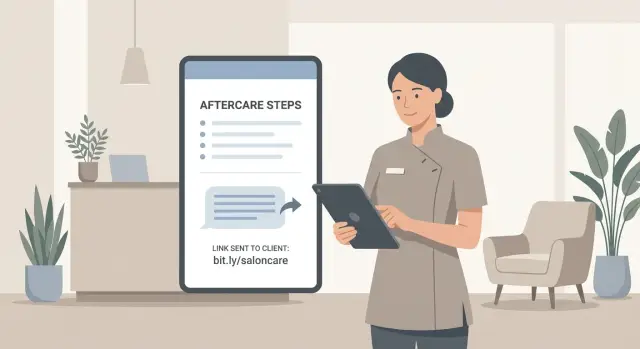
A single aftercare link fixes the messy middle between "I told you" and "you did it right." Compared with PDFs, screenshots, or long texts, a link is faster to send, easier to open on any phone, and harder to lose in a camera roll. It also lets you show only the steps that match the service the client actually received, instead of handing them a long document and hoping they find the right section.
This approach helps because it:
- gives clients one clear set of steps for their exact service
- stops you from rewriting the same messages all week
- keeps staff advice consistent, even on busy days
- makes updates simple (change it once, everyone sees the latest version)
- cuts down on "quick questions" that were preventable
Example: a lash tech finishes a fill and sends one text with a single aftercare link. Later that night the client opens it and sees exactly when to cleanse, what to avoid for 24 hours, and what to do if mild redness shows up. No searching, no guessing, and fewer late-night DMs.
Studios, clinics, and independent providers all win here: clients get better outcomes, and you get time back.
What good aftercare instructions should include
Good aftercare is clear, short, and specific to the service the client got. A good generator should produce a page that feels personal without becoming inconsistent.
Start with a quick ID section so the client knows they’re reading the right thing: the service name, appointment date, and the biggest do-not rules. Those do-nots should be obvious and simple, like "don’t get it wet for 24 hours" or "don’t use oils." If you only include one thing, include the key do-nots.
Then add the care steps with timing. People follow instructions when they can picture the next 48 hours.
The core content to include
Most strong aftercare pages cover five areas:
- What to do (cleaning, handling, daily routine) and when to start
- A short timeline (first few hours, first day, first week) so clients know what changes when
- What’s normal vs what’s not (and what to watch for)
- When to contact you and what info helps (photo, when symptoms started, what products they used)
- A short safety note for urgent symptoms (seek medical care)
Keep language plain. Skip product lists that overwhelm people. If you recommend a product type, describe what it should be like (for example, "fragrance-free gentle cleanser") rather than listing brands.
A quick example: after a lash lift, your page can say what’s normal (slight dryness) and what isn’t (burning pain), then give one clear instruction: "If this happens, message us with a photo and tell us what you rinsed with." That single line prevents long back-and-forth.
Decide what the client chooses and what stays fixed
The fastest way to make an aftercare tool usable is to separate two things:
- what never changes for a service
- what changes based on the client
Fixed parts are the basics you’d tell everyone who booked that service. For example, lash extensions usually include guidance about water, steam, rubbing, and when to book a fill. Variable parts are the exceptions: sensitivities, add-ons, or anything that changes what they should do at home.
Start by listing services the way you sell them, including the variants that genuinely change care. "Lash extensions" is rarely enough. Classic, hybrid, and volume can have different do’s and don’ts and different fill timing. The same goes for facials (gentle vs peel) or brows (lamination vs tint).
To keep selection fast at checkout, limit choices to a small set staff can pick in seconds. A practical set is:
- service + variant
- sensitivity level (for example, normal vs sensitive)
- one or two add-ons that change care
- language (only if you truly need it)
Then decide what stays fixed no matter what. Good candidates are warning signs, when to contact you, and the one or two biggest mistakes to avoid. Put those in every version so nothing important gets skipped.
Example: a client books "Brow lamination + tint" and you mark "sensitive skin." The page should swap in gentler cleansing guidance and tighter product guidance, while keeping the same core rules about water, heat, and timing.
Set up the content map: services to aftercare steps
An aftercare instructions link generator is only as good as the content behind it. Before you build screens or automation, map your services to the exact steps a client should follow.
Think of this as two small libraries:
- a service record (what was done)
- an aftercare record (what they should do next)
Your service record can stay simple, but it should be specific enough to avoid sending the wrong instructions when you have add-ons or variants. Your aftercare record should include the step list, the avoid list, a simple timeline (first 24 hours, days 2-7, week 2+), and clear warning signs.
If you offer several services with shared rules, use lightweight tags so you can reuse content without copying it everywhere. Tags like cleaning, sweating, sun, water exposure, makeup, and products help you mix and match safely. For example, brow lamination and lash lift may share "keep dry for 24 hours," but differ on oil-based removers.
Versioning: protect yourself from "old link" problems
Clients often open a message days later. If you silently change the page, it can create confusion or contradictions.
Keep it simple:
- give each aftercare set a version and date
- publish a new version instead of overwriting the old one
- keep a short internal note about what changed
Also plan an admin view that makes updates safe. You want to edit a step, preview the client view, and publish without worrying that you removed an important warning by accident.
Write the steps so clients actually follow them
Clients read aftercare when they’re tired, in a hurry, or already feeling a little soreness. Write like you’re texting a friend who’s skimming on a phone: plain words, short lines, and only the steps that matter.
Start with a 10-second summary at the top. This is the part most people remember. Keep it to three action rules:
- Keep the area clean and dry for 24 hours.
- Don’t pick, rub, or scratch.
- Message us if you see swelling, heat, or pus.
Then use numbered steps. Numbering reduces decision-making and helps clients track where they are. Aim for one idea per step and one to two short sentences. If you must use a term ("patch test", "occlusive", "lash cleanse"), define it immediately in everyday language.
Design for mobile. Use spacing, keep paragraphs short, and bold only what truly matters. If a step has a time window, put the timing at the start: "For the first 48 hours..." so it can’t be missed.
A good test: imagine someone opening the page one-handed while walking to their car. Can they find the top rules, scan the steps, and understand what to do without rereading?
Example: for brow lamination, many clients only need 6 to 8 steps. "For the first 24 hours, keep brows dry (no shower steam, sauna, or sweaty workout)." "After 24 hours, brush brows upward with a clean spoolie once a day." Simple, specific, and easy to follow.
How to build the generator step by step
Start by writing down every service you offer that needs aftercare. Keep names short and consistent because these labels become your menu.
Next, draft one aftercare template per service. Write it as if the client is reading it right after they leave. Use clear time cues (first 24 hours, days 2-7), and include only actions that change outcomes.
Build the flow (two simple pages)
Think of this as a small two-page tool:
- a staff page to choose the service and add visit-specific notes
- a client page that shows the final instructions
A practical build order:
- Create your service list and matching templates.
- Build a staff selector with a service dropdown and a small notes field.
- Generate a unique page per appointment so each client sees only their instructions.
- Save the service choice, notes, and send time so the client page pulls the right template.
- Add a preview step before sending.
Test like a client (not like the person who wrote it)
Open the client view on real phones. Check font size, spacing, and whether the most important do-not rules show up without scrolling.
Do one realistic dry run, like "brow lamination + tint" with "sensitive skin" checked. If staff has to guess which template to use, your service names need adjusting.
Sending the link: SMS, email, or copy and paste
The best time to send aftercare is while the appointment is still fresh. Your tool should support three simple paths: SMS, email, and a copy button for DMs or in-person checkout.
SMS works best when steps are time-sensitive and you want high open rates. Email works better when you need longer details or clients want a searchable record. Copy-and-paste covers real life: Instagram DM, WhatsApp, or a shared studio phone.
Keep the message short and recognizable so it doesn’t look like spam. A reliable pattern is: studio name, service name, one calm line about what the link contains, then the link.
A few rules that prevent problems:
- Use the same sender name and wording every time.
- Avoid all-caps and extra symbols.
- Put the service name near the start ("Lash lift aftercare").
- Keep the link as the only "extra" in the message.
Make the page fast to load, phone-friendly, and accessible without a login. If you ever update steps, decide how old messages should behave: keep a stable page per version, or keep a single link that always shows the latest rules. Either can work, but you should choose on purpose.
Have a fallback at checkout for clients who don’t want texts: a small card with a QR code or a printed short link.
Finally, log what was sent so you can answer questions later and spot patterns: service chosen, add-ons, date/time sent, staff member, and channel used.
Privacy, consent, and what to store
An aftercare link feels simple, but it touches personal data. Handle privacy early and you avoid awkward moments.
Start by asking what you truly need to save. In many cases, you don’t need health details. You can tie a link to an appointment ID, a service type, and a date without storing sensitive notes.
A practical minimum:
- Required: service chosen, date/time, and template version
- Optional: first name (for a friendly message) and preferred language
- Avoid: health details, medications, pregnancy status, or anything you wouldn’t want visible in a text preview
Texting also needs consent. Many regions require clear opt-in for SMS and a simple way to stop messages. If you collect phone numbers at booking, add a checkbox that covers aftercare texts and record when they agreed.
Link safety matters too. If your aftercare includes time-sensitive rules, consider expiring the link or switching it to a generic page after a set period. Expiration can also help if a phone is lost or a message is forwarded.
Plan for mistakes without exposing data. Staff should be able to resend a corrected link and invalidate the old one. If someone accidentally sends lash lift instructions after a brow appointment, you want an easy fix that doesn’t require changing the client record.
Common mistakes that make aftercare tools fail
Most aftercare tools fail for boring reasons: staff pick the wrong option, clients get mixed messages, and the content drifts over time.
Too many service choices is a big one. If the menu has 40 near-duplicates, people guess and the client gets the wrong steps. Group services the way you talk about them at the desk, not the way you bill them.
Contradictions cause even more damage. If you say "no water for 24 hours" in person but the link suggests cleansing tonight, clients will choose the easier option and blame the service when results vary. Your link, your spoken script, and your consent wording should match.
Timelines are where generic templates break. Lash extensions, microblading, and chemical peels shouldn’t share the same day-by-day plan. Even if the steps look similar, timing changes outcomes.
Finally, don’t turn aftercare into a shopping list. If the checklist reads like "buy these 12 products," clients stop reading. Keep products optional and separate from the must-do steps.
A simple test: send the message to yourself after a busy day. If you can’t understand and follow it in under a minute without rereading, it’s too long or too vague.
Quick checklist before you use it with clients
Before you send a single aftercare link to a paying client, treat it like part of the service, not a one-time document. The goal is simple: the right steps, sent fast, and still correct two months from now.
Do a quick pass:
- Assign an owner per service (not "the team") so updates actually happen.
- Confirm every template includes do-nots, a timeline, warning signs, and how to contact you.
- Test mobile view on at least two phones.
- Keep the send message short enough for real texting.
- Require a staff preview before sending, and keep a rollback plan for bad edits.
One real-world check: if someone selects "lash lift" instead of "brow lamination," can your team spot it instantly before pressing send?
Example: one appointment from selection to follow-up
Maya books a brow lamination and tint. During the consult she mentions her skin flares up with new products, so the studio marks: sensitive skin.
After the service, staff opens the generator, chooses "Brow lamination + tint," and checks one extra box: "Sensitive skin / patch-test caution." Everything else stays standard: timing, core rules, and the "when to contact us" section.
The tool creates one shareable page with only what Maya needs. Staff sends a single text:
"Hi Maya! Here are your brow aftercare steps for the next 48 hours. Keep this link for later."
Later that night, Maya remembers she loves hot showers and wonders if that matters. She opens the page and sees clear, service-specific steps written in plain language, including the sensitive-skin caution right where she’ll notice it.
The next day she replies, "Can I use my usual cleanser?" Instead of rewriting instructions, staff answers: "Please check the aftercare link we sent yesterday - it lists cleanser guidance for sensitive skin." Maya finds the line, feels reassured, and follows the plan.
Next steps: launch small, then improve
Start small so you actually ship. Pick your top five services (the ones you do every week) and create a simple aftercare page for each. That gets most of the value fast without spending days writing instructions nobody uses.
Run a short trial with your team. Ask staff to use the tool during real appointments and note where clients get confused. Most fixes are straightforward: unclear timing ("when can I wash?"), missing do-nots ("avoid steam for 24 hours"), or steps that sound strict without explaining why. Update templates quickly so everyone gives the same message.
A clean launch plan:
- Publish aftercare for five services and test for one week.
- Collect 5 to 10 common questions and turn them into clearer steps.
- Decide what branding matters now (basic page vs custom domain).
- Add the next set of services only after the first set feels solid.
If you want to build this without a full dev team, a vibe-coding platform like Koder.ai (koder.ai) can be a practical option for creating a simple staff selector and a client-friendly aftercare page through chat, then exporting the source code when you’re happy with it.
Set a monthly review. Aftercare changes over time: new products, seasonal care, updated timing, and new services. A short check each month keeps instructions accurate and protects your results and your reputation.
FAQ
Why should I send one aftercare link instead of explaining everything in person or by text?
Use a single link when you want clients to have one place to check later, especially for time-based steps like “first 24 hours” rules. It reduces repeat questions and keeps your instructions consistent across staff.
Texts and screenshots get buried, and PDFs are annoying on phones. A simple page that opens fast is usually the easiest for clients to actually use.
What should every aftercare page include no matter the service?
At minimum, include the biggest “do not” rules, a short timeline, what’s normal versus not normal, and exactly when to contact you. Clients mostly need clarity for the first day or two, so make those rules impossible to miss.
If you only add one extra thing, add a “what to send us” line, like a photo and what products they used, so you can help faster.
How do I stop staff from picking the wrong service template?
Make the staff choice small and obvious. Use the same service names you use at the desk, and only add variants that truly change care (for example, brow lamination vs brow tint).
If staff hesitates or has to “guess,” your menu is too granular. A preview step before sending also catches mistakes.
How do I handle clients with sensitive skin or special notes without making templates messy?
Start with what never changes for that service, then add only one or two client-specific switches, like “sensitive skin” or a specific add-on. Keep the variable parts short so they don’t override the core rules.
If you find yourself adding lots of exceptions, that’s a sign you need a separate service variant instead of more checkboxes.
If I update the instructions later, what happens to links I already sent?
Default to keeping older links stable so the client sees what you intended at the time you sent it. When you improve wording later, publish a new version for future clients rather than silently changing old instructions.
If you do want one link that always shows the latest rules, be consistent and make sure your in-person script matches the updated page.
When is the best time to send the aftercare link?
Send it while the appointment is still fresh, ideally right at checkout. That’s when clients are most likely to open it and follow the first 24-hour rules.
If you send it later, you’ll get more “Can I wash it now?” messages because they needed the timing info earlier.
Should I send aftercare by SMS or email?
SMS usually gets opened faster, which is helpful for strict timing and “don’t do this today” rules. Email works better when clients want a searchable record or when your steps are longer.
Many businesses use both: text the link right away, and email a copy if the client prefers it.
What client data should I store for an aftercare link tool?
Keep it minimal. You often only need the service type, the date/time, and the template version that was sent. If you want it to feel personal, store a first name, but avoid sensitive health notes unless you truly need them.
Also make sure you have clear consent for texting, and a way to stop messages if required where you operate.
What are the most common mistakes that make aftercare tools fail?
They make instructions too long, too generic, or full of product recommendations that clients ignore. Another common issue is contradictions, like saying “no water for 24 hours” in person but writing something different on the page.
The fix is simple: tighten the top rules, keep service-specific timing, and make sure staff script and the link match.
Can I build an aftercare link generator without hiring a full development team?
Yes. A vibe-coding platform like Koder.ai can help you build a small tool with a staff selector and a client-friendly aftercare page through chat, without starting from scratch. You can iterate quickly, test on phones, and keep templates consistent.
The practical approach is to launch with your top five services first, then expand once the workflow feels smooth.