

AI build cost estimation by feature: a simple budget method
AI build cost estimation made simple: forecast credits and tokens per feature, scope prompts, and avoid rework so your app stays within budget.
Why AI build costs feel unpredictable
AI-assisted building feels cheap right up until it suddenly isn't. That's because you're not paying for a fixed feature price. You're paying for attempts: messages, generated code, revisions, tests, and rework. When the plan is fuzzy, the number of attempts climbs fast.
Most cost spikes come from the same handful of patterns:
- Scope is implied, not written (for example, "add auth" without roles, providers, or password reset).
- Retries stack up (a prompt that's almost right leads to 3-10 follow-ups).
- Specs change mid-build (new fields, new screens, different rules), so earlier work gets replaced.
- Hidden requirements show up late (loading, validation, edge cases, error states).
- "One more tweak" quietly turns into a redesign across multiple screens.
When you estimate, be clear about what you're actually budgeting:
- Credits or usage units your platform charges
- Tokens (the size of prompts and outputs)
- Time (your time reviewing, testing, and correcting)
Treat any estimate as a range, not a single number. A feature can look small in UI but be big in logic, or the opposite. Best-case is a strong first draft. Worst-case is several correction loops.
The rest of this guide uses repeatable feature buckets: auth, CRUD, integrations, and UI redesigns. If you're using a credit-based vibe-coding platform like Koder.ai (koder.ai), you'll feel this quickly: starting with "build a dashboard" and later adding roles, audit logs, and a new layout burns far more credits than writing those constraints up front.
Credits and tokens in simple terms
People often mix three different ideas: tokens, credits, and build steps. Separating them makes costs easier to predict.
A token is a small chunk of text the model reads or writes. Your prompt uses tokens, the model's reply uses tokens, and a long chat history uses tokens because the model has to reread it.
A credit is the billing unit your platform uses. On tools like Koder.ai, credits generally cover model usage plus platform work behind the chat (for example, agents running tasks, creating files, and checking results). You don't need the internal details to budget, but you do need to recognize what makes usage grow.
A build step is one meaningful change to the project: "add email login," "create the users table," or "wire this screen to an endpoint." A single feature often needs many steps, and each step can trigger multiple model calls.
Usage climbs fastest when you have long context (big specs, huge chat history, lots of files referenced), lots of iterations, large outputs (full file rewrites, big code blocks), or ambiguous requests that force the model to guess.
Small prompt changes can swing cost because they change how many retries you need. "A complete auth system" invites options you didn't ask for. "Email and password only, no social login, exactly two screens" cuts moving parts.
A rule that holds up: fewer moving parts means fewer retries.
A feature-first way to estimate cost
Stop estimating in "screens" or "messages." Estimate in features a user would name out loud. That ties the budget to outcomes, not to how chatty the build becomes.
For each feature, estimate three parts:
- Build: generate code and connect it to the app
- Test: run the flow, fix obvious bugs, handle key edge cases
- Revise: second pass after you see it working (copy tweaks, validation, small UX fixes)
Most overruns happen in testing and revision, not in the first draft.
Use a range for each part: low (straightforward), typical (some back-and-forth), high (surprises). If your platform is credit-based, track it in credits. If you track tokens directly, track it in tokens. The point is the same: a forecast that stays honest when reality changes.
Two lines help prevent self-inflicted overruns:
-
Unknowns buffer (10-20%) as its own line. Don't hide it inside features.
-
Later changes requested as a separate bucket for new ideas after a feature is accepted ("also add teams," "make the dashboard look like X"). If you don't separate it, you end up blaming the original estimate for normal change.
Here's a lightweight template you can copy:
Feature: Password login
- Build:    low 30 | typical 60 | high 120
- Test:     low 15 | typical 30 | high 60
- Revise:   low 10 | typical 20 | high 40
Subtotal (typical): 110

Buffer (15%): 17
Later changes (held): 50
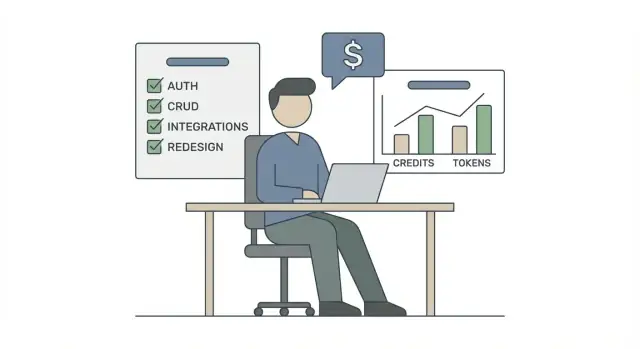
Repeat this for each feature (auth, CRUD, an integration, a UI refresh). Add them up using "typical" for your plan and "high" as your worst-case check.
Estimating common features: auth and CRUD
Auth and CRUD look basic, but they get expensive when the scope is fuzzy. Treat them like a menu: every option adds cost.
Auth: define the exact shape, not just "login"
Write down what "done" means for access control. The biggest drivers are the number of login methods and the number of permission paths.
Be specific about:
- Login methods (email/password, magic link, Google, Apple, SSO)
- Roles and permissions (admin/editor/viewer, plus what each role can do)
- Password rules (length, complexity, lockouts, reset flow)
- Session rules (expiry, logout, remember-me behavior)
- Account lifecycle (invites, deactivate/delete, email verification)
If you only say "add auth," you get a generic solution and then pay later to patch in edge cases. Deciding the shape up front is cheaper.
CRUD: count screens and rules, not just tables
CRUD cost is driven by how many entities you have and how much behavior each needs. A practical model: each entity often implies 3-6 screens (list, detail, create, edit, sometimes admin or audit views), plus API work and validation.
When you scope CRUD, name the entities and include fields, types, and validation rules (required, unique, ranges). Then define list behavior: filters, sorting, pagination, and search. "Search" can mean a simple contains filter or something far heavier.
Also decide whether admin screens differ from user screens. Separate layouts, extra fields, and bulk actions can double the work.
Edge cases that add cost fast include row-level permissions, audit logs, CSV import/export, soft delete, and approval workflows. All of these are doable, but budget stays predictable when you explicitly choose what you want before generating the feature.
Estimating integrations without guessing
Integrations feel expensive because they hide work. The fix is to break them into small, testable chunks instead of "connect to X." That makes the estimate more predictable and gives you a cleaner prompt.
A solid integration scope usually includes:
- Connect and authenticate (API keys or OAuth, token refresh)
- One object end to end (one happy-path request)
- Sync behavior (webhooks or schedule, pagination, rate limits)
- Failure handling (retries, idempotency, a re-run path)
- Testing and edge cases (bad data, missing permissions, timeouts)
Before you prompt, lock the data contract. List the objects and exact fields you need. "Sync customers" is vague. "Sync Customer{id, email, status} and Order{id, total, updated_at}" keeps the model from inventing extra tables, screens, and endpoints.
Next, decide direction and frequency. One-way sync (import only) is far cheaper than two-way sync because two-way needs conflict rules and more tests. If you must do two-way, choose the winner rule up front (source of truth, last-write-wins, or manual review).
Plan for failure like it's guaranteed. Decide what happens when the API is down. A log entry plus an alert and a manual "re-run sync" button is often enough. Keeping it minimal prevents you from paying for a full-blown ops system you didn't ask for.
Finally, add a buffer for third-party quirks and testing. Even "simple" APIs bring pagination, odd enums, inconsistent docs, and rate limits. Budgeting an extra 20-40% for integration testing and fixes is realistic.
Estimating redesigns and UI changes
UI work is where budgets quietly leak. "Redesign" can mean swapping colors or rebuilding the entire flow, so name what's changing: layout, components, copy, or user steps.
Separate visual-only changes from changes that affect behavior. Visual-only touches styles, spacing, and component structure. Once you change what a button does, how validation works, or how data loads, it's feature work.
Scope it like a page list
Avoid "redesign the whole app." List the exact screens and states. If you can't list the pages, you can't estimate.
Keep the scope short and concrete:
- Pages included (for example: Login, Dashboard, Settings)
- States included (empty, loading, error, success)
- What changes (layout, components, copy, flow)
- Reference style (a few notes: colors, typography, spacing)
- Passes allowed (for example: 1 build pass + 1 polish pass)
This kind of prompt stops the model from guessing design across the entire codebase, which is what drives back-and-forth.
Don't skip QA passes
UI changes usually need at least two checks: desktop and mobile. Add a quick accessibility basics pass (contrast, focus states, keyboard navigation), even if you're not doing a full audit.
A practical estimate method is:
(number of pages) x (change depth) x (number of passes)
Example: 3 pages x medium depth (new layout plus component tweaks) x 2 passes (build plus polish) is a predictable chunk of credits. If you also change onboarding flow, treat it as a separate line item.
Step by step: build a budgeted scope in prompts
The cheapest way to control credits is to decide what you want before you ask the model to build it. Rework is where costs jump.
Start with a single paragraph that states the user and the goal. For example: "A small clinic receptionist logs in, adds patients, schedules appointments, and sees today's list." This sets boundaries and discourages the model from inventing extra roles, screens, or workflows.
Then describe the product as screens and actions, not vague modules. Instead of "appointments module," write "Calendar screen: create, reschedule, cancel, search." It makes the workload countable.
Include only the data essentials. You don't need every field yet, just what makes the feature real. A strong prompt usually contains:
- Users and roles (who can do what)
- Screens with actions (what the user clicks)
- Core tables and key fields (what must be stored)
- Acceptance checks (how you know it works)
- Out of scope (what must not be built)
Acceptance checks keep you from paying twice. For each feature, write 2-4 checks like "User can reset password via email" or "Create appointment prevents double booking." If you're on Koder.ai, those checks also fit naturally into Planning Mode before generating code.
Be explicit about out-of-scope items: "no admin dashboard," "no payments," "no multi-language," "no external calendar sync." This prevents surprise "nice to have" work.
Build in small chunks and re-estimate after each chunk. A simple rhythm is: generate one screen or endpoint, run it, fix issues, then move on. If a chunk costs more than expected, cut scope or reduce the next chunk before you drift.
How to keep prompts cheaper without losing quality
Most cost spikes come from doing too much in one message. Treat the model like a teammate: brief it in small, clear steps.
Start with a plan, not code. Ask for a short build plan with assumptions and open questions, confirm it, then request the first small implementation step. When you combine planning, building, testing, copywriting, and styling in one prompt, you invite long outputs and more mistakes.
Keep context tight. Only include the screens, components, or API notes that matter for the change. If you're using Koder.ai, select the specific files involved and refer to them by name. Extra files increase tokens and pull edits into unrelated areas.
Ask for small diffs. One prompt should change one thing when possible: a single endpoint, one form, one error state, one screen. Small changes are easier to review, and if something goes wrong you don't pay to redo unrelated work.
A simple set of working rules:
- Ask for: plan first, then one implementation step, then a short review checklist
- Provide: minimum context (current behavior, desired behavior, constraints)
- Limit: a fixed number of revision rounds (for example, two)
- Demand: a brief summary of what changed so surprises are obvious
- Record: what caused rework and update your prompt template
Stop loops early. If the second attempt is still off, change the input, not the wording. Add the missing detail, remove conflicting requirements, or show the exact failing case. Repeating "try again" often burns tokens without getting closer.
Example: you want "login + forgot password" and a nicer layout. Do it in three prompts: (1) outline flows and required screens, (2) implement auth flow only, (3) adjust UI spacing and colors. Each step stays reviewable and cheap.
Common mistakes that blow the budget
Most overruns aren't caused by big features. They come from small scope gaps that multiply into extra prompt rounds, more generated code, and more fixes.
Five budget-killers (and what to do instead)
Building before agreeing on "done"
If you generate code without acceptance checks, you'll pay for rewrites. Write 3-5 checks first: what a user can do, what errors show, what data must be stored.
Using vague words
"Modern," "nice," and "make it better" invite long back-and-forth. Replace them with specifics like "two-column layout on desktop, single column on mobile" or "primary button color #1F6FEB."
Stuffing multiple features into one prompt
"Add auth, add billing, add admin dashboard" makes it hard to track changes and estimate follow-ups. Do one feature at a time and ask for a short summary of files touched.
Changing the data model late
Renaming tables, changing relationships, or switching IDs halfway through forces edits across UI, API, and migrations. Lock the core entities early, even if some fields stay "future."
Skipping testing until the end
Bugs turn into regenerate-fix-regenerate loops. Ask for a small test set per feature, not one giant test pass later.
A concrete example: you ask Koder.ai to "make the CRM better" and it changes layouts, renames fields, and adjusts endpoints in one go. Next, your integration breaks, and you spend credits just to find what moved. If you instead say "keep the data model unchanged, only update the list page UI, do not touch API routes, and pass these 4 checks," you limit churn and keep costs stable.
Quick cost checklist before you start
Treat budgeting like planning a small project, not a single magical prompt. A 2-minute check catches most overspend problems early.
Run through these items and fix any "no" before you generate more code:
- You have a feature list with hard edges: what it does, what it doesn't do, and where it starts and ends.
- You have a range per feature (low, typical, high), and you commit to one number for the first build.
- Your prompt includes acceptance checks and explicit out-of-scope lines.
- You build in small chunks and review after each: verify behavior, read the changes, then decide whether the next chunk is worth it.
- You reserved budget for the parts that almost always expand: integrations and UI revisions.
If you're using Koder.ai, treat each chunk like a snapshot point: generate a piece, test it, then continue. Snapshots and rollback are most valuable right before risky changes (data model edits, wide UI refactors, or integration rewrites).
A simple example: instead of prompting "Build user management," scope it to "Email login only, password reset included, no social login, admin can deactivate users, must have tests for login and reset." Clear checks reduce retries, and retries are where token and credit budgets disappear.
Example: estimating a small app from a feature list
Here's a small, realistic example you can copy. The app is an internal tool for a team: login, two simple modules, and one integration.
Assume one "build cycle" is: short plan, generate or update code, quick review and fix. Your credits mostly track how many cycles you run and how big each cycle is.
Feature list for the internal tool:
| Feature | What's included | Low | Typical | High |
|---|---|---|---|---|
| Login + roles | Sign in, sign out, two roles (Admin, User), protected pages | 1 cycle | 2 cycles | 4 cycles |
| CRUD module 1 | "Employees" list, create/edit, basic validation, search | 2 cycles | 3 cycles | 6 cycles |
| CRUD module 2 | "Assets" list, create/edit, assign to employee, audit fields | 2 cycles | 4 cycles | 7 cycles |
| One integration | Send an event to an external service when an asset is assigned | 1 cycle | 2 cycles | 5 cycles |
A prompt sequence that keeps checkpoints tight:
- Planning: confirm fields, screens, rules for each feature, plus what's out of scope.
- Build module 1 only: generate Employees end to end, then stop.
- Review: test the flow, fix bugs, and lock fields before moving on.
- Repeat for module 2.
- Add the integration last, after core flows are stable.
Costs jump when you change decisions after code exists. Common triggers are role changes (new roles or permission paths), late fields (especially those that touch both modules and the integration), integration errors (auth failures, payload mismatches), and UI redesign after forms exist.
Next steps: plan feature by feature, build in cycles, and re-check credits after each cycle. Use snapshots before risky changes so you can roll back quickly and keep the project inside your typical range.
FAQ
Why do AI build costs feel unpredictable even for simple features?
Budget a range because you’re paying for attempts, not a fixed feature price. Costs rise with:
- ambiguous scope (more back-and-forth)
- longer context (chat history + lots of files)
- big outputs (full-file rewrites)
- testing and revisions after the first draft
A “small” UI change can be expensive if it changes logic, data, or flows.
What’s the difference between tokens, credits, and build steps?
Tokens are chunks of text the model reads/writes (your prompt, its output, and any chat history it needs to reread).
Credits are your platform’s billing unit (often covering model usage plus platform tasks like file edits and agent runs).
Build steps are meaningful project changes (add a table, wire a screen, add an endpoint). One feature usually has many steps, and each step can trigger multiple model calls.
How do I estimate cost by feature instead of by number of prompts?
Estimate in features a user would name ("password login", "employees list", "assign asset") instead of “screens” or “messages.” For each feature, budget three parts:
- Build: generate and connect code
- Test: run the flow and fix obvious bugs/edge cases
- Revise: polish after you see it working
Then assign low/typical/high ranges and add them up.
How much buffer should I add, and where do I put it?
Add two explicit lines:
- Unknowns buffer: usually 10–20%
- Later changes requested: a separate bucket for new ideas after a feature is accepted
Keeping “later changes” separate stops you from blaming the original estimate for normal scope growth.
What details do I need to define for auth to avoid rework?
Write what “done” means for auth. The biggest cost drivers are:
- number of login methods (email/password vs magic link vs SSO)
- number of roles/permission paths
- account lifecycle (invites, deactivate/delete, verification)
- session rules (expiry, logout behavior)
- password reset and lockout rules
Default to one method (email/password) and 1–2 roles if you want predictable cost.
What makes CRUD features unexpectedly expensive?
CRUD cost tracks behavior, not just tables. For each entity, define:
- screens needed (list/detail/create/edit + any admin/audit views)
- fields, types, and validation rules
- list behavior (filters, sorting, pagination, search)
- permission rules (who can see/edit which rows)
If you add CSV import/export, audit logs, approvals, or row-level permissions, budget them as separate feature lines.
How can I scope an integration so the estimate isn’t a guess?
Break “connect to X” into small chunks you can test:
- auth (API key/OAuth + refresh)
- one object end-to-end on the happy path
- sync behavior (webhooks vs schedule, pagination, rate limits)
- failure handling (retries, idempotency, re-run path)
- testing odd data and timeouts
Also lock the data contract (exact fields) before generating code so the model doesn’t invent extra tables and flows.
How do I estimate redesigns and UI changes without budget leaks?
Scope UI work like a page list with states:
- pages included
- states included (loading/empty/error/success)
- what changes (visual-only vs behavior)
- number of passes (e.g., 1 build + 1 polish)
If a redesign changes validation, data loading, or user steps, treat it as feature work, not “just UI.”
What’s a practical prompt checklist to keep costs down?
Use a tight prompt structure:
- goal + user
- screens and actions (clickable behaviors)
- core tables/fields (only essentials)
- 2–4 acceptance checks per feature
- explicit out-of-scope list
Then build in small chunks (one endpoint or one screen at a time) and re-estimate after each chunk.
What should I do when I’m stuck in a regenerate-fix-regenerate loop?
Stop after two failed retries and change the input, not just the wording. Typical fixes:
- add missing constraints (roles, exact fields, exact screens)
- remove conflicting requirements
- provide the failing case (what you did, what happened, what should happen)
- ask for a small diff (change one thing only)
End each step by requesting a brief summary of files changed so you can spot unintended churn early.