

AI-built codebase export checklist for a clean handoff
Use this AI-built codebase export checklist to hand off a project safely: env vars, secrets, local setup, database bootstrap, CI, and a clear run README.
Why exported projects fail after the handoff
Most exported projects fail for a simple reason: they ran fine inside the original platform, where defaults, secrets, database state, and build steps were already in place. Once the code leaves that bubble, the next developer has to guess what was assumed.
A clean handoff means the project can be cloned, configured, and started by someone who didn't build it, on a fresh machine, without a long back-and-forth. It doesn't require perfect code. It requires the basics to be explicit and repeatable.
Exports break over the same issues again and again: hidden configuration, unclear secret handling, vague local setup steps, database surprises, and CI that only works in one environment.
That’s why an AI-built codebase export checklist is mostly about documentation and reproducibility, not copying files. If you built the app in a vibe-coding platform like Koder.ai and then exported the source code, the next team still needs a map: what to set, what to run, and what “working” looks like.
This checklist focuses on the handoff essentials: environment variables, secrets, local development setup, database bootstrap, CI setup, and a practical “how to run” README. It doesn’t cover product decisions, UX polish, or redesigning the architecture.
Ownership should also be clear. The builder owns making assumptions visible (docs, scripts, safe defaults). The receiver owns adapting the project to their environment (secrets manager, hosting, stricter CI rules). When both sides know their part, handoff becomes routine.
Before you export: decide the handoff contract
A clean handoff starts with a simple agreement: what “done” means when the code leaves the platform. Without it, teams argue later about missing scripts, surprise dependencies, or which version was the real one.
Pick the export moment
Choose a single stable point in time and treat it as the source of truth. Exporting mid-change is how teams end up with a repo that almost runs.
A good export point is usually one of these:
- A stable commit with a short release note (what changed, what to test)
- A tagged release (even if it’s just v0.1.0)
- A platform snapshot (for example, a Koder.ai snapshot you can roll back to if the export needs to be repeated)
Add one sentence explaining why this is the right export point. Example: “All core flows pass and the database schema is final for this milestone.”
Decide what the handoff includes
Write a short inventory of what the receiver should expect. Be explicit about what is included and what is intentionally not included.
Include the basics: source code (apps, services, shared packages), config templates (example env files), scripts (build, dev, test, migrations, seed), and deployment notes. Only include sample data if it’s scrubbed and safe.
Then freeze versions so “works on my machine” doesn’t become the new baseline. Capture runtime and toolchain versions (Node, Go, Flutter, package manager), plus the database version (PostgreSQL major version matters).
Finally, list prerequisites that must be done before running anything. Keep it short and concrete: required accounts, installed tools, ports that must be free, and any one-time setup steps.
Environment variables: document them so nothing is hidden
Most “it worked on the platform” exports break because key settings were never written down. Environment variables are the usual culprit: they live outside the repo, so a new team member clones the project and has no idea what values are expected.
Treat this as required for a clean export: every variable should be discoverable, explained, and easy to set without guessing.
Create a single source of truth in your handoff README: a list of env var names, what they control, and where values come from. Keep the explanations in plain language, and call out anything security-related.
A simple format for each variable:
- Name: exact key (copy/paste friendly)
- Meaning: what it changes in the app
- Required?: required or optional (and what happens if missing)
- Example: safe example value (never a real secret)
- Where it differs: dev vs staging vs production
Alongside that documentation, ship a .env.example file in the repo. It should include every variable that might be needed, with safe placeholder values so the app can start with minimal edits.
# Required
APP_ENV=development
PORT=3000
DATABASE_URL=postgres://user:password@localhost:5432/app_dev

# Optional
LOG_LEVEL=info
CORS_ORIGINS=http://localhost:5173

# Environment specific
PUBLIC_BASE_URL=http://localhost:3000
A few details prevent most confusion:
Make “required vs optional” explicit. If a missing variable causes a crash, say so. If it enables a feature (email sending, payments, file storage), name the feature and describe what happens when it’s not set.
Call out what changes per environment. DATABASE_URL and PUBLIC_BASE_URL often differ between dev, staging, and production, while LOG_LEVEL might be the same everywhere. If you used Koder.ai to export and deploy, double check that platform defaults (ports, base URLs, allowed origins) are reflected in the docs so behavior stays consistent outside the platform.
Finally, state how env vars are loaded locally. If the project expects a .env file, say where it lives and whether the app reads it automatically or needs a command/tool.
Secrets: keep them out of the repo and easy to set
Secrets are values that would cause damage if they leak: API keys, database passwords, auth tokens, OAuth client secrets, private keys, webhook signing secrets, and similar.
For an export, keep it simple: the repo should contain placeholders only, never real secret values. If a secret is required to start, include it as a clearly named placeholder in .env.example and explain how to generate a real one.
A practical pattern is to separate three things: a sample file, a local file, and a CI or deployment secret store. Your exported code should include the sample, ignore the local file, and document how CI/hosting receives secrets.
Where secrets should live
Pick one approach per environment and stick to it.
- Local development:
.env(gitignored) loaded by the app, or your team’s local secrets manager - CI: the CI provider’s encrypted secret variables
- Deployment/hosting: secrets stored in the hosting environment and injected at runtime
Example: the repo includes PAYMENTS_API_KEY=replace_me. The receiver generates their own key in the provider dashboard and sets it in their local .env and in CI. The code stays the same.
Add one rotation step
A handoff is a good time to rotate secrets, especially if they were ever used inside a shared platform session.
- Reissue new keys for external services and revoke old ones.
- Reset database passwords and any admin tokens.
- Update CI and hosting secrets first, then update local
.envfiles. - Confirm the app starts, tests pass, and old keys no longer work.
If you exported from Koder.ai, treat the export as a new environment and generate fresh secrets for the receiving team.
Local development setup: make the first run boring
A handoff is successful when a new developer can clone the repo, run a few commands, and see the app working without guesswork. Aim for predictable prerequisites, a clear command order, and a short “how to run” block that matches reality.
Prerequisites (be explicit)
Put these at the top of your README so nobody has to infer them from error messages:
- OS notes: “Tested on macOS and Ubuntu” (add Windows notes only if you tested it)
- Runtime versions: Node.js (for React), Go (for the API), PostgreSQL (for the DB)
- Tools: npm/pnpm/yarn, Make (if you use it), Docker (only if you rely on it)
If the project was built on Koder.ai, keep local setup aligned with what you exported (same folder structure, same start commands). Don’t assume “Postgres is already running” unless you say so.
Installation and dev commands (one command per line)
Put the exact commands in the order a new teammate should run them. Keep them copy-pasteable:
# 1) Install dependencies
cd web
npm ci

cd ../server
go mod download

# 2) Create your env file
cp .env.example .env

# 3) Start dependencies (if needed)
# e.g., start Postgres locally or via docker compose

# 4) Run the app
cd server
go run ./cmd/api

cd ../web
npm run dev
Add a minimal test and build section right below it:
# Tests
cd server && go test ./...
cd web && npm test

# Build
cd web && npm run build
cd server && go build ./...
Troubleshooting: the top first-run failures
Most “it doesn’t run” issues fall into a few buckets:
-
Wrong versions (Node/Go). Symptoms: dependency or compile errors. Fix: install the pinned versions and rerun installs.
-
Missing env values. Symptoms: “undefined” config, auth failures, 500 errors. Fix: compare
.envto.env.exampleand fill required values. -
Database not reachable. Symptoms: connection refused, “database does not exist.” Fix: start Postgres, verify host/port/user, and run the database init steps exactly as written.
Database bootstrap: migrations, seeds, and resets
When a project is exported from a platform, the database is often the first thing that breaks on a new machine. The goal is simple: a teammate should be able to go from “I cloned the repo” to “the app runs with real data” without guessing.
What to document (and keep in the repo)
Write down the minimum steps for a fresh PostgreSQL setup, and put the commands in scripts where possible. Your handoff should answer four questions:
- How do I create the database and role (name, permissions, and where the password comes from)?
- How do I run migrations from zero to the latest version?
- How do I load seed data that makes the app usable for a demo?
- How do I reset the database safely during development?
If you already have scripts (Makefile targets, shell scripts, task runner commands), use those instead of describing manual steps. If you don’t, add a small set now.
A boring bootstrap flow that works
Keep the flow consistent across environments (local, CI, staging). A good baseline looks like this:
# 1) Create role + database (example names)
createuser app_user --pwprompt
createdb app_db --owner=app_user

# 2) Apply migrations
# Replace with your repo's migration command
./scripts/migrate up

# 3) Seed minimal demo data
./scripts/seed
For seeds, prefer minimal working data over a production-like dump. Seeds should be safe to run more than once (idempotent inserts, or a clear “run only on empty DB” rule).
For resets, be explicit about safety. A reset command should only target local development by default. If you provide a destructive script, add a guardrail (for example, requiring CONFIRM_RESET=1, or checking APP_ENV=development). Also define what “reset” means: drop and recreate, wipe tables, or restore a known snapshot.
Repo hygiene: what should and should not be in source
A handoff goes sideways when the repo feels like a junk drawer. Someone new should be able to tell what matters, what is generated, and where to change settings.
Commit the things that make the project repeatable: lockfiles, migration files, small config templates like .env.example, and any scripts that bootstrap the app.
Keep personal, generated, or sensitive files out of source control: local environment files, editor settings, build output, logs, caches, and anything that grants access (API keys, database passwords, service account files).
A simple rule: if changing it affects everyone, commit it. If it changes per machine or environment, document it and keep it out of the repo.
If you include a short “keep vs ignore” note, keep it brief:
- Commit:
README, lockfiles, migrations, seed scripts,.env.example - Ignore:
.env, secrets files, build folders, logs, local caches
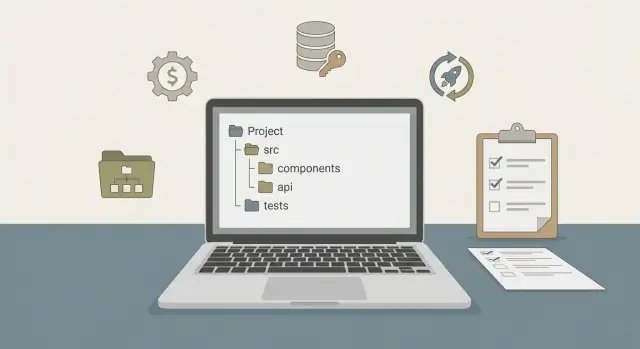
Add a short directory map so the structure is obvious without clicking around. Example: “/backend API service, /web frontend, /mobile app, /db migrations and seeds, /scripts setup helpers.”
If you exported from Koder.ai, treat the export as the start of this cleanup pass: remove generated clutter, confirm ignore rules, and write the directory map.
CI setup: make the pipeline reproducible
A handoff fails quietly when CI is almost the same as local. If someone can run the project on their laptop, CI should run the same commands and get the same result.
Decide what CI must prove on every pull request. Most teams only need a small set:
- Lint/format
- Unit tests
- Build (web and server compile cleanly)
Integration tests and deploy steps are fine too, but only if they’re reliable and clearly scoped.
Keep CI steps close to local commands to avoid drift. If local is make test, CI should also run make test. If you don’t have a Makefile (or an equivalent task runner), consider adding one and using it as the shared entry point.
Make env vars and secrets explicit
CI breaks most often because it depends on hidden configuration. Add a short “CI variables” section to your README listing the exact names CI expects. Separate public config from secrets.
Example names (adjust to your stack): APP_ENV, DATABASE_URL, PORT, JWT_SECRET, S3_BUCKET, STRIPE_API_KEY. In CI, secrets should come from the CI secret store, never from committed files. For a Go + Postgres backend (common in Koder.ai exports), also note whether migrations run automatically or require an explicit step.
Protect merges with status checks
Decide which checks are required before merge and write them down. “lint + unit tests + build” is usually enough. If you add optional jobs (like mobile builds), keep them non-blocking unless you truly need them.
Also make CI outputs easy to debug: print tool versions and fail with clear messages. Add caching after the pipeline is stable.
Example handoff scenario: from clone to running app
Maya gets an exported project from Koder.ai. It’s a typical setup: a React web app, a Go API, and a PostgreSQL database. She should be able to clone it and get to a working screen without guessing.
Her first 30 minutes should look like this:
- Clone the repo and open the root README.
- Copy
.env.exampleto.env(or set the same values in her shell) for bothwebandapi. - Start PostgreSQL (locally or in Docker) and create an empty database.
- Run migrations and seeds to get a known starting dataset.
- Start the backend, then the frontend, and load the app in a browser.
In a messy handoff, she usually hits three blockers.
First: the app boots, then crashes with a vague “missing config” error. The real issue is an undocumented variable like AUTH_JWT_SECRET or a required DATABASE_URL format. If the README lists every required variable, shows a safe example value, and explains where it’s used, this turns into a quick fix.
Second: the API starts, but every page shows “no data” or fails with 500 errors. The database exists, but it has no tables or seed data. A clean handoff includes one or two reliable commands: run migrations, seed minimal demo data, and a reset command for when something goes wrong.
Third: everything is running, but the frontend points at the wrong port. Maya opens localhost:3000, but the API expects localhost:8080, or CORS blocks requests. This is where consistent defaults help: one place to set WEB_PORT, API_PORT, and API_BASE_URL, with the README stating the expected local URLs.
Final checklist, common traps, and next steps
A handoff is only done when someone else can run the project from a clean clone without asking questions. Prove the project survives outside the platform.
Do one final “clean clone” test on a fresh machine or a throwaway container. Don’t reuse your existing folder, cached dependencies, or local database. Follow your own README exactly. If you have to improvise, fix the docs or scripts until you don’t.
Quick checks that catch most failures:
- The README has a single, copy-paste “how to run” path for local dev, plus a short “how to test.”
.env.exampleexists, and every required variable is explained with safe example values.- Database bootstrap works end to end: create DB, run migrations, optional seed, and a reset command.
- CI runs on a clean runner and matches local commands.
- A new developer can make one small change, run tests, and see it reflected in the app.
Common traps are boring, which is why they get missed:
- Hidden one-time steps that never made it into docs
- A README that matches an older folder structure or old command names
- Hardcoded values (API URLs, feature flags, keys) baked into code instead of config
- Secrets shared informally with no clear, safe setup path
- CI that passes only because it relies on cached artifacts or local services
Next steps: assign one owner to validate the export within 24 to 48 hours, not weeks later. Have them do the clean clone test and report gaps.
If you’re building on Koder.ai (koder.ai), it helps to treat this checklist as part of your normal workflow: use planning mode to write down the run path, take snapshots before big changes, and export source on a schedule so the handoff package stays current.
FAQ
When is the right time to export an AI-built project?
Pick one stable point and treat it as the source of truth.
- Export from a tagged release, a stable commit, or a platform snapshot.
- Add a short note saying why this point is stable (for example, “core flows pass, schema is final for this milestone”).
What should an export handoff package include?
At minimum, include:
- Source code for all apps/services/packages
.env.exampleand clear env var docs- Scripts for dev/test/build, migrations, and (optional) seeding
- A README with exact commands to run locally
- Notes on deployment expectations (what needs to be set outside the repo)
Leave out anything sensitive and any real credentials.
How do I stop environment variables from becoming “tribal knowledge” after export?
Document every env var in one place (usually the root README) and ship a .env.example.
For each variable, list:
- Name (copy/paste exact key)
- What it controls
- Required vs optional (and what breaks if missing)
- A safe example value
- What differs between dev/staging/production
What’s the safest way to handle secrets in an exported repo?
Don’t commit secrets. Commit placeholders only.
A simple setup:
- Repo:
.env.examplewithreplace_meplaceholders - Local dev:
.env(gitignored) - CI/hosting: set secrets in the provider’s secret store
Also document how to generate each required secret (for example, “create a random 32+ char string for JWT_SECRET”).
Should we rotate secrets during the handoff?
Rotate anything that might have been shared or reused.
A practical rotation order:
- Create new keys/passwords in the external services
- Update CI/hosting secrets first
- Update local
.env - Verify the app runs and tests pass
- Revoke old keys
Treat the export as a new environment and start clean.
What should the README include so a new dev can run it on day one?
Make the first run “copy, paste, run”:
- Put prerequisites at the top (OS notes, Node/Go/Flutter/PostgreSQL versions)
- Provide exact commands in order (install, env setup, DB bootstrap, run)
- Include a minimal test command and a build command
If the project needs Docker or Make, say so explicitly—don’t make people discover it from errors.
Do we really need to pin Node/Go/Postgres versions in the handoff docs?
Yes—because PostgreSQL major versions and tool versions can change behavior.
Record at least:
- Node.js version (and package manager)
- Go version
- PostgreSQL major version
- Flutter version (if there’s a mobile app)
Pin versions when you can, and print versions in CI so failures are easier to debug.
What’s the minimum database documentation a clean handoff needs?
Provide a repeatable “from zero” path:
- Create role + database (names, permissions)
- Run migrations to the latest version
- Optional: seed minimal demo data
- Provide a safe reset command for local dev
Add guardrails to destructive actions (for example, require APP_ENV=development or a confirmation flag).
How do I make CI work after export instead of only on the original platform?
Keep CI close to local commands and make config explicit.
- Run the same tasks locally and in CI (lint/test/build)
- List the exact CI env var names in the README
- Store secrets only in the CI secret store
- Decide which checks are required before merge (often lint + unit tests + build)
If migrations are needed for tests, document whether CI runs them automatically or as an explicit step.
What’s the fastest way to validate the export will actually work for the next team?
Run a “clean clone” test:
- Use a fresh machine or throwaway container
- Don’t reuse caches or an existing database
- Follow the README exactly
If you have to improvise even once, fix the docs or scripts until you don’t. That’s the fastest way to catch hidden assumptions from the original build environment (including vibe-coding platforms like Koder.ai).