

How AI Coding Tools Change MVP and Prototype Economics
AI coding tools are reshaping MVP budgets and timelines. Learn where they cut costs, where risks rise, and how to plan prototypes and early products smarter.
What’s Changing: MVP Economics in Plain Terms
Before talking about tools, it helps to be clear about what we’re building—because MVP economics aren’t the same as prototype economics.
MVP vs prototype vs early-stage product
A prototype is mainly for learning: “Will users want this?” It can be rough (or even partially faked) as long as it tests a hypothesis.
An MVP (minimum viable product) is for selling and retaining: “Will users pay, return, and recommend?” It needs real reliability in the core workflow, even if features are missing.
An early-stage product is what happens right after MVP: onboarding, analytics, customer support needs, and scaling basics start to matter. The cost of mistakes goes up.
What “economics” means here
When we say “economics,” we’re not just talking about the invoice for development. It’s a mix of:
- Cost: money spent on building, tools, and people.
- Time: weeks saved (or lost) before you can learn from real users.
- Risk: the chance you ship something broken, insecure, or unmaintainable.
- Opportunity cost: what you didn’t do because you spent time building the wrong thing.
How AI changes the cost curve
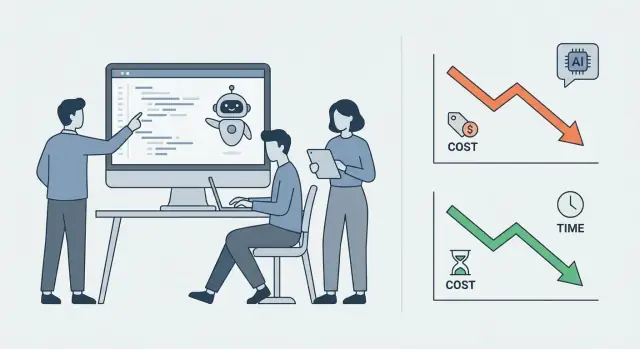
AI coding tools mainly shift the curve by making iteration cheaper. Drafting screens, wiring simple flows, writing tests, and cleaning up repetitive code can happen faster—often fast enough that you can run more experiments before committing.
That matters because early-stage success usually comes from feedback loops: build a small slice, show it to users, adjust, repeat. If each loop is cheaper, you can afford more learning.
Key takeaway
Speed is valuable only when it reduces wrong builds. If AI helps you validate the right idea sooner, it improves economics. If it just helps you ship more code without clarity, you can end up spending less per week—but more overall.
The Old Model: Where MVP Budgets Used to Go
Before AI-assisted coding became mainstream, MVP budgets were mostly a proxy for one thing: how many engineering hours you could afford before you ran out of runway.
The visible cost drivers
Most early-stage spend clustered around predictable buckets:
- Engineering time: building the first version, wiring integrations, handling edge cases.
- Context switching: jumping between product discussions, bug fixes, infrastructure, and customer calls. Each switch quietly slows throughput.
- QA and release work: manual testing, staging environments, deployment scripts, and “it works on my machine” fixes.
- Rework: rewriting features after the team learns what users actually need.
In this model, “faster devs” or “more devs” looked like the main lever. But speed alone rarely solved the underlying cost problem.
The hidden costs that inflated MVPs
The real budget killers were often indirect:
- Coordination overhead: standups, handoffs, waiting for reviews, clarifying tickets, aligning on scope.
- Unclear requirements: vague acceptance criteria turn implementation into guesswork—and then into rework.
- Late discovery: learning a core workflow is wrong only after weeks of building (and polishing) it.
Small teams tended to lose the most money in two places: repeated rewrites and slow feedback loops. When feedback is slow, every decision stays “expensive” longer.
Baseline metrics worth tracking (pre-AI)
To understand what changes later, teams tracked (or should have tracked): cycle time (idea → shipped), defect rate (bugs per release), and rework % (time spent revisiting shipped code). These numbers reveal whether the budget is going into progress—or into churn.
AI Coding Tools: What They Actually Do (Today)
AI coding tools aren’t a single thing. They range from “smart autocomplete” to tools that can plan and execute a small task across files. For MVPs and prototypes, the practical question isn’t whether the tool is impressive—it’s which parts of your workflow it reliably speeds up without creating cleanup work later.
Coding assistants (the daily drivers)
Most teams start with an assistant embedded in the editor. In practice, these tools help most with:
- Autocomplete and boilerplate: generating repetitive code (forms, CRUD endpoints, data mapping) fast.
- Refactors: renaming, extracting functions, converting patterns (e.g., callbacks to async/await) while keeping intent.
- Test generation: drafting unit tests and edge cases that engineers can edit into something trustworthy.
- Code search and explanation: answering “where is this used?” and “what does this module do?”—useful when the codebase is new or messy.
This is “productivity per developer hour” tooling. It doesn’t replace decision-making, but it reduces the time spent typing and scanning.
Agent-style tools (useful, but require supervision)
Agent tools try to complete a task end-to-end: scaffold a feature, modify multiple files, run tests, and iterate. When they work, they’re excellent for:
- Scaffolding (routes, models, basic UI states)
- Multi-file changes (propagating a new field through API → DB → UI)
- Low-risk chores (lint fixes, formatting, mechanical migrations)
The catch: they can confidently do the wrong thing. They tend to struggle when requirements are ambiguous, when the system has subtle constraints, or when “done” depends on product judgment (UX tradeoffs, edge-case behavior, error handling standards).
One practical pattern here is “vibe-coding” platforms—tools that let you describe an app in chat and have an agent system scaffold real code and environments. For example, Koder.ai focuses on generating and iterating full applications via chat (web, backend, and mobile), while keeping you in control through features like planning mode and human review checkpoints.
Design-to-code and API clients (speeding up UI and integrations)
Two other categories matter for MVP economics:
- Design-to-code tools can translate a design into UI scaffolding quickly. They’re best for getting a clickable, semi-real interface early—then a developer usually needs to simplify and align it with real components.
- API clients and integration helpers can generate SDK usage examples, request payloads, and glue code. This is helpful when connecting payments, auth, analytics, or a third-party data source.
How to choose tools by workflow (not hype)
Pick tools based on where your team loses time today:
- If the bottleneck is implementation speed, start with an editor assistant + test generation.
- If the bottleneck is many small tasks, try an agent tool for scoped chores with clear acceptance criteria.
- If the bottleneck is UI throughput, consider design-to-code—but budget time to clean up and componentize.
The best setup is usually a small stack: one assistant everyone uses consistently, plus one “power tool” for targeted tasks.
Where AI Cuts Costs the Most for MVPs and Prototypes
AI coding tools don’t usually “replace the team” for an MVP. Where they shine is removing hours of predictable work and shortening the loop between an idea and something you can put in front of users.
1) Faster scaffolding for common product plumbing
A lot of early-stage engineering time goes into the same building blocks: authentication, basic CRUD screens, admin panels, and familiar UI patterns (tables, forms, filters, settings pages).
With AI assistance, teams can generate a first pass of these pieces quickly—then spend their human time on the parts that actually differentiate the product (the workflow, the pricing logic, the edge cases that matter).
The cost win here is simple: fewer hours sunk into boilerplate, and fewer delays before you can start testing real behavior.
2) Quicker “spikes” to kill uncertainty early
MVP budgets often get blown by unknowns: “Can we integrate with this API?”, “Will this data model work?”, “Is performance acceptable?” AI tools are especially useful for short experiments (spikes) that answer one question fast.
You still need an engineer to design the test and judge the results, but AI can speed up:
- sample integrations
- small scripts to transform data
- quick prototypes of tricky UI interactions
This reduces the number of expensive multi-week detours.
3) More iterations per week from real feedback
The biggest economic shift is iteration speed. When small changes take hours instead of days, you can respond to user feedback quickly: tweak onboarding, simplify a form, adjust copy, add a missing export.
That compounds into better product discovery—because you learn sooner what users will actually pay for.
4) Shorter time to first demo (investors and pilots)
Getting to a credible demo quickly can unlock funding or pilot revenue earlier. AI tools help you assemble a “thin but complete” flow—login → core action → result—so you can demo outcomes rather than slides.
Treat the demo as a learning tool, not a promise that the code is production-ready.
The New Tradeoff: Cheap Code Can Still Be Expensive
AI coding tools can make writing code faster and cheaper—but that doesn’t automatically make an MVP cheaper overall. The hidden tradeoff is that speed can increase scope: once a team feels they can build more in the same timeframe, “nice-to-haves” sneak in, timelines stretch, and the product becomes harder to finish and harder to learn from.
Speed can quietly turn into scope creep
When generating features is easy, it’s tempting to say yes to every stakeholder idea, extra integration, or “quick” configuration screen. The MVP stops being a test and starts behaving like a first version of the final product.
A useful mindset: faster building is only a cost win if it helps you ship the same learning goal sooner, not if it helps you build twice as much.
More code creates more to carry
Even when the generated code works, inconsistency adds long-term cost:
- Higher maintenance when patterns vary (different styles, libraries, error-handling approaches)
- More surface area for bugs, security issues, and UX debt
- Slower onboarding for new developers because the codebase feels uneven
This is where “cheap code” becomes expensive: the MVP ships, but each fix or change takes longer than it should.
Rule of thumb: savings are real only with disciplined scope
If your original MVP plan was 6–8 core user flows, keep it there. Use AI to reduce time on the flows you already committed to: scaffolding, boilerplate, test setup, and repetitive components.
When you want to add a feature because it’s “easy now,” ask one question: Will this change what we learn from real users in the next two weeks? If not, park it—because the cost of extra code doesn’t end at “generated.”
Quality, Safety, and Trust: Managing the Risk Side
AI coding tools can lower the cost of getting to “something that runs,” but they also increase the risk of shipping something that only looks correct. For an MVP, that’s a trust issue: one data leak, broken billing flow, or inconsistent permissions model can erase the time you saved.
What AI tends to miss
AI is usually good at common patterns, and weaker at your specific reality:
- Edge cases (timezone boundaries, partial failures, retries, concurrency)
- Hidden business rules (“refunds allowed only after X and before Y, except…”)
- Compliance expectations (audit logs, retention, consent, accessibility)
- Data privacy basics (what gets logged, who can see what, where data is stored)
The most common failure mode: “plausible but subtly wrong”
AI-generated code often compiles, passes a quick click-through, and even looks idiomatic—yet it can be wrong in ways that are hard to spot. Examples include authorization checks in the wrong layer, input validation that misses a risky case, or error handling that silently drops failures.
Guardrails that keep speed without gambling
Treat AI output like a junior developer’s first draft:
- Require PR reviews for any change that touches payments, auth, PII, or data deletion
- Use a lightweight checklist per PR (security, logging, validation, failure modes)
- Write a clear “definition of done” (tests updated, monitoring added, rollback plan)
When humans must decide before AI implements
Pause AI-driven implementation until a person has answered:
- What is the source of truth for each piece of data?
- What are the permission rules, in plain English?
- What’s the acceptable failure behavior (retry, block, degrade gracefully)?
If those decisions aren’t written down, you’re not accelerating—you’re accumulating uncertainty.
Architecture and Technical Debt in an AI-Assisted Build
AI coding tools can produce a lot of code quickly. The economic question is whether that speed creates an architecture you can extend—or a pile you’ll later pay to untangle.
Why AI favors modular architecture
AI tends to do best when the task is bounded: “implement this interface,” “add a new endpoint that follows this pattern,” “write a repository for this model.” That naturally pushes you toward modular components with clear contracts—controllers/services, domain modules, small libraries, well-defined API schemas.
When modules have crisp interfaces, you can more safely ask AI to generate or modify one part without accidentally rewriting the rest. It also makes reviews easier: humans can verify behavior at the boundary (inputs/outputs) instead of scanning every line.
Avoiding “generated spaghetti”
The most common failure mode is inconsistent style and duplicated logic across files. Prevent it with a few non-negotiables:
- A project template (folder structure, naming, error handling conventions)
- Auto-formatting and linters in the default workflow (run on save and in CI)
- Shared abstractions for cross-cutting concerns (auth, validation, pagination)
Think of these as “guardrails” that keep AI output aligned with the codebase, even when multiple people prompt differently.
Reference implementations and approved patterns
Give the model something to imitate. A single “golden path” example (one endpoint implemented end-to-end) plus a small set of approved patterns (how to write a service, how to access the database, how to handle retries) reduces drift and reinvention.
When to invest in foundations—even for an MVP
Some foundations pay back immediately in AI-assisted builds because they catch mistakes fast:
- Logging with consistent request IDs and error contexts
- Lightweight observability (basic metrics + error tracking)
- CI checks: tests, lint, type checks, and a simple deploy pipeline
These aren’t enterprise extras—they’re how you keep cheap code from becoming expensive maintenance.
Team Workflow: How Small Teams Should Organize with AI
AI coding tools don’t remove the need for a team—they reshape what each person must be accountable for. Small teams win when they treat AI output as a fast draft, not a decision.
The new baseline roles (even in a 2–4 person team)
You can wear multiple hats, but the responsibilities must be explicit:
- Product spec owner: writes the “why,” defines acceptance criteria, and freezes scope for the next slice.
- Reviewer: checks AI-generated code changes for correctness, security, and maintainability.
- Integrator: keeps the system coherent—wiring features together, managing dependencies, and resolving merge conflicts.
- QA: validates user flows and edge cases; turns findings into test cases and fixes.
A simple pairing model that works
Use a repeatable loop: human sets intent → AI drafts → human verifies.
The human sets intent with concrete inputs (user story, constraints, API contract, “done means…” checklist). The AI can generate scaffolding, boilerplate, and first-pass implementations. The human then verifies: run tests, read diffs, challenge assumptions, and confirm behavior matches the spec.
Keep one source of truth for requirements and decisions
Pick a single home for product truth—usually a short spec doc or ticket—and keep it current. Record decisions briefly: what changed, why, and what you’re deferring. Link related tickets and PRs so future you can trace context without re-litigating.
Lightweight rituals that prevent AI drift
Do a quick daily review of:
- All AI-made changes merged in the last 24 hours (diff scan + “what did we actually change?”)
- Open questions the AI introduced (unclear requirements, missing error handling, ambiguous data rules)
This keeps momentum while preventing “silent complexity” from accumulating in your MVP.
Estimation and Budgeting: A New Way to Forecast
AI coding tools don’t remove the need for estimation—they change what you’re estimating. The most useful forecasts now separate “how fast can we generate code?” from “how fast can we decide what the code should do, and confirm it’s correct?”
Estimate by splitting work into two buckets
For each feature, break tasks into:
- AI-draftable work: scaffolding, CRUD endpoints, UI forms, integrations with well-known SDKs, tests as a first pass.
- Human-judgment work: product decisions, edge cases, data model choices, UX tradeoffs, performance targets, security decisions, and anything where your app is “special.”
Budget time differently. AI-draftable items can be forecast with smaller ranges (e.g., 0.5–2 days). Human-judgment items deserve wider ranges (e.g., 2–6 days) because they’re discovery-heavy.
Track AI impact with simple metrics
Instead of asking “did AI save time?”, measure:
- Lead time: idea → merged → shipped
- Bugs found: in QA and after release
- Rework rate: % of tickets reopened or rewritten
- PR size: large PRs often hide risk; smaller PRs correlate with smoother reviews
These metrics quickly show whether AI is accelerating delivery or just accelerating churn.
Expect some budget lines to rise
Savings on initial implementation often shift spend toward:
- QA (more scenarios, more regression testing)
- Security review (dependency checks, auth flows, data handling)
- Cloud costs (faster iteration can mean more environments and usage)
- Tooling (linters, test runners, CI, monitoring)
A simple 2–6 week MVP plan (with checkpoints)
- Week 0.5–1: scope + success metric, clickable prototype, data model draft (Checkpoint: “build list” frozen)
- Week 1–3: core flows built in thin slices (Checkpoint: end-to-end demo on staging)
- Week 3–5: QA, analytics, basic security hardening (Checkpoint: bug burn-down trend is flat)
- Week 5–6: pilot release + feedback loop (Checkpoint: decide iterate / pivot / stop)
Forecasting works best when each checkpoint can kill scope early—before “cheap code” becomes expensive.
Data, IP, and Compliance: Don’t Create a Legal Surprise
AI coding tools can speed up delivery, but they also change your risk profile. A prototype that “just works” can quietly violate customer commitments, leak secrets, or create IP ambiguity—problems that are far more expensive than a few saved engineering days.
Keep data safe by default
Treat prompts like a public channel unless you’ve verified otherwise. Don’t paste API keys, credentials, production logs, customer PII, or proprietary source code into a tool if your contract, policy, or the tool’s terms don’t explicitly allow it. When in doubt, redact: replace real identifiers with placeholders and summarize the issue instead of copying raw data.
If you’re using a platform to generate and host apps (not just an editor plugin), this also includes environment configuration, logs, and database snapshots—make sure you understand where data is stored and what audit controls exist.
Separate environments and scan for secrets
AI-generated code can accidentally introduce hardcoded tokens, debug endpoints, or insecure defaults. Use environment separation (dev/staging/prod) so mistakes don’t immediately become incidents.
Add secret scanning in CI so leaks are caught early. Even a lightweight setup (pre-commit hooks + CI checks) dramatically reduces the chance you ship credentials in a repo or container.
Licensing and IP: document what you did
Know your tool’s terms: whether prompts are stored, used for training, or shared across tenants. Clarify ownership of outputs and whether there are restrictions when generating code similar to public sources.
Keep a simple audit trail: which tool was used, for what feature, and what inputs were provided (at a high level). This is especially useful when you later need to prove provenance to investors, enterprise customers, or during an acquisition.
A lightweight usage policy (yes, even for tiny teams)
One page is enough: what data is prohibited, approved tools, required CI checks, and who can approve exceptions. Small teams move fast—make “safe fast” the default.
Choosing the Right Build Strategy: Prototype vs MVP vs Product
AI coding tools make building faster, but they don’t change the core question: what are you trying to learn or prove? Picking the wrong “shape” of build is still the quickest way to waste money—just with nicer-looking screens.
Prototype: speed for learning
Go prototype-first when learning is the goal and requirements are unclear. Prototypes are for answering questions like “Will anyone want this?” or “Which workflow makes sense?”—not for proving uptime, security, or scalability.
AI tools shine here: you can generate UI, stub data, and iterate flows quickly. Keep it disposable on purpose. If the prototype accidentally becomes “the product,” you’ll pay later in rework.
MVP: speed for real behavior
Go MVP-first when you need real user behavior and retention signals. An MVP should be usable by a defined audience with a clear promise, even if the feature set is small.
AI can help you ship the first version sooner, but an MVP still needs fundamentals: basic analytics, error handling, and a reliable core flow. If you can’t trust the data, you can’t trust the learning.
Early-stage product: reliability over novelty
Move to an early-stage product when you’ve found demand and need reliability. This is where “good enough” code becomes expensive: performance, observability, access control, and support workflows start to matter.
AI-assisted coding can accelerate implementation, but humans must tighten quality gates—reviews, test coverage, and clearer architecture boundaries—so you can keep shipping without regressions.
A quick decision checklist
Use this checklist to choose:
- Who uses it? Internal team, a few testers, or paying customers?
- How often? Once a month, daily, or mission-critical continuous use?
- What breaks if it fails? Mild inconvenience, lost revenue, or legal/security exposure?
If failure is cheap and learning is the goal, prototype. If you need retention proof, MVP. If people depend on it, start treating it like a product.
A Practical Playbook: Getting the Benefits Without the Pitfalls
AI coding tools reward teams that are deliberate. The goal isn’t “generate more code.” It’s “ship the right learning (or the right feature) faster,” without creating a cleanup project later.
1) Start narrow: one use case, one metric
Pick a single, high-leverage slice of work and treat it like an experiment. For example: speed up an onboarding flow (signup, verification, first action) rather than “rebuild the app.”
Define one measurable outcome (e.g., time-to-ship, bug rate, or onboarding completion). Keep the scope small enough that you can compare before/after in a week or two.
2) Put guardrails in place before you scale
AI output varies. The fix isn’t banning the tool—it’s adding lightweight gates so good habits form early.
- Adopt coding standards (naming, folder structure, testing expectations) and keep them visible in the repo.
- Require review gates: every AI-assisted change gets a human review, and “looks right” isn’t a pass.
- Define “done”: includes basic tests, logging for critical paths, and removal of unused generated code.
This is where teams avoid the trap of fast commits that later turn into slow releases.
3) Spend the savings where they multiply
If AI shortens build time, don’t reinvest it into more features by default. Reinvest into discovery so you build fewer wrong things.
Examples:
- More user interviews (even 5–10 can reshape an MVP)
- Better analytics events for key actions
- UX polish in the flows users actually touch
The payoff compounds: clearer priorities, fewer rewrites, and better conversion.
4) Suggested next steps
If you’re deciding how to apply AI tools to your MVP plan, start by pricing the options and timelines you can support, then standardize a few implementation patterns your team can reuse.
If you want an end-to-end workflow (chat → plan → build → deploy) rather than stitching together multiple tools, Koder.ai is one option to evaluate. It’s a vibe-coding platform that can generate web apps (React), backends (Go + PostgreSQL), and mobile apps (Flutter), with practical controls like source code export, deployment/hosting, custom domains, and snapshots + rollback—all useful when “move fast” still needs safety rails.
- Review options and engagement models: /pricing
- Browse related build guides and checklists: /blog
FAQ
What does “MVP economics” mean in this post?
MVP economics include more than development cost:
- Cost: people, tools, and cloud spend
- Time: how fast you reach real-user feedback
- Risk: security, reliability, and maintainability failures
- Opportunity cost: time spent building the wrong thing instead of learning
AI mainly improves economics when it shortens feedback loops and reduces rework—not just when it generates more code.
What’s the difference between a prototype, an MVP, and an early-stage product?
A prototype is built to learn (“will anyone want this?”) and can be rough or partially faked.
An MVP is built to sell and retain (“will users pay and come back?”) and needs a reliable core workflow.
An early-stage product starts right after MVP, when onboarding, analytics, support, and scaling basics become necessary and mistakes get more expensive.
Which parts of MVP building do AI coding tools speed up the most?
AI tools usually reduce time spent on:
- Boilerplate and scaffolding (CRUD, forms, routing)
- Small refactors and repetitive changes across files
- First-pass tests and edge-case checklists
- Quick “spikes” to answer uncertain technical questions (APIs, data transforms)
They tend to help most when tasks are well-scoped and acceptance criteria are clear.
How do I choose between coding assistants, agent tools, and design-to-code tools?
Start with your bottleneck:
- If you’re slow on implementation, use an editor assistant + test drafting.
- If you have many small chores, try an agent tool on tightly scoped tasks.
- If UI throughput is the issue, consider design-to-code, then budget cleanup time.
A practical setup is often “one assistant everyone uses daily” plus one specialized tool for targeted work.
How can AI make an MVP more expensive even if code is cheaper?
Speed often invites scope creep: it becomes easy to say yes to extra screens, integrations, and “nice-to-haves.”
More code also means more long-term cost:
- Inconsistent patterns and duplicated logic
- Larger bug and security surface area
- Slower onboarding for new developers
A useful filter: only add a feature now if it changes what you’ll learn from users in the next two weeks.
What guardrails reduce the risk of shipping AI-generated bugs or security issues?
Treat AI output like a junior developer’s first draft:
- Require reviews for anything touching auth, payments, PII, or deletion
- Use a small PR checklist (validation, permissions, logging, failure modes)
- Keep a clear “definition of done” (tests, monitoring, rollback basics)
The main risk is “plausible but subtly wrong” code that passes quick demos but fails in edge cases.
How should architecture change in an AI-assisted MVP build?
AI works best with bounded tasks and clear interfaces, which encourages modular design.
To prevent “generated spaghetti,” make a few things non-negotiable:
- A project template (structure, naming, error handling conventions)
- Formatting/lint/type checks in CI
- Shared abstractions for cross-cutting concerns (auth, validation, pagination)
Also keep a “golden path” reference implementation so new code has a consistent pattern to copy.
How should we estimate and budget work when AI tools are in the loop?
Split estimates into two buckets:
- AI-draftable work: scaffolding, known SDK integrations, basic endpoints/forms, first-pass tests
- Human-judgment work: product decisions, edge cases, data modeling, UX tradeoffs, security/performance targets
AI-draftable tasks usually get tighter ranges; judgment-heavy tasks should keep wider ranges because they involve discovery and decision-making.
What metrics should we track to know if AI is actually helping?
Focus on outcomes that reveal whether you’re accelerating delivery or accelerating churn:
- Lead time: idea → merged → shipped
- Bug rate: found in QA and after release
- Rework rate: reopened tickets, rewrites
- PR size: smaller PRs are easier to review and less risky
If lead time drops but rework and bugs rise, the “savings” are probably being paid back later.
What should we watch for around data privacy, IP, and compliance when using AI tools?
Default to safety: don’t paste secrets, production logs, customer PII, or proprietary code into tools unless your policy and the tool’s terms clearly allow it.
Practical steps:
- Use dev/staging/prod separation so mistakes don’t become incidents
- Add secret scanning (pre-commit + CI)
- Keep a lightweight audit trail of which tools were used and for what (high-level)
If you need a team policy, keep it to one page: prohibited data, approved tools, required checks, and who can approve exceptions.