

Why AI Coding Tools Are the New OS for Startup Builders
AI coding tools now manage planning, code, tests, and deployment—like an operating system for founders. Learn workflows, risks, and how to choose.
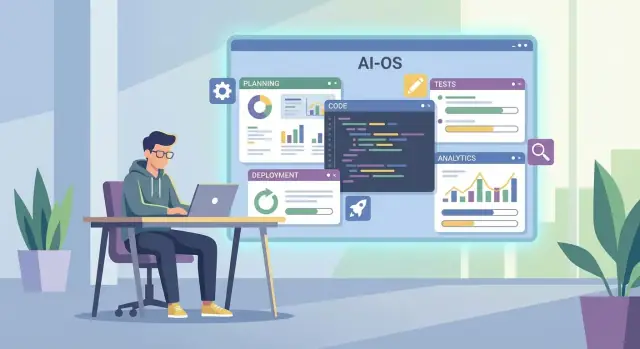
What It Means for AI Coding Tools to Be a “New OS”
Calling AI coding tools a “new OS” isn’t about replacing Windows, macOS, or Linux. It’s about a new shared interface for building software—where the default way you create features is by describing intent, reviewing results, and iterating, not just typing lines into a code editor.
A shared interface for building (not just coding)
In a traditional workflow, your “system” is a mix of an IDE, a ticket board, docs, and tribal knowledge. With an LLM IDE or agentic development tool, the interface shifts upward:
- You work in goals (“add Stripe subscriptions with trials”) instead of files.
- The tool proposes plans, generates code, runs changes across modules, and explains tradeoffs.
- Your job moves toward steering, verifying, and connecting code to product outcomes.
That’s why people compare it to an OS: it coordinates many small actions (searching, editing, refactoring, testing) behind a single conversational layer.
Why startups feel the shift first
Startup builders get pulled into this fastest because they operate with small teams, high uncertainty, and constant deadline pressure. When MVP development depends on speed, the ability to compress “idea → working feature” cycles can change what’s feasible in a week.
But speed isn’t the whole story: the tool also helps you explore options, prototype vibe coding experiments safely, and keep momentum when you don’t have a specialist for every corner of the stack.
What these tools won’t do for you
AI pair programming won’t replace product thinking, user research, or judgment about what to build next. It can generate code, not conviction.
In the rest of this guide, you’ll learn practical workflows (beyond demos), where these tools fit in a real developer workflow, which guardrails reduce risk, and how to choose a setup that improves startup velocity without losing control.
The Shift: From Code Editor Add-On to Build Environment
Not long ago, most AI coding tools behaved like smarter autocomplete inside your IDE. Helpful—but still “inside the editor.” What’s changed is that the best tools now span the whole build loop: plan → build → test → ship. For startup builders chasing MVP development speed, that shift matters more than any single feature.
Natural language becomes a primary input
Requirements used to live in docs, tickets, and Slack threads—then get translated into code. With LLM IDEs and AI pair programming, that translation can happen directly: a short prompt becomes a spec, a set of tasks, and a first implementation.
It’s not “write code for me,” it’s “turn intent into a working change.” This is why vibe coding is sticking: founders can express product intent in plain language, then iterate by reviewing outputs rather than starting from an empty file.
AI coordinates work across the project
Modern AI coding tools don’t just modify the current file. They can reason across modules, tests, configs, and even multiple services—more like agentic development than autocomplete. In practice, this means:
- Opening and editing the right set of files for a feature
- Updating API contracts and client calls together
- Writing or adjusting tests so changes actually ship
When an AI can move work across code, scripts, and tickets in one flow, the tool starts to feel like the place work happens—not a plugin.
One “home base” for startup velocity
As code generation gets bundled with planning, review, and execution, teams naturally centralize around the tool where decisions and changes connect. The result: fewer context switches, faster cycles, and a developer workflow that looks less like “use five tools” and more like “operate from one environment.”
The OS Analogy, Mapped to Real Startup Work
The “new OS” analogy is useful because it describes how these tools coordinate the everyday work of building, changing, and shipping a product—not just typing code faster.
The “OS” layers you actually touch while building
-
The shell (chat + commands + project context): This is the interface founders and small teams live in. Instead of switching between docs, issues, and code, you describe a goal (“add Stripe upgrade flow with annual plans”) and the tool turns it into concrete steps, file edits, and follow-up questions.
-
The filesystem (repo understanding, search, refactoring across modules): Startups break things while moving fast—especially when a “quick change” touches five files. A good AI tool behaves like it can navigate your repo: locating the real source of truth, tracing how data flows, and updating related modules (routes, UI, validations) together.
-
The package manager (templates, snippets, internal components, code reuse): Early teams repeat patterns: auth screens, CRUD pages, background jobs, email templates. The “OS” effect shows up when the tool consistently reuses your preferred building blocks—your UI kit, your logging wrapper, your error format—rather than inventing new styles each time.
-
The process manager (running tests, scripts, local dev tasks): Shipping isn’t writing code; it’s running the loop: install, migrate, test, lint, build, deploy. Tools that can trigger these tasks (and interpret failures) reduce the time between idea → working feature.
-
The network stack (APIs, integrations, environment configs): Most MVPs are glue: payments, email, analytics, CRM, webhooks. The “new OS” helps manage integration setup—env vars, SDK usage, webhook handlers—while keeping config consistent across local, staging, and production.
When these layers work together, the tool stops feeling like “AI pair programming” and starts feeling like the place where the startup’s build system lives.
Where AI Coding Tools Fit in the Startup Build Loop
AI coding tools aren’t just for “writing code faster.” For startup builders, they slot into the full build loop: define → design → build → verify → ship → learn. Used well, they reduce the time between an idea and a testable change—without forcing you into a heavyweight process.
1) Research & requirements (before a single file changes)
Start with messy inputs: call notes, support tickets, competitor screenshots, and a half-formed pitch. Modern LLM IDEs can turn that into crisp user stories and acceptance criteria you can actually test.
Example outputs you want:
- User stories + edge cases
- Clear “done means” checks (acceptance criteria)
- A scoped MVP development plan (what’s in vs. explicitly out)
2) Architecture sketch (just enough design)
Before generating code, use the tool to propose a simple design and then constrain it: your current stack, hosting limits, timeline, and what you refuse to build yet. Treat it like a fast whiteboard partner that can iterate in minutes.
Good prompts focus on tradeoffs: one database table vs. three, synchronous vs. async, or “ship now” vs. “scale later.”
3) Implementation (small, verifiable steps)
AI pair programming works best when you force a tight loop: generate one small change, run tests, review diff, repeat. This is especially important for vibe coding, where speed can hide mistakes.
4) Debugging (make it reproduce first)
Ask the tool to:
- Reproduce and isolate the bug
- Propose fixes based on logs and error traces
- Add the minimal test that prevents regressions
5) Documentation (kept in sync)
As code generation changes the system quickly, have the AI update README and runbooks as part of the same PR. Lightweight docs are the difference between agentic development and chaos.
Why Startup Builders Are Adopting Them So Quickly
Startups adopt AI coding tools for the same reason they adopt anything: they compress time. When you’re trying to validate a market, the best feature is speed with enough correctness to learn. These tools turn “blank repo” work into something you can demo, test, and iterate on before momentum fades.
Idea to PR in hours (not weeks)
For early-stage teams, the highest leverage isn’t perfect architecture—it’s getting a real workflow in front of users. AI coding tools accelerate the unglamorous 80%: scaffolding projects, generating CRUD endpoints, wiring auth, building admin dashboards, and filling in form validation.
The key is that output can land as a pull request that still goes through review, rather than changes pushed directly to main.
Cross-functional leverage: more people can ship pieces
Founders, PMs, and designers don’t suddenly become senior engineers—but they can draft useful inputs: clearer specs, acceptance criteria, UI microcopy, and edge-case lists. That reduces back-and-forth and helps engineers start from a better “first draft,” especially for MVP development.
Less context switching, more continuous progress
Instead of bouncing between docs, searches, and scattered internal notes, teams use one interface to:
- Generate code and tests
- Ask for explanations in plain English
- Refactor with a stated goal (performance, readability, consistency)
This tighter loop improves developer workflow and keeps attention on the product.
Faster onboarding through “why,” not just “what”
New hires can ask the tool to explain conventions, data flows, and the reasoning behind patterns—like a patient pair programming partner that never gets tired.
The common failure mode is also predictable: teams can ship faster than they can maintain. Adoption works best when speed is paired with lightweight review and consistency checks.
New Team Roles: Founder-Operator, Reviewer, and AI “Supervisor”
AI coding tools don’t just speed up existing jobs—they reshuffle who does what. Small teams end up behaving less like “a few specialists” and more like a coordinated production line, where the bottleneck is rarely typing. The new constraint is clarity: clear intent, clear acceptance criteria, clear ownership.
Founder-Operator: product + engineering + ops, stitched together
For solo builders and tiny founding teams, the biggest change is range. With an AI tool drafting code, scripts, docs, emails, and even rough analytics queries, the founder can cover more surface area without hiring immediately.
That doesn’t mean “the founder does everything.” It means the founder can keep momentum by shipping the first 80% quickly—landing pages, onboarding flows, basic admin tools, data imports, internal dashboards—then spending human attention on the last 20%: decisions, tradeoffs, and what must be true for the product to be trusted.
Reviewer: less typing, more structuring and validating
Engineers increasingly act like editors-in-chief. The job shifts from producing code line-by-line to:
- Defining architecture boundaries (modules, APIs, data models)
- Reviewing AI-generated diffs for correctness, security, and maintainability
- Writing the “hard parts” where context, performance, or subtle bugs matter
- Enforcing team conventions (naming, testing, error handling)
In practice, a strong reviewer prevents the classic failure mode of vibe coding: a codebase that works today but is impossible to change next week.
Design/PM: the spec becomes the superpower
Design and PM work becomes more model-friendly. Instead of handoffs that are mostly visual, teams win by drafting flows, edge cases, and test scenarios the AI can follow:
- Happy path + failure states (timeouts, empty data, permissions)
- Copy requirements and accessibility checks
- Acceptance criteria written as bulletproof, testable statements
The clearer the inputs, the less the team pays later in rework.
AI “Supervisor”: prompt hygiene, logging habits, and ownership
The new skill stack is operational: prompt hygiene (consistent instructions and constraints), code review discipline (treat AI output like a junior dev’s PR), and logging habits (so issues are diagnosable).
Most importantly: define ownership. Someone must approve changes, and someone must maintain quality bars—tests, linting, security checks, and release gates. AI can generate; humans must remain accountable.
Practical Workflows That Actually Work (Not Just Demos)
AI coding tools look magical in a clean demo. In a real startup repo—half-finished features, messy data, production pressure—speed only helps if the workflow keeps you oriented.
Workflow 1: “Spec → Small PR” (the default)
Start every task with a crisp definition of done: the user-visible outcome, acceptance checks, and what “not included” means. Paste that into the tool prompt before generating code.
Keep changes small: one feature, one PR, one commit theme. If the tool wants to refactor the whole project, stop and narrow scope. Small PRs make review faster and rollbacks safer.
Workflow 2: “Test-first rescue” (when you don’t trust the code)
If the tool produces something plausible but you’re unsure, don’t argue with it—add tests. Ask it to write failing tests for the edge cases you care about, then iterate until they pass.
Always run tests and linters locally or in CI. If there are no tests, create a minimal baseline rather than trusting outputs.
Workflow 3: “Explain like a teammate” (PR discipline)
Require AI-assisted PRs to include an explanation:
- What changed (in plain language)
- Risks and assumptions
- How to verify (steps or test commands)
- Rollback plan
This forces clarity and makes future debugging less painful.
Workflow 4: “Guardrail checklists” (boring, effective)
Use lightweight checklists on every PR—especially for:
- Security basics (auth boundaries, input validation)
- Data handling (PII, logging, retention)
- Performance basics (N+1 queries, caching, timeouts)
The goal isn’t perfection. It’s repeatable momentum without accidental damage.
Risks and Blind Spots to Plan For Early
AI coding tools can feel like pure acceleration—until you realize they also introduce new failure modes. The good news: most risks are predictable, and you can design around them early instead of cleaning up later.
Code quality drift (the “it works… but why?” problem)
When an assistant generates chunks across features, your codebase can slowly lose its shape. You’ll see inconsistent patterns, duplicated logic, and blurry boundaries between modules (“auth helpers” sprinkled everywhere). This isn’t just aesthetics: it makes onboarding harder, bugs harder to trace, and refactors more expensive.
A common early signal is when the team can’t answer, “Where does this kind of logic live?” without searching the whole repo.
Security pitfalls (fast shipping, slow breaches)
Assistants may:
- Suggest unsafe dependencies without checking maintainer reputation or update history
- Accidentally expose secrets (API keys copied into config files or test fixtures)
- Produce code that’s vulnerable to injection (SQL, prompt injection, template injection) when inputs aren’t validated
The risk rises when you accept generated code as “probably fine” because it compiled.
Data and privacy concerns (what you share becomes part of the risk)
To be useful, tools ask for context: source code, logs, schemas, customer tickets, even production snippets. If that context is sent to external services, you need clarity on retention, training usage, and access controls.
This isn’t only about compliance—it’s also about protecting your product strategy and customer trust.
Hallucinated behavior (confidently wrong)
AI can invent functions, endpoints, configs, or “existing” modules that don’t exist, then write code assuming they do. It can also misunderstand subtle invariants (like permission rules or billing edge cases) and produce code that passes superficial tests but breaks real flows.
Treat generated output as a draft, not a source of truth.
Vendor lock-in (your workflow becomes the product)
If your team relies on one assistant’s proprietary formats, agent scripts, or cloud-only features, switching later can be painful. The lock-in isn’t just technical—it’s behavioral: prompts, review habits, and team rituals become tied to one tool.
Planning for portability early keeps your speed from turning into a dependency.
Guardrails: How to Keep Speed Without Losing Control
Speed is the whole point of AI coding tools—but without guardrails, you’ll ship inconsistencies, security issues, and “mystery code” nobody owns. The goal isn’t to slow down. It’s to make the fast path also be the safe path.
Define a “golden path”
Establish coding standards and a default architecture for new work: folder structure, naming, error handling, logging, and how features get wired end-to-end. If the team (and the AI) has one obvious way to add a route, a job, or a component, you’ll get less drift.
A simple tactic: keep a small “reference feature” in the repo that demonstrates the preferred patterns.
Make review non-negotiable
Create a review policy: mandatory human review for production changes. AI can generate, refactor, and propose—but a person signs off. Reviewers should focus on:
- Correctness and edge cases
- Security and data handling
- Long-term maintainability (not just “it works”)
Let CI be the strict enforcer
Use CI as the enforcer: tests, formatting, dependency checks. Treat failing checks as “not shippable,” even for tiny changes. Minimal baseline:
- Unit/integration tests for core flows
- Linting/formatting (auto-fix where possible)
- Dependency scanning and lockfile consistency
Protect secrets by default
Set rules for secrets and sensitive data; prefer local or masked contexts. Don’t paste tokens into prompts. Use env vars, secret managers, and redaction. If you use third-party models, assume prompts may be logged unless you’ve verified otherwise.
Turn good prompts into repeatable playbooks
Document prompts and patterns as internal playbooks: “How we add an API endpoint,” “How we write migrations,” “How we handle auth.” This reduces prompt roulette and makes outputs predictable. A shared /docs/ai-playbook page is often enough to start.
How to Choose the Right AI Coding Tool for Your Startup
Choosing an AI coding tool isn’t about finding “the smartest model.” It’s about reducing friction in your actual build loop: planning, coding, reviewing, shipping, and iterating—without creating new failure modes.
1) Context handling: can it stay grounded in your repo?
Start by testing how well the tool understands your codebase.
If it relies on repo indexing, ask: how fast does it index, how often does it refresh, and can it handle monorepos? If it uses long context windows, ask what happens when you exceed limits—does it gracefully retrieve what it needs, or does accuracy drop silently?
A quick evaluation: point it at one feature request that touches 3–5 files and see whether it finds the right interfaces, naming conventions, and existing patterns.
2) Agent capabilities: helpful automation vs. unsafe autonomy
Some tools are “pair programming” (you drive, it suggests). Others are agents that run multi-step tasks: create files, edit modules, run tests, open PRs.
For startups, the key question is safe execution. Prefer tools with clear approval gates (preview diffs, confirm shell commands, sandboxed runs) rather than tools that can make broad changes without visibility.
3) Integrations: reduce copy/paste operations
Check the boring plumbing early:
- GitHub/GitLab PR flow (diffs, reviews, branch handling)
- CI visibility (can it read failures and propose targeted fixes?)
- Issue trackers (linking work to tickets, acceptance criteria)
- Deployment hooks (at least awareness of environments and release steps)
Integrations determine whether the tool becomes part of the workflow—or a separate chat window.
4) Cost model: predictability beats theoretical value
Per-seat pricing is easier to budget. Usage-based pricing can spike when you’re prototyping hard. Ask for team-level caps, alerts, and per-feature cost visibility so you can treat the tool like any other infrastructure line item.
5) Admin needs: make governance lightweight
Even a 3–5 person team needs basics: access control (especially for prod secrets), audit logs for generated changes, and shared settings (model choice, policies, repositories). If these are missing, you’ll feel it the first time a contractor joins or a customer audit appears.
A practical benchmark: does it behave like a platform?
One way to evaluate maturity is to see whether the tool supports the “OS-like” parts of shipping: planning, controlled execution, and rollback.
For example, platforms like Koder.ai position themselves less as an IDE add-on and more as a vibe-coding build environment: you describe intent in chat, the system coordinates changes across a React web app, a Go backend, and a PostgreSQL database, and you can keep safety via features like snapshots and rollback. If portability matters, check whether you can export source code and keep your repo workflow intact.
A 30-Day Rollout Plan for Founders and Small Teams
You don’t need a big migration to get value from AI coding tools. Treat the first month like a product experiment: pick a narrow slice of work, measure it, then expand.
Days 1–7: Pick one project and define “done”
Start with one real project (not a toy repo) and a small set of repeatable tasks: refactors, adding endpoints, writing tests, fixing UI bugs, or updating docs.
Set success metrics before you touch anything:
- Cycle time (issue opened → merged)
- Bug rate (regressions per release)
- Onboarding time (new dev to first merged PR)
- Test coverage (or at least number of meaningful tests added)
Days 8–14: Run a measured pilot
Do a lightweight pilot with a checklist:
- Record a baseline (last 10 tickets: lead time, reopen rate)
- Define a rollback plan (how to revert AI-made changes quickly)
- Hold a training session (30–60 minutes) on how your team will use the tool
Keep the scope small: 1–2 contributors, 5–10 tickets, and a strict PR review standard.
Days 15–21: Standardize with templates
Speed compounds when your team stops reinventing the prompt every time. Create internal templates:
- PR format (what changed, how tested, risks)
- Testing guide (minimum bar for new code)
- Prompt patterns (e.g., “plan → diff → tests → explain tradeoffs”)
Document these in your internal wiki or /docs so they’re easy to find.
Days 22–30: Expand carefully and lock in guardrails
Add a second project or a second task category. Review the metrics weekly, and keep a short “rules of engagement” page: when AI suggestions are allowed, when human-written code is required, and what must be tested.
If you’re evaluating paid tiers, decide what you’ll compare (limits, team controls, security) and point people to /pricing for the official plan details.
What’s Next: From Assistants to Build “Platforms”
AI coding tools are moving past “help me write this function” and toward becoming the default interface for how work gets planned, executed, reviewed, and shipped. For startup builders, that means the tool won’t just live in the editor—it will start to behave like a build platform that coordinates your whole delivery loop.
Near-term: assistants become the default interface
Expect more work to start in chat or task prompts: “Add Stripe billing,” “Create an admin view,” “Fix the signup bug.” The assistant will draft the plan, generate code, run checks, and summarize changes in a way that looks less like coding and more like operating a system.
You’ll also see tighter workflow glue: issue trackers, docs, pull requests, and deployments connected so the assistant can pull context and push outputs without you copying and pasting.
Mid-term: more agentic flows for refactors, migrations, and QA
The biggest jump will be multi-step jobs: refactoring modules, migrating frameworks, upgrading dependencies, writing tests, and scanning for regressions. These are the chores that slow MVP development, and they map well to agentic development—where the tool proposes steps, executes them, and reports what changed.
Done well, this won’t replace judgment. It will replace the long tail of coordination: finding files, updating call sites, fixing type errors, and drafting test cases.
What won’t change: you still own the outcome
Responsibility for correctness, security, privacy, and user value stays with the team. AI pair programming can raise startup velocity, but it also increases the cost of unclear requirements and weak review habits.
Questions to ask before betting big
Portability: Can you move prompts, configs, and workflows to another tool?
Data policies: What is stored, where, and how is it used for training?
Reliability: What breaks when the model is slow, offline, or wrong?
Call to action
Audit your workflow and pick one area to automate first—test generation, PR summaries, dependency upgrades, or onboarding docs. Start small, measure time saved, then expand to the next bottleneck.
FAQ
What does it mean to call AI coding tools a “new OS”?
It means the primary interface for building software shifts from “edit files” to “express intent, review, iterate.” The tool coordinates planning, code changes across the repo, tests, and explanations behind a conversational layer—similar to how an OS coordinates many low-level operations under one interface.
How is a “new OS” AI tool different from AI autocomplete in an IDE?
Autocomplete accelerates typing inside a single file. “New OS” tools span the build loop:
- turn prompts into plans and task breakdowns
- edit multiple files consistently (APIs, UI, configs, tests)
- run commands (tests, lint, migrations) with approval gates
- summarize diffs and verification steps
The difference is coordination, not just code completion.
Why do startups feel the shift before larger companies?
Startups have small teams, unclear requirements, and tight deadlines. Anything that compresses “idea → working PR” has outsized impact when you’re trying to ship an MVP, test demand, and iterate weekly. The tools also help cover gaps when you don’t have specialists for every part of the stack (payments, auth, ops, QA).
What won’t AI pair programming do for my team?
You still need product judgment and accountability. These tools won’t reliably provide:
- product strategy, prioritization, and user research
- correct domain rules (billing, permissions) without clear specs
- security-by-default decisions without guardrails
- long-term architecture discipline on their own
Treat output as a draft and keep humans responsible for outcomes.
Where do AI coding tools fit in a real startup build loop?
Use it for the full loop, not just generation:
- Define: turn notes into user stories and acceptance criteria
- Design: sketch minimal architecture with stated constraints
- Build: implement in small, reviewable steps
- Verify: add tests, run CI, interpret failures
- Ship: draft PR summaries, rollout and rollback notes
- Learn: capture follow-ups and docs in the same PR
What’s the safest workflow for “vibe coding” without losing control?
Start with a clear “definition of done” and constrain scope. A practical prompt sequence:
- Ask for a short plan and the files likely to change.
- Generate a small diff (one feature slice).
- Run tests/lint locally or in CI.
- Review for correctness, security, and conventions.
- Iterate with targeted fixes, then request a PR summary and verification steps.
What are the biggest risks and blind spots when adopting these tools?
Common risks include:
- Code quality drift: inconsistent patterns and duplicated logic
- Hallucinations: invented functions/endpoints/configs
- Security issues: weak validation, unsafe deps, auth mistakes
- Privacy leaks: pasting secrets/logs/customer data into prompts
- Lock-in: prompts and workflows tied to one vendor/tool
Most are manageable with review, CI, and clear standards.
What guardrails should we set up from day one?
Put boring checks on the fast path:
- mandatory human review for production changes
- CI gates: tests, lint/format, type checks, dependency scanning
- a “golden path” reference feature that shows preferred patterns
- secrets rules: env vars, redaction, never paste tokens
- lightweight PR checklist (auth, input validation, PII, performance)
Speed stays high when the safe path is the default path.
How do we choose the right AI coding tool for our startup?
Evaluate based on your workflow, not model hype:
- Repo grounding: can it find the right files and conventions?
- Safe agent behavior: preview diffs, confirm shell commands, sandboxing
- Integrations: GitHub/GitLab PR flow, CI error reading, issue linking
- Admin/security: access controls, audit logs, policy settings
- Cost predictability: caps/alerts for usage-based pricing
Test with one feature request that touches 3–5 files and demands tests.
What’s a practical 30-day rollout plan for a small team?
Run a measured pilot:
- Week 1: pick one real repo and define success metrics (cycle time, regressions, onboarding time).
- Week 2: small pilot (5–10 tickets) with strict PR review and a rollback plan.
- Week 3: standardize templates (PR format, test minimums, prompt playbooks in
/docs). - Week 4: expand scope carefully and keep CI/guardrails non-negotiable.
Treat it like an experiment you can stop or adjust quickly.