

Use AI to Validate Product Ideas Before You Write Code
Practical workflows for developers to use AI for research, specs, UX drafts, prototypes, and risk checks—so you validate ideas before manual coding begins.
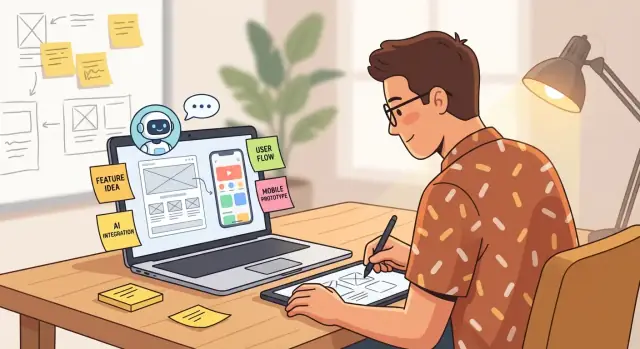
What It Means to Explore Ideas With AI First
Exploring ideas “AI-first” doesn’t mean skipping thinking—or skipping validation. It means using AI as your front-loaded research and drafting partner so you can test assumptions early, tighten scope, and decide whether the idea deserves engineering time.
“Before writing manual code” (what it actually means)
You’re still doing real work: clarifying the problem, defining who it’s for, and validating that the pain is worth solving. The difference is that you delay custom implementation until you’ve reduced uncertainty.
In practice, you might still create artifacts—docs, user stories, test plans, clickable prototypes, even small throwaway scripts—but you avoid committing to a production codebase until you have stronger evidence.
Where AI helps most
AI is strongest at accelerating the messy early stage:
- Speed: summarize interviews, generate survey drafts, outline test plans, and draft messaging in minutes.
- Breadth of options: propose multiple angles for positioning, pricing hypotheses, onboarding flows, and “what if we…” alternatives.
- First drafts: turn rough notes into a one-page concept, a lightweight PRD outline, or a starter backlog you can refine.
This isn’t about accepting output as-is; it’s about moving from blank page to editable material fast.
Where AI can mislead
AI can create false certainty—confident-sounding claims about markets, competitors, or user needs without evidence. It also tends toward generic answers unless you provide specific constraints, context, and examples. Treat outputs as hypotheses, not facts.
Outcome goals
Done well, an AI-first approach yields:
- a clearer problem statement and assumptions
- tighter scope and fewer “nice-to-haves”
- faster go/no-go decisions based on what you learned, not what you built
Start With a Crisp Problem Statement and Assumptions
Before you ask AI to generate concepts, screens, or research plans, pin down what you’re solving and what you believe is true. A clear problem statement keeps the rest of your AI-assisted exploration from drifting into “cool features” that don’t matter.
Write the one-sentence problem (user + job)
Define your target user and their job-to-be-done in a single sentence. Keep it specific enough that someone could say “yes, that’s me” or “nope.”
Example format:
For [target user], who [situation/constraint], help them [job-to-be-done] so they can [desired outcome].
If you can’t write this sentence, you don’t have a product idea yet—you have a theme.
Choose success metrics you can actually measure
Pick a small set of metrics that tell you whether the problem is worth solving:
- Activation: what “first value” action proves the product works?
- Retention: do users come back after day 7/day 30?
- Time saved: minutes/hours reduced per task or per week
- Revenue: willingness to pay, conversion rate, average contract value
Tie each metric to a baseline (current process) and a target improvement.
List “must be true” assumptions (5–10)
Assumptions are your fastest path to validation. Write them as testable statements:
- Users experience the pain at least weekly
- They’re already paying (money or time) for a workaround
- The buyer and end-user are the same person (or not)
- Data needed to solve it is available and accurate
- Switching costs are low enough to adopt a new tool
Set constraints upfront
Constraints prevent AI from proposing solutions you can’t ship:
- Budget and expected payback window
- Timeline (e.g., 2-week prototype, 6-week MVP)
- Compliance (PII, SOC 2, HIPAA, GDPR)
- Platforms (web only, iOS/Android, Slack, API-first)
Once you have these written down, your next AI prompts can reference them directly, producing outputs that are aligned, testable, and realistic.
Use AI to Accelerate Customer Discovery
Customer discovery is mostly about listening—AI helps you get to better conversations faster and makes your notes easier to use.
Generate a first draft of who you’re talking to
Start by asking AI to propose a handful of realistic personas for your problem space (not “marketing avatars,” but people with context). Have it list:
- goals and constraints (time, budget, tools they already use)
- pains and triggers that make them search for a solution
- what they’ve tried before and why it failed
Then edit hard for realism. Remove anything that sounds like a stereotype or a perfect customer. The goal is a plausible starting point so you can recruit interviewees and ask smarter questions.
Draft interview questions (and a 15–20 minute script)
Use AI to produce a tight interview plan: an opening, 6–8 core questions, and a closing. Keep it focused on current behavior:
- “Walk me through the last time this happened.”
- “What did you do next?”
- “What was annoying or risky about that?”
Ask AI to add follow-ups that probe for specifics (frequency, cost, workarounds, decision criteria). Avoid pitching your idea in the call—your job is to learn, not to sell.
Summarize notes into themes and quotable evidence (with consent)
After each call, paste your notes (or a transcript if you recorded with explicit consent) into AI and ask for:
- themes across interviews
- direct quotes that capture pain clearly
- edge cases and conflicting signals
Always remove personal identifiers before processing, and store the original notes securely.
Turn themes into a ranked list of problems worth solving
Finally, have AI convert your themes into a short, ranked problem list. Rank by:
- intensity (how painful)
- frequency (how often)
- willingness to pay / urgency
- reach (how many people share it)
You’ll end up with 2–4 problem statements that are specific enough to test next—without writing code or guessing what customers care about.
Market and Competitor Mapping Without Guesswork
A quick competitor scan isn’t about copying features—it’s about understanding what users already have, what they complain about, and where a new product can win.
Start by asking for categories, not “competitors”
Prompt AI to list alternatives in three buckets:
- Direct: products solving the same job for the same user.
- Indirect: products solving the same job in a different way (or for a different segment).
- Manual/workarounds: spreadsheets, email threads, templates, internal tools, agencies—anything people use because “good enough.”
This framing prevents tunnel vision. Often the strongest “competitor” is a workflow, not a SaaS.
Build a comparison table you can actually use
Have AI draft a table, then validate it by checking 2–3 sources per product (pricing page, docs, reviews). Keep it lightweight:
| Option | Target user | Pricing model | Notable features | Common gaps/opportunities |
|---|---|---|---|---|
| Direct tool A | Solo creators | Subscription tiers | Templates, sharing | Limited collaboration, poor onboarding |
| Direct tool B | SMB teams | Per-seat | Permissions, integrations | Expensive at scale |
| Indirect tool C | Enterprises | Annual contract | Compliance, reporting | Slow setup, rigid UX |
| Manual alternative | Any | Time cost | Flexible, familiar | Error-prone, hard to track |
Use the “gaps” column to identify differentiation angles (speed, simplicity, a narrower niche, better defaults, better integration with an existing stack).
Decide what not to build
Ask AI to highlight “table stakes” vs. “nice-to-have.” Then create a short avoid list (e.g., “don’t build advanced analytics in v1,” “skip multi-workspace until retention is proven”). This protects you from shipping a bloated MVP.
Draft positioning, then test it with humans
Generate 3–5 positioning statements (one sentence each), such as:
- “For [user], who need [job], [product] is the fastest way to [outcome] without [pain].”
Put these in front of real users via short calls or a simple landing page. The goal isn’t agreement—it’s clarity: which statement makes them say, “Yes, that’s exactly my problem.”
Turn the Problem Into Several Testable Solution Concepts
Once your problem statement is tight, the next move is to generate multiple ways to solve it—then pick the smallest concept that can prove value.
Ask for several approaches (including non-software)
Use AI to propose 5–10 solution concepts that address the same user pain from different angles. Don’t limit the prompt to apps and features. Include non-software options like:
- a manual concierge workflow (done by you or an assistant)
- a template, checklist, or email sequence
- a community or office-hours model
- a service + lightweight tool hybrid
This matters because the best validation often happens before you build anything.
Stress-test each concept with edge cases and objections
For each concept, have AI enumerate:
- edge cases (unusual users, extreme usage, missing data)
- failure modes (what breaks, what can’t be delivered, where trust is lost)
- user objections (price, effort, privacy, “I already do this with X”)
Then ask it to propose mitigations and what you’d need to learn to reduce uncertainty.
Choose the simplest concept that can prove value
Rank concepts by: speed to test, clarity of success metric, and effort required from the user. Prefer the version where a user can experience the benefit in minutes, not days.
A helpful prompt: “Which concept has the shortest path to a believable before/after outcome?”
Define out-of-scope to prevent feature creep
Before you prototype, write an explicit out-of-scope list. Example: “No integrations, no team accounts, no analytics dashboard, no mobile app.” This single step prevents your “test” from turning into an MVP.
If you need a template for scoring concepts, keep it simple and reusable across ideas.
Draft UX Flows, Wireframes, and Copy With AI
Good validation isn’t just “does the idea sound interesting?”—it’s “can someone actually complete the job without getting stuck?” AI is useful here because it can quickly generate multiple UX options, letting you test clarity before you build anything.
1) Prompt AI for user flows (happy path + edge cases)
Start by asking for a few flows, not one. You want a happy path, onboarding, and the key actions that prove value.
A simple prompt pattern:
You are a product designer. For an app that helps [target user] do [job], propose:
1) Onboarding flow (3–6 steps)
2) Happy path flow for the core task
3) 5 common failure points + how the UI should respond
Keep each step as: Screen name → user action → system response.
Scan for missing steps (permissions, confirmations, “where do I start?” moments) and ask for variants (e.g., “create-first” vs “import-first”).
2) Draft wireframes as text you can convert into mockups
You don’t need pixels to validate structure. Ask for wireframes as text descriptions with clear sections.
For each screen, request:
- layout blocks (header, primary CTA, form fields, helper text)
- what’s above the fold on mobile
- one alternative layout optimized for speed
Then paste the descriptions into your design tool or a no-code builder as a blueprint for a clickable prototype.
3) Generate microcopy that prevents confusion
Microcopy is often the difference between “I get it” and “I quit.” Have AI draft:
- button labels that match intent (“Save draft” vs “Continue”)
- empty states (“No projects yet—create your first in 30 seconds”)
- error messages that explain what to do next
- success confirmations that reinforce value
Tell the model your desired tone (calm, direct, friendly) and reading level.
4) Validate usability with 5 quick tests
Create a clickable prototype and run 5 short sessions. Give participants tasks (not instructions), like “Sign up and create your first report.” Track where they hesitate, what they misunderstand, and what they expect to happen next.
After each round, ask AI to summarize themes and suggest copy or layout fixes—then update the prototype and retest. This loop often exposes UX blockers long before engineering time is on the line.
Create a Lightweight PRD and Backlog Before Building
A full Product Requirements Document can take weeks—and you don’t need that to validate an idea. What you need is a lightweight PRD that captures the “why,” “who,” and “what” clearly enough to test assumptions and make tradeoffs.
Use AI to draft a one-page PRD
Ask AI to produce a structured outline you can edit, not a novel. A good first pass includes:
- Goal & success metrics: what changes for users, and how you’ll measure it
- Primary personas: who benefits most (and who you’re explicitly not serving yet)
- In-scope vs. out-of-scope: the smallest version worth testing
- Key requirements: must-haves stated in plain language
- Non-goals: what you refuse to do in v1 (reduces scope creep)
A practical prompt: “Draft a one-page PRD for [idea] with goals, personas, scope, requirements, and non-goals. Keep it under 500 words and include 5 measurable success metrics.”
Define acceptance criteria as user scenarios
Instead of technical checklists, have AI phrase acceptance criteria as user-focused scenarios:
- “When a first-time user signs up, they can complete onboarding in under 2 minutes.”
- “When a user imports data, they can see validation errors and fix them without support.”
These scenarios double as test scripts for prototypes and early interviews.
Generate a first-pass backlog (and tie it to feasibility)
Next, ask AI to convert the PRD into epics and user stories, with a simple prioritization (Must/Should/Could). Then push one level deeper: translate requirements into API needs, data model notes, and constraints (security, privacy, latency, integrations).
Example output you want from AI: “Epic: Account setup → Stories: email sign-up, OAuth, password reset → API: POST /users, POST /sessions → Data: User, Session → Constraints: rate limiting, PII handling, audit logs.”
Feasibility Checks: Architecture, Costs, and Risks
Before you prototype, do a quick feasibility pass to avoid building the wrong kind of demo. AI can help you surface unknowns fast—but treat it as a brainstorming partner, not a source of truth.
Start by listing technical unknowns
Write down the questions that could kill the idea or change scope:
- Integrations: Which systems must connect (CRM, payments, SSO, data warehouse)? What auth method—OAuth, SAML, API keys?
- Latency: Does the product need real-time responses (sub-second), or is 5–30 seconds acceptable?
- Cost drivers: API calls, vector storage, GPU usage, logging, retries, human review.
- Scalability: Peak users, concurrency, rate limits, batch vs streaming.
- Privacy & compliance: PII handling, retention, encryption, data residency, audit logs.
Ask AI for architecture options (then verify)
Prompt AI to propose 2–4 architectures with trade-offs. For example:
- Client-only UI + hosted LLM: fastest to prototype, weakest on privacy.
- Backend proxy + policy layer: better control (redaction, caching, rate limiting), more work.
- RAG setup (vector DB + retrieval): better factuality for internal docs, adds indexing complexity.
Have AI estimate where the risks concentrate (rate limits, data quality, prompt injection), then manually confirm with vendor docs and a quick spike.
Rough effort bands and the biggest risks
Assign an effort band—S/M/L—to each major component (auth, ingestion, search, model calls, analytics). Ask: “What is the single riskiest assumption?” Make that the first thing you test.
Decide what to prototype
Choose the lightest prototype that answers the key risk:
- UI-only (validate workflow and value)
- API stub (validate integrations and contracts)
- Data pipeline (validate ingestion, indexing, freshness)
- Real model call (validate latency, cost, safety)
This keeps your prototype focused on feasibility, not polish.
Prototype Without Manual Coding (No-Code + AI-Assisted)
A prototype isn’t a smaller version of your final product—it’s a faster way to learn what people will actually do. With no-code tools plus AI assistance, you can validate the core workflow in days, not weeks, and keep the conversation focused on outcomes rather than implementation details.
Build a demo around the “one job”
Start by identifying the single workflow that proves the idea (for example: “upload X → get Y → share/export”). Use a no-code or low-code tool to stitch together just enough screens and state to simulate that journey.
Keep scope tight:
- one primary user type
- one happy-path flow
- one clear success moment (the “aha”)
AI helps here by drafting screen copy, empty states, button labels, and alternative onboarding variants you can A/B later.
Generate realistic scenarios, not lorem ipsum
A prototype feels believable when it’s filled with data that matches your users’ reality. Ask AI to generate:
- sample inputs (files, forms, messages) with edge cases
- expected outputs (summaries, reports, recommendations)
- test cases that reflect real constraints (time pressure, missing fields, noisy data)
Use these scenarios in user sessions so feedback is about usefulness, not placeholders.
Validate demand with a “wizard-of-oz” version
If the “AI magic” is the product, you can still test it without building it. Create a concierge flow where the user submits input, and you (or your team) manually produce the result behind the scenes. To the user, it feels end-to-end.
This is especially valuable for checking:
- Will users wait for the output?
- Do they trust the result enough to act on it?
- What context do they provide (or refuse to provide)?
Instrument what you’ll measure (and why)
Before you share the prototype, define 3–5 metrics that indicate value:
- Activation: % who complete the core workflow
- Time-to-value: minutes to reach the “aha” moment
- Retention intent: % who ask to use it again / request access
- Quality signals: user-rated usefulness or “would you rely on this?”
Even a simple event log or spreadsheet tracker turns qualitative sessions into decisions you can defend.
Where a Vibe-Coding Platform Like Koder.ai Fits
If your goal is “validate before manual coding,” the fastest path is often: prototype the workflow, then evolve it into a real app only if signals are strong. This is where a vibe-coding platform like Koder.ai can slot into the process.
Instead of moving from a doc straight into a hand-built codebase, you can use a chat interface to quickly generate an initial working application (web, backend, or mobile) aligned with your constraints and acceptance criteria. For example:
- Turn your one-page PRD into a simple React web app with a Go backend and PostgreSQL (useful when you need a real data model, not just static screens).
- Produce a deployable prototype you can share with testers, then iterate on copy, flows, and edge cases from feedback.
- Use snapshots and rollback to experiment aggressively without fear of breaking your demo.
Because Koder.ai supports source code export, it also keeps validation work from becoming a dead end: if you hit product-market signal, you can take the code and continue with your preferred engineering pipeline.
Run Fast Experiments and Decide Go/No-Go
Once you have a few promising concepts, the goal is to replace opinions with evidence—quickly. You’re not “launching” yet; you’re collecting signals that your idea creates value, is understood, and is worth building.
Define clear evaluation criteria
Start by writing down what “working” means before you run anything. Common criteria:
- Time-to-value: how fast someone reaches the “aha” moment (e.g., completes a setup step, gets a result).
- Accuracy / perceived quality: does the output match expectations, and do users trust it?
- Satisfaction: a simple post-task score (“How disappointed would you be if this didn’t exist?”).
- Drop-offs: where people abandon the flow (especially on the first screen, pricing, and signup).
Ask AI to turn these into measurable events and a lightweight tracking plan (what to log, where to place questions, what counts as success).
Plan small, low-cost experiments
Pick the smallest test that can disprove your assumptions:
- Landing page test: two versions of the value prop + a single CTA (e.g., “Join waitlist”).
- Mock pricing: show price ranges or tiers and measure clicks/selection rates.
- Waitlist survey: one question per assumption (use-case, urgency, budget, alternatives).
Use AI to draft copy variants, headlines, and survey questions tailored to your target customer. Have it generate 3–5 A/B variants with distinct angles (speed, cost, compliance, ease-of-use), not minor word swaps.
If you’re using Koder.ai to stand up the prototype, you can also mirror your experiment structure in-app: create separate snapshots for each variant, deploy them, and compare activation/time-to-value without maintaining multiple branches manually.
Set go/no-go thresholds—and document the decision
Define thresholds upfront (example: “≥8% visitor-to-waitlist,” “≥30% choose paid tier,” “median time-to-value < 2 minutes,” “top drop-off fixed reduces abandonment by 20%”).
Then ask AI to summarize results cautiously: highlight what the data supports, what’s ambiguous, and what you should test next. Capture your decision in a short note: hypothesis → experiment → results → go/no-go → next steps. This becomes your product’s decision trail, not just a one-off test.
Prompting Patterns That Produce Useful Product Outputs
Good product work needs different “thinking modes.” If you ask for ideation, critique, and synthesis in one prompt, you’ll often get bland middles that satisfy none of them. Treat prompting like facilitation: run separate rounds, each with a clear purpose.
1) Split your work into modes: Ideate → Critique → Synthesize
Ideation prompts should bias toward breadth and novelty. Ask for multiple options, not a single “best” answer.
Critique prompts should be skeptical: find gaps, edge cases, and risks. Tell the model to challenge assumptions and list what would make the idea fail.
Synthesis prompts should reconcile the two: pick a direction, document tradeoffs, and produce an artifact you can act on (a test plan, a one-page spec, a set of interview questions).
2) Use a reusable prompt template (and enforce an output format)
A reliable template makes outputs consistent across a team. Include:
- Context: product, audience, stage, what you already know
- Goal: what decision you’re trying to make
- Constraints: time, budget, tech limits, compliance needs
- Examples: a “good” and “bad” sample response if you have one
- Output format: tables, bullet structure, length limits, and required fields
Here’s a compact template you can copy into a shared doc:
Role: You are a product researcher for [product/domain].
Context: [what we’re building, for whom, current assumptions].
Goal: [the decision/output needed].
Constraints: [non-negotiables, timelines, tech, legal, tone].
Inputs: [any notes, links, transcripts].
Output format: [exact headings/tables], include “Assumptions” and “Open questions”.
Quality bar: If uncertain, ask up to 5 clarifying questions first.
3) Build a shared prompt library (and version it)
Store prompts the way you store design assets: named, tagged, and easy to reuse. A lightweight approach is a folder in your repo or wiki with:
- “Customer discovery,” “Market scan,” “Concept critique,” “PRD drafts,” etc.
- a changelog: what changed and why, plus sample outputs
This reduces one-off prompting and makes quality repeatable across projects.
4) Keep outputs auditable: track sources and assumptions
When the model references facts, require a Sources section and a Confidence note. When it can’t cite, it should label items as assumptions. This simple discipline prevents the team from treating generated text as verified research—and makes later reviews much faster.
Governance: Privacy, Bias, and Reliability Guardrails
AI can speed up early product work, but it can also create avoidable risk if you treat it like a neutral, private notebook. A few lightweight guardrails keep your exploration safe and usable—especially once drafts start circulating beyond your team.
Privacy: treat prompts like shared documents
Assume anything you paste into an AI tool could be logged, reviewed, or used for training depending on settings and vendor policies.
If you’re doing customer discovery or analyzing support tickets, don’t paste raw transcripts, emails, or identifiers without explicit approval. Prefer anonymized summaries (“Customer A”, “Industry: retail”) and aggregate patterns. When you truly need real data, use an approved environment and document why.
Bias and safety: audit the hidden assumptions
AI will happily generalize from incomplete context—sometimes in ways that exclude users or introduce harmful stereotypes.
Build a quick review habit: check personas, requirements, and UX copy for biased language, accessibility gaps, and unsafe edge cases. Ask the model to list who might be harmed or left out, then validate with humans. If you’re in a regulated space (health, finance, employment), add an extra review step before anything external.
IP and licensing: avoid accidental copying
Models may generate text that resembles existing marketing pages or competitor phrasing. Keep human review mandatory, and never use AI output as final competitor copy.
When creating brand voice, claims, or UI microcopy, rewrite in your own words and verify any factual statements. If you reference third‑party content, track sources and licensing the same way you would for any research.
Reliability: a simple human-in-the-loop checklist
Before sharing outputs externally (investors, users, app stores), confirm:
- No sensitive customer or company data is included
- Claims are supported by evidence or clearly labeled as hypotheses
- Outputs are checked for bias, safety, and accessibility
- Final wording and positioning have human ownership and approval
If you want a reusable template for this step, keep it in your internal docs (for example, /security-and-privacy) and require it for every AI-assisted artifact.
Putting It All Together: An AI-First Workflow You Can Repeat
If you want a simple sequence to reuse across ideas, here’s the loop:
- Write the one-sentence problem + 5–10 “must be true” assumptions.
- Use AI to draft interview scripts and run customer discovery.
- Summarize themes into ranked problems and pick one target.
- Generate multiple solution concepts, then choose the smallest test.
- Draft UX flows, wireframes, and microcopy; run quick usability sessions.
- Create a one-page PRD and a minimal backlog with acceptance scenarios.
- Do feasibility checks (architecture, costs, privacy, risks).
- Prototype and run experiments with pre-set go/no-go thresholds.
Whether you prototype via a no-code tool, a lightweight custom build, or a vibe-coding platform like Koder.ai, the core principle stays the same: earn the right to build by reducing uncertainty first—then invest engineering time where the evidence is strongest.
FAQ
What does “AI-first idea exploration” actually mean?
It means using AI as a front-loaded partner for research, synthesis, and drafting so you can reduce uncertainty before committing to a production codebase. You still do the core thinking (problem clarity, assumptions, tradeoffs), but you use AI to quickly generate editable artifacts like interview scripts, PRD drafts, UX flows, and experiment plans.
How do I write a problem statement that keeps AI outputs focused?
A clear one-sentence problem statement prevents you (and the model) from drifting into generic “cool features.” A practical format is:
- For [target user], who [situation/constraint], help them [job-to-be-done] so they can [desired outcome].
If you can’t write this, you likely have a theme, not a testable product idea.
Which success metrics work best for validating an idea early?
Pick a small set you can measure in a prototype or early test, such as:
- Activation: the “first value” action that proves usefulness
- Retention proxy: intent to reuse, repeat usage within 7–30 days
- Time saved: minutes/hours reduced per task or week
- Revenue signals: willingness to pay, tier selection, conversion rate
Tie each metric to a baseline (current workflow) and a target improvement.
How do I turn vague beliefs into testable assumptions?
Write 5–10 “must be true” assumptions as testable statements (not beliefs), for example:
- Users feel the pain at least weekly
- They already spend money/time on a workaround
- The required data exists and is accurate enough
- Switching costs are low enough to try something new
Then design the smallest experiment that could disprove each assumption.
How can AI help with customer discovery without ruining the interview?
Use AI to draft:
- A set of plausible personas with goals, constraints, triggers, and current tools
- A 15–20 minute interview script with 6–8 behavior-based questions
- Follow-ups that probe frequency, cost, workarounds, and decision criteria
Edit aggressively for realism, then keep interviews focused on what people do today (not what they say they’d do).
What’s the safest way to summarize interview notes with AI?
Treat summaries as hypotheses and protect privacy:
- Remove personal identifiers before pasting notes/transcripts
- Ask for themes, quotable evidence, conflicting signals, and edge cases
- Keep a separate record of what is observed vs assumed
If you recorded calls, only use transcripts with explicit consent and store originals securely.
How do I do competitor mapping with AI without being misled?
Start by asking for categories of alternatives, then validate manually:
- Direct: same job, same user
- Indirect: same job, different approach/segment
- Manual/workarounds: spreadsheets, templates, internal tools, agencies
Have AI draft a comparison table, but verify key claims by checking a few real sources (pricing pages, docs, reviews).
How do I use AI to generate solution concepts that are actually testable?
Ask for 5–10 concepts for the same pain, including non-software options:
- Concierge/manual workflow (wizard-of-oz)
- Templates/checklists
- Community or office-hours model
- Service + lightweight tool hybrid
Then stress-test each concept for edge cases, failure modes, and user objections, and pick the one with the shortest path to a believable before/after outcome.
How can AI help me prototype UX flows and copy before engineering?
You can validate usability and comprehension without building:
- Generate multiple user flows (onboarding + happy path + failure handling)
- Create text wireframes (layout blocks, above-the-fold content, CTAs)
- Draft microcopy (empty states, errors, confirmations) in your desired tone
Turn this into a clickable prototype, run ~5 short sessions, and iterate based on where users hesitate or misinterpret.
What are practical go/no-go experiments I can run without writing code?
Set thresholds before running tests and document decisions. Common experiments include:
- Landing page value-prop A/B + a single CTA
- Mock pricing selection (ranges/tiers)
- Waitlist survey mapped to key assumptions
Define go/no-go criteria (e.g., waitlist conversion, time-to-value, trust ratings), then record: hypothesis → experiment → results → decision → next test.