

How AI Helps You Learn Faster by Building, Not Studying Theory
How AI supports learning through building real projects: faster feedback, clearer next steps, and practical skills—without getting stuck in theory first.
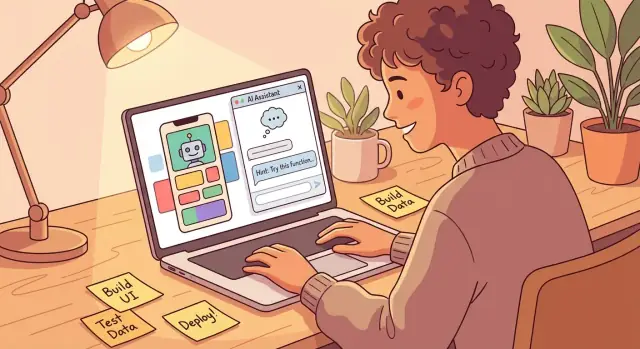
Why building-first learning feels easier than theory-first
“Building-first” learning means you start with a small, real thing you want to make—a tiny app, a script, a landing page, a budget spreadsheet—and you learn whatever concepts you need along the way.
“Theory-first” studying flips that order: you try to understand the concepts in the abstract before you attempt anything practical.
Why theory-first often makes people stall
Many learners get stuck early because abstract concepts don’t give you a clear next step. You can read about APIs, variables, design systems, or marketing funnels and still not know what to do on Tuesday night at 7pm.
Theory-first also creates a hidden perfection trap: you feel like you must “understand everything” before you’re allowed to begin. The result is a lot of note-taking, bookmarking, and course-hopping—without the confidence that comes from shipping something small.
Building-first feels easier because it replaces vague goals (“learn JavaScript”) with concrete actions (“make a button that saves a name and shows it back”). Each tiny win reduces uncertainty and creates momentum.
Where AI fits (and where it doesn’t)
An AI learning assistant is most helpful as a guide for action. It can turn a fuzzy idea into a sequence of bite-sized tasks, suggest starter templates, and explain concepts exactly when they become relevant.
But it’s not a replacement for thinking. If you let AI do all the choosing and all the judging, you’ll build something that works without knowing why.
The expectation to set upfront
Building-first learning still requires practice, iteration, and reflection. You’ll make mistakes, misunderstand terms, and revisit the same idea multiple times.
The difference is that your practice is attached to something tangible. Instead of memorizing theory “just in case,” you learn it because your project demands it—and that’s usually when it finally sticks.
The feedback loop: build, test, learn, repeat
Building-first learning works because it compresses the distance between “I think I understand” and “I can actually do it.” Instead of collecting concepts for weeks, you run a simple loop.
The loop in plain language
Start with an idea, but make it tiny:
idea → small build → feedback → revise
A “small build” might be a single button that saves a note, a script that renames files, or a one-page layout. The goal isn’t to ship a perfect product—it’s to create something you can test quickly.
How AI speeds up feedback
The slow part of learning is usually waiting: waiting to find the right tutorial, waiting for someone to review your work, waiting until you feel “ready.” An AI learning assistant can shorten that gap by giving you immediate, specific feedback, such as:
- spotting errors and explaining why they happened
- suggesting the next smallest improvement (“Add validation before you refactor”)
- generating test cases you didn’t think of
- helping you compare two approaches and choose one
That rapid response matters because feedback is what turns a build into a lesson. You try something, see the result, adjust, and you’re already on the next iteration.
Visible progress keeps you motivated
When you learn by doing, progress is concrete: a page loads, a feature works, a bug disappears. Those visible wins create motivation without forcing you to “stay disciplined” through abstract study.
Small wins also create momentum. Each loop gives you a reason to ask better questions (“What if I cache this?” “How do I handle empty input?”), which naturally pulls you into deeper theory—exactly when it’s useful, not when it’s hypothetical.
AI as a scaffold: turning vague goals into next steps
Most beginners don’t quit because the project is too hard. They quit because the starting point is unclear.
You may recognize the blockers:
- “Where do I start?”
- “What do I learn next?”
- “How do I know if I’m doing it right?”
- “What’s a small version of this that I can actually finish?”
AI is useful here because it can turn a fuzzy goal into a sequence you can act on immediately.
Turning a vague goal into a first milestone
Let’s say your goal is: “I want to learn web development.” That’s too broad to build from.
Ask AI to propose a first milestone with clear success criteria:
“I’m a beginner. Suggest the smallest web project that teaches real basics. Give me one milestone I can finish in 60 minutes, and define ‘done’ with 3–5 success criteria.”
A good answer might be: “Build a one-page ‘About Me’ site,” with success criteria like: it loads locally, has a heading, a paragraph, a list, and a working link.
That “definition of done” matters. It prevents endless tinkering and gives you a clean checkpoint to learn from.
What “scaffolding” looks like in practice
Scaffolding is temporary support that helps you move forward without doing everything from scratch. With AI, scaffolding can include:
- Steps: a short ordered plan (“Create file → add content → preview → tweak”).
- Templates: starter text, folder structures, or outline files.
- Checklists: quick validation (“Does it run? Can you explain each part?”).
- Examples: a minimal sample you can compare against.
The goal isn’t to skip learning—it’s to reduce decision overload so you can spend energy on building.
Don’t let the scaffold become a crutch
AI can generate convincing code and explanations—even when they’re wrong or mismatched to your level. Avoid over-relying on outputs you don’t understand.
A simple rule: never paste something you can’t explain in one sentence. If you can’t, ask:
“Explain this like I’m new. What does each line do, and what would break if I removed it?”
That keeps you in control while still moving fast.
A practical option: vibe-coding with Koder.ai
If your goal is to learn by shipping real, end-to-end software (not just snippets), a vibe-coding platform like Koder.ai can make the “small build” loop feel dramatically more approachable.
You describe what you want in chat, and Koder.ai helps generate a working app with a modern stack (React on the web, Go + PostgreSQL on the backend, Flutter for mobile). It also supports source-code export, deployment/hosting, custom domains, and safety features like snapshots and rollback—useful when you’re learning and experimenting. Planning mode is especially helpful for beginners because it encourages you to agree on steps before generating changes.
From concepts to components: learning theory on demand
Building-first learning works best when “theory” isn’t a separate subject—it’s a tool you pull out at the moment you need it.
AI can translate a broad concept into a concrete mini-task that fits your current project, so you learn the idea in context and immediately see why it matters.
Turn a concept into a micro-feature
Instead of asking, “Teach me loops,” ask AI to map the concept to a small, shippable improvement:
- Loops → input validation: “I have a signup form. Give me a tiny task that uses a loop to check each field and return a list of missing values.”
- Conditionals → error messages: “Add simple if/else rules so the UI shows a different message for empty input vs invalid format.”
- Arrays/lists → recent activity: “Store the last 5 searches and display them. What’s the smallest version I can implement first?”
- Functions → reusable formatting: “Extract the currency formatting into a function and show where to call it.”
- APIs → one endpoint, one job: “Fetch weather for a single city and render just the temperature—no extra features yet.”
This “concept → component” translation keeps learning bite-sized. You’re not studying an entire chapter; you’re implementing one behavior.
Learn theory exactly when it unblocks you
When you hit a wall, ask for a focused explanation tied to your code:
- “Explain only the parts of async/await needed to make this fetch call work.”
- “What does this error mean, and what concept should I look up to understand it?”
Then apply it immediately, while the problem is still fresh.
Keep a running “concepts encountered” list
During builds, capture every new term you touch (e.g., “state,” “regex,” “HTTP status codes”). Once a week, pick 2–3 items and ask AI for short refreshers plus one mini-exercise each.
That turns random exposure into a structured, on-demand curriculum.
Project ideas that work well with AI help
The best learning projects are the ones you’ll actually use. When the outcome solves a real annoyance (or supports a hobby), you’ll naturally stay motivated—and AI can help you break the work into clear, bite-sized steps.
6 build-friendly ideas (from beginner to advanced)
1) “One-screen” habit or task tracker (app/no-code or simple code)
MVP: A single page where you can add a task, mark it done, and see today’s list.
2) Personal “reply assistant” for common messages (writing/workflow)
MVP: A reusable prompt + template that turns bullet points into a polite reply in your tone for three common situations (e.g., scheduling, follow-up, saying no).
3) Spending snapshot from your bank export (data)
MVP: A table that categorizes last month’s transactions and shows totals per category.
4) Portfolio or small-business landing page refresh (design + content)
MVP: A single scroll page with a headline, three benefit bullets, one testimonial, and a clear contact button.
5) “Meeting notes to actions” mini-pipeline (productivity)
MVP: Paste raw notes and get a checklist of action items with owners and due dates you can copy into your task tool.
6) Simple recommendation helper for a hobby (slightly advanced, fun)
MVP: A short quiz (3–5 questions) that suggests one of five options (books, workouts, recipes, games) with a brief reason.
How to choose the right one
Pick a project connected to something you already do weekly: planning meals, replying to clients, tracking workouts, managing money, studying, or running a community group. If you feel a real “I wish this were easier” moment, that’s your project.
Timebox it so you actually ship
Work in 30–90 minute build sessions.
Start each session by asking AI for “the smallest next step,” then end by saving what you learned (one note: what worked, what broke, what to try next). This keeps momentum high and prevents the project from ballooning.
How to ask AI for guidance without getting overwhelmed
AI is most helpful when you treat it like a tutor who needs context, not a vending machine for answers. The easiest way to stay calm is to ask for the next small step, not the whole project at once.
A simple prompt pattern that keeps you focused
Use a repeatable structure so you don’t have to reinvent how to ask:
Goal: What I’m trying to build (one sentence)
Constraints: Tools, time, “no libraries”, must work on mobile, etc.
Current state: What I have so far + what’s broken/confusing
Ask: What I want next (one clear request)
Example “Ask” lines that prevent overload:
- “Give me 3 options for the next step, each in 2–3 sentences.”
- “Recommend the smallest change that gets me unstuck.”
- “Ask me 5 questions to clarify requirements before you propose a solution.”
Ask for alternatives and trade-offs (not just one answer)
Instead of “How do I do X?”, try:
- “Show two approaches (simple vs scalable). What do I gain/lose with each?”
- “Which approach is easiest to debug as a beginner, and why?”
- “What’s the most common mistake with each option?”
This turns the AI into a decision helper, not a single-path generator.
Request checkpoints: plan first, then implement stepwise
To avoid a giant wall of instructions, explicitly separate planning from building:
-
“Propose a short plan (5 steps max). Wait for my approval.”
-
“Now walk me through step 1 only. Stop and ask me to confirm results.”
That “stop and check” rhythm keeps you in control and makes debugging easier.
Get explanations at the right level
Tell the AI how you want it to teach:
- “Explain like I’m new to this, using plain language and one analogy.”
- “Define any new term in one sentence before using it.”
- “After the explanation, quiz me with 3 quick questions.”
You’ll learn faster when the answer matches your current understanding—not the AI’s maximum detail setting.
Build with AI like a partner: iterate instead of copy-paste
Using AI well is less like “getting the answer” and more like pair programming. You stay in the driver’s seat: you choose the goal, you run the code, and you decide what to keep.
The AI suggests options, explains trade-offs, and helps you try the next small step.
Pairing rules that keep you learning
A simple rhythm works:
- You drive. Describe what you want to change, then make the edit yourself (even if it’s tiny).
- AI suggests. Ask for 1–3 possible approaches, not a full rewrite.
- You decide and edit. Pick one option, implement it, and confirm what changed.
This avoids “mystery code” you can’t explain later. If the AI proposes a bigger refactor, ask it to label the changes and the reason for each one so you can review them like a code review.
Debugging tactics: reproduce, isolate, hypothesize
When something breaks, treat the AI like a collaborator on an investigation:
- Reproduce the bug consistently (write the exact steps).
- Isolate the smallest case that fails (one function, one component, one input).
- Ask for hypotheses: “Given this error and this snippet, list the 3 most likely causes and how to test each.”
Then test one hypothesis at a time. You’ll learn faster because you’re practicing diagnosis, not just patching.
Validate changes with tests and checkpoints
After any fix, ask: “What’s the quickest validation step?” That might be a unit test, a manual checklist, or a small script that proves the bug is gone and nothing else broke.
If you don’t have tests yet, request one: “Write a test that fails before the change and passes after.”
Keep a tiny changelog
Maintain a simple running log in your notes:
- What you tried
- What happened
- What you learned / next guess
This makes iteration visible, prevents looping, and gives you a clear story of progress when you revisit the project later.
Turning a build into memory: practice and recall techniques
Building something once feels productive, but it doesn’t always “stick.” The trick is to turn your finished (or half-finished) project into repeatable practice—so your brain has to retrieve what you did, not just recognize it.
Generate practice from your own project
After each build session, ask your AI learning assistant to create targeted drills based on what you touched that day: mini-quizzes, flashcards, and small practice tasks.
For example: if you added a login form, have AI produce 5 flashcards on validation rules, 5 short questions on error handling, and one micro-task like “add a password strength hint.” This keeps practice tied to a real context, which boosts recall.
Use “teach-back” to lock in understanding
Teach-back is simple: explain what you built in your own words, then get tested. Ask AI to play the role of an interviewer and quiz you on the decisions you made.
I just built: [describe feature]
Quiz me with 10 questions:
- 4 conceptual (why)
- 4 practical (how)
- 2 troubleshooting (what if)
After each answer, tell me what I missed and ask a follow-up.
If you can explain it clearly, you didn’t just follow steps—you learned.
Spaced repetition for the concepts you keep reusing
Some ideas show up again and again (variables, state, git commands, UI patterns). Put those into spaced repetition: review them briefly over increasing intervals (tomorrow, in 3 days, next week).
AI can turn your notes or commit messages into a small “deck” and suggest what to review next.
A weekly review that keeps momentum
Once a week, do a 20-minute recap:
- What did I build?
- What did I learn?
- What confused me?
- What’s the next smallest step?
Ask AI to summarize your week from your notes and propose 1–2 focused drills. This turns building into a feedback-powered memory system, not a one-off sprint.
Common pitfalls and how to stay in control
Building with AI can feel like having a patient tutor on call. But it can also create learning traps if you don’t set a few guardrails.
The most common failure modes
False confidence happens when the AI’s answer sounds right, so you stop questioning it. You’ll ship something that “works on your machine” but breaks under real use.
Shallow understanding shows up when you can copy the pattern, but can’t explain why it works or how to change it safely.
Dependency is when every next step requires another prompt. Progress continues, but your own problem-solving muscles don’t grow.
How to verify what you’re building
Treat AI suggestions as hypotheses you can test:
- Run the code and write small tests for the behavior you care about (inputs, edge cases, error handling).
- Ask for sources, then check them. If the AI references a library feature or best practice, confirm it in official docs.
- Compare two solutions. Prompt for an alternative approach and trade-offs (simplicity, performance, readability). If both answers disagree, dig in until you can explain the difference.
When stakes rise (security, payments, medical, legal, production systems), move from “AI says” to trusted references: official documentation, well-known guides, or reputable community answers.
Boundaries that keep you safe
Never paste sensitive data into prompts: API keys, customer info, private repository code, internal URLs, or anything covered by an NDA.
If you need help, redact or replace details (e.g., USER_ID_123, EXAMPLE_TOKEN). A good rule: share only what you’d be comfortable posting publicly.
Staying in control is mostly about one mindset shift: you’re still the engineer-in-training; AI is the assistant, not the authority.
How to measure learning when you learn by building
When you learn by building, “progress” isn’t a test score—it’s evidence you can produce outcomes and explain how you got there. The trick is to track signals that reflect real capability, not just activity.
Practical progress metrics (easy to track)
Start with numbers that reflect momentum:
- Features shipped: how many user-visible improvements you completed (even tiny ones)
- Bugs fixed: issues you found, understood, and resolved (especially regressions you introduced)
- Time-to-first-result: how long it takes you to go from idea → a working prototype that demonstrates the core behavior
AI can help here by turning vague work into measurable tasks: ask it to break a feature into 3–5 acceptance criteria, then count “done” when those criteria pass.
Skill signals that show you’re actually learning
Shipping is good—but learning shows up in what you can do without copying:
- Explain your choices: why you used that approach, not just what you typed
- Modify code safely: you can refactor, rename, move files, or swap a library without everything collapsing
- Handle edge cases: you anticipate errors (empty inputs, slow networks, invalid files) and add guards/tests
A simple self-check: if you can ask AI “what could go wrong here?” and you understand the answer well enough to implement the fixes, you’re growing.
Build a mini-portfolio (with proof)
Create a small portfolio where each project has a short write-up: goal, what you built, what broke, what you changed, and what you’d do next. Keep it lightweight—one page per project is enough.
A “done” checklist you can reuse
A build counts as “done” when it’s:
- Works: core flow runs end-to-end
- Documented: a short README with setup + how to use it
- Repeatable: someone (or future you) can run it from scratch and get the same result
A simple plan to start building-first learning this week
You don’t need a perfect curriculum to start learning by building. You need a small project, a tight loop, and a way to reflect so each build turns into progress.
A 7-day plan (tiny milestones)
Day 1 — Pick a “one-screen” project. Define what success looks like in one sentence. Ask AI: “Help me shrink this into a 1-hour version.”
Day 2 — Sketch the UI/flow. Write the screens or steps on paper (or a doc). Ask AI for a checklist of components/pages.
Day 3 — Build the smallest working slice. One button, one input, one result. No polish. Aim for “it runs.”
Day 4 — Add one useful feature. Examples: validation, saving to local storage, a search filter, or an error message.
Day 5 — Test like a beginner user. Try to break it. Ask AI to suggest test cases and edge cases.
Day 6 — Refactor one thing. Rename messy variables, extract a function, or simplify a component. Ask AI to explain why the change improves readability.
Day 7 — Ship a tiny “v1” and write notes. Push to a repo, share with a friend, or package it for yourself. Capture what you learned and what you’d do next.
Want more breathing room? Run the same plan as a 14-day version by splitting each day into two: (A) build, (B) review + ask AI “what concept did I just use?”
If you want an even lower-friction version, you can do this inside Koder.ai and focus the week on outcomes: prototype a small React web app, add a Go/PostgreSQL backend later, and use snapshots/rollback to experiment safely. (If you publish what you learned, Koder.ai also has an earn-credits program and referrals—useful if you’re building in public.)
The build-first template (copy/paste)
Goal: (What should this do for a user?)
Scope (keep it small): (What’s included / excluded this week?)
Deliverable: (A link, a repo, or a short demo video—something tangible.)
Reflection questions:
- What did I try that didn’t work, and why?
- What concept did I need right now (state, functions, APIs, layout, etc.)?
- What should I ask AI next time to get unstuck faster?
- What’s the next smallest improvement I can make in 30 minutes?
A “project ladder” (easy → medium → challenging)
Easy: habit tracker, tip calculator, flashcard quiz, simple notes app.
Medium: weather app with caching, expense tracker with categories, study timer + stats, mini dashboard from a public API.
Challenging: personal knowledge base with search, multiplayer quiz (basic real-time), lightweight CRM, browser extension that summarizes a page.
Choose one project from the ladder and start your first 30-minute build now: create the project, make the simplest screen, and get one interaction working end-to-end.
FAQ
What is “building-first” learning, and why does it feel easier than theory-first?
Building-first starts with a concrete outcome (a button, a script, a page), so you always have a clear next action.
Theory-first can leave you with abstract knowledge but no obvious “what do I do next?” step, which often leads to stalling.
Why do so many people stall when they study theory first?
You can read about concepts (APIs, state, funnels) without knowing how to apply them to a real task.
It also creates a perfection trap: you feel you must understand everything before starting, so you collect resources instead of shipping small experiments.
How can AI help me get started when my goal is too broad?
Use AI to convert a vague goal into a tiny milestone with a clear definition of done.
Try prompting: “Suggest a 60-minute beginner project and define ‘done’ with 3–5 success criteria.” Then build only that slice before expanding.
What does “AI as a scaffold” mean in practice?
Scaffolding is temporary support that reduces decision overload so you can keep building.
Common scaffolds:
- a short step-by-step plan
- a starter template or folder structure
- a checklist to validate you’re “done”
- a minimal example to compare against
How do I avoid copy-pasting “mystery code” from AI?
Follow a simple guardrail: never paste code you can’t explain in one sentence.
If you can’t explain it, ask: “What does each line do, and what breaks if I remove it?” Then rewrite it in your own words (or retype a smaller version) before moving on.
How do I learn concepts “on demand” while building?
Turn theory into a micro-feature that fits your current project.
Examples:
- loops → check a list of form fields and return missing ones
- conditionals → show different error messages per input case
- functions → extract a reusable formatter
- APIs → fetch one endpoint and render one value first
What’s the fastest feedback loop for building-first learning with AI?
Use a tight loop: idea → small build → feedback → revise.
Ask AI for:
- likely causes of an error and how to test each
- edge cases you missed
- the smallest next improvement (not a full rewrite)
Then validate immediately by running the code or a quick checklist.
What kinds of projects work best for learning with AI?
Pick something you’ll actually use weekly, and keep the MVP one-screen or one-flow.
Good options include:
- a one-screen habit/task tracker
- a spending snapshot from a bank export
- a one-page landing page refresh
- a “meeting notes to action items” mini-pipeline
If you’ve thought “I wish this were easier,” that’s your best project seed.
How should I prompt AI so I don’t get overwhelmed?
Give context and ask for the next small step, not the entire solution.
A reliable prompt format:
- Goal: one sentence
- Constraints: tools, time, limits
- Current state: what works + what’s broken
- Ask: one clear request (e.g., “Give 3 next-step options in 2–3 sentences each.”)
How can I measure real progress when learning by building?
Track evidence that you can produce outcomes and explain them.
Practical metrics:
- features shipped (even tiny)
- bugs you understood and fixed
- time-to-first-working-prototype
Skill signals:
- you can explain why you chose an approach
- you can refactor safely without breaking everything
- you anticipate edge cases and add checks/tests