

How AI Lets One Codebase Ship Web Apps, Mobile Apps, and APIs
Learn how AI helps teams maintain one codebase that ships a web app, mobile app, and APIs together—covering architecture, automation, testing, and pitfalls.
What “One Codebase” Really Means
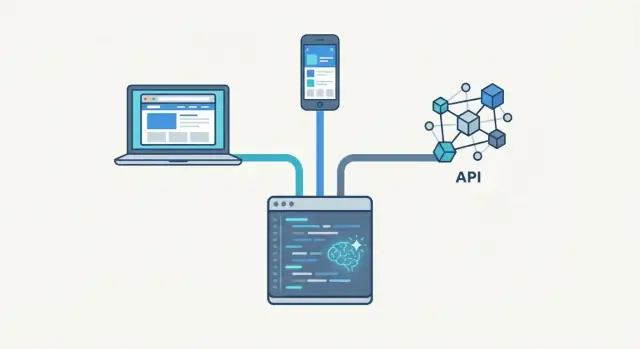
“One codebase” doesn’t mean every screen looks the same or every platform uses the exact same UI framework. It means there is a single, versioned source of truth for the product’s behavior—so Web, Mobile, and the API are built from the same core rules, released from the same repo boundaries, and tested against the same contracts.
One codebase vs. shared libraries vs. copy‑paste
One codebase: one place to change business rules (pricing, permissions, validation, workflows) and have those changes flow to all outputs. Platform-specific parts still exist, but they sit around the shared core.
Shared libraries: multiple apps with a common package, but each app can drift—different versions, different assumptions, inconsistent releases.
Copy‑paste reuse: fastest at first, then expensive. Fixes and improvements don’t propagate reliably, and bugs get duplicated.
The real goal: ship Web, Mobile, and APIs in sync
Most teams don’t chase one codebase for ideology. They want fewer “Web says X, mobile says Y” incidents, fewer late-breaking API changes, and predictable releases. When one feature ships, all clients get the same rules and the API reflects the same decisions.
What AI does well—and what humans still own
AI helps by generating boilerplate, wiring models to endpoints, drafting tests, and refactoring repeated patterns into shared modules. It can also flag inconsistencies (e.g., validation differs between clients) and speed up documentation.
Humans still define product intent, data contracts, security rules, edge cases, and the review process. AI can accelerate decisions; it can’t replace them.
Expectations by team size
A small team might share logic and API schemas first, leaving UI mostly platform-native. Larger teams usually add stricter boundaries, shared testing, and release automation earlier to keep many contributors aligned.
Why Teams Want Web, Mobile, and APIs Together
Most teams don’t start out aiming for “one codebase.” They get there after living through the pain of maintaining three separate products that are supposed to behave like one.
The hidden tax of separate codebases
When web, mobile, and backend live in different repos (often owned by different sub-teams), the same work gets repeated in slightly different ways. A bug fix turns into three bug fixes. A small policy change—like how discounts apply, how dates are rounded, or which fields are required—has to be re-implemented and re-tested multiple times.
Over time, codebases drift. Edge cases get handled “just this once” on one platform. Meanwhile another platform still runs the old rule—because nobody realized it existed, because it was never documented, or because rewriting it was too risky close to a release.
Feature parity breaks faster than you expect
Feature parity rarely breaks because people don’t care. It breaks because each platform has its own release cadence and constraints. Web can ship daily, mobile waits on app store review, and API changes may need careful versioning.
Users notice immediately:
- Web has the new onboarding flow, mobile doesn’t.
- Mobile supports a new payment method, web still shows “coming soon.”
- Support articles become outdated because “it depends which app you’re using.”
Why the API lags (or the UI does)
APIs often trail UI changes because teams build the fastest path to ship a screen, then circle back to “proper endpoints later.” Sometimes it flips: backend ships a new model, but UI teams don’t update in lockstep, so the API exposes capabilities that no client uses correctly.
Cost drivers (without the spreadsheet)
More repos mean more coordination overhead: more pull requests, more QA cycles, more release notes, more on-call context switching, and more chances for something to go out of sync.
A Simple Architecture: Shared Core + Platform Shells
A “one codebase” setup works best when you separate what your product does from how each platform delivers it. The simplest mental model is a shared core that contains the rules of the business, plus thin platform shells for web, mobile, and the API.
The diagram to keep in your head
            ┌───────────────────────────────┐
            │           Domain/Core          │
            │  entities • rules • workflows  │
            │  validation • permissions      │
            └───────────────┬───────────────┘
                            │ contracts
                            │ (types/interfaces/schemas)
            ┌───────────────┼───────────────┐
            │               │               │
   ┌────────▼────────┐ ┌────▼─────────┐ ┌───▼──────────┐
   │ Web Shell        │ │ Mobile Shell │ │ API Delivery │
   │ routing, UI      │ │ screens, nav │ │ HTTP, auth   │
   │ browser storage  │ │ device perms │ │ versioning   │
   └──────────────────┘ └──────────────┘ └──────────────┘
The core is where you put things like “how totals are calculated,” “who can approve a request,” and “what counts as valid input.” The shells translate that into platform-specific experiences.
Platform-specific code still exists (and that’s fine)
Mobile will still need device integrations such as camera access, push notifications, deep links, biometric unlock, and offline storage policies. Web will still have browser-only concerns like cookies, URL routing, responsive layouts, and accessibility patterns. The API layer still owns HTTP specifics: status codes, pagination, rate limits, and auth flows.
Contracts prevent drift between layers
The glue is explicit contracts: shared types, interfaces, and schemas (for example, request/response models and validation rules). When the shells must talk to the core through these contracts, teams argue less about “which platform is right,” because the source of truth is the shared behavior—each platform simply renders it.
This structure keeps the shared part stable, while letting each platform move fast where it’s genuinely different.
Shared Business Logic as the Source of Truth
When people say “one codebase,” the biggest win usually isn’t the UI—it’s having a single source of truth for how the business works. That means your models, rules, and validation live in one shared place, and every client (web, mobile, and API) relies on them.
What “single source of truth” looks like
A shared core typically contains:
- Domain models: what a Customer, Subscription, Cart, or Invoice is.
- Rules: pricing, discounts, eligibility, cancellations, trial conversions.
- Validation: required fields, allowed state transitions, limits, and edge cases.
- Formatting and calculations: money rounding, tax calculation, date handling.
- Auth and permissions rules: who can see or change what (even if the UI differs).
When these rules sit in one module, you avoid the classic drift: web shows one total, mobile shows another, and the API enforces something else.
How AI helps you get there (without a rewrite)
AI app development tools are especially useful when you already have duplication. They can:
- Scan web/mobile/API code to identify repeated logic (e.g., “finalPrice,” “canRefund,” “isKycRequired”).
- Propose an extracted shared module with clear inputs/outputs and tests.
- Suggest safe refactors: replace local copies with calls into the shared core.
The key is to treat AI suggestions as drafts: you still review boundaries, add tests, and confirm behavior against real scenarios.
Boundaries: share the rules, not the screens
Sharing business logic is high-leverage; sharing UI code often isn’t. Each platform has different navigation patterns, accessibility expectations, and performance constraints.
Keep the shared core focused on decisions and data, while platform shells handle presentation, device features, and UX. This avoids a “one-size-fits-none” interface while still keeping behavior consistent everywhere.
API Design That Supports All Clients
An “API-first” approach means you design and agree on the API contract before building any specific UI. Instead of the web app setting the rules and mobile “catching up,” every client (web, iOS/Android, internal tools) consumes the same intentional interface.
This helps multi-platform teams because decisions about data shape, error handling, pagination, and authentication happen once—then each platform can move independently without reinventing business rules.
Use schemas to keep everyone aligned
Schemas turn your API into something precise and testable. With OpenAPI (REST) or a GraphQL schema, you can:
- Generate typed clients for web and mobile
- Validate requests/responses automatically
- Create consistent error formats and examples
- Keep docs always in sync with what the API actually does
When the schema changes, you can detect breaking changes in CI before any app release goes out.
How AI helps without “making things up”
AI is most useful when it works from your existing schema, domain terms, and examples. It can draft:
- New endpoints and their request/response shapes
- Common query patterns (filters, sorting, pagination)
- Error codes and edge-case responses
- Human-readable docs, including usage examples
The key is review: treat AI output as a starting point, then enforce the schema with linters and contract tests.
Backward compatibility checklist
- Versioning: decide URL versioning (/v1) or header-based versioning
- Non-breaking changes first: add new fields; don’t rename/remove existing ones
- Deprecation policy: mark deprecated fields/endpoints, set timelines
- Default behaviors: keep old defaults unless explicitly overridden
- Migration guides: document what changed and how to update clients
- Monitoring: track usage of deprecated endpoints before removal
How AI Helps Generate and Maintain Reusable Code
AI is most useful in a “one codebase” setup when it accelerates the boring parts—then gets out of the way. Think of it as scaffolding: it can generate a first draft quickly, but your team still owns the structure, naming, and boundaries.
Platforms like Koder.ai are designed for this workflow: you can vibe-code from a spec in chat, generate a React web app, a Go + PostgreSQL backend, and a Flutter mobile app, then export and own the source code so it still behaves like a normal, maintainable repo.
Fast scaffolding without getting locked in
The goal isn’t to accept a big, opaque framework dump. The goal is to generate small, readable modules that match your existing architecture (shared core + platform shells), so you can edit, test, and refactor like normal. If the output is plain code in your repo (not a hidden runtime), you’re not locked in—you can replace pieces over time.
What AI is great at generating
For shared code and client shells, AI can reliably draft:
- CRUD flows: repository/service methods, validation, and basic error handling
- Forms and lists: field mapping, default states, loading/empty/error states
- Basic navigation: route definitions, tab stacks, detail screens from an ID
- API handlers/controllers: request/response wiring, pagination, filtering
It won’t make hard product decisions for you, but it will save hours on repetitive wiring.
Inputs your team should provide
AI outputs improve dramatically when you give concrete constraints:
- Requirements: user roles, key screens, success/error rules, edge cases
- Data models: entities, relationships, enums, example payloads
- Business rules: validation, permissions, state transitions, calculations
- Naming conventions: file structure, module boundaries, “where logic lives”
A good prompt reads like a mini spec plus a skeleton of your architecture.
Guardrails before anything merges
Treat generated code like junior-dev code: helpful, but needs checks.
- Enforce code style with formatting + linting
- Require unit tests for shared logic and basic API contract tests
- Use PR review rules: no direct merges, and verify boundaries (no UI code leaking into shared core)
Used this way, AI speeds up delivery while keeping your codebase maintainable.
UI Strategy: Consistency Without Forcing Identical Screens
A “one codebase” UI strategy works best when you aim for consistent patterns, not identical pixels. Users expect the same product to feel familiar across devices, while still respecting what each platform is good at.
Shared patterns vs. native expectations
Start by defining reusable UI patterns that travel well: navigation structure, empty states, loading skeletons, error handling, forms, and content hierarchy. These can be shared as components and guidelines.
Then allow platform-native differences where they matter:
- Navigation (tabs vs. sidebar vs. bottom bar)
- Gestures and touch feedback on mobile
- Keyboard and focus behavior on web
- System UI conventions (modals, sheets, back behavior)
The goal: users recognize the product instantly, even if a screen is laid out differently.
Theming with design tokens
Design tokens turn branding consistency into code: colors, typography, spacing, elevation, and motion become named values rather than hard-coded numbers.
With tokens, you can maintain one brand while still supporting:
- light/dark mode
- accessibility contrast variants
- platform-specific typography defaults
Where AI helps (without hijacking design)
AI is useful as a fast assistant for the last-mile work:
- generating component variations (compact vs. comfortable density)
- running accessibility checks (contrast, labels, focus order)
- suggesting clearer microcopy for errors, confirmations, and empty states
Keep a human-approved design system as the source of truth, and use AI to speed up implementation and review.
Mobile-only constraints to design for
Mobile isn’t just “smaller web.” Plan explicitly for offline mode, intermittent connectivity, and backgrounding. Design touch targets for thumbs, simplify dense tables, and prioritize the most important actions at the top. When you do this, consistency becomes a user benefit—not a constraint.
Repo Setup: Monorepo, Shared Packages, and Boundaries
A “monorepo” simply means you keep multiple related projects (web app, mobile app, API, shared libraries) in one repository. Instead of hunting across separate repos to update a feature end-to-end, you can change the shared logic and the clients in one pull request.
When a monorepo helps
A monorepo is most useful when the same feature touches more than one output—like changing pricing rules that affect the API response, the mobile checkout, and the web UI. It also makes it easier to keep versions aligned: the web app can’t accidentally depend on “v3” of a shared package while mobile is still on “v2”.
That said, monorepos need discipline. Without clear boundaries, they can turn into a place where every team edits everything.
Shared packages you typically want
A practical structure is “apps” plus “packages”:
- Core logic package: business rules, validation, domain models, feature flags, shared error types.
- UI kit package: design tokens, reusable components, accessibility patterns (not necessarily identical screens—consistent building blocks).
- API client package: a typed client generated from your API schema so web and mobile call endpoints the same way.
- Utilities package: logging, analytics wrappers, date/number formatting, localization helpers.
AI can help here by generating consistent package templates (README, exports, tests), and by updating imports and public APIs when packages evolve.
Dependency boundaries: stop “everything depends on everything”
Set a rule that dependencies point inward, not sideways. For example:
- Apps (web/mobile/api) can depend on packages.
- UI kit can depend on utilities, but not on app code.
- Core logic should not import UI, and ideally should not import infrastructure-specific code.
Enforce this with tooling (lint rules, workspace constraints) and code review checklists. The goal is simple: shared packages stay truly reusable, and app-specific code stays local.
Alternatives: multiple repos, shared packages
If your teams are large, have different release cycles, or strict access controls, multiple repos can work. You can still publish shared packages (core logic, UI kit, API client) to an internal registry and version them. The trade-off is more coordination: you’ll spend extra effort managing releases, updates, and compatibility across repos.
Testing: Keeping Three Outputs Stable at Once
When one codebase produces a web app, a mobile app, and an API, testing stops being “nice to have.” A single regression can surface in three places, and it’s rarely obvious where the break started. The goal is to build a test stack that catches issues close to the source and proves each output still behaves correctly.
The test layers that actually matter
Start by treating shared code as the highest-leverage place to test.
- Unit tests (shared core): validate business rules, calculations, validation, permissions, and formatting. This is where a bug would affect every client.
- Integration tests (API + data): run requests through your API layer against a real or containerized datastore to confirm auth, queries, and error handling.
- End-to-end (E2E) tests (web + mobile): a few critical user journeys per platform (login, checkout, profile update). Keep these limited and stable—they’re the most expensive to maintain.
Using AI to write better tests, faster
AI is most useful when you give it context and constraints. Provide the function signature, expected behavior, and known failure modes, then ask it for:
- unit test scaffolding and parameterized cases
- edge-case lists (nulls, time zones, rounding, empty states, retries)
- “what could go wrong?” scenarios you can convert into assertions
You still review the tests, but AI helps you avoid missing boring-but-dangerous cases.
Contract tests: protect every client
When your API changes, web and mobile break silently. Add contract testing (e.g., OpenAPI schema checks, consumer-driven contracts) so the API can’t ship if it violates what clients rely on.
A simple policy that prevents pain
Adopt a rule: no generated code merges without tests. If AI creates a handler, model, or shared function, the PR must include at least unit coverage (and a contract update when the API shape changes).
CI/CD and Releases: Ship Together, Roll Back Safely
Shipping from “one codebase” doesn’t mean you press one button and magically get perfect web, mobile, and API releases. It means you design a single pipeline that produces three artifacts from the same commit, with clear rules about what must move together (shared logic, API contracts) and what can move independently (app store rollout timing).
One pipeline, three artifacts
A practical approach is a single CI workflow triggered on every merge to your main branch. That workflow:
- Builds and tests shared packages (the core)
- Builds the API service artifact (container/image + migrations)
- Builds the web app artifact (static bundle or server build)
- Builds the mobile artifacts (Android AAB, iOS archive) and signs them
AI helps here by generating consistent build scripts, updating version files, and keeping repetitive wiring (like package boundaries and build steps) in sync—especially when new modules are added. If you’re using a platform such as Koder.ai, snapshots and rollback features can also complement your CI pipeline by giving you a quick way to revert application state while you diagnose a bad change.
Environment management (dev → staging → prod)
Treat environments as configuration, not branches. Keep the same code moving through dev, staging, and production with environment-specific settings injected at deploy time:
- API: base URLs, secrets, database connections
- Web: public config (analytics IDs, feature flags)
- Mobile: environment endpoints and feature flags, ideally fetched remotely so you don’t need a full app-store release for every change
A common pattern is: ephemeral preview environments per pull request, a shared staging that mirrors production, and production behind phased rollouts. If you need setup guides for your team, point them to /docs; if you’re comparing CI options or plans, /pricing can be a helpful reference.
Coordinated releases: flags and phased rollouts
To “ship together” without blocking on app store review, use feature flags to coordinate behavior across clients. For example, you can deploy an API that supports a new field while keeping it hidden behind a flag until web and mobile are ready.
For mobile, use phased rollouts (e.g., 1% → 10% → 50% → 100%) and monitor crashes and key flows. For web and API, canary deployments or small-percentage traffic splitting serve the same purpose.
Roll back safely
Rollbacks should be boring:
- API: keep backward-compatible endpoints; use expand/contract database migrations
- Web: keep previous build artifacts available for instant redeploy
- Mobile: assume rollback is slow; rely on remote flags to disable risky features immediately
The goal is simple: any single commit should be traceable to the exact web build, mobile build, and API version, so you can roll forward or roll back with confidence.
Pitfalls, Security, and Quality Guardrails
Shipping web, mobile, and APIs from one codebase is powerful—but the failure modes are predictable. The goal isn’t “share everything,” it’s “share the right things” with clear boundaries.
Common pitfalls in a shared codebase
Over-sharing is the #1 mistake. Teams push UI code, storage adapters, or platform-specific quirks into the shared core because it feels faster.
A few patterns to watch for:
- Platform hacks leaking into core: a “quick fix” for iOS keyboard behavior or a browser-only API sneaks into shared logic, and suddenly the core can’t run everywhere.
- Accidental coupling: core modules start importing UI components (or HTTP clients), making it impossible to reuse the core in a CLI job, background worker, or tests.
- Shared code with different expectations: mobile may require offline-first behavior while web assumes constant connectivity—if the core doesn’t model these differences explicitly, it turns into a pile of exceptions.
AI-specific risks (and how to contain them)
AI can generate a lot of reusable code quickly, but it can also standardize bad decisions.
- Outdated patterns: generated code may use deprecated libraries or insecure defaults. Treat AI output as a draft, not a source of truth.
- Security mistakes: AI often forgets edge cases (authorization checks, rate limiting, safe error handling).
- Inconsistent naming and structure: small inconsistencies compound in a monorepo; enforce linters, formatters, and API conventions.
Security basics that must be non-negotiable
- Secrets handling: never commit keys; load secrets from environment/managed secret stores; rotate regularly.
- Auth checks at the API boundary: every endpoint must verify identity and permissions; don’t rely on client-side rules.
- Input validation: validate and sanitize all inputs (including internal calls); return safe errors without leaking sensitive details.
“Definition of Done” checklist (to prevent regressions)
- Shared core has no platform-specific imports.
- New/changed API endpoints include auth + input validation.
- Tests cover core logic + API contract (and a basic web/mobile flow if relevant).
- Lint/format passes and naming matches conventions.
- No secrets in code, logs, or sample configs.
- Release notes include migration steps and rollback considerations.
A Practical Adoption Plan for Real Teams
Most teams can’t pause delivery to “go all-in” on one codebase. The safest approach is incremental: share what’s stable first, keep platform autonomy where it matters, and use AI to reduce the cost of refactoring.
Step-by-step migration path (without freezing features)
1) Audit duplication and pick the first shared slice. Look for code that already should match everywhere: data models, validation rules, error codes, and permission checks. This is your low-risk starting point.
2) Create one shared module: models + validation. Extract schemas (types), validation, and serialization into a shared package. Keep platform-specific adapters thin (e.g., mapping form fields to shared validators). This immediately reduces “same bug three times” problems.
3) Add a contract test suite for the API surface. Before touching UI, lock down behavior with tests that run against the API and shared validators. This gives you a safety net for future consolidation.
4) Move business logic next, not UI. Refactor core workflows (pricing rules, onboarding steps, syncing rules) into shared functions/services. Web and mobile call the shared core; the API uses the same logic server-side.
5) Consolidate UI selectively. Only share UI components when they’re truly identical (buttons, formatting, design tokens). Allow different screens where platform conventions differ.
How AI helps you refactor safely
Use AI to keep changes small and reviewable:
- Break refactors into smaller PRs by asking AI to propose extraction boundaries and “minimal move” steps.
- Generate tests first (or alongside the refactor): golden test cases for validators, edge cases for business rules, and regression tests for bug fixes.
- Use AI to suggest mechanical migrations (renames, moving files, updating imports) while your team validates intent.
If you’re doing this inside a tooling layer like Koder.ai, planning mode can be a practical way to turn these steps into an explicit checklist before code is generated or moved—making the refactor easier to review and less likely to blur boundaries.
Milestones and metrics to know it’s working
Set measurable checkpoints:
- Milestone 1: Shared models/validation used by web + API (then mobile).
- Milestone 2: One core workflow shared across all three outputs.
- Milestone 3: A single release process that ships coordinated changes.
Track progress with practical metrics:
- Fewer duplicate bugs filed across platforms.
- Shorter time to deliver a feature on web + mobile + API.
- Higher test coverage of shared packages, and fewer regressions after releases.
FAQ
What does “one codebase” mean in practice?
It means there’s a single, versioned source of truth for product behavior (rules, workflows, validation, permissions) that all outputs rely on.
UI and platform integrations can still be different; what’s shared is the decision-making and contracts so Web, Mobile, and the API stay consistent.
How is “one codebase” different from shared libraries?
Shared libraries are reusable packages, but each app can drift by pinning different versions, making different assumptions, or releasing on different schedules.
A true “one codebase” approach makes changes to core behavior flow to every output from the same source and the same contracts.
Why does feature parity break so easily across web, mobile, and API?
Because platforms ship on different cadences. Web can deploy daily, mobile may wait on app store review, and the API may need careful versioning.
A shared core plus contracts reduces “Web says X, mobile says Y” by making the rule itself the shared artifact—not three separate re-implementations.
What should go into the shared core vs. platform shells?
Put business logic in the shared core:
- pricing/discounts/taxes and rounding
- permissions and role checks
- validation and state transitions
- workflows (onboarding, approvals, cancellations)
Keep platform shells responsible for UI, navigation, storage, and device/browser specifics.
How do contracts prevent drift between layers?
Use explicit, testable contracts such as shared types/interfaces and API schemas (OpenAPI or GraphQL).
Then enforce them in CI (schema validation, breaking-change checks, contract tests) so a change can’t ship if it violates what clients expect.
What does “API-first” look like for multi-platform teams?
Design the API contract intentionally before building a specific UI, so all clients consume the same interface.
Practically, that means agreeing on request/response shapes, error formats, pagination, and auth once—then generating typed clients and keeping docs and validation aligned with the schema.
Where does AI help most—and what still needs human ownership?
AI is strongest at accelerating repetitive work:
- scaffolding CRUD handlers, forms, and basic navigation
- extracting duplicated logic into a shared module (with clear inputs/outputs)
- drafting tests and documentation from existing contracts
You still need humans to own intent, edge cases, and review, and to enforce guardrails before merging.
Should we use a monorepo for “one codebase”?
A monorepo helps when a single change touches shared logic plus web/mobile/API, because you can update everything in one pull request and keep versions aligned.
If you can’t use a monorepo (access controls, independent release cycles), multiple repos can still work—expect more coordination around package versioning and compatibility.
What testing approach keeps all three outputs stable?
Prioritize tests closest to the shared source of truth:
- unit tests for shared core rules and calculations
- integration tests for API + data/auth/error handling
- a small set of stable E2E journeys per platform
Add contract tests so API changes can’t silently break web or mobile.
What are the biggest pitfalls and guardrails for a shared codebase?
Common pitfalls include over-sharing (platform hacks leaking into core), accidental coupling (core importing UI/HTTP), and inconsistent assumptions (offline vs. always-online).
Guardrails that help:
- enforce dependency boundaries (apps depend on packages, not sideways)
- require auth + input validation at the API boundary
- “no generated code merges without tests”
- keep setup and conventions documented in /docs