

How AI Helps You Start Technical Projects Without the Fear
Starting a technical project can feel risky. See how AI reduces uncertainty, clarifies steps, and helps teams move from idea to a confident first build.
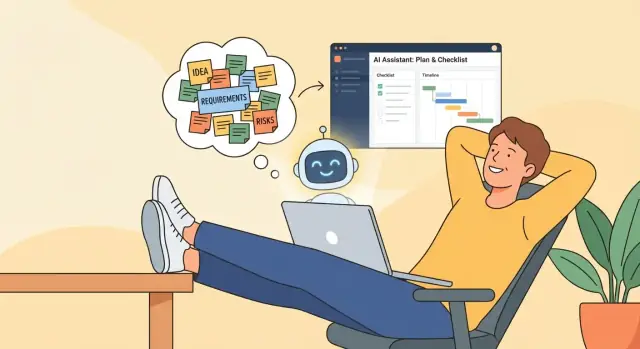
Why Starting Technical Projects Feels Stressful
Starting a technical project often feels less like “planning” and more like stepping into fog. Everyone wants to move quickly, but the earliest days are full of unknowns: what’s possible, what it should cost, what “done” even means, and whether the team will regret early decisions.
Uncertainty + jargon = pressure
A big source of stress is that technical conversations can sound like a different language. Terms like API, architecture, data model, or MVP may be familiar, but not always specific enough to support real decisions.
When communication stays vague, people fill the gaps with worry:
- “What if we build the wrong thing?”
- “What if this takes six months longer than we expect?”
- “What if I ask a ‘stupid’ question and look unqualified?”
That mix creates a fear of wasted time—spending weeks in meetings only to discover key requirements were misunderstood.
The “blank page” problem
Early on, there’s often no interface, no prototype, no data, and no concrete examples—just a goal statement like “improve onboarding” or “build a reporting dashboard.” Without something tangible, every decision can feel high-stakes.
This is what people usually mean by fear and friction: hesitation, second-guessing, slow approvals, and misalignment that shows up as “Can we revisit this?” again and again.
How AI changes the first 1–2 weeks
AI doesn’t remove complexity, but it can reduce the emotional load of starting. In the first week or two, it helps teams turn fuzzy ideas into clearer language: drafting questions, organizing requirements, summarizing stakeholder input, and proposing a first outline of scope.
Instead of staring at a blank page, you start with a workable draft—something everyone can react to, refine, and validate quickly.
Where Friction Shows Up Before the First Line of Code
Most project stress doesn’t start with hard engineering problems. It starts with ambiguity—when everyone feels like they understand the goal, but each person is picturing a different outcome.
The obvious friction: unclear goals and missing requirements
Before anyone opens an editor, teams often discover they can’t answer simple questions: Who is the user? What does “done” mean? What must happen on day one vs. later?
That gap shows up as:
- Goals that sound inspiring but aren’t testable (“make onboarding seamless”)
- Requirements that exist in someone’s head, not in writing
- Dependencies no one checked (a vendor API, legal approval, data access)
The hidden work: decisions that were never written down
Even small projects require dozens of choices—naming conventions, success metrics, which systems are “source of truth,” what to do when data is missing. If those decisions stay implicit, they turn into rework later.
A common pattern: the team builds something reasonable, stakeholders review it, then someone says, “That’s not what we meant,” because the meaning was never documented.
The social friction: fear of asking “basic” questions
Many delays come from silence. People avoid asking questions that feel obvious, so misalignment survives longer than it should. Meetings multiply because the team is trying to reach agreement without a shared written starting point.
Why delays often begin pre-code
When the first week is spent hunting for context, waiting on approvals, and untangling assumptions, coding starts late—and pressure rises fast.
Reducing early uncertainty is where AI support can help most: not by “doing engineering for you,” but by surfacing missing answers while they’re still cheap to address.
What AI Really Does in a Project Kickoff
AI is most useful at kickoff when you treat it like a thinking partner—not a magic button. It can help you move from “we have an idea” to “we have a few plausible paths and a plan to learn fast,” which is often the difference between confidence and anxiety.
A thinking partner, not an autopilot
AI is good at expanding your thinking and challenging assumptions. It can propose architectures, user flows, milestones, and questions you forgot to ask.
But it doesn’t own the outcome. Your team still decides what’s right for your users, budget, timeline, and risk tolerance.
Turning fuzzy ideas into structured options
At kickoff, the hardest part is usually ambiguity. AI helps by:
- Converting a messy problem statement into a structured brief (goals, users, constraints, success metrics)
- Generating multiple solution options with clear trade-offs (faster vs. safer, build vs. buy, simple vs. scalable)
- Producing “next best steps” like a discovery checklist, interview questions, or a first sprint outline
This structure reduces fear because it replaces vague worry with concrete choices.
What AI can’t know (and why it matters)
AI doesn’t know your internal politics, legacy constraints, customer history, or what “good enough” means for your business unless you tell it. It can also be confidently wrong.
That’s not a deal-breaker—it’s a reminder to use AI output as hypotheses to validate, not truth to follow.
Keeping ownership and accountability
A simple rule: AI can draft; humans decide.
Make decisions explicit (who approves scope, what success looks like, what risks you accept) and document them. AI can help write that documentation, but the team remains accountable for what gets built and why.
If you need a lightweight way to capture this, create a one-page kickoff brief and iterate it as you learn.
Reducing Fear by Making Requirements Less Vague
Fear often isn’t about building the thing—it’s about not knowing what “the thing” actually is. When requirements are fuzzy, every decision feels risky: you worry you’ll build the wrong feature, miss a hidden constraint, or disappoint a stakeholder who had a different picture in their head.
AI helps by turning ambiguity into a first draft you can react to.
Use AI to ask the questions you wish you’d asked earlier
Instead of starting with a blank page, prompt AI to interview you. Ask it to produce clarifying questions about:
- Scope: What’s in/out for version 1?
- Users: Who will use it, and what problem are they solving?
- Success criteria: What does “working” mean—speed, accuracy, adoption, revenue, fewer support tickets?
The point isn’t perfect answers; it’s surfacing assumptions while they’re still cheap to change.
Turn a messy idea into a one-page brief
Once you answer a handful of questions, have AI generate a simple project brief: problem statement, target users, core workflow, key requirements, constraints, and open questions.
A one-pager reduces the “everything is possible” anxiety and gives the team a shared reference.
Catch contradictions and missing details early
AI is good at reading your notes and saying, “These two requirements conflict,” or “You mention approvals, but not who approves.” Those gaps are where projects quietly derail.
Share a draft for fast feedback
Send the brief as a draft—explicitly. Ask stakeholders to edit it, not reinvent it. A quick iteration loop (brief → feedback → revised brief) builds confidence because you’re replacing guesswork with visible agreement.
If you want a lightweight template for that one-pager, keep it linked in your kickoff checklist at /blog/project-kickoff-checklist.
Turning Big Goals Into Small, Clear First Steps
Big project goals tend to be motivational but slippery: “launch a customer portal,” “modernize our reporting,” “use AI to improve support.” Stress usually starts when nobody can explain what that means on Monday morning.
AI helps by turning a fuzzy objective into a short set of concrete, discussable building blocks—so you can move from ambition to action without pretending you already know everything.
Translate the goal into real use cases
Ask AI to rewrite the goal as user stories or use cases, tied to specific people and situations. For example:
- “As a customer, I can view and download invoices so I don’t email support.”
- “As an ops manager, I can see overdue payments by region so I can prioritize outreach.”
Even if the first draft is imperfect, it gives your team something to react to (“Yes, that’s the workflow” / “No, we never do it that way”).
Define “done” in plain language
Once you have a story, prompt AI to propose acceptance criteria that a non-technical stakeholder can understand. The goal is clarity, not bureaucracy:
“Done means: customers can log in, see invoices for the last 24 months, download a PDF, and support can impersonate a user with an audit log.”
One sentence like that can prevent weeks of mismatched expectations.
Surface assumptions (and label them)
AI is useful for spotting hidden “we’re assuming…” statements—like “customers already have accounts” or “billing data is accurate.” Put them in an Assumptions list so they can be validated, owned, or corrected early.
Create a shared glossary
Jargon causes silent disagreement. Ask AI to draft a quick glossary: “invoice,” “account,” “region,” “active customer,” “overdue.” Review it with stakeholders and keep it with your kickoff notes (or on a page like /project-kickoff).
Small, clear first steps don’t make the project smaller—they make it startable.
Using AI to Surface Risks Early (Without Panic)
A calmer kickoff often starts with one simple move: name the risks while they’re still cheap to address. AI can help you do that quickly—and in a way that feels like problem-solving, not doom-scrolling.
Start with a structured “risk dump”
Ask AI to generate an initial risk list across categories you might forget when you’re focused on features:
- Technical: integration complexity, scalability assumptions, unknown APIs
- Timeline: dependencies, approval delays, unclear scope boundaries
- Data: missing fields, low data quality, migration gaps, access permissions
- Security & compliance: PII handling, audit needs, third-party vendors
- Adoption: training needs, workflow change, stakeholder incentives
This is not a prediction. It’s a checklist of “things worth checking.”
Add impact and likelihood to focus attention
Have AI score each risk with a simple scale (Low/Medium/High) for Impact and Likelihood, then sort by priority. The goal is to concentrate on the top 3–5 items rather than arguing about every edge case.
You can even prompt: “Use our context and explain why each item is high or low.” That explanation is often where hidden assumptions appear.
Turn the scariest risks into small experiments
For each top risk, ask AI to propose a fast validation step:
- Build a one-screen prototype to test the workflow with users
- Run a data sample check (e.g., 200 rows) to confirm required fields exist
- Create a spike to test an integration before committing to an approach
Make a lightweight mitigation plan (small-team friendly)
Ask for a 1-page plan: owner, next action, and “decision by” date. Keep it lean—mitigation should reduce uncertainty, not create a new project.
AI-Supported Discovery: Faster Clarity With Less Stress
Discovery is where anxiety often spikes: you’re expected to “know what to build” before you’ve had a chance to learn. AI can’t replace talking to people, but it can dramatically cut the time it takes to get from scattered inputs to a shared understanding.
Plan a short, focused discovery (not an open-ended phase)
Use AI to draft a tight discovery plan that answers three questions:
- What do we need to learn? (user goals, constraints, success criteria)
- Who should we talk to? (decision-makers, frontline users, support, security)
- What should we review? (current process docs, analytics, tickets, contracts, existing systems)
A one-week or two-week discovery with clear outputs often feels safer than a vague “research period,” because everyone knows what “done” means.
Create better interview questions—faster
Give AI your project context and ask it to generate stakeholder and user interview questions tailored to each role. Then refine them so they:
- uncover real workflows (“Walk me through the last time you…”)
- surface constraints (approvals, compliance, integrations)
- reveal trade-offs (“If we could only improve one thing…?”)
Turn notes into decisions and open questions
After interviews, paste notes into your AI tool and ask for a structured summary:
- Decisions made (and who agreed)
- Assumptions that need validation
- Open questions ranked by risk/urgency
Keep a living decision log to stop repeat debates
Ask AI to maintain a simple decision log entry template (date, decision, rationale, owner, impacted teams). Updating it weekly reduces “Wait, why did we choose that?”—and lowers stress by making progress visible.
Prototyping Sooner to Replace Fear With Evidence
Fear thrives in the gap between an idea and something you can actually point at. A quick prototype narrows that gap.
With AI support, you can get to a “minimum lovable” version in hours—not weeks—so the conversation moves from opinions to observations.
Build a “minimum lovable” prototype plan
Instead of trying to prototype the whole product, pick the smallest version that still feels real to a user. AI can help you outline a short plan in plain language: what screens exist, what actions a user can take, what data shows up, and what you want to learn.
Keep the scope tight: one core workflow, one type of user, and a finish line you can hit quickly.
Draft wireframes and a spec outline to align fast
You don’t need perfect design to get alignment. Ask AI to draft:
- Simple wireframe descriptions (screen-by-screen)
- A one-page spec outline (goal, users, flow, assumptions)
This gives stakeholders something concrete to react to: “This step is missing,” “We need approvals here,” “This field is sensitive,” etc. That feedback is gold—early and cheap.
Generate sample data and edge cases
Prototypes often fail because they only cover the “happy path.” AI can generate realistic sample data (names, orders, invoices, tickets—whatever fits) and also propose edge cases:
- Missing info
- Duplicates
- Unusual formats
- Permission conflicts
- Time-based issues (expired, overdue, future-dated)
Using these in your prototype helps you test the idea, not just the best-case demo.
Set the goal: learn, not impress
A prototype is a learning tool. Define one clear learning goal, such as:
“Can a user complete the core task in under two minutes without guidance?”
When the goal is learning, you stop treating feedback as a threat. You’re collecting evidence—and evidence replaces fear with decisions.
Where a “vibe-coding” platform can help
If your bottleneck is getting from “we agree on the workflow” to “we can click through something,” a vibe-coding platform like Koder.ai can be useful during kickoff. Instead of hand-building scaffolding, teams can describe the app in chat, iterate on screens and flows, and quickly produce a working React web app (with a Go + PostgreSQL backend) or a Flutter mobile prototype.
Two practical benefits in the early phase:
- Faster alignment: stakeholders can react to a hosted prototype rather than a PDF spec.
- Lower rework cost: with snapshots and rollback, it’s easier to explore options without fear of “breaking the project.”
And if you need to take the work elsewhere, Koder.ai supports source code export—so the prototype can become a real starting point, not a throwaway.
Planning and Estimation That Feel Less Like Guesswork
Estimates feel scary when they’re really just vibes: a few calendar weeks, a hopeful buffer, and crossed fingers. AI can’t predict the future—but it can turn fuzzy assumptions into a plan you can inspect, challenge, and improve.
From rough estimate to a phased timeline
Instead of asking, “How long will this take?” ask, “What are the phases and what does ‘done’ mean in each?” With a short project summary, AI can draft a simple timeline that’s easier to validate:
- Discovery (clarify scope): key workflows, success metrics, constraints
- Build (deliver a thin slice): the smallest end-to-end version
- Hardening (make it reliable): testing, monitoring, edge cases
- Launch (ship safely): rollout plan, training, support
You can then adjust phase lengths based on known constraints (team availability, review cycles, procurement).
Dependencies: what blocks what
AI is especially useful at listing likely dependencies you might forget—access to data, legal review, analytics setup, or a waiting-on-someone API.
A practical output is a “blocking map”:
- What must happen before development starts (accounts, credentials, environments)
- What can run in parallel (design, copy, data cleanup)
- What requires external approval (security, compliance, brand)
This reduces the classic surprise of “we’re ready to build” turning into “we can’t even log in yet.”
A weekly plan you can actually follow
Ask AI to draft a week-by-week rhythm: build → review → test → ship. Keep it simple—one meaningful milestone per week, plus a short review checkpoint with stakeholders to prevent late rework.
A kickoff checklist to start clean
Use AI to generate a kickoff checklist tailored to your stack and org. At minimum, include:
- Access: repos, tickets, analytics, cloud accounts
- Environments: dev/staging/prod setup and ownership
- Owners: who approves scope, design, security, release
- Milestones: demo dates, beta date, launch date
When planning becomes a shared document instead of a guessing game, confidence goes up—and fear tends to shrink.
Alignment and Communication Without Endless Meetings
Misalignment rarely looks dramatic at first. It shows up as vague “sounds good” approvals, silent assumptions, and small changes that don’t feel like changes—until the schedule slips.
AI can reduce that risk by turning conversations into clear, shareable artifacts people can react to asynchronously.
Turn talk into decisions (fast)
After a kickoff call or stakeholder chat, ask AI to produce a decision log and highlight what still isn’t decided. This shifts the team from replaying discussions to confirming specifics.
A useful AI-generated status update format is:
- Decisions: what’s locked (and by whom)
- Progress: what moved since last update
- Blockers: what’s stopping work + what’s needed to unblock
Because it’s structured, executives can scan it, and builders can act on it.
One meeting, two views
The same content shouldn’t be written the same way for everyone. Have AI create:
- Exec summary (5–7 lines): outcomes, key dates, top risks, decisions needed
- Builder details (bullet-heavy): user flows, edge cases, open questions, acceptance checks
You can store both in your internal documentation and point people to a single source of truth (e.g., /docs/project-kickoff), instead of repeating context in every meeting.
Meeting summaries that create momentum
Ask AI to summarize meetings into a short list of action items with owners:
- Action: Draft onboarding flow v1 — Owner: Sam — Due: Thu
- Action: Confirm pricing constraints — Owner: Mira — Due: Fri (see /pricing)
- Question: Which regions are in scope for launch?
When updates and summaries consistently capture decisions, progress, and blockers, alignment becomes a lightweight habit—not a calendar problem.
Guardrails: Keeping AI Helpful, Safe, and Trustworthy
AI reduces uncertainty—but only if the team trusts how it’s being used. The goal of guardrails isn’t to slow people down. It’s to keep AI outputs safe, verifiable, and clearly advisory, so decisions still belong to humans.
A quick checklist for safe AI use
Before you paste anything into an AI tool, confirm these basics:
- No sensitive data: customer records, employee details, payment info, health data, or anything you’d regret leaking.
- No secrets: API keys, passwords, tokens, private repo links, internal IP, unpublished financials.
- Use the right environment: prefer approved enterprise accounts or tools configured for your org; avoid random browser plugins.
- Minimize and sanitize: redact names, replace real IDs with placeholders, and share only what’s necessary.
How to verify AI outputs (without turning it into extra work)
Treat AI as a fast draft, then validate like you would any early proposal:
- Ask for sources and assumptions: “What are you assuming? What would change the answer?”
- Ground it in evidence: small tests, spike solutions, quick prototypes, or checking product/engineering docs.
- Use peer review: one person drafts with AI, another reviews for accuracy, security, and feasibility.
Don’t let “AI says so” drive decisions
A useful rule: AI can propose options; humans choose. Ask it to generate alternatives, trade-offs, and open questions—then decide based on context (risk tolerance, budget, timelines, user impact).
Set simple team norms
Agree early on what AI can draft (e.g., meeting notes, user stories, risk lists) and what must be reviewed (requirements, estimates, security decisions, customer-facing commitments). A short “AI use policy” in your kickoff doc is often enough.
A Simple Playbook to Start Your Next Project With Confidence
You don’t need a perfect plan to start—just a repeatable way to turn uncertainty into visible progress.
Here’s a lightweight 7-day kickoff you can run with AI to get clarity, reduce second-guessing, and ship a first prototype sooner.
A 7-day AI-assisted kickoff
Day 1: One-page brief. Feed AI your goals, users, constraints, and success metrics. Ask it to draft a one-page project brief you can share.
Day 2: Questions that expose gaps. Have AI generate the “missing questions” for stakeholders (data, legal, timelines, edge cases).
Day 3: Scope boundaries. Use AI to propose “in scope / out of scope” lists and assumptions. Review with your team.
Day 4: First prototype plan. Ask AI to suggest the smallest prototype that proves value (and what it will not include).
Day 5: Risks and unknowns. Get a risk register (impact, likelihood, mitigation, owner) without turning it into a doom list.
Day 6: Timeline + milestones. Generate a simple milestone plan with dependencies and decision points.
Day 7: Share-out and alignment. Produce a kickoff update that stakeholders can approve quickly (what we’re building, what we’re not, what happens next).
If you’re using a platform like Koder.ai, Day 4 can also include a thin end-to-end build you can host and review—often the fastest way to replace anxiety with evidence.
Sample prompts you can reuse
Draft a one-page project brief from these notes. Include: target user, problem, success metrics, constraints, assumptions, and open questions.

List the top 15 questions we must answer before building. Group by: product, tech, data, security/legal, operations.

Create a risk register for this project. For each risk: description, impact, likelihood, early warning signs, mitigation, owner.

Propose a 2-week timeline to reach a clickable prototype. Include milestones, dependencies, and what feedback we need.

Write a weekly stakeholder update: progress, decisions needed, risks, and next week’s plan (max 200 words).
What to measure (so confidence is earned)
Track a few signals that fear is shrinking because ambiguity is shrinking:
- Time to first prototype (days, not weeks)
- Fewer repeated questions in meetings (the same issues resurfacing less)
- Clearer scope (fewer “surprise requirements” after kickoff)
- Blockers resolved faster (time from “stuck” to “decision made”)
Next steps
Turn your best prompts into a shared template and keep them with your internal docs. If you want a structured starting point, add a kickoff checklist in /docs, then explore related examples and prompt packs in /blog.
When you consistently turn uncertainty into drafts, options, and small tests, kickoff stops being a stress event and becomes a repeatable system.
FAQ
Why does starting a technical project feel stressful even before any code is written?
Because the first days are dominated by ambiguity: unclear goals, hidden dependencies (data access, approvals, vendor APIs), and undefined “done.” That uncertainty creates pressure and makes early decisions feel irreversible.
A practical fix is to produce a tangible draft early (brief, scope boundaries, or prototype plan) so people can react to something concrete instead of debating hypotheticals.
What is AI actually useful for during a project kickoff?
Use it as a drafting and structuring partner, not an autopilot. Good kickoff uses include:
- Turning messy notes into a one-page brief (users, goals, constraints, success metrics)
- Generating clarifying questions to expose gaps
- Proposing multiple solution options with trade-offs
- Summarizing stakeholder input into decisions, assumptions, and open questions
What’s the simplest document to create to reduce early ambiguity?
Start with a one-page kickoff brief that includes:
- Problem statement and target users
- In-scope / out-of-scope for v1
- Success metrics (how you’ll know it worked)
- Constraints (timeline, budget, compliance, tech)
- Assumptions and open questions
Have AI draft it, then ask stakeholders to edit the draft rather than “start from scratch.”
How can AI help make requirements less vague without creating bureaucracy?
Prompt AI to “interview” you and generate questions grouped by category:
- Product: users, workflows, edge cases
- Tech: integrations, architecture constraints
- Data: source of truth, missing fields, quality
- Security/legal: PII, retention, audit needs
- Ops/adoption: training, rollout, support
Then pick the top 10 questions by risk and assign an owner and a “decision by” date.
How do you use AI to surface risks early without panicking the team?
Ask AI for a risk list across categories, then prioritize it:
- Generate risks (technical, timeline, data, security, adoption)
- Add Impact and Likelihood (Low/Medium/High)
- Turn the top 3–5 risks into quick validation steps (prototype, data sample check, integration spike)
Treat the output as a checklist to investigate—not a prediction.
Can AI replace discovery interviews and stakeholder conversations?
Use AI to draft a short discovery plan with clear outputs and a timebox (often 1–2 weeks):
- Who to talk to (decision-makers, frontline users, security, support)
- What to review (tickets, analytics, existing docs, contracts)
- What you must decide by the end (scope, constraints, success metrics)
After each interview, have AI summarize: decisions made, assumptions, and open questions ranked by urgency.
How can AI help you prototype sooner and reduce opinion-based debates?
Pick one core workflow and one user type, and define a single learning goal (e.g., “Can users finish in under 2 minutes without help?”).
AI can help by drafting:
- Screen-by-screen wireframe descriptions
- Sample data and edge cases (missing info, duplicates, permission conflicts)
- A tight prototype scope that explicitly states what’s excluded
How can AI make planning and estimation feel less like guesswork?
Use AI to turn “vibes” into a plan you can inspect:
- Break work into phases (discovery, thin-slice build, hardening, launch)
- List dependencies and blockers (access, environments, approvals)
- Propose a weekly rhythm: build → review → test → ship
Then sanity-check it with the team and adjust using known constraints (availability, review cycles, procurement).
How do you use AI to reduce meetings while keeping alignment?
Use AI to turn conversations into artifacts people can review asynchronously:
- Meeting summary with decisions, blockers, and action items (owner + due date)
- Two versions of the same update:
- Exec summary (5–7 lines)
- Builder details (bullets: flows, edge cases, acceptance criteria)
Store the latest doc as a single source of truth (e.g., /docs/project-kickoff) and link to it in updates.
What guardrails keep AI use safe and trustworthy during kickoff?
Follow a few non-negotiables:
- Don’t paste sensitive data (customer records, employee details, payment/health data)
- Never share secrets (API keys, tokens, passwords)
- Prefer approved enterprise tools; redact and minimize inputs
- Treat outputs as drafts: ask for assumptions, validate with small tests, and use peer review
Most importantly: AI can propose options, but humans must own decisions, approvals, and accountability.