

How AI Tools Transform Debugging, Refactoring, and Tech Debt
Learn how AI coding tools speed up debugging, guide safer refactoring, and make technical debt visible—plus practical steps to adopt them without lowering code quality.
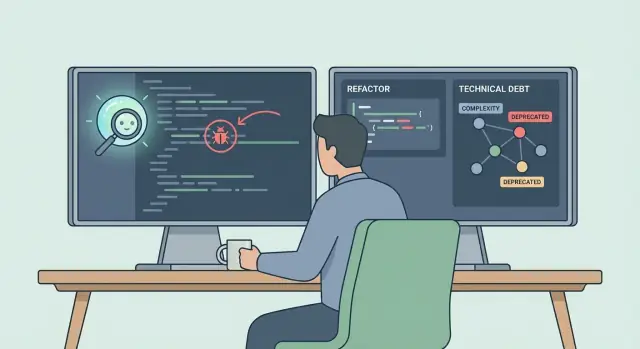
Why Debugging, Refactoring, and Tech Debt Still Cost So Much
Debugging, refactoring, and technical debt are different activities—but they often collide on the same roadmap.
Plain-language definitions
Debugging is finding why software behaves differently than expected, then fixing it without causing new problems.
Refactoring is changing the internal structure of code (naming, organization, duplication) so it’s easier to understand and change—while keeping the external behavior the same.
Technical debt is the “interest” you pay later for shortcuts taken earlier: rushed fixes, missing tests, unclear design, outdated dependencies, and inconsistent patterns.
Why they consume time even for strong teams
These tasks aren’t slow because developers are weak—they’re slow because software systems hide information.
A bug report usually describes a symptom, not a cause. Logs may be incomplete. Reproducing an issue can require specific data, timing, or environment quirks. Even after you find the faulty line, a safe fix often needs additional work: adding tests, checking edge cases, validating performance, and ensuring the change won’t break adjacent features.
Refactoring can be equally expensive because you’re paying down complexity while keeping the product running. The harder the code is to reason about, the more careful you must be with every change.
How the three problems connect in daily work
Technical debt makes debugging slower (harder to trace behavior) and refactoring riskier (fewer safety checks). Debugging often creates more debt when the fastest “hotfix” wins over the clean fix. Refactoring reduces future bugs by making intent clearer and change safer.
Setting expectations for AI
AI tools can speed up searching, summarizing, and suggesting changes—but they don’t know your product’s real requirements, risk tolerance, or business constraints. Treat AI as a strong assistant: useful for drafts and investigation, but still requiring engineering judgment, verification, and accountability before anything ships.
What AI Tools Actually Change in the Developer Workflow
AI tools don’t “replace coding”—they change the shape of the work. Instead of spending most of your time searching, recalling APIs, and translating symptoms into hypotheses, you spend more time validating, choosing trade-offs, and stitching changes into a coherent solution.
The main tool types you’ll see
Chat assistants help you reason in natural language: explain unfamiliar code, propose fixes, draft refactors, and summarize incident notes.
IDE copilots focus on flow: autocomplete, generate small blocks, suggest tests, and refactor locally while you type.
Code search and Q&A tools answer questions like “where is this config set?” or “what calls this method?” with semantic understanding, not just text matching.
Analysis bots run in CI or pull requests: detect risky changes, suggest improvements, and sometimes propose patches based on static analysis, linting, and patterns from your repo.
Where AI gets context (and why that matters)
Output quality tracks input quality. The best results come when the tool can “see” the right context:
- Files and symbols (the code you’re editing plus related modules)
- Diffs (what changed and why)
- Tests (existing coverage and failures)
- Issues and PRs (intent, constraints, and acceptance criteria)
- Logs and traces (only when you provide them, ideally sanitized)
If the AI is missing one of these, it will often guess—confidently.
What AI is good at (and what it struggles with)
AI shines at: pattern matching, drafting boilerplate, proposing refactor steps, generating test cases, and summarizing large code areas quickly.
It struggles with: hidden runtime constraints, domain rules that aren’t written down, cross-service behavior, and “what will happen in production” without real signals.
Choosing tools by workflow
For solo developers, prioritize an IDE copilot plus chat that can index your repo.
For teams, add PR/CI bots that enforce consistency and create reviewable diffs.
For regulated environments, choose tools with clear data controls (on-prem/VPC options, audit logs) and set strict rules on what can be shared (no secrets, no customer data).
AI-Assisted Debugging: A Practical Workflow
AI works best in debugging when you treat it like a fast, well-read teammate: it can scan context, propose hypotheses, and draft fixes—but you still control the experiment and the final change.
The step-by-step flow
1) Reproduce
Start by capturing a reliable failure: the exact error message, inputs, environment details, and the smallest set of steps that triggers the bug. If it’s flaky, note how often it fails and any patterns (time, data size, platform).
2) Isolate
Give the AI the failing symptom and ask it to summarize the behavior in plain language, then request a short list of “most likely” suspect areas (modules, functions, recent commits). This is where AI shines: narrowing the search space so you don’t bounce between unrelated files.
3) Hypothesize
Ask for 2–3 possible root causes and what evidence would confirm each one (logs to add, variables to inspect, tests to run). You’re aiming for cheap experiments, not a big rewrite.
4) Patch (minimal first)
Request the smallest safe fix that addresses the failure without changing unrelated behavior. Be explicit: “Prefer minimal diff; avoid refactors.” Once the bug is fixed, you can ask for a cleaner refactor separately, with a clear goal (readability, reduced duplication, clearer error handling).
5) Verify
Run the failing test, then the wider suite. If there isn’t a test, ask the AI to help write one that fails before the fix and passes after. Also verify logging/metrics and any edge cases the AI listed.
Keep an audit trail
Copy key prompts, the AI’s suggestions, and your final decision into the PR description or ticket. This makes the reasoning reviewable, helps future debugging, and prevents “mystery fixes” that no one can explain later.
Finding Root Causes Faster with Better Inputs
AI can’t “think” its way to the truth if you only provide a vague bug report. The fastest route to root cause is usually better evidence, not more guesswork. Treat your AI tool like a junior investigator: it performs best when you hand it clean, complete signals.
Feed the model the right signals
Start by pasting the exact failure, not your interpretation of it. Include:
- Full stack trace (top and bottom frames matter)
- The raw error message and any error codes
- Runtime and build info (language version, framework version, OS, container image tag)
- Configuration that affects behavior (env vars, feature flags, timeouts, region)
- Recent changes (commit, PR, dependency updates) and when the bug started
If you sanitize data, say what you changed. “Token redacted” is fine; “I removed some parts” isn’t.
Use AI to propose targeted experiments
Once the tool has the evidence, ask it to propose small, decisive tests—not a rewrite. Good AI suggestions often include:
- Add temporary logging at a specific boundary (request parsing, DB call, cache read)
- Toggle a feature flag to isolate new code paths
- Run a quick bisect range (or suggest the most likely commit window)
- Reproduce with a minimal input payload or a known dataset snapshot
The key is to pick experiments that eliminate entire classes of causes with each run.
Avoid the “fix the symptom” trap
When AI offers a patch, push it to explain causality. Useful structured questions:
- “What exact condition triggers the failure, and where is it introduced?”
- “What would we observe if your hypothesis is wrong?”
- “Which alternative root causes are still plausible, given the stack trace?”
Root-cause verification checklist (before shipping)
- The fix addresses the first incorrect state, not the last exception
- You can reproduce the bug before, and it disappears after
- A test (unit/integration) now fails without the fix and passes with it
- Logs/metrics show the expected behavior under real-like inputs
- No new warnings, retries, timeouts, or edge-case regressions were introduced
Refactoring with AI Without Breaking Behavior
Refactoring is easiest to justify when you can point to a concrete pain: a 200-line function that no one wants to touch, duplicated logic that drifts over time, or a “risky” module that causes incidents whenever requirements change. AI can help you move from “we should clean this up” to a controlled, low-risk refactor.
Identify strong refactor candidates
Start by choosing targets with a clear payoff and clear boundaries:
- Long functions with mixed responsibilities (parsing + validation + business rules)
- Duplicated code paths across files or services
- Hot spots: modules with frequent changes or incident history
- Areas with confusing naming, deep nesting, or high cognitive load
Feed AI the smallest relevant context: the function, its callers, key types, and a brief description of expected behavior.
Ask for a refactor plan, not just code
Instead of “refactor this,” ask AI to propose a sequence of small commits with checkpoints. Good plans include:
- What stays stable (public interfaces, inputs/outputs, error behavior)
- What gets extracted (helpers, pure functions, adapters)
- The order of changes (rename → extract → simplify → remove duplication)
Small steps make review easier and reduce the chance of subtle regressions.
Preserve behavior by anchoring on invariants
AI is most reliable when you tell it what must not change. Specify invariants like “same exceptions,” “same rounding rules,” or “same ordering guarantees.” Treat boundaries (public methods, APIs, database writes) as “do not change without explicit reason.”
Prompts that optimize for maintainability
Try prompts like:
“Refactor for readability and maintainability. Keep the public interface identical. Extract pure functions, improve naming, reduce nesting. No behavioral changes. Explain each change in comments or a short commit message.”
AI can draft the refactor, but you keep control: review diffs, verify invariants, and accept changes only when they make the code easier to reason about.
Tests as the Safety Net for AI-Suggested Changes
AI can propose fixes and refactors quickly, but speed only helps if you can trust the result. Tests are what turn “looks right” into “is right”—and they also make it easier to accept (or reject) AI suggestions with confidence.
Start by locking in current behavior
Before you refactor anything significant, use AI to generate or extend unit tests that describe what the code does today.
That includes the awkward parts: inconsistent outputs, odd defaults, and legacy edge cases. If the current behavior is important to users, capture it in tests first—even if you plan to improve it later. This prevents accidental breaking changes disguised as “cleanup.”
Turn bug reports into regression tests
When a bug is reported, ask AI to convert the report into a minimal failing test:
- Reproduce the steps (inputs, environment assumptions, timing)
- Assert the incorrect behavior
- Encode the expected behavior after the fix
Once the test fails reliably, apply the AI-suggested code change. If the test passes and existing tests stay green, you’ve made progress you can ship.
Add property-based and fuzz-style checks where it fits
For parsing, validation, serialization, and “any input can arrive” APIs, AI can suggest property-based assertions (e.g., “encoding then decoding returns the original”) and generate fuzz-style test ideas.
You don’t need to adopt a new framework immediately—start with a few targeted properties that catch whole classes of bugs.
A simple rule: no refactor without tests in risky areas
Define a team rule of thumb: if a module is high-impact (payments, auth), high-change (frequently edited), or hard to reason about, don’t accept AI refactors without test coverage improvements.
This keeps AI assistance practical: it accelerates change, while tests keep behavior stable.
Making Technical Debt Visible and Actionable with AI
Technical debt stays expensive when it’s described as “the code is messy” or “this module scares everyone.” AI can help translate those feelings into concrete, trackable work—without turning debt management into a months-long audit.
Turn vague debt into concrete items
Start by asking AI to scan for signals you can act on: complexity spikes, duplication, high-churn files (changed often), and hotspot areas where incidents or bugs cluster. The goal isn’t to “fix everything,” but to produce a shortlist of the few places where small improvements will reduce ongoing drag.
A useful output is a simple hotspot table: module → symptom → risk → suggested action. That single view is often enough to align engineers and product on what “debt” actually means.
Use codebase summaries to spot outdated patterns
AI is particularly good at summarizing patterns that are hard to see when you’re deep in one file: legacy frameworks still in use, inconsistent error-handling, hand-rolled utilities that duplicate standard libraries, or “temporary” feature flags that never got removed.
Ask for summaries scoped to a domain area (“payments,” “auth,” “reporting”) and request examples: which files show the pattern, and what a modern replacement looks like. This turns an abstract refactor into a set of targeted edits.
Triage what to pay down now vs. later
Debt becomes actionable when you pair impact with effort. AI can help you estimate both by:
- Identifying where the code is blocking work (slow releases, frequent regressions, brittle tests)
- Suggesting the smallest change that reduces risk (extract method, add tests around seams, remove duplication)
- Proposing “stop the bleeding” guardrails (lint rule, deprecation plan, documentation note)
Create lightweight debt tickets with acceptance criteria
Have AI draft tickets that are easy to schedule:
- Problem: “Order calculation duplicated in 4 places; inconsistent discounts.”
- Scope: “Unify into one module; update callers; no behavior change.”
- Acceptance criteria: “All callers use new function; unit tests cover edge cases; no public API changes; performance within ±5%.”
This is the shift: debt stops being a complaint and becomes a backlog item you can actually finish.
AI in Code Review: Faster Feedback, Clearer Diffs
Code review is where good changes become safe changes—but it’s also where teams lose time to back-and-forth, vague comments, and missed edge cases. AI can shorten the loop by doing “first pass” reasoning quickly, so reviewers spend more time on architecture and product impact.
AI-generated review checklists (tailored to the change)
Instead of a generic “LGTM?”, AI can produce a checklist based on what changed. A diff that touches authentication should trigger items like session invalidation, audit logging, and rate limiting. A refactor should trigger “no behavior change,” “public APIs unchanged,” and “tests updated only where necessary.” This keeps reviews consistent even when the reviewer is new to the area.
Catching the boring-but-costly issues
AI is useful at scanning for common footguns reviewers often miss when tired or rushed:
- Null/undefined handling and unchecked optional values
- Error paths and retries (especially where new calls were added)
- Concurrency misuse (shared state, missing locks, unsafe async patterns)
- Resource cleanup (files, connections, temporary objects)
Treat these as prompts for investigation, not final judgments.
Explaining diffs in plain language
A strong pattern is to ask AI to summarize “what changed and why” in a few sentences, plus a list of risk areas. This helps reviewers orient quickly and reduces misunderstandings between author and reviewer—especially on large refactors where the diff is noisy.
Humans approve; AI supports
AI can suggest comments, questions, and potential tests—but approvals stay with people. Keep the reviewer accountable for correctness, security, and intent. Use AI to accelerate understanding, not to outsource responsibility.
Risks and Guardrails: Accuracy, Security, and Compliance
AI can speed up debugging and refactoring, but it also introduces new failure modes. Treat it like a powerful junior teammate: helpful, fast, and sometimes confidently wrong.
Accuracy: hallucinated APIs and shaky assumptions
Models may invent functions, misread version constraints, or assume behavior that isn’t true in your system (for example, how caching, retries, or feature flags work). The risk isn’t just “bad code”—it’s wasted time chasing a plausible-sounding explanation.
Guardrails:
- Ask for citations from your codebase: “Point to the file/line that supports this hypothesis.”
- Constrain outputs: “Only use APIs visible in these files.”
- Require tests or reproducible steps with any fix: “Provide a failing test first, then the change.”
Security & privacy: secrets, customer data, sensitive code
Debug logs, stack traces, and config snippets often contain tokens, PII, internal URLs, or proprietary logic. Copy-pasting them into external tools can create exposure.
Guardrails:
- Redact by default (tokens, emails, IDs) and prefer minimal repros.
- Use model options that fit your risk profile (self-hosted/on-prem, VPC, or approved vendors).
- Set clear rules: what can be pasted, what cannot, and how to handle incidents.
Licensing/IP and compliance
AI suggestions may resemble licensed code or pull in patterns that violate your policies (copyleft concerns, missing attribution, restricted dependencies).
Guardrails:
- Keep an audit trail: prompts, outputs, and who approved the change.
- Run dependency and license checks in CI.
- Add a lightweight checklist to PR templates (source of snippet, license risk, data exposure).
Practical mitigations that stick
Start with written policies and enforce them with tooling: secret scanning, pre-commit redaction helpers, and CI gates. The goal isn’t to block AI—it’s to make “safe by default” the easiest path.
How to Measure the Impact on Quality and Maintainability
AI can make development feel faster, but the only way to know it’s helping (and not creating subtle messes) is to measure outcomes over time. Pick a small set of metrics you trust, establish a baseline, then track changes after adoption—ideally per team and per codebase, not just “company-wide.”
Quality metrics (did we ship fewer defects?)
Start with indicators that map to real pain:
- Defect rate: bugs found per release or per story point (keep the definition consistent).
- Escaped bugs: issues found in production vs. pre-release.
- Incident frequency and severity: number of incidents, plus how often they trigger rollbacks or hotfixes.
If AI-assisted debugging is working, you should see fewer repeat incidents and faster identification of causes (not just faster patching).
Delivery metrics (did we reduce friction?)
AI tools often compress the “waiting” parts of work:
- Lead time and cycle time: from ticket start to production.
- Review time: time from PR opened to merged.
- Rework rate: how often PRs bounce due to missed edge cases or unclear changes.
Watch for a trade-off: shorter cycle time with higher escaped bugs is a red flag.
Maintainability metrics (did code get easier to change?)
Target the modules where technical debt is concentrated:
- Complexity and duplication: trends over time, not single snapshots.
- Churn in debt-heavy modules: frequent edits in the same files can signal fragile design.
- Refactor stability: how often refactors lead to follow-up fixes.
Team signals (do developers trust the code more?)
Pair numbers with human feedback:
- Onboarding time to first meaningful change.
- Confidence in refactors (survey question after a release).
- Pager load: frequency and after-hours interruptions.
The best sign AI is improving maintainability: teams refactor more often, with fewer surprises.
Adoption Playbook for Teams
Rolling out AI tooling works best when you treat it like any other productivity change: pick a narrow scope, set expectations, and make it easy to repeat the wins.
Start with a few high-value use cases
Begin with 2–3 scenarios where the payoff is immediate and verification is straightforward:
- Bug triage: summarize reports, suggest likely modules, draft repro steps, and propose a minimal fix plan.
- Test generation: create unit tests around existing behavior (especially for regressions) before refactors.
- Small refactors: rename for clarity, extract functions, remove duplication—changes you can validate quickly.
Keep the first phase intentionally small. The goal is to build trust and a shared workflow, not to “AI-ify” everything.
Create reusable prompt templates
Don’t rely on everyone inventing prompts from scratch. Maintain a lightweight internal library with:
- “Debug this with context” templates (logs, inputs, expected vs actual).
- “Write tests first” templates (current behavior, edge cases, constraints).
- “Refactor safely” templates (what must not change, interfaces, performance limits).
Store these alongside engineering docs so they’re easy to find and evolve.
Define rules for sharing and review
Write down clear guardrails:
- What code/data can be shared with hosted tools vs. what must stay local.
- When to use redaction, synthetic examples, or an on-prem model.
- What always requires human review (security-sensitive code, auth flows, payments).
Train non-experts to ask, verify, and document
Run short sessions focused on practical habits: providing good inputs, checking assumptions, reproducing results, and documenting the final reasoning in the ticket/PR. Emphasize that AI suggestions are drafts—tests and review decide what ships.
Where a vibe-coding platform fits
If you’re building new internal tools or customer-facing apps, a vibe-coding platform like Koder.ai can reduce the upfront cost of “getting to a working baseline” so teams spend more time on the hard parts described above: verification, tests, and risk management. With Koder.ai, you can create web, backend, and mobile apps via chat (React on the web, Go + PostgreSQL on the backend, Flutter for mobile), then export source code and keep your normal review and CI practices.
For teams that worry about safe iteration, features like snapshots and rollback can help you experiment quickly while keeping changes reviewable—especially when you combine them with the audit-trail habits and testing discipline outlined in this article.
When Not to Use AI (and What to Expect Next)
AI tools can speed up debugging and refactoring, but they’re not a default “yes.” The fastest way to lose time is to use AI where it can’t reliably infer intent, or where it shouldn’t see the data in the first place.
When to keep AI out of the loop
If requirements are unclear, AI suggestions often “complete the story” with assumptions. That’s risky during early product discovery, messy bug reports, or half-finished migrations. In these moments, clarify expected behavior first (a short spec, examples, or acceptance criteria), then bring AI back for implementation help.
If data is sensitive and unredacted, don’t paste it into an assistant—especially customer records, credentials, proprietary algorithms, incident logs, or security findings. Use sanitized excerpts, synthetic data, or internal tools approved for your compliance rules.
For complex distributed failures without good telemetry, prefer manual investigation. When you lack traces, correlation IDs, or reliable metrics, the “right” answer is often hidden in timing, deployment history, or cross-service interactions that AI can’t see. First improve observability; then AI becomes useful again.
What to expect in the next 12–24 months
Expect better context handling (larger codebase understanding), tighter IDE loops (inline suggestions tied to build/test output), and more grounded answers (citations to specific files, commits, or logs). The biggest gains will come from assistants that read your project’s conventions and your team’s definitions of “done.”
A simple day-to-day responsible-use checklist
- Do I have a clear goal (expected behavior, failing test, or reproducible steps)?
- Have I removed or masked sensitive information?
- Can I verify the suggestion with tests, types, or a small repro?
- Did I ask for a minimal change and a rationale (not a full rewrite)?
- Did I review edge cases, error handling, and security implications before merging?
FAQ
Can AI tools actually reduce the time spent on debugging and refactoring?
No. AI can speed up searching, summarizing, and drafting, but it doesn’t know your real requirements, risk tolerance, or production constraints unless you provide and verify them.
Use it as an assistant: let it propose hypotheses and patches, then confirm with reproducible steps, tests, and review.
What’s a practical AI-assisted debugging workflow I can follow?
Start with the raw evidence, then ask for narrowed suspects and experiments:
- Paste the exact error and full stack trace
- Provide runtime details (versions, OS/container, config/flags)
- Ask for 2–3 hypotheses and what would confirm/deny each
- Request a minimal diff fix first, and a refactor plan separately
You’ll move faster when AI helps reduce the search space, not when it guesses a “clever” fix.
What information should I give an AI tool to get better debugging results?
AI output quality depends on the context you include. The most helpful inputs are:
- Relevant files/symbols and the current diff
- Failing test output (or reproducible steps)
- Logs/traces (sanitized)
- Recent changes (PR/commit/dependency updates)
- Constraints (performance limits, “must not change” behaviors)
If key context is missing, the model will often fill gaps with assumptions.
How can AI help me find the root cause instead of just patching symptoms?
Ask the AI to turn each hypothesis into a cheap, decisive experiment:
- “Where should I add temporary logs, and what should I log?”
- “Which feature flag or config toggle would isolate the new path?”
- “What minimal input payload reproduces this?”
- “What test would fail before the fix and pass after?”
Prefer experiments that eliminate whole classes of causes per run, rather than broad rewrites.
Why does technical debt make debugging and refactoring so expensive?
Technical debt hides intent and removes safety nets:
- Harder to trace behavior (inconsistent patterns, unclear naming)
- Riskier to change (missing tests, tight coupling)
- More hotfix pressure (quick patches that add more debt)
AI can help surface hotspots, but the underlying cost comes from reduced observability and increased uncertainty in the codebase.
How do I refactor with AI without accidentally changing behavior?
Use tests and invariants as constraints:
- Capture current behavior with unit/integration tests before refactoring
- Specify invariants: “same exceptions,” “same ordering,” “same rounding,” “no API changes”
- Ask for a plan of small commits (rename → extract → simplify → dedupe)
- Verify with the failing test + full suite
Treat boundaries (public APIs, DB writes, auth) as “no change unless explicitly required.”
How do I turn a bug report into a reliable regression test with AI?
Convert the report into a regression test first:
- Minimal repro input and environment assumptions
- Assertion of the current incorrect behavior
- Expected behavior after the fix
Then apply the smallest code change that makes the test pass and keeps the suite green. This prevents “fixes” that only look right in a chat window.
What role should AI play in code review?
AI is effective for “first pass” review support:
- Summarize the diff in plain language and list likely risk areas
- Generate a tailored checklist (e.g., auth changes → sessions/audit logs/rate limits)
- Spot common footguns (null handling, retries, cleanup, concurrency)
Treat these as prompts for human investigation—people still own correctness, security, and intent.
What are the biggest risks of using AI for code changes, and how do I mitigate them?
Main risks and practical guardrails:
- Accuracy: demand evidence from your repo (“point to file/line”), constrain allowed APIs, require tests
- Security/privacy: redact tokens/PII by default; avoid pasting sensitive logs or configs
- Licensing/compliance: keep an audit trail; run license/dependency checks in CI
Aim for “safe by default” workflows: secret scanning, redaction helpers, and PR checklists.
When should I not use AI tools for debugging or refactoring?
Avoid AI when it can’t reliably infer intent or shouldn’t see the data:
- Requirements are unclear (early discovery, messy migrations)
- Inputs are sensitive and not sanitized (customer data, credentials, incident details)
- Distributed/system issues lack telemetry (no traces/metrics; timing-dependent failures)
In these cases, clarify expected behavior, improve observability, or use approved internal tools before bringing AI back in.