

How AI Tools Design APIs: Choosing REST, GraphQL, or gRPC
Learn how AI-assisted API design tools translate requirements into API styles, comparing REST, GraphQL, and gRPC trade-offs for real projects.
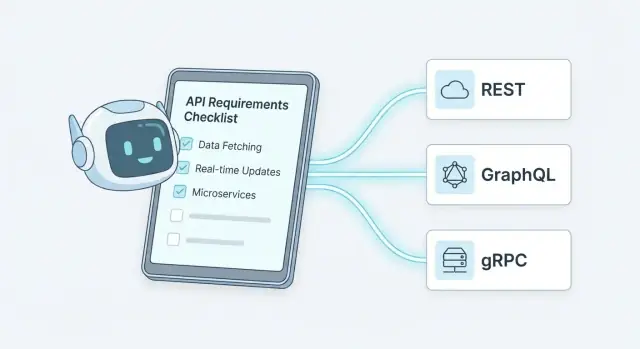
What AI-Driven API Design Tools Really Do
AI-driven API design tools don’t “invent” the right architecture on their own. They act more like a fast, consistent assistant: they read what you provide (notes, tickets, existing docs), propose an API shape, and explain trade-offs—then you decide what’s acceptable for your product, risk profile, and team.
What “AI-driven API design” actually means
Most tools combine large language models with API-specific rules and templates. The useful output isn’t just prose—it’s structured artifacts you can review:
- Draft endpoints or operations (resources, fields, methods)
- Suggested request/response examples
- A first-pass OpenAPI/GraphQL schema/Protobuf outline
- Naming conventions and consistency checks
The value is speed and standardization, not “magic correctness.” You still need validation from people who understand the domain and the downstream consequences.
Where AI helps most
AI is strongest when it can compress messy information into something actionable:
- Summarizing requirements: turning stakeholder language into clear use cases and user flows
- Generating specs: producing a workable starting point for an OpenAPI file, a GraphQL schema sketch, or proto messages
- Spotting gaps: flagging missing error cases, unclear ownership of data, ambiguous identifiers, or operations that don’t map cleanly to the stated use cases
What still needs human decisions
AI can recommend patterns, but it can’t own your business risk. Humans must decide:
- Domain boundaries (what belongs in which service, and why)
- Ownership and governance (who approves changes, how reviews happen)
- Risk trade-offs (security posture, compliance needs, operational complexity)
Inputs that matter most
The tool’s suggestions only reflect what you feed it. Provide:
- Real use cases (read vs write-heavy, internal vs public)
- Data shape and relationships (what changes often, what must be consistent)
- Constraints (latency targets, mobile clients, offline needs)
- Existing systems (identity provider, event bus, legacy APIs)
With good inputs, AI gets you to a credible first draft quickly—then your team turns that draft into a dependable contract.
Turning Requirements into Decision Criteria
AI-driven API design tools are only as useful as the inputs you give them. The key step is translating “what we want to build” into decision criteria you can compare across REST, GraphQL, and gRPC.
Start with functional needs (what the API must do)
Instead of listing features, describe interaction patterns:
- Reads vs writes: mostly fetching data, or lots of state-changing commands?
- Workflows: simple CRUD, or multi-step business processes (approve → provision → audit)?
- Real-time: do clients need updates pushed, or can they poll?
- Streaming: do you send large files/events continuously, or small request/response messages?
Good AI tools turn these into measurable signals like “client controls shape of response,” “long-lived connections,” or “command-style endpoints,” which later map cleanly to protocol strengths.
Add non-functional needs (how it must behave)
Non-functional requirements are often the deciding factor, so make them concrete:
- Latency and throughput targets (e.g., p95 < 150ms; 5k requests/sec)
- Reliability expectations (timeouts, retries, idempotency requirements)
- Scalability profile (spiky traffic vs steady load)
When you provide numbers, tools can recommend patterns (pagination, caching, batching) and highlight when overhead matters (chatty APIs, large payloads).
Identify consumers and constraints (who uses it, and what limits you)
Consumer context changes everything:
- Web/mobile clients often value flexible payloads and fewer round trips.
- Server-to-server calls often value speed, strong contracts, and auto-generated clients.
- Internal services may accept stricter governance if it improves consistency.
Also include constraints: legacy protocols, team experience, compliance rules, and deadlines. Many tools convert this into practical signals like “adoption risk” and “operational complexity.”
Convert to a simple scoring matrix
A practical approach is a weighted checklist (1–5) across criteria like payload flexibility, latency sensitivity, streaming needs, client diversity, and governance/versioning constraints. The “best” style is the one that wins on your highest-weight criteria—not the one that looks most modern.
REST: When AI Tools Recommend It (and Why)
AI-driven API design tools tend to recommend REST when your problem is naturally resource-oriented: you have “things” (customers, invoices, orders) that are created, read, updated, and deleted, and you want a predictable way to expose them over HTTP.
When REST fits best
REST is often the best match when you need:
- CRUD-style workflows (create an order, update its status, list orders)
- Caching and CDN friendliness for read-heavy traffic (e.g., product catalogs)
- Broad compatibility across browsers, mobile apps, third-party integrations, and API gateways
- A clear separation between collections and items (e.g.,
/ordersvs/orders/{id})
AI tools usually “see” these patterns in requirements like “list,” “filter,” “update,” “archive,” and “audit,” and translate them into resource endpoints.
Strengths AI tools optimize for
When they propose REST, the reasoning is typically about operational ease:
- Simplicity: HTTP verbs and status codes map cleanly to common actions.
- Tooling: mature logging, monitoring, proxies, gateways, and rate limiting already speak HTTP.
- Observability: requests are easy to trace and analyze with standard server access logs.
- Documentation norms: OpenAPI is widely understood, making handoff to teams and partners easier.
Common pitfalls AI can flag (or accidentally create)
Good tools warn you about:
- Chatty APIs: too many small calls to assemble one screen.
- Under/over-fetching: endpoints returning too little (extra round trips) or too much (wasted bandwidth).
- Inconsistent naming: mixing verbs and nouns (
/getUservs/users/{id}), uneven pluralization, or mismatched field names.
If the tool generates many narrowly scoped endpoints, you may need to consolidate responses or add purpose-built read endpoints.
Typical outputs from AI tools
When recommending REST, you’ll often get:
- A draft OpenAPI spec (paths, schemas, auth stubs, error models)
- An endpoint map (resources, operations, expected status codes)
- Suggested conventions for pagination, filtering, and idempotency
These outputs are most valuable when you review them against real client usage and performance needs.
GraphQL: When AI Tools Recommend It (and Why)
AI-driven API design tools tend to recommend GraphQL when the problem looks less like “serve a few fixed endpoints” and more like “support many different screens, devices, and client teams—each needing slightly different data.” If your UI changes frequently, or multiple clients (web, iOS, Android, partner apps) request overlapping but not identical fields, GraphQL often scores well in requirements-to-architecture scoring.
When GraphQL fits best
GraphQL is a strong match when you need flexible queries without creating a long list of narrowly tailored endpoints. Tools will typically spot signals like:
- Many client types with different data needs
- Frequent UI iterations that change what fields are shown
- Complex domain objects where clients otherwise over-fetch or under-fetch
Strengths AI tools optimize for
GraphQL’s schema-first approach gives a single, explicit contract of types and relationships. AI tools like it because they can reason about the graph:
- Precise data fetching: clients request only the fields they need, reducing unnecessary payload.
- Strong schema: types, enums, and nullability help catch mismatches early.
- Composition patterns: shared types and reusable fragments map well to modular product teams.
Trade-offs the tools will flag
GraphQL isn’t “free flexibility.” Good AI tools will warn about operational complexity:
- Caching is trickier: CDN and HTTP caching are less straightforward than with REST.
- Query cost control: you may need depth limits, complexity scoring, and persisted queries to prevent expensive requests.
- Gateway operations: running a GraphQL server (and possibly federation) adds runtime concerns like monitoring resolver performance and managing schema changes.
Typical outputs from AI design tools
When GraphQL is recommended, you usually get concrete artifacts, not just advice:
- A proposed schema (types, inputs, enums, and relationships)
- Suggested type relationships (connections, pagination models, and ownership boundaries)
- Example queries and mutations aligned to key user flows
- Notes on query constraints (pagination defaults, maximum limits, and error patterns)
gRPC: When AI Tools Recommend It (and Why)
AI-driven API design tools tend to recommend gRPC when your requirements signal “service-to-service efficiency” more than “public developer friendliness.” If the system has many internal calls, tight latency budgets, or heavy data transfer, gRPC often scores higher than REST or GraphQL in the tool’s decision matrix.
The signals that point to gRPC
Tools usually push toward gRPC when they detect patterns like:
- Low latency and high throughput: frequent calls between microservices, chatty workflows, or performance-sensitive paths.
- Internal service calls: APIs primarily consumed by backend services you control, not third-party clients.
- Real-time or continuous data: event feeds, progress updates, telemetry, or bidirectional interactions.
In practice, this is where gRPC’s binary protocol and HTTP/2 transport help cut overhead and keep connections efficient.
Why gRPC looks good to an “AI requirements checklist”
AI tools like gRPC because its advantages are easy to map to measurable requirements:
- Streaming support: server streaming, client streaming, and bidirectional streaming fit “live updates” requirements without awkward polling.
- Strong contracts with Protobuf: a schema-first approach makes data shapes explicit and reduces ambiguity when multiple teams are involved.
- Multi-language stubs: generating client and server code can speed up delivery and keep implementations consistent across languages.
When requirements include “consistent typing,” “strict validation,” or “generate SDKs automatically,” gRPC tends to rise to the top.
Trade-offs AI tools should warn you about
A good tool won’t just recommend gRPC—it should also highlight the friction points:
- Browser limitations: direct browser support is limited; you may need gRPC-Web or a separate HTTP API for frontends.
- Debugging friction: ad-hoc inspection is less convenient than cURLing JSON; teams often need better tooling and conventions.
- Gateway requirements: if you also need public access, a REST/GraphQL gateway might be required, adding operational complexity.
Typical outputs you’ll see from AI design tools
When gRPC is the chosen style, AI tools commonly produce:
- A first-pass
.protodraft (services, RPC methods, message definitions) - Suggested service and method naming (often aligning with domain terms and use cases)
- Initial request/response messages, including enums and error structures
Those artifacts are a strong starting point—but they still need human review for domain accuracy, long-term evolvability, and consistency with your API governance rules.
Matching API Style to Data and Performance Needs
AI-driven API design tools tend to start from usage shape, not ideology. They look at what clients actually do (read lists, fetch details, sync offline, stream telemetry), then match that to an API style whose strengths align with your data and performance constraints.
Data access patterns
If your clients make many small reads (e.g., “show me this list, then open details, then load related items”), tools often lean toward GraphQL because it can fetch exactly the fields needed in fewer round trips.
If clients make a few large reads with stable shapes (e.g., “download an invoice PDF, get the whole order summary”), REST is commonly recommended—simple caching, straightforward URLs, and predictable payloads.
For streaming (live metrics, events, audio/video signaling, bidirectional updates), tools frequently prefer gRPC because HTTP/2 streaming and binary framing reduce overhead and improve continuity.
Coupling and change rate
Tools also evaluate how often fields change and how many consumers depend on them:
- When your schema evolves often and multiple frontends need different subsets of the same entity, GraphQL can reduce “new endpoint per UI” churn.
- When you want low coupling via coarse resources and clear contracts, REST is easier to govern (but versioning decisions matter).
- When changes must be tightly coordinated across internal services, gRPC with Protobuf can be ideal—strong typing and well-defined compatibility rules.
Network reality
Mobile latency, edge caching, and cross-region calls can dominate perceived performance:
- REST shines with CDN and HTTP caching semantics.
- GraphQL can reduce chatty requests, but needs careful planning to avoid expensive server-side joins.
- gRPC is efficient for service-to-service calls, but browser support usually requires a gateway.
Cost model
AI tools increasingly estimate cost beyond latency:
- Payload size: GraphQL reduces over-fetching; gRPC is compact; REST varies by design.
- Compute: GraphQL resolvers can become hot spots without batching/caching.
- Serialization overhead: gRPC typically wins; JSON-based APIs trade efficiency for simplicity.
The “best” style is often the one that makes your common path cheap and your edge cases manageable.
Security and Access Control Considerations
API “style” influences how you authenticate callers, authorize actions, and control abuse. Good AI-driven design tools don’t just pick REST, GraphQL, or gRPC based on performance—they also flag where each option needs extra security decisions.
Baseline AuthN/AuthZ across styles
Most teams end up with a small set of proven building blocks:
- OAuth 2.0 + JWTs for user-centric access (web/mobile, third-party integrations). JWTs are convenient, but still need validation, key rotation, and careful claims design.
- mTLS for service-to-service calls where you want strong identity at the transport level (common in internal microservices).
- API keys for low-risk, server-to-server integrations or rate-limited public endpoints—best treated as an identification + throttling mechanism, not full authorization.
AI tools can translate “Only paid customers can access X” into concrete requirements like token scopes/roles, token TTLs, and rate limits—and highlight missing items such as audit logging, key rotation, or revocation needs.
GraphQL-specific concerns
GraphQL concentrates many operations behind a single endpoint, so controls often move from URL-level rules to query-level rules:
- Field-level authorization (who can see specific fields, not just whole objects)
- Query depth and complexity limits to prevent expensive nested queries
- Persisted queries (optional) to reduce injection-like risks and make caching/rate limiting more predictable
AI-driven tools can detect schema patterns that typically require stricter controls (e.g., “email”, “billing”, “admin” fields) and propose consistent authorization hooks.
gRPC-specific concerns
gRPC is frequently used for internal service calls, where identity and transport security are central:
- Service identity via mTLS (often mandatory) plus clear rules for which services may call which methods
- Metadata handling (e.g., passing auth tokens in metadata) with consistent validation on every call
AI tools can suggest “default secure” gRPC templates (mTLS, interceptors, standard auth metadata) and warn if you’re relying on implicit network trust.
How AI tools help you not miss the basics
The best tools act like a structured threat checklist: they ask about data sensitivity, attacker models, and operational needs (rate limiting, logging, incident response), then map those answers into concrete API requirements—before you generate contracts, schemas, or gateway policies.
Contracts, Versioning, and Backward Compatibility
API design tools powered by AI tend to be “contract-first”: they help you define the agreement between client and server before anyone ships code. That agreement becomes the source of truth for reviews, generators, tests, and change control.
What “contract-first” means in REST, GraphQL, and gRPC
For REST, the contract is usually an OpenAPI document. AI tools can draft endpoints, request/response shapes, and error formats, then validate that every endpoint is documented and consistent.
For GraphQL, the contract is the schema (types, queries, mutations). AI assistants can propose a schema from requirements, enforce naming conventions, and flag schema changes that would break existing queries.
For gRPC, the contract is Protobuf (.proto files). Tools can generate message definitions, service methods, and warn when you change a field in a way that breaks older clients.
Versioning approaches the tools will recommend
AI tools usually push you toward “evolution before version bump,” but they’ll still help choose a clear versioning strategy:
- REST: version in the URL/path (
/v1/...) when changes are frequent or consumers are external; or in a header when you want cleaner URLs and strong gateway control. - GraphQL: prefer schema evolution (additive changes) plus a strict deprecation policy rather than
/v2schemas. - gRPC: rely on schema evolution rules (field numbers, optional fields) and treat breaking changes as a coordinated release.
Backward-compatibility rules AI can enforce
Good tools don’t just suggest changes—they block risky ones in review:
- Keep field names stable; only add new fields (make them optional where possible).
- Avoid changing meaning of existing fields; add a new field instead.
- Treat enums carefully: add new values, don’t reorder or reuse old ones.
- Standardize error formats and status codes so clients don’t need custom parsing per endpoint.
Safer migration plans
When change is unavoidable, AI tools often propose practical rollout patterns:
- Run parallel endpoints (
/v1and/v2) or parallel GraphQL fields. - Use feature flags to gradually expose new responses.
- Plan client rollout: identify affected consumers, generate SDK updates, and set a deprecation timeline with automated reminders in CI.
The net effect: fewer accidental breaking changes, and a paper trail that makes future maintenance much less painful.
Documentation, SDKs, and Testing Outputs from AI Tools
AI-driven API design tools rarely stop at “here’s your endpoint list.” Their most useful outputs are the things teams forget to budget time for: documentation that answers real questions, client libraries that feel native, and tests that keep integrations stable.
Documentation that’s more than a spec dump
Most tools can generate an OpenAPI (REST) or GraphQL schema reference, but the better ones also produce human-friendly content from the same source:
- Reference docs with clear request/response shapes, auth notes, pagination rules, and rate-limit headers
- Concrete examples (curl, JavaScript, Python) that match your conventions
- Error catalog: error codes, meanings, and “what to do next” guidance
- Common workflows: “create → read → update,” filtering, retries, idempotency
A practical signal of quality: the docs align with your governance rules (naming, error format, pagination). If you already standardize these, an AI tool can generate consistent docs from those approved rules rather than improvising.
SDK and client generation that reduces friction
AI tools often generate SDKs or client snippets that sit on top of the contract:
- Typed models (e.g., TypeScript types, C# classes) so developers get autocomplete
- Pagination helpers that hide cursor/offset mechanics
- Auth hooks and sensible defaults for headers, timeouts, and retries
If you publish SDKs, keep them contract-driven. That way, regenerating for v1.2 doesn’t turn into a manual editing project.
Testing support: catching breakages early
The most valuable outputs for reliability are testing artifacts:
- Contract tests that verify the server matches the OpenAPI/schema
- Mock servers for frontend and partner integration
- Schema validation in CI so accidental breaking changes fail fast
For teams using multiple API styles, it helps to link these artifacts to one workflow, like “spec → docs → SDK → tests.” A simple internal page such as /api-standards can describe the rules the AI tool must follow to generate all of the above consistently.
Where platforms like Koder.ai fit in
If you want to go beyond “design artifacts” and quickly validate an API design in a working app, a vibe-coding platform such as Koder.ai can help. You can describe your requirements and contract (OpenAPI/GraphQL/proto) in chat, then generate a thin but real implementation—typically a React web UI, a Go backend, and a PostgreSQL database—so teams can test flows, error handling, and performance assumptions early. Because Koder.ai supports source code export, snapshots, and rollback, it’s practical for rapid iterations while keeping changes reviewable.
Common Pitfalls AI Can Help You Catch
AI design tools are good at generating an API that “works,” but their real value is often in surfacing what won’t work later: inconsistencies, hidden scalability traps, and mismatches between your API style and your users.
Anti-patterns: choosing by trend (or mixing styles without a reason)
A frequent failure mode is picking GraphQL, REST, or gRPC because it’s popular in your company—or because an example project used it. Many AI tools flag this by asking for clear consumers, latency budgets, and deployment constraints, then warning when the choice doesn’t match.
Another common issue is mixing styles ad hoc (“REST for some endpoints, GraphQL for others, gRPC internally…”) without a boundary. AI tools can help by proposing explicit seams: e.g., gRPC service-to-service, REST for public resources, GraphQL only for a specific frontend aggregation use case.
GraphQL pitfalls: N+1, unbounded queries, unclear ownership
AI can spot resolver patterns that cause N+1 database calls and suggest batching/data loaders, prefetching, or schema adjustments.
It can also warn when the schema enables unbounded queries (deep nesting, expensive filters, huge result sets). Good tools recommend guardrails like query depth/complexity limits, pagination defaults, and persisted queries.
Finally, “who owns this field?” matters. AI tools can highlight unclear domain ownership and suggest splitting the schema by subgraph/service (or at least documenting field owners) to avoid long-term governance chaos.
REST pitfalls: inconsistent resources, ad-hoc params, poor errors
Tools can detect when endpoints are modeled as verbs (“/doThing”) instead of resources, or when similar entities are named differently across routes.
They can also flag ad-hoc query parameters that turn into a mini query language, recommending consistent filtering/sorting conventions and pagination.
Error handling is another hotspot: AI can enforce a standard error envelope, stable error codes, and consistent HTTP status usage.
gRPC pitfalls: leaking internals, breaking field changes
AI can warn when gRPC methods expose internal domain shapes directly to external clients. It may suggest an API gateway translation layer or separate “public” protos.
It can also catch protobuf breaking changes (renumbered fields, removed fields, changed types) and nudge you toward additive evolution patterns instead.
A Practical Decision Walkthrough (REST + GraphQL + gRPC)
Here’s a concrete requirement set AI-driven API design tools handle well.
Example requirement set
A product team needs three things at once:
- A public web app that must load quickly, with screens that combine data from several domains (profile, billing, activity)
- A partner API for external companies, where stability, clear contracts, and predictable rate limits matter more than flexibility
- Internal services (payments, recommendations, search) that call each other frequently and need low latency
Decision walkthrough
Given those requirements, many tools will recommend a split approach.
1) REST for partners
Partners usually want a simple, cache-friendly, easy-to-test API with stable URLs and long deprecation windows. REST also maps cleanly to common auth patterns (OAuth scopes, API keys) and is easier to support across many client stacks.
2) GraphQL for the web app
The web app benefits from asking for exactly the fields each page needs, reducing over-fetching and repeated round trips. Tools will often suggest a GraphQL layer when UI needs evolve quickly and multiple backend sources must be composed.
3) gRPC for internal services
For internal calls, tools tend to favor gRPC because it’s efficient, strongly typed, and well-suited to high-volume service-to-service traffic. It also encourages schema-first development via Protobuf.
Integration notes (how it fits together)
A common pattern is an API gateway at the edge, plus a BFF (Backend for Frontend) that hosts the GraphQL schema.
Auth should be aligned so users and partners follow consistent rules (tokens, scopes/roles), even if the protocols differ. AI tools can also help standardize a shared error model (error codes, human messages, retry hints) across REST, GraphQL, and gRPC.
Final checklist before you commit
- Observability: consistent request IDs, logs, traces, and latency SLOs
- Quotas: partner rate limits, per-user limits for GraphQL, internal circuit breakers
- Deprecations: timelines, headers/fields marked as deprecated, migration guides
- Governance sign-off: naming conventions, security review, and contract approvals
FAQ
Do AI-driven API design tools actually “design” the architecture for me?
They accelerate and standardize the drafting phase: turning messy notes into reviewable artifacts like endpoint maps, example payloads, and a first-pass OpenAPI/GraphQL/proto outline.
They don’t replace domain expertise—you still decide boundaries, ownership, risk, and what’s acceptable for your product.
What information should I give an AI tool to get a useful API draft?
Provide inputs that reflect reality:
- Real user flows and use cases (read-heavy vs write-heavy, internal vs public)
- Data shape and relationships (identifiers, consistency needs, what changes often)
- Constraints (latency/SLOs, mobile/offline, traffic shape)
- Existing systems (identity provider, event bus, legacy APIs)
The better your inputs, the more credible the first draft.
What does “turning requirements into decision criteria” mean in practice?
It’s the step where you translate requirements into comparable criteria (e.g., payload flexibility, latency sensitivity, streaming needs, consumer diversity, governance/versioning constraints).
A simple weighted 1–5 scoring matrix often makes the protocol choice obvious, and keeps the team from choosing by trend.
When do AI tools typically recommend REST?
REST is usually recommended when your domain is resource-oriented and maps cleanly to CRUD and HTTP semantics:
- Collections vs items (e.g.,
/ordersand/orders/{id}) - Read-heavy workloads that benefit from caching/CDNs
- Broad compatibility (browsers, mobile, third parties, gateways)
Tools will often generate a draft OpenAPI plus conventions for pagination, filtering, and idempotency.
When do AI tools typically recommend GraphQL?
GraphQL tends to win when you have many client types or fast-changing UIs that need different subsets of the same data.
It reduces over/under-fetching by letting clients request exactly what they need, but you must plan for operational guardrails like query depth/complexity limits and resolver performance.
When do AI tools typically recommend gRPC?
gRPC is commonly recommended for internal service-to-service traffic with strict performance needs:
- Low latency / high throughput microservice calls
- Strong contracts and generated multi-language stubs (Protobuf)
- Streaming (server/client/bidirectional) over HTTP/2
Expect warnings about browser limitations (often requiring gRPC-Web or a gateway) and debugging/tooling friction.
Is it reasonable to use REST, GraphQL, and gRPC together?
A practical split is:
- REST for partner/public APIs (stability, predictable URLs, common tooling)
- GraphQL for web app aggregation (flexible page payloads, fewer round trips)
- gRPC for internal services (efficiency, strong typing, streaming)
Make the boundary explicit (gateway/BFF), and standardize auth, request IDs, and error codes across styles.
How do security and access control differ across REST, GraphQL, and gRPC?
Yes, but the control points differ:
- REST: OAuth 2.0 + JWTs, API keys for low-risk integrations, and standard rate limiting at gateways
- GraphQL: field-level authorization plus query depth/complexity limits and (often) persisted queries
- gRPC: mTLS for service identity, consistent auth metadata validation, and interceptor-based enforcement
AI tools help by turning “only paid users can do X” into scopes/roles, TTLs, audit logging, and throttling requirements.
What does “contract-first” mean, and how do AI tools help with versioning?
Contract-first means the spec/schema is the source of truth before code:
- REST: OpenAPI defines endpoints, schemas, errors
- GraphQL: schema defines types, queries, mutations, deprecations
- gRPC:
.protodefines services/messages and compatibility rules
Good tools enforce backward-compatibility (additive changes, careful enums) and suggest safe migrations (parallel versions, deprecation timelines, feature flags).
What pitfalls can AI tools catch (and what should I still verify)?
Common issues include:
- REST: verb-y endpoints, inconsistent naming, ad-hoc filtering, inconsistent error envelopes
- GraphQL: N+1 resolver patterns, unbounded/deep queries, unclear ownership of fields
- gRPC: leaking internal models to external clients, protobuf breaking changes (renumbering/removing fields)
Use the tool’s output as a checklist, then validate with real client usage, performance tests, and governance review.