

How AI Tools Help Non-Technical Founders Build Software
AI tools help non-technical founders plan, prototype, and ship MVPs faster. Learn practical workflows, limits, costs, and how to collaborate with developers.
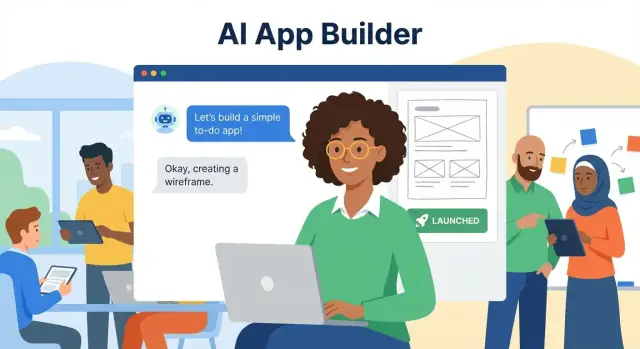
Why AI is changing who can build software
Software used to be gated by a few hard constraints: you needed someone who could translate your idea into specs, design screens, write code, and test it—all in the right order. AI tools don’t remove the need for skill, but they do reduce the cost (and time) of getting from “I have an idea” to “I can show something real.”
This shift matters most in the earliest phase—when clarity is low, budgets are tight, and the real goal is learning faster than you burn time.
What “accessible software creation” means
For non-technical founders, accessibility isn’t about pressing a magic button to “generate an app.” It’s about doing more of the early work yourself:
- clarifying the problem,
- drafting requirements,
- exploring UX options,
- building a prototype,
- and communicating decisions clearly.
That changes your starting point. Instead of beginning with a long, expensive discovery phase, you can arrive at your first developer conversation with concrete artifacts—user flows, sample screens, draft copy, and a prioritized feature list.
The pain points AI helps relieve
Most early-stage product delays come from fuzzy inputs: unclear requirements, slow handoffs, endless revisions, and the cost of rework. AI can help you:
- Turn rough notes into structured requirements and user stories
- Generate alternative flows and edge cases you didn’t think of
- Create first-draft UI copy and onboarding text quickly
- Build clickable prototypes that make feedback specific
Where AI helps most (and where it doesn’t)
AI is strongest at drafting, organizing, and exploring options. It’s weaker at accountability: validating business assumptions, guaranteeing security, and making architectural decisions that hold up at scale.
You’ll still need judgment—and sometimes expert review.
Who this post is for
This guide is for founders, operators, and domain experts who can explain the problem but don’t write production code. We’ll cover a practical workflow—from idea to MVP—showing where AI tools save time, how to avoid common traps, and how to collaborate with developers more effectively.
The founder workflow: from idea to MVP
Building software as a non-technical founder isn’t a single leap—it’s a sequence of smaller, learnable steps. AI tools help most when you use them to move from one step to the next with less confusion and fewer dead ends.
The simplest end-to-end path
A practical workflow looks like this:
Idea → requirements → design → build → test → launch → iterate
Each arrow is where momentum can stall—especially without a technical cofounder to translate your intent into something buildable.
Where founders typically get stuck
Most bottlenecks fall into a few predictable buckets:
- Vague scope: “An app for X” turns into endless features, unclear priorities, and no first release.
- Requirements paralysis: You know what you want, but can’t write it in a way others can build.
- Design uncertainty: You’re not sure what screens you need, how users move through them, or what to say in the UI.
- Build approach confusion: No-code, AI app builders, freelancers, agencies—what fits your budget and speed?
- Fear of breaking things: Testing, edge cases, and “what if users do this?” feels overwhelming.
How AI reduces friction at each step
Used well, AI acts like a tireless assistant that helps you clarify and format your thinking:
- Idea → requirements: Turn messy notes into user stories, a feature list, and a “must-have vs later” plan.
- Requirements → design: Generate draft user flows, screen inventories, and first-pass UI copy you can edit.
- Design → build: Provide starter prototypes, database suggestions, and step-by-step build checklists.
- Build → test: Create test cases (“happy path” and failure scenarios) and help reproduce issues clearly.
- Launch → iterate: Summarize user feedback into themes and propose small, high-impact improvements.
A realistic goal: ship an MVP
The aim isn’t “build anything.” It’s to validate one valuable promise for one type of user, with the smallest product that can be used end-to-end.
AI won’t replace judgment, but it can help you make faster decisions, document them cleanly, and keep moving until you have something real to put in front of users.
A practical map of AI tool categories
Not all “AI tools” do the same job. For a non-technical founder, it helps to think in categories—each one supports a different step of building software, from figuring out what to build to shipping something people can use.
1) Chat assistants: planning, writing, problem-solving
Chat assistants are your flexible “second brain.” Use them to outline features, draft user stories, write onboarding emails, brainstorm edge cases, and turn messy notes into clear next steps.
They’re especially useful when you’re stuck: you can ask for options, tradeoffs, and simple explanations of unfamiliar terms.
2) AI design tools: wireframes, UI suggestions
Design-focused AI tools help you move from “I can describe it” to “I can see it.” They can generate rough wireframes, suggest layouts, refine UI copy, and produce variations for key screens (signup, checkout, dashboard).
Think of them as accelerators—not replacements—for basic usability thinking.
3) AI coding assistants: generate code, explain errors
If you (or a developer) are writing code, coding assistants can draft small components, propose implementation approaches, and translate error messages into plain English.
The best use is iterative: generate, review, run, then ask the assistant to fix specific issues with the actual error text.
4) AI app builders: prompt-to-app, templates
These tools aim to create working apps from prompts, templates, and guided setup. They’re great for quick MVPs and internal tools, especially when the product is a standard pattern (forms, workflows, dashboards).
The key questions to ask up front:
- How easy is it to customize once the first draft is generated?
- Can you export the source code and data if you outgrow the platform?
- Do you have safe iteration tools (snapshots/rollback) so experiments don’t become disasters?
For example, vibe-coding platforms like Koder.ai focus on taking a chat-driven spec and generating a real application you can iterate on—typically with a React web front-end, a Go backend, and a PostgreSQL database—while still keeping practical controls like source-code export, deployment/hosting, and snapshots with rollback.
5) Automation tools: connect apps, triggers, workflows
Automation tools link services together—“when X happens, do Y.” They’re ideal for stitching together an early product: capture leads, send notifications, sync data, and reduce manual work without building everything from scratch.
Using AI to clarify your product idea and scope
A lot of founder ideas start as a feeling: “This should exist.” AI tools are useful here not because they magically validate the idea, but because they force you to be specific—quickly.
Think of AI as a structured thinking partner that asks the annoying questions you’d otherwise postpone.
Turn the vague idea into a one-paragraph brief
Ask an AI chat tool to interview you for 10 minutes, one question at a time, then produce a single paragraph product brief. Your goal is clarity, not hype.
A simple prompt:
Act as a product coach. Ask me one question at a time to clarify my product idea. After 10 questions, write a one-paragraph product brief with: target user, problem, proposed solution, and why now.
Define your user, job-to-be-done, and success metrics
Once you have a brief, push it into more concrete terms:
- Target user: “Who is this for on a bad day?” (not a broad persona)
- Main job-to-be-done: what they’re trying to accomplish, not what they click
- Success metrics: what you’d measure in the first 30 days (e.g., activation rate, weekly returning users, time-to-value)
Have AI propose 3 metric options and explain the tradeoffs so you can pick one that matches your business model.
Separate must-haves from nice-to-haves (MVP scope)
Ask AI to rewrite your feature list into two columns: must-have for the first release vs nice-to-have later, with a one-sentence justification for each.
Then sanity-check it: if you removed one “must-have,” would the product still deliver the core value?
Identify the assumptions to test first
Before building, use AI to list your riskiest assumptions—typically:
- Demand: will people care enough to try it?
- Pricing: will they pay, and how much?
- Retention: will they come back after the first use?
Ask AI to suggest the smallest test for each (a landing page, a concierge pilot, a fake-door feature) so your MVP builds evidence, not just software.
Turning your idea into requirements (without jargon)
Good requirements aren’t about sounding technical—they’re about removing ambiguity. AI can help you translate “I want an app that does X” into clear, testable statements a designer, no-code builder, or developer can execute.
Start with plain-English user stories
Ask AI to write user stories in the format: As a [type of user], I want to [do something], so I can [get value]. Then have it add acceptance criteria (how you’ll know it works).
Example prompt:
You are a product manager. Based on this idea: [paste idea], generate 12 user stories across the main flow and edge cases. For each story, include 3–5 acceptance criteria written in simple language.
Acceptance criteria should be observable, not abstract. “User can reset password using email link within 15 minutes” beats “Password reset works well.”
Build a simple PRD outline (without a 20-page document)
Have AI draft a lightweight PRD you can keep in one doc:
- Goal: what success looks like (one paragraph)
- Target users: 2–3 roles
- Key screens: list each screen and its purpose
- Main flows: “Sign up → Create project → Invite teammate”
- Edge cases: what happens when something goes wrong
- Out of scope: what you’re explicitly not building yet
Ask AI to include basic details like empty states, loading states, and error messages—these are often missed and slow builds later.
Turn it into a prioritized backlog
Once you have stories, ask AI to group them into:
- Must-have for MVP (core value)
- Should-have (improves completion)
- Nice-to-have (can wait)
This becomes a backlog you can share with contractors so estimates are based on the same understanding.
Use AI to spot missing requirements
Finally, run a “gap check.” Prompt AI to review your draft and flag missing items like:
- Roles and permissions (admin vs member)
- Notifications (email/in-app, frequency)
- Billing (free trial, refunds, invoices)
- Data/privacy basics (account deletion, exports)
You don’t need perfection—just enough clarity that building (and pricing) your MVP isn’t guesswork.
Design help: wireframes, UI copy, and user flows
Good design doesn’t start with colors—it starts with making the right screens, in the right order, with clear words. AI tools can help you get from “feature list” to a concrete UI plan you can review, share, and iterate.
Generate wireframes and a screen list from requirements
If you already have a rough requirements doc (even a messy one), ask an AI to translate it into a screen inventory and low-fidelity wireframes.
The goal isn’t pixel-perfect UI—it’s agreement on what exists.
Typical outputs you want:
- A list of screens (e.g., Sign up, Dashboard, Create Project, Project Details, Billing)
- The key components per screen (tables, filters, primary actions)
- Navigation rules (sidebar vs tabs vs bottom nav)
You can use a prompt like:
Turn these requirements into: (1) a screen list, (2) a simple user flow, and (3) low-fidelity wireframe descriptions for each screen. Keep it product-manager friendly.
Create basic UX copy (labels, empty states, errors)
Non-technical founders often underestimate how much of an app is words. AI can draft:
- Button and field labels that match user intent
- Empty states (“No invoices yet—create your first one”) that guide action
- Error messages that explain what happened and what to do next
Treat these as a first draft—then edit for your brand voice and clarity.
Check usability: onboarding, settings, and account recovery
Ask the AI to “walk through” your flows like a new user. Specifically sanity-check:
- Onboarding steps (what do you ask for, and when?)
- Settings organization (what’s global vs per project?)
- Account recovery (forgot password, email change, deleting account)
Catching these early prevents costly redesigns later.
Prepare assets for a designer or a template-based UI kit
Once your screens and copy are coherent, package them for execution:
- A one-page flow map (happy path + edge cases)
- Wireframe notes per screen (inputs, validations, permissions)
- Copy doc (titles, tooltips, errors) ready to paste into a UI kit or hand to a designer
Building prototypes with AI app builders and no-code
AI app builders and modern no-code tools let you go from a plain-English prompt to something you can click, share, and learn from—often in a single afternoon.
The goal isn’t perfection; it’s speed: make the idea real enough to validate with users.
From prompt to working prototype
“Prompt-to-app” tools typically generate three things at once: screens, a basic database, and simple automations. You describe what you’re building (“a customer portal where users log in, submit requests, and track status”), and the builder drafts pages, forms, and tables.
Your job is to review the result like a product editor: rename fields, remove extra features, and ensure the flow matches how people actually work.
A useful trick: ask the tool to create two versions—one for the customer, one for the admin—so you can test both sides of the experience.
If your goal is to move quickly without giving up a path to custom engineering later, prioritize platforms that support source-code export and practical deployment options. For instance, Koder.ai is designed around chat-driven building but still keeps “grown-up” needs in view—planning mode for upfront alignment, snapshots/rollback for safe iteration, and the ability to deploy and host with custom domains.
When no-code + AI is enough
For many founders, no-code plus AI will cover a real MVP, especially:
- Internal tools (ops dashboards, simple workflows)
- Straightforward CRUD apps (create/read/update/delete records)
- Lightweight approvals, notifications, and basic reporting
If the app is mostly forms + tables + permissions, you’re in the sweet spot.
When you’ll need custom code
Expect to move beyond no-code when you have:
- Complex business logic (lots of edge cases, dynamic pricing, multi-step rules)
- Performance requirements (large datasets, heavy search, real-time collaboration)
- Security or compliance needs (sensitive data, audit trails, strict access controls)
- Integrations that aren’t supported or need custom APIs
In those cases, a prototype is still valuable—it becomes a spec you can hand to a developer.
Keep the data model simple
Start with a small set of “things” and how they relate:
- Users (who logs in)
- Objects (e.g., Requests, Projects, Tickets)
- Relationships (a User creates many Requests; a Request belongs to one Project)
If you can describe your app with 3–6 objects and clear relationships, you can usually prototype fast and avoid a messy build later.
AI-assisted coding for beginners (safely and steadily)
AI can help you write small pieces of code even if you’ve never shipped software before—but the safest way to use it is to move in small, verifiable steps.
Think of the AI as a junior helper: fast at drafts and explanations, not accountable for correctness.
Start with tiny, testable slices
Instead of asking for “build my app,” ask for one feature at a time (login screen, create a record, list records). For each slice, have the AI:
- Draft a code snippet and explain what it does in plain English.
- Tell you what files to edit and how to run it locally.
A helpful prompt pattern: “Generate the smallest change that adds X. Then explain how to test it and how to undo it if it fails.”
Use AI as your setup guide (but verify)
When you hit the setup phase, ask for step-by-step instructions for your exact stack: hosting, database, authentication, environment variables, and deployment. Request a checklist you can tick off.
If anything feels fuzzy, ask: “What should I see when this step is done?” That forces concrete outputs (a running URL, a successful migration, a login redirect).
Turn errors into actions
Copy the full error message and ask the AI to:
- Translate it into what it means.
- List the top 3 likely causes.
- Give the next action you should take first.
This keeps you from bouncing between random fixes.
Keep a source of truth (so chat doesn’t become your roadmap)
Chats get messy. Maintain a single “source of truth” doc (Google Doc/Notion) with: current features, open decisions, environment details, and the latest prompts/results you’re relying on.
Update it whenever you change requirements, so you don’t lose critical context between sessions.
Quality and testing: catching issues before users do
Testing is where “seems fine” turns into “works for real people.” AI won’t replace QA, but it can help you think wider and faster—especially if you don’t have a testing background.
Generate test cases you wouldn’t think of
Ask AI to produce test cases for each key feature, grouped by:
- Happy paths (the normal, expected flow)
- Edge cases (unusual but valid inputs, like long names, empty states, time zones)
- Failure states (lost connection, invalid permissions, expired links, payment declines)
A useful prompt: “Here’s the feature description and acceptance criteria. Generate 25 test cases with steps, expected results, and severity if it fails.”
Create a practical manual QA checklist
Before launch, you want a repeatable “did we actually check this?” list. AI can turn your product’s screens and flows into a lightweight checklist: sign-up, login, password reset, onboarding, core workflow, billing, emails, and mobile responsiveness.
Keep it simple: a checkbox list that a friend (or you) can run in 30–60 minutes before every release.
Use AI for sample data and realistic scenarios
Bugs hide when your app only has perfect demo content. Have AI generate sample customers, projects, orders, messages, addresses, and messy real-world text (typos included).
Also ask for scenario scripts, like “a user who signs up on mobile, switches to desktop, and invites a teammate.”
What AI can’t confirm (and what to do instead)
AI can suggest tests, but it can’t verify real performance, real security, or real compliance.
Use actual tools and experts for load testing, security reviews, and any regulated requirements (payments, health, privacy). Treat AI as your QA planner—not your final judge.
Costs, timelines, and choosing the right build approach
Budgeting an MVP is less about a single number and more about knowing which “build path” you’re on. AI tools can reduce time spent on planning, copy, and first-pass code, but they don’t remove real costs like hosting, integrations, and ongoing fixes.
Costs in plain terms
Think in four buckets:
- Tools: AI subscriptions, design tools, no-code platforms, analytics, email/SMS services.
- Infrastructure: hosting, databases, storage, authentication, domain, monitoring.
- People time: your time (often the biggest hidden cost), plus contractors for setup, integration, or security review.
- Operations: support inbox, bug fixes, updates, and small improvements after launch.
A typical early MVP might be “cheap to build, steady to run”: you can launch quickly with a no-code or AI app builder, then pay monthly for platform + services.
Custom builds can cost more upfront but may reduce recurring platform fees (while increasing maintenance responsibility).
Common hidden costs to plan for
A few patterns catch founders off guard:
- Rewrites: rushing into building before the scope is clear can trigger a rebuild when users react.
- Integrations: connecting payments, CRMs, accounting, or internal tools often takes longer than the core UI.
- Maintenance: every dependency updates; bugs appear; security patches aren’t optional.
Avoiding vendor lock-in
Before committing to any platform, confirm:
- Data export: can you export users, content, and transactions in usable formats?
- Source code export (if applicable): can you leave with something a developer can own?
- Documentation: keep a living “how it works” doc (screenshots + prompts + settings).
- Backups: automate backups and test restores, not just “download sometimes.”
If you’re building on a vibe-coding platform like Koder.ai, these questions still apply—just in a more founder-friendly package. Look for features like snapshots and rollback (so experiments are reversible) and clear deployment/hosting controls (so you’re not stuck in a demo environment).
A simple decision tree
If speed and learning matter most → start no-code/AI app builder.
If you need unique logic, complex permissions, or heavy integrations → go custom.
If you want speed now and flexibility later → choose a hybrid: no-code for admin + content, custom for core workflows and APIs.
Limits, risks, and responsible use of AI tools
AI can speed up writing, design, and even code—but it’s not a source of truth. Treat it like a fast assistant that needs supervision, not a decision-maker.
Where AI can mislead
AI tools can sound confident while being wrong. Common failure modes include:
- Incorrect code that compiles but breaks in edge cases, or uses outdated libraries.
- Made-up facts (for example, “this API supports X”) that don’t exist in documentation.
- Overconfident recommendations that ignore your constraints (budget, compliance, existing stack).
A simple rule: if it matters, verify it. Cross-check against official docs, run the code, and keep changes small so you can spot what caused a bug.
Privacy basics: what not to paste
Assume anything you paste could be stored or reviewed. Don’t share:
- API keys, access tokens, private URLs with credentials
- Personal data (PII) like names, emails, addresses, support tickets
- Customer lists, contracts, internal financials, unreleased product plans
Instead, redact (“USER_EMAIL”), summarize, or use synthetic examples.
Security basics founders shouldn’t skip
Most early app risks are boring—and expensive if ignored:
- Auth: require login for private data; use proven providers when possible.
- Permissions: define roles (admin/member/viewer) early; don’t rely on “hidden pages.”
- Backups: automate database backups and test restores.
Guardrails that keep you safe
Use process guardrails, not willpower:
- Require a human review before shipping changes.
- Add logging for sign-ins, errors, and critical actions.
- Use limited access: separate dev/staging/prod, least-privilege accounts, and rotated credentials.
Responsible AI use isn’t about moving slower—it’s how you keep momentum without accumulating hidden risk.
Working with developers and contractors using AI as a bridge
Hiring help doesn’t mean giving up control. With AI, you can translate what’s in your head into materials a developer or contractor can actually build from—and you can review their work with more confidence.
What to hand off (so people can move fast)
Before you start, use AI to turn your idea into a small “handoff pack”:
- One-page PRD: the goal, target user, key screens, and what success looks like.
- Wireframes: even rough sketches described in words can be turned into clearer wireframes.
- Acceptance criteria: “This is done when…” statements per feature.
- Test cases: simple step-by-step checks (happy path + common edge cases).
This reduces back-and-forth and protects you from “I built what you asked, not what you meant.”
Clear tickets and pull request notes (without learning jargon)
Ask AI to rewrite your requests into developer-friendly tickets:
- Context: why the change matters
- Scope: what’s in/out
- Expected behavior: including error states
- Acceptance criteria: bullet list
When reviewing a pull request, you can also have AI generate review prompts for you: questions to ask, risky areas to test, and a plain-English summary of what changed.
You’re not pretending to be an engineer—you’re making sure the work matches the product.
When to hire help (and who)
Common roles to consider:
- Developer (front-end, back-end, or full-stack) to implement core features
- Designer to tighten UX, visual design, and UI states
- QA tester (part-time is fine) to catch bugs before users do
If you’re unsure, describe your project to AI and ask what role would remove the biggest bottleneck.
How to measure progress
Don’t track progress by hours worked—track it by evidence:
- Weekly demos of working software
- Clear milestones tied to user journeys
- A shared definition of done (passes test cases, meets acceptance criteria, deployed to staging)
This keeps everyone aligned and makes delivery predictable.
If you want an easy way to apply this workflow end-to-end, consider using a platform that combines planning, building, and iteration in one place. Koder.ai is built for that “founder loop”: you can describe the product in chat, iterate in planning mode, generate a working web/server/mobile foundation (React, Go, PostgreSQL, Flutter), and keep control with exports and rollback. It’s also structured across free, pro, business, and enterprise tiers—so you can start lightweight and level up when the product proves itself.
FAQ
What does “accessible software creation” actually mean for a non-technical founder?
Use AI to produce concrete artifacts before you talk to developers:
- A one-paragraph product brief (user, problem, solution, why now)
- A must-have vs later feature split
- 10–15 user stories with acceptance criteria
- A screen list + basic user flow
These make estimates and tradeoffs much faster because everyone reacts to the same, specific inputs.
How do I use AI to turn a vague idea into a shippable MVP scope?
Pick a narrow, end-to-end promise for one user type and define “done” in observable terms.
A simple way is to ask AI to rewrite your idea into:
- One primary user and their job-to-be-done
- One main flow (from sign-up to value delivered)
- 1–3 success metrics for the first 30 days
If the MVP can’t be described as a single complete journey, it’s probably too big.
What’s the fastest way to validate assumptions with AI before I build?
Ask an AI chat assistant to interview you one question at a time, then generate:
- A concise product brief
- A prioritized feature list
- Risks/assumptions to test first (demand, pricing, retention)
Then choose the smallest test for each assumption (landing page, concierge pilot, fake-door feature) so you’re building evidence, not just software.
How can AI help me write requirements that developers can actually build from?
Have AI translate your idea into plain-English user stories and acceptance criteria.
Use this format:
- “As a [user], I want to [action], so I can [value].”
- 3–5 acceptance criteria per story that are testable (not vague)
This makes requirements buildable without needing technical jargon or a long PRD.
What should be in a “lightweight PRD” for an AI-assisted build?
A lightweight PRD is usually enough. Ask AI to draft a one-doc outline with:
- Goal and success metric
- Target users (2–3 roles)
- Key screens and their purpose
- Main flows and edge cases
- Out of scope (explicitly)
Also include empty/loading/error states—these are common sources of rework if missed.
How do I go from requirements to wireframes and user flows using AI?
Use AI to generate a screen inventory and flow from your requirements, then iterate with real feedback.
Practical outputs to request:
- List of screens (signup, dashboard, details, billing, settings)
- Components per screen (tables, filters, primary actions)
- Navigation rules (tabs/sidebar)
Treat it as a clarity tool, not a “final design.”
Can AI write my UI copy, and what should I review before using it?
Ask AI to draft three kinds of copy for each screen:
- Labels and button text (clear actions)
- Empty states (what to do next)
- Error messages (what happened + how to fix)
Then edit for your voice and product specifics. Good UX copy reduces support tickets and failed onboarding.
When is no-code + AI app builders enough, and when do I need custom code?
Use an AI app builder/no-code when your MVP is mostly:
- Forms + tables (CRUD)
- Simple permissions
- Basic notifications and reporting
Plan for custom code when you need complex business rules, scale/performance, strict security/compliance, or unsupported integrations. A no-code prototype is still valuable as a living spec for engineers.
How can AI help me test an MVP if I don’t have a QA background?
Prompt AI to generate test cases per feature across:
- Happy paths
- Edge cases (messy inputs, time zones, empty states)
- Failure states (permissions, expired links, payment declines)
Also ask for a 30–60 minute pre-release manual checklist you can rerun every time you ship.
What are the biggest risks of using AI tools, and how do I mitigate them?
Don’t paste secrets or sensitive customer data. Redact and use placeholders (e.g., USER_EMAIL, API_KEY).
For safety and quality:
- Verify claims against official docs
- Keep changes small and test each step
- Use real tools for security/performance checks
- Add guardrails: human review, logging, backups, least-privilege access
AI is great for drafts and planning, not final accountability.