

How AI Tools Are Changing Who Gets to Create Software
AI tools are widening who can build software. Explore new roles, benefits, risks, and practical ways teams can include more people safely.
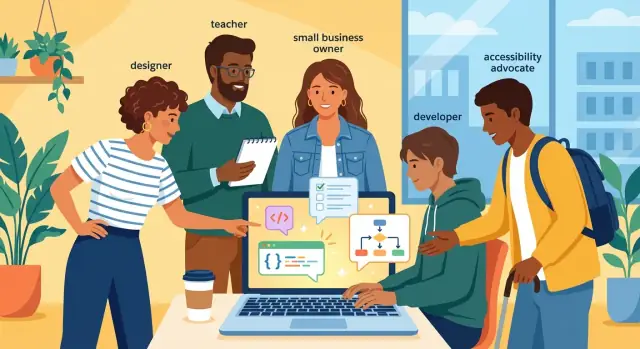
What “participation” in software creation really means
“Participation” in making software isn’t limited to writing code. Most products are shaped by many small decisions long before a developer opens an editor—and many decisions after the first version ships.
Participation spans the whole lifecycle
At a practical level, participation can include:
- Spotting problems and proposing ideas (what should exist, and why)
- Writing requirements and user stories (what the software must do)
- Designing flows and interfaces (how it should feel and behave)
- Creating data and content (labels, help text, knowledge bases, templates)
- Testing and troubleshooting (finding bugs, clarifying edge cases)
- Automating workflows (connecting tools, building internal utilities)
- Implementing and maintaining code (turning decisions into a working system)
Each of these is “software creation,” even if only one of them is traditional programming.
Why participation used to require programming
Historically, many of these activities depended on code because software was the only practical way to make changes “real.” If you wanted a new report, a revised form, a different approval step, or a small integration between systems, someone had to implement it in code—often inside complex stacks with strict deployment processes.
That reality made developers the gatekeepers for change, even when the change itself was easy to describe.
What changed with AI copilots, chat tools, and no-code
AI coding assistants can draft functions, tests, queries, and documentation from plain-language prompts. Chat-based tools help non-developers explore options, clarify requirements, and generate first-pass specs. No-code and low-code platforms let people build working prototypes—or even production workflows—without starting from a blank codebase.
The result: more people can contribute directly to building, not just to suggesting.
Who this article is for (and what you’ll learn)
This article is for product managers, designers, operations teams, founders, and developers who want a clear picture of how AI changes participation. You’ll learn which roles are expanding, what new skills matter most, and where teams need guardrails to keep quality, privacy, and accountability intact.
How AI shifts the entry point into building software
For a long time, “building software” effectively started with writing code—meaning engineers controlled the doorway. Everyone else could influence priorities, but not the mechanics of making something work.
AI tools move that doorway. The first step can now be a clear description of a problem and a rough idea of the workflow. Code still matters, but participation begins earlier and across more roles.
The barrier was already dropping—AI accelerates it
We’ve been heading this direction for years. Graphical interfaces let people configure behavior without typing much. Open-source packages made it normal to assemble apps from reusable parts. Cloud platforms removed the need to buy servers, set them up, and babysit them.
Those shifts lowered cost and complexity, but you still had to translate your intent into the “language” of tools: APIs, templates, configuration files, or a particular no-code builder.
What’s new: natural language + rapid iteration
Natural language interfaces change the starting point from tool-first to intent-first. Instead of learning the exact steps to scaffold an app, a person can ask for a working starting version, then iterate by describing changes:
- “Make this form save to a database and send a confirmation email.”
- “Add a dashboard that shows weekly totals.”
- “Explain what this error means and how to fix it.”
This tight feedback loop is the real shift. More people can get from idea → usable prototype in hours, not weeks, which makes participation feel practical rather than theoretical.
Tasks AI makes easier right away
AI often helps most with “blank page” work and translation work:
- Scaffolding: generating a basic project structure, sample pages, or a simple API.
- Explanations: turning unfamiliar concepts into plain-language guidance and next steps.
- Prototypes: creating quick demos to test a workflow before investing in production builds.
- Glue work: drafting small scripts, data transforms, or integrations that connect tools.
The entry point becomes clearer: if you can describe the outcome, you can help produce the first version—and that changes who can meaningfully contribute.
Who gets to build now: new and expanded roles
AI tools don’t just help professional engineers work faster—they lower the effort needed to express what you want built. That changes who can contribute meaningfully to software creation, and what “building” looks like day to day.
Non-technical builders: from requests to workable drafts
People in operations, marketing, sales, and customer success can now move beyond “feature ideas” and create usable starting points:
- Drafting clearer requirements (inputs, outputs, edge cases) with AI help
- Generating product copy and onboarding text that matches a brand voice
- Prototyping flows in documents or no-code tools so teams can react to something concrete
The key shift: instead of handing over vague descriptions, they can provide structured drafts that are easier to validate.
Designers: faster exploration, better UX hygiene
Designers can use AI to explore variations without treating every iteration like a full production task. Common wins include:
- Exploring layout and microcopy options for the same screen
- Writing UI text that’s consistent, concise, and user-friendly
- Running quick accessibility checks (contrast warnings, confusing error messages, inconsistent navigation wording) before formal review
This doesn’t replace design judgment; it reduces busywork so designers can focus on clarity and user intent.
QA and support: turning real issues into testable artifacts
QA and support teams often have the richest view of what breaks in the real world. AI helps them translate that knowledge into engineering-ready material:
- Generating test cases from a feature description or a bug report
- Producing reliable reproduction steps from messy ticket histories
- Summarizing trends across support tickets to highlight systemic problems
Domain experts: policies to logic
Legal, finance, HR, or compliance experts can convert rules into clearer validations—think “when X happens, require Y”—so teams catch policy requirements earlier.
Engineers: more time on architecture and reliability
Engineers still own the hard parts: system design, security, performance, and final code quality. But their work shifts toward reviewing AI-assisted contributions, strengthening interfaces, and making the whole product more reliable under change.
No-code, low-code, and AI: the new toolkit for makers
No-code and low-code platforms lowered the “how do I build this?” barrier by turning common software parts—forms, tables, and workflows—into configurable blocks. Adding AI changes the speed and starting point: instead of assembling everything manually, more people can describe what they want and get a working draft in minutes.
Faster forms, dashboards, and automations
For internal tools, the combo is especially powerful. A non-developer can create a request form, route approvals, and generate a dashboard without learning a full programming stack.
AI helps by proposing fields, writing validation rules, creating example queries, and translating business language (“show overdue invoices by account”) into filters and charts.
“Build me this” prototypes vs. production systems
Chat-based prompts are great for getting prototypes on the screen: “Build a simple CRM with contacts, deals, and reminders.” You often get a usable demo quickly—good enough to test a workflow, align stakeholders, and discover missing requirements.
But prototypes aren’t the same as production-ready systems. The gap usually appears when you need careful permissions, audit trails, data retention rules, integrations with critical systems, or guarantees about uptime and performance.
This is where modern “vibe-coding” platforms can help: for example, Koder.ai lets teams draft web, backend, and mobile apps through chat, then iterate with features like planning mode (to align on scope before generating changes) and snapshots/rollback (so experiments don’t become irreversible). The point isn’t that prompts magically create production software—it’s that the workflow can be structured to support safe iteration.
When it works well
This toolkit shines when workflows are clear, the data model is stable, and the rules are straightforward (e.g., intake → review → approve). Repeating patterns—CRUD apps, status-driven processes, scheduled reports—benefit most.
When it breaks down
It struggles with complex edge cases, heavy performance demands, or strict security needs. AI may generate logic that “looks right” but misses a rare exception, mishandles sensitive data, or creates brittle automation that fails silently.
A practical approach is to use no-code/low-code + AI to explore and validate, then decide what must be hardened with engineering review before it becomes a system people rely on.
Accessibility and equity: AI can widen or narrow the gap
Broader participation only matters if more people can actually take part—regardless of language, ability, or job title. AI tools can remove friction quickly, but they can also create new “hidden gates” (cost, bias, or uneven training) that quietly shrink who gets a seat at the table.
How AI can improve accessibility in everyday work
AI can help teams bake accessibility into software earlier, even when contributors aren’t specialists.
For example, it can:
- Suggest alt text for images and icons, and flag missing labels in UI copy
- Draft captions and transcripts for product videos or tutorials
- Rewrite content in simpler language for clarity (helpful for cognitive accessibility and readability)
- Run quick checks on common issues (contrast warnings, confusing error messages, inconsistent navigation wording)
Used well, this shifts accessibility from a late-stage “fix” to a shared responsibility.
Language access: more people can contribute meaningfully
Translation and localization support can bring non-native speakers into product discussions earlier. AI can draft translations, standardize terminology, and summarize threads so teammates in different regions can follow decisions.
The key is to treat AI translation as a starting point: product terms, legal language, and cultural nuance still need human review.
Assistive creation for people with disabilities
AI can make creation workflows more flexible:
- Voice input for drafting specs, bug reports, and UI text
- Summaries of long documents or meeting notes
- Guided, step-by-step prompts that reduce “blank page” anxiety and help with executive function
Where equity can slip: paywalls, bias, and uneven training
If the best tools are expensive, locked to certain regions, or only a few people know how to use them, participation becomes performative.
Model bias can also show up in who gets “good” results—through assumptions in generated text, uneven performance across languages, or accessibility advice that misses real user needs.
Practical steps to make participation equitable
Make access a team decision, not an individual perk: provide shared licenses, create short onboarding sessions, and publish lightweight standards (what AI can draft vs. what must be reviewed). Include diverse reviewers, test with assistive tech, and track who is contributing—not just how fast output increases.
Quality, privacy, and IP: the trade-offs of broader participation
Broader participation is a real win—until “more builders” also means “more ways for things to go wrong.” AI coding assistants, no-code tools, and citizen developers can ship faster, but speed can hide risks that experienced teams normally catch through reviews, testing, and security checks.
Speed vs. safety
When you can generate a feature in minutes, it’s easier to skip the boring parts: validation, error handling, logging, and edge cases.
Faster creation can increase mistakes simply because there’s less time (and often less habit) of verifying what was produced.
A useful rule: treat AI output as a first draft, not an answer.
Common failure modes to watch for
AI-generated software often fails in predictable ways:
- Wrong assumptions: the tool guesses your business rules, but your “obvious” logic isn’t universal.
- Insecure defaults: open permissions, weak authentication, missing rate limits, or unsafe file handling.
- Copied code patterns: solutions that look plausible but may be outdated, incompatible, or rely on libraries you can’t use.
These issues show up most when prototypes quietly become production.
Privacy: the “paste” problem
Many teams accidentally expose sensitive information by pasting real customer data, API keys, incident logs, or proprietary specs into AI tools.
Even when a vendor promises strong protections, you still need clear rules: what’s allowed to be shared, how data is retained, and who can access transcripts.
If you want broader participation, make safe defaults easy—templates with fake data, approved test accounts, and documented redaction steps.
Intellectual property and attribution
IP risk isn’t just “did the AI copy something?” It’s also licensing, provenance, and who owns what the team produces. Watch for:
- Code snippets that resemble third-party libraries without clear attribution
- Unclear licensing for generated assets (text, UI copy, icons)
- Using internal source code as prompts in tools that don’t guarantee isolation
Set expectations: prototype vs. production
Define two bars:
- A prototype standard (learn fast, limited access, no sensitive data)
- A production standard (reviews, tests, security checks, monitoring)
Clear expectations let more people build—without turning experiments into liabilities.
Skills that matter more than coding: asking, checking, refining
AI tools reduce the need to memorize syntax, but they don’t remove the need to think clearly. The people who get the best results aren’t necessarily “best coders”—they’re best at turning messy intent into precise instructions, then verifying what was produced.
The new baseline skills
Prompt writing is really problem framing: describe the goal, the constraints, and what “done” looks like. Helpful prompts include examples (real inputs/outputs) and non-negotiables (performance, accessibility, legal, tone).
Reviewing becomes a daily skill. Even if you don’t write code, you can spot mismatches between what you asked for and what you got.
Basic security awareness matters for everyone: don’t paste secrets into chat, avoid “quick fixes” that disable authentication, and treat any dependency or snippet as untrusted until checked.
Teaching verification habits (so AI doesn’t ship surprises)
Teams that scale participation build simple, repeatable checks:
- Run tests and add one new test for every bug found
- Read logs and error messages instead of guessing
- Use lightweight code review (even for small changes)
- Keep short checklists for common tasks (forms, payments, permissions)
If you’re establishing standards, document them once and point everyone to the same playbook (for example, /blog/ai-guidelines).
Pairing patterns that work
A reliable setup is domain expert + engineer + AI assistant. The domain expert defines rules and edge cases, the engineer validates architecture and security, and the AI accelerates drafts, refactors, and documentation.
This pairing turns “citizen development” into a team sport instead of a solo experiment.
Templates and guardrails
Participation is safer when people don’t start from a blank page. Provide:
- Style guides (naming, UI patterns, error handling)
- Reusable components and approved libraries
- Starter templates for common workflows (intake forms, reporting, approvals)
If you offer these guardrails as part of your platform or plan tiers, link them clearly from places like /pricing so teams know what support they can rely on.
Guardrails that keep participation safe and productive
When more people can build—and AI can generate working code in minutes—the biggest risk isn’t “bad intentions.” It’s accidental breakage, hidden security issues, and changes no one can explain later.
Good guardrails don’t slow everyone down. They make it safe for more people to contribute.
Review matters more when output explodes
AI increases the volume of changes: more experiments, more “quick fixes,” more copy‑pasted snippets. That makes review the main quality filter.
A practical approach is to require a second set of eyes for anything that touches production, customer data, payments, or permissions. Reviews should focus on outcomes and risks:
- What does this change affect?
- What could go wrong?
- How would we notice quickly?
Lightweight governance: clarity over bureaucracy
Participation scales best with simple rules that are consistently applied. Three elements make a big difference:
- Approval flows: define which kinds of changes need approval (e.g., UI copy vs. pricing logic).
- Audit trails: keep a record of who changed what and why (tickets, pull requests, change logs).
- Ownership: every system or workflow should have a named owner who can say “yes,” “no,” or “not yet.”
Security basics that non-specialists can follow
Security doesn’t have to be complicated to be effective:
- Least privilege: give tools and users only the access they need—nothing more.
- Secrets handling: never paste API keys into prompts, docs, or code; store them in the right secret manager.
- Dependency scanning: automatically check new packages and updates for known vulnerabilities before merging.
Documentation habits for AI-assisted changes
AI can produce code faster than teams can remember what changed. Make documentation part of “done,” not an optional extra.
A simple standard works: one paragraph on the intent, the key decision, and how to roll back. For AI-generated contributions, include the prompt or a short summary of what was asked, plus any manual edits.
Some teams also benefit from tooling that makes reversibility easy by default (for example, snapshot-and-rollback workflows in platforms like Koder.ai). The goal is the same: experimentation without fear, and a clear path back when a change goes sideways.
Define roles so experimentation doesn’t equal deployment
Broader participation is easiest when roles are explicit:
- Who can experiment (sandboxes, prototypes)
- Who can approve (reviews, security checks)
- Who can deploy (production releases)
With clear boundaries, teams get the creativity of many makers without sacrificing reliability.
What changes for product teams and decision-making
AI tools don’t just speed up delivery—they change how product teams decide what to build, who can contribute, and what “good enough” means at each stage.
Product discovery gets faster (and noisier)
When prototypes are cheap, discovery shifts from debating ideas to trying them. Designers, PMs, support leads, and domain experts can generate clickable mockups, basic workflows, or even working demos in days.
That’s a win—until it turns into a backlog full of half-tested experiments. The risk isn’t lack of ideas; it’s feature sprawl: more concepts than the team can validate, maintain, or explain.
A useful change is to make decision points explicit: what evidence is required to move from prototype → pilot → production. Without that, teams can mistake speed for progress.
Keep user research and usability testing central
AI can produce something that looks complete while hiding real friction. Teams should treat usability testing as non-negotiable, especially when a prototype was generated quickly.
Simple habits help:
- Test with real users early, even if it’s a rough flow.
- Document assumptions the prototype is making (data, roles, edge cases).
- Capture user confusion and drop-off points, not just opinions.
Measure outcomes, not output
With higher throughput, “we shipped X features” becomes less meaningful. Better signals include:
- Time saved for users or internal teams
- Defects and support tickets after release
- Adoption and retention (did people keep using it?)
- Satisfaction (qualitative feedback and short surveys)
Decide when to rewrite or harden
AI-made prototypes are often perfect for learning, but risky as foundations. A common rule: if it’s proving value and starting to attract dependency, schedule a deliberate “harden or replace” review.
That review should answer: Is the code understandable? Are privacy and permissions correct? Can we test it? If the answer is “not really,” treat the prototype as a reference implementation and rebuild the core properly—before it becomes mission-critical by accident.
Practical examples: what broader participation looks like
Broader participation is easiest to understand when you can picture the work. Here are three realistic “maker” scenarios where AI, low-code, and lightweight governance let more people contribute—without turning software into a free-for-all.
1) Operations builds a workflow automation (with IT oversight)
An operations team uses an AI assistant to map a process (“when an order is delayed, notify the account owner, create a task, and log a note”). They assemble the automation in a workflow tool, then IT reviews the connections, permissions, and error handling before it goes live.
The result: faster iteration on everyday processes, while IT remains accountable for security and reliability.
2) Support agents co-design a macro tool with engineers
Support agents describe the top 20 repetitive replies and the data they need to pull into messages. An AI tool helps draft macro templates and suggests decision rules (“if plan = Pro and issue = billing, include link X”). Engineers package it into the support platform with proper logging and A/B testing.
The result: agents shape the behavior, engineers ensure it’s measurable, maintainable, and safe.
3) A low-code dashboard that later becomes custom code
A finance lead prototypes an internal dashboard in low-code: key metrics, filters, and alerts. It proves useful, adoption grows, and edge cases appear. The team then migrates the most critical parts to custom code for performance, finer access controls, and versioning.
In practice, this “prototype-first” path is also where platforms that support source-code export can be useful. For example, teams might validate a workflow quickly in Koder.ai via chat, then export the codebase to bring it under their standard CI/CD, security scanning, and long-term ownership model.
The result: low-code validates the need; custom code scales it.
A quick validation checklist (use for any example)
- Data: What data is touched? Is it sensitive (PII, financial, HR)?
- Users: Who will use it, and how will access be granted/revoked?
- Risk level: What’s the worst-case failure (wrong email, wrong payout, leaked info)?
- Controls: Is there review, logging, and a rollback plan?
- Ownership: Who maintains it, and what happens when they change roles?
What the future could look like—and how to prepare
AI tools are lowering the effort to make working software, which means participation will keep expanding—but not in a straight line. The next few years will likely feel like a shift in how work is divided more than a sudden replacement of existing roles.
Near term: more builders, more review, clearer ownership
Expect more people to ship “good enough” internal tools, prototypes, and automations. The bottleneck moves from writing code to reviewing it, securing it, and deciding what should be production-grade.
Ownership also needs to get explicit: who approves releases, who is on-call, who maintains the workflow, and what happens when the original creator changes roles.
Medium term: stronger integrations and agentic workflows
As AI assistants connect more deeply to your docs, tickets, analytics, and codebase, you’ll see more end-to-end flows: draft a feature, implement it, generate tests, open a PR, and suggest rollout steps.
The biggest improvements will come from:
- Better testing and evaluation tools (so outputs can be trusted)
- Safer integration patterns (so agents can act without overreaching)
- Standardized building blocks (templates, approved components, policy checks)
What likely stays human-led
Even with more automation, teams will still need people accountable for:
- Setting goals and defining “done”
- Ethics, fairness, and user impact
- Risk decisions (privacy, security, compliance)
- Trust: explaining behavior, handling failures, and owning outcomes
How to stay valuable (individuals)
Focus on skills that travel across tools: clear problem framing, asking the right questions, validating with users, and tightening quality through iteration. Get comfortable with lightweight testing, basic data handling, and writing acceptance criteria—those skills make AI output usable.
How to invest wisely (leaders)
Treat participation as a product capability: establish guardrails, not blockers. Create approved paths for “small” tools versus “critical” systems, and fund enablement (training, reusable components, review time). If you broaden access, broaden accountability too—clear roles, audits, and escalation paths.
If you want a practical next step, define a simple policy for who can deploy what, and pair it with a review checklist your whole org can use.
FAQ
What counts as “participation” in creating software?
Participation includes any activity that shapes what gets built and how it behaves, not just writing code. That can mean defining problems, drafting requirements, designing flows, creating content, testing, automating workflows, and maintaining systems after launch.
Why did participation used to require programming?
Because code was historically the only reliable way to make changes real. Even simple changes (a new report, an approval step, a small integration) often required engineering work inside complex stacks and deployment processes, making developers the default gatekeepers for change.
How do AI copilots and chat tools change the entry point into building software?
They shift the starting point from tool-first to intent-first. If you can clearly describe the outcome, AI can draft scaffolding, sample implementations, tests, queries, and documentation—letting more people produce a usable first version and iterate quickly.
What tasks does AI make easier immediately?
Common quick wins include:
- Generating project scaffolding and “blank page” starting code
- Explaining errors and suggesting fixes
- Drafting prototypes to validate workflows
- Writing “glue” scripts (data transforms, small integrations)
Treat these outputs as first drafts that still need review and validation.
How can non-technical teams contribute more directly with AI?
They can move from requests to structured drafts by:
- Turning messy ideas into clearer requirements (inputs, outputs, edge cases)
- Drafting onboarding and product copy in a consistent voice
- Producing a prototype (documented flow or no-code build) that others can react to
The biggest value is handing engineers something testable instead of something vague.
How can designers use AI without sacrificing quality?
Designers can explore variations faster and improve UX hygiene by:
- Iterating on microcopy and UI text consistency
- Running quick accessibility checks (clarity, labeling, readability)
- Generating alternatives to compare before formal design review
It doesn’t replace design judgment; it reduces repetitive drafting work.
How do QA and support teams benefit from AI in the software lifecycle?
They can convert real-world issues into engineering-ready artifacts:
- Generate test cases from feature descriptions or bug reports
- Produce clearer reproduction steps from messy ticket histories
- Summarize patterns across tickets to surface systemic problems
This helps teams fix root causes rather than chasing one-off reports.
When should a no-code or AI-built prototype become production software?
Prototypes are great for learning fast and aligning stakeholders, but production systems need hardened basics like permissions, audit trails, data retention, reliability, and performance guarantees.
A practical rule: prototype freely, then schedule a deliberate “harden or rebuild” decision before users depend on it.
What guardrails help teams scale broader participation safely?
Set guardrails that make experimentation safe:
- Require a second review for anything touching production, customer data, payments, or permissions
- Keep audit trails (tickets/PRs/changelogs) and a named owner per system
- Use least privilege, proper secrets handling, and automatic dependency scanning
- Document intent, key decisions, and rollback steps (include the prompt summary when AI was used)
Clear roles help: who can experiment, who approves, who deploys.
What are the biggest privacy and IP risks with AI-assisted building, and how do you reduce them?
Avoid the “paste problem” by never sharing secrets, real customer data, or proprietary details with unapproved tools. Use redaction steps, fake data templates, and approved test accounts.
For IP, watch for unclear licensing or unattributed snippets and treat provenance as part of review. Define separate standards for prototypes vs. production so speed doesn’t bypass accountability.