

API Evolution & Backward Compatibility in AI Backends
Learn how AI-generated backends evolve APIs safely: versioning, compatible changes, migrations, deprecation steps, and tests that prevent breaking clients.
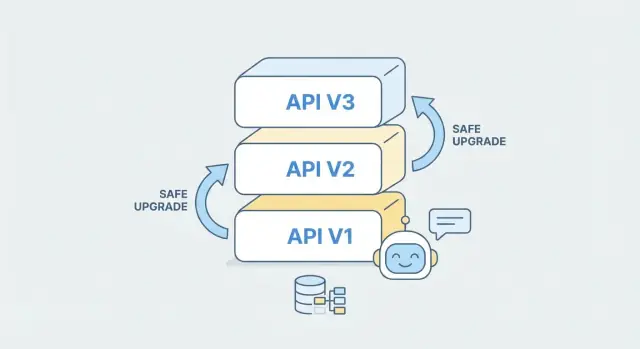
What API evolution means for AI-generated backends
API evolution is the ongoing process of changing an API after it’s already being used by real clients. That might mean adding fields, adjusting validation rules, improving performance, or introducing new endpoints. It matters most once clients are in production, because even a “small” change can break a mobile app release, an integration script, or a partner workflow.
Backward compatibility, explained simply
A change is backward compatible if existing clients keep working without any updates.
For example, suppose your API returns:
{ "id": "123", "status": "processing" }
Adding a new optional field is typically backward compatible:
{ "id": "123", "status": "processing", "estimatedSeconds": 12 }
Older clients that ignore unknown fields will continue working. By contrast, renaming status to state, changing a field’s type (string → number), or making an optional field required are common breaking changes.
What “AI-generated backend” means here
An AI-generated backend isn’t just a code snippet. In practice it includes:
- Generated API code (handlers, controllers, serializers)
- Configuration (routing, auth rules, rate limits)
- Infrastructure glue (migrations, deployment templates, environment settings)
Because AI can regenerate parts of the system quickly, the API can “drift” unless you intentionally manage changes.
This is especially true when you generate entire apps from a chat-driven workflow. For example, Koder.ai (a vibe-coding platform) can create web, server, and mobile applications from a simple chat—often with React on the web, Go + PostgreSQL on the backend, and Flutter for mobile. That speed is great, but it makes contract discipline (and automated diff/testing) even more important so a regenerated release doesn’t accidentally change what clients depend on.
What can be automated vs. what needs human review
AI can automate a lot: producing OpenAPI specs, updating boilerplate code, suggesting safe defaults, and even drafting migration steps. But human review is still essential for decisions that affect client contracts—what changes are allowed, which fields are stable, and how to handle edge cases and business rules. The goal is speed with predictable behavior, not speed at the cost of surprises.
Why backward compatibility is a top priority
APIs rarely have a single “client.” Even a small product can have multiple consumers that depend on the same endpoints behaving the same way:
- A web app shipped continuously
- A mobile app that updates through app stores on a slower cadence
- Partner integrations (often owned by other teams or companies)
- Internal services and automations (billing, analytics, support tools)
When an API breaks, the cost isn’t just developer time. Mobile users may be stuck on older app versions for weeks, so a breaking change can turn into a long tail of errors and support tickets. Partners might experience downtime, miss data, or halt critical workflows—often with contractual or reputational consequences. Internal services can silently fail and create messy backlogs (for example, missing events or incomplete records).
AI-generated backends add a twist: code can change quickly and frequently, sometimes in large diffs, because generation is optimized for producing working code—not for preserving behavior across time. That speed is valuable, but it also increases the risk of accidental breaking changes (renamed fields, different defaults, stricter validation, new auth requirements).
That’s why backward compatibility needs to be a deliberate product decision, not a best-effort habit. The practical approach is to define a predictable change process where the API is treated like a product interface: you can add capabilities, but you don’t surprise existing clients.
A useful mental model is to treat the API contract (for example, an OpenAPI spec) as the “source of truth” for what clients can rely on. Generation then becomes an implementation detail: you can regenerate the backend, but the contract—and the promises it makes—stays stable unless you intentionally version and communicate changes.
The API contract as the source of truth
When an AI system can generate or modify backend code quickly, the only reliable anchor is the API contract: the written description of what clients can call, what they must send, and what they can expect back.
What “contract” means in practice
A contract is a machine-readable spec such as:
- OpenAPI for REST endpoints (paths, parameters, auth, response shapes)
- JSON Schema for validating request/response payloads (often embedded inside OpenAPI)
- GraphQL schema for types, queries, mutations, and deprecations
This contract is what you promise to external consumers—even if the implementation behind it changes.
Contract-first vs. code-first (and where generators fit)
In a contract-first workflow, you design or update the OpenAPI/GraphQL schema first, then generate server stubs and fill in logic. This is usually safer for compatibility because changes are intentional and reviewable.
In a code-first workflow, the contract is produced from code annotations or runtime introspection. AI-generated backends often lean code-first by default, which is fine—as long as the generated contract is treated as an artifact to review, not an afterthought.
A practical hybrid is: let the AI propose code changes, but require that it also updates (or regenerates) the contract, and treat contract diffs as the main change signal.
Put the contract under version control
Store your API specs in the same repo as the backend and review them via pull requests. A simple rule: no merge unless the contract change is understood and approved. This makes backward-incompatible edits visible early, before they reach production.
Generate both server and clients from one source
To reduce drift, generate server stubs and client SDKs from the same contract. When the contract updates, both sides update together—making it much harder for an AI-generated implementation to accidentally “invent” behavior that clients weren’t built to handle.
Versioning strategies that work in practice
API versioning isn’t about predicting every future change—it’s about giving clients a clear, stable way to keep working while you improve the backend. In practice, the “best” strategy is the one your consumers understand instantly and your team can apply consistently.
Common strategies (and what they feel like to clients)
URL versioning puts the version in the path, like /v1/orders and /v2/orders. It’s visible in every request, easy to debug, and works well with caching and routing.
Header versioning keeps URLs clean and moves the version into a header (for example, Accept: application/vnd.myapi.v2+json). This can be elegant, but it’s less obvious during troubleshooting and can be missed in copy-pasted examples.
Query parameter versioning uses something like /orders?version=2. It’s straightforward, but can get messy when clients or proxies strip/alter query strings, and it’s easier for people to accidentally mix versions.
A default recommendation
For most teams—especially when you want simple client understanding—default to URL versioning. It’s the least surprising approach, easy to document, and makes it obvious which version a given SDK, mobile app, or partner integration is calling.
How AI-generated backends can help
When you use AI to generate or extend a backend, treat each version as a separate “contract + implementation” unit. You can scaffold a new /v2 from an updated OpenAPI spec while keeping /v1 intact, then share business logic underneath where possible. This reduces risk: existing clients keep working, while new clients adopt v2 intentionally.
Documentation and change communication
Versioning only works if your docs keep up. Maintain versioned API docs, keep examples consistent per version, and publish a changelog that clearly states what changed, what’s deprecated, and migration notes (ideally with side-by-side request/response examples).
Compatible vs. breaking changes: a practical checklist
When an AI-generated backend updates, the safest way to think about compatibility is: “Will an existing client still work without changes?” Use the checklist below to classify changes before you ship them.
Usually compatible (additive) changes
These changes typically don’t break existing clients because they don’t invalidate what clients already send or expect:
- New optional response fields (e.g., adding
middleNameormetadata). Existing clients should keep working as long as they don’t require an exact field set. - New endpoints (or new methods on a different path). Nothing existing changes.
- New optional request fields that the server can ignore or treat as defaults.
- Expanded enums in responses (clients should handle unknown values defensively).
Usually breaking (risky) changes
Treat these as breaking unless you have strong evidence otherwise:
- Removing fields or endpoints, or stopping support for a request field clients currently send.
- Renaming fields (even if you keep the meaning). Many clients map by name.
- Type changes (string → number, object → array,
nullable→ non-nullable). - Behavior changes: different defaults, sorting changes, pagination semantics, altered validation rules.
- Tightening constraints: making a previously optional field required, shrinking max length, changing accepted formats.
“Tolerant readers” as your compatibility baseline
Encourage clients to be tolerant readers: ignore unknown fields and handle unexpected enum values gracefully. This allows the backend to evolve by adding fields without forcing client updates.
How AI generators should enforce the rules
A generator can prevent accidental breaking changes by policy:
- Block merges if OpenAPI diffs include field removal, renames, or type changes without a version bump.
- Require any breaking change to be introduced as new fields/endpoints first, with deprecation notices on old ones.
- Emit warnings when adding response enums or changing defaults, prompting a compatibility review.
Database and schema migrations without breaking clients
API changes are what clients see: request/response shapes, field names, validation rules, and error behavior. Database changes are what your backend stores: tables, columns, indexes, constraints, and data formats. They’re related, but not identical.
A common mistake is treating a database migration as “internal only.” In AI-generated backends, the API layer is often generated from the schema (or tightly coupled to it), so a schema change can silently become an API change. That’s how older clients break even when you didn’t intend to touch the API.
A safe migration pattern (expand → migrate → contract)
Use a multi-step approach that keeps both old and new code paths working during rolling upgrades:
- Add: introduce new columns/tables without removing or renaming existing ones.
- Backfill: populate new fields for existing rows (in batches if needed).
- Dual-write: have the backend write to both the old and new locations.
- Switch reads: start reading from the new source while still dual-writing.
- Clean up: only after all clients are updated and old code is gone, remove legacy fields.
This pattern avoids “big bang” releases and gives you rollback options.
Defaults, nulls, and “missing” fields
Old clients often assume a field is optional or has a stable meaning. When adding a new non-null column, choose between:
- a server-side default that preserves behavior, or
- allowing NULL temporarily and handling it explicitly in the API layer.
Be careful: a DB default doesn’t always help if your API serializer still emits null or changes validation rules.
AI-generated migrations: helpful, not automatic
AI tools can draft migration scripts and even suggest backfills, but you still need human validation: confirm constraints, check performance (locks, index builds), and run migrations against staging data to ensure older clients keep working.
Feature flags and gradual rollouts for safer updates
Feature flags let you change behavior without changing the endpoint shape. That’s especially useful in AI-generated backends, where internal logic may be regenerated or optimized frequently, but clients still depend on consistent requests and responses.
Instead of releasing a “big switch,” you ship the new code path disabled by default, then turn it on gradually. If something goes wrong, you turn it off—without rushing an emergency redeploy.
How gradual rollout works
A practical rollout plan usually combines three techniques:
- Canary release: enable the new behavior for a small slice of traffic (or a small tenant) first.
- Percentage-based rollout: increase exposure from 1% → 10% → 50% → 100%, watching error rates and client impact.
- Fast rollback plan: define in advance what metrics trigger rollback (e.g., 5xx rate, validation failures, support tickets), and make the flag reversible within minutes.
For APIs, the key is to keep responses stable while you experiment internally. You can swap implementations (new model, new routing logic, new DB query plan) while returning the same status codes, field names, and error formats the contract promises. If you need to add new data, prefer additive fields that clients can ignore.
Simple example: rolling out stricter validation
Imagine a POST /orders endpoint that currently accepts phone in many formats. You want to enforce E.164 formatting, but tightening validation can break existing clients.
A safer approach:
- Ship the stricter validator behind a flag (e.g.,
strict_phone_validation). - Start in “report-only” mode: accept the request, but log what would have failed. Responses remain unchanged.
- Canary enable enforcement for internal users or 1% of traffic.
- Ramp up percentages while monitoring: validation error spikes, client retries, and drop-offs.
- Rollback immediately if failures exceed thresholds.
This pattern lets you move toward better data quality without turning a backward-compatible API into an accidental breaking change.
Deprecation and sunsetting: how to retire old versions
Deprecation is the “polite exit” for old API behavior: you stop encouraging it, you warn clients early, and you give them a predictable path to move forward. Sunsetting is the final step: an old version is turned off on a published date. For AI-generated backends—where endpoints and schemas can evolve quickly—having a strict retirement process is what keeps updates safe and trust intact.
Define what “major” means (Semantic Versioning)
Use semantic versioning at the API contract level, not just in your repo.
- MAJOR: any breaking change (removing fields/endpoints, changing meaning of a field, tightening validation, changing auth requirements, changing default behavior that clients rely on).
- MINOR: backwards-compatible additions (new optional fields, new endpoints, additive enum values when clients can ignore unknowns, new filter params).
- PATCH: bug fixes and non-functional improvements (performance, internal refactors) that don’t change the contract or observable behavior.
Put this definition in your docs once, then apply it consistently. It prevents “silent majors” where an AI-assisted change looks small but breaks a real client.
A practical deprecation timeline
Pick a default policy and stick to it so users can plan. A common approach:
- Announce deprecation: immediately when you release the new version.
- Deprecation window: keep the old version working for 90–180 days (longer for enterprise customers).
- Sunset date: publish a firm cutoff date on day one.
If you’re unsure, choose a slightly longer window; the cost of keeping a version alive briefly is usually lower than the cost of emergency client migrations.
Deprecation signals (make it hard to miss)
Rely on multiple channels because not everyone reads release notes.
- Response headers: e.g.
Deprecation: trueandSunset: Wed, 31 Jul 2026 00:00:00 GMT, plus aLinkto migration docs. - Docs notes: a clear banner in the old version docs with the sunset date and a migration checklist (linking to /docs/api/v2/migration).
- SDK warnings: warnings in official SDKs (runtime logs + compile-time deprecation annotations where possible).
Also include deprecation notices in changelogs and status updates so procurement and ops teams see them.
Removal: sunset with a firm date (and a safe end state)
Keep old versions running until the sunset date, then disable them deliberately—not gradually via accidental breakage.
On sunset:
- Return a clear error for the retired version (e.g.
410 Gone) with a message pointing to the newest version and migration page. - Keep a stable, human-readable explanation page for a while (e.g. /docs/deprecations/v1).
Most importantly, treat sunsetting as a scheduled change with owners, monitoring, and a rollback plan. That discipline is what makes frequent evolution possible without surprising clients.
Testing that prevents accidental breaking changes
AI-generated code can change quickly—and sometimes in surprising places. The safest way to keep clients working is to test the contract (what you promise externally), not just the implementation.
Contract tests: spec-to-spec comparisons
A practical baseline is a contract test that compares the previous OpenAPI spec to the newly generated one. Treat it like a “before vs. after” check:
- Detect removed endpoints, renamed fields, tighter validation rules, or changed auth requirements
- Flag response-code changes (for example, 200 → 204, or 404 behavior changing)
- Catch subtle shifts like making an optional field required
Many teams automate an OpenAPI diff in CI so no generated change can be deployed without review. This is especially useful when prompts, templates, or model versions shift.
Consumer-driven contract testing (in plain terms)
Consumer-driven contract testing flips the perspective: instead of the backend team guessing how clients use the API, each client shares a small set of expectations (the requests it sends and the responses it relies on). The backend must prove it still satisfies those expectations before release.
This works well when you have multiple consumers (web app, mobile app, partners) and you want updates without coordinating every deployment.
Regression tests for response shapes and errors
Add regression tests that lock down:
- Response JSON shape (field names, types, nesting)
- Defaults and nullability (missing vs. null)
- Pagination and sorting semantics
- Error formats: stable error codes, message structure, and validation error fields
If you publish an error schema, test it explicitly—clients often parse errors more than we’d like.
CI gates before rollout
Combine OpenAPI diff checks, consumer contracts, and shape/error regression tests into a CI gate. If a generated change fails, the fix is usually to adjust the prompt, generation rules, or a compatibility layer—before users notice.
Error handling and behavior stability across versions
When clients integrate with your API, they usually don’t “read” error messages—they react to error shapes and codes. A typo in a human-friendly message is annoying but survivable; a changed status code, missing field, or renamed error identifier can turn a recoverable situation into a broken checkout, a failed sync, or an infinite retry loop.
Stable errors: prioritize machine-readability
Aim to keep a consistent error envelope (the JSON structure) and a stable set of identifiers clients can rely on. For example, if you return { code, message, details, request_id }, don’t remove or rename those fields in a new version. You can improve wording in message freely, but keep code semantics stable and documented.
If you already have multiple formats in the wild, resist the urge to “clean it up” in place. Instead, add a new format behind a version boundary or a negotiation mechanism (e.g., Accept header), while continuing to support the old one.
Adding new error codes without breaking old clients
New error codes are sometimes necessary (new validation rules, new authorization checks), but you should add them in a way that doesn’t surprise existing integrations.
A safe approach:
- Keep old codes valid: if clients already handle
VALIDATION_ERROR, don’t replace it withINVALID_FIELDovernight. - Introduce new codes as more specific variants: return the new
code, but also include backward-compatible hints indetails(or keep mapping to the older generalized code for older versions). - Document a “fallback” rule: tell clients to treat unknown codes as a generic class based on HTTP status (400/401/403/404/409/429/500) and still display
message.
Crucially, never change the meaning of an existing code. If NOT_FOUND used to mean “resource doesn’t exist,” don’t start using it for “access denied” (that’s a 403).
Behavior stability: defaults must not shift silently
Backward compatibility is also about “same request, same result.” Seemingly small default changes can break clients that never explicitly set parameters.
Pagination: don’t change default limit, page_size, or cursor behavior without versioning. Switching from page-based to cursor-based pagination is a breaking change unless you keep both paths.
Sorting: default sort order should be stable. Changing from created_at desc to relevance desc can reorder lists and break UI assumptions or incremental sync.
Filtering: avoid altering implicit filters (e.g., suddenly excluding “inactive” items by default). If you need a new behavior, add an explicit flag like include_inactive=true or status=all.
Common pitfalls: time zones, number formats, and booleans
Some compatibility issues aren’t about endpoints—they’re about interpretation.
- Time zones: always specify whether timestamps are UTC, include offsets, and keep it consistent. A shift from local time to UTC without warning can cause duplicate or missing events.
- Number formats: JSON numbers are unambiguous, but strings that look like numbers (currency, decimals) can vary. Don’t change
"9.99"to9.99(or vice versa) in place. - Boolean defaults: defaults like
include_deleted=falseorsend_email=trueshould not flip. If you must change a default, require the client to opt in via a new parameter.
For AI-generated backends in particular, lock these behaviors down with explicit contracts and tests: the model may “improve” responses unless you enforce stability as a first-class requirement.
Observability: monitoring compatibility in the real world
Backward compatibility isn’t something you verify once and forget. With AI-generated backends, behavior can change faster than in hand-built systems, so you need feedback loops that show who is using what, and whether an update is harming clients.
Track metrics by API version (and by endpoint)
Start by tagging every request with an explicit API version (path like /v1/..., header like X-Api-Version, or the negotiated schema version). Then collect metrics segmented by that version:
- Usage: requests per minute by version and route
- Latency: p50/p95 by version (a “compatible” change can still be too slow)
- Error rates: 4xx vs. 5xx by version (spikes often reveal hidden breakages)
This lets you notice, for example, that /v1/orders is only 5% of traffic but 70% of errors after a rollout.
Detect clients still using old fields or endpoints
Instrument your API gateway or application to log what clients actually send and which routes they’re calling:
- Requests hitting deprecated endpoints (e.g.,
/v1/legacy-search) - Payloads containing deprecated fields
- Requests missing newly optional fields that some generated code might assume are present
If you control SDKs, add a lightweight client identifier + SDK version header to spot outdated integrations.
Use logs and tracing to pinpoint the change
When errors jump, you want to answer: “Which deployment changed behavior?” Correlate spikes with:
- release identifiers (commit hash/build id)
- structured logs that include version, route, and validation failures
- distributed traces that show where latency or exceptions appeared (gateway → handler → DB)
Rollback that fits generated deployments
Keep rollbacks boring: always be able to redeploy the previous generated artifact (container/image) and flip traffic back via your router. Avoid rollbacks that require data reversals; if schema changes are involved, prefer additive DB migrations so older versions keep working while you revert the API layer.
If your platform supports environment snapshots and fast rollback, use them. For instance, Koder.ai includes snapshots and rollback as part of its workflow, which pairs naturally with “expand → migrate → contract” database changes and gradual API rollouts.
A repeatable workflow for evolving AI-generated APIs
AI-generated backends can change quickly—new endpoints appear, models shift, and validations tighten. The safest way to keep clients stable is to treat API changes like a small, repeatable release process rather than “one-off edits.”
The workflow (proposal → sunset)
- Propose the change
Write down the “why,” the intended behavior, and the exact contract impact (fields, types, required/optional, error codes).
- Classify it
Mark it as compatible (safe) or breaking (requires client changes). If unsure, assume breaking and design a compatibility path.
- Design the compatibility plan
Decide how you’ll support old clients: aliases, dual-write/dual-read, default values, tolerant parsing, or a new version.
- Implement behind a guardrail
Add the change with feature flags or configuration so you can roll it out gradually and roll back quickly.
- Test the contract
Run automated contract checks (e.g., OpenAPI diff rules) plus golden “known client” request/response tests to catch behavior drift.
- Release with documentation
Every release should include: updated reference docs in /docs, a short migration note when relevant, and a changelog entry that states what changed and whether it’s compatible.
- Deprecate and remove on a schedule
Announce deprecations with dates, add response headers/warnings, measure remaining usage, then remove after the sunset window.
Mini example: renaming a field without breaking clients
If you want to rename last_name to family_name:
- Request handling: accept both fields; if both are provided, prefer
family_name. - Response handling: return both for a transition period (or return
family_nameand keeplast_nameas an alias field). - Storage: map both to the same internal column.
- Docs + changelog: document the new name, mark
last_nameas deprecated, and set a removal date.
If your offering includes plan-based support or long-term version support, call that out clearly on /pricing.
FAQ
What does “backward compatible” mean for an API?
Backward compatibility means existing clients keep working without any changes. In practice, you can usually:
- Add new optional response fields
- Add new endpoints
- Add optional request fields with safe defaults
You usually can’t rename/remove fields, change types, or tighten validation without breaking someone.
What are the most common breaking changes in real APIs?
Treat changes as breaking if they require any deployed client to update. Common breaking changes include:
- Renaming fields (e.g.,
status→state) - Changing a field type (string → number)
- Making an optional field required
- Changing default behavior (sorting, pagination, filtering)
- Changing auth requirements or error formats
How do you keep an AI-generated backend from “drifting” over time?
Use an API contract as your anchor, typically:
- OpenAPI (REST)
- JSON Schema (payload validation)
- GraphQL schema
Then:
- Store the spec in the repo
- Review spec diffs in pull requests
- Generate server stubs and (ideally) SDKs from the same source
This keeps AI regeneration from silently changing client-facing behavior.
Should I use contract-first or code-first when AI is generating code?
In contract-first, you update the spec first, then generate/implement code. In code-first, the spec is generated from code.
A practical hybrid for AI workflows:
- Let AI propose code changes
- Require it to update/regenerate the spec too
- Treat the contract diff as the primary review artifact
How can CI catch accidental breaking changes from regenerated code?
Automate an OpenAPI diff check in CI and fail builds when changes look breaking, such as:
- Removed endpoints/fields
- Renamed fields
- Type/nullability changes
- Newly required fields
- Auth or response code changes
Allow merges only when either (a) the change is confirmed compatible, or (b) you bump to a new major version.
What versioning strategy is recommended, and why?
URL versioning (e.g., /v1/orders, /v2/orders) is usually the least surprising:
- Easy for clients to understand
- Simple to debug from logs
- Plays nicely with routing and caching
Header or query versioning can work, but it’s easier for clients and support teams to miss during troubleshooting.
How should I handle adding new enum values without breaking clients?
Assume some clients are strict. Safer patterns:
- Prefer adding new fields over changing existing ones
- Keep old values valid; add new ones additively
- Document a client rule: treat unknown enum values as “other/unknown” and continue
If you must change meaning or remove an enum value, do it behind a new version.
What’s a safe database migration approach that won’t break API clients?
Use “expand → migrate → contract” so old and new code can run during rollouts:
- Add new columns/tables (don’t remove old)
- Backfill existing rows
- Dual-write to old and new
- Switch reads to the new source
- Clean up legacy only after clients are migrated
This reduces downtime risk and keeps rollback possible.
How do feature flags and gradual rollouts help with backward compatibility?
Feature flags let you change internal behavior while keeping the request/response shape stable. A practical rollout:
- Ship code behind a flag (off by default)
- Start canary/1% traffic
- Ramp up gradually while monitoring
- Roll back instantly by flipping the flag
This is especially useful for stricter validation or performance rewrites.
How should I deprecate and sunset old API versions safely?
Make deprecation hard to miss and time-bounded:
- Announce when the new version ships
- Keep the old version working for a defined window (often 90–180 days)
- Signal deprecation via response headers (e.g.,
Deprecation: true,Sunset: <date>,Link: </docs/api/v2/migration>) - On sunset, return a clear error (often
410 Gone) with migration guidance