

APIs as Products: Designing and Evolving with AI Workflows
Learn how to treat APIs as first-class products and use AI-driven workflows to design, document, test, monitor, and evolve them safely over time.
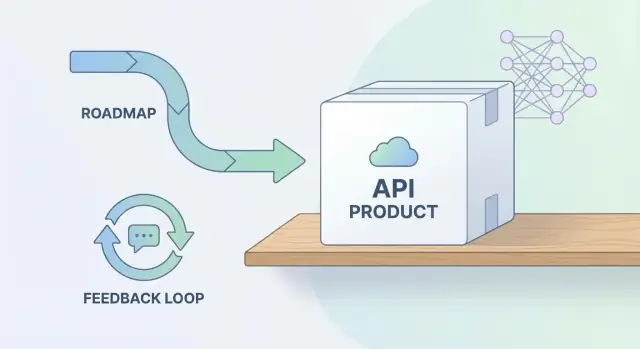
Why APIs Should Be Treated as Products
An API isn’t just “something engineering exposes.” It’s a deliverable that other people build plans, integrations, and revenue on top of. Treating an API as a product means you design it intentionally, measure whether it creates value, and maintain it with the same care you’d give to a user‑facing app.
Your API has customers (even if they never log in)
The “customers” of an API are the developers and teams who depend on it:
- Internal teams using it to ship features faster across multiple apps or services
- Partners embedding your capabilities into their workflows
- Public developers building integrations, add‑ons, or entirely new products
Each group has expectations around clarity, stability, and support. If the API breaks or behaves unpredictably, they pay the cost immediately—through outages, delayed launches, and increased maintenance.
Product thinking sets the right expectations over time
Product APIs focus on outcomes and trust:
- Value: The API should solve a real problem with the simplest possible interface.
- Reliability: Availability, latency, and error behavior are part of the product experience.
- Change management: Updates must be safe, communicated, and reversible. A “minor tweak” can still be a breaking change for someone else.
This mindset also clarifies ownership: someone needs to be responsible for prioritization, consistency, and long‑term evolution—not just initial delivery.
Where AI supports the API lifecycle
AI doesn’t replace good product judgment, but it can reduce friction across the lifecycle:
- Summarize feedback from tickets, Slack, and support into common themes
- Suggest clearer names, error messages, and request/response shapes during design
- Draft documentation and examples that match the contract
- Generate test cases and edge‑case coverage from specs
- Flag breaking changes by comparing versions and usage patterns
The result is an API that’s easier to adopt, safer to change, and more aligned with what users actually need.
If you want to go a step further, teams can also use a vibe‑coding platform like Koder.ai to prototype an API-backed feature end‑to‑end (UI + service + database) from a chat workflow—useful for quickly validating consumer journeys before you harden contracts and commit to long-term support.
Start with Customer Outcomes and Clear Ownership
Treating an API as a product starts before you pick endpoints or data fields. Start by deciding what “success” looks like for the people using it—both external developers and internal teams who depend on it to ship features.
Define outcomes that matter
You don’t need deep technical metrics to run an API product well. Focus on outcomes you can explain in plain language and tie back to business value:
- Adoption: how many teams or customers start using the API (and how quickly)
- Time-to-first-success: how long it takes a new consumer to make their first successful call or complete the first meaningful task
- Retention: whether consumers keep using the API after the first week/month
- Fewer support tickets: a steady reduction in “how do I…?” questions and recurring integration issues
These outcomes help you prioritize work that improves the experience—not just work that adds features.
Use a lightweight “API product brief”
Before writing specs, align stakeholders with a one‑page brief. Keep it simple enough to share in a kickoff doc or ticket.
API Product Brief (template):
- Problem: What user pain or business bottleneck are we solving?
- Primary users: Who will call this API (personas or teams)?
- Jobs-to-be-done: What are the top 3 tasks they’re hiring this API to do?
- Success signals: Which outcomes above will improve, and by how much?
- Non-goals: What this API will not do (to avoid scope creep)
When you later use AI to summarize feedback or propose changes, this brief becomes the “source of truth” that keeps suggestions grounded.
Make ownership explicit (and cross-functional)
APIs fail product expectations most often because responsibility is fragmented. Assign a clear owner and define who participates in decisions:
- Product: owns outcomes, prioritization, and the roadmap narrative
- Engineering: owns implementation, performance, and change safety
- Support/Success: owns integration feedback loops and top recurring issues
- Security/Governance: owns policy requirements, risk reviews, and compliance needs
A practical rule: one accountable owner, many contributors. That’s what keeps an API evolving in a way that customers actually feel.
Use AI to Turn Feedback into a Focused Roadmap
API teams rarely suffer from a lack of feedback—they suffer from messy feedback. Support tickets, Slack threads, GitHub issues, and partner calls often point to the same problems, but in different words. The result is a roadmap driven by the loudest request instead of the most important outcome.
Common signals hiding in plain sight
Recurring pain points tend to cluster around a few themes:
- Inconsistent naming across endpoints and fields (hard to learn, easy to misuse)
- Breaking changes introduced without warning or migration guidance
- Unclear or inconsistent error messages (no stable codes, vague “invalid request”)
- Missing examples and edge‑case behavior (pagination, nulls, rate limits)
AI can help you detect these patterns faster by summarizing large volumes of qualitative input into digestible themes, with representative quotes and links back to original tickets.
From themes to roadmap-ready work
Once you have themes, AI is useful for turning them into structured backlog items—without starting from a blank page. For each theme, ask it to draft:
- A problem statement (who is blocked, what task fails, what the impact is)
- A hypothesis for improvement (what change would reduce friction)
- Acceptance criteria (observable behaviors and examples)
For example, “unclear errors” can become concrete requirements: stable error codes, consistent HTTP status usage, and example responses for top failure modes.
A necessary warning: AI is not customer discovery
AI can accelerate synthesis, but it can’t replace conversations. Treat outputs as a starting point, then validate with real users: a few short calls, ticket follow‑ups, or a partner check‑in. The goal is to confirm priority and outcomes—before you commit to building the wrong fix faster.
Contract-First Design, Accelerated by AI Assistance
Contract-first design treats the API description as the source of truth—before anyone writes code. Using OpenAPI (for REST) or AsyncAPI (for event-driven APIs) makes requirements concrete: what endpoints or topics exist, what inputs are accepted, what outputs are returned, and which errors are possible.
Let AI draft the first 80%
AI is especially useful at the “blank page” stage. Given a product goal and a few example user journeys, it can propose:
- Endpoint shapes (resources, methods, paths) or event channels and message names
- Request/response schemas with realistic example payloads
- A consistent error model (status codes, error codes, fields like
message,traceId,details) - Pagination, filtering, and idempotency patterns that fit your use case
The benefit isn’t that the draft is perfect—it’s that teams can react to something tangible quickly, align earlier, and iterate with less rework.
Keep designs consistent with style guidelines
Contracts tend to drift when multiple teams contribute. Make your style guide explicit (naming conventions, date formats, error schema, pagination rules, auth patterns) and have AI apply it when generating or revising specs.
To keep standards enforceable, pair AI with lightweight checks:
- Linting rules for OpenAPI/AsyncAPI style and completeness
- Spec templates for common endpoints/events
- Review checklists that focus on consistency, not personal preference
Human review is non-negotiable
AI can accelerate structure, but humans must validate the intent:
- Security: auth scopes, least privilege, sensitive data exposure
- Privacy and compliance: PII fields, retention requirements, audit needs
- Business rules: edge cases, limits, and “what must never happen”
Treat the contract as a product artifact: reviewed, versioned, and approved like any other customer‑facing surface.
Design Standards That Improve Developer Experience
Great developer experience is mostly consistency. When every endpoint follows the same patterns for naming, pagination, filtering, and errors, developers spend less time reading docs and more time shipping.
Consistency that drives adoption
A few standards have outsized impact:
- Naming: Use predictable resource nouns and verbs. Prefer
/customers/{id}/invoicesover mixed styles like/getInvoices. - Pagination: Pick one approach (e.g.,
limit+cursor) and apply it everywhere. Consistent pagination prevents “special-case” code in every client. - Filtering/sorting: Standardize query parameters such as
status=paid,created_at[gte]=...,sort=-created_at. Developers learn once and reuse. - Errors: Return a stable error envelope with a machine-readable
code, humanmessage, andrequest_id. Consistent errors make retries, fallbacks, and support tickets dramatically easier.
A lightweight style guide (and a review checklist)
Keep the guide short—1–2 pages—and enforce it in reviews. A practical checklist might include:
- Resource names, casing, and pluralization match the guide
- All list endpoints support the standard pagination scheme
- Common filters follow the same parameter format
- Error responses include codes, HTTP status mapping, and examples
- Examples show both “happy path” and a couple of real failure modes
AI-assisted standards checks
AI can help enforce consistency without slowing teams down:
- Suggest lint fixes: naming, parameter shape, missing
400/401/403/404/409/429cases - Flag inconsistencies: one endpoint uses
page, another usescursor - Detect missing edge cases: undocumented rate-limit behavior, ambiguous error codes, or inconsistent enum values
Accessibility for developers
Think of accessibility as “predictable patterns.” Provide copy‑pastable examples in every endpoint description, keep formats stable across versions, and ensure similar operations behave similarly. Predictability is what makes an API feel learnable.
Documentation as a Product Surface (Not an Afterthought)
Your API documentation isn’t “supporting material”—it is part of the product. For many teams, the docs are the first (and sometimes only) interface developers experience. If the docs are confusing, incomplete, or stale, adoption suffers even when the API itself is well-built.
What “great docs” include
Great API docs help someone succeed quickly, then stay productive as they go deeper.
A solid baseline usually includes:
- Quickstart: the shortest path to a working call (auth + one real request + expected response)
- Copy-pastable examples: multiple languages where relevant, plus curl
- Edge cases: pagination limits, idempotency behavior, rate limits, and “what happens when data is missing”
- Error handling: a clear error model, common error codes, and recovery guidance (retry vs. fix request vs. contact support)
Using AI to draft docs from the contract
If you work contract-first (OpenAPI/AsyncAPI), AI can generate an initial documentation set directly from the spec: endpoint summaries, parameter tables, schemas, and example requests/responses. It can also pull in code comments (e.g., JSDoc, docstrings) to enrich descriptions and add real‑world notes.
This is especially useful for creating consistent first drafts and filling gaps you might miss under deadline pressure.
Keep docs in sync with releases
AI drafts still need a human edit pass for accuracy, tone, and clarity (and to remove anything misleading or overly generic). Treat this like product copy: concise, confident, and honest about constraints.
Tie docs to releases: update docs in the same pull request as the API change, and publish a simple changelog section (or link to one) so users can track what changed and why. If you already have release notes, link them from the docs (e.g., /changelog) and make “docs updated” a required checkbox in your definition of done.
Versioning, Deprecation, and Safe Change Management
Versioning is how you label “which shape” your API has at a point in time (for example, v1 vs v2). It matters because your API is a dependency: when you change it, you’re changing someone else’s app. Breaking changes—like removing a field, renaming an endpoint, or changing what a response means—can silently crash integrations, create support tickets, and stall adoption.
A simple compatibility strategy that scales
Start with a default rule: prefer additive change.
Additive changes usually don’t break existing users: adding a new optional field, introducing a new endpoint, or accepting an additional parameter while keeping old behavior intact.
When you must make a breaking change, treat it like a product migration:
- Deprecate first: mark the old behavior/field as deprecated, but keep it working
- Set a deprecation window: publish a clear timeline (e.g., 90–180 days) before removal
- Offer a stable path: provide the new alternative (new field/endpoint/version) immediately so teams can move at their pace
How AI can reduce risk
AI tools can compare API contracts (OpenAPI/JSON Schema/GraphQL schemas) between versions to flag likely breaking changes—removed fields, narrowed types, stricter validation, renamed enums—and summarize “who might be impacted.” In practice, this becomes an automated check in pull requests: if a change is risky, it gets attention early, not after a release.
Communicating changes like a product team
Safe change management is half engineering and half communication:
- Release notes that highlight what changed, who it affects, and what action (if any) is required
- Migration tips with before/after examples and a short checklist
- A single source of truth (for example, a
/changelogpage) so developers don’t hunt through tickets or chat threads
Done well, versioning isn’t bureaucracy—it’s how you earn long‑term trust.
Testing and Quality Gates with AI-Generated Coverage
APIs fail in ways that are easy to miss: a subtly changed response shape, an edge-case error message, or a “harmless” dependency upgrade that alters timing. Treat testing as part of the product surface, not a backend chore.
Test types that matter for APIs
A balanced suite usually includes:
- Contract tests: verify requests/responses match the published spec (including required fields, enums, status codes, and error formats)
- Integration tests: validate real interactions with dependencies (databases, queues, third-party services) in an environment that resembles production
- Negative and edge-case tests: invalid inputs, missing auth, expired tokens, rate limits, large payloads, idempotency behavior, and partial failures
How AI helps expand coverage (without guessing)
AI is useful for proposing tests you would otherwise forget. Given an OpenAPI/GraphQL schema, it can generate candidate cases such as boundary values for parameters, “wrong type” payloads, and variations of pagination, filtering, and sorting.
More importantly, feed it known incidents and support tickets: “500 on empty array,” “timeout during partner outage,” or “incorrect 404 vs 403.” AI can translate those stories into reproducible test scenarios so the same class of failure doesn’t return.
Deterministic automation + human review
Generated tests must be deterministic (no flaky timing assumptions, no random data without fixed seeds) and reviewed like code. Treat AI output as a draft: validate assertions, confirm expected status codes, and align error messages with your API guidelines.
CI quality gates before release
Add gates that block risky changes:
- Contract tests and core integration tests must pass
- Coverage for new endpoints and error paths must meet a baseline
- Backward-compat checks against the previous version (no breaking changes without an explicit version bump)
- Security and lint checks for the spec and implementation
This keeps releases routine—and makes reliability a product feature users can count on.
Observability and Reliability as Ongoing Product Work
Treat runtime behavior as part of the API product, not an ops-only concern. Your roadmap should include reliability improvements the same way it includes new endpoints—because broken or unpredictable APIs erode trust faster than missing features.
The runtime signals that actually matter
Four signals give you a practical, product-friendly view of health:
- Latency: How long requests take (watch percentiles like p95/p99, not just averages)
- Error rates: The proportion of failed requests, segmented by route, customer, and error type
- Throughput: Request volume over time—useful for adoption tracking and capacity planning
- Saturation: How “full” critical resources are (CPU, memory, connection pools, queue depth). High saturation often precedes latency spikes and timeouts.
Use these signals to define service level objectives (SLOs) per API or per critical operation, then review them as part of regular product check‑ins.
AI-assisted alert tuning and faster incident learning
Alert fatigue is a reliability tax. AI can help by analyzing past incidents and proposing:
- Better thresholds (e.g., “alert when p95 latency changes relative to baseline”)
- Smarter grouping (reduce duplicate alerts across similar endpoints)
- Incident summaries that combine logs, metrics, and traces into a short narrative: what changed, who was affected, and likely root causes
Treat AI output as a draft to validate, not an automatic decision-maker.
Reliability that users can see
Reliability is also communication. Maintain a simple status page (e.g., /status) and invest in clear, consistent error responses. Helpful error messages include an error code, a brief explanation, and a correlation/request ID customers can share with support.
Privacy-first telemetry
When analyzing logs and traces, minimize data by default: avoid storing secrets and unnecessary personal data, redact payloads, and limit retention. Observability should improve the product without expanding your privacy risk surface.
Security and Governance Built into the Workflow
Security shouldn’t be a late-stage checklist for an API. As a product, it’s part of what customers are buying: trust that their data is safe, confidence that usage is controlled, and evidence for compliance reviews. Governance is the internal side of that promise—clear rules that prevent “one-off” decisions from quietly increasing risk.
Translate security into product outcomes
Frame security work in terms stakeholders care about: fewer incidents, faster approvals from security/compliance, predictable access for partners, and lower operational risk. This also makes prioritization easier: if a control reduces breach likelihood or audit time, it’s product value.
Common controls to bake in early
Most API programs converge on a small set of fundamentals:
- Authentication and authorization (authn/authz): who can call the API, and what they can do
- Rate limits and quotas: protect reliability and deter abuse
- Input validation: block malformed payloads and injection-style attacks
- Audit logs: trace access and changes for investigations and compliance
Treat these as default standards, not optional add-ons. If you publish internal guidance, keep it easy to apply and review (for example, a security checklist in your API templates).
How AI helps—when supervised
AI can assist by scanning API specs for risky patterns (overly broad scopes, missing auth requirements), highlighting inconsistent rate-limit policies, or summarizing changes for security review. It can also flag suspicious traffic trends in logs (spikes, unusual client behavior) so humans can investigate.
Don’t do this
Never paste secrets, tokens, private keys, or sensitive customer payloads into tools that aren’t approved for that data. When in doubt, redact, minimize, or use synthetic examples—security and governance only work if the workflow itself is safe.
A Repeatable AI-Driven API Lifecycle Workflow
A repeatable workflow keeps your API moving forward without relying on heroes. AI helps most when it’s embedded in the same steps every team follows—from discovery to operations.
The workflow (end-to-end)
Start with a simple chain your team can run on every change:
- Ideation → API brief: Capture the user problem, target audience, success metrics, and constraints. Use AI to summarize customer feedback and propose candidate capabilities.
- Spec → contract: Draft an OpenAPI/AsyncAPI contract early. Ask AI to spot missing error cases, inconsistent naming, and unclear semantics.
- Docs → developer-ready: Generate reference docs and examples from the contract, then have AI tighten wording for clarity and consistency.
- Tests → confidence: Generate contract tests, negative cases, and sample payloads. Use AI to propose edge cases you might miss.
- Release → controlled rollout: Publish the contract and docs, then ship behind a feature flag or staged rollout where possible.
- Monitor → learn: Track usage, latency, error rates, and top support questions; feed those signals back into the next brief.
In practice, a platform approach can also help operationalize this: for example, Koder.ai can take a chat-based spec and generate a working React + Go + PostgreSQL app skeleton, then let you export source code, deploy/host, attach a custom domain, and use snapshots/rollback—handy for turning a contract-first design into a real, testable integration quickly.
Artifacts to keep (and reuse)
Maintain a small set of living artifacts: API brief, API contract, changelog, runbooks (how to operate/support it), and a deprecation plan (timelines, migration steps, comms).
Lightweight approvals that prevent surprises
Use checkpoints instead of big gates:
- Product: aligns outcomes, scope, and breaking-change impact
- Engineering: validates feasibility, consistency, and operational readiness
- Security/Governance: reviews authZ/authN, data handling, abuse cases, and logging requirements
Handling exceptions and urgent fixes without chaos
Define an “expedite path” for incidents: ship the smallest safe change, document it in the changelog immediately, and schedule a follow‑up within days to reconcile contract, docs, and tests. If you must diverge from standards, record the exception (owner, reason, expiry date) so it gets paid down—not forgotten.
Getting Started: A Practical Rollout Plan for Teams
If your team is starting from scratch, the fastest path is to treat one small API slice as your pilot—one endpoint group (e.g., /customers/*) or a single internal API used by one consuming team. The goal is to prove a repeatable workflow before scaling it.
A 4‑week adoption plan (week by week)
Week 1 — Pick the pilot and define success
Choose one owner (product + engineering) and one consumer. Capture the top 2–3 user outcomes (what the consumer must be able to do). Use AI to summarize existing tickets, Slack threads, and support notes into a short problem statement and acceptance criteria.
Week 2 — Design the contract first
Draft an OpenAPI/contract and examples before implementation. Ask AI to:
- Propose consistent naming, error shapes, and pagination patterns
- Generate example requests/responses that match real use cases
Review with the consumer team, then freeze the contract for the first release.
Week 3 — Build, test, and document in parallel
Implement against the contract. Use AI to generate test cases from the spec and to fill documentation gaps (auth, edge cases, common errors). Set up basic dashboards/alerts for latency and error rate.
If you’re short on time, this is also where an end-to-end generator like Koder.ai can help you spin up a working service quickly (including deployment/hosting) so consumers can try real calls early—then you can harden, refactor, and export the codebase once the contract stabilizes.
Week 4 — Release and establish the operating rhythm
Ship behind a controlled rollout (feature flag, allowlist, or staged environments). Run a short post-release review: what confused consumers, what broke, what should become a standard.
Definition of done for an API release
An API release is “done” only when it includes: published docs and examples, automated tests (happy path + key failures), basic metrics (traffic, latency, error rate), an owner and support path (where to ask, expected response time), and a clear changelog/version note.
To keep momentum, standardize this as a checklist for every release. For next steps, see /pricing or browse related guides at /blog.
FAQ
What does it mean to treat an API as a product?
Treating an API as a product means you design it for real users (developers), measure whether it creates value, and maintain it with predictable behavior over time.
In practice, it shifts focus from “we shipped endpoints” to:
- Clear jobs-to-be-done and success metrics
- Reliability (latency/availability/error behavior) as part of UX
- Safe, well-communicated changes with an owner and roadmap
Who are the “customers” of an API?
Your API customers are anyone who depends on it to ship work:
- Internal teams building features across services
- Partners embedding your capabilities
- Public developers building integrations or add-ons
Even if they never “log in,” they still need stability, clarity, and a support path—because a breaking API breaks their product.
Which metrics best reflect whether an API is succeeding?
Start with outcomes you can explain in plain language and tie to business value:
- Adoption (who starts using it)
- Time-to-first-success (how fast a new consumer completes a meaningful task)
- Retention (do they keep using it after initial integration)
- Fewer support tickets (especially repeated “how do I…?” issues)
Track these alongside basic health metrics (error rate/latency) so you don’t optimize adoption at the expense of trust.
What should an API product brief include?
A lightweight brief prevents “endpoint-first” design and keeps AI suggestions grounded. Keep it to one page:
- Problem
- Primary users
- Top 3 jobs-to-be-done
- Success signals
- Non-goals
Use it as the reference when reviewing specs, docs, and change requests so scope doesn’t drift.
How should API ownership be structured across teams?
Make one person accountable, with cross-functional contributors:
- Product: outcomes, prioritization, roadmap narrative
- Engineering: implementation, performance, change safety
- Support/Success: feedback loops and recurring integration issues
- Security/Governance: policy, risk, compliance requirements
A practical rule is “one accountable owner, many contributors,” so decisions don’t get stuck between teams.
Where does AI help most in the API lifecycle (and where doesn’t it)?
AI is most useful for reducing friction, not making product decisions. High-leverage uses include:
- Summarizing themes from tickets/Slack/issues into actionable problem statements
- Drafting OpenAPI/AsyncAPI specs, schemas, and example payloads
- Suggesting clearer naming and consistent error models
- Generating test cases from a contract (including edge/negative cases)
- Flagging likely breaking changes by comparing spec versions
Always validate AI output with real users and human review for security, business rules, and correctness.
What is contract-first API design, and how do you keep it consistent?
Contract-first means the API description is the source of truth before implementation (e.g., OpenAPI for REST, AsyncAPI for events).
To make it work day-to-day:
- Agree on a style guide (naming, pagination, errors, auth patterns)
- Lint the spec in CI to enforce consistency
- Review the contract like a customer-facing artifact (versioned and approved)
This reduces rework and makes docs/tests easier to generate and keep in sync.
What should great API documentation contain?
A minimal “developer-success” baseline usually includes:
- Quickstart: auth + one real request + expected response
- Copy-pastable examples (curl and any key SDK languages)
- Edge cases: pagination, rate limits, idempotency, null/missing data
- Error handling: stable error codes, status mapping, and recovery guidance
Keep docs updated in the same PR as the API change and link changes from a single place like /changelog.
How do you handle versioning, deprecations, and breaking changes safely?
Prefer additive changes (new optional fields/endpoints) and treat breaking changes like migrations:
- Deprecate first (keep old behavior working)
- Publish a clear window (e.g., 90–180 days)
- Provide the new alternative immediately
- Include before/after examples and a checklist in release notes
Automate breaking-change detection by diffing contracts in CI so risky changes are caught before release.
What tests and operational signals matter most for API reliability?
Use a balanced set of quality gates:
- Contract tests: responses match the published spec
- Integration tests: real dependencies in a prod-like environment
- Negative/edge tests: auth failures, rate limits, boundary values, idempotency, large payloads
- Backward-compat checks against the previous contract
For runtime reliability, monitor latency (p95/p99), error rates by route/customer, throughput, and saturation—and publish a clear support path plus a status page like /status.