

How Automated Test Generation Complements AI-Written Logic
Learn why auto-generated tests pair naturally with AI-written app logic, and how to build a workflow where code, tests, and CI checks improve together.
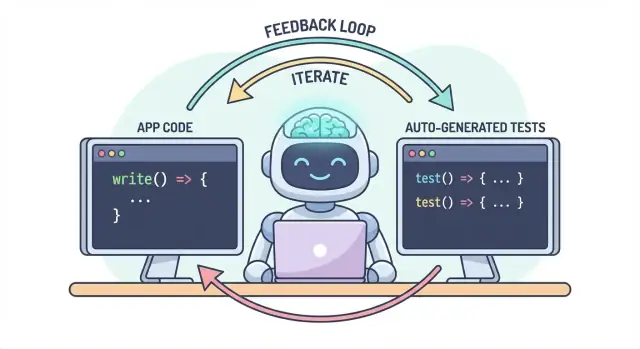
Why AI-generated code and auto-generated tests belong together
AI-written application logic means the “working” parts of your codebase are drafted with help from an assistant: new functions, small features, refactors, edge-case handling, and even rewrites of existing modules. You still decide what to build, but the first version of the implementation often arrives faster—and sometimes with assumptions you won’t notice until later.
Automated test generation is the matching capability on the verification side. Instead of writing every test by hand, tools can propose test cases and assertions based on your code, a spec, or patterns learned from previous bugs. In practice, this can look like:
- “Given this function signature and branches, here are tests that cover typical inputs, boundaries, and error paths.”
- “Here are regression tests that reproduce the crash we saw in production.”
The key expectation: generated tests aren’t automatically “good”
A generated test can be misleading: it may assert the current behavior even if the behavior is wrong, or it may miss product rules that live in people’s heads and ticket comments. That’s why human review matters. Someone needs to confirm that the test name, setup, and assertions reflect real intent—not just whatever the code happens to do today.
One workflow, two outputs
The core idea is simple: code and tests should evolve together as one workflow. If AI helps you change logic quickly, automated test generation helps you lock in the intended behavior just as quickly—so the next change (human or AI) has a clear, executable definition of “still correct.”
In practice, this “paired output” approach is easier to maintain when your dev flow is already chat-driven. For example, in Koder.ai (a vibe-coding platform for building web, backend, and mobile apps via chat), it’s natural to treat “feature + tests” as a single deliverable: you describe the behavior, generate the implementation, then generate and review tests in the same conversational loop before deploying.
The problem: faster coding can mean faster bugs
AI-written code can feel like a superpower: features appear quickly, boilerplate vanishes, and refactors that used to take hours can happen before your coffee cools. The catch is that speed changes the shape of risk. When code is easier to produce, it’s also easier to ship mistakes—sometimes subtle ones.
Common failure modes of AI-written logic
AI assistants are good at generating “reasonable” implementations, but reasonable isn’t the same as correct for your specific domain.
Edge cases are the first casualty. AI-generated logic often handles the happy path well, then stumbles on boundary conditions: empty inputs, timezone quirks, rounding, null values, retry behavior, or “this should never happen” states that happen in production.
Wrong assumptions are another frequent issue. An assistant may infer requirements that weren’t stated (“users are always authenticated,” “IDs are numeric,” “this field is always present”), or it may implement a familiar pattern that doesn’t match your system’s rules.
Silent regressions are often the most expensive. You ask for a small change, the assistant rewrites a chunk of logic, and something unrelated breaks—without obvious errors. The code still compiles, the UI still loads, but a pricing rule, permission check, or data conversion is now slightly off.
Why manual testing doesn’t scale with faster code
When code changes accelerate, manual testing becomes a bottleneck and a gamble. You either spend more time clicking around (slowing delivery) or you test less (increasing escapes). Even disciplined QA teams can’t manually cover every variant when changes are frequent and wide-ranging.
Worse, manual checks are hard to repeat consistently. They live in someone’s memory or a checklist, and they’re easy to skip when deadlines tighten—exactly when the risk is highest.
Tests as a safety net and a communication tool
Automated tests create a durable safety net: they make expectations executable. A good test says, “Given these inputs and this context, this is the outcome we rely on.” That’s not just verification; it’s communication for future you, teammates, and even the AI assistant.
When tests exist, changes become less scary because feedback is immediate. Instead of discovering problems after code review, during staging, or from customers, you find them minutes after the change.
Catch issues earlier to reduce rework
The earlier a bug is caught, the cheaper it is to fix. Tests shorten the feedback loop: they surface mismatched assumptions and missed edge cases while the intent is still fresh. That reduces rework, avoids “fix-forward” patches, and keeps AI speed from turning into AI-driven churn.
How tests create a feedback loop for AI-written logic
AI-written code is fastest when you treat it like a conversation, not a one-off deliverable. Tests are what make that conversation measurable.
The “spec → code → tests” loop (in plain English)
-
Spec: You describe what should happen (inputs, outputs, edge cases).
-
Code: The AI writes the implementation that claims to match that description.
-
Tests: You (or the AI) generate checks that prove the behavior is actually true.
Repeat this loop and you’re not just producing more code—you’re continuously tightening the definition of “done.”
Tests force clearer requirements and interfaces
A vague requirement like “handle invalid users gracefully” is easy to gloss over in code. A test can’t be vague. It forces specifics:
- What counts as “invalid”? Missing ID, banned status, malformed email?
- What does “gracefully” mean? Error message, status code, fallback value?
- What’s the interface? Function signature, return shape, exceptions?
As soon as you try to express those details in a test, unclear parts surface immediately. That clarity improves the prompt you give the AI and often leads to simpler, more stable interfaces.
Generated tests validate what the code claims
AI code can look correct while hiding assumptions. Generated tests are a practical way to verify the claims the code is making:
- “This function is pure” → test for no external side effects.
- “Handles edge cases” → test nulls, empty lists, boundary values.
- “Backward compatible” → test old inputs and expected outputs.
The goal isn’t to trust generated tests blindly—it’s to use them as fast, structured skepticism.
Failing tests become the next prompt
A failing test is actionable feedback: it points to a specific mismatch between the spec and the implementation. Instead of asking the AI “fix it,” you can paste the failure and say: “Update the code so this test passes without changing the public API.” That turns debugging into a focused iteration rather than a guessing game.
Where automated test generation fits in your test pyramid
Automated test generation is most useful when it supports your existing test strategy—especially the classic “test pyramid.” The pyramid isn’t a rule for its own sake; it’s a way to keep feedback fast and trustworthy while still catching real-world failures.
AI can help you create tests at every layer, but you’ll get the best results when you generate more of the cheap tests (bottom of the pyramid) and fewer of the expensive ones (top). That balance keeps your CI pipeline quick while still protecting the user experience.
Unit tests: fast, focused, and very generatable
Unit tests are small checks for individual functions, methods, or modules. They run quickly, don’t need external systems, and are ideal for AI-generated coverage of edge cases.
A good use of automated test generation here is to:
- Exercise input validation and “weird” boundary values
- Validate business rules (discounts, permissions, state transitions)
- Lock down bug fixes with regression tests that are hard to forget
Because unit tests are narrowly scoped, they’re easier to review and less likely to become flaky.
Integration tests: fewer, but high-value
Integration tests validate how pieces work together: your API with the database, a service calling another service, queue processing, authentication, and so on.
AI-generated integration tests can be valuable, but they require more discipline:
- Clear setup/teardown so tests don’t leak data
- Stable test environments (containers, test databases, mocks where appropriate)
- Assertions that focus on outcomes, not internal implementation details
Think of these as “contract checks” that prove the seams between components still hold.
End-to-end tests: generate sparingly
End-to-end (E2E) tests validate key user flows. They’re also the most expensive: slower to run, more brittle, and harder to debug.
Automated test generation can help draft E2E scenarios, but you should curate them aggressively. Keep a small set of critical paths (signup, checkout, core workflow) and avoid trying to generate E2E tests for every feature.
The practical recommendation: generate a balanced mix
Don’t aim to generate everything. Instead:
- Generate many unit tests to keep AI-written logic honest at the function level
- Add targeted integration tests to protect the highest-risk boundaries (DB, auth, payments)
- Maintain a minimal E2E suite for the few user journeys you can’t afford to break
This approach keeps the pyramid intact—and makes automated test generation a force multiplier rather than a source of noise.
What can be generated: from code, specs, and real bugs
Automated test generation isn’t limited to “write unit tests for this function.” The most useful generators pull from three sources: the code you have, the intent behind it, and the failures you’ve already seen.
1) From code structure: exercise behavior, not just lines
Given a function or module, tools can infer test cases from inputs/outputs, branches, and exception paths. That typically means:
- “Happy path” inputs that should produce a known result
- Boundary values (empty strings, zero, max lengths)
- Branch coverage (if/else paths)
- Error handling (invalid inputs, missing fields, timeouts)
This style is great for quickly surrounding AI-written logic with checks that confirm what it actually does today.
2) From requirements: turn intent into executable examples
If you have acceptance criteria, user stories, or example tables, generators can convert them into tests that read like the spec. This is often higher value than code-derived tests because it locks in “what should happen,” not “what currently happens.”
A practical pattern: provide a few concrete examples (inputs + expected outcomes) and ask the generator to add edge cases consistent with those rules.
3) From bug reports: reproduce first, then prevent
Bug-based generation is the fastest way to build a meaningful regression suite. Feed the steps to reproduce (or logs and a minimal payload) and generate:
- a test that fails on the current buggy behavior, then
- the same test passing once fixed—forever guarding against reintroducing it.
Snapshot/golden tests: helpful, with a warning
Snapshot (golden) tests can be efficient for stable outputs (rendered UI, serialized responses). Use them carefully: large snapshots can “approve” subtle mistakes. Prefer small, focused snapshots and pair them with assertions on key fields that must be correct.
Choosing what to test first (without boiling the ocean)
Automated test generation is most effective when you give it clear priorities. If you point it at an entire codebase and ask for “all the tests,” you’ll get noise: lots of low-value checks, duplicated coverage, and brittle tests that slow down delivery.
Start where the business would feel pain
Begin with the flows that would be most expensive to break—either financially, legally, or reputationally. A simple risk-based filter keeps the scope realistic while still improving quality quickly.
Focus first on:
- Business-critical paths (sign-up, checkout, core workflows) and areas that change often (active features, refactors, new integrations).
- High-risk domains: payments, authentication, data integrity, permissions/roles, and anything that affects what users can see or do.
For each chosen flow, generate tests in layers: a few fast unit tests for the tricky logic, plus one or two integration tests that confirm the whole path works.
“Happy path + top edge cases” beats exhaustive combinations
Ask for coverage that matches real failures, not theoretical permutations. A good starting set is:
- One happy path test that proves the expected behavior.
- The top edge cases you actually worry about: missing/invalid input, expired tokens, insufficient permissions, concurrency conflicts, and “empty state” data.
You can always expand later based on bugs, incident reports, or user feedback.
Define “done” so it stays done
Make the rule explicit: a feature isn’t complete until tests exist. That definition of done matters even more with AI-written code, because it prevents “fast shipping” from quietly becoming “fast regressions.”
If you want this to stick, wire it into your workflow (for example, require relevant tests before merge in your CI) and link the expectation in your team docs (e.g., /engineering/definition-of-done).
Prompting patterns that produce better tests
AI can generate tests quickly, but the quality depends heavily on how you ask. The goal is to guide the model toward tests that protect behavior—not tests that merely execute code.
Put your coding standard directly in the prompt
Start by pinning down the “shape” of the tests so the output matches your repo.
Include:
- Language + test framework (e.g., TypeScript + Jest, Python + pytest)
- Naming rules (e.g.,
should_<behavior>_when_<condition>) - File location and structure (e.g.,
src/andtests/, or__tests__/) - Any conventions (fixtures, factory helpers, mocking library)
This prevents the model from inventing patterns your team doesn’t use.
Provide 1–2 real test examples to copy
Paste an existing test file (or a small excerpt) and explicitly say: “Match this style.” This anchors decisions like how you arrange test data, how you name variables, and whether you prefer table-driven tests.
If your project has helpers (e.g., buildUser() or makeRequest()), include those snippets too so the generated tests reuse them instead of re-implementing.
Ask for meaningful assertions (not just “it runs”)
Be explicit about what “good” looks like:
- Assert on outputs and state changes
- Verify side effects (e.g., database writes, emitted events)
- Assert error types/messages when appropriate
A useful prompt line: “Each test must contain at least one assertion about business behavior (not only ‘no exception thrown’).”
Demand negative and boundary tests
Most AI-generated suites skew “happy path.” Counter that by requesting:
- Invalid inputs and expected failures
- Boundary values (empty strings, zero, max length)
- Permission/authorization failures
- Missing dependencies (e.g., null responses, timeouts)
A practical prompt template
Generate unit tests for <function/module>.
Standards: <language>, <framework>, name tests like <pattern>, place in <path>.
Use these existing patterns: <paste 1 short test example>.
Coverage requirements:
- Happy path
- Boundary cases
- Negative/error cases
Assertions must verify business behavior (outputs, state changes, side effects).
Return only the test file content.
Human review: making sure generated tests actually help
AI can draft a lot of tests quickly, but it can’t be the final judge of whether those tests represent your intent. A human pass is what turns “tests that run” into “tests that protect us.” The goal isn’t to nitpick style—it’s to confirm the test suite will catch meaningful regressions without becoming a maintenance tax.
Review for correctness and relevance
Start by asking two questions:
- Does the test assert behavior that the product actually needs?
- Would you be happy if this test failed on a future change—because it flagged a real problem?
Generated tests sometimes lock in accidental behavior (current implementation details) instead of the intended rule. If a test reads like a copy of the code rather than a description of expected outcomes, push it toward higher-level assertions.
Watch for brittleness (the silent productivity killer)
Common sources of flaky or fragile generated tests include over-mocking, hard-coded timestamps, and random values. Prefer deterministic inputs and stable assertions (for example, assert on a parsed date or a range rather than a raw Date.now() string). If a test requires excessive mocking to pass, it may be testing wiring rather than behavior.
Make sure failures happen for the right reason
A “passing” test can still be useless if it would pass even when the feature is broken (false positive). Look for weak assertions like “does not throw” or checking only that a function was called. Strengthen them by asserting on outputs, state changes, returned errors, or persisted data.
Use a lightweight code review checklist
A simple checklist keeps reviews consistent:
- Readability: clear names, minimal setup, obvious intent
- Coverage of intent: key edge cases and error paths included
- Maintainability: avoids overspecifying internals; minimal mocking
- Signal quality: would fail on a real regression, not on harmless refactors
Treat generated tests like any other code: merge only what you’d be willing to own in six months.
Making it stick: CI checks that keep AI code honest
AI can help you write code quickly, but the real win is keeping that code correct over time. The simplest way to “lock in” quality is to make tests and checks run automatically on every change—so regressions get caught before they ship.
A practical flow that works
A lightweight workflow many teams adopt looks like this:
- Generate or edit the feature code (AI-assisted or not).
- Generate tests for the new behavior (and for the bug you just fixed).
- Run everything locally to confirm you’re green.
- Commit code + tests together.
That last step matters: AI-written logic without accompanying tests tends to drift. With tests, you’re recording the intended behavior in a way CI can enforce.
CI as the non-negotiable safety net
Configure your CI pipeline to run on every pull request (and ideally on merges to main). At minimum, it should:
- Install dependencies in a clean environment
- Run unit/integration tests
- Fail the build on any test failure
This prevents “it worked on my machine” surprises and catches accidental breakage when a teammate (or a later AI prompt) changes code elsewhere.
Add a few quality gates (keep them lightweight)
Tests are essential, but they don’t catch everything. Add small, fast gates that complement test generation:
- Linting (style + common mistakes)
- Type checks (where applicable)
- Formatting checks (so diffs stay readable)
Keep these checks fast—if CI feels slow or noisy, people look for ways around it.
Cost and capacity planning
If you’re expanding CI runs because you’re generating more tests, make sure your budget matches the new cadence. If you track CI minutes, it’s worth reviewing limits and options (see /pricing).
Using failing tests to guide the next AI iteration
A surprisingly effective way to work with AI-written code is to treat failing tests as your “next prompt.” Instead of asking the model to broadly “improve the feature,” you hand it a concrete failure and let that failure constrain the change.
The workflow: failure → prompt → fix → repeat
- Run the suite (or CI) and capture one failure. Copy the failing test name and the relevant assertion message/stack trace.
- Ask the AI to address only that failure. Provide the minimal code context (the failing test and the function/module under test), plus any business rule it might be violating.
- Require a regression test first. If the failure is from a bug report or production issue, prompt the AI to add or adjust a test that reproduces the bug before changing implementation.
- Apply the smallest change that makes the test pass. Re-run tests immediately.
- Move to the next failing test. One failure at a time keeps the iteration tight and understandable.
Prompting pattern: keep it small and verifiable
Instead of:
- “Fix the login logic and update tests.”
Use:
- “This test fails:
shouldRejectExpiredToken. Here’s the failure output and relevant code. Update the implementation so this test passes without changing unrelated behavior. If needed, add a regression test that captures the bug.”
Why this reduces back-and-forth
Failing tests eliminate guesswork. They define what “correct” means in executable form, so you’re not negotiating requirements in chat. You also avoid sprawling edits: each prompt is scoped to a single, measurable outcome, making human review faster and making it easier to spot when the AI “fixed” the symptom but broke something else.
This is also where an agent-style workflow can pay off: one agent focuses on the minimal code change, another proposes the smallest test adjustment, and you review the diff. Platforms like Koder.ai are built around that kind of iterative, chat-first development flow—making “tests as the next prompt” feel like a default mode rather than a special technique.
Measuring success without chasing vanity metrics
Automated test generation can make your test suite bigger overnight—but “bigger” isn’t the same as “better.” The goal is confidence: catching regressions early, reducing production defects, and keeping the team moving.
Metrics that actually reflect quality
Start with signals that map to outcomes you care about:
- Build pass rate (on main): If merges frequently break, generated tests may be too brittle or your prompts are producing incorrect assumptions.
- Flaky test rate: Track how often tests fail and pass on rerun. A rising flaky rate is a tax on developer trust and will cause teams to ignore failures.
- Time-to-detect regressions: Measure the time from introducing a bug to a failing CI run. Generated tests should shorten this window by covering edge cases and recent changes.
Treat coverage as a hint, not a score
Coverage can be a useful smoke alarm—especially to find untested critical paths—but it’s easy to game. Generated tests may inflate coverage while asserting very little (or asserting the wrong thing). Prefer indicators like:
- Assertions per test (sanity check, not a KPI)
- Mutation testing results (if you use it)
- Whether tests fail when you deliberately break behavior
Focus on “defects caught before release”
If you track only test count or coverage, you’ll optimize for volume. Track defects caught before release: bugs found in CI, QA, or staging that would have reached users. When automated test generation is working, that number goes up while production incidents go down.
Schedule cleanup to keep gains real
Generated suites need maintenance. Put a recurring task on the calendar to:
- Remove redundant tests that don’t add unique protection
- Stabilize or delete flaky tests
- Consolidate overlapping cases into clearer, intention-revealing tests
Success is a calmer CI, faster feedback, and fewer surprises—not a dashboard that looks impressive.
Common pitfalls and a practical rollout plan
Automated test generation can raise quality quickly—but only if you treat it as a helper, not an authority. The biggest failures tend to look the same across teams, and they’re avoidable.
Common pitfalls to watch for
Over-reliance is the classic trap: generated tests can create the illusion of safety while missing the real risks. If people stop thinking critically (“the tool wrote tests, so we’re covered”), you’ll ship bugs faster—just with more green checkmarks.
Another frequent issue is testing implementation details instead of behavior. AI tools often latch onto current method names, internal helpers, or exact error messages. Those tests become brittle: refactors break them even when the feature still works. Prefer tests that describe what should happen, not how it happens.
Security and privacy: don’t leak what you shouldn’t share
Test generation often involves copying code, stack traces, logs, or specs into a prompt. That can expose secrets (API keys), customer data, or proprietary logic.
Keep prompts and test fixtures free of sensitive information:
- Redact tokens, credentials, and internal URLs.
- Avoid pasting production logs that may contain personal data.
- Use synthetic examples (fake accounts, fake IDs) for test data.
- If you must share real cases, minimize and anonymize.
If you use a hosted AI dev platform, apply the same discipline. Even when a platform supports modern deployments and region-aware hosting, your prompts and fixtures should still be treated as part of your security posture.
A practical rollout plan (that teams actually follow)
Start small and make it routine:
- Pick one service or module with frequent changes.
- Generate unit tests for the highest-risk paths (money movement, permissions, data transformations).
- Add a simple CI rule: new AI-written features must include tests (see /blog/ci-checks-for-ai-code).
- Require a quick human review checklist: “Does this test assert behavior? Would it fail for the right reason?”
- Track regressions prevented (not just coverage), then expand to integration tests once unit tests feel stable.
The goal isn’t maximum tests—it’s reliable feedback that keeps AI-written logic honest.
FAQ
Why should AI-generated code and automated test generation be used together?
Because AI can accelerate changes to application logic, it can also accelerate the rate of incorrect assumptions and subtle regressions. Generated tests provide a fast, executable way to lock in intended behavior so future changes (human or AI) have immediate feedback when something breaks.
Are AI-generated tests automatically trustworthy?
No. A generated test can accidentally “bless” current behavior even when that behavior is wrong, or it can miss business rules that aren’t explicit in the code. Treat generated tests as drafts and review names, setup, and assertions to ensure they reflect product intent.
When is automated test generation most useful?
Use it when you need quick, structured coverage around new or modified logic—especially after AI-assisted refactors. It’s most effective for:
- Unit-level edge cases and error paths
- Regression tests based on a real bug report
- Turning acceptance criteria into executable examples
How does test generation fit into the test pyramid?
Start with the lowest-cost, highest-signal layer: unit tests.
- Generate many unit tests for tricky logic and boundaries
- Add a smaller set of integration tests for risky seams (DB, auth, payments)
- Keep E2E tests minimal and curated for critical user journeys
What makes a generated test high quality (not just high coverage)?
Aim for behavior-focused tests that would fail for the “right reason.” Strengthen weak checks by:
- Asserting outputs, state changes, persisted records, or emitted events
- Including negative/error cases (invalid input, permissions denied)
- Avoiding assertions that only prove “it didn’t crash”
How do you prevent generated tests from becoming flaky or brittle?
Common brittleness sources include over-mocking, hard-coded timestamps, random data, and assertions on internal method calls. Prefer deterministic inputs and outcomes, and test public behavior rather than implementation details so harmless refactors don’t break the suite.
What’s a practical workflow for “spec → code → tests” with AI?
Use a tight loop:
- Write/clarify the spec (examples + edge cases)
- Generate or edit the implementation
- Generate tests and run them immediately
- Commit code and tests together so CI enforces the behavior
This keeps “done” tied to executable expectations, not just passing manual checks.
How should you prompt an AI to generate better tests?
Include constraints and real repo context:
- Language + test framework and file locations
- Naming conventions and a short existing test example to mimic
- Required coverage (happy path, boundary values, negative/error cases)
- A rule like “each test must assert business behavior, not only ‘no exception’”
This reduces invented patterns and improves reviewability.
What security and privacy risks come with automated test generation?
Be careful with what you paste into prompts (code, logs, stack traces). Avoid leaking:
- API keys, tokens, credentials
- Customer data or production identifiers
- Internal URLs or proprietary details
Use synthetic fixtures, redact aggressively, and minimize the shared context to what’s needed to reproduce the behavior.
How can you measure success without chasing vanity metrics like test count?
Track outcomes that reflect confidence, not volume:
- Flaky test rate and CI trustworthiness
- Time-to-detect regressions (how quickly CI catches a bad change)
- Defects caught before release vs. production incidents
Use coverage as a hint, and periodically delete redundant or low-signal tests to keep the suite maintainable.