

Bike maintenance log for commuters: tune-ups and mile reminders
Bike maintenance log for commuters: what to record, how to set mile-based reminders, and quick checks so small wear gets fixed before it turns into a breakdown.
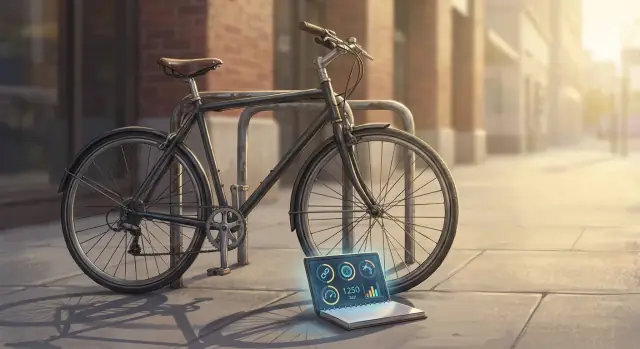
Why a bike maintenance log matters for commuters
A commuter bike lives a harder life than a weekend bike. It sees more miles, more bad weather, more road grit, and more stop-and-go braking. It also gets locked up, bumped, and rolled over curbs. Even a good bike drifts out of tune faster when it’s used every day.
Small problems rarely stay small on a commuter. A slightly dry chain becomes a noisy chain, then a stretched chain, then a worn cassette. A brake pad that is “probably fine” can hit the backing plate and score the rotor. A tire that’s always a bit low can lead to pinch flats and sidewall damage. None of this feels sudden when you look back, but it often feels sudden on a rainy Tuesday morning.
A bike maintenance log changes that pattern. It turns vague memory into facts: what you did, when you did it, and how many miles were on the bike. Daily care feels lighter, not heavier, because you stop second-guessing.
For commuters, a simple log usually means fewer surprise breakdowns, quicker troubleshooting (you can connect a new noise to a recent change), smarter spending (replace parts on time), easier shop visits, and a more consistent ride feel.
Reminders are the second half of the system. Time-based reminders (like “every month”) are easy to ignore when life gets busy. Mileage-based maintenance reminders fit commuting better because wear is tied to use. If you ride 40 to 60 miles a week, a reminder every 150 miles to check chain lube and tire pressure tends to land at the right moment. The goal isn’t perfection. It’s catching wear while it’s still cheap and quick to fix.
Set a baseline in 10 minutes
A bike maintenance log works best when you start with a clear baseline. You don’t need a perfect setup. You just need enough context that future notes make sense, and reminders can be based on real mileage.
Start with a few bike details you won’t want to guess later: the brand and model (or “blue hybrid with front rack”), tire size, and drivetrain type (single-speed, 1x, or 2x/3x with derailleurs). Those three details explain a lot about what you’ll replace and how often.
Next, choose a starting point. If you have an odometer, record the current mileage. If you don’t, use a start date like “started log on Jan 21” and record the first ride you track. Add a quick note about the bike’s current condition, such as “new chain last month” or “brake pads unknown.”
Then estimate your typical weekly miles and riding conditions. This doesn’t need math. “About 35 miles per week, mostly flat, often wet roads” is enough. Riding in rain, grit, or lots of stop-and-go traffic usually means more cleaning and faster wear.
Finally, note storage and exposure. A bike kept in a warm hallway stays cleaner than one that lives on an outdoor balcony. This affects rust, chain life, and how often you’ll need to wipe things down.
A quick baseline template:
- Bike basics (model, tire size, drivetrain)
- Starting mileage or start date
- Typical weekly miles + conditions (rain, hills, gravel, winter salt)
- Storage (indoors, shed, balcony, shared bike room)
- Known recent work (last tune-up, new tires, chain age)
Example: Maya rides 8 miles a day, 5 days a week, and stores her bike in a covered outdoor rack. She sets her baseline at 1,240 miles, writes “1x drivetrain, 700x38 tires,” and adds “wet commute, lots of braking.” Later, when her brake pads wear quickly, her log already explains why.
What to record after each tune-up or fix
A good bike maintenance log isn’t about writing a novel. It’s about capturing the details you’ll forget in two weeks. After any tune-up or fix, your notes should answer three things: what changed, what prompted it, and when you should check it again.
Start with mileage (or date, if you don’t track miles). The most useful entries are tied to wear: when you last lubed the chain, swapped tires, replaced brake pads, or trued a wheel. If you record only one number, record the odometer reading (or your best estimate) at the time of service.
Next, log symptoms, even if the repair seemed obvious. Patterns matter on commuter bikes because the same route, weather, and braking habits create repeat issues. Write what you noticed before the fix: a squeak when standing to pedal, a skip under hard effort, pulsing brakes on one hill, or a wobble that shows up above a certain speed.
Record parts in a way that helps you buy the right thing again. Brand is nice, but size is gold. Note tire size, tube valve type, chain speed (like 9-speed), brake pad model, and any sealant type if you run tubeless. Add the install date so you can judge how long parts really last on your commute.
Keep service notes short, but specific. If you adjusted something, write what you touched and what direction it went. If you know a setting, include it (seat height mark, tire pressure you settled on, brake lever reach position). If torque values are unknown, don’t guess. Note “tightened and checked after 2 rides.”
A practical entry template:
- Date + mileage
- What you did (replace/adjust/clean/lube)
- What prompted it (symptoms)
- Parts installed (size/model)
- Follow-up (recheck after X miles or after the next rainy week)
Example: “Oct 12, 820 mi - Rear brake pulsing on descents. Cleaned rotor, aligned caliper, replaced pads (Shimano resin, L03A). Bed-in done. Recheck pad wear at 1,000 mi.”
How to set mile-based reminders (step by step)
Mileage-based reminders work because they match how parts actually wear. A week of rain and gritty roads can eat through brake pads faster than a month of sunny rides. Tie each task to miles, then add a time backup for weeks when you ride less.
Step-by-step setup
- Pick one odometer method and stick to it. A bike computer is easiest, but a phone app works too. If you have neither, use a simple estimate (for example, your commute distance times round trips per week).
- Choose a single “official” mileage number. Use either total bike miles or just commute miles, but don’t mix them. Write which one you chose at the top of your log.
- Set intervals in miles, plus a backup in weeks. Example: “Clean and lube chain: every 120 miles or every 2 weeks, whichever comes first.”
- Create three reminder levels. Soon (80% of interval), Due (100%), Overdue (125%).
- After any service, write the next mile marker. If you lubed the chain at 1,240 miles and your interval is 120, the next Due is 1,360 miles.
Keep reminders focused. Too many alerts get ignored, so start with the few tasks that prevent expensive problems.
Your “minimum safe” items
These items shouldn’t be left to memory:
- Brakes (pad wear, rubbing, lever feel, cable or hose issues)
- Tires (pressure, cuts, embedded glass, tread wear)
- Steering (headset play, loose stem bolts, bar alignment)
- Drivetrain basics (chain lube, chain stretch check)
If you ride 10 miles a day, 5 days a week (50 miles/week), a 200-mile “inspect tires and brakes” reminder triggers about every 4 weeks. With three levels, you’ll get a heads-up around week 3, a clear “do it now” at week 4, and an “overdue” around week 5.
A simple commuter bike tune-up schedule you can stick to
A commuter bike gets used in bad weather, locked outside, and ridden when you’re tired and in a hurry. The best commuter bike tune-up schedule is the one that fits your routine, not the one that looks perfect on paper.
Think in small rhythms: a quick check before you roll out, a 10-minute reset once a week, and a deeper look every few weeks. If you keep a bike maintenance log, those quick notes make patterns obvious (like a rear tire that keeps losing pressure).
The “small, often” routine
Most commuters can keep this cadence without turning it into a hobby:
- Before each ride (under 1 minute): squeeze both tires, pull both brake levers, and glance at the chain (dry, rusty, or making noise).
- Once a week: wipe the chain with a rag and add lube if it looks dry, then shift through gears to make sure nothing skips.
- Every few weeks: check brake pad thickness, scan tire tread for cuts or glass, and look at the wheels to spot obvious wobbles.
- Season changes: do a fuller clean, check drivetrain wear, and inspect cables and housings for fraying, rust, or sticky shifting.
If you miss a week, don’t “catch up” with a big session. Just restart at the next ride.
Tie it to miles so you don’t have to remember
Time-based schedules are easy, but miles tell the truth. If your commute is consistent, pair the routine above with mileage triggers for parts that wear.
Example: You ride 5 days a week, about 8 miles a day round trip. That’s roughly 160 miles a month. Set “inspect pads and tires every 150 to 200 miles” and “deep clean and cable check every 600 to 800 miles.” When the reminder pops up, your log tells you what was last done and what still needs attention.
The point is simple: catch a soft tire, a squeaky brake, or a dry chain before it turns into a long walk.
Common wear points on commuter bikes
Commuter riding is hard on parts because it mixes bad weather, stop-and-go braking, curbs, and lots of short trips. If you’re doing preventive bike care for commuting, these are the spots worth checking often because they fail slowly, then suddenly.
Drivetrain: where grit does the most damage
The chain and gears wear every time you pedal, and road grit turns that wear into a fast grind. Watch for a chain that feels crunchy when you spin the pedals, shifting that starts to hesitate, or a skip under pressure when you stand to pedal.
After rainy rides, wipe the chain and add a small amount of lube. When you log cleaning and lube, you can spot patterns like “skipping starts about 500 miles after a fresh chain.”
Tires and brakes: safety parts that fade quietly
Tires lose air faster than most people expect, and low pressure makes flats more likely. Watch for small cuts that keep growing, thread showing, or sidewalls that look dry and cracked.
Brakes drift out of adjustment, too. Pads get thinner, cables stretch, and rotors can wear or warp. If you hear squealing that wasn’t there last week, or the lever pulls closer to the handlebar than usual, inspect.
Red flags worth noting when they show up:
- Shifting skips or the chain jumps under load
- Tires keep going soft between rides, or you see repeated small cuts
- Braking feels weaker, lever travel increases, or you hear rubbing
- A wheel wobbles, or you feel play when you rock the bike
- Clicking from the front end when you brake or hit bumps
Wheels and the headset are easy to ignore until they get annoying. If you notice rubbing, a side-to-side wobble, or a click when you apply the front brake, check for looseness sooner rather than later.
Example: If you commute 8 miles a day and hit a lot of potholes, you might log “rear wheel rub started” on Monday. When you see it again two weeks later, that’s your cue to book a quick wheel true or check spoke tension before it turns into a broken spoke on the ride home.
Example: a 5-day commuter using a log and reminders
Sam rides to work five days a week, 12 miles per day round trip. That’s about 60 miles a week in mixed weather: dry days, rain, and plenty of grit on the shoulders. Sam keeps a simple bike maintenance log in a notes app and uses mileage reminders so the small stuff gets handled before it turns into a walk home.
One Monday, the ride sounds crunchy after a wet weekend. Sam adds a quick entry that night: date, miles (added 12), “drivetrain noisy after rain,” and what was done: wiped the chain, cleaned the cassette, lubed the chain, and checked tire pressure. It takes 10 minutes, but the next morning the bike is quiet and shifts cleanly.
Two weeks later, Sam gets a flat on the way home. After fixing it, Sam logs: “rear flat, glass shard,” the tire brand and size, patch vs. new tube, and a note that the tire is starting to look squared off in the center. That last note matters because it becomes a decision point later.
Sam’s triggers are tied to miles, not dates:
- Every 120 miles: wipe and lube the chain (about every 2 weeks)
- Every 240 miles: quick brake pad check and rotor wipe
- Around 1,000 to 1,500 miles (or earlier if cuts show): inspect tires for wear and replace if needed
A month in, the brake pad check reminder pops up. Sam notices the rear pads are getting thin and the rim/rotor is getting dirty fast. Replacing pads on a calm evening beats discovering “no brakes” during a rainy downhill.
By catching wear early, Sam saves time (no last-minute repairs before work), stress (fewer surprises in bad weather), and missed rides (less waiting on parts after something fails). The log also makes purchases easier: Sam can see how long pads and tires actually last on their route, not what the packaging claims.
Common mistakes that make logs useless
A bike maintenance log only helps if it changes what you do next week, not just what you remember from last month. Most logs fail for the same few reasons.
One common problem is only writing down big repairs. A new chain goes in the log, but the small stuff gets skipped: a quarter turn on the barrel adjuster, a brake lever that started pulling to the bar, a tire that keeps losing air slowly. Those small notes are often the early warning signs.
Another mistake is relying on calendar reminders only. Commuting mileage can jump fast because of weather, a new route, or weekend rides. If you only check brakes every two months, you can still burn through pads in half the time during a rainy stretch.
Details matter more than people think. If you don’t record what parts you used, your log turns into a story instead of a tool. Write down sizes and types (brake pad model, tire width, tube valve type, chain speed). Otherwise you’ll guess later, buy the wrong thing, or delay a simple fix.
Also watch out for mileage resets. If you change computers, reset an app, or swap wheels, your reminders will drift unless you note the reset and the current odometer.
Quick fixes that keep your log useful:
- Log small adjustments the same day, even if it took 2 minutes.
- Track both date and miles, especially for wear items.
- Record part specs plus a quick note about why you changed it.
- Note any odometer reset and your estimated total mileage.
- Add one proactive check line (brakes, tires, chain) before problems show up.
Example: If you normally ride 60 miles a week but hit 120 miles during a sunny week, mileage-based notes would tell you to check tire tread and brake pad thickness sooner, instead of waiting for the next calendar reminder.
Quick checklist for busy mornings
When you commute, the goal isn’t to do “maintenance” every day. It’s to spot the small things that turn into delays, noise, or a scary moment in traffic. This is also an easy place to add a quick note like “rear tire soft” or “brake squeal started” so you remember to handle it later.
2-minute pre-ride check
Do this while your coffee cools:
- Tires: squeeze both. If one feels noticeably softer than usual, add air.
- Brakes: roll the bike a step and brake firmly with each lever. You want solid pressure and no handlebar touch.
- Wheels and axles: lift and spin each wheel. Make sure it’s seated straight and not rubbing.
- Quick release or thru-axle: confirm it’s fully closed or tightened, especially after locking up outside.
- One-sentence feel test: as you start riding, listen for a new click, grind, or wobble.
If anything feels unsafe, stop. It’s always cheaper to be late than to crash. Walk it home, take transit, or get a ride, then inspect in good light before the next commute.
Weekly and monthly mini-checks
Pick one day you can remember. Weekly checks catch problems that creep up:
- Weekly: wipe and look at the chain (dry, rusty, or gritty means it needs cleaning and lube), test shifting through the gears, and do a quick bolt scan (stem, handlebar, rack, fenders) for anything that started to loosen.
Once a month, give yourself 10 minutes for safety wear items:
- Monthly: check brake pad thickness, look for wheel rub (especially after potholes), and test for headset play (hold the front brake and rock the bike; any clunk at the front end needs attention).
If you notice something in the morning but can’t fix it right then, write it down as soon as you arrive. One line is enough: date, what you felt, and whether it was front or rear.
Next steps: pick a log format and make it automatic
The best bike maintenance log is the one you’ll actually use when you get home tired. Pick a format that fits your routine and keep it simple enough to update in under a minute.
Decide where the log will live based on what you already use:
- Paper notebook near your pump and tools
- Spreadsheet you can sort by date and mileage
- Simple app that’s quick to search and can handle reminders
Reuse one entry template every time. When the fields keep changing, the log gets skipped.
A practical template:
- Date + current miles (or estimated miles)
- What you did (cleaned chain, replaced tube)
- What you noticed (brake squeal on wet days)
- Parts used + cost (optional)
- Next check (inspect rear tire at +150 miles)
Then make it automatic. If you already track rides, use the same mileage number for maintenance. If you don’t track rides, pick a simple rule like “add 10 miles per workday” and adjust later. Consistent reminders beat perfect math.
Put a 5-minute review on your calendar once a month. Look for patterns like “rear tire wears twice as fast on my route” or “chain needs lube more often in winter,” then tighten or loosen your intervals.
If you’d rather not build a system from scratch, you can create a lightweight maintenance log app from chat on Koder.ai (koder.ai): a simple screen for entries, a place to store bike details, and rules like “remind me every 200 miles to check brake pads.”
FAQ
Why should I keep a maintenance log if I already “know my bike”?},{
Because commuter wear builds up slowly and then fails at the worst time. A log gives you facts about what was done and when, so you can spot patterns (like pads disappearing fast in wet weather) and fix issues while they’re still cheap and quick.
What’s the minimum baseline I should write down to start?},{
Record the bike basics (model or description, tire size, drivetrain type), your starting mileage or start date, a quick condition note (like “pads unknown”), typical weekly miles, and where it’s stored. That’s enough context to make every future note make sense.
What should I record after a tune-up or small fix?
Write the date and mileage (or estimated miles), what you did, what prompted it, and any part specs you’d need to buy again. One extra line for “next check at ___ miles” makes reminders much easier to follow.
Are mile-based reminders better than monthly reminders?
Mileage-based reminders usually fit commuting best because wear follows use, not the calendar. Add a simple time backup so you don’t forget during low-ride weeks, but let miles be the main trigger.
What maintenance tasks should I put on reminders first?
Start with chain care, tires, and brakes. Those three prevent most roadside problems and expensive wear, and they’re fast to check even when you’re tired after work.
How do I track miles if I don’t have a bike computer (or it resets)?
Pick one “official” mileage number and stick to it, even if it’s an estimate. If you switch apps or reset a bike computer, note the reset and the current estimated total so your next reminders don’t drift.
What kind of symptoms are worth logging even if I don’t fix them yet?
Keep entries consistent and searchable: date, miles, front or rear, and the symptom in plain words. Notes like “rear tire soft again” or “click when braking” are valuable because they help you connect repeat issues to specific conditions or parts.
Which part details matter most when I replace something?
Write down the specs that affect fit and compatibility: tire size and width, tube valve type, chain speed, brake pad model, and any sealant type if you’re tubeless. Brand names are optional; sizes and model codes save you from buying the wrong part later.
How do I set “Soon / Due / Overdue” reminders without overthinking it?
Use a simple three-level rule: a heads-up at about 80% of the interval, “due” at 100%, and “overdue” at 125%. That gives you time to plan without ignoring the task until it becomes urgent.
What’s the simplest way to make logging automatic so I don’t quit after a week?
Choose the format you’ll actually update in under a minute, and reuse the same template every time. If you want it automated, you can build a tiny log app with fields for bike details and entries, plus rules like “remind me every 200 miles to check brake pads,” so the system nudges you instead of relying on memory.