

Bjarne Stroustrup and C++: Why Zero-Cost Abstractions Matter
Learn how Bjarne Stroustrup shaped C++ around zero-cost abstractions, and why performance-critical software still relies on its control, tools, and ecosystem.
What This Story Explains (and Why It Matters)
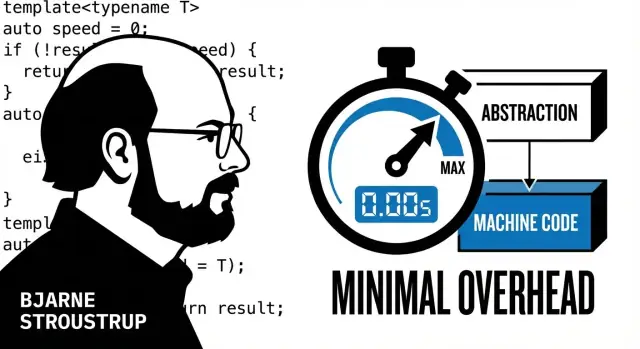
C++ was created with a specific promise: you should be able to write expressive, high-level code—classes, containers, generic algorithms—without automatically paying extra runtime cost for that expressiveness. If you don’t use a feature, you shouldn’t be charged for it. If you do use it, the cost should be close to what you’d write by hand in a lower-level style.
This post is the story of how Bjarne Stroustrup shaped that goal into a language, and why the idea still matters. It’s also a practical guide for anyone who cares about performance and wants to understand what C++ is trying to optimize for—beyond slogans.
What “high-performance software” means here
“High-performance” isn’t just about making a benchmark number go up. In plain terms, it usually means at least one of these constraints is real:
- Low latency: work must finish within a tight time budget (milliseconds—or microseconds).
- High throughput: the system must process a lot per second (requests, frames, trades, packets).
- Limited resources: CPU, memory, battery, or power are capped, so wasted work shows up quickly.
When those constraints matter, hidden overhead—extra allocations, unnecessary copying, or virtual dispatch where it’s not needed—can be the difference between “works” and “misses the target.”
Where C++ shows up today
C++ is a common choice for systems programming and performance-critical components: game engines, browsers, databases, graphics pipelines, trading systems, robotics, telecom, and parts of operating systems. It’s not the only option, and many modern products mix languages. But C++ remains a frequent “inner-loop” tool when teams need direct control over how code maps to the machine.
Next, we’ll unpack the zero-cost idea in plain English, then connect it to specific C++ techniques (like RAII and templates) and the real trade-offs teams deal with.
Bjarne Stroustrup’s Goal: Abstraction Without Penalty
Bjarne Stroustrup didn’t set out to “invent a new language” for its own sake. In the late 1970s and early 1980s, he was doing systems work where C was fast and close to the machine, but larger programs were hard to organize, hard to change, and easy to break.
His goal was simple to state and tricky to achieve: bring better ways to structure big programs—types, modules, encapsulation—without giving up the performance and hardware access that made C valuable.
From “C with Classes” to C++
The earliest step was literally called “C with Classes.” That name hints at the direction: not a clean-slate redesign, but an evolution. Keep what C already did well (predictable performance, direct memory access, simple calling conventions), then add the missing tools for building large systems.
As the language matured into C++, the additions weren’t just “more features.” They were aimed at making high-level code compile down to the same kind of machine code you’d write by hand in C, when used well.
The design tension: convenience vs. control
Stroustrup’s central tension was—and still is—between:
- Convenience: safer defaults, reusable components, expressive abstractions.
- Control: the ability to choose layouts, manage lifetimes, and reason about costs.
Many languages pick a side by hiding details (which can hide overhead). C++ tries to let you build abstractions while still being able to ask, “What does this cost?” and, when needed, drop down to low-level operations.
That motivation—abstraction without penalty—is the thread connecting C++’s early class support to later ideas like RAII, templates, and the STL.
Zero-Cost Abstractions: The Core Idea in Plain English
“Zero-cost abstractions” sounds like a slogan, but it’s really a promise about trade-offs. The everyday version is:
If you don’t use it, you don’t pay for it. And if you do use it, you should pay about the same as if you wrote the low-level code yourself.
What “cost” actually means
In performance terms, “cost” is anything that makes the program do extra work at runtime. That can include:
- Extra CPU instructions that weren’t needed
- Hidden memory allocations
- Extra pointer indirections (more “hops” to reach data)
- Virtual calls and dynamic dispatch when a simple call would do
- Invisible bookkeeping (reference counting, logging hooks, safety checks you didn’t ask for)
Zero-cost abstractions aim to let you write clean, higher-level code—types, classes, functions, generic algorithms—while still producing machine code that’s as direct as hand-written loops and manual resource handling.
The important flip side
C++ doesn’t magically make everything fast. It makes it possible to write high-level code that compiles down to efficient instructions—but you can still choose expensive patterns.
If you allocate in a hot loop, copy large objects repeatedly, miss cache-friendly data layouts, or build layers of indirection that block optimization, your program will slow down. C++ won’t stop you. The “zero-cost” goal is about avoiding forced overhead, not about guaranteeing good decisions.
Where we go next
The rest of this article makes the idea concrete. We’ll look at how compilers erase abstraction overhead, why RAII can be both safer and faster, how templates generate code that runs like hand-tuned versions, and how the STL delivers reusable building blocks without sneaky runtime work—when used with care.
How C++ Makes Abstractions Cheap: What the Compiler Does
C++ leans on a simple bargain: pay more at build time so you pay less at run time. When you compile, the compiler doesn’t just translate your code—it tries hard to remove overhead that would otherwise show up while the program is running.
Paying costs at build time
During compilation, the compiler can “pre-pay” many expenses:
- Inlining: replacing a function call with the function’s body.
- Constant folding: computing constant expressions ahead of time.
- Optimization passes: simplifying control flow, removing dead code, and tightening loops.
The goal is that your clean, readable structure turns into machine code that looks close to what you would have written by hand.
Intuitive examples
A small helper function like:
int add_tax(int price) { return price * 108 / 100; }
often becomes no call at all after compilation. Instead of “jump to function, set up arguments, return,” the compiler may paste the arithmetic directly where you used it. The abstraction (a nicely named function) effectively disappears.
Loops also get attention. A straightforward loop over a contiguous range can be transformed by the optimizer: bounds checks may be removed when provably unnecessary, repeated calculations may be hoisted out of the loop, and the loop body may be reorganized to use the CPU more efficiently.
“Abstraction that disappears”
This is the practical meaning of zero-cost abstractions: you get clearer code without paying a permanent runtime fee for the structure you used to express it.
The tradeoffs
Nothing is free. Heavier optimization and more “disappearing abstractions” can mean longer compile times and sometimes larger binaries (for example, when many call sites get inlined). C++ gives you the choice—and the responsibility—to balance build cost against runtime speed.
RAII: Safety and Speed Through Automatic Cleanup
RAII (Resource Acquisition Is Initialization) is a simple rule with big consequences: a resource’s lifetime is tied to a scope. When an object is created, it acquires the resource. When the object goes out of scope, its destructor releases it—automatically.
That “resource” can be almost anything you must clean up reliably: memory, files, mutex locks, database handles, sockets, GPU buffers, and more. Instead of remembering to call close(), unlock(), or free() on every path, you put the cleanup in one place (the destructor) and let the language guarantee it runs.
Why RAII is often faster and safer than manual cleanup
Manual cleanup tends to grow “shadow code”: extra if checks, duplicated return handling, and carefully placed cleanup calls after every potential failure. It’s easy to miss a branch, especially when functions evolve.
RAII usually generates straight-line code: acquire, do work, and let scope exit handle cleanup. That reduces both bugs (leaks, double-frees, forgotten unlocks) and runtime overhead from defensive bookkeeping. In performance terms, fewer error-handling branches in the hot path can mean better instruction cache behavior and fewer mispredicted branches.
Predictable performance—and fewer surprises
Leaks and unreleased locks aren’t just “correctness issues”; they are performance time bombs. RAII makes resource release predictable, which helps systems stay stable under load.
A careful note on exceptions
RAII shines with exceptions because stack unwinding still calls destructors, so resources are released even when control flow jumps unexpectedly. Exceptions are a tool: their cost depends on how they’re used and on compiler/platform settings. The key point is that RAII keeps cleanup deterministic regardless of how you exit a scope.
Templates and Generic Code That Runs Like Handwritten Code
Templates are often described as “compile-time code generation,” and that’s a useful mental model. You write an algorithm once—say, “sort these items” or “store items in a container”—and the compiler produces a version tailored to the exact types you use.
Compile-time specialization (without the runtime bill)
Because the compiler knows the concrete types, it can inline functions, pick the right operations, and optimize aggressively. In many cases, that means you avoid virtual calls, runtime type checks, and dynamic dispatch that you might otherwise need to make “generic” code work.
For example, a templated max(a, b) for integers can become a couple of machine instructions. The same template used with a small struct can still compile down to direct comparisons and moves—no interface pointers, no “what type is this?” checks at runtime.
Generic programming you’ve already used
The Standard Library leans heavily on templates because they make familiar building blocks reusable without hidden work:
- Containers like
std::vector<T>andstd::array<T, N>store yourTdirectly. - Algorithms like
std::sortwork on many data types as long as they can be compared. - Iterators let the same algorithm operate over vectors, arrays, and custom collections.
The result is code that often performs like a hand-written, type-specific version—because it effectively becomes one.
The tradeoffs
Templates aren’t free for developers. They can increase compile times (more code to generate and optimize), and when something goes wrong, error messages can be long and hard to read. Teams typically cope with coding guidelines, good tooling, and keeping template complexity where it pays off.
The STL: Reusable Building Blocks Without Hidden Work
The Standard Template Library (STL) is C++’s built-in toolbox for writing reusable code that can still compile down to tight machine instructions. It’s not a separate framework you “add on”—it’s part of the standard library, and it’s designed around the zero-cost idea: use higher-level building blocks without paying for work you didn’t ask for.
The three pillars: containers, algorithms, iterators
- Containers store data:
vector,string,array,map,unordered_map,list, and more. - Algorithms do work on ranges of elements:
sort,find,count,transform,accumulate, etc. - Iterators are the “glue” that lets algorithms operate over many container types using a common interface.
That separation matters. Instead of each container reinventing “sort” or “find,” the STL gives you one set of well-tested algorithms that the compiler can optimize aggressively.
Efficiency when used correctly
STL code can be fast because many decisions are made at compile time. If you sort a vector<int>, the compiler knows the element type and iterator type, and it can inline comparisons and optimize loops much like handwritten code. The key is choosing data structures that match access patterns.
Practical container guidance (no absolutes)
-
vectorvs.list:vectoris often the default because elements are contiguous in memory, which tends to be cache-friendly and fast for iteration and random access.listcan help when you truly need stable iterators and lots of splicing/insertion in the middle without moving elements—but it pays overhead per node and can be slower to traverse. -
unordered_mapvs.map:unordered_mapis typically a good pick for fast average-case lookups by key.mapkeeps keys ordered, which is useful for range queries (e.g., “all keys between A and B”) and predictable iteration order, but lookups are usually slower than a good hash table.
For a deeper guide, see also: /blog/choosing-cpp-containers
Modern C++ Features That Support the Zero-Cost Goal
Modern C++ didn’t abandon Stroustrup’s original idea of “abstraction without penalty.” Instead, many newer features focus on letting you write clearer code while still giving the compiler the opportunity to produce tight machine code.
Move semantics: avoid copies when transferring ownership
A common source of slowness is unnecessary copying—duplicating large strings, buffers, or data structures just to pass them around.
Move semantics is the simple idea of “don’t copy if you’re really just handing something over.” When an object is temporary (or you’re done with it), C++ can transfer its internals to the new owner instead of duplicating them. For everyday code, that often means fewer allocations, less memory traffic, and faster execution—without you having to manually micromanage bytes.
constexpr: compute earlier so runtime does less
Some values and decisions never change (table sizes, configuration constants, lookup tables). With constexpr, you can ask C++ to compute certain results earlier—during compilation—so the running program does less work.
The benefit is both speed and simplicity: the code can read like a normal calculation, while the result may end up “baked in” as a constant.
Ranges and clearer iteration (without hidden work)
Ranges (and related features like views) let you express “take these items, filter them, transform them” in a readable way. Used well, they can compile down to straightforward loops—without forced runtime layers.
A note of realism: zero-cost is a goal, not a guarantee
These features support the zero-cost direction, but performance still depends on how they’re used and how well the compiler can optimize the final program. Clean, high-level code often optimizes beautifully—but it’s still worth measuring when speed truly matters.
Where Performance Is Won (or Lost) in Real C++ Code
C++ can compile “high-level” code into very fast machine instructions—but it doesn’t guarantee fast results by default. Performance usually isn’t lost because you used a template or a clean abstraction. It’s lost because small costs sneak into hot paths and get multiplied millions of times.
Common sources of accidental overhead
A few patterns show up again and again:
- Unnecessary allocations (creating lots of short-lived objects on the heap) and the hidden work around them.
- Copying instead of moving or referencing, especially with containers or large structs.
- Cache misses caused by scattered memory layouts (pointers everywhere, data not stored together).
- Virtual dispatch in tight loops, where the compiler can’t easily inline the call.
- Contention (threads fighting over locks, atomics, or shared queues), where “fast code” spends time waiting.
None of these are “C++ problems.” They’re usually design and usage problems—and they can exist in any language. The difference is that C++ gives you enough control to fix them, and enough rope to create them.
Rules of thumb that actually help
Start with habits that keep the cost model simple:
- Measure before guessing. Your intuition is often wrong, especially with caches and concurrency.
- Reduce allocations in hot code. Reuse buffers, reserve capacity, and avoid building temporary containers in inner loops.
- Prefer simple, contiguous data layouts when performance matters. Fewer pointers and more “arrays of stuff” often beats “graphs of objects.”
- Keep the hot path boring. Inlineable functions, predictable branches, and minimal synchronization are your friends.
Profiling, without the mystique
Use a profiler that can answer basic questions: Where is time spent? How many allocations happen? Which functions are called most? Pair that with lightweight benchmarks for the parts you care about.
When you do this consistently, “zero-cost abstractions” becomes practical: you keep readable code, then remove the specific costs that show up under measurement.
Why Performance-Critical Industries Still Choose C++
C++ keeps showing up in places where milliseconds (or microseconds) aren’t just “nice to have,” but a product requirement. You’ll often find it behind low-latency trading systems, game engines, browser components, databases and storage engines, embedded firmware, and high-performance computing (HPC) workloads. These aren’t the only places it’s used—but they’re good examples of why the language persists.
Predictable latency and explicit control
Many performance-sensitive domains care less about peak throughput than about predictability: the tail latencies that cause frame drops, audio glitches, missed market opportunities, or missed real-time deadlines. C++ lets teams decide when memory is allocated, when it’s released, and how data is laid out in memory—choices that strongly affect cache behavior and latency spikes.
Because abstractions can compile down to straightforward machine code, C++ code can be structured for maintainability without automatically paying runtime overhead for that structure. When you do pay costs (dynamic allocation, virtual dispatch, synchronization), it’s typically visible and measurable.
Fits existing ecosystems (especially C)
A pragmatic reason C++ remains common is interoperability. Many organizations have decades of C libraries, operating-system interfaces, device SDKs, and battle-tested code they can’t simply rewrite. C++ can call C APIs directly, expose C-compatible interfaces when needed, and gradually modernize parts of a codebase without demanding an all-at-once migration.
Tooling, hardware access, and deployment realities
In systems programming and embedded work, “close to the metal” still matters: direct access to instructions, SIMD, memory-mapped I/O, and platform-specific optimizations. Combined with mature compilers and profiling tools, C++ is often chosen when teams need to squeeze performance while keeping control over binaries, dependencies, and runtime behavior.
The Hard Parts: Complexity, Safety, and How Teams Cope
C++ earns loyalty because it can be extremely fast and flexible—but that power has a cost. People’s criticisms are not imaginary: the language is large, old codebases carry risky habits, and mistakes can lead to crashes, data corruption, or security issues.
Why C++ can feel hard
C++ grew over decades, and it shows. You’ll see multiple ways to do the same thing, plus “sharp edges” that punish small errors. Two trouble spots come up often:
- Complexity: templates, overloads, and build systems can make debugging and onboarding harder than in smaller languages.
- Undefined behavior: some mistakes (like reading invalid memory or violating type rules) don’t reliably fail; they can appear to “work” until a compiler update or new optimization changes the outcome.
Older patterns add to the risk: raw new/delete, manual memory ownership, and unchecked pointer arithmetic are still common in legacy code.
How teams reduce risk (without magical guarantees)
Modern C++ practice is largely about getting the benefits while avoiding the foot-guns. Teams do this by adopting guidelines and safer subsets—not as a promise of perfect safety, but as a practical way to reduce failure modes.
Common moves include:
- Prefer RAII types and standard containers (
std::vector,std::string) over manual allocation. - Use smart pointers (
std::unique_ptr,std::shared_ptr) to make ownership explicit. - Enable warnings, treat them seriously, and enforce style via
clang-tidy-like rules. - Run sanitizers (AddressSanitizer, UndefinedBehaviorSanitizer) in testing to catch issues early.
- Add static analysis and fuzzing where inputs are untrusted.
The direction of travel
The standard continues to evolve toward safer, clearer code: better libraries, more expressive types, and ongoing work around contracts, safety guidance, and tool support. The trade-off remains: C++ gives you leverage, but teams must earn reliability through discipline, reviews, testing, and modern conventions.
A Practical Decision Guide: When (and How) to Bet on C++
C++ is a great bet when you need fine-grained control over performance and resources and you can invest in discipline. It’s less about “C++ is faster” and more about “C++ lets you decide what work happens, when, and at what cost.”
When C++ is the right fit
Choose C++ when most of these are true:
- You have hard latency, throughput, or memory limits (real-time systems, trading, games, rendering, embedded).
- You need tight integration with hardware, OS APIs, or existing C/C++ libraries.
- Startup time and predictable performance matter more than rapid iteration.
- You can staff engineers who will treat safety and testing as first-class requirements.
Consider another language when:
- Developer speed, safety-by-default, and simpler deployment are higher priorities (many web backends, internal tools). Rust, Go, Java/Kotlin, C#, or Python may reduce risk.
- Your team lacks C++ experience and you can’t budget time for training, tooling, and review.
- You don’t actually need control over allocation, data layout, or tail latency.
A practical checklist for teams
If you choose C++, set guardrails early:
- Coding guidelines: adopt a modern baseline (C++17/20), prefer RAII, avoid raw
new/delete, usestd::unique_ptr/std::shared_ptrintentionally, and ban unchecked pointer arithmetic in application code. - Code review focus: lifetime/ownership, exception safety, hidden allocations, copying vs. moving, thread safety, and API clarity (who owns what?).
- Tooling: compile warnings-as-errors, sanitizers (ASan/UBSan/TSan), static analysis, and formatting.
- Benchmarking culture: define representative workloads, measure before/after changes, track latency percentiles (not just averages), and keep performance tests in CI.
A simple learning path
- Modern basics: value types, references, RAII, the standard library, and writing clear interfaces.
- Core performance fundamentals: data structures, cache friendliness, allocation strategies, and profiling.
- Advanced tools: templates/generics, concurrency primitives, and reading compiler output when needed.
If you’re evaluating options or planning a migration, it also helps to keep internal decision notes and share them in a team space like /blog for future hires and stakeholders.
Where Koder.ai fits in this picture
Even if your performance-critical core stays in C++, many teams still need to ship surrounding product code quickly: dashboards, admin tools, internal APIs, or prototypes that validate requirements before you commit to a low-level implementation.
That’s where Koder.ai can be a practical complement. It’s a vibe-coding platform that lets you build web, server, and mobile applications from a chat interface (React on the web, Go + PostgreSQL on the backend, Flutter for mobile), with options like planning mode, source code export, deployment/hosting, custom domains, and snapshots with rollback. In other words: you can iterate fast on “everything around the hot path,” while keeping your C++ components focused on the parts where zero-cost abstractions and tight control matter most.
FAQ
What does “zero-cost abstractions” mean in C++?
A “zero-cost abstraction” is a design goal: if you don’t use a feature, it shouldn’t add runtime overhead, and if you do use it, the generated machine code should be close to what you’d write by hand in a lower-level style.
Practically, it means you can write clearer code (types, functions, generic algorithms) without automatically paying extra allocations, indirections, or dispatch.
What kinds of “costs” is the post talking about?
In this context, “cost” means extra runtime work such as:
- additional CPU instructions
- hidden heap allocations
- extra pointer indirections and cache misses
- virtual dispatch that blocks inlining
- bookkeeping you didn’t ask for (checks, refcounts, hooks)
The goal is to keep these costs visible and avoid forcing them on every program.
When do C++ abstractions actually become “close to free”?
It works best when the compiler can see through the abstraction at compile time—common cases include small functions that get inlined, compile-time constants (constexpr), and templates instantiated with concrete types.
It’s less effective when runtime indirection dominates (e.g., heavy virtual dispatch in a hot loop) or when you introduce frequent allocations and pointer-chasing data structures.
How does the compiler “erase” abstraction overhead?
C++ shifts many expenses to build time so runtime stays lean. Typical examples:
- Inlining removes call overhead and enables further optimizations.
- Constant folding precomputes expressions.
- Dead-code elimination removes unused branches.
To benefit, compile with optimizations (e.g., -O2/-O3) and keep code structured so the compiler can reason about it.
How do I apply RAII in everyday C++ code?
RAII ties resource lifetime to scope: acquire in a constructor, release in a destructor. Use it for memory, file handles, locks, sockets, etc.
Practical habits:
- Prefer standard RAII types (
std::vector,std::string). - Wrap OS resources in small guard objects.
- Avoid “manual cleanup on every return path”; let destructors do it reliably.
Are exceptions incompatible with high performance?
RAII is especially valuable with exceptions because destructors run during stack unwinding, so resources still get released.
Performance-wise, exceptions are typically expensive when thrown, not when merely possible. If your hot path throws frequently, redesign toward error codes/expected-like results; if throws are truly exceptional, RAII + exceptions often keeps the fast path simple.
Why do templates often perform like handwritten code, and what’s the trade-off?
Templates let you write generic code that becomes type-specific at compile time, often enabling inlining and avoiding runtime type checks.
Trade-offs to plan for:
- longer compile times
- bigger binaries in some cases
- harder error messages
Keep template complexity where it pays off (core algorithms, reusable components) and avoid over-templating application glue.
How do I choose between vector vs list, or unordered_map vs map?
Default to std::vector for contiguous storage and fast iteration; consider std::list only when you truly need stable iterators and cheap splicing/insertion without moving elements.
For key-value maps:
std::unordered_mapfor fast average-case lookupstd::mapfor ordered keys and range queries
If you want a deeper container decision guide, see /blog/choosing-cpp-containers.
What are the most common performance mistakes in real C++ code?
Focus on costs that multiply:
- avoid allocations in inner loops (reuse buffers,
reserve()) - avoid unnecessary copies (use moves/references intentionally)
- prefer cache-friendly layouts (contiguous data over pointer graphs)
- avoid virtual calls in tight loops if inlining matters
- reduce contention (locks/atomics) on hot paths
Then validate with profiling rather than intuition.
What practices help teams use C++ safely without losing performance?
Set guardrails early so performance and safety don’t rely on heroics:
- adopt a modern baseline (C++17/20)
- prefer RAII and standard containers; avoid raw
new/delete - make ownership explicit (
std::unique_ptr/std::shared_ptrused deliberately) - turn on warnings-as-errors and use
clang-tidy - run sanitizers (ASan/UBSan/TSan) in CI
- keep benchmarks/profiling for representative workloads
This helps preserve C++’s control while reducing undefined behavior and surprise overhead.