

Bram Moolenaar and Vim: How Editor Culture Built Habits for Developers
Explore Bram Moolenaar’s impact through Vim: modal editing, repeatable workflows, and the community habits that shaped developer productivity for decades.
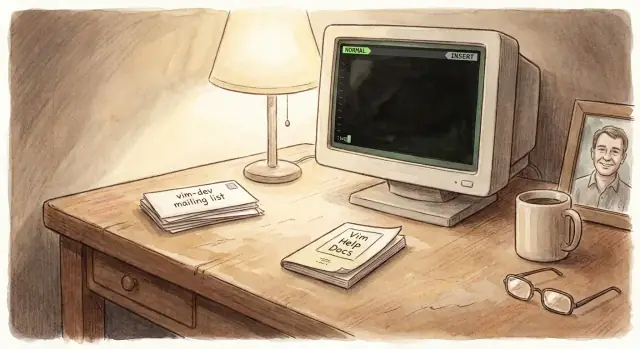
Why Vim Matters Beyond a Text Editor
Bram Moolenaar created Vim as an improved take on the classic vi editor, but the reason Vim endured for decades isn’t only technical. Vim became a shared way of working—an approach to writing and changing text that spread through teams, tutorials, and open-source projects. After Bram’s passing, many tributes focused on this exact point: Vim wasn’t just software people used; it was something people learned and carried into their daily craft.
What “editor culture” means
When developers talk about “editor culture,” they’re describing more than preferences. It’s the set of habits and norms that form around a tool:
- common shortcuts people expect you to know
- conventions for configuration (like sharing a vimrc)
- a vocabulary for discussing workflows (“How do you navigate?”, “How do you refactor text quickly?”)
- mentoring rituals: watching someone edit and picking up techniques
This culture matters because it shapes behavior. Two people can open the same file in the same editor and move at completely different speeds—not due to talent, but due to practiced habits.
What you’ll get from this article
This is not a command encyclopedia. Instead, you’ll learn workflow patterns that Vim popularized: how people build repeatable editing routines, reduce friction during small changes, and stay oriented while working in large files.
You don’t need to be “a Vim person,” and you don’t need a technical background to follow along. We’ll keep jargon light, explain ideas in plain language, and focus on why the habits matter—even if you use another editor today.
Bram Moolenaar’s Story and Vim’s Long Arc
Bram Moolenaar (1961–2023) is inseparable from Vim’s identity—not because Vim was a one-person project, but because he provided steady stewardship that let a volunteer-driven tool stay coherent for decades.
A short timeline: from a clone to a cross‑platform staple
Vim’s roots go back to the vi editor tradition. Bram began the project in the late 1980s while working on the Commodore Amiga, initially as an improved take on an existing vi-like editor. From there, Vim quickly grew beyond its origins: early 1990s releases broadened features and portability, and as Unix, Windows, and later macOS and Linux became common developer environments, Vim showed up almost everywhere.
That cross-platform reach mattered. A tool that behaved similarly on home machines, university labs, and workplace servers earned trust—and that trust helped Vim become a long-lived default for both professionals and hobbyists.
Bram as maintainer and community anchor
Open-source projects often fail quietly when coordination becomes harder than coding. Bram’s key contribution was maintenance as a craft: reviewing patches, guiding releases, keeping documentation and behavior consistent, and shaping norms for how people collaborate. Many contributors improved Vim, but the editor kept a recognizable “feel” because someone kept the whole system aligned.
Charityware, without the fine print
Vim was also known as “charityware.” At a high level, the idea was simple: if you found Vim useful, consider donating to support charitable causes Bram promoted. It wasn’t a paywall and wasn’t required to use the editor; it was a gentle nudge toward giving back—an early signal that software culture can include generosity, not just efficiency.
Vim’s long arc is ultimately a story about continuity: an editor that stayed relevant not by chasing trends, but by evolving carefully while keeping its community—and its values—intact.
Modal Editing: The Core Idea That Changes Behavior
Vim’s most distinctive idea is modes: the same keys do different jobs depending on what you’re trying to do. That sounds strange until you realize it mirrors how you already work—sometimes you’re thinking about changes, and sometimes you’re typing new text.
The three modes most people meet first
Normal mode is for editing actions: moving, deleting, changing, searching. You’re not “writing”; you’re directing.
Insert mode is for typing characters into the document—what most editors treat as the default.
Visual mode is for selecting text so you can act on it (indent, delete, change, copy).
A simple example:
- In Normal mode, press
ddto delete a whole line. - Press
ito enter Insert mode and type new content. - Press
Escto return to Normal mode. - Press
vto start Visual mode, move to select, then pressdto delete the selection.
“Thinking” vs “typing” reduces friction
When everything is always typing, you end up mixing two different tasks: composing words and issuing edits. Modal editing separates them.
In Normal mode, your hands aren’t constantly “armed” to insert characters by accident. Instead, you can stay deliberate: What change do I want? Delete this, change that, move there, repeat. Insert mode becomes a focused moment: Now I’m adding text.
Over time, this can feel less like fighting an editor and more like giving clear, small instructions.
Beginner confusion—and a better framing
Common early pain points are predictable:
- “Why did my text disappear?” (You were in Normal mode and hit a command like
xordd.) - “Why won’t it let me type?” (You’re still in Normal mode—press
i.) - “Why does Esc matter so much?” (It’s the clean reset: back to directing instead of inserting.)
Reframe modes as states of intent. Normal mode isn’t “not working”—it’s the mode where you edit on purpose. That’s the habit modal editing teaches: deliberate changes first, typing second.
Composability: Small Commands That Combine Into Power
Vim’s “superpower” isn’t a giant menu of features—it’s the way small commands snap together. Instead of memorizing a separate shortcut for every situation, you learn a few building blocks and combine them.
Verbs + objects (in plain terms)
Think of editing as a verb applied to a piece of text.
- The verb is what you want to do: delete, change, copy.
- The object is how you point at text: a word, to the end of the line, inside quotes.
In Vim language, verbs are operators (like d for delete, c for change), and objects are motions/text objects (like w for word, ) for sentence, i" for inside quotes).
Everyday examples you can feel immediately
A few combinations show why this matters:
- Change a word:
cw— “change” + “word”. You don’t have to select first; you state your intent. - Delete inside quotes:
di"— “delete” + “inside quotes”. This keeps the quotes and removes only the content. - Select a block:
vthen something likei{— visual select + “inside braces” to grab what’s in a{ ... }block.
The point isn’t to collect tricks. It’s to build a mental model where commands are predictable.
Confidence grows faster than speed
Composability rewards accuracy and consistency. When the same verb works with many objects, you make fewer “editing guesses,” undo less, and feel calmer working in unfamiliar files. Speed tends to follow—not because you’re trying to be fast, but because you’re repeating a reliable way of thinking about text.
Repeatability: Dot, Macros, and Search as Workflow Building Blocks
One of Vim’s most practical ideas is that editing shouldn’t be a one-off performance. If you can describe an edit once, you should be able to repeat it—reliably—across the next line, the next paragraph, or the next file. This is where “speed” becomes less about typing fast and more about reducing decision fatigue.
The dot command: repeat the last change
The dot command (.) replays your most recent change. That sounds small, but it encourages you to make edits in clean, repeatable chunks.
Example: you change foo to foo() on one line by inserting parentheses. On the next occurrences, you can often move the cursor to the right spot and press . instead of redoing the whole insertion. The habit is: do one edit carefully, then repeat it.
Macros: capture a short editing “recipe”
Macros let you record a sequence of keystrokes and play it back. Conceptually, it’s like saying: “When you see this pattern, apply these steps.” A safe, simple use is formatting a list:
- Add
-to the start of several lines - Append a comma to the end of a group of lines
Avoid over-automation when the text isn’t consistent. If each line needs a different decision (“sometimes add, sometimes remove”), a macro can create subtle mistakes faster than you can spot them.
Search and replace: scale a clear intention
Search is already a navigation tool; substitution is search plus an action. Think in plain terms: “Find this string, replace with that string,” like renaming temp to draft in a file. If the change might hit unrelated text, confirm each replacement rather than applying it blindly.
The bigger takeaway: build repeatable recipes for common edits. Over time, your workflow becomes a library of small, dependable moves instead of a stream of ad-hoc fixes.
Keyboard-First Habits and Staying in Flow
Vim’s keyboard-first style isn’t a purity test, and it doesn’t make someone a “better” developer. The point is simpler: every time you reach for the mouse or trackpad, you break a small loop of attention—hands leave the home row, eyes hunt for a cursor, and your brain context-switches from “what” to “where.” Reducing those interruptions can make it easier to stay with the problem you’re solving.
Navigation as a Habit, Not a Trick
Vim nudges you to navigate text the way you think about it:
- By words and sentences (
w,b,e,)), when you’re shaping prose or identifiers. - By lines and columns (
0,^,$,gg,G), when structure matters. - By symbols and patterns (
/,?,n,N), when you’re hunting for intent. - By files and locations (buffers,
:e,:b, tags/LSP jumps), when the change spans a codebase.
Over time, “move to the thing” becomes a reflex rather than a mini decision each time.
Micro-Optimizations That Turn Into Muscle Memory
The real gain isn’t shaving milliseconds; it’s removing hesitation. Small, repeatable motions—like changing “inside quotes” or deleting “to the next comma”—become physical shortcuts for common edits. When those patterns settle into muscle memory, you spend less mental energy on operating the editor and more on choosing the right change.
Accessibility and Ergonomics: It Depends
Keyboard-driven workflow can reduce wrist travel for some people, but it can also increase finger load for others. Ergonomic benefits vary by person, keyboard layout, and even command choices. Vim’s culture of customization is useful here: remap awkward keys, pace your usage, and favor comfort over ideology. The goal is sustainable focus, not endurance.
Configuration Culture: vimrc, Plugins, and Personal Defaults
Vim has always encouraged ownership. Instead of treating the editor as a sealed product, it treats it as a toolbench—something you tune until it matches how you think.
What a vimrc is (and why people care)
A vimrc is Vim’s configuration file. It’s where you set your defaults: how tabs behave, whether lines wrap, what the status line shows, and more. Over time, many developers keep these settings in version control as part of their “dotfiles,” so their editor feels familiar on any machine.
This isn’t just personalization for its own sake. It’s a cultural norm because small defaults compound: fewer friction points, fewer surprises, and fewer “why is Vim doing this?” moments.
A sane approach to configuration
The easiest way to end up with a messy setup is to install ten plugins before you understand what problem you’re solving. A healthier approach:
- Start small: change only what actively annoys you.
- Document choices: add comments explaining why a setting exists.
- Avoid bloat: if you don’t use it weekly, question it.
Treat your vimrc like a workshop logbook, not a junk drawer.
Mappings and plugins in plain language
A mapping is a shortcut: you press one key combo and Vim performs a longer sequence of commands. Good mappings reduce repetition; bad ones make Vim feel inconsistent.
A plugin adds features: file pickers, Git helpers, better language support. Plugins can be great, but they also add moving parts, startup time, and new behaviors to learn.
A “minimal Vim” baseline
Before adding extras, get comfortable with a few defaults:
- sensible indentation (spaces vs tabs)
- search behavior you like (highlighting, case rules)
- visible line numbers (absolute or relative)
- a simple colorscheme for readability
Once that baseline feels natural, plugins become a deliberate upgrade—not a substitute for learning Vim itself.
Learning and Community: Help Docs, Mentorship, and Norms
Vim’s culture doesn’t start with plugins or hotkeys—it starts with learning. Bram Moolenaar treated documentation as part of the product, and that attitude shaped how people teach Vim: not as a set of secrets, but as a skill you can steadily grow.
The help system as self-serve learning
Vim’s :help isn’t an afterthought; it’s a map. It rewards curiosity with structure—topics, cross-references, and examples that assume you’ll explore.
A few small habits turn “I’m stuck” into “I can find it”:
:help {topic}(or:h) to jump straight to a concept like:h motionor:h visual-modeCTRL-]to follow links inside help, andCTRL-Tto go back:helpgrep {word}to search across docs when you don’t know the right term
This model scales: once you learn how to ask the editor questions, you’re less dependent on memorizing lists.
Mentorship and community norms
Vim mentorship often looks like tiny, respectful interventions: one mapping, one motion, one workflow tweak. The unwritten rule is “meet people where they are.” It’s common to share a tip and also say, plainly, “If your editor already works for you, that’s fine.”
Other norms are equally practical:
- Share reproducible advice (include the exact command or minimal settings)
- Respect differing setups (terminal vs GUI, minimal Vim vs heavy Neovim)
- Teach concepts, not purity tests
How conventions spread
Vim knowledge travels through lightweight artifacts: cheat sheets, lightning talks, dotfile templates, and small “starter” repos. The best ones explain why a habit helps, not just what to type.
Not everyone needs the same depth
Some people only need Vim for quick edits over SSH; others build a daily environment around it. Vim culture works when it treats both as legitimate end goals—and keeps the path between them well-lit.
Vim in Real Work: From Quick Fixes to Daily Development
Vim’s reputation is often built on “power,” but its real value shows up in ordinary moments: a commit message that needs clarity, a production config file that must be changed safely, or a pairing session where you want edits to be precise and easy to explain.
Typical workflows you’ll actually use
Editing commits: Many developers set Git to open Vim for commit messages and interactive rebases. Modal editing fits here because you spend most of your time reading and rearranging text, not inserting it. Normal mode becomes a review mode: jump between sentences, reorder lines, and make small fixes without reaching for the mouse.
Quick server fixes: When you SSH into a machine and need to patch a config, Vim is often already available. The goal isn’t customization—it’s confidence: search for the right stanza, change only what you intend, save, and exit cleanly.
Pairing: Vim can be surprisingly “pair-friendly” because actions are explicit. Saying “delete this paragraph” or “change inside quotes” maps to clear commands, and your partner can learn by observation.
Terminal integration: small tools around the editor
Vim shines when you treat it as one tool in a chain. You can search with ripgrep/grep, open results, and make targeted edits—without turning the editor into a full IDE.
For example, a common loop is: run a search in the terminal, open the file at the match, edit, then run tests again. It’s “do one thing well” applied to daily work: the terminal finds; Vim edits; your test runner verifies.
A clean day-to-day setup (quick checklist)
- Set your editor for Git:
git config --global core.editor "vim" - Turn on basics: line numbers, sensible indentation, and search highlighting
- Learn a few navigation/editing moves you’ll use hourly (search, change word, change inside delimiters)
- Add one quality-of-life improvement at a time (e.g., file finder or commenting)
- Keep a small, readable vimrc so you can reproduce it anywhere
That’s how Vim scales: not by adding complexity, but by making common edits fast, reversible, and consistent across environments.
Tradeoffs and Misconceptions: A Balanced View
Vim has real advantages—but it also collects myths. Some of the loudest opinions come from people who tried it for a weekend, or from fans who treat it like a badge. A more useful framing is simple: Vim is a set of interaction ideas (especially modal editing) that can fit many workflows, but it isn’t automatically the best choice for every person or team.
Common criticisms (and what’s actually true)
“The learning curve is too steep.”
It’s steep at first because the basics feel different: modes, operator + motion, and an emphasis on editing verbs (“change”, “delete”) rather than tool buttons. The curve smooths out if you learn a small core and use it daily, but if you only open Vim occasionally, the muscle memory never forms.
“It’s not discoverable.”
Partly true. Vim rewards reading :help, but the interface doesn’t constantly advertise features. Discoverability exists—just in a different place: help topics, built-in tutorials, and a culture of sharing small patterns.
“Every Vim is different.”
Also true. Configurations vary, plugins change behavior, and even default settings differ across environments. This can be frustrating when pairing or hopping machines. Teams often solve this with minimal shared defaults (or by agreeing on “vanilla Vim” expectations) rather than trying to standardize everything.
When Vim isn’t the best fit
Vim may be a poor match when team constraints require a specific IDE workflow, when onboarding time is limited, or when accessibility needs make certain key-heavy interactions uncomfortable. Preferences matter too: some people think better in a visual UI with rich refactoring, and they’ll do their best work there.
A practical approach is to choose the tool that supports the work you actually do: quick fixes over SSH, editing config files, writing code all day, or collaborating in a standardized environment.
Avoiding the productivity traps
Two traps catch motivated learners:
First, endless tweaking—spending more time tuning plugins than using the editor. Second, shortcut chasing—collecting commands without building repeatable habits. If you want Vim to make you faster, focus on workflows you repeat weekly, and automate only what you can clearly name.
A healthy rule: if a change doesn’t save time or reduce mistakes in the next week, postpone it.
Balanced guidance
Vim is most valuable when it helps you stay in flow, edit with intent, and build repeatable patterns. If another editor does that better for you—or for your team—choose it without guilt. The goal isn’t to “use Vim”; it’s to produce good work with less friction.
A Practical Learning Path: Habits to Build, Not Trivia to Memorize
Learning Vim sticks when you treat it like building a few reliable habits—not collecting obscure commands. The goal is to feel calm and capable when editing, even before you feel “fast.”
A simple 2–4 week plan (small daily practice)
Spend 10–15 minutes a day, and use Vim for one real task (even a tiny one). Keep notes on what felt awkward and what felt smoother.
Week 1: Comfort and safety
Focus on not getting stuck. Practice opening files, saving, quitting, and undoing.
Week 2: Navigation and search
Start moving in bigger jumps and relying on search to get anywhere quickly.
Weeks 3–4: Editing workflows
Add a small set of “edit + repeat” patterns: change/delete/yank, repeat with ., and a basic macro for something you do often.
Starter habits (the ones you’ll actually use)
- Exit safely:
:w,:q,:wq,:q!, plusu(undo) and<C-r>(redo) - Move efficiently:
w,b,e,0,$,gg,G, and a little off{char} - Search confidently:
/pattern,n/N, and:%s/old/new/g(try without flags first)
Practice ideas that feel real
Edit a README: fix headings, reorder bullet points, and rewrite a paragraph without reaching for the mouse.
Refactor a small file: rename a variable with search + replace, extract a few lines, and re-indent.
Journal in Vim: one short entry a day. Repetition builds comfort faster than “hard” exercises.
Measure the right thing
Track comfort (less panic) and consistency (fewer context switches), not raw speed. If you can predict what a command will do—and recover when you’re wrong—you’re learning the part that lasts.
Legacy: What Vim Teaches About Craft and Community
Bram Moolenaar’s lasting impact isn’t only that he built the Vim editor—it’s that he modeled what patient stewardship looks like. For decades he reviewed patches, curated releases, answered questions, and kept a clear “feel” to the tool: efficient, consistent, and forgiving once you learn its grammar. Vim’s “charityware” tradition also reflected Bram’s values: software as a public good, and maintenance as real work that deserves care.
Craft: Tiny Habits Compound
Vim rewards attention to small, repeatable actions. The big lesson is not a specific command, but a mindset: invest in habits that reduce friction. A few seconds saved per edit doesn’t sound like much—until it becomes the default way you think while writing code, notes, or prose. Over time, the editor becomes less of a tool you operate and more of a medium you work through.
Interestingly, this “intent-first” mindset transfers well to newer workflows too. If you build software through a chat interface—like with Koder.ai’s vibe-coding approach—the same habits apply: make your change as a clear, repeatable instruction, iterate in small chunks, and rely on safety nets (for example, snapshots and rollback) instead of one big risky rewrite.
Community: Tools Survive When People Show Up
Vim also teaches social craft: learn in public, share dotfiles thoughtfully, write clear bug reports, and treat newcomers with patience. Healthy norms make a “hard” tool easier to approach. If you want to go deeper, the built-in help and community resources are part of the product, not extras.
Before you close this article, pick one workflow change you’ll try this week: remap a key you constantly reach for, practice one repeatable editing pattern, or write down a small personal default in your vimrc.
Finally, a respectful note: open-source communities stay alive when users become supporters—through donations, documentation, careful issues, code review, or simply saying thank you. Bram’s legacy is a reminder that the people maintaining our tools matter as much as the tools themselves.
FAQ
What does “editor culture” mean in the context of Vim?
Editor culture is the shared set of habits, shortcuts, vocabulary, and mentoring patterns that grow around a tool.
In Vim’s case, that includes things like “operator + motion” thinking, swapping tips in pairing sessions, and treating configuration (a vimrc) as part of your workflow—not an afterthought.
Why do Vim’s modes matter for real-world editing?
Modal editing separates intent:
- Normal mode: navigate and apply edits deliberately
- Insert mode: type new text
- Visual mode: select text to act on it
This reduces accidental edits and makes changes feel like clear instructions (delete/change/move), with typing happening only when you mean it.
What does “composability” mean, and why is it powerful?
Vim’s “grammar” makes commands predictable: a verb (delete/change/yank) applied to a target (word, sentence, inside quotes, to end of line).
Examples:
cw= change a worddi"= delete inside quotes
You learn fewer core concepts and reuse them in many situations, instead of memorizing one shortcut per scenario.
When should I use the dot command (.) instead of redoing an edit?
Use . when you’re doing the same kind of change repeatedly.
A practical workflow is:
- Do the first edit carefully.
- Move to the next spot.
- Press
.to repeat.
This nudges you to make edits in clean, repeatable “chunks,” which often reduces mistakes and rework more than it increases raw speed.
When are Vim macros helpful, and when are they risky?
Macros are best when the text is consistent and the steps are mechanical.
Good uses:
- Add a prefix/suffix to many similar lines
- Apply the same small formatting change repeatedly
Avoid macros when each line requires judgment (conditional edits), because they can produce fast, hard-to-spot errors. In those cases, use search + confirm or smaller, safer repeats.
What is a vimrc, and how should beginners approach configuration?
A vimrc is Vim’s configuration file where you set defaults (indentation, search behavior, UI options).
A practical approach:
- Start with the annoyances you hit daily
- Add comments explaining why each setting exists
- Remove things you don’t use regularly
Treat it like a small, portable “workbench setup,” not a collection of random tweaks.
How do I avoid the “too many plugins and mappings” trap?
Start with a minimal baseline (indentation, search settings, line numbers, readable colors). Then add plugins only when you can name the problem they solve.
A good rule: if a plugin doesn’t save time or reduce errors this week, postpone it. This prevents “config churn” from replacing actual learning and productive habits.
What’s the most practical way to use Vim for quick server edits over SSH?
For occasional use (like SSH), prioritize a small “survival kit”:
- Enter/exit safely:
i,Esc,:w,:q,:wq,:q! - Undo/redo:
u,Ctrl-r - Search:
/pattern, thenn/N
The goal is confidence and reversibility, not a full custom setup.
Why do so many developers use Vim with Git?
Vim is commonly used for commit messages and interactive rebases because you spend a lot of time reading and rearranging text.
A simple setup step is:
git config --global core.editor "vim"
Even basic navigation + search can make reviewing and fixing commit text more controlled than a purely mouse-driven workflow.
Is Vim better for ergonomics and accessibility?
Vim can be more comfortable for some people (less mouse travel), but it can also increase finger load depending on your hands, keyboard, and habits.
Sustainable use looks like:
- Remap awkward keys if needed
- Prefer comfort over ideology
- Take breaks and keep commands simple
The best workflow is the one you can maintain without pain.