

Practical Security Lessons from Bruce Schneier
Learn the practical security mindset Bruce Schneier advocates: threat models, human behavior, and incentives that shape real risk beyond crypto buzzwords.
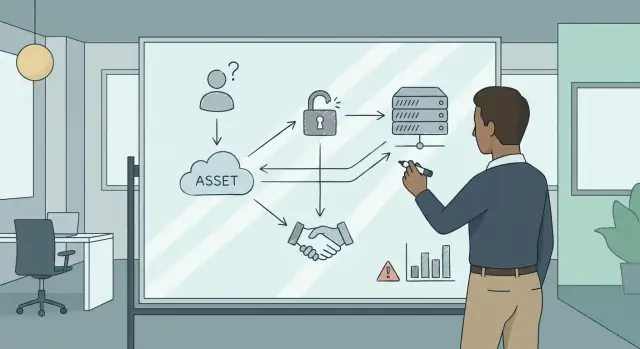
Practical Security Over Buzzwords
Security marketing is full of shiny promises: “military‑grade encryption,” “AI‑powered protection,” “zero trust everywhere.” Day to day, most breaches still happen through mundane paths—an exposed admin panel, a reused password, a rushed employee approving a fake invoice, a misconfigured cloud bucket, an unpatched system that everyone assumed was “someone else’s problem.”
Bruce Schneier’s enduring lesson is that security isn’t a product feature you sprinkle on top. It’s a practical discipline of making decisions under constraints: limited budget, limited time, limited attention, and imperfect information. The goal isn’t to “be secure.” The goal is to reduce the risks that actually matter to your organization.
A practical security mindset
Practical security asks a different set of questions than vendor brochures:
- What are we trying to protect, and what happens if we fail?
- Who would attack us, and what would they realistically do?
- Which controls change outcomes—not just check boxes?
That mindset scales from small teams to large enterprises. It works whether you’re buying tools, designing a new feature, or responding to an incident. And it forces trade‑offs into the open: security vs. convenience, prevention vs. detection, speed vs. assurance.
What to expect in this guide
This isn’t a tour of buzzwords. It’s a way to choose security work that produces measurable risk reduction.
We’ll keep coming back to three pillars:
- Threat models: a structured way to decide what you’re defending against.
- Human factors: designing systems for real behavior, not ideal behavior.
- Incentives: understanding why people (and companies) make insecure choices—and how to change that.
If you can reason about those three, you can cut through hype and focus on the security decisions that pay off.
Threat Modeling: The Starting Point
Security work goes off the rails when it starts with tools and checklists instead of purpose. A threat model is simply a shared, written explanation of what could go wrong for your system—and what you’re going to do about it.
Threat modeling, in plain language
Think of it as planning a trip: you don’t pack for every possible climate on Earth. You pack for the places you’ll actually visit, based on what would hurt if it went wrong. A threat model makes that “where we’re going” explicit.
The core questions
A useful threat model can be built by answering a few basic questions:
- What are we protecting? (customer data, money movement, uptime, admin access, reputation)
- Who might attack it (or misuse it)? (external criminals, competitors, insiders, angry customers, bots)
- How could it be attacked? (phishing, credential stuffing, fraud, data exfiltration, abuse of features)
- Why does it matter? (financial loss, legal exposure, safety impact, loss of trust)
These questions keep the conversation grounded in assets, adversaries, and impact—rather than in security buzzwords.
Scope is a feature, not a weakness
Every threat model needs boundaries:
- In scope: the system you can change, the data you store, the workflows you operate.
- Out of scope: things you don’t control (a user’s infected laptop), or risks you accept for now (a low-impact edge case).
Writing down what’s out of scope is healthy because it prevents endless debates and clarifies ownership.
Why this beats random checklists
Without a threat model, teams tend to “do security” by grabbing a standard list and hoping it fits. With a threat model, controls become decisions: you can explain why you need rate limits, MFA, logging, or approvals—and just as importantly, why some expensive hardening doesn’t meaningfully reduce your real risk.
Assets, Adversaries, and Impact
A threat model stays practical when it starts with three plain questions: what you’re protecting, who might go after it, and what happens if they succeed. This keeps security work tied to real outcomes instead of vague fear.
Identify your assets (what matters)
Assets aren’t just “data.” List the things your organization truly depends on:
- Data: customer records, pricing, designs, HR files, logs
- Money movement: payments, refunds, payroll, invoicing, gift cards
- Access: admin accounts, API keys, physical badges, vendor portals
- Reputation and trust: brand credibility, customer confidence, partner trust
- Uptime and continuity: availability of your app, call center, fulfillment, factories
Be specific. “Customer database” is better than “PII.” “Ability to issue refunds” is better than “financial systems.”
Map likely adversaries (who might act)
Different attackers have different capabilities and motivations. Common buckets:
- Outsiders: criminals, opportunists, bot operators
- Insiders: disgruntled employees, careless staff, well-meaning mistakes
- Partners and vendors: third parties with access, integrations, support tools
- Competitors: espionage, poaching, sabotage attempts
- Accidents: misconfigurations, lost devices, mistaken deletes
Connect goals to business impact (why it matters)
Describe what they’re trying to do: steal, disrupt, extort, impersonate, spy. Then translate that into business impact:
- Direct cost (fraud, incident response, recovery)
- Downtime and missed revenue
- Legal and regulatory exposure
- Loss of customer trust and churn
When impact is clear, you can prioritize defenses that reduce real risk—not just add security-looking features.
Risk: Likelihood Beats Scary Scenarios
It’s natural to focus on the most frightening outcome: “If this fails, everything burns.” Schneier’s point is that severity alone doesn’t tell you what to work on next. Risk is about expected harm, which depends on both impact and likelihood. A catastrophic event that’s extremely unlikely can be a worse use of time than a modest issue that happens every week.
A simple risk matrix you can actually use
You don’t need perfect numbers. Start with a rough likelihood × impact matrix (Low/Medium/High) and force trade‑offs.
Example for a small SaaS team:
- Credential stuffing on login: Likelihood = High (automated bots), Impact = Medium–High (account takeover, support load). → High risk.
- Nation-state zero-day in your database engine: Likelihood = Low, Impact = Very High. → Medium risk (plan for it, but don’t let it block basics).
This framing helps you justify unglamorous work—rate limiting, MFA, anomaly alerts—over “movie-plot” threats.
The common failure mode
Teams often defend against rare, headline-worthy attacks while ignoring the boring stuff: password reuse, misconfigured access, insecure defaults, unpatched dependencies, or fragile recovery processes. That’s adjacent to security theater: it feels serious, but it doesn’t reduce the risk you’re most likely to face.
Risk isn’t a one-time score
Likelihood and impact shift as your product and attackers change. A feature launch, new integration, or growth spurt can raise impact; a new fraud trend can raise likelihood.
Make risk a living input:
- Revisit top risks on a cadence (monthly or quarterly).
- Update ratings after incidents, near-misses, and major releases.
- Treat controls as hypotheses: if attacks keep happening, adjust the model and the defenses.
Human Factors: Design for Real Behavior
Security failures often get summarized as “humans are the attack surface.” That line can be useful, but it’s also frequently shorthand for we shipped a system that assumes perfect attention, perfect memory, and perfect judgment. People aren’t weak; the design is.
When “user error” is predictable
A few common examples show up in almost every organization:
- Phishing works because messages look routine, urgency feels real, and the cost of double-checking is high.
- Password reuse happens when sign-ins are frequent, password rules are strict, and password managers aren’t supported.
- Approval fatigue appears when teams are asked to “click approve” all day with little context—eventually approvals become muscle memory.
- Alert overload trains staff to ignore warnings because too many are low-quality or unclear.
These are not moral failures. They’re outcomes of incentives, time pressure, and interfaces that make the risky action the easiest action.
Safer defaults beat more rules
Practical security leans on reducing the number of risky decisions people must make:
- Fewer choices: prefer single sign-on, device-based authentication, and “secure by default” configurations.
- Clearer prompts: show why an action is risky (“This link is from an unknown sender and asks for credentials”) and what to do instead.
- Better recovery flows: make it easy to report suspected phishing, reset credentials safely, and undo mistakes without shame or bureaucracy.
Training as support, not blame
Training helps when it’s framed as tooling and teamwork: how to verify requests, where to report, what “normal” looks like. If training is used to punish individuals, people hide mistakes—and the organization loses the early signals that prevent bigger incidents.
Incentives and Security Economics
Security decisions are rarely just technical. They’re economic: people respond to costs, deadlines, and who gets blamed when something goes wrong. Schneier’s point is that many security failures are “rational” outcomes of misaligned incentives—even when engineers know what the right fix is.
Who pays, who benefits
A simple question cuts through a lot of debate: who pays the cost of security, and who receives the benefit? When those are different parties, security work gets postponed, minimized, or externalized.
Shipping deadlines are a classic example. A team may understand that better access controls or logging would reduce risk, but the immediate cost is missed delivery dates and higher short-term spend. The benefit—fewer incidents—arrives later, often after the team has moved on. The result is security debt that accumulates until it’s paid with interest.
Users versus platforms is another. Users bear the time cost of strong passwords, MFA prompts, or security training. The platform captures much of the benefit (fewer account takeovers, lower support costs), so the platform has an incentive to make security easy—but not always an incentive to make it transparent or privacy-preserving.
Vendors versus buyers shows up in procurement. If buyers can’t evaluate security well, vendors are rewarded for features and marketing rather than safer defaults. Even good technology doesn’t fix that market signal.
Why problems persist
Some security issues survive “best practices” because the cheaper option wins: insecure defaults reduce friction, liability is limited, and incident costs can be pushed onto customers or the public.
Realigning incentives
You can shift outcomes by changing what gets rewarded:
- Clear ownership: assign a named owner for key risks, not a generic “security team.”
- Metrics tied to outcomes: measure patch latency, incident recovery time, and repeat causes—not just training completion.
- Contracts and procurement: require vulnerability disclosure timelines, audit rights, and security update commitments.
- Policy and liability: align responsibility with control; if a party can prevent harm, they should share accountability.
When incentives line up, security stops being a heroic afterthought and becomes the obvious business choice.
Security Theater vs Real Risk Reduction
Security theater is any security measure that looks protective but doesn’t meaningfully reduce risk. It feels comforting because it’s visible: you can point at it, report it, and say “we did something.” The problem is that attackers don’t care what’s comforting—only what blocks them.
Why theater is so tempting
Theater is easy to buy, easy to mandate, and easy to audit. It also produces tidy metrics (“100% completion!”) even when the outcome is unchanged. That visibility makes it attractive to executives, auditors, and teams under pressure to “show progress.”
Common examples (and why they mislead)
Checkbox compliance: passing an audit can become the goal, even if the controls don’t match your real threats.
Noisy tools: alerts everywhere, little signal. If your team can’t respond, more alerts don’t equal more security.
Vanity dashboards: lots of graphs that measure activity (scans run, tickets closed) instead of risk reduced.
“Military-grade” claims: marketing language that substitutes for a clear threat model and evidence.
A simple test: does it change attacker outcomes?
To tell theater from real risk reduction, ask:
- What attack does this stop, slow down, or make more expensive?
- What failure mode remains if this control exists?
- How will we know it worked (before an incident forces the lesson)?
If you can’t name a plausible attacker action that becomes harder, you may be funding reassurance rather than security.
Prefer evidence over vibes
Look for proof in practice:
- Incident learnings: did similar incidents happen before, and did the control prevent a repeat?
- Simulations: tabletop exercises, phishing tests, or red-team drills that validate assumptions.
- Measurable outcomes: reduced account takeovers, faster patch times on exploited systems, lower mean time to contain.
When a control earns its keep, it should show up in fewer successful attacks—or at least in smaller blast radius and quicker recovery.
Crypto: Necessary, Rarely Sufficient
Cryptography is one of the few areas in security with crisp, math-backed guarantees. Used correctly, it’s excellent at protecting data in transit and at rest, and at proving certain properties about messages.
What crypto is genuinely good at
At a practical level, crypto shines in three core jobs:
- Confidentiality: keeping information secret (e.g., encrypting backups, TLS for web traffic).
- Integrity: detecting whether data was altered (e.g., hashes, MACs, signatures).
- Authentication: verifying that a message or file was produced by someone who holds a key (e.g., digital signatures, mutual TLS).
That’s a big deal—but it’s also only part of the system.
What crypto doesn’t solve
Crypto can’t fix problems that live outside the math:
- Endpoints: if a laptop is infected or a phone is compromised, attackers can read data before it’s encrypted or after it’s decrypted.
- Identity proofing: crypto can confirm “this key signed the message,” not “this is definitely Alice the human.”
- Fraud and abuse: scammers can trick people into approving “secure” transactions.
- Incentives and processes: if the organization rewards speed over verification, attackers will target that gap.
Example: strong crypto, weak process
A company can use HTTPS everywhere and store passwords with strong hashing—then still lose money through a simple business email compromise. An attacker phishes an employee, gains access to the mailbox, and convinces finance to change bank details for an invoice. Every message is “protected” by TLS, but the process for changing payment instructions is the real control—and it failed.
A simple rule
Start with threats, not algorithms: define what you’re protecting, who might attack, and how. Then choose the crypto that fits (and budget time for the non-crypto controls—verification steps, monitoring, recovery) that actually make it work.
From Model to Controls: What to Build
A threat model is only useful if it changes what you build and how you operate. Once you’ve named your assets, likely adversaries, and realistic failure modes, you can translate that into controls that reduce risk without turning your product into a fortress nobody can use.
Turn threats into a balanced set of controls
A practical way to move from “what could go wrong?” to “what do we do?” is to ensure you cover four buckets:
- Prevent: make the bad thing harder or more expensive.
- Detect: notice quickly when prevention fails.
- Respond: contain damage and make good decisions under pressure.
- Recover: restore service and trust, and avoid repeating the incident.
If your plan only has prevention, you’re betting everything on being perfect.
Layer defenses—selectively
Layered defenses don’t mean adding every control you’ve heard of. They mean choosing a few complementary measures so one failure doesn’t become a catastrophe. A good litmus test: each layer should address a different point of failure (credential theft, software bugs, misconfigurations, insider mistakes), and each should be cheap enough to maintain.
High-leverage basics that usually win
Threat models often point to the same “boring” controls because they work across many scenarios:
- Patching and dependency updates to reduce known vulnerabilities.
- MFA (especially for admins and remote access) to blunt credential theft.
- Least privilege and role-based access so one compromised account can’t do everything.
- Backups that are tested (and ideally isolated) so recovery is real, not theoretical.
These aren’t glamorous, but they directly reduce likelihood and limit blast radius.
Incident readiness is part of building
Treat incident response as a feature of your security program, not an afterthought. Define who is on point, how to escalate, what “stop the bleeding” looks like, and what logs/alerts you rely on. Run a lightweight tabletop exercise before you need it.
This matters even more when teams ship fast. For example, if you’re using a vibe‑coding platform like Koder.ai to build a React web app with a Go + PostgreSQL backend from a chat-driven workflow, you can move from idea to deployment quickly—but the same threat-model-to-controls mapping still applies. Using features like planning mode, snapshots, and rollback can turn “we made a bad change” from a crisis into a routine recovery step.
The goal is simple: when the threat model says “this is the way we’ll probably fail,” your controls should ensure that failure is detected fast, contained safely, and recoverable with minimal drama.
Detection, Response, and Learning Loops
Prevention is important, but it’s rarely perfect. Systems are complex, people make mistakes, and attackers only need one gap. That’s why good security programs treat detection and response as first-class defenses—not an afterthought. The practical goal is to reduce harm and recovery time, even when something slips through.
Why response can beat “perfect” prevention
Trying to block every possible attack often leads to high friction for legitimate users, while still missing novel techniques. Detection and response scale better: you can spot suspicious behavior across many attack types and act quickly. This also aligns with reality: if your threat model includes motivated adversaries, assume some controls will fail.
Practical signals worth monitoring
Focus on a small set of signals that indicate meaningful risk:
- Authentication anomalies: repeated failed logins, impossible travel, new devices, password reset spikes
- Unusual data access: bulk downloads, odd query patterns, access to rarely used datasets
- High-impact admin actions: privilege grants, MFA changes, disabling logging, new API keys, firewall or IAM policy edits
A simple incident-response loop
A lightweight loop keeps teams from improvising under pressure:
- Prepare: owners, on-call paths, logging, backups, access to tools
- Detect: alerts tied to the signals above, with clear severity definitions
- Contain: limit blast radius (disable tokens, isolate hosts, suspend accounts)
- Eradicate: remove persistence, patch root cause, rotate secrets
- Learn: write a brief post-incident review; update controls and the threat model
Tabletop exercises to test assumptions
Run short, scenario-based tabletop exercises (60–90 minutes): “stolen admin token,” “insider data pull,” “ransomware on a file server.” Validate who decides what, how fast you can find key logs, and whether containment steps are realistic. Then turn findings into concrete fixes—not more paperwork.
A Simple Threat-Modeling Playbook
You don’t need a big “security program” to get real value from threat modeling. You need a repeatable habit, clear owners, and a short list of decisions it will drive.
A one-week mini playbook (lightweight, high signal)
Day 1 — Kickoff (30–45 min): Product leads the session, leadership sets scope (“we’re modeling the checkout flow” or “the admin portal”), and engineering confirms what’s actually shipping. Customer support brings the top customer pain points and abuse patterns they see.
Day 2 — Draw the system (60 min): Engineering and IT sketch a simple diagram: users, apps, data stores, third-party services, and trust boundaries (where data crosses a meaningful line). Keep it “whiteboard simple.”
Day 3 — List assets and top threats (60–90 min): As a group, identify what matters most (customer data, money movement, account access, uptime) and the most plausible threats. Support contributes “how people get stuck” and “how attackers try to social-engineer us.”
Day 4 — Choose top controls (60 min): Engineering and IT propose a small set of controls that reduce risk the most. Product checks impact on usability; leadership checks cost and timing.
Day 5 — Decide and write it down (30–60 min): Pick owners and deadlines for the top actions; log what you’re not fixing yet and why.
A simple template (copy/paste)
System diagram: (link or image reference)
Key assets:
Top threats (3–5):
Top controls (3–5):
Open questions / assumptions:
Decisions made + owners + dates:
Make it a living practice
Review quarterly or after major changes (new payment provider, new auth flow, new admin features, big infrastructure migration). Store the template where teams already work (ticketing/wiki), and link it from your release checklist (e.g., /blog/release-checklist). The goal is not perfection—it’s catching the most likely, most damaging problems before customers do.
How to Choose Security Work That Matters
Security teams rarely suffer from a lack of ideas. They suffer from too many plausible-sounding ones. Schneier’s practical lens is a useful filter: prioritize work that reduces real risk for your real system, under real constraints.
A quick test for security claims (and vendor promises)
When someone says a product or feature will “solve security,” translate the promise into specifics. Useful security work has a clear threat, a credible deployment path, and measurable impact.
Ask:
- What threat does this address? Name the attacker and the goal (fraud, data theft, disruption), not the buzzword.
- What assumptions does it depend on? Trusted admins, perfect patching, users who never click, a network that’s always monitored—write them down.
- What does deployment actually cost? Licenses are often the smallest part. Consider configuration, training, maintenance, and ongoing tuning.
- How does it fail? Quiet failure is dangerous. If a control breaks, will you know? What’s the fallback plan?
- What are the incentives? Does the control align with how people are evaluated and rewarded? If it slows work without benefit, it will be bypassed.
Prioritize fundamentals before shiny features
Before adding new tools, make sure the basics are handled: asset inventory, least privilege, patching, secure defaults, backups, logging you can use, and an incident process that doesn’t rely on heroics. These aren’t glamorous, but they consistently reduce risk across many threat types.
A practical approach is to favor controls that:
- Reduce multiple risks at once (e.g., better access control helps against both mistakes and attackers).
- Work even when humans are tired (e.g., safe defaults, automation, clear UI).
- Are verifiable (you can test them, audit them, and notice drift).
Turn “security” into a decision you can defend
If you can’t explain what you’re protecting, from whom, and why this control is the best use of time and money, it’s probably security theater. If you can, you’re doing work that matters.
For more practical guidance and examples, browse /blog.
If you’re building or modernizing software and want to ship faster without skipping the fundamentals, Koder.ai can help teams go from requirements to deployed web, backend, and mobile apps with a chat-driven workflow—while still supporting practices like planning, audit-friendly change history via snapshots, and fast rollback when reality disagrees with assumptions. See /pricing for details.
FAQ
What’s the simplest way to start a threat model without getting stuck?
Start by writing down:
- Assets: what you can’t afford to lose (money movement, admin access, customer data, uptime).
- Adversaries: who could realistically act (bots, criminals, insiders, vendors).
- Impact: what happens if they succeed (fraud, downtime, regulatory exposure).
- Top attack paths: phishing, credential stuffing, misconfig, abuse of features.
Keep it to one system or workflow (e.g., “admin portal” or “checkout”) so it stays actionable.
Why does the guide emphasize defining what’s “out of scope”?
Because boundaries prevent endless debate and unclear ownership. Explicitly note:
- In scope: systems you can change, data you store, workflows you operate.
- Out of scope (for now): things you don’t control (e.g., a user’s infected laptop) or low-impact edge cases you’re accepting.
This makes trade-offs visible and creates a concrete list of risks to revisit later.
How do I prioritize risks if I don’t have good data or perfect numbers?
Use a rough likelihood × impact grid (Low/Medium/High) and force ranking.
Practical steps:
- List your top 10 threats.
- Give each a likelihood and impact rating.
- Pick the top 3–5 to address this cycle.
- Re-rate after incidents, near-misses, or major releases.
This keeps you focused on expected harm, not just scary scenarios.
What does “design for real behavior” mean in practice?
Design so the safest behavior is the easiest behavior:
- Reduce choices: SSO, secure-by-default configs, fewer risky knobs.
- Add friction only to high-risk actions: step-up auth for admin changes, not every click.
- Improve recovery: easy reporting, fast credential resets, undo paths.
Treat “user error” as a design signal—interfaces and processes should assume fatigue and time pressure.
How do incentives cause security failures even when teams know better?
Ask: who pays the cost, and who gets the benefit? If they’re different, security work tends to slip.
Ways to realign:
- Assign named owners for key risks.
- Track outcome metrics (e.g., patch latency, MTTR), not just activity.
- Use procurement leverage: disclosure timelines, update commitments, audit rights.
When incentives align, secure defaults become the path of least resistance.
How can I tell security theater from real security improvements?
Use the “attacker outcomes” test:
- What specific attack does this stop, slow, or make more expensive?
- What failure mode still remains?
- How will we know it worked before an incident?
If you can’t connect a control to a plausible attacker action and measurable effect, it’s likely reassurance rather than risk reduction.
If cryptography is strong, why do systems still get breached?
Crypto is excellent for:
- Confidentiality: TLS, encrypted backups.
- Integrity: hashes/MACs, signatures.
- Authentication (keys): proving a key signed something.
But it won’t fix:
- Compromised endpoints.
- Weak identity proofing (“is this really Alice?”).
- Fraud and social engineering.
- Broken business processes (e.g., invoice change verification).
Choose crypto after you define threats and the non-crypto controls needed around it.
What’s a practical way to turn a threat model into actual controls?
Aim for balance across four buckets:
- Prevent: MFA for admins, least privilege, rate limiting.
- Detect: logs/alerts you can act on.
- Respond: clear escalation, containment playbooks.
- Recover: tested backups, credential rotation, rollback plans.
If you only invest in prevention, you’re betting everything on perfection.
What should we monitor first if we’re trying to improve detection?
Start with a small set of high-signal indicators:
- Auth anomalies: reset spikes, impossible travel, repeated failures.
- Unusual data access: bulk exports, rare dataset access, odd query patterns.
- High-impact admin actions: privilege grants, MFA changes, new API keys, IAM/firewall edits, disabling logging.
Keep alerts few and actionable; too many low-quality alerts train people to ignore them.
How often should we revisit our threat model, and where should it live?
A lightweight cadence works well:
- Review quarterly or after major changes (new auth flow, payment provider, infra migration).
- Store the write-up where teams already work (tickets/wiki) and link it from your release checklist (e.g., /blog/release-checklist).
- Update it after incidents and near-misses.
Treat the threat model as a living decision record, not a one-time document.