

How to Build a Mobile App for One Repetitive Daily Action
Learn how to design and build a mobile app centered on one daily action—MVP scope, UX, reminders, analytics, retention loops, and launch steps.
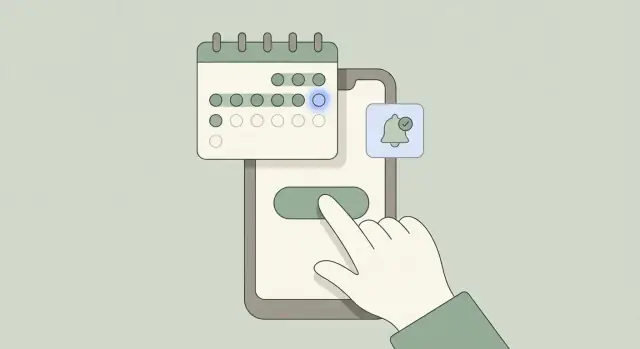
What a One-Action Daily App Is (and Why It Works)
A one-action daily app is a mobile app designed around a single repeated behavior that a person completes once per day. The “action” is intentionally narrow: one tap, one short entry, one scan, one timed session—then you’re done.
The goal isn’t to build a “do-everything” tool. It’s to make one daily behavior so easy and obvious that people actually stick with it.
What “one repetitive daily action” can look like
The daily action should be something you can complete in under 10 seconds (or close to it), ideally from the home screen.
Common one-action patterns include:
- Check-in: “I took my medication” → tap “Done.”
- Log: “How was my mood today?” → pick 1–5.
- Scan: scan a barcode or QR once per day.
- Tap: “I practiced Spanish today” → tap to mark completion.
- Timer: start a 2-minute breathing timer, then it auto-completes.
What matters is that the action is repeatable, unambiguous, and small enough to do even on a busy day.
Examples—and what success looks like
A good one-action app has a clear definition of “done.” Success is:
- Completed once per day (not “as many times as possible”)
- Requires minimal thinking
- Takes <10 seconds in the common case
- Produces a simple confirmation: a checkmark, a streak update, a brief “Nice work”
Examples:
- Water: “Did you drink your first glass today?” (yes/no)
- Rehab: “Did you do your daily stretch?” (start timer → finish)
- Finance: “Log today’s spending total” (single number)
Why single-action apps win
Single-action apps work because they trade features for clarity, speed, and consistency.
- Clarity: users don’t wonder what to do—there’s one obvious next step.
- Speed: the interface can be optimized around a single flow, reducing friction.
- Consistency: doing the same tiny action daily builds a reliable routine, which improves retention.
This guide focuses on practical product decisions—how to pick the action, shape the experience, and keep people coming back—rather than code or tech stack details.
Choose the Daily Action and Make the Promise Specific
A one-action daily app lives or dies by clarity. If the action is fuzzy (“be healthier”), people won’t know what “done” looks like—so they won’t return.
Start with a real person in a real moment
Pick a clear user and situation. Write it like a tiny scene:
- Who: a student, a new parent, a sales rep, someone in physical therapy
- When: mornings on the train, right after lunch, before bed
- Where: at the kitchen counter, in the car (parked), at the gym
Example: “Remote workers who slump at their desk at 3pm and want a quick reset.” This level of specificity guides everything that follows, from copy to reminders.
Write a one-sentence promise you can keep
Use a simple value proposition format:
“Help me do X every day so I get Y.”
Good: “Help me drink one glass of water every day so I feel more energized.”
Too vague: “Help me improve wellness.”
If you can’t fit the promise into one sentence, the app is probably trying to do more than one thing.
Define the action and the rules (no loopholes)
Decide what counts as success:
- Exact action: “Log one 10-minute walk” vs “Exercise”
- Frequency: once per day, multiple times, weekdays only
- Timing: anytime, or within a time window (e.g., 6–10am)
- Edge cases: what happens if they miss a day? Can they backfill? Time zone changes?
Rules reduce decision fatigue and prevent arguments with your own UI later.
Choose a measurable outcome
Pick one primary metric that matches the promise:
- Streak length (best for “every day” commitments)
- Daily completion rate (best for early-stage retention)
- Weekly consistency (great when daily is unrealistic)
Make that metric visible in your product thinking—even if you don’t show it to users yet. It keeps the app honest about what it’s actually helping people do.
Scope the MVP: Do Less, Finish Faster
A one-action daily app succeeds when it’s fast, clear, and dependable. Your MVP should feel complete on day one—not like a demo with half the experience missing.
The smallest day-one feature set
Keep the first release to three essentials:
- Do the action (one tap or one short flow): the core screen where users complete today’s action and get immediate confirmation.
- See history: a simple calendar or list showing completed days (and missed days) so users can trust the app is tracking correctly.
- Reminders: a basic notification schedule (time + timezone handling) with a clear on/off toggle.
If you can’t explain the product using these three items, the scope is already drifting.
What to postpone (on purpose)
Save the “nice-to-have” ideas for later versions:
- Social feed, friends, comments, sharing leaderboards
- Complex stats dashboards (week-over-week charts, correlations, predictions)
- Customization overload (themes, widgets, advanced routines, multiple actions)
These features slow shipping and often distract from the habit you’re trying to support.
Simple journey map: install → day 7
Design the MVP around a single happy path:
- Install → open: one screen that explains the promise in plain language.
- Set reminder (optional): pick a time, or skip.
- First completion: do the action, see a “done” state and a tiny bit of progress.
- Return tomorrow: reminder brings them back to the same action screen.
- Day 7: show a small celebration and a clean weekly recap (not a deep analytics report).
Acceptance criteria for the MVP
Define “ready to ship” using concrete checks:
- Speed: app opens quickly and the action can be completed in seconds.
- Offline behavior: users can complete the action without internet; sync later without losing data.
- Error states: clear messages for notification permissions, failed sync, and duplicate taps (no confusing blanks).
If you want to move fast on the first prototype without over-investing in a full pipeline, tools like Koder.ai can help you stand up a working React/Flutter front end and a Go/PostgreSQL backend from a chat-driven spec—useful for validating the one-action loop before you commit to weeks of custom build.
UX That Makes the Action Effortless
A one-action app succeeds or fails on a single moment: opening the app and completing today’s action without thinking. The goal of UX here isn’t to impress—it’s to remove friction so the daily action feels instant.
Design the home screen around one primary control
The home screen should be built around a single, obvious action—usually one big button placed where thumbs naturally reach.
Make that button self-explanatory with plain language:
- “Log Today’s Walk”
- “Drink 1 Glass”
- “10-Minute Read Done”
Avoid secondary CTAs competing for attention. If the user has to scan, you’ve already slowed the app down.
Use clear, readable states (so users never wonder)
People open a single-purpose mobile app to answer one question: “Did I do it today?” Show the answer immediately with distinct states:
- Not done today: button is active, copy prompts action (“Do it now”).
- Done today: button becomes a confirmation state (“Done for today”), with an easy undo if mistakes are common.
- Missed day: show it in History, but don’t shame the user on the home screen.
- Streak broken: acknowledge it gently (“New streak starts today”) and make the next action one tap.
The more obvious the state, the less cognitive load—and the higher your app retention.
Keep navigation minimal and predictable
For this kind of MVP app development, three tabs are usually enough:
- Home (the action)
- History (proof + streaks)
- Settings (reminders, goals, subscription)
Skip hidden menus and deep hierarchies. If users can’t find something in two taps, it doesn’t belong in the MVP.
Micro-interactions that reward without slowing
Micro-interactions should provide feedback, not ceremony:
- A quick haptic tap when the action is logged
- A subtle animation that finishes in under a second
- A clear confirmation (“Logged for today”) that doesn’t block the next step
Done well, these moments make streaks and reminders feel satisfying—without turning a one-tap habit into a mini workflow.
Onboarding: Get to the First Win in Under a Minute
Onboarding for a one-action daily app isn’t a tour of features—it’s a guided sprint to the first completion. If someone can do the action once, they understand the value. If they can’t, they leave.
Design for “time-to-first-action”
Make the first session succeed even for distracted, skeptical users. A good rule: the primary button should be visible on the first screen, and the action should be completable in a few taps.
Keep your success metric simple: time-to-first-action (how long it takes from install/open to completing the daily action). Measure it, then redesign until it’s reliably under a minute.
Remove friction (especially sign-up)
Account creation is one of the biggest drop-off points. For many apps, it’s optional until after the first win.
Allow one of these flows:
- Try without account (best for fastest start)
- Guest mode with a gentle prompt to save progress after completion
- Sign in after first win (when the user has already felt the benefit)
If you must request an account early (e.g., regulated data), explain why in one sentence and offer the quickest method (Apple/Google sign-in).
Teach in context, not with a tutorial
Avoid long walkthroughs. Instead, use 1–3 short screens or tooltips that appear exactly when needed.
A practical pattern:
- One screen: what the app helps you do daily (one sentence)
- One screen: set the smallest possible goal (or skip)
- Land on the action screen with a single tooltip pointing at the main control
Microcopy matters. Replace vague text (“Track your habit”) with direct, action-first language (“Tap to log today”).
Accessibility basics that help everyone
Simple accessibility improvements reduce mistakes and speed up onboarding:
- Large tap targets (especially for the main action)
- Readable type size and clear contrast
- Clear labels (don’t rely on color alone)
When onboarding is done right, users don’t feel “onboarded.” They feel like they’ve already started—and that first win becomes the reason they return tomorrow.
Reminders That Help Without Annoying People
Reminders are a retention tool, but they’re also where people decide whether your app feels supportive or intrusive. For a one-action daily app, the goal isn’t “more notifications.” It’s the right nudge at the right moment—then getting out of the way.
Pick reminder types that match the action
Different daily actions fit different channels. Offer a small set of options and let users choose.
- Push notifications: best for quick actions (tap, log, confirm). Keep them short.
- Calendar prompts: ideal when the action happens at a scheduled time (take medication, stretch after lunch).
- Widgets: perfect for “see it, do it” behavior without opening the app.
- Emails: use sparingly—better for weekly summaries or “you asked for this” accountability, not daily nagging.
Don’t add every channel by default. Each extra channel increases the chance of annoyance.
Let users choose time and tone (with a good default)
Always allow users to set a preferred reminder time, and make the copy adjustable. A neutral, non-guilting default works for most people:
“Ready for your daily check-in?”
Avoid shame or pressure (“You’re failing your streak!”). If your app’s promise is small and friendly, the reminders should sound that way too. Consider a “gentle” vs “direct” tone toggle, not a library of complicated templates.
Respect real life: time zones, quiet hours, and missed days
If someone travels, your reminders should follow their current local time (or let them lock a home time zone). Add quiet hours so users can silence nudges during sleep, meetings, or family time.
Also plan for missed days. A good reminder system assumes people are busy sometimes:
- If the day is missed, send one softer follow-up (optional), then stop.
- Don’t stack notifications (“3 days behind!”). That’s how apps get deleted.
- When they return, treat it as a fresh start—no guilt.
Ask for permissions only when the benefit is obvious
Don’t request notification permissions on the first screen “because apps do that.” Wait until the user has completed the action once and understands why reminders help.
When you do prompt, explain it in plain language:
- What they’ll get (“A quick nudge at 7:30pm so you don’t forget”)
- How often (“Once a day”)
- How they can control it (“You can change the time or turn it off anytime in Settings”)
This approach improves opt-in rates and reduces the feeling that your app is trying to grab attention instead of delivering value.
Habit Mechanics: Streaks, Goals, and Gentle Motivation
A one-action daily app lives or dies on motivation that feels encouraging, not manipulative. The goal is simple: help people return tomorrow without making them feel guilty today.
Keep the mechanics simple
Start with just a few elements that users instantly understand:
- Streak counter: “5 days in a row” is easy to read and easy to care about.
- Weekly goal: For example, “Complete 5 days this week.” Weekly goals feel forgiving when life gets messy.
- Milestone badges: Use light-touch achievements (7 days, 30 days, 100 actions) as small celebrations, not as pressure.
If you add more than this, each extra mechanic should earn its place by improving retention—not by adding complexity.
Avoid punishing patterns (use grace intelligently)
Streaks can motivate, but they can also cause drop-off when someone breaks one and thinks, “Why bother now?” Consider softening the failure state:
- Grace day: Allow one miss in a set period (e.g., one per week) without losing the streak.
- Reset with dignity: If the streak ends, avoid red alarms or shame. Use neutral language like “New streak started today.”
Be clear about the rules upfront so users trust what they see.
Show progress at a glance
Progress should be visible within one screen, without digging into menus:
- A small calendar view with completed days marked
- A last 7 days strip (great for quick feedback)
- A prominent streak + weekly goal summary
This reinforces identity (“I’m someone who does this”) with minimal effort.
Reinforce completion with better micro-copy
After the daily action, add one short line of positive reinforcement. Keep it varied and sincere:
- “Nice work—done for today.”
- “That’s another day in the books.”
- “Small action, real progress.”
Avoid hype. The best tone is calm, friendly, and consistent—like a coach who respects the user’s time.
Analytics and Feedback Loops for Continuous Improvement
A one-action daily app lives or dies on consistency. Analytics aren’t there to “spy”—they’re there to answer simple questions: Are people getting to the first win? Do they return tomorrow? What gets in their way?
Track only what you need
Start with a tiny event set so you can trust the data and move quickly. For a single-purpose mobile app, you can learn a lot from four events:
- Install (or first open)
- First action completed (your activation moment)
- Daily completion (did they do the thing today?)
- Reminder opt-in (and later: reminder interaction)
Keep event names consistent, and avoid logging sensitive content. For example, track “completed daily action” rather than what the user wrote, recorded, or selected.
Define the metrics that match your promise
Pick metrics that reflect a daily habit, not vanity numbers:
- Activation rate: % of new users who complete the first action (ideally on the first session)
- D1 / D7 retention: % who return the next day and a week later
- Completion frequency: average completions per active user per week
- Churn signals: missed days, turning off notifications, repeated app opens without completion
If you also track “opened app,” watch for sessions with no completion—this often points to friction in UX or unclear prompts.
Privacy-friendly analytics and consent
Use privacy-respecting analytics by default: no contact uploads, no ad IDs unless you truly need them, and minimal identifiers. In onboarding, write consent language like a human:
“We collect basic usage data (like first action and daily completion) to improve reminders and make the app easier to use. We don’t collect the content of your entries.”
Offer a simple toggle in Settings, and link to a clear privacy page (for example, /privacy). Trust is a feature—especially for a habit tracker app.
Build an iteration loop that ships weekly
A lightweight cycle keeps improvements focused:
- Measure: check activation, retention, and completion frequency
- Learn: identify one bottleneck (e.g., reminder opt-in is low)
- Ship: make one small change (copy, timing, micro-interactions, default settings)
Treat every change as a mini-experiment. Over time, these small improvements add up to better app retention without bloating the product.
Monetization Without Breaking Trust
A one-action daily app earns money when it reliably helps someone follow through. The fastest way to lose that trust is to monetize before the user has felt a real benefit.
Choose a model that matches the “one action” value
Because the app does one thing, pricing should be easy to understand.
- Free works if you can support it with a sponsor, a companion product, or if the app is a marketing channel.
- Freemium is a strong default: keep the core daily action usable, and charge for “power-ups” that make it smoother (themes, advanced stats, extra reminders, cloud sync, exports).
- Subscription fits if you’re providing ongoing value (insights, content packs, cross-device sync, premium coaching prompts). Keep it low-friction: monthly and annual options, with the annual clearly discounted.
- One-time purchase can work when the app is mostly self-contained and doesn’t require ongoing costs. People like it because it feels fair and final.
Put the paywall after value is proven
For a daily action app, “value” usually means a small streak or a visible improvement.
Good moments to ask for payment:
- After the user completes the action a few times (e.g., day 3 or 5)
- When they try to use a premium feature (e.g., “Export your history”)
- After they view a meaningful summary (“You’ve checked in 7 days in a row”)
What should stay free? At minimum, the ability to complete the daily action and see basic progress. If you paywall the core action, people can’t build the habit that would make them willing to pay.
Make pricing transparent—and easy to cancel
Avoid dark patterns: no hiding the close button, no confusing trials, no “accidental” upgrades. Show the price, billing period, and renewal terms in plain language.
Add a clear /pricing link in your marketing site and inside the app (Settings is a natural spot). Also include:
- What’s included in each tier
- How to cancel (one or two sentences)
- A simple way to restore purchases
Trust is a feature. When users feel respected, they’re more likely to subscribe—and to stick with the daily action long enough to justify it.
Testing, Launch, and the First 30 Days
A one-action daily app can look perfect in a demo and still fail in real life—usually because the “daily” parts behave differently outside your test phone. Treat testing and launch as a reliability project first, a growth project second.
Test what makes it “daily”
Before you worry about polish, stress-test the core loop across real conditions:
- Reminders: Do notifications arrive at the right time? What if the user changes time zones, switches to Do Not Disturb, or disables notifications and re-enables them later?
- Background behavior: Does the app still schedule reminders after a reboot or after the OS kills it?
- Offline mode: Can a user complete the action without a connection, and does it sync cleanly later?
- Edge dates: Test daylight saving time shifts, month boundaries, leap years, and the moment the day rolls over. If you use streaks, confirm that “today” is unambiguous.
Write test scripts that mirror messy reality: low battery mode, poor connectivity, multiple devices, and missed days.
Run a small beta with the right people
A short beta with target users will reveal confusion you can’t predict. Keep it small (10–30 people), and track two things:
- Where they drop off (install → open → first action → day 2).
- What they misunderstand (reminders, streak rules, what “counts,” how to edit mistakes).
Ask testers to screen-record their first session, or at least send a quick note when they get stuck. Your goal is to remove friction, not debate features.
A simple launch checklist
Avoid a frantic release day by preparing the basics:
- Store listing text that clearly states the one daily action
- Screenshots that show: open → do action → done
- Support email and a short “contact us” flow in-app
- An FAQ page (e.g., /help) covering reminders, streak rules, and privacy
- Privacy policy link and data handling summary
- Crash reporting and a way to view key metrics (retention, completion rate)
If you build with a platform like Koder.ai, consider using snapshots/rollback during early releases so you can ship small improvements quickly while keeping a safe recovery point if an update affects reminders, time zones, or streak calculations.
The first 30 days: retention over feature bloat
Plan updates that improve consistency: notification reliability, faster startup, clearer error states, and small UX fixes that reduce missed actions.
Watch early signals like day-2 and day-7 retention, reminder opt-in rate, and “action completed” success rate. If those numbers aren’t moving, new features won’t save the app—clarity and reliability will.
FAQ
What is a one-action daily app?
A one-action daily app is built around one repeatable action that users complete once per day (e.g., a single tap check-in, a 1–5 rating, a quick timer). The experience is intentionally narrow so it’s fast, obvious, and easy to repeat—especially on busy days.
Why do single-action apps tend to retain users better?
Keeping the action tiny reduces friction and decision fatigue. Users don’t have to figure out what to do, so they’re more likely to complete the action and return tomorrow—improving consistency and retention.
How do I choose the right daily action for my app?
Write a one-sentence promise: “Help me do X every day so I get Y.” Then make sure the action is:
- Unambiguous (clear definition of “done”)
- Fast (ideally under ~10 seconds)
- Repeatable daily (works even on low-motivation days)
If you can’t describe it clearly, it’s probably more than one action.
What rules should I decide upfront (streaks, time zones, missed days)?
Define rules early so you don’t fight your UI later:
- What exactly counts as completion?
- Is it truly once per day (or weekdays only)?
- Can users backfill missed days?
- How do you handle time zones and day rollovers?
Clear rules reduce confusion and make streaks/history feel trustworthy.
What should the MVP include for a one-action daily app?
A tight MVP needs three essentials:
- Do the action (one tap or one short flow) with instant confirmation
- See history (simple calendar/list of done vs missed days)
- Reminders (basic scheduling + on/off toggle + time zone handling)
If you add more, make sure it doesn’t slow down the daily loop.
What features should I intentionally postpone until later?
Postpone anything that adds complexity without strengthening the daily habit:
- Social features (feeds, leaderboards, comments)
- Heavy analytics dashboards
- Too much customization (themes, multiple actions, advanced routines)
These often delay shipping and distract from the one thing users came for.
What UX patterns make the daily action feel effortless?
Make the home screen revolve around one primary control (usually one big button). Then show an immediate state:
- Not done today → clear prompt to act
- Done today → obvious confirmation (optionally an undo)
Minimal navigation (often Home/History/Settings) keeps the action effortless.
How can I design onboarding so users get the first win quickly?
Optimize for time-to-first-action:
- Put the main action on the first screen
- Keep onboarding to 1–3 short steps
- Delay sign-up when possible (guest mode or sign-in after the first win)
Measure how long it takes a new user to complete the action—and iterate until it’s reliably under a minute.
How do I set reminders without annoying users?
Use reminders as a supportive nudge, not noise:
- Offer a good default time, but let users choose
- Add quiet hours and handle time zone changes well
- If a day is missed, consider one gentle follow-up, then stop
- Ask for notification permission after the user understands the benefit
Short, neutral copy beats guilt-based messaging.
What analytics should I track for a one-action daily app (without hurting privacy)?
Track a small, trustworthy set of events:
- First open/install
- First action completed (activation)
- Daily completion
- Reminder opt-in (and later, reminder interaction)
Watch metrics that match the promise: activation rate, D1/D7 retention, and completion frequency. Keep analytics privacy-friendly (track completion, not sensitive content) and provide a clear link like /privacy.