

How to Build a Mobile App for Capturing Ideas in Context
Learn how to design and build a mobile app that captures ideas with context—voice, photos, location, and time—plus an MVP roadmap and UX tips.
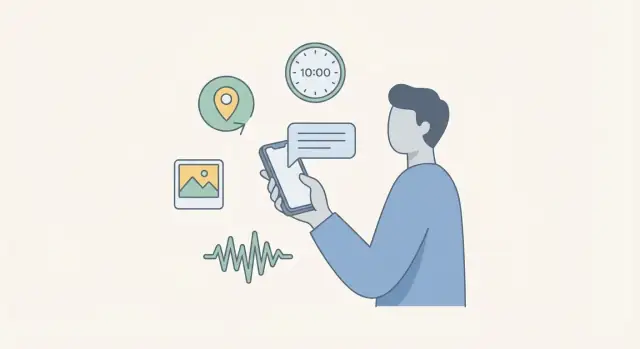
What “capturing ideas in context” really means
Capturing an idea “in context” means saving the thought plus the surrounding signals that make it understandable later. A note like “Try a subscription option” is easy to forget; the same note with a few context cues becomes actionable.
What counts as context (and what doesn’t)
Useful context signals are the ones that answer: “Why did I think this?”
- Time: timestamp, day of week, and (optionally) a rough “morning/afternoon/evening” label.
- Place: city-level by default; precise location only if the user opts in.
- People: who it was for or with (typed name, not automatic contact scraping).
- Media: a quick photo, screenshot, or voice clip that preserves details.
- Mood/energy: a lightweight tag like “excited,” “frustrated,” or “high energy.”
Avoid context that’s noisy or creepy: full GPS trails, background recordings, automatic contact uploads, or too many mandatory fields.
Common moments when people capture ideas
Your app should fit real-life interruptions:
- Commuting: one-handed typing, quick voice notes, minimal taps.
- Meetings: discreet capture, fast labeling, easy follow-up.
- Walks: voice-first, optional location, later transcription.
- Shopping/errands: photo notes, short checklists, reminders.
- Reading: highlight + quick takeaway, screenshot attachment.
How you’ll know it’s working
Define success criteria early:
- Faster capture: most notes saved in under ~10 seconds.
- Better recall: users can retrieve a note later with one or two searches/filters.
- Fewer lost ideas: reduced “I remember thinking this, but can’t find it” moments.
Pick one primary user to design for
Choose a single main persona to avoid a diluted experience:
- Creator: wants inspiration + media attachments.
- Student: needs lecture capture + study-friendly organization.
- Manager: tracks action items tied to people and meetings.
- Researcher: collects sources, screenshots, and structured context.
You can support others later, but the MVP should feel tailored to one.
Pick a clear problem statement and MVP goal
Before screens and features, define the job your app will do better than a notebook, camera roll, or chat-to-self. A good problem statement is specific and measurable.
Start with a crisp problem statement
Example: “People have great ideas while moving around, but they lose them because capturing them with enough context takes too long.”
Your MVP goal should translate that into a single success metric, such as: “A user can capture an idea with useful context in under 5 seconds, even without signal.”
Write 2–3 concrete user stories
Use simple stories that force trade-offs:
- “I want to save a thought with a photo and location in 5 seconds, so I can revisit it later and remember why it mattered.”
- “I want to record a quick voice note while walking, with time and place saved automatically, so I don’t have to type.”
- “I want to capture an idea offline on a train and trust it will sync later without me thinking about it.”
Decide the one action you optimize
Choose one primary action and make everything else secondary:
Capture first, organize later. The MVP should open fast, require minimal taps, and avoid forcing decisions (folders, tags, titles) at capture time.
MVP vs. nice-to-have (to prevent scope creep)
MVP features that support the goal:
- One-tap capture (text, photo, or voice)
- Automatic context: timestamp + approximate location
- Simple “idea inbox” list
- Basic search
Nice-to-haves to postpone:
- Advanced tagging systems, templates, collaboration, AI summaries, multi-device real-time editing
Define constraints upfront
- Offline use: queue captures locally; never block capture on connectivity.
- Privacy expectations: minimize data collected; clear permission prompts; obvious “what’s saved” cues.
- Battery limits: avoid constant GPS tracking; capture location only at the moment of saving.
A tight MVP goal keeps the app focused: fast capture with just enough context to make recall effortless later.
Design the capture flow for speed
Speed is the feature. If capturing an idea takes more than a few seconds, people will postpone it—and the moment (and the thought) is gone. Design your flow so users can start capturing from wherever they are, with as little decision-making as possible.
One-tap entry points
Add quick access that bypasses menus:
- Lock screen action (where supported) and notification shortcuts
- Home screen widget with “New idea” plus one or two direct actions (Voice, Photo)
- Share sheet support so screenshots, web snippets, or photos can be sent straight into the app
When the app opens from a shortcut, it should land directly in the capture UI, not a dashboard.
Fast inputs that match real life
Offer a small set of high-frequency capture types:
- Text: cursor focused, keyboard open, minimal formatting
- Voice: one-tap record, visible timer, clear “Save” behavior
- Photo: open camera immediately, with an optional caption field
- Screenshot/import: accept shared images/files with a quick note
- Quick checklist: frictionless for errands or step sequences
Keep input screens consistent: a single primary action (Save) and an obvious way to discard.
Auto-attach context (quietly)
Attach a timestamp by default. Offer location and device state (e.g., connected headphones, motion, app source) as optional signals. Ask for permissions only when the user tries the feature, and provide a clear “Never/Only this time” style choice. Context should help later retrieval, not interrupt capture.
A single “Idea Inbox”
Everything should land in one place first: an Idea Inbox. No required folders, tags, or projects during capture. Users can refine later—your job here is to make “save it now” effortless.
Context signals: what to collect and what to avoid
“Context” should make an idea easier to understand later, not turn your app into a tracking tool. The simplest test: if a signal won’t help a user answer “what was I thinking, and why?” it probably doesn’t belong in your MVP.
Signals that are usually worth it
Start with a small set that provides high recall value:
- Time: always useful, almost zero privacy risk.
- Location (optional): great for ideas tied to places (a store, a commute, a client visit). Prefer “approximate” when possible.
- Calendar (optional): helpful when ideas relate to meetings or projects. Store only the event title or a short label, not full attendee lists.
- Nearby Wi‑Fi / Bluetooth hints (careful): can help infer “at home” or “at the office,” but feels intrusive if not explained well.
- Activity (walking/driving/still): useful for interpreting voice notes (“quick thought while driving”), but keep it coarse and avoid continuous tracking.
Signals to avoid (at least at first)
Skip anything that’s hard to justify in plain language:
- Contacts, call logs, message content
- Precise background location history
- Microphone “always listening” modes
- Detailed device identifiers you don’t truly need
Give users simple controls
For each optional signal, offer three clear choices: Always, Ask each time, Never. Add a one-tap “Capture with less context” option on the capture screen.
Add a “light context” mode
A “Light context” default (e.g., time only, maybe weather if it’s local-on-device) reduces hesitation and builds trust. Users can opt in to richer context once they see the benefit.
Explain the “why” in one sentence
When requesting permissions, use a short prompt like: “Adding location helps you remember where you were when you wrote this. You can turn it off anytime.”
Input types that work well on mobile
Mobile capture succeeds when it matches the moment. Your app should let people get an idea out of their head in seconds, even if they’re walking, in a meeting, or offline.
Voice: fastest when hands are busy
A voice note with instant transcription is often the quickest input on a phone. Show the recording UI immediately, then stream transcription as it happens so the user can confirm it “got it right.”
Plan a fallback when offline: save the audio locally, mark it as “transcription pending,” and process it when connectivity returns. Users should never lose a thought because speech-to-text couldn’t run.
Photos: great for the real world
A photo note with optional caption works well for whiteboards, book pages, packaging, or sketches. Keep the default flow: snap → save. Then offer lightweight enhancements:
- Add a short caption (one line is enough)
- Let users highlight an area (quick crop or a simple rectangle) so the important part is obvious later
Templates: reduce thinking, not flexibility
Provide quick templates for common situations, like:
- Meeting note
- Book quote
- “Idea + next step”
Templates should pre-fill prompts (e.g., “Next step:”) but still allow free text so the user doesn’t feel boxed in.
Smart defaults: fewer taps, same control
Use smart defaults that respect the user’s habits: last-used template, last-used tags, and the last input mode. Defaults should always be visible and easy to change—speed matters, but so does trust.
Information model: ideas, context, and attachments
A fast capture app lives or dies by its data model. Keep it simple enough to ship, but structured enough that users can find things later.
The simplest model that still works
Think in three parts:
- Idea (content): the user’s words (typed note, transcript, checklist), plus a lightweight title.
- Context (metadata): the “where/when/how” that helps recall (time, rough location, capture mode, optional people/project).
- Attachments: photos, audio, sketches, files—anything bulky that shouldn’t bloat the core note.
This separation lets you evolve features (better search, smarter grouping) without breaking saved notes.
Organization without forcing a hierarchy
Most people don’t want to decide where something belongs while they’re rushing. Offer flexible organization:
- Tags for themes (“marketing”, “gift idea”, “bug”).
- Folders/Projects for longer-running buckets (“Client A”, “Home”).
- Pin/Star for “top of mind” items.
Make all of these optional. A good default is an Idea Inbox where everything lands first, with quick actions to tag or move later.
What users can edit later vs. what should be fixed
Define this early to avoid confusion and sync conflicts.
Editable later (with a clear UI): title, tags, folder/project, pinned/starred state, and sometimes location (if the user wants to correct it).
Fixed (or at least immutable by default): created time, original capture mode (voice/photo/text), and original attachments (allow add/remove, but keep an audit-friendly identity).
Duplicates and near-duplicates
Duplicates happen with flaky connections and rapid taps. Use:
- Client-generated IDs to prevent true duplicates on sync.
- Soft merge suggestions for near-duplicates (same text within a short time window, same location, same attachments), letting the user decide to keep both or merge.
Organization and retrieval: make recall effortless
Capturing an idea is only half the job. The real value shows up a week later, when you’re trying to remember what you meant and why it mattered. Your organization system should make recall feel automatic—without forcing users into busywork.
Start with an “Inbox,” not folders
Treat every new idea as a quick drop into an Inbox. No decisions required. This keeps capture fast and reduces the chance that people stop using the app because it “asks too much.”
Once ideas are captured, you can offer lightweight views that help users browse naturally:
- By place (home, office, a client site)
- By time (today, this week, last month)
- By project (workstream, client, personal goals)
The key is that these are views, not mandatory filing steps.
Make scanning effortless with context chips
When users open a list of ideas, they’re usually looking for recognition, not reading carefully. Add small context chips under each item to help them orient instantly—something like:
Tue 9:14 AM • Office • Voice
This kind of compact metadata makes a feed feel “searchable” even before someone uses search, and it reduces the need to open each note.
Search that matches how people actually remember
People recall fragments: a keyword, a rough timeframe, a place, or “that note I recorded.” Your search should support keywords plus filters, so users can narrow results without perfect memory:
- Text query (title, transcript, tags)
- Date range (yesterday, last 30 days, custom)
- Tag(s) or project
- Location (near a place, or a saved location label)
Keep the UI simple: one search bar, then optional filters that don’t get in the way.
Light reminders that drive review habits
Ideas die in the Inbox unless the app nudges follow-through. Add lightweight reminders like:
- Review inbox (daily or weekly)
- Nudge me tomorrow (one-tap snooze for a single idea)
These reminders should feel supportive, not noisy: minimal notifications, clear intent, easy to turn off.
Done well, organization becomes invisible: users capture quickly, then reliably find what they need when it counts.
Offline, sync, and performance basics
A capture app only “works” if it works when your user needs it: in an elevator, on a train, or mid‑conversation. Treat unreliable connectivity as normal, and design so the app never makes people wait to save an idea.
Offline-first: saving should be instant
Store every new idea locally first, then sync later. This keeps capture fast and prevents the worst failure mode: a lost thought.
A simple mental model for users helps: “Saved on this phone” vs “Synced everywhere.” Even if you don’t show those words, you should know which state each idea is in.
Smart uploads that respect battery and data
Media is heavy, and background activity can annoy users. Upload in the background only when conditions allow, and give users clear control.
- Offer a Wi‑Fi only option for uploads
- Pause uploads on low battery or low data mode
- Make uploads resumable so a flaky connection doesn’t restart everything
Handling photos and audio without slowing capture
Performance is mostly about not doing big work on the capture screen.
Compress images after saving (not before), and keep an original if your product needs it. For audio, record to a local file, then upload in chunks so long recordings don’t fail at 99%.
Show a small, calm status indicator per item (queued, uploading, uploaded, failed). If something fails, keep the idea fully usable offline and retry quietly.
Cross-device sync and conflicts (in plain terms)
Start with one rule: the latest edit wins, and keep a lightweight edit history for safety. Conflicts usually happen when the same idea is edited on two devices before syncing.
For an MVP, resolve conflicts automatically, but provide a “Restore previous version” option. Users don’t need to understand syncing—just trust that nothing disappears.
Privacy, permissions, and trust-building UX
People won’t capture their best ideas if they feel watched. Trust is a product feature, especially for a contextual note-taking app that can touch location, microphone, and photos. Your goal is to make privacy expectations obvious, choices reversible, and data handling predictable.
Ask for permissions only when it matters
Avoid requesting a bundle of permissions during onboarding. Instead, ask at the moment the feature is used, and explain the benefit in one sentence.
- Location: prompt only when a user taps “Add location” or enables “Attach location automatically.”
- Microphone: prompt when they start a voice note.
- Photos: prompt when they attach an image (or open the camera).
If they decline, keep the flow working: let them save the note without that context and show a gentle “Enable later” option in settings.
Prefer on-device processing by default
When possible, keep sensitive work on the phone:
- Local indexing/search so notes are discoverable without uploading content.
- Local encryption options (device passcode/biometrics, encrypted storage) to reduce risk if a device is lost.
If you do cloud sync, be clear about what is uploaded (note text, attachments, metadata like location) and when.
Make privacy controls easy to understand
Create a dedicated Privacy settings screen with simple toggles and plain-language descriptions. Users should be able to:
- Turn off auto-location (and choose “manual only”)
- Disable microphone access without breaking text notes
- Choose whether attachments are backed up
Export and deletion should be predictable
Set expectations early: users should be able to export their data (for example, a zip or common formats) and delete everything with a clear confirmation step. Also state how long deletion takes and whether backups are involved in your privacy policy.
Tech stack decisions (without overcomplicating it)
A contextual note-taking app succeeds or fails on speed, reliability, and trust. Your tech choices should support those outcomes first, and stay simple until usage proves you need more.
iOS, Android, or cross-platform?
Start with the option that matches your team and timeline.
- Native iOS (Swift/SwiftUI): best if your audience is mostly iPhone users and you want top performance for camera, audio, and background tasks.
- Native Android (Kotlin/Jetpack Compose): best if Android is your primary market or you rely on Android-only integrations.
- Cross-platform (Flutter or React Native): best when you need both platforms quickly with one team. Choose this if your core experience is mostly forms, lists, media capture, and sync (which is true for many MVPs).
If you’re unsure, pick cross-platform and keep native “escape hatches” for audio recording, photo handling, and background uploads.
If you want to validate the product fast before investing heavily in custom engineering, a vibe-coding platform like Koder.ai can help you prototype and ship an MVP from a chat-driven workflow, then export the source code when you’re ready to take over. It’s particularly useful for quickly standing up common building blocks for this kind of app—React-based web surfaces, a Go backend with PostgreSQL, and even Flutter mobile clients—while still keeping a clear path to “real” ownership and iteration.
Backend needs checklist (MVP)
You don’t need a complex microservice setup. You do need a dependable backbone:
- Authentication (email, Apple/Google sign-in)
- Sync (conflict handling for edits, retries on poor networks)
- File storage for photos and voice notes (uploads, downloads, thumbnails)
- Search indexing (title/text, tags, basic filters like date/location)
A managed backend (Firebase, Supabase, or similar) is often enough for an MVP and reduces operational load.
Analytics that improve the product (not your access to notes)
Track performance and UX health, not user content. Useful events include time-to-capture, failed saves, sync queue length, permission-denied rates, and attachment upload failures.
Testing plan: where apps like this break
Prioritize edge cases: permissions toggled off mid-session, airplane mode, low storage, interrupted recordings, large attachments, and repeated capture bursts. Add a small set of device tests that mimic real life: commuting, spotty Wi‑Fi, and backgrounding the app during uploads.
Validate with prototypes and real usage data
A contextual note-taking app succeeds or fails on one thing: whether people can capture an idea instantly and later remember why it mattered. You can’t reliably predict that from requirements alone—validate it with quick prototypes and real behavior.
Prototype the capture flow first
Start with a tappable prototype (even a simple mock) and run a “5‑second test” with real users: can they open the app and save an idea in under five seconds without asking questions?
Watch for friction points like:
- Needing to choose a folder before saving
- Too many fields on the first screen
- Confirmation steps that interrupt momentum
If users hesitate, simplify the first screen until “open → capture → saved” feels automatic.
Instrument the funnel (and define success)
Add lightweight analytics around the key steps: open → capture started → saved → revisited. This tells you where ideas get dropped and whether contextual capture actually improves recall.
A practical starting set:
- Time-to-first-save after app open
- Percentage of sessions that end with a saved item
- “Revisit rate” within 24 hours and within 7 days
Run a small beta focused on recall
In a small beta, ask users to flag a few saved ideas as “important,” then check a week later: can they find them quickly, and does the context (location, time, attachments) help?
Iterate on one metric at a time
Pick a single metric (for example, reduce steps to save) and change one thing. If you improve multiple areas at once, you won’t know what actually worked—and you risk making the flow slower even if it looks nicer.
Roadmap after MVP: what to build next
Your MVP proves one thing: people can capture an idea quickly, with enough context to be useful later. The roadmap is about increasing “future usefulness” without slowing capture down or surprising users.
Phase 1: Make retrieval noticeably better
Once you have a few hundred notes, the app either becomes indispensable—or a junk drawer. Prioritize features that reduce “search friction”:
- Faster search with typo tolerance and partial matches
- Filters for time ranges, locations, and attachment type (voice/photo/text)
- Saved searches or simple “smart folders” like Ideas from this week or Voice notes near home
Keep it optional: power features should not clutter the default experience.
Phase 2: Smart suggestions (that users can ignore)
“Smart” should mean helpful, not pushy. Good next steps include:
- Auto-suggest tags based on frequent words or previous tags
- Gentle prompts like “Add a title?” only when the note is otherwise hard to identify
- Grouping duplicates (same day + similar text) into a suggestion, not an automatic merge
Aim for transparency: show why the app suggested something.
Phase 3: Integrations with clear consent
Integrations can add valuable context, but they also increase privacy expectations. Consider optional add-ons such as:
- Calendar: attach meeting title/time to a capture
- Email forwarding: send an idea to your inbox as a note
- Read-it-later: save highlights into the idea inbox
Make each integration opt-in, scoped, and easy to revoke.
Phase 4: Sharing and collaboration (only if it fits)
Start lightweight: share a single note or export a bundle. If teams are a real use case, evolve toward shared notebooks, roles, and activity history.
Monetization and sustainability
Evaluate models that align with trust:
- Freemium limits (storage, attachments, devices)
- Subscription for advanced search, transcription, and backups
- Team plans for shared workspaces and admin controls
Accessibility and inclusivity upgrades
Expand who can use the app comfortably:
- Captions and transcripts for voice notes
- Larger text and better contrast controls
- Voice control-friendly capture and navigation
FAQ
What does “capturing ideas in context” mean in a mobile app?
It means saving the idea plus the signals that make it understandable later—the “why did I think this?” part. In practice, that’s usually a timestamp, an optional rough place, and sometimes an attachment (photo/voice) so the idea remains actionable days later.
Which context signals are most useful to capture (and which are overkill)?
High-signal context typically includes:
- Time: timestamp (optionally day of week / part of day)
- Place: approximate location (city/neighborhood), opt-in for precise
- People: typed names (not contact scraping)
- Media: photo, screenshot, or voice clip
- Mood/energy: lightweight tags like “frustrated” or “high energy”
If a context field doesn’t improve later recall, it probably doesn’t belong in the MVP.
What context should an MVP avoid to reduce creepiness and friction?
Avoid anything that feels like surveillance or creates noise, especially early on:
- Continuous or precise background location history
- Always-listening microphone modes
- Automatic contacts/call logs/message access
- Mandatory fields that slow capture
A good default is time always, and everything else opt-in with clear “Always / Ask / Never” controls.
Why should the app optimize “capture first, organize later”?
Because speed is the feature. If users must decide folders, tags, or projects up front, they’ll hesitate and miss the moment. A practical pattern is:
- Capture first into a single Idea Inbox
- Organize later with optional tags/projects/pins
This keeps most saves under ~10 seconds and still supports recall later via search and filters.
What are the fastest entry points for capturing ideas on mobile?
Use quick entry points that skip dashboards:
- Lock screen / notification shortcuts (where supported)
- Home screen widget with “New idea” plus Voice/Photo
- Share sheet so screenshots and snippets can be sent straight in
When launched from a shortcut, land directly in the capture UI with the cursor focused (or recording ready).
Which real-life situations should the capture flow be designed for?
Design for common interruption-heavy moments:
- Commuting: one-handed input, minimal taps
- Meetings: discreet capture, fast labeling for follow-up
- Walking: voice-first with optional location
- Errands: photo notes + quick checklists
- Reading: highlight/screenshot + one-line takeaway
Choose defaults that match these contexts (e.g., voice-first on the lock screen).
How do you make capture reliable offline and on spotty connections?
Implement an offline-first pipeline:
- Save the note locally instantly (never block on network)
- Queue uploads/sync in the background
- Show a simple per-item status (queued/uploading/failed)
- Retry quietly; keep the note usable even if upload fails
For voice transcription, store audio offline and mark it “transcription pending” until connectivity returns.
What’s a simple data model for ideas, context, and attachments?
Start with a minimal model that stays flexible:
- Idea (content): text/transcript/checklist + optional lightweight title
- Context (metadata): time, rough location, capture mode, optional project/people
- Attachments: photos/audio/files stored separately
This separation makes search, sync, and future features easier without breaking old notes.
How should search and retrieval work for contextual notes?
Make recall work the way people actually remember:
- One search bar across title/text/transcripts/tags
- Filters for date range, tag/project, location, and capture type (voice/photo/text)
- List items with context chips (e.g., “Tue 9:14 AM • Office • Voice”) to help scanning
The goal is finding a note in one or two moves, not perfect organization.
How do you measure whether contextual capture is actually working?
Use metrics tied to speed and recall:
- Time-to-save: most captures under ~10 seconds (or your 5-second MVP target)
- Capture success rate: % of sessions ending in a saved item
- Revisit rate: within 24 hours and 7 days
- Recall outcomes: fewer “I remember this but can’t find it” moments
Instrument the funnel: open → capture started → saved → revisited and improve one metric at a time.