

How to Build a Mobile App for Daily Intent Setting
A practical step-by-step guide to building a daily intent setting app: core features, UX flow, tech choices, privacy basics, testing, and launch.
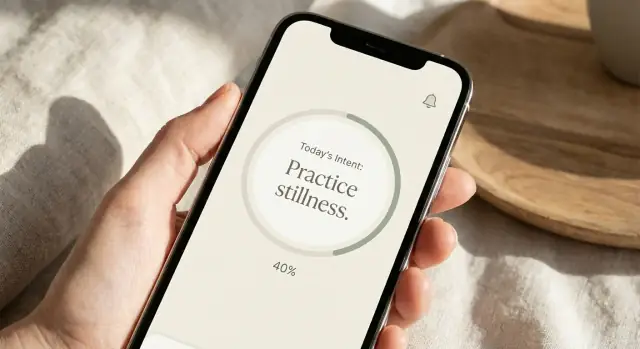
Define the App’s Purpose and Target Audience
“Daily intent setting” is the practice of choosing a single, meaningful focus for the next stretch of time—usually today—and using it as a gentle compass for decisions and attention. It’s less about measuring output and more about deciding how you want to show up.
The simple promise
Your app’s purpose should be easy to remember and easy to explain:
Help users choose one focus for today, and return to it when they drift.
That promise keeps the product narrow (and buildable) while still feeling valuable. If a user can open the app, pick an intent in under a minute, and feel “I know what matters today,” you’re on the right track.
Who benefits most
A daily intent setting app is especially useful for people who feel pulled in many directions and want calm structure without heavy tracking:
- Busy professionals who want a grounded start and fewer reactive decisions
- Students balancing deadlines and mental load
- Parents/caregivers who need a quick reset between responsibilities
- People who already meditate or journal but struggle to be consistent
- Anyone managing stress, attention, or burnout symptoms (without positioning the app as treatment)
Common moments of use
Most intent-setting happens in predictable “transition points,” which should shape your onboarding and core flow:
- Morning start: choose a tone for the day (e.g., “patient,” “focused,” “curious”)
- Workday reset: re-center after meetings, conflict, or fatigue
- Evening reflection: check whether the day matched the intent and learn for tomorrow
How it differs from goals, habits, and journaling
Intentions aren’t goals (“ship the project”), habits (“walk 10 minutes”), or journaling (open-ended writing). An intention is a guiding principle you can return to even when plans change.
Design the app to emphasize direction over achievement: a single focus, lightly revisited—rather than streak pressure, dense metrics, or long entries.
User Research: Problems, Motivations, and Moments
A daily intent-setting app lives or dies on whether it fits into real life. Before you design screens, learn when people actually think about their day, what interrupts them, and what makes them come back.
Start with 2–3 core personas
Pick a few “anchor” users so decisions don’t get vague:
- Busy professionals: mornings are rushed, days are meeting-heavy, evenings are depleted
- Students: schedules change daily, motivation swings, phone usage is high
- Parents/caregivers: fragmented time, frequent interruptions, need quick emotional reset
Keep personas simple: their routine, biggest friction point, and what success feels like.
Run lightweight research (fast, but focused)
You don’t need a large study. Aim for 5–10 short interviews (15–20 minutes) or a quick survey with one open-ended question.
Useful prompts:
- “When do you want to set an intention—and when do you remember too late?”
- “What makes you ignore reminders?”
- “What does a ‘good day’ mean to you?”
- “If you stopped using the app, what would be the reason?”
Listen for specific moments: waking up, commute, first work task, lunch break, school pickup, bedtime.
Capture the main pain points
Most intent-setting apps struggle for predictable reasons:
- Forgetfulness: people like the idea, but don’t remember at the right time
- Overwhelm: too many options, too much text, too much pressure to “do it right”
- Inconsistency: missed days create guilt, and guilt leads to quitting
Turn insights into a problem statement + success criteria
Write a one-paragraph statement you can paste into your docs:
“People want a 30-second way to choose a daily intention during natural transition moments, with gentle support that doesn’t create guilt or noise.”
Define success criteria you can measure later:
- 70% of new users set an intention within the first 2 minutes
- Median daily check-in time under 45 seconds
- Users report feeling “calmer” or “more focused” after 7 days (in-app question)
Map the Core Flow and MVP Scope
Before screens and features, map the one journey you’re trying to make effortless. A daily intent app succeeds when the user can complete the loop quickly—especially on busy mornings.
Define the primary workflow (the “happy path”)
Write your core flow as a simple sequence and treat it like a product contract:
Set intent → reminder → check-in → reflect
Add just enough detail to remove ambiguity:
- Set intent: choose or write an intent (e.g., “be patient in meetings”), optionally pick a time window or context
- Reminder: a single nudge at the right moment (not a barrage)
- Check-in: one tap to confirm (“I remembered”) or adjust (“I slipped”)
- Reflect: a short prompt that helps meaning-making (“What helped today?”) and closes the loop
Anything that doesn’t make this path faster, calmer, or more likely to happen is probably not MVP.
Choose MVP features vs. “later” features
A practical MVP for a daily intent setting app usually includes:
- Intent selection (preset library + quick custom)
- Lightweight onboarding that sets a first intent and reminder
- One daily reminder (with snooze)
- Check-in + a single reflection question
- Basic history view (streaks optional)
Push to “later” unless you have a clear reason:
- Social sharing, friends, groups
- Deep journaling, tags, mood tracking
- AI coaching, long-form insights
- Multiple reminders per day, complex schedules
This is how you avoid scope creep: if a feature doesn’t support the core loop, it waits.
Set measurable outcomes (so you know what “working” means)
Pick a few metrics tied to the loop:
- Daily completion rate: % of users who complete set + check-in (or check-in alone) each day
- 7-day retention: % who return at least once in the next 7 days
- Reminder effectiveness: open rate → check-in rate after notification
Decide the tone: gentle coaching vs. structured accountability
Tone changes copy, prompts, and even what “success” feels like. Gentle coaching favors compassionate language and easy restarts; structured accountability leans on commitments, streaks, and clearer prompts. Choose one early so the UX stays consistent.
Design the Core Features for Intent, Check-In, and Reflection
This app works when people can set an intention in seconds, remember it at the right moment, and later see a gentle record of what happened. Treat these steps as one loop—not separate, unrelated screens.
1) Intent setting: quick, flexible prompts
Start with a single, focused prompt that feels lightweight. Offer multiple input styles so different users can find a comfortable ritual:
- Free text for people who already know what they want to write
- Templates (e.g., “Today I want to feel…”, “If I get stressed, I will…”) to reduce blank-page anxiety
- Guided questions that adapt to context, like “What’s one thing you can do in the next hour?” or “Who do you want to show up as today?”
Keep the intent screen calm: one primary action (“Save intention”), optional secondary actions (“Use template”), and a clear character limit if you use one.
2) Daily check-in: frictionless completion
A check-in should take 5–10 seconds by default. Provide a simple “Done / Not done” choice, then optional depth for users who want it:
- Notes (one sentence)
- Mood (emoji-less labels like Calm/Anxious/Energized)
- Quick rating (1–5) for consistency
Use progressive disclosure: show the fast path first, and let users add detail without making it mandatory.
3) Reflection history: make progress visible
Reflection becomes motivating when it’s easy to browse. Consider:
- A calendar view to spot patterns (busy days, weekends, travel)
- A weekly summary that highlights themes (most common moods, most-used templates)
- Searchable entries so users can find past intentions when they need encouragement
Optional features (add after the loop works)
Once the core loop is stable, consider:
- Streaks (with an option to hide them to avoid pressure)
- Tags (work, relationships, health)
- Themes (light/dim/high-contrast)
- Voice input for hands-free intent setting
Design every extra feature to support the loop—not distract from it.
UX and UI: Make It Fast, Calm, and Accessible
A daily intent setting app only works if it feels effortless. Your UX goal is simple: help someone set an intent quickly, then get out of their way. Aim for a UI that’s calm, readable, and predictable—more like a gentle prompt than a productivity tool.
Make “Set intent” a 30-second ritual
Keep the “set intent” screen under 30 seconds to complete. That usually means one primary action, minimal choices, and a clear finish line.
Use a single text field (or a short picker) plus a prominent confirmation button such as “Set today’s intent.” Avoid extra steps like tags, categories, or long explanations here—those can live in settings or optional “add details” drawers.
Microcopy matters. Add examples directly in the UI so people don’t stall:
- “Be patient in meetings.”
- “Take one mindful breath before replying.”
- “Go for a 10-minute walk at lunch.”
Keep intents short and actionable: a verb + a context is often enough.
Onboarding that sets up success
Design onboarding to establish the habit, not to teach every feature. Keep it to 2–4 screens:
- Preferred reminder time (with a default)
- Intent style (free text, suggested templates, or both)
- A sample “set intent” to show how fast it is
Show what will happen next (“You’ll get one reminder each morning”) so the experience feels trustworthy.
Calm UI details that improve completion
Use clear hierarchy: one main action per screen, generous spacing, and friendly labels.
Plan accessibility from the start: readable fonts, strong contrast, and large tap targets. Design for one-handed use by keeping primary buttons within easy thumb reach, especially on larger phones. Support Dynamic Type (larger text) and ensure focus states work well for screen readers.
Small touches—like saving partial text, subtle haptics on confirm, and an uncluttered success state—make the flow feel smooth without adding complexity.
Choose a Tech Stack and App Architecture
The best tech stack is the one that lets you ship a calm, reliable experience quickly—then evolve without rewriting everything. For a daily intent setting app, the “hard parts” are consistency (notifications, offline use) and trust (data handling), not fancy graphics.
Native vs. Cross‑Platform: what to pick
Native iOS (Swift) + Android (Kotlin) is a good fit if you want the smoothest system integration—especially for notifications, widgets, and accessibility—and you’re comfortable maintaining two codebases.
Cross‑platform frameworks (like React Native or Flutter) can be faster and cheaper early on because you share most UI and logic. They’re often plenty for an MVP, but you should still expect some native work for reminders, background tasks, and platform-specific polish.
A practical rule: if your team is small and speed matters most, start cross-platform; if you already have strong iOS/Android expertise (or you need deep OS features on day one), go native.
A simple architecture that won’t paint you into a corner
You have two common options:
- Mobile client + backend
The app handles the UI and basic logic. A backend stores user accounts, intent history, and sync across devices. This is better if you want login, multi-device support, web access later, or analytics tied to user profiles.
- Local-first (with optional backend later)
Store everything on-device first, and add cloud sync when you’re ready. This keeps the app fast and resilient—users can open it on a plane and still write an intent.
Data storage: on-device, cloud sync, or both
- On-device database (SQLite-based solutions are common) is ideal for quick loading and offline use
- Cloud-only is simpler to reason about, but you’ll need a strong offline strategy to avoid “can’t load your day” moments
- Both (recommended): on-device is the source of fast UX; cloud sync provides backup and multi-device continuity
Offline use and sync conflicts
Offline is easy; syncing is where apps get messy. Plan for:
- Unique IDs and timestamps for each intent/check-in/reflection
- Last-write-wins for simple fields (good for MVP)
- Append-only history for journaling content (prefer keeping both versions over overwriting)
When the app reconnects, sync changes in small batches, and show a gentle prompt only if you truly need the user to choose between two edits.
Speeding up implementation with Koder.ai (optional)
If your priority is shipping the MVP loop quickly (intent → reminder → check-in → reflection), a vibe-coding workflow can reduce a lot of early plumbing.
For example, Koder.ai lets you describe screens, flows, and data models in chat and generate a working app scaffold—especially helpful if you want a Flutter mobile client with a Go + PostgreSQL backend. It also supports planning mode (to lock the scope), snapshots/rollback (to safely iterate), and source code export so you can take the codebase wherever you want once the fundamentals feel right.
Build Reminders That Users Won’t Turn Off
Reminders are the engine of a daily intent setting app—but they’re also the fastest way to get muted. The goal is to be helpful at the right moment, not persistent.
Pick the right reminder type
Use local notifications for predictable schedules (e.g., “every weekday at 8:00 AM”). They’re fast, work offline, and don’t require your server to be awake.
Use server-triggered push notifications when timing depends on user behavior or data (e.g., “you haven’t checked in by noon,” or “streak at risk”). Push also helps when you want to A/B test copy or timing.
A practical approach is hybrid: local for the default daily nudge, push for optional “support” reminders.
Scheduling rules that respect real life
Add a few rules early because they prevent churn:
- Quiet hours (user-defined, with a sensible default like 9 PM–7 AM)
- Snooze options (10 min, 1 hour, “later today”) that don’t feel like failure
- Timezone changes so travel doesn’t cause a 3 AM ping; store the user’s preferred local time and reschedule when the device timezone updates
Reduce notification fatigue
Design for consent and control:
- Make reminders opt-in with a clear value (“Get a gentle nudge to set your intent”) rather than asking permission on first launch
- Cap frequency (e.g., one daily reminder by default, with an optional second “reflection” reminder)
- Personalize: let users choose time, days, tone, and whether reminders are “gentle” or “direct”
- Detect disengagement and back off automatically (e.g., after 5 ignored reminders, suggest adjusting time instead of sending more)
Add fallback channels (optional)
Not everyone wants notifications. Offer lighter alternatives:
- A home screen widget showing today’s intent prompt
- Lock screen visibility (where supported) for glanceable cues
- Optional email reminders for users who prefer inbox over pings
Privacy and Security Basics for a Wellness App
Wellness apps can feel personal even when they don’t collect “medical” data. The safest approach is to design for privacy from day one: collect less, explain clearly, and give people control.
Start by listing what you truly need
Before you add analytics events or profile fields, write down the minimum data required to deliver the core experience.
For many MVPs, that might be:
- The user’s intent text (or a selected template)
- Check-in and reflection entries
- Reminder preferences (time window, frequency)
- Basic settings (time zone, accessibility preferences)
Try to avoid collecting precise location, contact lists, ad IDs, or demographic fields unless they directly improve the experience. If you can compute something on-device (like streaks), do it locally.
Consent, retention, and controls in plain language
Use a short, readable privacy summary during onboarding, then link to the full policy (for example, /privacy). Explain:
- What you collect and why (one sentence per item)
- Whether data is shared with third parties (analytics, crash reporting, payment providers)
- How long you keep data (retention), including backups
- How users can change their mind (opt out, delete)
Avoid legal-sounding pop-ups. People should understand what happens if they enable reminders, sign in, or turn on optional analytics.
Secure the basics (without overengineering)
A solid baseline usually includes:
- Encryption in transit: use HTTPS/TLS for all network traffic
- Secure authentication: modern token-based auth, strong password rules, and support for Sign in with Apple/Google if relevant
- Safe storage: keep sensitive tokens in the platform secure storage (Keychain/Keystore)
- Backups: encrypt backups and limit who can access production data internally
Also set up least-privilege access for your team and enable 2FA on all admin tools.
Build features that increase trust
Trust is a feature. Prioritize:
- Export: let users download their entries (CSV/JSON) for personal records
- Delete: delete account and data from the app, with clear expectations on timing
- App lock: optional passcode or biometrics for reflections and past entries
If you plan monetization later, avoid tying sensitive data to marketing. Keep the wellness experience private by default.
Analytics and Feedback Loops
Analytics should answer one question: are people successfully setting a daily intent and returning to it when it matters?
Define a few key events
Start small and name events clearly so everyone (product, design, engineering) speaks the same language. For a daily intent setting app, three events usually cover the core value loop:
- intent_created (the moment a user saves today’s intent)
- reminder_opened (a reminder is tapped and opens the app)
- check_in_saved (a user reflects or rates how aligned their day felt)
Include basic properties like platform (iOS/Android), notification type, and whether the intent was chosen from suggestions or written manually. Keep it minimal so tracking doesn’t slow down development.
Track funnels and retention
A simple funnel catches most early problems:
onboarding → first intent → day-3 return
If lots of users complete onboarding but don’t reach intent_created, your onboarding may be too long or unclear. If they create an intent but don’t return by day 3, reminders, timing, or perceived value need work.
For retention, focus on a couple of checkpoints (day 1, day 3, day 7) rather than dozens of charts.
Collect qualitative feedback without friction
Numbers tell you what happened; feedback tells you why.
Use lightweight options:
- An in-app prompt after a few uses (“Was this helpful today?”)
- A 2–3 question micro-survey after check_in_saved
- A visible support email link (e.g., /support) for longer messages
Create a review cadence
Set up a simple dashboard (funnel, retention, reminders opened, check-ins saved) and review it on a steady schedule—weekly early on, then biweekly as the app stabilizes.
End each review with one decision: the single change you’ll ship next to improve the core loop.
Testing, Beta, and App Store Readiness
Testing is where a daily intent setting app becomes reliable enough to use every morning—without missed reminders, confusing screens, or data loss. Aim to catch issues early, then validate the experience with real people before launch.
A practical testing plan
Start with a small set of automated tests focused on the parts users notice immediately:
- Unit tests for scheduling and reminders: verify time zones, daylight saving changes, “skip today,” snooze, and repeating patterns. If your app supports both morning and evening reflection, test each schedule separately.
- UI tests for the core flow: onboarding → set today’s intent → check-in → reflection. Confirm that the “one-tap” path works and that users can recover from mistakes (edit intent, undo, or change reminder time).
Device and real-world coverage
Wellness apps are often used on the go, when phones aren’t in ideal conditions. Test across:
- Small screens and large text settings (accessibility font sizes)
- Older OS versions you plan to support
- Low battery mode and poor connectivity (airplane mode, spotty Wi‑Fi)
Also do quick “daily life” checks: lock the phone right after setting an intent, switch apps mid-flow, and restart the device to ensure state is saved.
Beta process that actually helps
Recruit 20–50 testers who match your audience and ask them to use the app for 7–14 days. Provide a simple feedback link in-app (e.g., /support) and collect:
- Crash logs and basic diagnostics (device, OS version)
- Short feedback prompts: “What stopped you today?” and “What would make tomorrow easier?”
Triage issues weekly, prioritize anything that breaks reminders or the core flow, and retest fixes quickly.
App Store readiness checklist
Before submitting, prepare: screenshots that show intent, check-in, and reflection; privacy labels that match your data practices; and clear support links and contact info. A clean listing sets expectations—and reduces support requests after launch.
Launch Strategy, Monetization, and Iteration Plan
A daily intent setting app succeeds when it’s easy to explain and easier to keep using. For launch, keep positioning simple: “Set one intention in 30 seconds, check in once, reflect at night.” That clarity helps users know what they’re getting—and helps you market the app without promising everything.
Launch with a narrow, memorable MVP
Start with the smallest version that still delivers the habit loop:
- Morning intent (quick prompt + optional details)
- Midday check-in (one tap + optional short note)
- Evening reflection (one to three questions; streak optional)
Resist adding community, courses, or complex goal planning at launch. Those features can dilute your message and slow iteration.
Monetization that doesn’t break the habit
Wellness apps often fail when the core action is paywalled. Consider generous free basics so users can build the routine first.
Common options:
- Free tier + subscription: free intent/check-in/reflection; paid for themes, advanced insights, templates, multiple reminders, exports, or guided packs
- One-time purchase: good for users who dislike recurring fees; works best if updates are predictable
- Hybrid: one-time unlock for “Pro basics,” plus optional subscriptions for ongoing content
If you use paywalls, place them around “nice-to-have” upgrades, not the daily intent.
Iteration plan: prioritize by impact × effort
In the first 2–4 weeks post-launch, focus on retention drivers:
- Fix friction in onboarding and first week completion
- Improve reminders and timing controls
- Tighten copy and prompts (small changes can lift daily use)
Use a simple backlog rubric: Impact (retention/revenue) × Effort (dev/design time), and ship small improvements weekly.
For funnel support, link to /pricing from in-app upgrade screens, and publish learnings and feature updates on /blog to build trust and organic acquisition.
FAQ
What is “daily intent setting,” and how is it different from goals or habits?
A daily intention is a guiding principle for how you want to show up today (e.g., “be patient,” “stay present”), not a measurable outcome. Unlike goals or habits, it still works when plans change—so the app should prioritize direction over achievement and avoid heavy metrics by default.
What’s the best one-sentence purpose for a daily intent setting app?
Keep the promise simple and repeatable: help users choose one focus for today, and return to it when they drift. If someone can open the app, set an intent in under a minute, and feel clearer about what matters, the product is doing its job.
Who is the ideal target audience for this kind of app?
People who want calm structure without intense tracking tend to benefit most:
- Busy professionals in meeting-heavy days
- Students with shifting schedules
- Parents/caregivers who need quick resets
- People who already meditate or journal but want consistency
- Anyone managing stress or attention (without positioning the app as treatment)
When do users actually use an intent-setting app during the day?
Design around predictable “transition points”:
- Morning start to set the tone
- Workday reset after meetings, conflict, or fatigue
- Evening reflection to learn what helped
These moments should drive onboarding choices (like reminder time) and your default reminder schedule.
How can I do fast but effective user research before designing screens?
Aim for 5–10 short interviews (15–20 minutes) or a quick survey with one open-ended question. Useful prompts include:
- “When do you remember too late?”
- “What makes you ignore reminders?”
- “What does a ‘good day’ mean to you?”
- “If you stopped using the app, why?”
Listen for concrete moments (commute, lunch break, bedtime) rather than opinions about features.
What features should be in the MVP—and what should wait?
A solid MVP core loop is:
- Set intent (preset library + quick custom)
- One daily reminder (with snooze)
- Check-in (one tap, optional note)
- Reflection (a single prompt)
- Basic history (calendar or list)
Defer “later” items like social features, deep journaling, AI coaching, complex schedules, and heavy mood tracking unless they clearly improve the loop.
How do I design a check-in that users will actually complete?
Make the fast path obvious and optional depth available:
- Default check-in: Done / Not done in 5–10 seconds
- Optional add-ons: one-sentence note, simple mood labels, or a 1–5 rating
This “progressive disclosure” reduces overwhelm and keeps daily use frictionless.
What’s the best reminder strategy so users don’t turn notifications off?
Start with local notifications for the default daily nudge (reliable, offline, predictable). Add push notifications only when timing depends on behavior or you want experiments.
To prevent fatigue, include:
- Quiet hours
- Snooze options that don’t imply failure
- Timezone-aware scheduling for travel
- A cap on frequency (one by default; optional second for reflection)
Should I build this app natively or cross-platform, and how should I store data?
Two common approaches work well:
- Cross-platform (React Native/Flutter): faster MVP, shared code, but expect some native work for notifications and polish.
- Native (Swift/Kotlin): best OS integration and performance, but two codebases.
For data, a practical default is local-first storage for speed/offline use, with optional cloud sync later for backups and multi-device continuity.
What privacy and security basics should a wellness-style app include?
Collect the minimum needed (intent text, check-ins/reflections, reminder preferences, timezone/settings), and explain it in plain language.
Baseline protections:
- HTTPS/TLS for data in transit
- Tokens stored in Keychain/Keystore
- Least-privilege internal access + 2FA for admin tools
- Clear export and delete controls (and optional app lock)
Include simple links like /privacy and /support so users can understand and control their data.