

Build a Website That Replaces Your Startup Pitch Deck
Learn how to structure a pitch-deck website with a clear story, traction, and CTA—plus copy, design, and tools to launch fast and iterate.
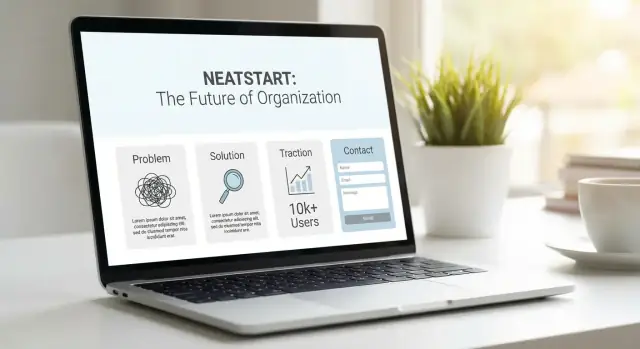
What a Pitch-Deck Website Should Do
A pitch-deck website isn’t “your startup site plus a PDF.” It’s a deck replacement site: a single link you can send to investors, partners, and high-intent customers that answers the same questions your deck would—without requiring a meeting first.
Define what “deck replacement” means for you
Start by naming the audience and the outcome.
- Who it’s for: pre-seed investors, enterprise buyers, potential partners, hires.
- What it should achieve: move the right people to the next step (not “educate everyone”).
If your primary audience is investors, the site should help them qualify you fast: problem, solution, market, traction, team, and why now.
Choose one primary action
A pitch-first website works best when it has a clear “next click.” Pick one primary CTA and make everything support it:
- Book a call (best for active fundraising)
- Request a demo (best for sales-led)
- Join the waitlist (best for pre-launch)
- Download a one-pager (best for warm intros and forwarding)
Secondary actions are fine, but don’t let them compete with the main path.
Decide what stays public vs. private
Not everything in a deck belongs on the open web. Keep the public version strong, and gate or omit sensitive details like financials, roadmap specifics, customer names/logos under NDA, security details, or pricing experiments. If needed, use an investor-only page with a simple access flow.
Set success metrics
Define what “working” means before you launch: conversion rate on the CTA, number of qualified leads, meeting bookings, and investor replies. Then you can improve the site based on evidence, not opinions.
Know Your Audience and Their Questions
A pitch-deck website works when it feels like it was written for the reader in front of you. Start by listing the audiences you actually send links to—not “everyone.” Common groups include investors, customers, partners, hires, and press.
Map questions to answers (before you write pages)
For each audience, write the top five questions they ask in real conversations. Then decide where each answer will live on the site. This prevents a deck replacement site from becoming a long, generic homepage.
Examples of questions to capture:
- Investors: What’s the wedge? Why now? How do you make money? What traction exists? What risks are you aware of?
- Customers: What problem does it solve? How does it work? How fast can I try it? Pricing? Security or compliance?
- Hires: What are you building? What’s the team like? What’s the mission? What’s the role? Equity range?
Decide if you need separate paths
If different audiences need different proof and different CTAs, create focused routes like /investors and /customers. Keep navigation simple: each route should answer the “top five” without forcing people to hunt.
Plan distribution like a product feature
Design your sharing flows early:
- Investor emails: link directly to /investors plus a specific section anchor
- LinkedIn: a short URL that lands on the right narrative
- Demo follow-ups: a “recap” link with next steps
- QR code: point it to one clear page, not the homepage
If you know who’s reading and what they’re trying to confirm, the rest of the site becomes much easier to structure and write.
Turn Your Pitch Narrative Into a Scrollable Story
A deck works because it has a beginning, middle, and end. Your website should feel the same—just delivered through scrolling instead of slides. The goal isn’t to cram every detail in; it’s to guide a reader through a clear sequence and make it easy to say: “I get it.”
Start with a simple story arc
Draft a story you can explain without jargon:
- Problem: what’s broken and who feels it
- Why now: what changed so this is urgent/possible
- Solution: what you built and how it works at a high level
- Proof: traction, customers, numbers, credibility
- Ask: what you’re raising (or the next step you want)
Keep each beat to one primary point. If you can’t say it in one sentence, it’s probably two sections.
Choose one positioning statement
Pick a single, clear line that anchors everything: “We help X do Y by Z.” Avoid multiple taglines or “also for” messaging on the homepage. You can expand later in supporting sections, but the top of the page should not compete with itself.
Write two versions: 10 seconds and 2 minutes
Create:
- a sound-bite version: the headline + one supporting sentence
- a scroll version: the full narrative someone can read in ~2 minutes
If your scroll version takes longer, you’re drifting into a memo.
Map the narrative to sections (no random blocks)
Turn each story beat into a dedicated website section. This prevents the common homepage problem: great design, scattered meaning. When you add new content, ask: Which beat does this strengthen? If it doesn’t strengthen one, it belongs on a separate page (or nowhere).
Information Architecture: One Page or a Small Site
Your pitch-deck website should feel like a guided conversation: clear, ordered, and easy to skim. The first decision is whether that conversation fits on one page—or needs a small set of pages.
One page vs. small site
Choose a one-page site when the product is simple to explain, the buyer/investor questions are predictable, and your goal is mainly “understand → trust → contact.” A single scrolling story reduces friction and keeps attention focused.
Choose a small site when you need to support multiple audiences (investors + customers + candidates), your product has meaningful complexity (workflows, integrations, compliance), or you regularly send people to deeper proof. A small site lets you keep the main story tight while offering “proof drawers” for those who want details.
A core structure that works
Whether you go one page or multiple, the backbone is consistent:
Hero (what you do + who it’s for) → Problem → Solution → How it works → Traction → Team → FAQ → CTA.
On a one-pager, these are sections. On a small site, the homepage can summarize each with “read more” links.
Optional pages (only if they earn their keep)
Add depth without bloating the homepage:
- /pricing (if buyers need clarity early)
- /case-studies (if proof beats features)
- /security (if you sell to regulated teams)
- /investors (if you share updates, metrics, or materials)
- /careers (if recruiting is constant)
Keep navigation short
Limit the top nav to 5–7 items max. A common setup: Product, How it works, Traction, Team, FAQ, Resources, Contact. Everything else can live in the footer.
Copywriting That Sounds Like a Great Pitch
Great pitch-deck websites read like you talking to a smart, busy investor: clear, confident, and easy to skim. Your job isn’t to “write web copy.” It’s to answer the reader’s first questions in the same order they’d ask them.
Start with a hero that states who it’s for + the outcome
Your hero should tell the right visitor they’re in the right place—and what changes after they use your product.
Instead of feature-heavy lines like “AI-enabled workflow automation,” say something like:
- “For clinic managers: cut no-shows by 30% with automated reminders.”
- “For ecommerce ops teams: reduce returns by preventing wrong-size orders.”
Short sentences win. If you must use a term investors expect (e.g., “ARR,” “churn”), define it once in plain language the first time it appears.
Use a repeatable section template: claim → explanation → proof → CTA
This structure keeps your story consistent and prevents paragraphs that wander.
Claim: the big point (“Teams onboard in 10 minutes”).
Explanation: a simple “how” (“Connect your data, pick a template, invite users”).
Proof: one credible signal (“Used by 40 teams,” a metric, a quote, a recognizable integration).
CTA: a small next step (“See a sample workflow,” “Get the investor one-pager,” “Request access”).
Write headings that tell the full story on their own
Assume people will scroll and only read headings first. Make each heading a complete thought, not a label.
Bad: “Traction”
Better: “$85k ARR with 12% MoM growth since May.”
Bad: “Solution”
Better: “Replace three spreadsheets with one live dashboard.”
When your headings are skimmable, the page still works—even if nobody reads the body text.
Keep the tone like a spoken pitch
Use active voice, specific numbers, and simple verbs. Avoid internal language (“synergies,” “leveraging”). If a sentence can’t be said out loud without a breath, it’s too long.
A good test: read the page to a friend. If you hear yourself rephrasing, rewrite it until the words match how you naturally explain the company.
Design and UX for Clarity, Not Decoration
A pitch-deck website isn’t a poster—it’s a reading experience. Visitors will skim first, then decide what to read. Your design job is to make scanning effortless and reading comfortable.
Build a layout that reads well
Favor generous spacing, short sections, and a clear visual hierarchy. Use strong headings, simple subheads, and content blocks that feel easy to consume in 20–40 seconds.
Keep line length readable (roughly 60–80 characters on desktop), and don’t be afraid of white space. Crowded pages feel complicated—even when the idea isn’t.
Keep the system simple and consistent
Pick one primary accent color and stick to it for emphasis and actions. If everything is highlighted, nothing is.
Make buttons consistent across the site:
- one main style for primary actions (e.g., Request intro, Get updates)
- one secondary style for low-commitment actions (e.g., View traction, Read FAQs)
Consistency reduces “UI thinking” and keeps attention on your narrative.
Mobile-first isn’t optional
Many people will open your site from an email on their phone. Design for that reality:
- keep the hero short (a clear sentence + one primary CTA)
- use readable font sizes and comfortable spacing
- consider a sticky CTA (especially after the first scroll)
A sticky CTA should feel helpful, not shouty: one button, minimal height, and it should never cover content.
Accessibility basics that also improve conversion
Accessibility is good etiquette—and it improves clarity for everyone:
- ensure strong contrast (text should be easy to read in bright light)
- write meaningful alt text for any diagrams or screenshots
- support keyboard navigation (focus states, logical tab order)
- avoid tiny text and overly long paragraphs
A quick gut-check: can someone understand what you do and what to do next within one thumb’s scroll? If yes, you’re designing for clarity.
Show Proof: Traction, Social Proof, and Signals
Investors don’t fund ideas—they fund evidence. Your deck-replacement site should make proof easy to spot, quick to understand, and hard to misinterpret.
Choose 3–5 proof points (and make them scannable)
Resist the urge to list everything. Pick the few signals that best support your narrative, such as:
- Revenue (or pipeline) growth
- Weekly/monthly active users and retention
- Paid pilots converting to contracts
- Unit economics improving (CAC, payback, gross margin)
- Notable endorsements or partnerships
Put these in a tight “Traction” block with large numbers and plain-English labels.
Add context: time period + what changed + why it matters
A metric without context raises questions. Next to each key number, include:
- Time period: “Last 90 days” / “Q2 2025”
- What changed: “Onboarding redesign cut time-to-value from 7 days to 2 days”
- Why it matters: “Higher activation → better retention → more efficient growth”
This turns raw stats into a signal.
Social proof: use it carefully
Logos and testimonials can help, but only if they’re legitimate.
If you have permission, include logos and named quotes with role/title. If you don’t, use anonymized quotes (“Head of Ops, mid-market logistics company”) and be transparent—never imply an endorsement.
Show momentum with a simple timeline
Add a small milestones strip (3–6 items): launch, first paying customer, pilot expansion, key product releases, major hires. A clear timeline signals progress and reduces “How real is this?” doubt.
Make the Product Easy to Understand Fast
If an investor can’t explain your product back to you after a one-minute skim, the rest of the site won’t matter. Your goal here is simple: reduce the “what is this, exactly?” tax.
Your 30–60 second explanation
Start with a plain-language statement that covers three things: what it is, how it works, and what users get.
Example structure:
- What it is: “A unified inbox for customer support across email, chat, and socials.”
- How it works: “Connect your channels, auto-route requests, and track response SLAs.”
- What users get: “Faster replies, fewer missed tickets, and clearer team accountability.”
Keep it concrete. Avoid abstract positioning like “AI-powered workflow enablement” unless you immediately translate it into outcomes and a simple workflow.
A lightweight demo (without a huge commitment)
You don’t need a full interactive product tour. Use a small, fast-to-consume demo that shows the “aha” moment:
- A 20–45 second video with captions (many people watch muted)
- A short clip/GIF showing one key action and result
- Three screenshots labeled as steps (e.g., “Connect → Configure → See results”)
Focus on one core use case. If your product does five things, demonstrate the one that makes it feel inevitable.
Integration and compatibility notes (readable, not technical)
If your buyer worries about fit—security tooling, cloud provider, CRM, data sources—answer it in one short block.
Write it like: “Works with Salesforce, HubSpot, and Zendesk. Deploys on AWS or GCP. Supports SSO (Google, Okta).” Keep jargon to a minimum, and only expand if it changes the buying decision.
Link deeper only when it helps
Most visitors shouldn’t fall into documentation too early. Add deeper links only for people who need details to move forward:
- “See how it works” → /product
- “Technical details” → /docs
- “Integrations” → /product#integrations
Treat these as optional rabbit holes—your main page should still stand on its own.
CTAs and Lead Capture That Don’t Feel Pushy
A deck-replacement website should make the next step obvious without sounding like a sales funnel. The trick is to be specific about why someone should click and what happens after they do.
Use one primary CTA, plus one backup
Pick a single “main” action for most visitors (one per page view), then add one secondary option for people who aren’t ready.
- Primary CTA (example): “Book a 15‑minute intro call”
- Secondary CTA (example): “Email questions” or “Get the one‑pager PDF”
Keep both CTAs consistent in wording and placement (top and bottom is usually enough). If everything is a button, nothing is.
Keep lead capture simple and contextual
Offer the lightest-weight option that fits your sales motion:
- Short form: name, email, and one optional field like “What are you most curious about?”
- Calendar embed: great when you want fewer back-and-forth emails
- Email link: “Email us at founders@… (include ‘Investor’ in the subject)”
Add one sentence of context next to the CTA so it feels human: “We’ll reply with pricing and the product demo link.”
Set expectations upfront
Small details reduce friction:
- Response time: “We respond within 24 hours on weekdays.”
- What happens next: “You’ll get a link to schedule, plus our metrics snapshot.”
- What to prepare: “If you can, share your fund, check size, and timeline.”
Include an investor-specific CTA (with access control)
If you talk to investors, add a separate CTA like “Request the data room” or “Get investor updates.” Gate it with a simple request (work email + firm) and send access manually or via a passworded link. This keeps sensitive docs out of search results while still making the path clear for serious conversations.
Choosing a Stack: No-Code, CMS, or Custom
Your deck replacement site has one job: communicate clearly and convert interested visitors into a conversation. The right stack is the one you can keep current without friction.
Option 1: No-code (fastest to ship)
No-code builders are ideal when speed matters and the site is mostly marketing content. You can publish quickly, iterate copy the same day, and avoid a dev queue.
Use this if: you want a polished one-page or small site, you don’t need complex integrations, and a founder or marketer will own updates.
Option 2: CMS (easiest to keep updated)
A CMS works well when you’ll update traction, press, hiring, or FAQs regularly. It separates content from layout, so edits feel like filling out fields instead of redesigning pages.
Use this if: you expect frequent updates, multiple contributors, or you want versioned approvals before changes go live.
Option 3: Custom build (most flexible)
A custom build is best when the site is tightly integrated with your product, requires unusual interactions, or must meet specific security/compliance needs.
Use this if: you have engineering support and you’re confident the site’s requirements won’t change weekly.
Pick tools that match the job
Most pitch sites need the same basics: landing pages, a form (or scheduling link), lightweight analytics, and video hosting. Favor tools that keep the page snappy and don’t require visitors to fight pop-ups or heavy trackers.
If you’re already building product features and marketing pages in parallel, consider workflow tools that reduce context switching. For example, Koder.ai’s vibe-coding approach can help teams spin up and iterate React marketing pages (and the related backend pieces) from a chat interface—useful when you want fast iteration without turning “update the pitch site” into a full sprint.
Decide content ownership (before you pick tech)
Answer three questions early: who updates the site, how often (weekly traction vs. quarterly), and who approves changes. If updates require a developer every time, your “latest numbers” will quietly become last quarter’s.
Set simple performance goals
Fast load beats fancy effects. Aim for compressed assets, short videos (hosted efficiently), and minimal scripts—especially on mobile. A pitch site should feel instant, not like it’s buffering your story.
SEO and Analytics for a Pitch-First Website
A deck-replacement site isn’t trying to “rank for everything.” It needs to be findable for a few high-intent searches (and it needs to tell you what investors actually do once they land).
Pick a small set of keywords that match intent
Start with 1–2 primary phrases that describe what you are, not what you aspire to be (e.g., “AI bookkeeping for SMBs,” “construction scheduling software”). Use them in:
- The page title and meta description (what shows in search results)
- The H1 and first screen of copy
- The “how it works” and “pricing” sections, if relevant
Write titles/descriptions like a pitch: specific, benefits-forward, no jargon. If you have a small site, give each page one job (e.g., /traction, /security, /faq) and one main keyword theme.
Add an investor-focused FAQ to reduce back-and-forth
An FAQ isn’t filler—it’s a follow-up email preventer. Include questions you’re repeatedly asked: pricing model, GTM, competitive set, security/compliance, timeline, and what you’re raising.
Make answers skimmable, and link to deeper pages where needed (e.g., /traction or /trust).
Instrument the actions that matter
Set up analytics with events for:
- CTA clicks (e.g., “Request a demo,” “Download memo”)
- Form submits
- Calendar bookings
Create tracking links per outreach channel (email, LinkedIn, accelerators) using UTM parameters so you can see what drives quality conversations—not just traffic.
If you’re iterating, review these metrics weekly and adjust the story before you redesign anything.
Trust, Privacy, and Keeping the Site Up to Date
Investors move fast, but they also look for signals that you run a careful operation. A pitch-deck website earns trust when it’s clear, current, and respectful of data.
The non-negotiable basics
At minimum, include:
- A /privacy page (even if you collect very little)
- /terms if you’re offering a product with user accounts, trials, or paid plans
- Clear contact details (an email is fine; a form is optional)
If you’re raising, a short “Last updated” line in the footer helps people trust what they’re reading.
Data collection: keep it minimal and explain it
If you collect data (newsletter signup, demo request, investor updates), say what you store and why. Plain language beats legal jargon.
Keep forms short: name + email is usually enough. If you need more (fund size, check range, timeline), explain how it helps you route the request—and make everything else optional.
If you use analytics or a CRM, add one sentence on /privacy describing the tool category and the purpose (e.g., “to understand which pages are most useful”).
Security notes: only what you can support
Avoid making claims you can’t verify (“bank-level security”). If you include a security note, keep it factual: HTTPS, access controls, and how you handle inbound files or sensitive info.
A simple update rhythm
Stale metrics quietly kill credibility. Set a lightweight cadence:
- Monthly: refresh traction numbers (even if it’s “flat this month”)
- Quarterly: review the story, positioning, and FAQs for accuracy
Treat updates like a recurring calendar task, and your site stays pitch-ready without becoming a project.
Launch Checklist and Iteration Plan
A pitch-deck website is never “done.” Treat the first launch as the first version you can confidently share with investors, partners, and talent—then improve it based on what people actually ask.
Pre-launch checklist (30 minutes that saves weeks)
Before you send the link anywhere, run a quick quality pass:
- Spelling, names, and numbers (team titles, funding, dates, pricing)
- Broken links (especially “Book a call,” deck download, and social links)
- Mobile view on at least two devices (hero section, tables, charts)
- Form tests end-to-end (submission, confirmation message, email notification)
- Speed and readability (large assets, auto-playing video, tiny text)
If anything fails, fix it first—investors interpret small mistakes as a signal.
Run a “pitch scroll test”
Share the site with 3 people who match your audience (or are good proxies). Give them 60 seconds to scroll, then ask:
- What is the company building?
- Who is it for?
- What’s the key proof point?
- What would you do next (if anything)?
If they can’t answer clearly, revise the hero, headings, or proof order.
Iterate from real conversations
After every call or email reply, capture the questions you were asked. Turn repeated questions into new FAQ entries or a short clarification block near the relevant section. Your site should get sharper with every conversation.
Plan A/B tests carefully
Test one change at a time, and prioritize what affects comprehension and action:
- Headline and subheadline
- Hero CTA (e.g., “Request intro” vs. “Get demo”)
- Order of proof (logos, metrics, testimonials)
- Demo format (video vs. interactive vs. screenshots)
Keep a simple change log so you know what moved results—and what didn’t.
FAQ
What is a pitch-deck website (and how is it different from a normal startup site)?
A pitch-deck website is a deck replacement: one link that answers the same core questions your pitch deck would (problem, solution, why now, proof, team, ask) without requiring a meeting first.
Unlike a typical startup homepage, it’s built to help high-intent readers qualify you quickly and take one clear next step.
What should the primary call-to-action (CTA) be on a deck-replacement site?
Pick one primary CTA and make the entire narrative support it. Common defaults:
- Book a call (active fundraising)
- Request a demo (sales-led)
- Join the waitlist (pre-launch)
- Download a one-pager (forwardable, low-friction)
You can add a secondary CTA, but it shouldn’t compete with the main path.
How do I tailor the site for investors vs customers vs hires?
Write for the people you actually send links to (not “everyone”), then list the top five questions each audience asks.
If you regularly have different audiences with different proof needs, create separate routes like /investors and /customers, each with its own narrative and CTA.
What story structure should a pitch-deck website follow?
Use a simple scrollable arc:
- Problem (who feels it, what’s broken)
- Why now (what changed)
- Solution (what you built)
- Proof (traction, customers, credibility)
- Ask / Next step (what you want them to do)
Keep each section to one primary point. If it takes more than a sentence to explain, split it into two sections or move details to a deeper page.
Should my pitch-deck website be one page or multiple pages?
Choose one-page when your product is easy to explain and the goal is “understand → trust → contact.”
Choose a small site when you have multiple audiences, meaningful complexity (integrations, compliance), or you need “proof drawers” (security, case studies, deeper traction). A common approach is a tight homepage plus supporting pages like /security, /pricing, or /investors.
How do I write copy that sounds like a strong pitch (not marketing fluff)?
Use a repeatable pattern: claim → explanation → proof → CTA.
Also write headings so someone can skim and still understand the full story (e.g., “$85k ARR with 12% MoM growth” instead of “Traction”). Keep language plain, specific, and easy to say out loud.
What traction and proof should I show—and how do I present it credibly?
Pick 3–5 proof points and make them scannable (big numbers, clear labels). Add context for each:
- Time period (e.g., last 90 days)
- What changed (what drove the metric)
- Why it matters (signal to investors)
Use logos/testimonials only with permission, or be explicit when anonymized (role + company type).
How do I make the product understandable in under a minute?
Aim for a 30–60 second explanation that covers:
- What it is
- How it works (at a high level)
- What users get (outcomes)
Then add a lightweight demo (e.g., 20–45s captioned video, a short GIF, or 3 labeled screenshots) focused on the single use case that creates the “aha.”
What should stay public vs private on a pitch-deck website?
Keep the public site strong, and gate or omit sensitive information like:
- Financials and detailed metrics
- Roadmap specifics
- Customer names/logos under NDA
- Security implementation details
- Pricing experiments
If needed, add an investor-only path (e.g., “Request the data room”) with a simple access flow (work email + firm).
What analytics and success metrics should I set up for a pitch-first site?
Track actions that map to your outcome:
- CTA clicks
- Form submits
- Calendar bookings
Use UTMs for outreach channels (email, LinkedIn, accelerators) so you can see what drives qualified conversations. Define success metrics upfront (conversion rate, replies, bookings), and iterate copy/order before redesigning.