

How to Build a Website With AI Without Writing HTML or CSS
Learn how to build and publish a website using AI tools—no HTML or CSS needed. Pick a builder, generate pages, customize design, add SEO, and launch.
What It Means to Build a Website With AI (No Coding)
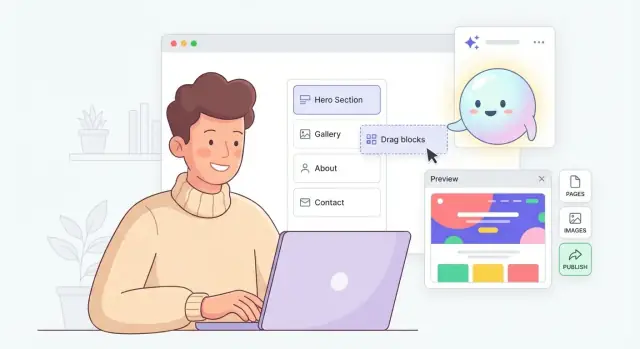
Building a website “with AI” usually means you describe your business and goals in plain English, then an AI-powered builder creates a working draft you can edit—without touching HTML or CSS. You’re not handing your brand over to a robot; you’re using AI to do the busywork so you can focus on your message, offer, and credibility.
What AI can generate (and why it helps)
Most AI website builders can produce a first-pass version of:
- Layouts and page structure: suggested sections for a homepage, services page, or landing page, often based on your industry.
- Website copy: headlines, benefit bullets, FAQs, and call-to-action (CTA) text.
- Visual direction: color pairings, font combinations, and sometimes image suggestions or generated images.
- SEO helpers: draft titles/meta descriptions, keyword ideas, and basic on-page recommendations.
The main benefit is speed: instead of starting from a blank page, you start with something “good enough” to refine.
Who this approach is best for
AI-assisted, no-code website creation is a strong fit if you’re:
- a small business needing a credible online presence quickly
- a creator launching a portfolio, newsletter, or course
- a freelancer/consultant who wants a lead-generating site without hiring a developer
What you still control (and should decide)
AI can draft, but you set direction. You’ll still choose:
- Branding: logo usage, colors, tone of voice, and photography style
- Pages and offers: what you sell, pricing approach, and your primary CTA
- Trust and compliance pages: contact info, privacy policy, terms, and accessibility considerations
What you won’t need
You typically won’t need to write manual HTML/CSS, install complex themes, or do heavy technical setup just to get a polished, mobile-ready site online.
Plan Your Website in 20 Minutes: Goals, Pages, and Branding
Before you open an AI website builder, take 20 minutes to decide what “success” looks like. AI can generate pages fast—but it needs clear direction so your site doesn’t end up as a pretty brochure that doesn’t convert.
1) Pick one primary goal (and one backup)
Choose the main outcome you want from the site:
- Leads (contact form submissions)
- Bookings (calendar scheduling)
- Sales (checkout or product inquiries)
- Portfolio (proof + inquiries)
- Newsletter (email signups)
Write it as a sentence: “My website exists to get ___.” Then add a secondary goal in case visitors aren’t ready yet (e.g., newsletter signup).
2) Define your audience and the 1–2 actions you want
Answer these two prompts (one line each):
- “This website is for people who ___.”
- “After visiting, I want them to ___ (action #1) or ___ (action #2).”
Those actions become your main buttons across the site—like Book a call, Get a quote, or See pricing.
3) Set simple brand basics (so AI stays consistent)
Gather a mini brand kit:
- Business name and a logo (even a temporary one)
- 2–3 colors (one primary, one accent, one neutral)
- 1–2 fonts (or “modern sans-serif” / “classic serif”)
- Tone of voice: “friendly and direct,” “premium and minimal,” etc.
4) Decide your pages (start small, launch faster)
Most small business sites can start with:
- Home, About, Services, Contact
Often helpful:
- FAQ (handles objections), Legal (Privacy Policy, Terms)
Tip: keep each page focused on one job—AI writes better when each page has a clear purpose.
Choose the Right AI Website Builder (What to Look For)
Not all “AI website builders” work the same way. Some generate an entire site (pages, layout, and starter copy) from a short description. Others are essentially a traditional builder with AI writing and rewriting.
AI website builders vs. AI inside a traditional CMS
An AI-first builder usually starts with a guided prompt (“What do you do? Who is it for?”) and produces a draft site you can edit immediately. This is ideal when you want speed and a clean starting point.
A traditional CMS (like WordPress or Webflow) can also use AI—typically through plugins or built-in assistants—but you’re still choosing themes, managing plugins, and configuring settings. You get more flexibility, but it’s less “one prompt to a working site.”
Key features checklist (what actually matters)
Before you commit, check for these basics:
- Templates and style options: multiple layouts you can switch without rebuilding
- AI writer: can generate and rewrite headlines, sections, FAQs, and CTAs in your tone
- Image tools: access to stock photos, simple background removal/cropping, and compression
- Forms: contact/quote/newsletter forms with notifications and spam protection
- Analytics and tracking: easy setup for GA4, Meta pixel, and conversion events
If a builder can’t handle forms and tracking cleanly, it’s harder to turn a “pretty site” into something that brings leads.
Editing should feel safe and fast
Look for:
- Sections/blocks you can drag, duplicate, and reorder
- A true mobile preview (not just “responsive” claims)
- Undo + version history so experiments don’t become disasters
Spend five minutes editing a demo. If you’re fighting the tool, you’ll avoid updating the site later.
Understand the limits up front
AI builders are perfect for simple business sites and landing pages, but watch for restrictions:
- Limited custom code or advanced design control
- Fewer integrations (CRM, email marketing, booking systems)
- Basic ecommerce only (complex catalogs, subscriptions, multi-currency)
Choose the builder that matches your next 12 months—not just today’s draft.
If your “website” is really the start of a larger product (a web app, customer portal, or even a mobile app), you may want a more app-oriented workflow. Platforms like Koder.ai take a chat-first approach to building not only marketing pages, but also full web/server/mobile applications (React on the web, Go + PostgreSQL on the backend, Flutter for mobile), with exportable source code and deployment/hosting options.
Create Your First Draft Site With AI
Your first draft site isn’t your final site—it’s a working starting point. The goal is to get a complete, clickable version in preview mode so you can evaluate structure, content, and design before you spend time polishing.
Start from a template vs. “describe my business” generation
Most AI website builders give you two ways to begin:
- Template-first: pick an industry template, then use AI to rewrite sections and swap images.
- Prompt-first (“describe my business”): write a short description and the builder generates pages, layout, and starter copy.
Template-first is usually better if you already know the style you want (clean, bold, minimal) or if you need specific components like a menu, booking, or product grid.
Prompt-first is great when you’re starting from zero and want speed. The tradeoff is you may get generic sections you’ll need to tighten (long mission statements, vague service descriptions).
What to prepare before you click “Generate”
AI works best when you feed it clear inputs. Gather these in one note so you can copy/paste:
- A 2–3 sentence business description: who you help, what you do, and the outcome.
- Your services list: 3–7 items with simple names (and rough starting prices if relevant).
- Location and service area: city, neighborhood, or “remote/online only.”
- Any real photos you have: storefront, team, before/after, product shots, logo.
If you don’t have photos yet, you can still draft the site using placeholders—just plan to replace them before launch.
Create core settings first (so the AI stays consistent)
Before generating pages, fill in the foundation settings so the site doesn’t feel stitched together:
- Site name and tagline (short and specific)
- Navigation (what pages show in the top menu)
- Footer details (hours, address, social links)
- Contact info (email, phone, booking link, form destination)
A simple navigation for most small businesses: Home, Services, About, Contact (plus Pricing, FAQs, or Portfolio if needed).
Use a staging preview to iterate safely
Don’t publish immediately. Use the builder’s preview/staging link to test changes without pressure.
In preview, do a fast “first draft review”:
- Click every menu item and button (do they go somewhere real?)
- Check the site on mobile view
- Remove filler sections you don’t need
- Mark anything that feels wrong (tone, claims, prices, locations)
Once the structure feels right, you can improve the copy and visuals without rebuilding from scratch.
Generate Website Copy With AI (Prompts You Can Reuse)
Great design gets attention, but clear copy turns visitors into customers. The fastest way to get useful AI-written website text is to give the model context and a specific job.
A simple prompt formula
Use this template and swap in your details:
Business + audience + offer + tone + goal
Example:
You are writing website copy for [business] serving [audience]. We offer [offer]. Tone should be [tone]. Goal: [goal]. Use plain language, short sentences, and avoid hype. Provide a headline, subheadline, and a 2–3 sentence paragraph.
Prompts for key pages (copy/paste)
Home (hero section)
Write 5 hero options for a website homepage for [business]. Audience: [audience]. Offer: [offer]. Tone: [tone]. Include: headline (max 8 words), subheadline (max 18 words), and one primary CTA button label.
About (story that builds trust)
Draft an About page for [business]. Include: 1) why we started, 2) who we help, 3) what makes us different (3 bullets), 4) a friendly closing with a CTA to [contact/book]. Keep it specific and credible.
Services (clear, scannable)
Create a Services section with 3 packages for [business]. For each: name, who it’s for, outcomes, what’s included (4 bullets), starting price or “starting at,” and a short FAQ (3 questions).
Contact (CTA + reassurance)
Write a Contact section that reduces friction. Include: one sentence on response time, what info to share, and 3 trust signals (e.g., local, insured, privacy). End with a direct CTA.
Ask for variations (then choose)
Request multiple versions and a recommendation:
Generate 3 distinct versions: (1) friendly, (2) premium, (3) direct. Then tell me which fits [goal] best and why.
Red flags to edit out
Watch for vague claims (“best quality”), repetition, and filler (“we value excellence”). Replace them with specifics: real outcomes, timeframes, locations served, pricing ranges, and concrete next steps.
Design Without CSS: Layout, Mobile, and Accessibility
Good AI website builders don’t just “decorate” your site—they help you structure it. Treat AI suggestions like an editor: keep what’s clear, remove what’s noisy, and make every page easy to scan.
How AI suggests layouts (and how to judge them)
Most builders generate a page flow using familiar building blocks: header (logo + menu), hero (headline + value + button), supporting sections (benefits, social proof, FAQs), and a footer.
When AI proposes spacing and section order, look for:
- A single primary goal per page (book a call, buy, subscribe) supported by one main CTA.
- Breathing room: margins/padding that make sections distinct, not cramped.
- Logical flow: problem → solution → proof → next step.
If the page feels long, don’t shrink fonts—split or simplify sections.
Keep it readable: headings, sections, and buttons
Readability comes from consistency. Aim for short sections with clear headings, and resist mixing too many styles.
A useful rule: one idea per section.
Buttons should be predictable:
- Use one label for the main action (e.g., “Get a Quote”) across the site.
- Keep button styles consistent (same color/shape for the primary CTA).
- Place the primary CTA above the fold and again near the bottom.
Mobile-first checks you can do in 5 minutes
Before you publish, switch to mobile preview and check:
- Tap targets: buttons and menu items should be easy to tap without zooming.
- Font size: body text should be comfortable to read; avoid tiny captions.
- Stacking order: headline → supporting text → image → CTA (or similar). If the CTA disappears, reorder.
Accessibility basics (simple, high impact)
- Contrast: if text is hard to read, darken the text or lighten the background.
- Alt text: add short, descriptive alt text for meaningful images; skip decorative ones.
- Descriptive links: use “View Pricing” instead of “Click here” so links make sense out of context.
Images and Visuals: Generate, Select, and Optimize
Great visuals make an AI-built site feel intentional, not auto-generated. The most reliable approach is to mix AI-generated graphics with real photos, then optimize everything so pages load fast and look sharp on mobile.
Use AI to stay on-brand (not random)
When you generate images, give the AI clear style direction so results match your brand:
- Colors: “Use a warm neutral palette with #F6F1E8 background and deep green accents.”
- Mood: “Calm, premium, minimal, lots of negative space.”
- Subject + context: “A small business owner packing an order at a tidy desk, morning light.”
Save 2–3 “style prompts” and reuse them across your homepage, services, and blog graphics so the site feels cohesive.
When to use real photos vs. generated
Use real photos when trust matters most:
- Your team (faces build credibility)
- Your product (details, colors, proof)
- Your location (local services, clinics, studios)
Use generated visuals for:
- Abstract hero backgrounds, illustrations, section dividers
- Blog header images that don’t require factual proof
- Concept imagery (e.g., “time savings,” “organization,” “growth”)
Image rules: size, dimensions, and avoiding blur
- Export most website images as WebP (or JPEG if needed).
- Keep typical page images around 1200–2000 px wide; go larger only for full-width heroes.
- Aim for under 200–300 KB per image when possible.
- If an image looks soft, regenerate or upscale, and avoid stretching a small image to fit a large container.
Alt text and captions that support the message
Write alt text that’s specific and helpful: “Barber trimming client’s hair in a bright studio,” not “barber.” If an image reinforces a key point (results, promise, differentiator), add a short caption that ties back to the page’s goal.
Build Pages That Convert Visitors Into Leads or Sales
A beautiful AI-built site isn’t the goal—an effective one is. “Conversion” simply means a visitor takes the next step you want: book a call, request a quote, buy, or subscribe.
A simple home page flow that works
When you’re unsure what to put on the homepage, use this proven sequence:
- Problem: show you understand the visitor’s situation (“Need a reliable plumber this week?”).
- Solution: say what you do and who it’s for, in plain language.
- Proof: add credibility (reviews, results, years in business, certifications).
- CTA: one clear next step (not five). Examples: “Get a Quote” or “Book a Call.”
Tip: Ask your AI builder to generate two hero sections with different angles (speed vs. quality), then keep the one that feels most specific.
Service pages: answer the questions people actually have
Each service page should make the decision easy. Include:
- Outcomes (what changes after they hire you)
- Your process (3–5 steps—simple and reassuring)
- Pricing range if you can (even “Most projects start at…” helps)
- FAQs that reduce hesitation (timelines, guarantees, what you need from them)
If you offer multiple services, give each its own page. A single “Services” page often stays too vague to convert.
Trust builders visitors look for
Trust is a conversion feature. Use:
- Testimonials with specifics (results, timeframe, location)
- Short case studies (challenge → approach → result)
- Client logos or partner badges (only if real)
Place proof near CTAs—not only on a dedicated “Reviews” page.
Add conversion elements (and keep them frictionless)
Use the tools your AI website builder already integrates:
- Forms (keep them short: name, email/phone, one question)
- Calendars for booking (offer 15-minute slots)
- Chat for quick questions
- Maps for local services
- Click-to-call buttons on mobile
Make every page end with a CTA block—“Ready to talk?” plus the form, calendar, or phone link.
SEO Basics for AI-Built Websites
AI can draft SEO elements quickly, but search performance still depends on clear intent and good structure. Think of SEO here as “help Google understand what this page is about,” not tricking an algorithm.
Titles and meta descriptions (AI helps, you verify)
Ask your AI website builder (or a chat tool) to generate an SEO title and meta description for each page, then do a quick human check:
- Does the title describe the page in plain language (and not sound spammy)?
- Is it specific (e.g., “Dog Grooming in Austin — Pricing & Booking”) rather than generic?
- Does the meta description match what visitors will actually see on the page?
If your builder supports it, keep titles roughly 50–60 characters and descriptions about 140–160 characters—close enough is fine.
Keyword basics: match real intent
Use keywords as a guide, not a script. Pick one primary topic per page and write naturally around it.
- Match intent: a “pricing” page should answer cost questions; a “services” page should explain what you do.
- Avoid keyword stuffing.
- Prefer clarity over cleverness—your best SEO copy often reads like a helpful explanation to a customer.
On-page essentials (the stuff AI often forgets)
Make sure each page has:
- One clear H1 (the page’s main headline) and logical H2/H3 sections.
- A few internal links to related pages (e.g., from Services → Pricing → Contact) using descriptive text like “See pricing.”
- Image alt text that describes the image for accessibility (and helps search engines understand visuals).
Sitemap + basic tracking
If your builder can generate a sitemap automatically, turn it on. Then connect your site to Google Search Console and analytics (often available under Settings/Integrations). This helps you spot what pages are getting traffic and which search terms are bringing visitors, so you can improve content over time.
Publish Your Site: Domain, Launch Checklist, and Tracking
Publishing is when your AI-built draft becomes a real, shareable website. A clean domain setup, a quick pre-launch sweep, and basic tracking prevent the most common launch headaches.
Domain: buy, connect, and choose www vs. non-www
You can either buy a new domain through your builder or connect one you already own from a registrar.
Pick a single “primary” version of your domain: www.yoursite.com or yoursite.com (non‑www). Either is fine—what matters is consistency. Set a redirect so the non-primary version forwards to the primary one.
If your builder offers it, enable SSL so your site loads as https (most do this automatically).
Launch checklist (10–15 minutes well spent)
Before you share the link everywhere, do a fast but thorough pass:
- Click every menu and footer link (watch for outdated draft pages)
- Scan for typos, spacing issues, and placeholder text (e.g., “Lorem ipsum”)
- Test every form end-to-end: submit, confirmation message, and email delivery
- Check on mobile: header spacing, buttons not too small, no cut-off text
- Verify key pages: Home, About, Contact, and any landing/sales page
Tracking: analytics, goals, and events
Add analytics early so you don’t lose launch-week data. Set up:
- Conversion goals (form submissions, bookings, purchases)
- Event tracking for important clicks (call button, email link, “Get a quote”)
Most builders let you paste tracking IDs once and apply them site-wide.
Legal basics
At minimum, publish a Privacy Policy and list what you collect (forms, analytics). Add a cookie notice if you use tracking/ads that require consent in your region. Consider Terms if you sell services or products.
Maintain and Improve Your Website With AI Over Time
Your site isn’t “done” after launch. The easiest way to keep it working for you is to treat it like a living document—small, regular improvements that compound.
Use AI to draft new content (then edit it)
Use AI to create first drafts for blog posts, FAQs, and new landing pages based on real customer questions you hear in emails, calls, and reviews. The goal is speed, not perfection.
A simple workflow:
- Generate a draft with your audience and offer in mind
- Add real examples, constraints, and proof
- Trim anything generic until it sounds like you
Some platforms also support safer iteration with built-in versioning. For example, Koder.ai includes snapshots and rollback so you can experiment with copy and structure without worrying about losing a working version.
Keep a lightweight content cadence
Consistency beats volume. Aim for 1–2 updates per month, such as:
- A new FAQ entry answering a common “before I buy” question
- A short case study or “how it works” article
- A refreshed hero section on your main landing page
If you don’t know what to publish next, paste in recent customer questions and ask AI to propose a prioritized content list with suggested titles and outlines.
Run quick optimization cycles
Every month, pick one page (often your homepage or primary landing page) and test small changes:
- Headlines: clarity over cleverness
- CTAs: try different verbs (“Get a quote” vs. “Book a call”)
- Page order: move proof higher
Have AI generate variations, then choose one or two to try. Keep notes on what you changed and why.
Create a simple style guide for consistent AI output
To keep future AI-generated text aligned, write a mini style guide you can reuse:
- Voice: friendly, direct, no jargon
- Reading level: simple sentences, short paragraphs
- Formatting: headings + bullets for scannability
- Always include: differentiator, service area, next-step CTA
Store this in a shared doc and paste it into prompts whenever you create or update content.
Common Problems (and Fixes) When Building With AI
AI website builders are great at getting you to “something live,” but the first draft often needs targeted fixes. Here are the issues that show up most—and what to do in minutes, not days.
Problem: The AI copy sounds generic
If your homepage reads like everyone else’s, feed the AI more real-world fuel. Add specifics: who you serve, where, pricing ranges, turnaround times, and proof.
Try this prompt inside your builder:
Rewrite this section for a [type of business] in [city/region]. Include 2 concrete examples of outcomes, 1 number (time, price, or %), and a clear next step. Keep it friendly and simple.
Then replace vague claims (“high quality”) with evidence (“48-hour turnaround,” “200+ installs,” “rated 4.9/5”).
Problem: The design looks messy or inconsistent
Messiness usually comes from too many section styles competing at once.
- Reduce sections: keep only what supports the goal (headline, benefits, proof, offer, FAQ, contact).
- Unify spacing: choose one padding setting and apply it everywhere.
- Limit colors and fonts: stick to 1 primary color, 1 accent, and 1 neutral; 1–2 fonts max.
When in doubt, start from a single template and customize lightly.
Problem: SEO stalls after publishing
If you’re not getting impressions, the page may not match what people are searching for.
- Check intent: if the keyword implies “pricing,” add a pricing section; if it implies “near me,” add service areas.
- Add an FAQ block: answer 5–7 real customer questions in plain language.
- Build internal links: connect related pages (e.g., from /services to /pricing and /contact) so search engines understand your structure.
Problem: You outgrow the builder
Plan an exit early. Confirm export options (pages, blog posts, images), keep backups of copy in a doc, and store brand assets in a folder. If you migrate, map old URLs to new ones and set redirects so you don’t lose traffic.
Practical tip: If portability matters, look for tools that support source code export and predictable deployment. For app-style builds, Koder.ai supports exporting generated code and running deployments/hosting, which can make future migrations or hand-offs to developers less painful.
FAQ
What does it actually mean to “build a website with AI” if I can’t code?
It usually means you describe your business (what you do, who it’s for, and the goal), and the builder generates a first draft: page structure, starter copy, and a visual style. You then edit the draft with point-and-click tools instead of writing code.
You still make the final decisions—AI mainly helps you avoid starting from a blank page.
What should I have ready before using an AI website builder?
Prepare a small set of inputs so the draft is specific:
- A 2–3 sentence description (who you help, what you do, outcome)
- 3–7 services/products (and starting prices if possible)
- Location/service area (or “remote only”)
- Brand basics: logo, 2–3 colors, preferred font style, tone of voice
- Real photos if you have them (team, work, product, location)
The more real details you provide, the less generic the result.
Should I start from a template or let AI generate the whole site from a prompt?
Use template-first if you already know the layout you need (menu, booking, product grid) or you want more control over the look.
Use prompt-first if speed matters most and you’re starting from zero.
A practical approach: generate with prompt-first for structure, then switch to a template style (if the builder allows) to polish the design quickly.
What features matter most when choosing an AI website builder?
Prioritize features that turn a “nice site” into results:
- Easy editing (blocks/sections, true mobile preview)
- Undo + version history
- Forms with spam protection and reliable notifications
- Tracking integrations (GA4, pixels, conversion events)
- Basic SEO controls (titles, meta descriptions, sitemap)
If you rely on external tools (CRM, email marketing, scheduling), confirm those integrations before you commit.
How much should I trust AI-generated copy and recommendations?
AI can draft content, but you should always review and adjust:
- Claims and numbers (prices, guarantees, timelines, locations)
- Tone and positioning (does it sound like you?)
- Compliance pages and data collection details
- Calls to action (make the next step clear and consistent)
Treat AI output like a junior copywriter’s draft: useful, but not final.
How do I make an AI-built homepage convert visitors into leads or sales?
Aim for a simple flow that matches one primary goal:
- Clear headline (what you do + who it’s for)
- Benefits/outcomes (scannable bullets)
- Proof (reviews, results, certifications)
- One primary CTA repeated in a few places
If the page feels too long, don’t shrink text—remove sections or split content into dedicated pages (e.g., separate service pages).
What are the most important SEO steps for an AI-built website?
Cover the basics on each page:
- One clear H1 and logical H2/H3 sections
- A specific title and meta description that match the page’s intent
- Internal links between related pages (e.g., Services → Pricing → Contact)
- Alt text for meaningful images
- Submit a sitemap via your builder (if available) and connect Search Console
Avoid keyword stuffing; clarity and matching user intent matter more than repetition.
How can I keep the site mobile-friendly and accessible without CSS?
Start with quick checks:
- Contrast: text should be easy to read on its background
- Mobile tap targets: buttons and menu items should be easy to tap
- Link labels: use descriptive text like “View pricing,” not “Click here”
- Alt text: describe meaningful images; skip decorative ones
Most accessibility wins come from simple consistency and readability.
What’s the best way to handle images on an AI-built website?
Use a mix of real and generated visuals:
- Use real photos for trust (team, product, location, before/after)
- Use generated images for abstract backgrounds or concept illustrations
- Export as WebP/JPEG, keep images roughly 1200–2000 px wide for most uses
- Compress aggressively (often under 200–300 KB when possible)
Avoid stretching small images into large containers—replace or regenerate instead.
What should I do before publishing to avoid common launch problems?
Have a minimum launch setup:
- Connect your domain and choose one primary version (www or non-www) with redirects
- Confirm SSL (https)
- Test every form end-to-end (submit, confirmation, email delivery)
- Add analytics and define conversions (form submissions, bookings, purchases)
- Publish a Privacy Policy (and Terms if you sell services/products)
Also keep a “content backup” doc of key copy so you’re not locked into one tool long-term.