

Build a Daily Reset Checklist App: From Idea to Release
Learn how to plan, design, and build a personal checklist mobile app that resets every day, with clear data modeling, reset rules, reminders, and launch steps.
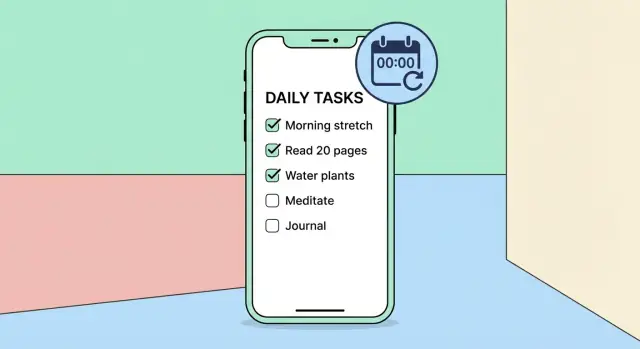
What “Daily Reset” Means and Why People Want It
A “daily reset” checklist is a list of items you can tick off during the day, then have those ticks cleared automatically so the same list is ready again tomorrow. The key idea is that the list stays mostly the same, while completion status is per-day.
This is different from a to-do app where tasks are done once and disappear, and different from many habit trackers that focus on streaks, goals, and charts. A daily reset checklist is about getting through a reliable set of actions with as little thinking as possible.
The real goal: repeatable actions with minimal friction
People want this because daily life is repetitive. The win is not “planning,” it’s “execution.” If the app makes it easy to start, check items quickly, and stop, it becomes part of the routine rather than another system to maintain.
Common use cases include:
- Morning and evening routines (stretching, vitamins, journaling)
- Chores that should happen most days (dishes, laundry check, pet care)
- Medications and health steps (with clear “taken today” status)
- Work opening and closing tasks (check email, review calendar, end-of-day wrap-up)
Who it’s for (and who it’s not)
A daily reset checklist is for people who already know what they want to do, but don’t want to rely on memory. It fits users who value speed and consistency more than endless customization.
It’s not ideal for users who need complex project planning, dependencies, or heavy prioritization. If you try to satisfy both audiences, you usually slow down the daily experience.
Core constraints that make or break the idea
To earn a place in someone’s day, the product needs a few non-negotiables:
- Fast to use: open → check → close, with minimal taps
- Low friction: no forced setup rituals, no clutter, no constant “organize” work
- Works offline: the checklist must function even with no connection
Success criteria you can measure early
Define what “good” looks like before building too much. Practical signals include:
- Time-to-check: how quickly a user can mark several items as done
- Completion rate: how often users finish a meaningful portion of the list
- Retention signals: how many people return after day 1, day 7, and day 30
If the daily reset feels predictable, fast, and trustworthy, users stop thinking about the app—and that’s the point.
Pick the Right Product Model: Checklist, Routine, or Tasks
Before you design screens or write code, decide what your app is. “Daily reset” can describe a few different product models, and choosing the wrong one creates confusing expectations.
Daily checklist vs recurring tasks vs habit trackers
A daily checklist is “today-only”: you start fresh each day and tap items as done. It’s great for routines like “make bed” or “review calendar,” where the goal is completion, not long-term streaks.
Recurring tasks behave more like a to‑do list with due dates and repeat rules. Users expect flexibility: skip days, shift due dates, and keep unfinished items visible. This model is better for obligations (e.g., “pay rent monthly”).
A habit tracker focuses on consistency over time. Users expect streaks, charts, and “did you do it?” history. If you don’t plan to support insights and motivation features, a pure habit tracker can feel incomplete.
A practical approach is to start as a daily checklist and add light history later, without promising full habit analytics.
Optional, required, or timed items
Decide what “done” means:
- Optional: completion is nice-to-have; no guilt if skipped.
- Required: users want to know if they “finished the day.” This needs a clear end-of-day summary.
- Timed: items like “take medication at 8:00” imply reminders and late/early states.
Keep the MVP simple: optional items by default, with an optional “required” toggle if your audience needs it.
One list or multiple lists
A single list is fastest. Multiple lists (Morning / Work / Evening) add clarity but also extra UI decisions: ordering, switching, and what “finished” means across lists.
If you offer multiple lists, make them feel like tabs—not separate apps.
Can users edit past days?
Backfilling is powerful but complicates trust (“Did I really do it?”). For a simple daily reset app, allow viewing past days early on, and add editing past days only if users explicitly ask for it.
Scope the MVP and a Practical Roadmap
A daily reset checklist app succeeds when it’s faster than paper, not when it has every feature on day one. The MVP should prove one thing: people can create a daily checklist, complete it with zero friction, and trust that it resets predictably.
MVP: the smallest useful product
Keep the first release tight:
- Create a list (e.g., “Morning Reset”) and add items
- Check/uncheck items quickly
- Auto-reset checked items on a daily schedule
- Basic reminders (one per list, optional)
If you can ship those four, you’ve built a real daily checklist app—not a demo.
Nice-to-haves (park them for later)
These can wait until you see consistent usage:
- Streaks and simple stats
- Templates (pre-made routines, duplicate lists)
- Widgets / quick actions
- Sharing lists with family or a partner
Non-goals (protect your timeline)
Be explicit about what you’re not building yet:
- Full habit-tracker features (goals, coaching, complex analytics)
- Project management (priorities, dependencies, kanban)
- Multi-device collaboration in v1
- Deep customization of reset rules beyond “daily”
This clarity also helps with positioning: you’re building a checklist-first product, not a complex habit suite.
User stories that guide development
Write a handful and build exactly what they describe:
- As a user, I can create a daily list and add items in under a minute.
- As a user, I can check items with one tap and see instant feedback.
- As a user, my checked items reset every day without losing my list.
- As a user, I can set a reminder and easily turn it off.
- As a user, I can use the app offline and not lose data.
A practical roadmap
- Week 1–2: Core UI, list + item CRUD
- Week 3: Daily reset logic + edge cases (time, missed days)
- Week 4: Reminders, offline storage, basic QA
- Week 5: Polish, onboarding, app store launch checklist prep
UX and Screen Flow for Fast Daily Use
A daily reset app wins or loses in the first five seconds. The UX goal is simple: open the app, see “today,” tap to complete, and get on with your day. Everything else should stay out of the way until the user asks for it.
Core screen flow
Home (Today) is the default landing screen. It should show the current date, one active list (or a clear list switcher), and the items for today.
From there, navigation stays shallow:
- Home (Today) → Add/Edit item for quick fixes
- Home (Today) → Manage lists for structure changes
- Home (Today) → Settings for reset time, reminders, and preferences
Keep “Manage lists” as a separate space so organizational tasks don’t interrupt daily completion.
Micro-interactions that make it feel instant
Daily usage is repetitive, so tiny details matter:
- One-tap check with immediate visual feedback (strike-through, subtle haptic)
- Undo via a small toast/snackbar (“Marked done · Undo”) so mis-taps aren’t stressful
- Reorder items with drag handles and a clear “Done” state; avoid surprise re-sorting on completion unless the user enables it
The Home screen should feel stable. Completed items can collapse or move to a “Completed” section, but don’t make them disappear without an option.
Accessibility basics that actually help
Use large tap targets (especially for checkmarks), clear contrast, and text that respects system font size.
Support VoiceOver/TalkBack with meaningful labels (“Mark ‘Take vitamins’ complete”) and predictable focus order. Avoid relying on color alone to show status.
Empty states and first run
A blank screen is confusing. On first run, show a short onboarding card and preload an example checklist (editable and removable). The empty state should answer: what is this app, what do I do next, and where do I tap to add my first item.
Data Model: Lists, Items, and Daily Completions
A daily reset app feels simple on the surface, but the data model decides whether it stays simple as features grow. Aim for a model that can answer three questions quickly: “What should I do today?”, “What did I complete today?”, and “What’s my history?”
Core entities
List
A container for related items (e.g., “Morning”, “Work Shutdown”). Typical fields: id, name, color (optional), createdAt.
Item
A checklist entry that can be completed every day. Typical fields:
id,listIdtitleorder(for stable sorting)enabled(hide without deleting)notes(optional)reminderTime(optional, local time-of-day)
Completion
A record that an item was checked on a specific day. Typical fields: id, itemId, dateKey, completedAt.
Settings
User-level preferences: day-start time (if you support it), notification toggles, backup/sync options.
Store “today’s state” vs store completions by date
Storing a mutable boolean like item.isDoneToday looks tempting, but it creates edge cases (midnight, travel, DST, or reopening the app days later).
A cleaner approach is to store completions by date and derive today’s checked state by querying: “Is there a completion for this item with today’s dateKey?” This gives you reliable history and makes “reset” essentially free.
List(id, name, ...)
Item(id, listId, title, order, enabled, reminderTime, notes)
Completion(id, itemId, dateKey, completedAt)
Settings(id, timeZoneMode, dayStartHour, ...)
Time zones and daylight saving time
Use a stable dateKey such as YYYY-MM-DD computed in the user’s current local time (or a chosen “home” time zone if you support that). Store completedAt as an absolute timestamp for audit/history.
When daylight saving time shifts, avoid “24 hours ago” logic. Instead, compute “today” by calendar date in the selected time zone, so a short or long day doesn’t break resets or streak-like summaries.
Implementing Daily Reset Logic (Without Surprises)
Daily reset is the feature users notice fastest—when it’s right, the app feels effortless; when it’s wrong, it feels unreliable. The goal is behavior people can predict.
Choose the reset trigger (and be explicit)
You have three sensible options:
- Local midnight: the new day starts at 00:00 on the device.
- User-chosen reset time: great for night-shift workers (for example, reset at 04:00).
- Both: default to midnight, but allow a custom “day starts at” setting.
Whatever you pick, show it clearly in settings and in the UI copy (“Resets at 4:00 AM”).
Decide what resets
Users usually expect checkmarks to clear. Everything else should be a conscious choice:
- Notes: typically stay, unless your app treats notes as “today-only.”
- Timers / durations: reset only if they represent daily totals.
A safe default is: reset completion state only, keep content.
Handle edge cases (closed app, reboot, travel)
Resets must work even if the app isn’t running at the reset moment. Plan for:
- App closed at reset time: perform a catch-up reset on next open.
- Phone reboot: reschedule any background work on next launch.
- Time zone travel / DST: base the “day boundary” on the device’s current local time and store enough info to detect that the boundary has passed.
A simple, predictable algorithm
Use two checks: one when the app opens, one scheduled in the background.
Store:
- resetTimeMinutes (e.g., 0 for midnight, 240 for 4:00 AM)
- lastResetDayKey (e.g., YYYY-MM-DD according to local time + resetTime)

On app open:
- compute currentDayKey
- if currentDayKey != lastResetDayKey:
    clear daily completions
    lastResetDayKey = currentDayKey

In background:
- schedule a job/notification to run shortly after next reset boundary
- when it runs, do the same dayKey check and reschedule the next one
The “day key” approach prevents double-resets and makes behavior consistent across missed events.
Reminders and Notifications People Won’t Disable
Notifications can make a daily checklist feel supportive—or get your app muted forever. The goal is to help users at the right moment with the least possible noise.
Choose a reminder style that matches the job
Start with one clear default and let users adjust later. Common options:
- One daily prompt: a single “Ready to reset and start?” reminder at a chosen time.
- Per-item reminders: useful for time-specific items (meds, workouts), but easy to overdo.
- Daily summary: a gentle check-in like “You have 3 items left” in the evening.
For an MVP, one daily prompt plus an optional summary usually covers most needs without creating notification overload.
Prefer local notifications first (and explain permissions)
Local notifications are fast, reliable, and don’t require accounts or servers. When asking for permission, be specific about the benefit: “We’ll remind you once per day at the time you pick.” Avoid asking on first launch; wait until the user sets a reminder time so the request feels earned.
Put users in control (quiet hours, frequency, tone)
Give a simple control panel:
- Quiet hours (or “Do not disturb”) that suppresses alerts during sleep/work blocks
- A frequency toggle (none / daily / daily + summary)
- A tone choice (neutral vs encouraging) so it doesn’t feel nagging
Add a “nudge only if needed” option
A great compromise is a nudge: send a reminder only if items remain unchecked. For example, an evening notification triggers only when the checklist isn’t finished. It feels helpful, not spammy—and users keep it on longer.
Offline-First, Sync, and Backups
An app people open every morning should feel instant and dependable. The safest way to get there is to treat the phone as the primary source of truth—at least at first.
Start offline-first (even if you plan cloud later)
Store checklists and completions locally so the app works on airplanes, in basements, and during spotty commutes. Local-first also keeps the “open → check off → done” loop fast because you’re not waiting on network calls.
A practical baseline is:
- Local database (or structured local storage) for lists, items, and daily completion records
- Background-safe writes (so a quick checkmark doesn’t get lost if the app is swiped away)
- Clear loading states for rare cases like first launch or data migration
If you add accounts later: decide sync rules up front
Even if you don’t build login on day one, design your data so it can be synced. The tricky part isn’t uploading—it’s conflict resolution.
Make early decisions such as:
- What “wins” when the same item is edited on two devices (last edit wins, or merge fields)
- How to handle daily completions created offline on both devices
- Whether deletes are permanent, or “tombstoned” so they sync correctly
For a daily reset app, a simple and predictable rule set beats clever merging. Users mostly want their current day to look right.
Backups without overpromising
Users will ask, “If I lose my phone, do I lose my routine?” Offer realistic options:
- Device-level backup (whatever the OS already provides)
- Manual export (for example, a file export of lists and history)
- Optional cloud sync later, clearly labeled as such
Be explicit about what’s included (lists, item notes, completion history) and what isn’t.
Privacy expectations
Daily routines can be personal and sometimes health-adjacent. Default to minimal data collection, keep sensitive data on-device when possible, and explain plainly what leaves the phone (especially if you introduce sync). Trust is a feature here, not a footnote.
Tech Stack and App Architecture (Simple and Maintainable)
A daily reset checklist app looks simple, but it touches a few gotchas (time, notifications, offline use). The goal is a stack that stays easy to reason about as you add features.
Cross-platform vs. native: what you’re trading
Cross-platform (Flutter / React Native) is usually fastest for an MVP: one codebase for iOS and Android, shared UI logic, and fewer duplicated bugs. You may spend extra time polishing platform-specific interactions (navigation feel, widgets, accessibility quirks), but for a checklist app it’s rarely a dealbreaker.
Native (Swift + Kotlin) gives the most predictable platform behavior and top-tier UX polish, especially around system integrations (widgets, Siri/Shortcuts, Android tiles). The trade-off is cost and velocity: two codebases, double the UI work, and more coordination.
If your core promise is “open, tap, done,” cross-platform is a practical default—go native later if you need deeper platform features.
A minimal architecture that won’t fight you
Keep the app in three clear layers:
- UI layer: screens, view models/state, validation, loading states.
- Data layer: local database, queries, “daily completion” logic, sync later if needed.
- Notification layer: schedules, cancels, and updates reminders based on user settings.
This separation prevents notification logic from leaking into UI code and makes testing date/time behavior simpler.
Local database: pick boring and reliable
Use SQLite via a friendly wrapper (Room on Android, Core Data/SQLite on iOS, or an equivalent plugin in Flutter/RN). It handles thousands of items smoothly, supports queries like “show today’s checklist,” and survives app restarts without surprises.
Settings storage: small, fast, explicit
Store preferences in lightweight key–value storage:
- reset time (and whether it’s tied to timezone)
- notification preferences (on/off, time, days)
- theme (system/light/dark)
Keep settings in one place and have the data/notification layers subscribe to changes so reminders and reset behavior update immediately.
A note on building faster (without sacrificing fundamentals)
If you’re validating the idea and want to move quickly, a vibe-coding workflow can help you ship an MVP sooner—especially for “standard” pieces like list CRUD, settings screens, and a simple backend for optional sync.
For example, Koder.ai lets you build web, server, and mobile apps from a chat-driven planning flow, with agents under the hood. It can generate a React web UI, a Go + PostgreSQL backend, and a Flutter mobile app, then support deployment/hosting, custom domains, and source code export. For a daily reset checklist product, that can shorten the path from spec → working prototype, while you still keep tight control over the core logic (date boundaries, offline-first storage, and notification behavior).
Privacy, Security, and Trust Basics
A daily reset checklist app often holds sensitive patterns: health routines, medication reminders, therapy exercises, or personal goals. Trust is a feature. If people worry their data is being mined or shared, they’ll abandon the app—even if the UX is great.
Collect only what you need
Start with the assumption that everything can live on the device. For many MVPs, you don’t need accounts, email addresses, contact lists, analytics identifiers, or location.
If you do add analytics later, keep it minimal and focused on product quality (crash reports, basic feature usage), not personal content. A simple rule: you shouldn’t be able to reconstruct a user’s checklist from anything you collect.
Protect data (without being dramatic)
On modern phones, on-device storage is already protected by the system when the device is locked. Build on that:
- Store checklist content locally by default.
- Avoid logging checklist text to debug logs.
- If you implement an optional app lock (PIN/biometric), make it truly optional and explain what it does and doesn’t protect.
Also think about “shoulder-surfing” moments: a simple “Hide completed items on lock screen previews” setting for notifications can reduce accidental exposure.
Be transparent about permissions
Ask for permissions only when needed, and explain why in plain language:
- Notifications: to remind the user at chosen times.
- Calendar (only if you use it): to place tasks on specific dates.
Don’t request permissions on first launch unless the user is actively enabling that feature.
Plain-language privacy notes for the store
Write a short, readable privacy summary for your app store listing: what you store, where it’s stored, what you share (ideally nothing), and how users can delete their data. Keep it consistent with the actual product behavior.
Testing: Dates, Time Zones, and Real-World Behavior
Daily-reset apps fail in surprisingly specific ways: the checklist “unchecks itself” at the wrong time, reminders fire late, or travel makes yesterday reappear. Testing should focus less on UI polish and more on time.
Stress-test reset logic around the boundary
Define one source of truth for “today” (usually device local time plus a user-configured reset hour). Then test behaviors on both sides of that boundary:
- A few minutes before reset: completions should still count for the current day.
- A few minutes after reset: the list should be fresh, and yesterday’s completions should be preserved in history.
- Missed days: if the user doesn’t open the app for three days, the app should still show a clean “today” without double-resets.
Include daylight saving time changes (spring forward and fall back), and test traveling:
- Change time zone forward/back while the app is in background.
- Switch “Set Automatically” on/off.
- Move across midnight without opening the app.
Manual QA checklist: reminders + offline
Reminders are easy to get wrong. Validate:
- First install permission flow (allow/deny, then change in Settings).
- Editing reset time updates scheduled notifications.
- Multiple reminders don’t duplicate, drift, or stop after reboot.
- Offline creation/completion still works; when connectivity returns, no lost or duplicated completions.
Lightweight automated tests that pay off
Add unit tests for date math (reset boundary, DST, time zones) and for data migrations (old records load correctly, no crashes on upgrade).
Beta feedback questions to reduce friction
Ask testers:
- “When did the app surprise you?”
- “Was it ever unclear what counts as ‘today’?”
- “Did reminders feel accurate and helpful, or noisy?”
- “What’s the slowest part of the daily flow?”
Launch, Analytics, and Iteration
Launch is less about a single day and more about setting your app up to learn quickly without annoying users. A daily reset checklist app should feel calm and predictable on day one—and improve steadily after.
App Store and Play Store essentials
Before you submit, prepare store assets that match the experience:
- Screenshots that show the core loop: create a checklist → complete today → see it reset tomorrow
- A clear short description focused on the promise (“daily checklists that reset automatically”)
- Practical keywords (avoid buzzwords; name the use cases)
- A simple support URL (even a single-page site) plus a contact email
Double-check your store listing matches reality: if notifications are optional, say so; if data stays on-device by default, highlight it.
What to measure (lightweight, respectful analytics)
Define a small set of events so you can answer: “Are people reaching the ‘aha’ moment?” Track:
- Onboarding completion (and where people drop off)
- First checklist created and first item added
- Daily usage: app opened, checklist viewed, items checked
Prefer aggregated metrics over detailed behavior, and keep identifiers minimal.
Support workflow and in-app FAQ
Set up one path for help: an in-app “Help” screen with a short FAQ (reset timing, time zone behavior, notifications, backups) and a “Contact support” action that includes app version and device info.
Iterate with a simple post-launch plan
Ship small improvements on a rhythm (weekly or biweekly). Common early wins:
- Smoother UX for creating and reordering items
- Templates (morning routine, shutdown checklist, meds, cleaning)
- Optional widgets for quick checking without opening the app
Let real usage guide your roadmap: optimize the daily flow before adding advanced features.
If you’re experimenting with growth, consider adding lightweight loops that don’t affect the core experience—like a referral link or an “earn credits” program for users who create content. Platforms such as Koder.ai offer both referral and content-credit mechanics, and the same idea can be adapted carefully for a checklist app as long as it stays optional and doesn’t clutter the daily flow.
FAQ
What is a “daily reset” checklist, in plain terms?
A daily reset checklist keeps the same set of items, but clears completion at a predictable day boundary so it’s ready again tomorrow. The value is speed and reliability: you open the app, check items, and close it—without replanning the list each day.
How is a daily reset checklist different from a typical to-do app?
A to-do app expects tasks to be completed once and then disappear or get archived. A daily reset checklist expects tasks to repeat by default, and the primary question is “Did I do this today?” rather than “Is this task finished forever?”
How is this different from a habit tracker?
Habit trackers usually emphasize streaks, goals, charts, and long-term consistency. A daily reset checklist emphasizes execution with minimal friction. You can add light history later, but if you don’t plan to support deep analytics, avoid positioning it as a full habit tracker.
Should I build this as a daily checklist, recurring tasks, or a hybrid?
Start with a daily checklist if your core promise is “open → tap → done,” and most items should be done nearly every day.
Choose recurring tasks if users need:
- due dates and repeat rules
- skipping/rescheduling behavior
- unfinished items staying visible across days
Should checklist items be optional, required, or timed?
Defaulting to optional keeps the MVP simple and reduces guilt.
Add a required toggle only if users truly need a “finish the day” signal (with a clear summary).
Treat timed items carefully—they imply reminders, late/early states, and more notification complexity.
Is it better to have one checklist or multiple lists?
One list is fastest and least confusing. Multiple lists (Morning/Work/Evening) can help clarity, but add UI overhead (switching, ordering, defining what “done” means across lists).
If you support multiple lists, make switching feel lightweight (like tabs) and keep “Manage lists” out of the daily flow.
Should users be able to edit past days’ completions?
In most cases, don’t allow editing past days in v1.
A practical approach:
- allow viewing history early
- add backfilling/editing only if users explicitly request it
This avoids trust issues like “Did I really do it, or did I edit it later?”
What’s the simplest data model that still supports daily reset and history?
Don’t store a mutable isDoneToday flag. Store completions by date and derive “done today” from queries.
A simple model:
ListItemCompletion(itemId, dateKey, completedAt)
This makes reset behavior predictable and gives you history “for free.”
How do I implement daily reset logic without time zone and DST bugs?
Be explicit about the reset boundary:
- local midnight, or
- a user-chosen “day starts at” time (e.g., 4:00 AM)
Use a dateKey like YYYY-MM-DD computed in the chosen local/timezone context, and avoid “24 hours ago” logic so DST and travel don’t break the reset.
What reminder approach is least likely to annoy users?
Start with one daily prompt and (optionally) an evening summary/nudge only if needed.
Good defaults:
- use local notifications (no account required)
- ask permission only when the user sets a reminder
- add quiet hours and easy toggles (none / daily / daily + summary)
If notifications feel noisy, users will disable them—opt for fewer, smarter reminders.