

Build a Directory Website: Search, Filters & Monetization
Learn how to build a directory website with fast search, useful filters, and clear monetization options like featured listings, ads, and memberships.
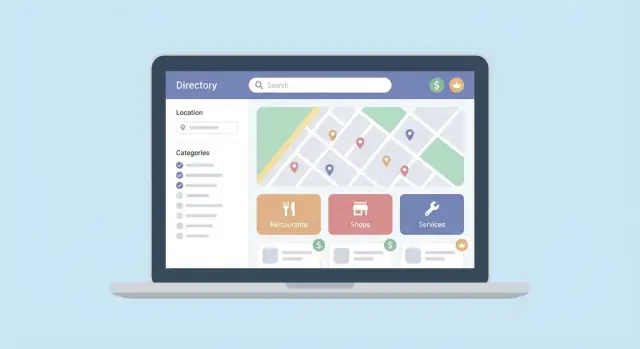
What Makes a Directory Website Valuable
A directory website is a curated collection of listings that helps people find the right option faster than a generic web search. It serves two audiences at once:
- Visitors want to discover, compare, and contact the best match with minimal effort.
- Listed businesses (or creators/tools/brands) want qualified exposure, leads, and credibility.
The most valuable directories make this “two-sided” relationship feel natural: visitors get answers quickly, and listing owners feel the traffic is relevant.
Common directory types (and why people use them)
Directories work whenever the choice is crowded and the visitor needs a shortcut to a decision. Examples include:
- Local services (plumbers, dentists, photographers): people need someone nearby and available.
- SaaS tools (email marketing, CRM, analytics): buyers compare features, pricing, and integrations.
- Jobs (remote roles, niche industries): candidates filter by location, salary, seniority, or skills.
- Real estate (rentals, commercial spaces): search is driven by budget, area, and property attributes.
- Creators and experts (designers, tutors, coaches): visitors want proof, style fit, and fast contact.
Even though these niches differ, they succeed for the same reason: they reduce search time and decision fatigue.
What “good” looks like: findability, trust, freshness
A directory becomes valuable when it consistently answers “Can I find a great option here?” Three qualities make that happen:
Findability. People can locate what they need in a few steps. Search results feel relevant, filters are understandable, and listing pages contain the details required to decide.
Trust. Listings look real and verified. Reviews, clear sourcing, visible moderation, and honest labels (like “sponsored” or “featured”) prevent the directory from feeling like a pay-to-play wall.
Freshness. Outdated listings quietly kill a directory. Users notice dead links, old prices, closed locations, and “available” services that aren’t. Freshness comes from regular updates and removing stale entries—not just adding new ones.
What to expect from this guide
This guide focuses on the mechanics that make directories work:
- Building directory search that feels fast and helpful
- Creating filters and facets people actually use
- Turning attention into revenue with clear directory monetization options (like featured listings and membership plans)
Design and content matter, but if your search, filters, and monetization are confusing, the directory won’t earn trust or repeat visits.
If you want to get to an MVP quickly, a vibe-coding platform like Koder.ai can help you prototype the core flows (search, filters, listing pages, and submission) via chat—then iterate once you see real user behavior. It’s especially useful for directories because the data model and UX loops are easy to evolve when you can ship changes fast.
Pick Your Niche and Define the Directory’s Goal
A directory website wins when it’s specific. “All businesses” is too broad; people won’t know why they should use yours instead of Google. Start by narrowing your niche, your geography (if relevant), and the exact reason someone is searching.
Define the niche, geography, and primary intent
Pick a niche that has clear categories and repeatable needs. Examples: “family-friendly restaurants in Austin,” “B2B accountants for SaaS startups,” or “EV charging stations along I‑95.”
Then write down the primary user intent in one sentence: “I need to find the best option fast and know how to contact them.” If your audience is comparing, your listings must support comparison. If they’re in a hurry, your directory search must prioritize speed and clarity.
Choose your core object: the listing
Most directories are built around one core object: a listing (business, product, place, person, or service). Decide what a listing is in your world and define the must-have attributes you’ll store from day one:
- Name/title and short description
- Category (and optional subcategory)
- Location or service area
- Contact method (website, email, phone)
- One “proof” element (reviews, certifications, photos, pricing range)
This definition keeps everything else consistent: search, filters, SEO pages, and monetization.
Decide what success looks like (metrics)
Set 2–3 success metrics tied to user value:
- Searches performed (people are using the directory)
- Listing clicks (they found something relevant)
- Lead actions: form submissions, calls, “visit website” clicks
If you can’t measure a goal, you’ll struggle to improve it later.
Map the content scope before you write a single page
For a ~3,000-word beginner-friendly guide, plan sections that move step-by-step: niche → data model → site pages → search/filters → SEO → trust/moderation → conversion → monetization → pricing → launch/analytics. This prevents gaps and keeps the project focused.
Design the Listing Data Model (What You Store)
Your data model is the “shape” of every listing. Get it right and everything else becomes easier: search works better, filters make sense, and monetization options (like featured listings) don’t feel bolted on.
Start with a minimum viable listing
Define a small set of fields that every listing must have. This prevents half-empty pages that frustrate visitors.
Minimum fields to require:
- Name (the business, product, place, or person)
- Category (one primary category; you can add optional secondary categories later)
- Location (city/region, or “remote/online” if applicable)
- Short description (1–3 sentences that explain what it is)
- Contact/links (phone, email, website, booking link, or social—whatever fits your niche)
Add “helpful” fields that power great filters
These fields aren’t always necessary, but they unlock useful sorting and filtering later:
- Price range (e.g., $, $$, $$$ or numeric ranges)
- Tags (small, controlled set like “pet-friendly,” “24/7,” “women-owned”)
- Hours (structured, not free text, if hours matter)
- Features/amenities (checkbox-style options people actually search for)
- Verified status (a clear yes/no plus optional “verified date”)
Set data quality rules early
Write simple rules you can enforce in forms and moderation:
- Required fields must be present before publishing.
- Formatting: consistent phone format, URL validation, and character limits for descriptions.
- Duplicates: decide what counts as “the same listing” (same name + address, same website domain, etc.) and how you merge or reject repeats.
Plan media like a product, not decoration
Media affects trust and conversion, so specify what you accept:
- Logo (square, minimum size)
- Primary image (thumbnail-friendly)
- Gallery (optional, capped number)
- Documents (only if relevant—menus, certifications, brochures)
If you later add paid upgrades (like featured listings), you’ll already have the right fields to support them cleanly.
Plan the Site Structure and Key Pages
A directory lives or dies by how quickly someone can answer: “Do you have what I’m looking for?” Your site structure should make browsing predictable, keep search one click away, and give every listing a clean, linkable home.
Core pages (the ones people will actually use)
Home should immediately show what the directory is about: top categories, a prominent search bar, and a few “popular near you” or “trending” shortcuts.
Category pages are your browsing backbone. Keep them consistent: a short intro, a grid/list of results, and links to subcategories.
Search results should work even when users don’t know your taxonomy. Make it easy to adjust filters, sort, and jump between locations.
Listing detail pages are where trust is earned. Include essentials (name, description, location, contact), plus credibility signals like verification badges, photos, hours, or “last updated.”
Submit listing should feel safe and quick. Ask for the minimum needed to publish, then request optional fields after submission.
Support pages (quietly critical)
You’ll reduce spam and support requests by publishing clear:
- About
- Contact (/contact)
- Guidelines (what you accept, what you reject)
- FAQ
- Terms and privacy
Navigation patterns that keep users moving
Use a top nav that prioritizes Categories and Search. Add shortcuts people understand instantly: “Near me,” major cities/regions, and a small set of popular filters (e.g., “Open now,” “Free,” “Verified”)—without turning your header into a control panel.
Internal links worth planning early
Link naturally from listings and category pages to monetization and help routes, like /pricing for upgrades, /blog for discovery content, and /contact for corrections and claims.
Build Search That Feels Fast and Helpful
Search is the main “job” your directory does for visitors. If it feels slow or confusing, people bounce—even if you have great listings. Your goal is simple: make it obvious where to start, return useful results quickly, and gracefully handle dead ends.
Put the search bar where intent starts
For most directories, the best placement is at the top of every page (header), not just the homepage. Make it visually dominant on mobile.
Default behavior matters:
- Global search is usually the right default (“Search everything”). It helps first-time visitors who don’t know your categories.
- Within-category search can be a secondary mode on category pages (“Search within: Wedding Venues”). Keep it optional so you don’t trap users in a narrow scope.
Autocomplete that guides, not distracts
Autocomplete makes your directory feel faster because users see progress immediately. Mix suggestions from a few sources:
- Listings (e.g., “Green Door Pilates”)
- Categories (e.g., “Pilates studios”)
- Locations (e.g., “Austin, TX” or neighborhoods)
Label suggestion types clearly, and let people complete a query with one tap. If you support “category + location” searches, encourage it in the placeholder text (e.g., “Search plumbers in Miami”).
Sorting that matches how people decide
Sorting should be predictable and easy to switch. Common options:
- Relevance (default)
- Rating (if you have enough reviews to be meaningful)
- Newest (great for marketplaces, events, or job directories)
- Distance (for local directories; only show if location is available)
- Price (only if price data is consistent)
Avoid offering sorts you can’t support well—nothing hurts trust like “Price” when half the listings have no pricing.
A no-results page that saves the visit
“No results” should be a recovery flow, not a dead end:
- Suggest broadening filters (and offer a one-click “Clear filters”)
- Show related categories or nearby locations
- Offer a clear submit a listing option (and explain what qualifies)
When search is forgiving and responsive, users feel like your directory “gets it”—and they keep exploring.
Create Filters and Facets People Actually Use
Filters are only useful when they mirror how people decide. If your visitors are choosing a dentist, they think in terms of location, insurance accepted, availability, and reviews—not “business size” or “year founded.” Start by listing the top 3–5 questions a visitor asks before contacting someone, then turn those into filters.
Pick decision-making filters (not “nice-to-haves”)
Strong filters map to real constraints:
- Category: what it is (e.g., “Coworking,” “Plumber,” “Vegan bakery”).
- Location: city/neighborhood, radius, “near me.”
- Price: budget ranges, hourly rate, “free trial,” “from $X.”
- Rating / review count: quality signals (use carefully—see below).
- Amenities / features: parking, wheelchair access, remote-friendly, pet-friendly, “accepts new clients.”
If you can’t explain how a filter changes a choice, don’t ship it yet.
Faceted navigation basics that feel intuitive
Facets are filters with structure: counts, multi-select, and clear states.
- Multi-select where it makes sense (amenities, categories), single-select where it doesn’t (sort order).
- Show counts (e.g., “Wheelchair accessible (12)”) so people don’t click dead ends.
- Always include a visible reset: “Clear all” and per-filter “x” chips so users can back out fast.
Be careful with rating facets: consider thresholds like “4.5+” and require a minimum review count to avoid misleading results.
Avoid overload with smart defaults
Too many options slows decisions. Keep the first view simple, and move secondary filters into a “More filters” drawer.
Use smart defaults such as:
- Location pre-filled from the visitor (with an easy change)
- Common price range set to “Any” until the user narrows it
- Popular features surfaced first based on actual usage
A good rule: if a filter is rarely used, hide it behind “More filters” or remove it until you have evidence it helps.
SEO for Directory Search and Filter Pages
Directory sites can generate thousands of URLs through search and filters. The goal is to make the useful pages easy for Google to find, while keeping “thin” or repetitive combinations out of the index.
URL strategy for filtered pages
Use clean, consistent, and shareable URLs for the pages you want people to land on from search. A simple pattern is:
- Category first:
/restaurants/ - Category + location:
/restaurants/austin-tx/ - Optional single filter in the path (only if it’s a major intent):
/restaurants/austin-tx/outdoor-seating/
Avoid long query strings as your primary SEO URLs (e.g., ?c=restaurants&city=austin&sort=top&open_now=1). Query parameters are fine for on-site UX, but pick one canonical URL format for indexable pages.
When to index vs. noindex
Index pages that represent common search intent and have enough listings to be genuinely helpful (rule of thumb: meaningful content + multiple strong results). Typical indexable pages:
- Top-level categories
- Category + major city/region
- A small set of high-value attributes (e.g., “pet-friendly hotels”)
Noindex (or block from internal linking) for combinations that explode into duplicates:
- Multiple filters stacked (category + location + 3+ attributes)
- Sort orders, “open now,” price sliders, pagination, and internal search queries
Also use canonical tags so near-duplicates point to the main version of the page.
Page titles and headings that match intent
Keep titles specific and readable:
- Title: “Restaurants in Austin, TX (Updated List)”
- H1: “Restaurants in Austin, TX”
Add a short intro paragraph describing what the user will find and how the list is curated.
Schema basics for listings
Add structured data to each listing detail page:
- LocalBusiness (or a subtype like Restaurant) for local companies
- Organization for non-location-based entities
- Product for item directories (with price/availability where applicable)
Include essentials like name, URL, address (if relevant), opening hours, and aggregateRating only if it’s real and shown on the page.
Trust, Moderation, and Quality Control
A directory website is only as useful as its accuracy. If listings feel outdated, fake, or padded with SEO gibberish, people stop trusting the results (and stop converting). The goal is to make quality visible and keep bad content from getting indexed.
Signals of trust users can see
Small cues do a lot of work:
- Verification badges for businesses or professionals that you’ve confirmed (email domain, phone, documents, or a quick live call).
- Contact visibility rules that favor trustworthy listings: show phone/email only after verification, or after the owner confirms ownership.
- “Last updated” timestamps on every listing, plus a clear “Report outdated info” link.
- Ownership markers like “Claimed listing” so users know someone is responsible for updates.
These signals also help you justify paid upgrades later (featured listings feel safer when the directory itself is credible).
Reviews and ratings without turning into a mess
Reviews can make a directory search far more helpful, but they need boundaries.
Set simple moderation rules early:
- One review per user per listing; require an account and email verification.
- Define what’s not allowed: hate speech, personal data, promotional links, or unverifiable accusations.
- Add disclaimers: ratings are user-generated; you may remove content that violates policy; businesses can respond.
For fraud prevention, watch for patterns: many reviews from new accounts, repeated phrasing, review spikes, or reviews from the same IP. Consider delaying publication for first-time reviewers or high-risk categories until a quick manual check.
Spam control for submissions and edits
Most spam enters through “Add listing” and “Suggest an edit.” Use layered defenses:
- CAPTCHA on anonymous forms.
- Rate limits per IP/account and per listing.
- Email confirmation for new submissions.
- A review queue for suspicious edits (changing URLs, categories, or phone numbers).
Manual checks don’t have to be heavy: a quick scan for keyword stuffing, fake addresses, and mismatched business names catches a lot.
Editorial guidelines that keep listings consistent
Publish simple rules for descriptions, photos, and prohibited content. For example: descriptions must be factual (services, area, hours), no superlatives (“best in town”) unless verifiable, no coupon spam, and no stock photos that misrepresent the business.
Consistency improves search and filters too—clean data makes your directory website feel curated rather than chaotic.
Convert Visitors: CTAs and Lead Capture
Traffic is nice, but directories earn their keep when visitors take action. The simplest way to improve conversions is to make the “next step” obvious on every listing—and to measure it.
Pick one primary CTA per listing
Each listing should feature a single, high-intent action button above the fold. Choose the CTA that matches how that business actually sells:
- Call now (best for urgent services)
- Email (good for B2B and custom work)
- Book an appointment (ideal for scheduled services)
- Request a quote (for projects with variables)
- Lead form (when you need structured details)
Avoid stacking five buttons in the same spot. If you need multiple actions, make one primary and place secondary options lower on the page.
Make actions trackable (without promising results)
Set up events you can count: phone clicks, email clicks, booking-link clicks, and form submissions. This helps you (and listing owners) understand what’s working—without claiming you can guarantee leads.
A practical approach:
- Track clicks on the primary CTA
- Track phone link taps separately from desktop clicks
- Track successful form submissions (not just form opens)
Use these metrics in reports for paid plans (e.g., “120 CTA clicks last month”), and in your own decisions about filters, categories, and featured placements.
Decide how leads get routed
Lead capture isn’t just a form; it’s a delivery system. Common routing options include:
- Email directly to the listing owner (fastest to launch)
- A directory inbox (better oversight and spam control)
- A CRM integration plan (for premium tiers; start with Zapier/Make-style hooks if needed)
Be clear about expected response times: “Sent instantly” is fine; “You’ll hear back within an hour” is usually not.
Consent and privacy basics
If you collect names, emails, or phone numbers, add clear consent language and a link to your /privacy-policy. Keep forms minimal, store only what you need, and offer spam protection (rate limits and CAPTCHA). If you track actions, disclose it and provide a simple opt-out where required.
Monetization Options: What You Can Sell
Directories monetize best when the “paid” features clearly help a listing get discovered, earn trust, or convert more leads. Think in terms of outcomes (more visibility, more credibility, better lead handling), not “extra widgets.”
Featured listings (pay for visibility)
Featured placements work well because they’re simple to understand and easy to measure.
Common options:
- Top of category: a fixed block above organic results.
- Pinned listing: the same business stays first for a given search/filter combo.
- Boosted rotation: a small set of paid listings rotate through the top slots.
Make the rules explicit: how many featured spots exist per category, how rotation works, and what happens when a campaign ends.
Subscription plans (pay for better profiles and tools)
Subscriptions are ideal if you can offer ongoing value beyond traffic. A simple structure is Free (basic listing) vs. Pro (tools that help owners win business).
Paid tier ideas:
- More photos/videos, richer description, and extra categories/locations
- Listing analytics (views, clicks, calls)
- Lead tools: contact forms, inquiry routing, auto-replies, CRM export
Keep the upgrade path obvious with a single CTA like “Upgrade to Pro” on the listing edit screen. If you have a pricing page, link to /pricing.
Ads and sponsorships (pay for brand exposure)
If your directory has strong niche intent, sponsors will pay to be near relevant searches.
Options that feel natural:
- Category sponsorship (“Presented by…”) on category pages
- Banner placements (limited inventory, consistent placement)
- Newsletter sponsorship if you send regular updates to users
One-time upgrades (pay once, get a clear benefit)
One-time purchases can convert users who aren’t ready for a subscription:
- Verified badge (with a clear verification process)
- Claim listing (especially for imported data)
- Premium profile (enhanced layout, extra media, highlighted CTA)
Tip: avoid selling too many tiny add-ons. Fewer options with clear outcomes usually convert better and reduce support questions.
Pricing and Packaging Monetization Without Confusing Users
Pricing is where many directories lose people—not because it’s expensive, but because it’s unclear. Your goal is simple: make it obvious what someone gets, what it costs, and what the “next step” is.
How to price (choose one primary model)
If your directory generates leads, value-based pricing is easiest to justify: price around expected outcomes (calls, form submissions, bookings).
A flat monthly price works best when value is consistent (exposure, credibility, backlink, ongoing profile management).
Per-category pricing can make sense when categories have very different demand (for example, “Wedding Venues” vs. “Pet Sitters”), but keep the logic visible: higher-demand categories cost more.
Make the pricing page boring—in a good way
A simple /pricing page converts better than clever packaging:
- A 2–3 plan comparison table (Free, Pro, Premium)
- Clear limits (number of locations, photos, categories, leads per month)
- A short FAQ that answers “What counts as a lead?” and “Can I cancel anytime?”
Avoid pay-to-win problems
If you sell placement, protect trust. Always label sponsored results, and don’t let sponsorship override relevance. A good rule: sponsored listings can appear in dedicated slots, but organic rankings should still be based on quality and match.
Packages and add-ons that stay simple
Keep your core plans stable, then offer a few optional upgrades:
- Featured listing (fixed time window)
- Extra locations or service areas
- Verified badge (after basic checks)
- Lead forwarding to multiple team members
- Category boost (add one extra category)
If you can’t explain an add-on in one sentence, it’s too complicated.
Launch, Grow, and Improve With Simple Analytics
Launching a directory website isn’t the finish line—it’s the start of a feedback loop. You don’t need a complex data warehouse to make smart decisions. A few well-chosen metrics will tell you where growth is coming from, where users get stuck, and which listings need attention.
Start with a simple acquisition plan
Focus on channels you can measure and repeat:
- SEO category pages: create clear category and location pages that match how people search (e.g., “coworking spaces in Austin”).
- Partnerships: trade visibility with associations, newsletters, or event organizers.
- Social and communities: post “best of” collections in relevant groups, then link to a focused page on your site.
Track each channel with basic UTM links so you can see which one brings visitors who actually search and click listings.
Grow supply without manual pain
Directories win when the inventory grows. Make it easy:
- Send short outreach emails offering a free listing plus one clear benefit (more leads, visibility, credibility).
- Offer import options (CSV upload for businesses, “submit multiple listings” for organizations).
- Add a claim listing flow so owners can take control, update details, and add photos—without you becoming the bottleneck.
Retain listers and keep content fresh
Stale listings quietly kill trust. Use light-touch retention:
- Reminder emails every 60–90 days: “Is your phone number, hours, and pricing still correct?”
- Seasonal campaigns: “Update for holiday hours,” “New year offers,” or “Summer availability.”
Measure and iterate (the few metrics that matter)
Watch these weekly:
- Top searches: what people type tells you which categories, tags, or new filters you should add.
- Filter usage: if nobody uses a filter, remove it or rename it to match user language.
- Drop-off points: where sessions end—search page, results page, listing page, or contact click.
Make one small change at a time, annotate it, and compare week-over-week. That’s how a directory gets better—without guessing.
If you’re iterating quickly, prioritize a workflow that lets you ship changes safely. For example, Koder.ai supports snapshots and rollback, which is helpful when you’re testing ranking tweaks, filter layouts, or monetization experiments and want a fast way to revert if metrics drop.
FAQ
What makes a directory website genuinely valuable to users?
A directory is valuable when it reliably reduces search time and decision fatigue.
Focus on three pillars:
- Findability: fast search, relevant results, usable filters.
- Trust: verified/claimed signals, clear moderation, honest “sponsored” labels.
- Freshness: regular updates and removal of stale listings (dead links, closed locations, outdated pricing).
How do I choose the right niche for my directory?
Pick a niche where people repeatedly need to compare options and take action (call, book, email).
A practical niche statement includes:
- Who: the audience (e.g., “SaaS founders”)
- What: the object (e.g., “accountants”)
- Where: geography or “remote/online”
- Intent: the decision (e.g., “hire this month”)
What fields should every listing include from day one?
The listing is your core object (business, tool, place, person). Start with a minimum set you can require for every entry:
- Name/title
- Primary category
- Location or service area (or “remote”)
- 1–3 sentence description
- One contact method (website/phone/email/booking)
Then add optional fields that unlock better filters later (price range, tags, hours, amenities, verified status).
How can I prevent duplicate or low-quality listings?
Set simple, enforceable rules in your forms and moderation:
- Require key fields before publishing.
- Validate formats (URLs, phone numbers) and set description limits.
- Define duplicates (e.g., same name + address, or same website domain) and how you merge them.
This keeps search and filters accurate and prevents a directory from feeling “messy.”
What are the essential pages a directory site should have?
A strong baseline structure is:
- Home (search + top categories)
- Category pages (consistent browsing)
- Search results (filters + sorting)
- Listing detail pages (trust + CTA)
- Submit listing (fast, minimal)
Also publish support pages like /contact, guidelines, terms, and privacy to reduce spam and confusion.
How do I build directory search that feels fast and helpful?
Make search available everywhere (especially mobile), not just on the homepage.
Improve perceived speed with:
- Autocomplete suggestions for listings, categories, and locations
- Sensible defaults (global search first)
- A helpful no-results state (clear filters button, related categories, suggest a listing)
Avoid “power features” that create dead ends or confusing scopes.
Which filters should I prioritize, and how do I avoid filter overload?
Start with the 3–5 constraints users actually care about before they contact someone.
Common high-impact filters:
- Category
- Location (city, neighborhood, radius)
- Price range
- Key features/amenities
- Rating thresholds (only with enough review volume)
Use facets with counts, multi-select where appropriate, and a visible Clear all to prevent filter traps.
How should I handle SEO for search and filtered pages?
Index only pages that match common intent and have enough listings to be useful.
A practical approach:
- Index: categories, category + major locations, a small set of major attributes.
- Noindex: stacked multi-filter combos, sort variations, pagination, internal search queries.
Use clean canonical URLs (e.g., /restaurants/austin-tx/) and keep thin/duplicate combinations out of internal linking.
How do I build trust and reduce spam in a directory?
Make trust visible on listing pages:
- Verification/claimed badges with a clear process
- “Last updated” timestamps
- A prominent “Report outdated info” link
- Clear “sponsored/featured” labels where applicable
For submissions and edits, layer defenses like CAPTCHA, rate limits, email confirmation, and a review queue for risky changes (URLs, phone numbers, categories).
What are the best monetization options for a directory website?
Sell upgrades that clearly improve visibility, credibility, or conversion:
- Featured placements (top of category, pinned, or rotation)
- Subscriptions (analytics, richer profiles, lead tools)
- Sponsorships (category sponsor, limited ad inventory)
- One-time upgrades (verified badge, claim listing, premium profile)
Keep pricing simple (2–3 plans) and protect trust by labeling sponsored results and preserving organic relevance.