

How to Build a Feature Flag & Rollout Management Web App
Learn how to design and build a web app to create feature flags, target users, run gradual rollouts, add a kill switch, and track changes safely.
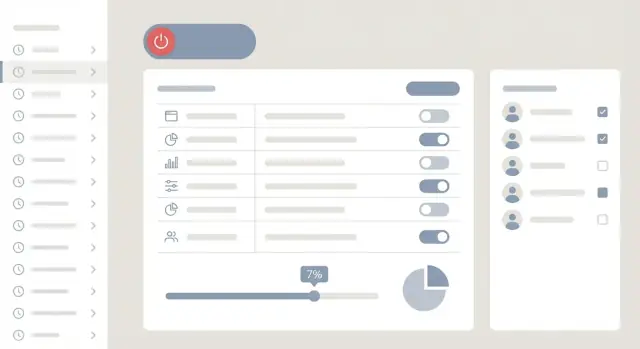
What You’re Building and Why It Matters
A feature flag (also called a “feature toggle”) is a simple control that lets you turn a product capability on or off without shipping new code. Instead of tying a release to a deploy, you separate “code is deployed” from “code is active.” That small shift changes how safely—and how quickly—you can ship.
Why teams rely on feature flags
Teams use feature flags because they reduce risk and increase flexibility:
- Staged releases: roll a change out to 1% of users, watch for issues, then expand.
- Experiments: show variant A vs. B to different groups and compare results.
- Emergency turn-off (kill switch): instantly disable a problematic feature when something breaks.
The operational value is simple: feature flags give you a fast, controlled way to respond to real-world behavior—errors, performance regressions, or negative user feedback—without waiting for a full redeploy cycle.
What this guide helps you build
This guide walks you through building a practical feature flag and rollout management web app with three core parts:
- An admin dashboard where non-technical teammates can create flags, define audiences, and start/stop rollouts.
- A backend API to store flag configurations, enforce permissions, and serve flag values to apps.
- A lightweight evaluation path (via SDK or simple API call) inside your applications that decides which users see which variant.
The goal isn’t a massive enterprise platform; it’s a clear, maintainable system you can put in front of a product team and trust in production.
If you want to prototype this kind of internal tool quickly, a vibe-coding workflow can help. For example, teams often use Koder.ai to generate a first working version of the React dashboard and Go/PostgreSQL API from a structured chat spec, then iterate on the rules engine, RBAC, and audit requirements in planning mode before exporting the source code.
Define Requirements and Use Cases
Before you design screens or write code, get clear on who the system is for and what “success” looks like. Feature flag tools often fail not because the rule engine is wrong, but because the workflow doesn’t match how teams ship and support software.
Who will use it (and what they need)
Engineers want fast, predictable controls: create a flag, add targeting rules, and ship without redeploying. Product managers want confidence that releases can be staged and scheduled, with clear visibility into who is affected. Support and operations need a safe way to respond to incidents—ideally without paging engineering—by disabling a risky feature quickly.
A good requirements doc names these personas and the actions they should be able to take (and not take).
Must-have capabilities
Focus on a tight core that enables gradual rollout and rollback:
- Create and manage flags (on/off, variants, descriptions, owners)
- Define targeting rules (who gets the feature)
- Percentage rollouts (e.g., 1% → 10% → 50% → 100%)
- Scheduling (start/stop at specific times, with time zone clarity)
These aren’t “nice extras”—they’re what makes a rollout tool worth adopting.
Nice-to-have capabilities (plan, don’t block)
Capture these now, but don’t build them first:
- Experiments and A/B testing
- Templates for common flag types (kill switch, beta access)
- Bulk edits for large launches (many flags, many environments)
Define what “safe” means
Write down safety requirements as explicit rules. Common examples: approvals for production changes, full auditability (who changed what, when, and why), and a quick rollback path that’s available even during an incident. This “definition of safe” will drive later decisions about permissions, UI friction, and change history.
High-Level Architecture (Simple and Practical)
A feature flag system is easiest to reason about when you separate “managing flags” from “serving evaluations.” That way your admin experience can be pleasant and safe, while your applications get fast, reliable answers.
Core components
At a high level, you’ll want four building blocks:
- Admin UI (dashboard): where people create flags, define targeting rules, schedule rollouts, and flip a kill switch.
- Flag API (control plane): authenticated endpoints the dashboard uses to read/write flags, environments, segments, and approvals.
- Evaluation service + SDKs (data plane): the piece your apps talk to (directly or indirectly) to decide “is this flag on for this user right now?”
- Data store: holds flag definitions, rules, segments, and audit history.
A simple mental model: the dashboard updates flag definitions; applications consume a compiled snapshot of those definitions for fast evaluation.
How applications should query flags
You generally have two patterns:
Server-side evaluation (recommended for most flags). Your backend asks the SDK/evaluation layer using a user/context object, then decides what to do. This keeps rules and sensitive attributes off the client and makes it easier to enforce consistent behavior.
Client-side evaluation (use selectively). A web/mobile client fetches a pre-filtered, signed configuration (only what the client is allowed to know) and evaluates locally. This can reduce backend load and improve UI responsiveness, but it requires stricter data hygiene.
Monolith vs. small services
To start, a modular monolith is usually the most practical:
- One backend application with clear modules: Auth/RBAC, Flags, Segments, Audit, and “Publish config.”
- One database.
- One deployable.
As usage grows, the first thing to split is typically the evaluation path (read-heavy) from the admin path (write-heavy). You can keep the same data model while introducing a dedicated evaluation service later.
Keeping latency low: caching and local evaluation
Flag checks happen on hot paths, so optimize reads:
- Push or poll snapshots: SDKs keep a local cache of flag config, refreshed every N seconds or via streaming.
- Evaluate locally: once the config is cached, most checks become in-process function calls.
- Use a CDN/edge for config delivery (for client-side) and a fast cache (for server-side), so your database isn’t queried per request.
The goal is consistent behavior even during partial outages: if the dashboard is down, applications should still evaluate using the last known good configuration.
Data Model for Flags, Segments, and Environments
A feature-flag system succeeds or fails on its data model. If it’s too loose, you can’t audit changes or safely roll back. If it’s too rigid, teams will avoid using it. Aim for a structure that supports clear defaults, predictable targeting, and a history you can trust.
Core entities
Flag is the product-level switch. Keep it stable over time by giving it:
key(unique, used by SDKs, e.g.new_checkout)nameanddescription(for humans)type(boolean, string, number, JSON)archived_at(soft delete)
Variant represents the value a flag can return. Even boolean flags benefit from explicit variants (on/off) because it standardizes reporting and rollouts.
Environment separates behavior by context: dev, staging, prod. Model it explicitly so one flag can have different rules and defaults per environment.
Segment is a saved group definition (e.g., “Beta testers”, “Internal users”, “High spenders”). Segments should be reusable across many flags.
Rules, priorities, and fallbacks
Rules are where most complexity lives, so make them first-class records.
A practical approach:
FlagConfig(per flag + environment) storesdefault_variant_id,enabledstate, and a pointer to the current published revision.Rulebelongs to a revision and includes:priority(lower number wins)conditions(JSON array like attribute comparisons)serve(fixed variant, or percentage rollout across variants)
fallbackis always thedefault_variant_idinFlagConfigwhen no rule matches.
This keeps evaluation simple: load the published revision, sort rules by priority, match the first rule, else default.
Versioning: draft vs. published
Treat every change as a new FlagRevision:
status:draftorpublishedcreated_by,created_at, optionalcomment
Publishing is an atomic action: set FlagConfig.published_revision_id to the chosen revision (per environment). Drafts let teams prepare changes without affecting users.
Audit history and rollback
For audits and rollbacks, store an append-only change log:
AuditEvent: who changed what, when, in which environmentbefore/aftersnapshots (or a JSON patch) referencing the revision IDs
Rollback becomes “re-publish an older revision” rather than trying to manually reconstruct settings. This is faster, safer, and easy to explain to non-technical stakeholders using the dashboard’s history view.
Targeting and Segmentation Rules
Targeting is the “who gets what” part of feature flags. Done well, it lets you ship safely: expose a change to internal users first, then a specific customer tier, then a region—without redeploying.
What you can target (user attributes)
Start with a small, consistent set of attributes your apps can reliably send with every evaluation:
- Role: admin, staff, member (great for internal-first rollouts)
- Plan: free, pro, enterprise (useful for monetized features)
- Region: country/market, or data residency zone
- App version: to avoid enabling features for outdated clients
Keep attributes boring and predictable. If one app sends plan=Pro and another sends plan=pro, your rules will behave unexpectedly.
Segments: saved groups
Segments are reusable groups like “Beta testers,” “EU customers,” or “All enterprise admins.” Implement them as saved definitions (not static lists), so membership can be computed on demand:
- Rule-based segments: “plan = enterprise AND role = admin”
- Explicit allow/deny lists (optional): useful for “VIP customers” or support-driven rollouts
To keep evaluation fast, cache segment membership results for a short time (seconds/minutes), keyed by environment and user.
Rule logic and precedence
Define a clear evaluation order so results are explainable in the dashboard:
- Hard overrides (e.g., deny/allow list)
- Targeting rules (ordered, first match wins)
- Fall-through (default off, or default to a rollout)
Support AND/OR groups and common operators: equals, not equals, contains, in list, greater/less than (for versions or numeric attributes).
Privacy note
Minimize personal data. Prefer stable, non-PII identifiers (e.g., an internal user ID). When you must store identifiers for allow/deny lists, store hashed IDs where possible, and avoid copying emails, names, or raw IP addresses into your flag system.
Rollout Strategies: Percentages, Variants, Scheduling, Kill Switch
Rollouts are where a feature flag system delivers real value: you can expose changes gradually, compare options, and stop problems quickly—without redeploying.
Percentage rollouts (and why consistent bucketing matters)
A percentage rollout means “enable for 5% of users,” then increase as confidence grows. The key detail is consistent bucketing: the same user should reliably stay in (or out of) the rollout across sessions.
Use a deterministic hash of a stable identifier (for example, user_id or account_id) to assign a bucket from 0–99. If you instead pick users randomly on each request, people will “flip” between experiences, metrics become noisy, and support teams can’t reproduce issues.
Also decide the bucketing unit intentionally:
- User-based rollouts are good for consumer apps.
- Account/tenant-based rollouts prevent different users in the same company from seeing conflicting behavior.
Variants: boolean and multivariate
Start with boolean flags (on/off), but plan for multivariate variants (e.g., control, new-checkout-a, new-checkout-b). Multivariate is essential for A/B tests, copy experiments, and incremental UX changes.
Your rules should always return a single resolved value per evaluation, with a clear priority order (e.g., explicit overrides > segment rules > percentage rollout > default).
Scheduling: start/end times, ramp steps, and time zones
Scheduling lets teams coordinate releases without someone staying up to flip a switch. Support:
- Start time / end time (auto-disable after a deadline)
- Ramp steps (e.g., 1% → 10% → 25% → 50% over specific intervals)
- Time zones (store times in UTC, but display and edit in the user’s chosen time zone)
Treat schedules as part of the flag config, so changes are auditable and previewable before they go live.
Kill switch behavior (including outages)
A kill switch is an emergency “force off” that overrides everything else. Make it a first-class control with the fastest path in the UI and API.
Decide what happens during outages:
- If the flag service can’t be reached, SDKs should fall back to the last known good config (cached), then a safe default.
- For risky features, choose defaults that fail “closed” (off).
Document this clearly so teams know what the app will do when the flag system is degraded. For more on how teams operate this day-to-day, see /blog/testing-deployment-and-governance.
APIs and SDK Integration for Your Applications
Your web app is only half the system. The other half is how your product code reads flags safely and quickly. A clean API plus a small SDK for each platform (Node, Python, mobile, etc.) keeps integration consistent and prevents every team from inventing their own approach.
Read APIs (fast, cache-friendly)
Your applications will call read endpoints far more often than write endpoints, so optimize these first.
Common patterns:
GET /api/v1/environments/{env}/flags— list all flags for an environment (often filtered to “enabled” only)GET /api/v1/environments/{env}/flags/{key}— fetch a single flag by keyGET /api/v1/environments/{env}/bootstrap— fetch flags + segments needed for local evaluation
Make responses cache-friendly (ETag or updated_at version), and keep payloads small. Many teams also support ?keys=a,b,c for batch fetch.
Write APIs (validated, workflow-aware)
Write endpoints should be strict and predictable:
POST /api/v1/flags— create (validate key uniqueness, naming rules)PUT /api/v1/flags/{id}— update draft config (schema validation)POST /api/v1/flags/{id}/publish— promote draft to an environmentPOST /api/v1/flags/{id}/rollback— revert to last known good version
Return clear validation errors so the dashboard can explain what to fix.
SDK responsibilities (make it boring)
Your SDK should handle caching with TTL, retries/backoff, timeouts, and an offline fallback (serve last cached values). It should also expose a single “evaluate” call so teams don’t need to understand your data model.
Prevent client tampering
If flags affect pricing, entitlements, or security-sensitive behavior, avoid trusting the browser/mobile client. Prefer server-side evaluation, or use signed tokens (server issues a signed “flag snapshot” the client can read but not forge).
Admin Dashboard UX (Non-Technical Friendly)
A feature flag system only works if people trust it enough to use it during real releases. The admin dashboard is where that trust is built: clear labels, safe defaults, and changes that are easy to review.
Flag list: find the right thing fast
Start with a simple flag list view that supports:
- Search by name, key, owner, or tag
- Filters for status (on/off), type (boolean/multivariant), and “recently changed”
- A prominent environment selector (Dev / Staging / Prod) that’s hard to miss
Make the “current state” readable at a glance. For example, show On for 10%, Targeting: Beta segment, or Off (kill switch active) rather than just a green dot.
Flag editor: guide users through safe changes
The editor should feel like a guided form, not a technical configuration screen.
Include:
- A rules builder with plain-language clauses (e.g., “If country is US” AND “Plan is Pro”)
- A rollout slider (0–100%) with a clear explanation of what will happen
- A preview panel showing example users that would match the current rules (or a “Why this user matches” breakdown)
If you support variants, display them as human-friendly options (“New checkout”, “Old checkout”) and validate that traffic adds up correctly.
Bulk actions without bulk mistakes
Teams will need bulk enable/disable and “copy rules to another environment.” Add guardrails:
- Confirmations that summarize impact (“This will enable 12 flags in Production”)
- Dry-run previews for copy operations
- Clear undo guidance where possible
Safeguards: make the safe path the easy path
Use warnings and required notes for risky actions (Production edits, large percentage jumps, kill switch toggles). Show a change summary before saving—what changed, where, and who will be affected—so non-technical reviewers can approve confidently.
Security, Roles, and Approvals
Security is where feature flag tools either earn trust quickly—or get blocked by your security team. Because flags can change user experiences instantly (and sometimes break production), treat access control as a first-class part of your product.
Authentication: how users sign in
Start with email + password for simplicity, but plan for enterprise expectations.
- SSO/OAuth: support Google/Microsoft OAuth early, and keep the door open for SAML/SCIM later if you expect larger organizations.
- Email + password: if you offer it, store passwords with modern hashing (e.g., Argon2/bcrypt), enforce MFA where possible, and add rate limiting on login.
Authorization: roles and environment access
A clean model is role-based access control (RBAC) plus environment-level permissions.
- Admin: manage org settings, users, integrations, and permissions.
- Editor: create and change flags, segments, and rules (but not necessarily in production).
- Viewer: read-only access.
Then scope that role per environment (Dev/Staging/Prod). For example, someone can be Editor in Staging but only Viewer in Prod. This prevents accidental production flips while keeping teams fast elsewhere.
Approvals for production changes (recommended)
Add an optional approval workflow for production edits:
- Require approval when a change affects Prod targeting, percentage rollout, or kill switch state.
- Capture who requested, who approved, and what changed.
- Allow emergency overrides for on-call admins, but always log them.
Secrets and SDK keys management
Your SDKs will need credentials to fetch flag values. Treat these like API keys:
- Separate keys per environment (never reuse Dev keys in Prod).
- Store only hashed/partial values for display; show the full key once on creation.
- Support rotation and immediate revocation.
- Scope keys to read-only flag evaluation whenever possible.
For more on traceability, connect this section to your audit trail design in /blog/auditing-monitoring-alerts.
Auditing, Monitoring, and Alerts
When feature flags control real user experiences, “what changed?” becomes a production question, not a paperwork question. Auditing and monitoring turn your rollout tool from a toggle board into an operational system your team can trust.
Audit log: who changed what, when, and why
Every write action in the admin app should emit an audit event. Treat it as append-only: never edit history—add a new event.
Capture the essentials:
- Actor: user ID, email, role, and (if relevant) API token name
- Action: created/updated/deleted flag, changed targeting, started rollout, hit kill switch
- Scope: flag key, environment, segment, and affected rules
- Diff: before/after values (human-readable)
- Reason: a required “note” field for risky actions (e.g., production enable)
- Context: timestamp, IP, user agent, request ID
Make this log easy to browse: filter by flag, environment, actor, and time range. A “copy link to this change” deep link is invaluable for incident threads.
Metrics: prove what your flags are doing
Add lightweight telemetry around flag evaluations (SDK reads) and decision outcomes (which variant was served). At minimum, track:
- evaluations per flag/environment
- variant distribution over time
- enable/disable and rule-change counts
- error rates and latency for services behind a flag
This supports both debugging (“are users actually receiving variant B?”) and governance (“which flags are dead and can be removed?”).
Alerting: catch regressions quickly
Alerts should connect a change event to an impact signal. A practical rule: if a flag was enabled (or ramped up) and errors spike soon after, page someone.
Example alert conditions:
- Error rate increases by X% within 10 minutes of a rollout step
- A single variant’s error rate diverges significantly from others
- Evaluation failures (SDK can’t fetch config) exceed a threshold
Operational views for daily use
Create a simple “Ops” area in your dashboard:
- Recent changes (from the audit log)
- Active rollouts (current percentage, variant split, next scheduled step)
- Scheduled events (upcoming ramp-ups, expirations, planned disables)
These views reduce guesswork during incidents and make rollouts feel controlled rather than risky.
Reliability, Performance, and Scaling Basics
Feature flags sit on the critical path of every request, so reliability is a product feature, not an infrastructure detail. Your goal is simple: flag evaluation should be fast, predictable, and safe even when parts of the system are degraded.
Caching layers (and when to use them)
Start with in-memory caching inside your SDK or edge service so most evaluations never hit the network. Keep the cache small and keyed by environment + flag set version.
Add Redis when you need shared, low-latency reads across many app instances (and to reduce load on your primary database). Redis is also useful for storing a “current flag snapshot” per environment.
A CDN can help only when you expose a read-only flags endpoint that’s safe to cache publicly or per-tenant (often it’s not). If you do use a CDN, prefer signed, short-lived responses and avoid caching anything user-specific.
Consistency strategy: polling vs. streaming
Polling is simpler: SDKs fetch the latest flag snapshot every N seconds with ETags/version checks to avoid downloading unchanged data.
Streaming (SSE/WebSockets) gives faster propagation for rollouts and kill switches. It’s great for large teams, but requires more operational care (connection limits, reconnect logic, regional fanout). A practical compromise is polling by default with optional streaming for “instant” environments.
Rate limiting and hot-loop protection
Protect your APIs from accidental SDK misconfiguration (e.g., polling every 100ms). Enforce server-side minimum intervals per SDK key, and return clear errors.
Also guard your database: ensure your read path is snapshot-based, not “evaluate rules by querying user tables.” Feature evaluation should never trigger expensive joins.
Disaster recovery and safe defaults
Back up your primary data store and run restore drills on a schedule (not just backups). Store an immutable history of flag snapshots so you can roll back quickly.
Define safe defaults for outages: if the flag service can’t be reached, SDKs should fall back to the last known good snapshot; if none exists, default to “off” for risky features and document exceptions (like billing-critical flags).
Testing, Deployment, and Ongoing Governance
Shipping a feature flag system isn’t “deploy and forget.” Because it controls production behavior, you want high confidence in rule evaluation, change workflows, and rollback paths—and a lightweight governance process so the tool stays safe as more teams adopt it.
Testing: focus on correctness and predictability
Start with tests that protect the core promises of flagging:
- Unit tests for rule evaluation and bucketing stability: verify targeting logic (segments, operators, precedence) and ensure percentage rollouts are stable per user (same input → same variant), even as you add new flags.
- Integration tests for publish/rollback and permission checks: exercise the real API + DB: create a draft, request approval, publish, then roll back. Confirm roles can/can’t perform actions and that audit entries are written for every change.
A practical tip: add “golden” test cases for tricky rules (multiple segments, fallbacks, conflicting conditions) so regressions are obvious.
Staging practices that mirror real usage
Make staging a safe rehearsal environment:
- Seed known segments (e.g., internal testers, beta customers) and keep them stable.
- Create synthetic users that cover edge cases (missing attributes, unusual locales, new accounts).
- Run a canary of the flag system itself: enable the SDK/flag evaluation for a small set of services first, then expand.
Deployment checklist and ongoing governance
Before production releases, use a short checklist:
- Schema migrations are backward-compatible (old SDKs still work).
- Kill switch paths are tested end-to-end.
- Alerting is configured for error rate spikes and config fetch failures.
- Docs are current (/docs) and support expectations are clear (/pricing).
For governance, keep it simple: define who can publish to production, require approval for high-impact flags, review stale flags monthly, and set an “expiration date” field so temporary rollouts don’t live forever.
If you’re building this as an internal platform, it can also help to standardize how teams request changes. Some organizations use Koder.ai to spin up an initial admin dashboard and iterate on workflows (approvals, audit summaries, rollback UX) with stakeholders in chat, then export the codebase for a full security review and long-term ownership.
FAQ
What is a feature flag, and what problem does it solve?
A feature flag (feature toggle) is a runtime control that turns a capability on/off (or to a variant) without deploying new code. It separates shipping code from activating behavior, which enables safer staged rollouts, quick rollbacks, and controlled experiments.
What’s the simplest architecture for a feature flag and rollout system?
A practical setup separates:
- Control plane: admin dashboard + authenticated write API for creating flags, rules, segments, approvals, and publishing.
- Data plane: read-optimized evaluation path (SDK/evaluation service) that serves fast decisions to applications.
This split keeps the “change workflow” safe and auditable while keeping evaluations low-latency.
How do percentage rollouts work without users switching in and out?
Use consistent bucketing: compute a deterministic hash from a stable identifier (e.g., user_id or account_id), map it to 0–99, then include/exclude based on the rollout percentage.
Avoid per-request randomness; otherwise users “flip” between experiences, metrics get noisy, and support can’t reproduce issues.
What data model should I use for flags, variants, segments, and environments?
Start with:
- Flags: stable
key, type, name/description, archived/soft-delete. - Variants: explicit values (even for boolean on/off).
- Environments:
dev/staging/prodwith separate configs. - Segments: reusable group definitions.
- Rules + priority + fallback: first match wins, else default.
Add revisions (draft vs published) so publishing is an atomic pointer change and rollback is “re-publish an older revision.”
How should targeting and rule precedence be defined so behavior is predictable?
A clear precedence order makes results explainable:
- Hard overrides (allow/deny lists, kill switch)
- Targeting rules (ordered by priority)
- Percentage rollout (deterministic bucketing)
- Fallback default
Keep the attribute set small and consistent (e.g., role, plan, region, app version) to prevent rule drift across services.
How do I implement scheduling (start/end times and ramp steps) safely?
Store schedules as part of the environment-specific flag config:
- Start/end time (store in UTC, display in the user’s time zone)
- Optional ramp steps (e.g., 1% → 10% → 50%)
Make scheduled changes auditable and previewable, so teams can confirm exactly what will happen before it goes live.
What should the SDK do to keep flag checks fast and reliable?
Optimize for read-heavy usage:
- SDK keeps a local cache of the latest published snapshot (poll with ETag/version, or stream via SSE/WebSockets).
- Evaluation becomes an in-process function call most of the time.
- Add timeouts, retries/backoff, and “serve last known good” behavior.
This prevents your database from being queried on every flag check.
When should I use client-side evaluation, and how do I prevent tampering?
If a flag affects pricing, entitlements, or security-sensitive behavior, prefer server-side evaluation so clients can’t tamper with rules or attributes.
If you must evaluate on the client:
- Deliver a pre-filtered snapshot (only what the client is allowed to know)
- Sign it (or use short-lived tokens)
- Avoid exposing sensitive targeting attributes
How do roles and approvals work for production changes?
Use RBAC plus environment scoping:
- Admin: org settings, users, integrations
- Editor: create/change flags and rules (often restricted in Prod)
- Viewer: read-only
For production, add optional approvals for changes to targeting/rollouts/kill switch. Always record requester, approver, and the exact change.
What auditing and outage behaviors do I need to make the system trustworthy?
At minimum, capture:
- Actor (user/token), action, flag/environment scope
- Before/after diff (human-readable)
- Timestamp, request ID, IP/user agent
- Required “reason” note for risky actions
For outages: SDKs should fall back to last known good config, then a documented safe default (often “off” for risky features). See also /blog/auditing-monitoring-alerts and /blog/testing-deployment-and-governance.