

Build a Freelancer Website to Showcase Services and Case Studies
Step-by-step guide for freelancers: choose a platform, structure pages, write service copy, publish case studies, add CTAs, and improve SEO to get leads.
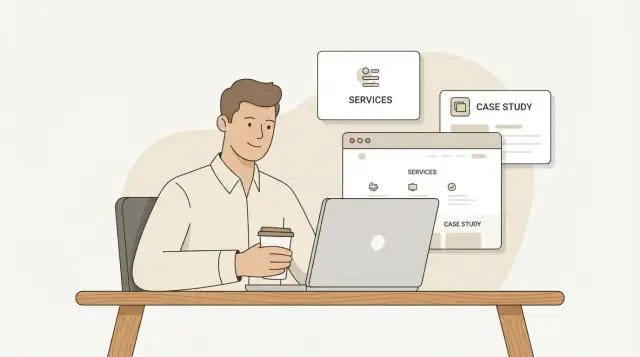
Start With Goals, Audience, and a Clear Offer
A freelancer website works best when it’s built around one clear outcome. Before you choose colors, templates, or a logo, decide what you want visitors to do—and why they should pick you.
1) Choose your main goal (one primary action)
Pick the single action that matters most right now:
- Inquiries (most common): people email or submit a form
- Bookings: people schedule a call
- Email subscribers: people join your list for updates or a lead magnet
Everything on your site should support that action—especially your home page, service pages, and contact flow.
2) Define your ideal client and the problem you solve
“Anyone who needs design/writing/dev” is too broad. Instead, describe:
- Who you want to work with (industry, company size, role)
- What problem they’re trying to solve (e.g., “turn website traffic into demos,” “launch a new brand,” “speed up content production”)
- What outcome they care about (time saved, revenue, sign-ups, fewer support tickets)
This is the foundation of a strong freelancer personal website: it makes your messaging specific and helps the right clients self-identify quickly.
3) Lead with 1–2 primary services
Avoid listing everything you’ve ever done. Choose 1–2 services to headline (e.g., “Landing page copy” and “Email sequences”). If you offer extras, treat them as add-ons or secondary options so the main offer stays easy to understand.
4) Decide what “proof” you already have
Proof doesn’t have to be perfect. Gather what you can today:
- measurable results (before/after, % change)
- testimonials (even short ones)
- samples or screenshots
- recognizable client names (with permission)
5) Set a simple success metric
Pick one number to track for the next 30 days, such as qualified inquiries per month or calls booked per month. This keeps your website focused—and makes it easier to improve later.
Choose a Platform and Domain That Fit Your Workflow
Before you design anything, pick tools you can actually maintain. A freelancer website that’s “almost done” for months is usually a platform mismatch.
Pick the build approach you’ll keep up with
Website builders (Webflow, Squarespace, Wix) are great if you want speed, hosting included, and a visual editor. They’re ideal when you’d rather tweak layouts than troubleshoot plugins. Expect a monthly fee, and check whether basic SEO settings, forms, and analytics are included.
WordPress makes sense if you want flexibility, lots of templates, and room to grow (blog, booking, memberships). The trade-off is more setup: hosting, updates, backups, and occasional plugin conflicts. If you enjoy customizing—or have someone who can help—WordPress can be a strong long-term choice.
A simple one-page site is a smart option if your offer is clear and you mainly need credibility: services, a few proof points, and a contact button. It’s also a good “version 1” you can expand later.
Vibe-coding platforms (like Koder.ai) can be a strong middle ground when you want a custom site without living in code or fighting templates. With Koder.ai, you can describe your freelancer website structure (pages, sections, CTAs) in chat and generate a working web app (React frontend, Go backend with PostgreSQL if needed), then export source code or deploy with hosting and custom domains. It’s especially useful if you want to iterate fast—snapshots and rollback help you test changes without fear.
Use four filters to decide quickly
- Budget: ongoing subscription vs. paying for hosting and theme/plugins
- Time: how fast you can publish a clean site (not perfect)
- Editing ease: can you update services and case studies without friction?
- Hosting needs: included hosting vs. self-managed (and who handles security)
Choose a domain and email that feel professional
Pick a domain that matches your personal brand: yourname.com or yourname.co is usually best. If it’s taken, add a simple modifier like “studio” or your niche—avoid long, hyphen-heavy names.
Set up a professional email like hello@yourdomain. It’s a small detail that signals you’re established.
Make a content plan before design
Write down the pages you’ll launch with (home, services, case studies, about, contact) and the key message for each. With that mapped, choosing a template and layout becomes much easier.
Plan a Simple Site Structure Clients Can Navigate
A freelancer website works best when it answers a visitor’s questions in a predictable order: “What do you do?”, “Can you prove it?”, “How do I hire you?” Keep the structure small, with one clear action per page.
Recommended page set (and the one job each page should do)
Home: orient new visitors and send them down the right path. Primary action: click into your main service or book a call.
Services: explain what you offer, who it’s for, what it costs (or how pricing works), and what happens next. Primary action: request a quote / book a call. This is your core freelance services page experience.
Case Studies / Work: show proof with outcomes, constraints, and your process. Primary action: view a relevant case study or contact you.
About: build trust and credibility without turning into a life story. Primary action: reassure and move them to Services or Contact.
Contact: convert intent into a qualified inquiry. Primary action: submit the form.
Navigation: simple, predictable, and consistent
Use a short top navigation: Home, Services, Work, About, Contact. Put the same links in the footer, plus essentials like your email, location/time zone, and a link to your privacy policy if you collect form data.
Add a consistent CTA in both the header and footer—something like “Book a call” or “Get an estimate.” Repetition helps visitors find the next step without hunting.
Create a “Start here” path for new visitors
Many clients land on your site cold. Give them a guided route:
- Add a “Start here” button on Home that goes to /services
- On Services, link to 2–3 most relevant case studies
- On case studies, end with a CTA to /contact
This turns your site into a simple client journey instead of a menu of pages.
Create a High-Converting Home Page
Your home page has one job: help the right client quickly understand what you do, trust that you can deliver, and take the next step.
Lead with a clear promise
Start with a headline that answers two questions in plain language: who you help and what you deliver. Avoid vague positioning like “creative solutions” or “full-service.” Instead, make it easy for a client to self-identify.
Examples:
- “Email copywriting for SaaS teams that want more trials to convert.”
- “Brand design for local service businesses that need to look premium and credible.”
Directly under the headline, add 2–3 key benefits that describe outcomes (not tools, not personality traits). Think results a buyer actually wants: more leads, faster delivery, clearer messaging, fewer revisions, smoother launches.
Put the CTA above the fold
Above the fold (what people see before scrolling), place a single clear call to action such as “Book a call” or “Get a quote.” Make it visually obvious and repeat it later on the page.
If you offer multiple services, don’t list every option in the primary CTA. Your home page should guide visitors into one next step, not a menu of decisions.
Add proof early, not only at the bottom
Include one strong proof element near the top—ideally a short testimonial that names the outcome, or a quick result snippet (e.g., “Cut onboarding time by 30%”). This reduces skepticism before a visitor invests time scrolling.
If you have multiple proof points, keep the top section lightweight and link to more detail later (e.g., your case studies section or a /work page).
Explain “How it works” in 3–5 steps
A short “How it works” section builds confidence because it answers the unspoken question: What happens after I contact you?
Keep it simple and client-centered:
- Quick intro call to confirm fit
- Proposal and timeline
- Kickoff + first delivery
- Feedback + revisions
- Final handoff (and optional support)
This is also where you can set boundaries politely (response times, number of revision rounds, typical timelines) without sounding defensive.
Keep the page focused
A high-converting home page is not a full resume. It’s a clear front door that funnels visitors to:
- service pages (to understand what they can buy)
- case studies (to validate results)
- contact flow (to start the relationship)
If you’re unsure what to cut, remove anything that doesn’t help a client decide: “Is this for me?” and “Should I reach out now?”
Write Service Pages That Make Buying Easy
A strong service page isn’t a brochure—it’s a decision page. It should help a client quickly confirm: “This is for me, I understand what I get, and I know what to do next.” The easiest way to do that is to create separate pages for your main offers (instead of one long list).
Create one page per core offer
Aim for 2–5 primary services that match what you want to sell most. Each service gets its own page so you can be specific, add proof, and rank for the right searches.
Example structure:
- /services/website-copywriting
- /services/email-sequence
- /services/landing-page-review
Include the details buyers look for
Keep the copy plain and concrete. A simple template that works:
Who it’s for
Name the client type and the situation (e.g., “B2B teams launching a new product page” or “founders who need a clear pitch before fundraising”).
What you’ll deliver
List tangible outputs: number of pages, concepts, drafts, files, formats, and what “done” looks like.
Timeline
Give a typical range and what affects it.
What’s included
Spell out meetings, research, handoff, and support—so clients don’t have to guess.
Answer common questions before they email
Add a small FAQ that covers the buying friction points:
- Pricing approach: fixed project, package, or starting-from range (and what changes the price)
- Revisions: how many rounds and what counts as a revision
- Process: 3–5 steps from kickoff to delivery, in everyday language
Add a clear “next step” CTA
Don’t make people hunt. Use one primary call to action near the top and again at the bottom:
- “Start a project” → /contact
- “Book a call” → /book
If you qualify leads, mention what to include in the message (budget range, deadline, goal). That turns your service page into a filter—saving time for both sides.
Build Case Studies With a Repeatable, Credible Template
A strong case study isn’t a long story—it’s proof that you can solve a specific problem for a specific type of client. The easiest way to keep them consistent (and fast to write) is to use the same case study template every time.
Use a repeatable structure you can fill in quickly
Think of each case study as a one-page “project receipt” that answers the questions a buyer has before they email you:
Context → Goal → Your role → Approach → Result
- Context: Who was the client and what situation were they in? (Keep it non-confidential.)
- Goal: What did they want to achieve—and why did it matter?
- Your role: What you were responsible for (and what you weren’t).
- Approach: The key steps you took and decisions you made.
- Result: What changed after your work.
This structure helps you avoid vague write-ups like “helped with marketing” and instead communicate clear value.
Show artifacts, not just claims
Buyers trust what they can see. Add 2–5 artifacts that make the work feel real:
- Screenshots (before/after if relevant)
- Short snippets (copy, components, process docs)
- Deliverables (sanitized PDFs, slides, wireframes)
A good rule: if someone skimmed the visuals only, they should still understand what you did.
Be careful with numbers—and specific about impact
Quantified results are great only if you can verify them (analytics screenshots, client confirmation, invoices, etc.). If you can’t, describe impact in practical terms:
- “Reduced back-and-forth by creating a single intake form and scope checklist.”
- “Helped the team ship weekly instead of monthly by standardizing templates.”
Clarity beats big claims.
Add a quote when you can (with permission)
A short client quote—one or two sentences—can do more than a paragraph of your own writing. If you don’t have testimonials yet, consider asking for a quick line after delivery, and always get permission to publish it.
End with a clear call to action
Don’t make readers guess what to do next. Finish each case study with a direct CTA like:
Want similar results? Contact me
That simple link turns “interesting work” into real inquiries.
Curate a Portfolio That Matches Your Target Clients
Your portfolio isn’t a museum of everything you’ve ever done—it’s a filter that attracts the kind of work you want next. A strong portfolio website for freelancers makes it easy for a busy client to think: “Yes, this person does exactly what I need.”
Pick fewer, better samples
Aim for 4–8 projects that mirror your ideal gigs. If you want more landing page work, lead with landing pages—not a random mix of logos, social posts, and one web page.
A simple rule: if a piece doesn’t help you win your next contract, remove it.
Add context clients actually care about
For each item, include a compact “label” so people can scan:
- Your role (e.g., strategy + copy, design, development)
- Tools you used (only the ones clients recognize or requested)
- Client type (e.g., SaaS startup, local clinic)—only if you’re allowed
Then add a short caption (2–4 lines) that answers:
- What was the business problem?
- What did you change or create?
- What improved (conversion rate, sign-ups, time saved, fewer support tickets)?
This small layer of explanation often matters more than the visuals.
Organize for fast scanning
Don’t force visitors to guess. Group work by service type (e.g., “Email sequences,” “Web design,” “Branding”) or by industry if you specialize. This supports a clean freelancer website structure and helps the right client find the right proof quickly.
If you’re new: use “spec” projects—clearly labeled
No client work yet? Create 2–3 spec projects that demonstrate your process and standards. Label them as spec or “self-initiated,” and write the caption like a real brief: target audience, constraints, and goals.
If you want your portfolio to support freelancer lead generation, treat every project like a mini “why hire me” page—not just a screenshot gallery.
Write an About Page That Builds Trust (Without Oversharing)
Your About page isn’t a full autobiography—it’s a trust page. The goal is to help a potential client quickly answer: “Is this person a good fit for my project, and will working with them feel safe and straightforward?”
Lead with relevance: who you help and why
Open with 2–3 sentences that connect your story to the client’s outcome. Instead of listing everything you’ve ever done, anchor it to the kind of work you want more of:
- Who you help (industry, team size, project type)
- What you help them achieve (result, not tasks)
- Why you care or why you’re well-positioned (one sentence)
Example framing: “I help early-stage SaaS teams turn unclear messaging into homepage copy that converts—without sounding generic.”
Add credibility signals (only the real ones)
Then include a tight “proof” block. Keep it scannable and specific:
- Years of relevant experience or a focused timeline (e.g., “5+ years in B2B content design”)
- Certifications or training (if they matter to your buyers)
- Publications, talks, or notable clients (only if accurate and permitted)
- A simple metric if you have it (e.g., “supported 20+ launches”)
Avoid padding. A short, true list beats a long, vague one.
Address common trust concerns upfront
Many prospects hesitate for predictable reasons. Add a short paragraph that removes doubt:
- How you communicate (response times, async-friendly, meeting style)
- How you manage reliability (deadlines, scope boundaries)
- Your availability (capacity, time zone, lead times)
This is also a good place to state a gentle boundary (“I don’t take unpaid trials”) in a professional tone.
Add one human detail (optional) and a friendly photo
A clear headshot helps clients feel they’re hiring a real person. If you add a personal touch, keep it brief and neutral—something that signals personality without shifting focus away from the work.
Link to your best proof
End with a single call to action that pushes visitors toward evidence, not more reading: “See how I work in this case study: /case-studies/best-project.”
Set Up a Contact Flow That Filters and Converts Leads
A great contact page does two jobs at once: it makes it easy for good-fit clients to reach you, and it quietly reduces inquiries that won’t convert.
Offer 2–3 ways to reach you
Keep options simple so people don’t hesitate:
- Contact form (best for most visitors)
- Direct email (for people who prefer their own client)
- Scheduling link (optional) for qualified calls (useful if you sell strategy sessions or discovery calls)
If you include a scheduling link, place it below the form so the form still captures most leads.
Ask only what you’ll actually use
Long forms lower submissions. Stick to essentials that help you reply with a clear next step:
- Name
- Project summary (one text area)
- Budget range (dropdown)
Budget ranges can be broad (e.g., “<$1k, $1–3k, $3–10k, $10k+”). This helps you route responses and prevents uncomfortable back-and-forth.
Set expectations (and reduce follow-ups)
Right under the submit button, add a short promise like:
“Reply within 1–2 business days. If it’s a fit, I’ll suggest a quick call or send a short proposal outline.”
Also consider an immediate auto-reply confirming you received the message and what happens next.
Add a lightweight qualification step
You don’t need a harsh “do not contact.” A small “Best fit for” block filters politely:
I’m a good fit for: funded startups, B2B teams, redesigns with clear decision-makers.
Not a fit for: unpaid tests, rush projects under 72 hours, “exposure” work.
Link socials only if they add proof
Include social profiles only when they strengthen credibility (for many freelancers, that’s LinkedIn; for designers/devs, Dribbble/GitHub). Keep it to 1–3 links so the page stays focused on contacting you.
Design for Clarity, Mobile, and Accessibility
A freelancer website doesn’t need fancy effects to feel premium. It needs to be easy to read, easy to click, and easy to use—especially on a phone. When design gets out of the way, your offer and proof (services + case studies) do the work.
Keep the visual system simple
Pick one consistent font pair (one for headings, one for body text) and stick to it across every page. Pair that with a small color palette—usually one primary color, one accent, and neutrals. Consistency makes your site feel intentional, and it helps visitors recognize what’s clickable and what’s just decoration.
Keep layouts clean: generous spacing, short paragraphs, and scannable headings. When someone is comparing freelancers, they’re skimming for answers like “Do you solve my problem?” and “How do I hire you?” Your design should make those answers effortless to find.
Make actions obvious and consistent
Buttons and links should look like buttons and links—no guessing.
- Use one button style for primary actions (e.g., “Book a call” or “Get a quote”) and repeat it everywhere.
- Keep link styling consistent (color + underline or another clear treatment).
- Place key calls-to-action where people expect them: top navigation, end of service sections, and after case studies.
A simple rule: if it’s important, it should be visible without hovering.
Go mobile-first (not “mobile afterthought”)
Most prospects will view your site on a phone first, even if they later hire you from a laptop. Check these basics:
- Navigation: keep it short and readable; avoid huge dropdowns.
- Text: body size should be comfortable; don’t cram long lines into narrow columns.
- Tappable targets: buttons and menu items should be easy to tap without zooming.
Before you publish, open your home page, a service page, and a case study on your phone. If you have to pinch-zoom, it’s too small.
Add accessibility basics that help everyone
Accessibility isn’t just a compliance checkbox—it reduces friction for all visitors.
- Add alt text to meaningful images (especially portfolio screenshots and case study visuals).
- Ensure sufficient contrast between text and background so it’s readable in bright light.
- Make focus states clear (the visible outline when someone tabs through links). This helps keyboard users and is a good quality signal overall.
When your design is clear, mobile-friendly, and accessible, your content feels more credible—and prospects move faster from “interesting” to “I should contact this person.”
Optimize for SEO So Clients Can Find You
SEO for freelancer websites is less about “tricks” and more about being clear: what you do, who you do it for, and where you can help.
Choose one primary keyword per page
Give each core page a single focus. For example, your services page might target a term like “freelance services page” plus a specific niche (“UX writing for SaaS”, “Shopify email marketing”, etc.). A case study can target the service + outcome (“landing page copy that increased demo signups”).
Keep the wording natural—use the keyword in the H1, a couple of subheadings, and once or twice in body text.
Write titles and meta descriptions that match intent
Your page title should describe the offer, not tease it. Think:
- Service Page Title: “Email Marketing for B2B SaaS Freelancers & Teams”
- Meta description: One sentence on who it’s for + what changes + a proof point
Add FAQs that answer real client questions
FAQs help both readers and search engines understand your scope. Use questions you hear on calls:
- “What’s your typical timeline?”
- “Do you work with startups or only established teams?”
- “What do you need from us to start?”
Don’t pad—keep answers accurate and specific.
Keep pages fast with basic image hygiene
Compress images, name files descriptively (e.g., saas-onboarding-email-case-study.jpg), and write alt text that describes what’s shown (not a keyword dump).
Build a simple internal link path
Guide visitors (and crawlers) through your site:
Home → Services → Case Studies → /contact
Add 1–2 internal links per page (for example, from a service page to your best matching case study). This small step improves discoverability and helps your freelancer lead generation flow feel effortless.
Launch, Measure, and Keep Improving
A freelancer website is never really “done.” The goal is to ship a clear, working version, then use real data and real conversations to improve it. A small, steady routine beats occasional redesigns.
Create a practical launch checklist
Before you publish (or before you announce it), run through a short checklist that prevents the most common credibility-killers:
- Proofread key pages (Home, Services, About, Contact) for typos and awkward phrasing.
- Test every form submission end-to-end (including the confirmation message and email delivery).
- Check mobile layouts on at least one iPhone-sized screen and one Android-sized screen.
- Run a quick speed check and fix obvious issues (huge images, unnecessary animations).
- Click every link (including your navigation, footer, and any /contact buttons) to catch broken paths.
If you want a second pair of eyes, ask a friend to try one task: “Find what I do, how much it costs, and how to contact me.” Watch where they hesitate.
Add basic analytics (focused on conversions)
You don’t need complex tracking. Add one simple analytics tool and define two or three actions that matter:
- Visits to your /contact page
- Form submissions (your main conversion)
- Clicks on email links or “Book a call” buttons
This is enough to answer useful questions: Which service page gets attention? Do case studies lead people to contact you? Is your home page doing its job or acting like a dead end?
Plan a soft launch that builds confidence
Instead of blasting it everywhere immediately, do a soft launch:
- Share the site with a few peers (or past clients you trust) and ask: “What’s unclear? What questions do you still have?”
- Fix the obvious issues.
- Then announce it on social and to your email list (even a small list counts).
This approach reduces anxiety and usually improves your messaging fast.
Set a light monthly maintenance routine
Put a recurring task on your calendar once a month:
- Check for broken links and outdated info (pricing, availability, tools).
- Review analytics: what pages people read, and where they drop off.
- Update one small thing: a headline, a call-to-action, or a paragraph on your freelance services page.
Decide what to update regularly
To keep the site working as a lead generator, pick a sustainable cadence:
- Add new case studies when you finish strong projects (using a consistent case study template).
- Refresh testimonials as you get them.
- Adjust services as your focus evolves (remove what you no longer want to sell).
Small, ongoing improvements compound—and your site stays aligned with the clients you actually want.
If you’re rebuilding often (new niche, new offers, new positioning), consider keeping your site in a system that makes iteration cheap. For example, with Koder.ai you can update page structure and website copy for freelancers via chat, take a snapshot before changes, and roll back if the new version underperforms—useful when you’re testing messaging for SEO and conversions.
FAQ
What should be the main goal of a freelancer website?
Pick one primary action for the next 30 days: inquiries (form/email), bookings (schedule link), or email sign-ups.
Then:
- Put that CTA above the fold on Home.
- Repeat it in the header/footer.
- Remove or demote anything that competes with that action.
How do I define my ideal client without being too narrow?
Define three things in plain language:
- Who you want to work with (industry, team size, role).
- Problem they’re trying to solve (not your tools).
- Outcome they care about (leads, sign-ups, time saved, fewer revisions).
Use that trio in your homepage headline and the first paragraph of your services pages.
Should I use WordPress or a website builder for my freelancer site?
Choose the option you’ll actually maintain:
- Builders (Webflow/Squarespace/Wix): fast setup, hosting included, fewer moving parts.
- WordPress: more flexible, but you’ll manage hosting, updates, backups, and plugins.
- One-page site: great “version 1” if your offer is clear and you mainly need credibility.
A good rule: if you don’t want to troubleshoot, pick a builder.
What pages should a freelancer website include at launch?
Launch with a small, predictable set:
- Home: clear promise + next step.
- Services: what you offer + how buying works.
- Work/Case Studies: proof and outcomes.
- About: trust and fit.
- Contact: conversion (form first).
Keep navigation simple (Home, Services, Work, About, Contact) and add a “Start here” path like Home → /services → case study → /contact.
How many services should I list on my website?
Lead with 1–2 primary services you want to sell most. Put everything else in one of these buckets:
- Secondary/add-ons (listed lower on the Services page)
- Custom projects (invite them to describe needs via /contact)
This keeps your offer easy to understand and helps the right clients self-qualify.
What should be on a service page to make it easy to buy?
Treat each service page as a decision page. Include:
- Who it’s for and the situation.
- Deliverables (tangible outputs).
- Timeline (typical range + what affects it).
- What’s included (research, meetings, handoff, support).
- Revisions and what counts as a revision.
- A clear CTA to Contact or your booking page.
If you can’t share exact pricing, share a starting-from range and what changes it.
How do I write case studies that feel credible (not fluffy)?
Use a repeatable structure:
- Context → Goal → Your role → Approach → Result
Keep it credible by:
- Showing artifacts (snippets, screenshots, sanitized deliverables).
- Using numbers only if you can verify them.
- Ending with a direct CTA to Contact me.
How should I curate a portfolio to attract better clients?
Aim for 4–8 strong samples that match the work you want next.
Make scanning easy:
- Label each project with role, client type (if allowed), and only relevant tools.
- Add a 2–4 line caption: problem → what you did → what improved.
- Group by service type or industry.
If you’re new, include 2–3 spec projects, clearly labeled as self-initiated.
Do I really need an About page as a freelancer?
Yes—if you keep it client-focused. A good About page:
- Opens with who you help + what outcome.
- Lists only real credibility signals (experience, relevant training, permitted clients).
- Answers trust concerns (communication style, reliability, time zone, availability).
- Links to proof (a best case study or your Work page).
Avoid turning it into a full autobiography; keep it tied to the work you sell.
What are the most important SEO and analytics basics for a freelancer website?
Focus on clarity and conversions, not “SEO tricks”:
- Assign one primary keyword per page (service + niche is usually best).
- Write honest titles/meta descriptions that match what buyers search for.
- Add internal links that create a path: Home → Services → Work → /contact.
- Track a simple metric (e.g., qualified inquiries per month) plus contact-page visits and form submissions.
If you change one thing each month (headline, CTA, proof block), improvements compound quickly.