

How to Build a Location-Based Smart Reminder Mobile App
Learn how to plan, design, build, and launch a mobile app that triggers smart reminders by location, with UX, privacy, and testing best practices.
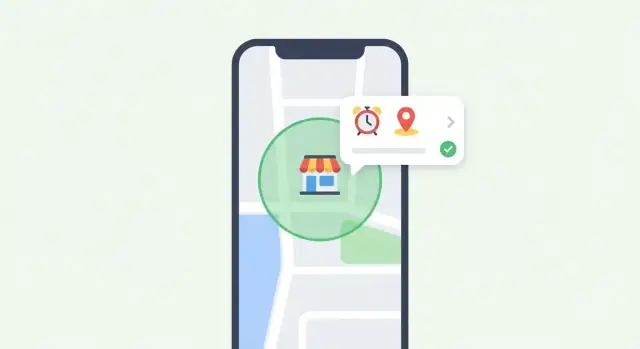
What a Location-Based Smart Reminder App Does
A location-based smart reminder app sends you a reminder when you reach (or leave) a real place—rather than at a specific time. Instead of “Buy milk at 6 PM,” you set “Buy milk when I’m near the grocery store.” The app monitors your device’s location in the background and triggers a notification when the right condition is met.
Simple examples (what “smart” means here)
Smart reminders are context-aware in a practical way:
- Errands: “Pick up dry cleaning when I’m near the mall.”
- Commuting: “When I leave the office, remind me to call home.”
- Work: “When I arrive at the client site, open the meeting checklist.”
- Medication pickup: “When I’m near the pharmacy, remind me to refill.”
- Travel checklists: “When I arrive at the airport, remind me to check in.”
Main trigger types
Most apps support three trigger types:
- Arrive: fire when the user enters an area (e.g., within 200 meters of a store).
- Leave: fire when the user exits an area (useful for “don’t forget” reminders).
- Dwell (stay): fire only after the user remains in an area for a set time (e.g., “after 10 minutes at the gym, start my workout timer”).
Accuracy and battery: a trade-off you can’t ignore
Location isn’t perfectly precise. GPS can be accurate but may drain battery; Wi‑Fi and cell signals use less power but can be less exact—especially indoors or in dense city blocks.
A good smart reminder app sets expectations: reminders trigger within a range, not on an exact doorstep. It also uses battery-friendly monitoring (like OS-level geofences) and reserves high-accuracy tracking for moments when it’s truly needed.
Define Your MVP and Key User Stories
A location-based reminder app can grow into a feature-packed assistant, but your first release should focus on one job: reliably delivering the right reminder at the right place. Start by writing a small set of user stories that describe the app from a user’s point of view—then build only what’s needed to satisfy them.
Core user stories (your “must-have” set)
- Create a reminder quickly: “As a user, I can add a reminder with a title and optional notes.”
- Choose a place: “I can pick a saved place (Home, Work) or search/select a location on a map.”
- Set the trigger: “I can choose ‘when I arrive’ or ‘when I leave’ and set a simple radius.”
- Get notified and act: “When the trigger happens, I receive a notification and can mark it done or snooze.”
MVP scope vs. later upgrades
For an MVP, prioritize reliability and speed over clever automation. Typical MVP features include: basic reminder CRUD, a single location trigger per reminder, local notifications, and a simple list view.
Save these for later versions: smart suggestions (“Remind me next time I’m near a pharmacy”), multiple locations per reminder, shared lists, natural-language input, calendar integrations, widgets, and advanced schedules.
If you want to prototype quickly before committing to a full engineering cycle, a vibe-coding platform like Koder.ai can help you validate the UX flow and basic data model via a chat-driven build—then iterate fast before you harden geofencing and background behavior on real devices.
Define success metrics early
Pick a few numbers you’ll actually track:
- Activation rate: % of new users who create their first location reminder.
- Reminder completion rate: % of triggered reminders marked done.
- Retention: users who return after 7/30 days.
Constraints to identify now
Location features have real-world limits. Decide upfront how you’ll handle offline use, battery sensitivity, spotty GPS accuracy (indoors), and privacy expectations (clear permission prompts, minimal data collection). These constraints will shape every product decision that follows.
Pick the Right Location Model (Places, Pins, and Geofences)
Before you build geofencing logic, decide what a “location” means in your app. This choice affects accuracy, user effort, and how often people trust (or disable) your reminders.
Places vs. pins: two mental models
Place search (typing “Target”, “Heathrow Terminal 5”, “Starbucks”) is fast and familiar. It works well when people think in names and want something reusable.
Dropping a pin is better when the location is personal or not well-labeled: a specific entrance, a parking spot, a friend’s apartment within a large complex.
A practical approach is to support both:
- Default to search (lowest friction)
- Offer “Drop a pin instead” for precision
Internally, store both the human-friendly label and the actual coordinates you’ll geofence around. Place names can change; coordinates are what the phone can reliably monitor.
Geofence shape: radius circle vs. polygon
For most reminder apps, a circle (center + radius) is the right starting point: it’s simple to explain and easier to implement consistently across iOS and Android.
Use polygons only if you have a clear need (for example, a long campus boundary). They add UX complexity (“draw the area”), and many mobile geofencing APIs don’t support them directly, forcing you into custom background logic.
Default radius and user-friendly adjustments
Pick a sensible default radius (often 150–300 meters for “arrive” reminders) and let users adjust it with guidance:
- “Smaller radius = more precise, but may miss if GPS is weak indoors.”
- “Larger radius = more reliable, but may trigger early.”
Consider offering presets like Small / Medium / Large instead of a raw number slider.
Ambiguous places: malls, airports, and multiple entrances
Big venues are tricky: a single point may cover the wrong entrance or trigger in the parking lot.
Design for this by allowing:
- An “Entrance” option (drop a pin at the exact door)
- Multiple geofences per reminder (e.g., “any entrance”)
- A short note shown on trigger (“Use Door B near the pharmacy”)
These modeling choices prevent “it triggered but wasn’t useful,” which is the fastest way to lose user trust.
UX and Screens: Make Reminders Fast to Create
A location-based reminder app succeeds or fails on speed. If setting a reminder takes more than a few seconds, people will fall back to sticky notes or basic alarms. Design for a “one-hand, one-minute” experience.
Minimum screens you actually need
Keep the first version tight:
- Reminders list: upcoming and completed, with quick actions (complete, snooze, edit).
- Create/Edit reminder: the main form, optimized for fast entry.
- Location picker: search + map, plus a few smart shortcuts.
- Settings: notification preferences, saved places (Home/Work), and privacy controls.
A fast create flow (in the right order)
Start with what the user knows immediately, then ask for details:
- Reminder text (autofocus the keyboard).
- Location (choose Home/Work, recent, favorite, or search).
- Trigger (Arrive / Leave). Optional: time window (e.g., “only 9am–6pm”).
Use sensible defaults so most reminders are one-tap: “Arrive” is often the common case, and notification sound can follow system defaults.
Small UX helpers that feel “smart”
Add convenience without being intrusive:
- “Remind me at Home/Work” chips at the top of the location picker.
- Recent places (last 5–10 picked locations) and Favorites (star icon).
- Lightweight templates like “Buy groceries” or “Pick up package” on empty list screens.
Empty states, errors, and permission explanations
Plan these screens early:
- Empty list: show a single primary action (“Create reminder”) and a short example.
- No location found / offline: offer retry and manual pin drop.
- Permission denied: explain what won’t work, and link to the app’s settings page.
When asking for location access, show a brief pre-permission screen in plain language: what you collect, what you don’t, and how it benefits the user. This builds trust before the system dialog appears.
Location Permissions and User Trust
Location-based reminders only work if people feel safe saying “yes” to location access. Permissions aren’t just a technical checkbox—they’re part of your product’s trust contract. If your app asks too early, too broadly, or without a clear benefit, users will decline and may not return.
Permission types in plain terms
Most platforms boil down to two common options:
- While-in-use: The app can read location only when the app is open (or actively being used). This is great for picking a place, previewing triggers, and confirming your current location.
- Always / background: The app can read location even when the app isn’t open, which enables reminders to fire as you arrive/leave a place during everyday life.
A simple rule: start with while-in-use unless the user is clearly setting up a reminder that must work in the background.
Ask “just in time,” with a clear reason
Don’t show a permission prompt on first launch. Instead, ask at the moment it’s obviously needed, and explain the benefit in one sentence.
Example: when the user taps “Save reminder,” show a short pre-permission screen: “Allow location so we can remind you when you arrive at the store—even if the app is closed.” Then trigger the system prompt.
This timing makes the request feel logical, not invasive.
Handle “denied” gracefully
Some users will say no (or “Allow once”). Your app should still feel usable:
- Let them create time-based reminders as a fallback.
- Allow location reminders but show them as inactive with a clear label (“Needs location access to work”).
- Provide a “Turn on location” button that opens the correct screen (or guides them) and explain the exact steps in plain language.
Avoid guilt or pressure—clarity wins.
iOS vs Android: similar goal, different flow
The user journey isn’t identical across platforms:
- iOS often encourages a step-up flow (request while-in-use first, then upgrade to always later). iOS also includes extra controls like “Precise Location,” which can affect geofence accuracy.
- Android typically separates foreground and background location more explicitly, and in many versions background access is a separate prompt or Settings step.
Design your permission screens and help text per platform, and keep the promise consistent: explain what you collect, when you use it, and how it benefits the reminder.
If you want a deeper look at how background behavior affects the user experience, connect this section to /blog/how-geofencing-and-background-updates-work.
How Geofencing and Background Updates Work
Geofencing is a feature where the phone watches for “enter” and “exit” events around a saved location (a store, your office, a pinned spot) and triggers your reminder when you cross that boundary.
The key point: you’re not constantly running code in the background. On both iOS and Android, the operating system can monitor geofences for you and wake your app only when something relevant happens. That’s why geofencing is usually more battery-friendly than polling the user’s location every few seconds.
What the OS can do for you
Most apps register a set of geofences (each with a center point and radius). The OS handles the heavy lifting—tracking movement, deciding when the boundary is crossed, and delivering an event that your app turns into a notification.
Background limits (and why they matter)
Mobile platforms aggressively limit background execution to protect battery and performance. If your app tries to run continuously, it will be paused, killed, or restricted.
Design your reminder logic assuming:
- Your app won’t always be running.
- Events can arrive late (e.g., after a reboot, poor signal, or “battery saver” modes).
- You may need a fallback, like checking location when the app opens.
Where “accuracy” really comes from
Location isn’t just GPS. Phones blend several signals depending on what’s available:
- GPS: great outdoors, can be slower to lock and power-hungry.
- Wi‑Fi positioning: strong in cities and indoors.
- Cell towers: coarse but available almost everywhere.
- Motion sensors: help detect movement and reduce unnecessary updates.
Battery-friendly strategies
To keep reminders reliable without draining power:
- Register fewer geofences (prioritize the next few reminders, not hundreds).
- Use a smart radius: larger for highways, smaller for walkable areas.
- Throttle updates: avoid frequent recalculation; update geofences only when reminders change or the user moves meaningfully.
- Prefer OS geofences over continuous tracking whenever possible.
Notifications That Feel Helpful (Not Spammy)
A location-based reminder app lives or dies by its notifications. If alerts feel random, too frequent, or overly personal on a locked screen, people will mute them—or uninstall. The goal is to deliver timely nudges that respect attention and privacy.
Local notifications vs push notifications
Most location-triggered reminders should use local notifications (generated on the device). They’re fast, work offline, and don’t require a server to “decide” when to alert.
Use push notifications sparingly—for example, when reminders are shared with a family member, when a synced list changes, or when you need to re-engage a user who hasn’t opened the app in a while. If you can avoid sending location-derived events to your backend, do it.
Content rules: short, actionable, privacy-safe
Write notifications like micro-instructions:
- Lead with the action: “Pick up dry cleaning”
- Add lightweight context only when needed: “Near: Main St Cleaners”
- Avoid sensitive details on the lock screen (especially for shared devices). Consider a “Privacy mode” that shows: “You have a reminder” until the phone is unlocked.
Add useful actions (so users don’t have to open the app)
Quick actions make reminders feel efficient rather than interruptive:
- Done (complete immediately)
- Snooze (e.g., 10–30 minutes)
- Remind later (pick a time like “Tonight”)
- Open list (jump to the relevant list or place)
Keep the set small and consistent so people learn it.
Quiet hours and rate limiting
Build guardrails to prevent notification fatigue:
- Quiet hours (user-defined; default should be conservative)
- Rate limits (e.g., max X reminders per hour; batch multiple reminders into one summary when appropriate)
- Cooldowns so a user walking around a boundary doesn’t get repeated alerts
Helpful notifications feel like good timing—not constant monitoring.
Data Storage, Sync, and Simple Architecture
A location-based reminder app feels “smart” on the surface, but the storage layer should stay boring. Clear data structures and a simple sync plan will prevent most reliability issues later.
A simple data model you can actually ship
You can keep the core model small and still support common features:
- Reminder:
id,title,notes?,enabled,createdAt,updatedAt,archivedAt? - Location:
id,label,type(place/pin/geofence),latitude,longitude,radiusMeters,placeId? - Trigger:
id,reminderId,locationId,event(enter/exit),schedule(optional quiet hours),cooldownMinutes - Status / delivery:
id,triggerId,state(pending/fired/snoozed),lastFiredAt?,nextEligibleAt?
Two notes that save headaches:
- Store
radiusMeterson the Location (not just on the Trigger) if users can reuse one location across multiple reminders. - Add
cooldownMinutesearly to avoid repeated notifications when someone hovers near the boundary.
Local-only vs cloud sync (and why)
Local-only (SQLite/Room on Android, Core Data/SQLite on iOS) is the fastest path to a reliable MVP. It works offline, costs nothing to operate, and avoids introducing accounts, password resets, and support requests.
Add cloud sync when users clearly need it: multiple devices, easy phone migration, or a web companion.
A practical compromise is: local-first now, design IDs and timestamps so sync is possible later.
If you add sync: keep the backend minimal
If you do support sync, your backend typically needs:
- Auth: “Sign in with Apple/Google” or email links; avoid building your own password system.
- End-to-end encryption (recommended): encrypt reminder content client-side; store only ciphertext server-side.
- Conflict resolution: start with “last write wins” using
updatedAt, plus soft-deletes viaarchivedAtto avoid resurrecting items.
Logs for troubleshooting—minimal and user-controlled
Location + timestamps can become sensitive quickly. Keep diagnostics limited to:
- last location check time, OS permission state, last notification attempt result
Make logs opt-in, easy to export, and easy to delete. This also keeps you aligned with “privacy by design” when you reach /blog/privacy-and-security-by-design.
Choose Your Tech Stack (Native vs Cross-Platform)
Your stack choice affects accuracy, battery use, and how reliably reminders fire in the background. Location-based reminders are more OS-integrated than many app ideas, so the trade-offs are real.
When to go native (Swift / Kotlin)
Start with native if you need the highest reliability for geofencing and background delivery, or if your MVP depends on features like “Always” location permission, precise location, and nuanced notification actions.
- iOS (Swift/SwiftUI or UIKit): Core Location (geofences + significant-change updates), UserNotifications.
- Android (Kotlin): Google Play Services Location (GeofencingClient + FusedLocationProvider), NotificationCompat.
Native development also makes it easier to follow platform-specific UX and permission flows without fighting abstractions.
When cross-platform is a good fit (and what you must have)
Cross-platform can work well if your reminders are relatively simple and you’re willing to invest in careful platform tuning.
Must-have building blocks:
- Location + geofencing: a plugin that supports geofences, not just GPS reads (verify background behavior on both OSes).
- Background execution: support for background tasks/services (Android foreground service where required).
- Notifications: local notifications with channels (Android), scheduled triggers, and action buttons.
Examples of ecosystems:
- React Native: location/geofencing + notifee (notifications) + background task library.
- Flutter: geolocator/geofence plugin + flutter_local_notifications + background execution plugin.
If you’re aiming to ship faster with a modern web stack plus a mobile companion, Koder.ai is designed for rapid app creation via chat: React for web, Flutter for mobile, and a Go + PostgreSQL backend—useful when you want an end-to-end prototype (including auth and sync) before investing in deep platform-specific optimization.
Share logic, respect OS differences
A practical approach is to share domain logic (rule evaluation, deduping, cooldown timing, reminder templates) in a common module, while keeping location + notification delivery as thin, platform-specific layers. This avoids “one-size-fits-all” behavior that breaks under iOS background limits or Android power management.
Store policies and platform guidelines
Plan early for compliance:
- Use background location only when it’s essential, explain it clearly in onboarding, and provide in-app controls.
- Follow Apple requirements for location permission strings and background modes.
- Follow Google Play policies for background location access and provide a valid use case.
If you can’t justify background location, redesign toward “when the app is in use” plus smart prompts—your review outcomes will improve.
Privacy and Security by Design
A location-based reminder app can feel magical—or creepy—depending on how you treat people’s data. Build trust by making privacy decisions part of the product and the architecture from day one, not an afterthought.
Practice data minimization
Start by listing what you actually need to trigger reminders. In many cases, you don’t need continuous location history at all—just the saved places/geofences and enough state to know whether a reminder already fired.
Keep stored location data as coarse as your use case allows (for example, a place ID or a geofence radius instead of raw GPS trails). Set retention rules: if a reminder is completed or deleted, remove its location metadata too.
Be transparent about collection and usage
Explain in plain language what you collect and when location is accessed (e.g., “only when reminders are active” or “when you enter/leave saved places”). Put this explanation right where decisions are made—on the permission screen and in Settings—not only in a legal policy.
A short “Why we ask” screen and a link to /privacy are often enough to reduce suspicion and cut support tickets.
Give users real controls
Privacy controls should be easy to find:
- Delete individual reminders (and their locations)
- Clear any optional history or recent places
- Disable location-based reminders without deleting everything
- Export/delete account data if you support accounts and sync
Security basics that pay off
Protect sensitive data with encryption at rest (especially locally stored reminder data and any tokens). Use secure key storage (Keychain on iOS, Keystore on Android) for secrets, and follow least-privilege access: only request the permissions you need, and only enable background location when the user has active location reminders.
Treat analytics carefully: avoid logging raw coordinates, and scrub identifiers in crash reports.
Testing: Accuracy, Battery, and Real-World Edge Cases
Location-based reminders can feel “smart” in a demo and still fail in everyday life. Your goal in testing is to validate three things at once: trigger accuracy, notification reliability, and acceptable battery impact.
Build a small but ruthless test matrix
Start with core scenarios and repeat them across different places (downtown vs suburbs) and movement patterns:
- Arrive vs leave: confirm both triggers fire once, at the right moment, and don’t loop.
- Border edge cases: test reminders near a geofence boundary (e.g., a shop next door) where GPS drift can cause false triggers.
- High-speed movement: drive past a location and see whether reminders trigger too late (or not at all) when moving quickly.
Permissions, power saving, and connectivity
Many “bugs” are actually OS rules working as designed. Verify behavior when:
- Location permission is set to While Using, Precise off, or completely denied.
- Low Power Mode / Battery Saver is enabled (background updates may be delayed).
- Connectivity is poor: airplane mode, spotty data, or no GPS lock.
Make sure the app fails gracefully: clear messaging, no repeated prompts, and an obvious way to fix settings.
Real devices beat simulators
Simulators are useful for quick checks, but geofencing and background delivery vary widely by OS version and manufacturer. Test on:
- Multiple iOS versions and at least one older device
- A mix of Android devices (Pixel + one or two manufacturer-skinned phones)
Add lightweight monitoring early
Before launch, wire up basic production signals:
- Crash reporting and non-fatal error logging
- Notification delivery checks (scheduled vs delivered)
- Battery impact sampling (sessions, background time, location update frequency)
This helps you catch “works on my phone” issues quickly after release.
Launch, Onboarding, and Ongoing Maintenance
Launching a location-based reminder app isn’t just “ship it and hope.” Your first release should set expectations clearly, help people create their first reminder in under a minute, and give you a safe way to learn from real usage.
Prepare your store listing (and be honest about location)
Location access is the first thing many people worry about, so explain it before they install.
Keep your app description simple: what the app does, when location is used (e.g., “only to trigger reminders you set”), and what choices users have (like using “While Using the App” vs “Always,” if supported).
In screenshots, include at least one frame that shows the “Add reminder” flow and one that explains location permission in plain language. A short FAQ in your listing (and mirrored in-app under /help) can reduce negative reviews.
Onboarding: get to the first useful reminder fast
Onboarding should feel like a shortcut, not a lecture. Aim for a short tutorial that ends with a real reminder created—like “Remind me to buy milk when I arrive at the grocery store.”
A practical flow:
- Pick a place (search or map pin)
- Choose “Arrive” or “Leave”
- Type the reminder
- Then ask for the minimum permissions needed to make it work
If the user denies location, don’t guilt-trip them. Offer a fallback: time-based reminders, or “manual check-in” mode, and a clear path to re-enable permissions later.
Roll out gradually and collect feedback
Do a staged rollout (small percentage first) so you can catch issues with battery, notifications, and permission prompts before everyone sees them.
Add lightweight in-app prompts after key moments: after the first triggered reminder, after a week of use, or after someone turns off notifications. Keep surveys to 1–2 questions and link to /feedback for longer notes.
Ongoing maintenance checklist
Location apps can break when the OS changes. Set a recurring checklist:
- Review iOS/Android release notes for location and notification changes
- Re-test permission flows and “denied/limited” scenarios
- Monitor crash reports and “reminder didn’t fire” complaints as a top metric
- Use feature flags for risky changes (new geofence settings, new notification styles)
- Re-verify battery impact on a few real devices each release
Treat maintenance as part of the product: reliability is what makes a reminder app feel trustworthy.
FAQ
What is a location-based smart reminder app, in plain terms?
A location-based smart reminder triggers when you arrive at or leave a real-world place, instead of at a specific time. You define a location (via place search or a map pin) and a trigger type, and the phone notifies you when that condition happens in the background.
What trigger types should my app support first?
Most apps support:
- Arrive (enter): notify when you enter a geofenced area.
- Leave (exit): notify when you exit an area (great for “don’t forget” items).
- Dwell (stay): notify only after you’ve stayed inside an area for a set time.
For an MVP, arrive/leave is usually enough; dwell can come later.
Why don’t geofence reminders trigger at an exact spot?
Because location is approximate and varies by environment:
- GPS can be accurate outdoors but may be slow and power-hungry.
- Wi‑Fi/cell positioning is more battery-friendly but can be less precise.
- Indoors and dense city areas can introduce drift.
Design and message it as “fires within a range,” not “at the exact doorway.”
What should the MVP include for a first release?
Start with a single clear job: reliably notify at the right place. A practical MVP typically includes:
- Create/edit/delete reminders
- Pick a place (search or pin)
- One location trigger per reminder (arrive/leave)
- Local notifications with Done/Snooze actions
- A simple list view
Save advanced automation (suggestions, shared lists, multiple locations) for later.
Which metrics matter most for a location reminder app?
Define success with a few numbers you’ll actually monitor, such as:
- Activation rate: users who create their first location reminder
- Completion rate: triggered reminders marked done
- Retention (7/30 days): users who return
Pair metrics with qualitative signals like “reminder didn’t fire” reports, because reliability issues often won’t show up in pure usage counts.
When should I ask for location permissions?
Use just-in-time permission requests:
- Ask While-in-use when the user picks a location or previews it.
- Ask for Always/background only when saving a reminder that must fire when the app is closed.
A short pre-permission screen explaining the benefit (one sentence) typically improves opt-in and reduces confusion.
How should my app behave if the user denies location access?
Don’t block the whole app. Provide clear fallbacks:
- Offer time-based reminders as an alternative.
- Let users create location reminders but mark them inactive with a “Needs location access” label.
- Provide a single “Turn on location” button that deep-links (or guides) to Settings.
Avoid repeated prompts; clarity beats pressure.
Should my app use place search, dropped pins, or both?
Place search is fast and reusable ("Target", "Heathrow T5"), while pins are best for personal or unlabeled spots (specific entrance, parking area). Many apps do both:
- Default to search for speed
- Offer “Drop a pin” for precision
Internally, store the coordinates + radius even if you show a friendly place name.
How do I choose a good default geofence radius?
Pick a sensible default (often 150–300m for arrive) and let users adjust with guidance:
- Smaller radius = more precise, but can miss indoors
- Larger radius = more reliable, but may trigger early
Consider presets like Small/Medium/Large instead of raw meters to reduce decision fatigue.
What’s the best approach to notifications for location-based reminders?
Prefer local notifications for most location triggers because they’re fast and work offline. Make alerts feel helpful with:
- Short, actionable text
- Optional privacy mode (hide details on lock screen)
- Quick actions: Done, Snooze
- Guardrails: quiet hours, cooldowns, and rate limits to prevent repeated boundary alerts