

How to Build a Mobile App That Captures Feedback Immediately
Learn how to build a mobile app that captures feedback instantly: UX patterns, tech choices, offline mode, moderation, analytics, and a practical MVP roadmap.
Clarify the goal and the fastest feedback moment
“Immediate” feedback only works when everyone agrees what “immediate” means for your app.
For some products, it means within seconds of a tap (e.g., “Was this helpful?”). For others, it’s within the same screen (so the user doesn’t lose their place), or at least within the same session (before they forget what happened). Pick one definition and design around it.
Define “immediately” in practical terms
Set a target you can measure:
- Seconds: feedback capture is one step and can be completed in 5–10 seconds.
- Same screen: the prompt appears as a bottom sheet or inline element, not a new page.
- Same session: feedback is triggered before the user exits or switches tasks.
This definition drives everything else: UI pattern, required fields, and how much context you capture.
Choose the core feedback types you’ll support first
Not all feedback needs a long form. Start with a small set that matches your goal:
- Ratings (1–5 or thumbs up/down): best for quick sentiment and tracking changes over time.
- Quick tags: pre-written options like “Too slow,” “Confusing,” “Bug,” “Missing feature.”
- Short text: a single optional box for “Tell us what happened.”
- Screenshots: useful for UI issues; consider allowing basic annotation.
- Voice note: helpful when typing is hard, but it increases privacy and moderation needs.
A good rule: if the user can’t complete it in under 10 seconds, it’s not “instant.”
Set a clear outcome (what will you do with the feedback?)
Immediate capture is only worth the effort if it feeds a concrete decision. Pick one primary outcome:
- Reduce churn: detect frustration moments and address them quickly.
- Improve onboarding: learn where users get stuck and which steps confuse them.
- Prioritize bugs: capture reproducible reports with the right context.
Write the outcome as a sentence your team can repeat: “We collect feedback to ___, and we’ll review it ___.”
Identify the best moment to ask
The “fastest” feedback moment is usually right after a meaningful event, when the user still has context.
Common high-signal triggers include:
- After a key action: completing a task, saving something, finishing a level.
- After support: closing a chat or viewing a help article.
- After purchase or subscription change: confirmation screens are a natural pause.
Avoid interrupting concentration-heavy steps. If you must ask, make it skippable and remember the choice so you don’t nag.
Know your users and where feedback fits in the flow
Immediate feedback works best when it matches who’s giving it and what they’re trying to do at that moment. Before you design screens or pick tools, get clear on your primary user groups and how their expectations differ.
Identify your core feedback sources
Most apps get very different feedback from these groups:
- New users: confused by setup, permissions, first-time flows, and terminology.
- Power users: notice edge cases, performance issues, missing shortcuts, and feature gaps.
- Paid users: care about value, billing, reliability, and “this should just work.”
- Beta testers: willing to report bugs, tolerate rough edges, and provide detailed reproduction steps.
Map journeys and find high-intent checkpoints
Sketch the key journeys (onboarding, first success moment, purchase, core task, support). Then mark high-intent checkpoints—moments when users are most motivated to comment because the experience is fresh:
- Right after completing a task (success or failure)
- After encountering an error or unexpected result
- After using a new feature for the first time
- After a meaningful milestone (e.g., “export complete,” “order delivered”)
Decide where feedback is allowed
You can allow feedback everywhere (persistent button/shake gesture) or only on specific screens (e.g., settings, help, error states).
- “Everywhere” increases convenience and volume.
- “Specific screens” keeps reports more contextual and easier to triage.
Set consent and privacy expectations early
Be explicit, in plain language, about what you collect and why (e.g., comments, app version, device model, current screen). Offer simple choices—like including a screenshot or logs—so users feel in control. This reduces drop-off and builds trust before the first message is ever sent.
Pick the right feedback patterns for instant capture
Instant feedback works when the user can respond without breaking their flow. The best patterns feel like a quick “moment” rather than a task—and they’re chosen based on what you need to learn (satisfaction, confusion, or a technical problem).
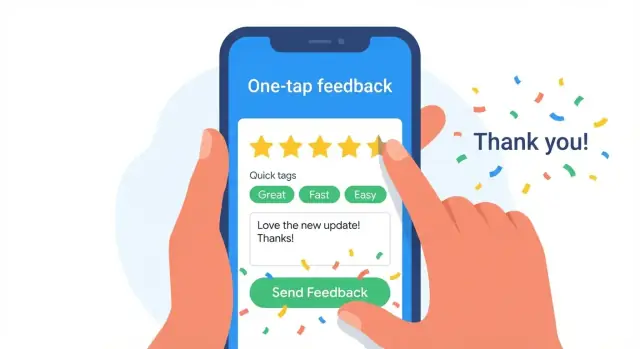
One-tap rating + optional comment
A one-tap rating (stars, thumbs up/down, or “Yes/No”) is the default for speed. Treat the comment as optional and only ask for it after the tap.
Use it when you want broad signals across many sessions (e.g., “Was checkout easy?”). Keep the follow-up prompt lightweight: one short sentence and a single text field.
Micro-surveys for focused insights
Micro-surveys should be 1–3 questions max, with simple answer formats (multiple choice, slider, or quick tags). They’re ideal when you need clarity, not volume—like understanding why users abandon a step.
A good rule: one question per intent. If you’re tempted to add more, split it into separate triggers across different moments.
Bug report flow (when something breaks)
Bug reporting needs structure so you can act fast. Offer:
- Steps to reproduce (a short guided prompt)
- Device/app version captured automatically
- Optional logs (only if the user agrees)
- Screenshot capture (with a quick annotation option)
Keep it reassuring: tell users what will be included before they send.
Quick access without clutter
For power users, add a hidden-but-discoverable shortcut such as “Shake to report” or a long-press menu item. This keeps the main UI clean while making feedback available the moment frustration hits.
Whichever patterns you choose, standardize the wording and keep the send action obvious—speed and clarity matter more than perfect phrasing.
Design a frictionless feedback UI
A feedback UI should feel like part of the app, not a separate chore. If users have to think, type too much, or worry they’ll lose their place, they’ll abandon the form—or skip it entirely.
Keep it lightweight
Start with the smallest possible ask: one question, one tap, or one short field.
Let defaults do the work: preselect the current screen or feature name, auto-fill the app version, device model, and OS, and remember the user’s last category when it makes sense. If you need contact info, don’t ask for it up front—use what you already have from the account, or make it optional.
Use progressive disclosure
Show a simple entry point first (for example: “Report a problem” or a quick rating). Only after the user taps should you reveal additional fields.
A practical flow:
- Step 1: Choose type (Bug / Idea / Question)
- Step 2: One short description
- Step 3 (optional): Add screenshot, steps to reproduce, or a category
This keeps the initial interaction fast, while still letting motivated users provide richer detail.
Make it interruptible
Users often notice issues mid-task. Give them an easy “Not now” option and ensure they can return without penalty.
If the form is more than a single field, consider saving a draft automatically. Keep the feedback entry in a bottom sheet or modal that can be dismissed without losing context, and avoid forcing navigation away from what they were doing.
Confirm receipt and set expectations
After submission, show a clear confirmation that answers: “Did it send?” and “What happens next?”
A strong confirmation includes a brief thank-you, a reference ID (if you have one), and the next step—such as “We’ll review this within 24–48 hours” or “You’ll get a reply in your inbox.” If you can’t promise timing, say where updates will appear.
Choose your tech stack and app architecture
Capturing instant user feedback is less about fancy tech and more about dependable execution. Your choices here affect how quickly you can ship, how consistent the experience feels, and how easy it is to route feedback to the right people.
Native vs. cross-platform
If you need the smoothest, most “at home” experience on each platform, go native (Swift for iOS, Kotlin for Android). Native also makes it easier to use system features like screenshots, haptics, and OS-level accessibility.
If speed and shared code matter most, choose a cross-platform framework like Flutter or React Native. For many feedback capture flows (prompts, forms, quick ratings, attachments), cross-platform works well and reduces duplicate effort.
A simple, scalable architecture
Keep the path from user action to team visibility straightforward:
App UI → API → storage → triage workflow
- App UI: the in-app feedback prompt, form, and confirmation state.
- API: a thin layer that validates input, rate-limits abuse, and accepts uploads.
- Storage: a database plus object storage for attachments (screenshots, logs).
- Triage workflow: a queue or dashboard where issues are tagged, assigned, and tracked.
This structure keeps your app fast and makes it easier to evolve the triage process without rebuilding the UI.
If you want to move fast without assembling the entire pipeline from scratch, a vibe-coding workflow can help. For example, Koder.ai lets teams generate a working web/admin dashboard (React) and backend services (Go + PostgreSQL) from a chat-driven planning flow—useful when you want a feedback inbox, tagging, and basic triage quickly, then iterate with snapshots and rollbacks as you test prompts and timing.
Feature flags for safe experiments
Use feature flags to test prompts and flows safely: when to ask for feedback, which wording converts best, and whether to show a single-tap rating versus a short form. Flags let you roll back instantly if a change annoys users or hurts completion.
Accessibility from day one
Plan for accessibility: screen reader labels, large enough touch targets, and clear contrast. Feedback UI is often used one-handed, in a hurry, or under stress—accessible design improves completion rates for everyone.
Capture the right data and context (without over-collecting)
Immediate feedback is only useful if you can understand what happened and reproduce it. The trick is to capture just enough context to act, without turning feedback into surveillance or a heavy form.
Define a simple feedback schema
Start with a consistent schema so every message is triageable. A practical baseline:
- Type (bug, suggestion, question, praise)
- Message (free text)
- Rating (optional 1–5 or thumbs)
- Tags (optional, user-chosen or system-suggested)
- Screen/context (which feature or screen the user was on)
Keep optional fields truly optional. If users feel forced to classify everything, they’ll abandon the flow.
Attach helpful context safely
Auto-attach technical context that speeds up debugging, but avoid anything personally identifying by default. Commonly useful fields include:
- App version/build number
- Device OS and model
- Locale/language
- Network status (offline/online, Wi‑Fi/cellular)
- “Last action” summary (e.g., tapped “Pay”, submitted form)
Make “last action” a short, structured event label—not raw input content.
Optional media (with privacy controls)
Screenshots can be extremely high-signal, but they may contain sensitive information. If you support screenshots, add a simple redaction step (blur tool or auto-mask known sensitive UI areas).
Voice notes can help users explain issues quickly, but treat them as optional and time-limited, and plan moderation accordingly.
Retention and deletion rules
Set retention by data type: keep metadata longer than raw media or free text. Communicate this in plain language, and provide a clear path for delete requests (including deleting attachments). Less data stored usually means less risk—and faster review.
Build for reliability: offline mode, retries, and speed
Immediate feedback only feels “instant” if the app behaves predictably when the connection is slow, spotty, or completely absent. Reliability is less about fancy infrastructure and more about a few disciplined patterns.
Offline-first capture with a local queue
Treat every feedback submission as a local event first, not a network request. Save it immediately to a small on-device queue (database or durable file storage) with a status like pending, plus a timestamp and a lightweight payload.
When the user hits “Send,” confirm receipt right away (“Saved—will send when you’re online”) and let them continue. This prevents the most frustrating failure mode: losing a thoughtful message because the network blinked.
Retries that don’t annoy users
Mobile networks fail in messy ways: hangs, partial uploads, captive portals. Use:
- Timeouts on requests (avoid endless spinners)
- Exponential backoff with jitter (reduces repeat collisions)
- Clear, human error states (“Can’t connect. We’ll keep trying in the background.”)
If background execution is limited, retry on app resume and when connectivity changes.
Prevent duplicates with idempotency keys
Retries can create accidental duplicates unless your server can recognize “same submission, new attempt.” Generate an idempotency key per feedback item (UUID) and send it with every retry. On the backend, accept the first and return the same result for repeats.
Keep it fast: async uploads and background work
Uploads should be asynchronous so the UI stays snappy. Compress screenshots, cap attachment sizes, and upload in the background where the OS allows it.
Measure “time to confirmation” (tap to saved) separately from “time to upload” (saved to delivered). Users care most about the first one.
Handle privacy, security, and moderation
Instant feedback is valuable, but it can also become a new entry point for spam, abuse, or accidental data collection. Treat the feedback feature like any other user-generated content surface: protect users, protect your team, and protect your systems.
Reduce spam without adding friction
Start with lightweight safeguards that don’t slow down genuine users:
- Validate inputs (required fields, max lengths, allowed file types) so junk payloads don’t hit your backend.
- Rate-limit submissions per user/device/IP (for example, a short cooldown after each send) to curb automated spam.
- Add simple bot signals (e.g., repeated identical messages, too-fast submissions) and flag them for review.
Basic moderation that scales
You don’t need an enterprise moderation suite on day one, but you do need guardrails:
- Profanity filters can auto-flag messages for review instead of blocking everything.
- Limit attachments (count and size) and strip metadata from images where possible.
- Provide a “report” or “mark as abusive” option for internal reviewers.
Security essentials
Feedback often includes sensitive details (“my account email is…”), so secure it end to end:
- Encrypt data in transit (TLS) and at rest (database/storage encryption).
- Avoid storing secrets on-device; use platform keychains/secure storage and short-lived tokens.
- Restrict access internally (least privilege) and keep an audit trail of who viewed or exported feedback.
Compliance basics (keep it minimal)
Collect only what you truly need to act:
- Show clear consent text near the submit button if you collect identifiers or diagnostics.
- Offer access to your privacy policy from the feedback screen.
- Default to minimal PII; make contact info optional unless follow-up is required.
Create a triage and response workflow
Capturing feedback instantly is only half the job. If it disappears into an inbox, users learn that sharing isn’t worth it. A lightweight triage workflow turns raw messages into clear next steps—quickly, consistently, and with the right people involved.
Route feedback to the right place
Start by deciding where each type of feedback should land on day one:
- Support: account access, billing questions, “how do I…?”
- Product: feature requests, workflow frustrations, missing capabilities
- Engineering: crashes, broken screens, performance regressions
To avoid manual forwarding, define simple rules (based on category, severity, or keywords) that automatically assign a destination and an owner.
Define categories and severity
Use a small set of user-facing categories people can pick quickly: Bug, Feature request, Billing, UX issue, Other. Then add an internal severity label your team uses:
- S1 (Critical): app won’t start, data loss, payment failures
- S2 (High): core flow blocked, repeated crashes
- S3 (Normal): confusing UI, minor bugs, suggestions
Keep the user-facing options minimal; add richer tags during triage.
Set cadence and ownership
Decide who reviews what, and when:
- Support queue: monitored daily (or hourly for S1)
- Product/engineering queue: reviewed on a fixed cadence (e.g., 3x/week)
Assign a single accountable owner per queue, with a backup.
Respond with templates (and real status)
Prepare short templates for: “We’re looking into it,” “Can you share one more detail?”, “Fixed in the latest update,” and “Not planned right now.” Always include a concrete next step or timing when possible—silence reads as “ignored.”
Instrument analytics to learn what’s working
If you don’t measure the feedback flow, you’ll end up optimizing for opinions instead of results. Instrumentation turns “people aren’t leaving feedback” into specific, fixable issues—like a prompt that’s shown at the wrong time or a form that’s too slow to complete.
Track the key moments in the feedback journey
Start with a small, consistent event set that describes the funnel end-to-end:
- Prompt shown (include which screen, trigger, and variant)
- Prompt dismissed (capture reason if you offer options like “not now”)
- Feedback submitted (include type: bug, suggestion, rating)
- Follow-up opened (did they view a reply request or status update?)
Add lightweight context on each event (app version, device model, network state, locale). This makes patterns visible without turning analytics into a data swamp.
Measure quality, not just volume
High submission counts can hide low-value feedback. Track:
- Completion rate (submitted / prompt shown)
- Time-to-submit (from prompt shown to submit)
- Useful detail rate (e.g., % with a clear description, reproduction steps, or a screenshot)
Define “useful” in a way your team can apply consistently—often a simple checklist beats complex scoring.
Link feedback to business outcomes
Feedback is only “good” if it helps you reduce pain or increase adoption. Connect feedback records to outcomes such as churn, refunds, support tickets, and feature adoption. Even simple correlations (e.g., users who reported onboarding confusion are more likely to churn) will guide what you fix first.
Dashboards and alerts for spikes
Create dashboards for the funnel and top themes, then set alerts for sudden changes: crash-related feedback spikes, rating drops, or keywords like “can’t login” or “payment failed.” Fast visibility is what keeps “instant feedback” from becoming “instant backlog.”
Ship an MVP and improve with fast iterations
Speed matters more than breadth at the start. Your first release should prove one thing: that people can send feedback in seconds, and your team can read it, act on it, and respond.
Start with a minimal MVP
Keep the first version intentionally small:
- One entry point (for example, “Send feedback” in the menu or a floating button)
- One feedback form (message + optional screenshot)
- One inbox for your team (a simple queue where every submission lands)
This reduces design and engineering work, but more importantly it removes ambiguity for users. If there are five ways to give feedback, you’ll struggle to learn which one works.
If you’re trying to validate the workflow quickly, you can also prototype the triage side (inbox, tagging, assignment) using Koder.ai and export the source code once the flow is proven. That keeps the first iteration lightweight while still giving you a real, maintainable app foundation.
Test timing and wording
Once the MVP is live, run an A/B test on two variables:
- When you ask (right after a task is completed vs. on the next screen)
- How you ask (neutral copy like “Share feedback” vs. specific copy like “Report a problem”)
Measure completion rate and the quality of comments, not just taps.
Evolve categories and tagging based on reality
Start with a small set of categories (e.g., Bug, Idea, Question). After a couple hundred submissions, you’ll see patterns. Add or rename tags to match what users actually send—avoid building a complex taxonomy before you have evidence.
Add lightweight follow-ups
When you’re confident the capture flow works, introduce follow-ups that close the loop:
- In-app messages for status updates
- Optional email replies (only if the user opts in)
- A simple “request received” status view inside the app
Each iteration should be small, measurable, and reversible.
Common mistakes and how to avoid them
Shipping fast feedback is less about adding a “rate us” pop-up and more about building trust. Most teams fail in predictable ways—usually by being too noisy, too vague, or too slow to respond.
Mistake 1: Asking too often (and training people to dismiss you)
Frequent prompts feel like spam, even when users like your app. Use cooldowns and user-level frequency caps. A simple rule: once a user dismisses a prompt, back off for a while and don’t ask again during the same session.
Mistake 2: Interrupting the thing the user came to do
If feedback blocks a core action, people will either abandon the flow or rush through the form with low-quality answers. Don’t block core actions with modal prompts unless necessary. Prefer lightweight entry points like a “Send feedback” button, a subtle banner after success, or a one-tap reaction.
Mistake 3: Collecting only star ratings (and learning nothing)
Star ratings tell you “good/bad,” not “why.” Pair ratings with structured tags (for example: “Bug,” “Confusing,” “Feature request,” “Too slow”), plus one optional free-text box.
Mistake 4: Letting feedback disappear into a black hole
Users notice when nothing happens. Set expectations and close the loop. Auto-confirm receipt, share realistic timelines (“We review weekly”), and follow up when you fix something—especially if the user reported a specific issue.
Mistake 5: Making the form too long
If it takes more than a few seconds, completion rates drop. Start with the smallest possible prompt, then ask follow-up questions only when needed.
FAQ
What does “immediate feedback” actually mean in a mobile app?
Define it as a measurable target tied to your UX:
- Seconds: user can submit in 5–10 seconds.
- Same screen: prompt appears inline or in a bottom sheet (no navigation).
- Same session: you ask before they leave or switch tasks.
Pick one definition and design the UI, required fields, and context capture around it.
When is the best moment to ask users for feedback?
Ask right after a meaningful event while context is fresh:
- After a key action (save, finish, submit, complete).
- After an error or unexpected result.
- After support interactions (closing chat, reading a help article).
- After purchase/subscription changes (confirmation screens).
Avoid interrupting concentration-heavy steps; make prompts skippable and don’t repeat within the same session after dismissal.
Which feedback types should we support first?
Start with the smallest set that matches your main outcome:
- One-tap rating (thumbs/stars) for fast sentiment.
- Quick tags (e.g., “Too slow,” “Confusing,” “Bug,” “Missing feature”) for structure.
- Optional short text (“Tell us what happened”) for the “why.”
If it can’t be completed in under ~10 seconds, it’s no longer “instant.”
What UI patterns work best for instant feedback capture?
Use patterns that minimize disruption:
- One-tap rating → optional comment (ask for text only after the tap).
- Micro-surveys (1–3 questions) with multiple choice/slider/tags.
- Bug report flow with guided reproduction steps and optional attachments.
Standardize copy and keep the “Send” action obvious; speed and clarity beat clever wording.
How do we keep the feedback UI frictionless without losing detail?
Make the first interaction tiny, then reveal more only if the user opts in:
- Step 1: Choose type (Bug / Idea / Question).
- Step 2: One short description.
- Step 3 (optional): Screenshot, reproduction steps, category/tags.
Include “Not now,” keep it in a modal/bottom sheet, and consider auto-saving drafts for multi-step flows.
What data and context should we collect with each feedback submission?
Capture consistent, triageable context without over-collecting:
- Type, message, optional rating, optional tags.
- Screen/feature context (where they were in the app).
- Auto-captured technical fields: app version/build, OS/device, locale, network state.
Keep “last action” as a short event label, not raw user input. Make screenshots/logs explicitly optional with clear consent text.
How do we handle offline mode, retries, and duplicate submissions?
Treat feedback as a local event first:
- Save submissions to an on-device queue with
pendingstatus and timestamp. - Confirm immediately (“Saved—will send when you’re online”).
- Retry with timeouts and exponential backoff + jitter.
- Prevent duplicates using an idempotency key (UUID) per submission.
Measure “tap → confirmation” separately from “confirmation → uploaded” to keep UX fast even when uploads are slow.
How can we protect privacy and reduce spam or abuse in feedback?
Handle it like any user-generated content surface:
- Validate inputs (lengths, required fields, file types) and cap attachment size.
- Rate-limit per user/device/IP and flag suspicious patterns.
- Use TLS in transit and encryption at rest; restrict internal access with audit trails.
- Provide clear consent near submit and link to your privacy policy.
For screenshots, consider simple redaction (blur tool or auto-masking known sensitive UI areas).
What does a practical triage workflow look like once feedback starts coming in?
Create a lightweight routing and ownership model:
- Route by type: Support (billing/how-to), Product (requests/UX), Engineering (bugs/crashes).
- Add internal severity (S1/S2/S3) for prioritization.
- Set review cadence (support daily; product/engineering a few times/week) and name one accountable owner per queue.
Always confirm receipt and set expectations; templates help you respond quickly without sounding vague.
How do we measure whether the feedback feature is working and improve it over time?
Instrument the funnel and iterate in small, reversible steps:
- Track: prompt shown/dismissed, submitted (type), follow-up opened.
- Monitor: completion rate, time-to-submit, and a simple “useful detail” rate.
- Start MVP with one entry point + one form + one team inbox, then A/B test timing and copy.
Use frequency caps and cooldowns early so you don’t train users to dismiss prompts.