

How to Build a Mobile App for Community Help Requests
A practical step-by-step plan to build a community help request app: MVP features, safety, UX flows, tech choices, testing, and launch checklist.
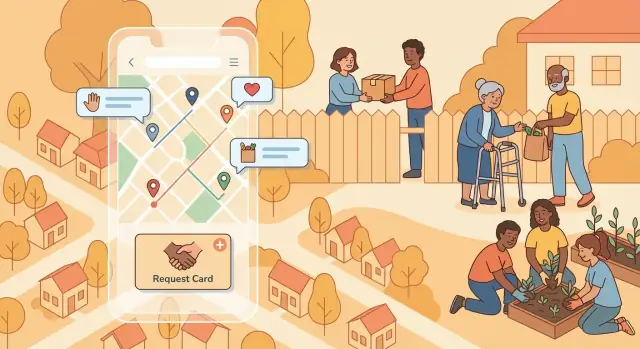
Clarify the Problem and Who the App Serves
Before you design screens or pick a tech stack, get specific about what “help requests” mean in your community help app. A mutual aid app can cover many needs, but trying to serve everything at once makes the experience confusing and slows down delivery.
Define “help” in plain language
Start by writing a short list of the request and offer help categories you will support in version 1—using words your neighbors actually use. Common examples include rides to appointments, grocery pickup, wellness check-ins, borrowing tools, short-term childcare, or help carrying items.
Keep each category tight enough that a helper can understand the commitment in seconds.
Choose your primary users (and who you’re not building for yet)
Most community help apps have three roles:
- Requesters: people who need help and want an easy, low-stress way to ask
- Helpers: volunteers (or paid providers) who can respond quickly
- Coordinators / local organizations: people who manage groups, verify members, or handle escalations
Decide which role is the “hero” for v1. For example, if you optimize for helpers, you’ll prioritize fast browsing, clear request details, and smart notifications.
Set v1 success metrics you can measure
Pick a few metrics that reflect real value—not vanity numbers:
- Time to first response (how quickly someone replies)
- Completion rate (requests marked as fulfilled)
- Repeat usage (people returning to request or help again)
These metrics guide mobile app features, onboarding, and what you track in an admin dashboard for apps.
Define your operating area and constraints
Be explicit about scope:
- Geographic area: one neighborhood, city-wide, or invite-only groups
- Service model: volunteer-based vs paid services
- Availability: certain hours or “urgent requests” rules
- Accessibility needs: language support, screen-reader compatibility, low-bandwidth mode
When these choices are clear, your MVP mobile app can focus on solving one problem well—and earn trust early.
Define the MVP Scope and the First Release
Your first release should prove one thing: neighbors can successfully request help and someone nearby can complete it without friction. Everything else is optional.
Pick one core loop and make it excellent
Start with a single, end-to-end flow:
- Create a request
- Notify nearby helpers
- A helper accepts
- The request is completed (and optionally rated/confirmed)
If you can’t describe the app in one sentence that matches this loop, the MVP is probably too big.
Define the minimum data per request
Keep each request lightweight so people can post quickly, and helpers can decide fast. A practical minimum is:
- Category (e.g., groceries, ride, small repair)
- Location (address or “near me” area)
- Time window (ASAP, today 3–6pm, specific date)
- Notes (free text, plus an optional photo if truly needed)
Everything beyond this (multi-stop tasks, attachments, detailed forms) can wait until you see real usage.
Decide what to postpone (on purpose)
Be explicit about what’s not in v1. Common items to delay:
- In-app payments and tipping
- Complex roles/permissions (teams, organizations, multi-admin spaces)
- A full social feed, badges, and gamification
Postponing these reduces risk and speeds up learning.
Plan a small pilot before going public
Run the MVP with a limited group (e.g., one neighborhood or partner community). Aim to validate:
- Time-to-first-help (how quickly requests get accepted)
- Drop-off points (where users abandon the flow)
- Safety and clarity issues in real conversations
Write a one-page v1 scope statement
Example:
v1 Goal: Enable residents to request and offer nearby help.
Includes: create request (category, location, time window, notes), notify nearby helpers, accept/decline, mark complete, basic admin review.
Excludes: payments, social feed, advanced roles, long-term scheduling.
Success metric: 60% of posted requests are accepted within 30 minutes during the pilot.
Plan the Main User Flows and Screen Map
Before you pick features, decide how people will move through the app. A clear screen map keeps the experience simple, prevents “extra” screens from sneaking into your MVP, and makes handoff to design and development much smoother.
Start with the key screens
Sketch (even on paper) the minimum set most community help apps need:
- Home feed: nearby or relevant requests, filters, and a clear “Request help” button
- Request form: category, description, location, time needed, and optional photos
- Request details: what’s needed, who posted it, distance, and primary action (“Offer help”)
- Chat: one-to-one conversation tied to a request (with clear safety cues)
- Profile: basic info, verification/trust signals, and past activity
- Settings: notifications, privacy controls, blocked users, and account actions
Don’t aim for perfection here—aim for a shared reference that everyone can point to.
Map two journeys: requester and helper
Write the “happy path” for both sides, then add a few edge cases:
- Requester: open app → create request → receive offers → pick a helper → coordinate → mark resolved
- Helper: open app → browse/filters → open request → offer help → coordinate → mark completed
Edge cases worth designing early: request canceled, no helpers respond, multiple helpers offer, a helper stops replying, location is missing, or the requester needs to edit details after posting.
Design for low-friction and accessibility
Keep the core flow to a few taps with clear labels, large buttons, and readable text.
Add accessibility basics from day one: sufficient color contrast, support for dynamic text size, and VoiceOver/Screen Reader labels for buttons and form fields.
Decide on onboarding rules
Choose between:
- Guest browsing (lower friction, but less accountability), or
- Sign-up required before posting/chatting (more trust, slightly more drop-off)
A common compromise: allow guest browsing, but require sign-up to post requests or message.
User Accounts, Profiles, and Trust Signals
User accounts are where a community help app either feels welcoming—or immediately risky. Aim for low-friction sign-up, while collecting only what you need to make matching and coordination safe.
Account creation: keep it simple, keep it minimal
Offer a few options so people can choose what’s easiest:
- Phone number (good for verification and fewer fake accounts)
- Email (useful for receipts, reminders, and account recovery)
- Social sign-in (optional convenience, but don’t require it)
At minimum, you typically need: a unique identifier (phone/email), a first name or display name, and a way to contact the user. Anything beyond that should be optional.
Profiles that help matching (without oversharing)
Profiles should support the core workflow: “I need help” meets “I can help.” Useful fields include:
- Name or nickname
- Photo (optional)
- Skills / ways they can help (e.g., groceries, rides, tech help)
- Availability (days/times, or “available now”)
- Preferred distance (how far they’re willing to travel)
Make profiles editable, and clearly label what is public vs. private.
Trust signals that don’t exclude newcomers
Trust is a mix of signals, not a single gate:
- Optional verification (phone verification, and later: ID checks if appropriate)
- Badges for trained helpers (first aid, background-checked partner orgs)
- Community references (short endorsements after completed help)
Privacy controls and safety reminders
Add controls that make people feel in control:
- Hide exact address until a request is accepted (share a general area first)
- Block and report from profiles, chats, and requests
Back this up with clear community guidelines and lightweight, in-app reminders (e.g., “Meet in public when possible,” “Don’t share financial info in chat”). A small admin dashboard to review reports and flags is worth planning early (see /blog/safety-moderation).
Core Help Request Features and Matching
This is the heart of a community help app: turning “I need help” into a clear, actionable request—and then getting it in front of the right people.
Request categories and smart templates
Start with a small set of categories that match your community’s needs (groceries, rides, companionship, childcare, errands). Each category should have a lightweight template so users don’t write everything from scratch.
For example, a “Need groceries” template can include:
- A checklist field (items, quantities, substitutions allowed)
- Budget cap and preferred payment method (cash, reimbursement, no-cost)
- Delivery notes (door code, allergies, contactless drop-off)
Templates improve clarity and also help your matching logic work with structured data.
Location input with the right level of precision
People have different privacy needs. Offer multiple ways to share location:
- Map pin (drag to place)
- Approximate area (neighborhood-level, fuzzy radius)
- Exact address with controls (hidden until a helper is accepted)
A good default is “approximate” and an explicit toggle for “share exact location after acceptance.”
Status lifecycle that supports coordination
Define a simple, visible lifecycle so everyone knows what’s happening:
Open → Accepted → In progress → Completed (plus Canceled).
Make status changes intentional (confirmation prompts) and log them for dispute handling later.
Matching rules: simple first, configurable later
Your first release can match using a few practical signals: distance, availability, skills (e.g., “can lift heavy items”), and a time window (“today 4–6 PM”). Keep the rule set transparent: show helpers why a request appears.
Finally, support both one-to-one and group requests. Group mode should let the requester specify “need 3 helpers” and split tasks (e.g., two pickup slots) while keeping a single request thread for coordination.
Messaging, Notifications, and Coordination
Good coordination is what turns a “request” into real help. Your app needs a way for two strangers to communicate quickly, keep the conversation on-platform, and make the next step obvious.
In-app chat (built for safety)
Start with in-app messaging so users don’t have to share phone numbers or personal emails. A basic chat is fine, but add guardrails:
- Mask contact details by default (and discourage moving off-platform)
- One-tap Report and Block inside the chat
- Context header showing the related request (title, location area, time)
You can also support photo sharing for practical cases (e.g., “this is the entrance,” “this is the item list”), but keep it optional.
Quick actions that reduce typing
When people are in a hurry, fewer taps matters. Add quick replies/buttons in the request thread and chat, such as:
- I can help
- I’m on my way
- Need more details
Pair these with lightweight status updates (“Accepted,” “In progress,” “Completed”) so both sides always know what’s happening.
Push notifications that feel helpful, not noisy
Plan your push notifications around moments that require attention:
- New nearby requests (based on location + categories)
- Your request was accepted / someone offered help
- New messages
- Reminders (e.g., scheduled pickup time)
To prevent spam, give users clear controls: quiet hours, category preferences, radius settings, and per-thread muting. A “digest” option (e.g., daily summary) can help frequent helpers stay engaged without constant interruptions.
Activity log for clarity and trust
Include an activity log tied to each request: who accepted, timestamps for key actions, cancellations, edits, and messages. This makes it easy for users to review what happened, and it’s invaluable for support and moderation when something goes wrong.
Safety, Moderation, and Abuse Prevention
A community help app succeeds only if people feel safe asking for help and safe offering it. Safety isn’t a single “feature”—it’s a set of product decisions that reduce risk, make bad behavior costly, and support quick intervention when something goes wrong.
Abuse prevention (before it happens)
Start with lightweight guardrails that don’t punish normal users:
- Rate limits on posting requests, sending messages, and creating accounts from the same device/IP.
- Content filtering for obvious scams and harmful language (links, phone numbers in the first message, repeated copy‑paste text).
- Suspicious behavior flags (many cancellations, many reports, mass messaging, frequent location changes). Trigger softer actions first: extra verification prompts, message delays, or temporary limits.
Reporting and blocking (simple, visible, fast)
Put “Report” and “Block” in predictable places: the request card, chat screen, and user profile.
Keep the flow short: choose a reason, optional note, submit. After reporting, offer immediate actions like “Block this user” and “Hide this request.” Clear UI reduces hesitation and increases signal quality for moderators.
Moderation workflow (what your team needs)
Design an admin queue that supports consistent decisions:
- Queues for new reports, high‑risk flags, and repeat offenders.
- Reason codes (spam, harassment, fraud, unsafe meeting, impersonation).
- Audit trail of actions (who acted, when, and why) for accountability.
- Escalation steps: warning → temporary suspension → permanent ban, with an appeal path for mistakes.
Safety UI patterns (guidance in context)
Use short, timely prompts: meeting in public places, bringing a friend, avoiding cash transfers, and not sharing sensitive info. Add “Confirm completion” for both sides to close the loop, and include links to local emergency resources where relevant.
Data retention rules (keep only what you need)
Define what you store, for how long, and why. Example: keep report metadata and moderation decisions longer for repeat‑abuse detection, but expire old chats and location history on a clear schedule. Publish these rules in your privacy policy and enforce them automatically.
Maps, Location, and Nearby Discovery
Location is the heart of a community help app: it decides what people see first and whether a request feels “local enough” to respond to. The key is balancing usefulness with privacy.
Choose the right location precision
Start by deciding how precise a request needs to be. Many help requests work well with neighborhood-level location (for example, a pin snapped to a nearby intersection or a rounded area). Save exact addresses for private sharing only after someone offers to help. This reduces anxiety for requesters and still lets helpers gauge feasibility.
Map view vs. list view
A map is great for “what’s around me?” browsing and spotting clusters of requests. A list view is better when users want to scan details fast (category, urgency, time window) or sort/filter.
A common pattern: default to a list with a small map toggle, and show a map preview inside each request card (“2.1 miles away”). That way, users get distance context without being forced into map navigation.
Boundaries and geofencing for groups
If your app supports communities (schools, neighborhoods, faith groups), consider geofencing: only show requests inside a defined boundary. This keeps feeds relevant and supports “members-only” trust expectations. Make it explicit in the UI (“Showing requests in Eastwood Circle”).
Distance and travel-time estimates
Keep estimates simple and clearly labeled. Show “Approx. distance” or “Typical drive time,” and avoid overpromising. Travel times can vary a lot; basic ranges (e.g., 10–15 min) are often more trustworthy than exact minutes.
Battery and privacy notes
Avoid background location tracking unless you truly need it. It increases battery drain and raises privacy concerns. Prefer “while using the app” permission and let users manually set a home area if they don’t want GPS.
Technical Architecture and Stack Choices
A community help app lives or dies on reliability: requests must load quickly, messages must arrive, and location-based discovery must feel instant. You don’t need exotic tech to get there—just a clear, boring-by-design architecture.
Start with your core data model
Define a small set of API resources (and matching database tables/collections) that map to the product:
- Users: identity, contact preferences, verification status
- Profiles: public-facing details (skills, availability, neighborhood)
- Requests: category, description, status (open/assigned/completed), location, urgency
- Messages: request thread, sender/receiver, timestamps, read receipts (optional)
- Reports: abuse flags, reason, evidence, moderation status
- Groups (optional): local communities, invite codes, rules, admins
Keeping these objects consistent across mobile, backend, and admin tools makes later features (moderation, analytics, support) much easier.
Native vs cross-platform mobile
- Native (Swift/Kotlin): best performance and platform-specific polish; higher cost if you build two apps.
- Cross-platform (React Native/Flutter): one codebase for iOS and Android; faster iteration for MVP mobile app features; ensure your team has strong UI testing habits.
If your first release prioritizes speed and budget, cross-platform is often the practical choice.
Backend options (from quickest to most customizable)
- Managed backend: faster setup for auth, database, push notifications.
- Serverless functions: great for event-driven tasks (matching, moderation triggers) without managing servers.
- Custom server: maximum control for complex matching, advanced admin dashboard for apps, and specialized compliance needs.
If you’re trying to ship quickly with a small team, it can also help to prototype the full stack (web admin + API + mobile UI) in a single workflow. For example, teams use Koder.ai to “vibe-code” an MVP by describing the core loop, data model, and screens in chat—then iterating in planning mode and exporting the source code later if needed.
Scalability basics you should design in early
Use pagination for requests and message history, add caching for popular feeds, and treat push/email/SMS as a queue (so spikes don’t break delivery).
Environments you’ll thank yourself for
Set up dev, staging, and production with separate databases and API keys. Staging should mirror production settings so you can test geolocation and maps, push notifications, and payments/verification flows safely before release.
Privacy, Security, and Compliance Basics
Community help apps often handle sensitive information: where someone lives, when they’ll be home, health-related needs, or financial hardship. A few upfront choices can reduce risk for both users and your team.
Collect the minimum—and justify every field
Start with a “need-to-know” mindset. If a feature works without a piece of data, don’t collect it.
For each profile or request field, write a one-sentence reason users can understand (and keep it visible near the form or in a tooltip). Examples:
- Phone number: “Used only for urgent coordination if chat fails.”
- Address: “Only shared with the matched helper after you confirm.”
- Accessibility needs: “Helps us match helpers with the right equipment.”
Also define retention rules (for example, auto-delete exact locations after a request is completed) and allow users to delete their account and associated data.
Consent and permissions (ask late, ask clearly)
Request permissions only when the feature is needed:
- Location: ask when the user taps “Find help near me,” and offer a manual location option.
- Notifications: ask after users send their first request or message so the value is obvious.
- Camera/photos: ask when attaching an image (e.g., a prescription pickup note), not at onboarding.
Explain what happens if they say “No” and how to change permissions later.
Authentication, sessions, and secure storage
Use proven sign-in methods (email magic link, phone OTP, or “Sign in with Apple/Google”). Keep sessions short-lived and refresh tokens securely. Avoid storing secrets (API keys, private tokens) in the app bundle or plain local storage.
Protect accounts with rate limiting on login/OTP attempts, and consider optional two-step verification for coordinators/admins.
Encryption and basic compliance hygiene
Encrypt data in transit (HTTPS/TLS) and follow iOS/Android security guidance for local storage. Log carefully: avoid recording full addresses, message contents, or precise coordinates in analytics.
Finally, include plain-language Privacy Policy and Terms pages accessible from onboarding and settings (for example, /privacy and /terms), and provide a clear way to contact support for data requests.
Testing, QA, and App Store Readiness
Testing is where a community help app earns trust. Your goal isn’t just “no crashes”—it’s making sure people can request and offer help under stress, with limited time, spotty connectivity, and imperfect location data.
A practical testing plan
Start with happy paths: sign up, create a request, get matched, message, mark complete. Then add edge cases and failure states that matter for real use:
- No GPS / location denied: user can still browse, post with manual address, and see clear prompts.
- Poor network / offline moments: requests should save as drafts, retries shouldn’t double-post, and error messages should explain what to do next.
- Duplicate or conflicting actions: two people accept the same request; user cancels mid-chat; notification arrives after a request is closed.
Include regression tests around safety features: reporting, blocking, and moderation actions should always work.
If you’re moving fast, prioritize tests around the core loop and safety flows first, then expand coverage. Some teams speed up iteration by generating initial UI and service scaffolding in Koder.ai, then adding targeted QA checks (and snapshots/rollback) as features stabilize.
Usability testing with real community members
Run short sessions with people who resemble your users (older adults, volunteers, organizers). Give them tasks (e.g., “Request a ride to a pharmacy”) and watch silently.
Capture confusion points: unclear labels, too many steps, fear of sharing location, uncertainty about what happens after “Submit.” Turn findings into small changes, then retest.
Load testing for emergency spikes
Community apps can spike during storms, outages, or local events. Simulate bursts of:
- request creation
- nearby discovery
- push notification sends
- chat message traffic
Verify your system degrades gracefully (slower is acceptable; losing data isn’t).
App Store readiness and incident planning
Prepare store assets early: screenshots, plain-language description, privacy details, and a working support contact. Use clear versioning (e.g., 1.0.0) and keep release notes honest.
Finally, write a lightweight incident plan: who’s on call, how you pause signups or requests during outages, and how safety escalations get handled within defined timeframes.
Launch, Operations, and Iteration Roadmap
A community help app lives or dies by trust, responsiveness, and steady improvement. Treat launch as the start of an operating rhythm—not a finish line.
Pilot launch: start small on purpose
Begin with invite-only groups (one neighborhood, a school community, a faith group, or a local nonprofit). Smaller pilots create clearer feedback and reduce moderation pressure.
Set up simple feedback loops:
- In-app “Was this helpful?” prompts after a request is closed
- A lightweight weekly check-in with pilot admins (15–30 minutes)
- A public changelog post so testers see progress
Commit to weekly iteration for the pilot period. Fix the top friction points first (confusing categories, unclear request status, missed notifications).
Measure outcomes that reflect real help
Track metrics that map to community outcomes, not vanity downloads:
- Time to match: how long from posting to first meaningful response
- Completion rate: percent of requests marked completed
- Retention: do helpers/requesters return in 7/30 days
- Report volume: number and type of safety/moderation reports
Use these to prioritize: long time-to-match often means discovery and notifications need work; high report volume may mean onboarding and verification need tightening.
Plan admin tools early
Even an MVP needs basic operations tooling. Your admin dashboard should let staff or trusted community moderators:
- Manage categories and locations
- Review, action, and resolve reports
- See basic analytics (active users, new requests, match rate)
If you don’t build this, you’ll end up doing risky, slow manual work.
Growth loops and onboarding materials
Sustainable growth is local. Add referrals (invite links), partner with libraries and nonprofits, and provide simple community onboarding materials (a one-page “how to request help,” moderation guidelines, and templates for outreach).
If you want to move from pilot to multiple neighborhoods faster, make your “launch kit” repeatable: a standard set of categories, notification defaults, and moderation settings that can be cloned per community. Platforms like Koder.ai can help here by letting you iterate on the product (including admin panels) quickly, while keeping a clear plan and the option to export source code if you later need a more customized pipeline.
Future roadmap (post-pilot)
Common next steps include payments (for reimbursable errands), integrations (SMS/email, calendar), multi-language support, and offline-friendly features for low-connectivity areas.
FAQ
How do I define what “help requests” mean in a community app?
Write 5–10 categories using words your neighbors use (e.g., “grocery pickup,” “ride to appointment,” “borrow tools”).
Keep each category tight enough that a helper can judge the time/effort in seconds, and save rare/complex needs for later releases.
Who should I design the MVP for: requesters, helpers, or coordinators?
Pick one “hero” role for v1 (usually requesters or helpers) and optimize the core flow for them.
You can still support the other roles, but avoid building complex coordinator features until you’ve proven the basic request → accept → complete loop works.
What success metrics should I track for a community help app?
Use metrics tied to real outcomes, such as:
- Time to first response
- Acceptance/completion rate
- Repeat usage (7/30-day return rate)
Avoid leading with vanity numbers like downloads if they don’t correlate with fulfilled requests.
What’s the right MVP scope for a mutual aid or neighborhood help app?
A solid MVP proves one thing: a neighbor can post a request and someone nearby can complete it without friction.
If you can’t describe v1 in one sentence that matches that loop, your scope is probably too large.
What information should a help request include in v1?
Start with a lightweight minimum:
- Category
- Location (exact or approximate)
- Time window (ASAP/scheduled)
- Notes (free text; photo optional)
Only add extra fields after you see real confusion or repeated back-and-forth in chat.
Which features should I postpone until after the first release?
Intentionally delay features that add complexity or risk, like:
- In-app payments/tips
- Social feeds, badges, gamification
- Advanced roles/permissions and multi-admin org spaces
Postponing these helps you ship faster and learn from a smaller, safer surface area.
Should I allow guest browsing or require sign-up?
A practical compromise is:
- Let people browse as guests
- Require sign-up to post requests or message
This keeps discovery low-friction while preserving accountability where it matters most (requests, chats, and completion).
How can I build trust without making onboarding too strict?
Use a mix of lightweight signals without blocking newcomers:
- Optional verification (phone/email)
- Badges for trained or partner-verified helpers
- Short endorsements after completed requests
Also make public vs. private profile fields explicit so users don’t feel pressured to overshare.
How should the app handle location without compromising privacy?
Default to privacy-preserving location:
- Show approximate area (neighborhood/fuzzy radius) by default
- Reveal exact address only after acceptance
- Avoid background tracking unless you truly need it
Always offer a manual “set my area” option for users who deny GPS.
What safety and moderation features are essential from day one?
Start with in-app chat tied to a request, plus safety guardrails:
- One-tap Report and Block in chat, profiles, and requests
- An activity log (accept/complete/cancel timestamps)
- Clear moderation workflows in an admin queue (see /blog/safety-moderation)
Add rate limits and basic content filtering early to reduce spam and scams.