

How to Build a Mobile App for Digital Business Cards
Step-by-step plan to build a mobile app for digital business cards and networking: core features, tech choices, privacy, MVP scope, launch, and growth.
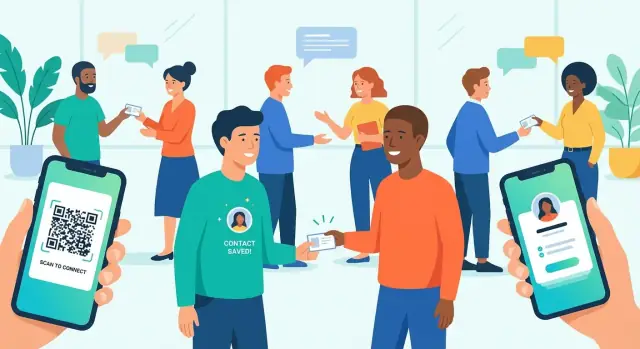
Start with the User Problem and App Goals
A digital business card app only works if it fixes a real friction point. Most people don’t struggle with having contact info—they struggle with collecting it cleanly, keeping it current, and actually following up.
Before features, start by deciding which moment you’re improving and what “better” looks like.
Define the problem you’re solving
Write down the exact moment your app is meant to improve. Common pain points include:
- Messy contact exchange: names typed wrong, missing titles, “text me your email” loops, or contacts scattered across apps.
- Outdated paper cards: phone numbers change, roles change, and paper cards get lost or never entered.
- Follow-up gaps: people meet, exchange details, then nothing happens because there’s no reminder, context, or next step.
Be specific: is the core problem speed (exchange in 5 seconds), accuracy (no manual entry), or continuity (turn a meeting into a relationship)?
Identify target users (and pick one first)
Different users expect different outcomes:
- Individuals: want a simple profile and fast sharing.
- Sales teams: need consistency, CRM-friendly exports, and tracking.
- Recruiters: care about notes, tags, and organizing candidates.
- Event organizers: want smooth check-in style exchange and attendee value.
Choose a primary persona for your MVP so your onboarding, features, and pricing don’t become generic.
Set success metrics that match networking behavior
Define “success” in measurable actions, not downloads:
- Shares per user (how often people use it in real life)
- Save rate (how many recipients keep the contact)
- Repeat meetings / follow-up actions (signals real utility)
- Retention (do they come back before the next event?)
Choose an initial use case
Pick a single situation to optimize end-to-end—e.g., in-person events, B2B outreach, or an internal company directory—and make that flow feel effortless before expanding.
Core Features for a Digital Business Card MVP
An MVP for a digital business card app should focus on one job: help people exchange contact details quickly, then actually use those contacts later. That means getting the profile right, making sharing frictionless, and ensuring every received card can turn into an actionable relationship.
1) Create a profile that’s worth sharing
Start with a clean, fast profile builder. At minimum, let the user add their name, role, company, photo, short bio, and key links (LinkedIn, website, calendar, portfolio).
Keep editing lightweight: users should be able to update their title or link in seconds—because details change often.
2) Share anywhere, with multiple “happy paths”
For a mobile networking app, sharing needs to work in noisy, low-signal environments (events, lobbies, taxis). Build two primary methods:
- QR code business card: show a large QR that someone can scan instantly
- Short link: copy/share via text, email, WhatsApp, LinkedIn DM
A strong MVP bonus is a Wallet pass (Apple/Google). It makes the card one tap away without opening the app, which increases real-world usage.
3) Save received cards in ways users already trust
Once someone receives a card, saving should be effortless and flexible:
- Add to phone contacts via vCard sharing (important for people who live in their native address book)
- Save to an in-app address book (great for search, notes, and tags)
- Export CSV (useful for recruiters, sales teams, and event follow-ups)
The key is avoiding “hostage data.” Users should feel they can take their contacts with them.
4) Notes, tags, and follow-up reminders (the MVP differentiator)
A contact exchange app becomes valuable after the handshake. Add lightweight fields like “where we met” and free-form notes, plus tags (e.g., Partner, Hiring, Lead).
Follow-up reminders turn a pile of contacts into outcomes. Keep it simple: a date and optional prompt.
5) Search and filters that match how people remember
People rarely remember full names. Provide search and filters by tag, company, location, and date met. This is one of the fastest ways to make the app feel “sticky” without adding complex features.
Key Screens and User Flows (Wireframe Checklist)
Wireframes are where your “digital business card app” becomes a real, testable experience. Keep these screens lean enough for an MVP, but detailed enough that design, engineering, and QA agree on what “done” means.
1) Onboarding (fast profile creation)
Aim for a 60–90 second first run. Users should be able to create a card without thinking.
Key states to include:
- Create profile: name, title, company, email/phone, optional photo
- Import options: import from contacts and/or LinkedIn (if you support it) as a time-saver, with a clear consent step
- Preview before finish: show how the card will look to others, then confirm
2) Your Card (share-first home screen)
This is the “business card screen” people will open at events.
Checklist:
- Scannable QR code business card view (large, centered, with enough quiet space)
- Share button with quick actions (QR, vCard sharing, link, AirDrop/nearby share where supported)
- Public preview (what the other person sees), ideally one tap away
3) Scan & Capture (contact exchange app flow)
Scanning must feel dependable.
Include:
- Camera permission prompt with a friendly explanation and fallback (“Enter code manually”)
- Scan success state: show the captured profile, confirm who you scanned, then “Save”
- Error handling: low light, blurry code, unsupported format—offer retry and tips
4) Contact Detail (save + follow-up)
After a scan, users need quick next steps.
Add:
- Save options (to app only vs. export to phone contacts)
- Notes field (why you met, reminders)
- Follow-up actions (call/email, add a task, set a reminder)
Accessibility basics (don’t leave it for later)
Use readable text sizes, strong contrast, and large tap targets—especially on the QR and scan screens where people use the app one-handed.
Product Requirements and Data Model
Before you write code, lock down what the app must store and how it behaves when people are exchanging contacts in a hallway with spotty reception. A clear requirements list also prevents “feature creep” from breaking your MVP.
Authentication and accounts
Decide early how users will log in, because it affects onboarding speed and support load. Common options:
- Email magic link (fast, low friction; depends on reliable email delivery)
- Phone OTP (great for events; can add SMS cost and edge cases)
- Apple/Google sign-in (one-tap for many users; requires platform setup)
Many apps offer Apple/Google plus one fallback (email or phone).
Data model (what you need to persist)
A practical baseline schema:
- User: name, photo, company, title, bio, location/timezone, settings
- Card: card_id, user_id, fields (email, phone, links), theme, active flag, created/updated
- Connection: connection_id, owner_user_id, other_user_id or imported_contact_id, source (QR/NFC/link), timestamp
- Notes: free-text notes tied to a connection
- Tags: user-defined labels for connections (e.g., “Investors”, “Recruiting”)
- Events: optional grouping (event_id, name, dates) to organize connections made at a conference
Sync and offline strategy
Networking often happens offline. Use a local cache (so the user can show their card and save new connections) plus background sync to reconcile once connectivity returns.
Define conflict rules (e.g., “latest edit wins” for profile fields; keep all notes).
Notifications and admin essentials
Push notifications should be purposeful: follow-up reminders and confirmation of a new connection (where applicable). On the admin side, plan minimum tools for content moderation, abuse reports, and basic support lookups (e.g., account recovery, blocking, and audit trails).
Choosing the Tech Stack for iOS, Android, and Backend
Picking a tech stack is mostly about tradeoffs: speed to launch, hiring flexibility, performance, and how much you want to maintain long term. For a digital business card app, the “right” choice is the one that supports fast sharing, reliable profiles, and rapid iteration.
Mobile: Native vs cross-platform
Native (Swift for iOS, Kotlin for Android) is a strong fit if you expect heavy use of platform features like NFC, camera scanning, contact permissions, widgets, or Apple/Google identity sign-in. Native also tends to feel slightly smoother and can reduce edge-case bugs around QR scanning and deep links.
Cross-platform (Flutter or React Native) usually wins on time-to-market and cost, because you build one UI and ship to both platforms. For an MVP, this can be the fastest way to validate whether people actually exchange cards and return to update profiles.
Rule of thumb: if NFC and camera scanning are central from day one, lean native; if speed and a single codebase matter most, start cross-platform.
Backend: managed services vs custom API
Managed backends (Firebase, Supabase, AWS Amplify) can dramatically reduce development time. You often get authentication, databases, file storage, and push notifications with minimal setup—ideal for early-stage product discovery.
A custom API (Node.js, Python, Go, etc.) makes sense when you need complex business logic, advanced permissions, or custom integrations (CRM syncing, team admin controls). It can cost more upfront, but gives you tighter control.
If you want to prototype quickly without committing to a full engineering pipeline, a vibe-coding platform like Koder.ai can help you stand up a working MVP via chat, iterate in a planning mode, and keep momentum with snapshots/rollback. It’s especially useful when your target stack aligns with common app needs (React for web views/admin, Go + PostgreSQL for a robust API, and Flutter for cross-platform mobile).
Database and search
For profiles, connections, and teams, a relational database (PostgreSQL) is a safe default: structured data, strong consistency, and good reporting.
A document database (Firestore/MongoDB) can be quicker for flexible profile fields, but analytics and complex queries may require more planning.
If you anticipate “search people/company/title” early, consider adding a dedicated search layer later (or choose a backend that supports full-text search).
File storage for avatars and brand assets
Store images (avatars, logos, backgrounds) in object storage (S3, Firebase Storage, Supabase Storage) and keep only URLs in your database. This keeps the app fast and avoids bloating your core tables.
Cost and scalability (early stage)
Optimize for predictable monthly costs: free tiers, pay-as-you-go, and simple scaling. Start small, measure usage, then upgrade only when you see real retention and sharing volume. If you want to compare pricing and constraints, keep a simple decision doc alongside your /pricing assumptions.
Sharing and Scanning: QR, NFC, vCard, and Deep Links
Sharing is the “moment of truth” for a digital business card app: it has to work instantly, even with spotty internet, mixed devices, or people who don’t have your app installed.
QR codes: fast, universal, and controllable
QR is the safest baseline because every phone camera can handle it. Generate unique, revocable QR codes per user (and optionally per card/profile version). If a code is posted publicly or scraped, let users revoke it and issue a new one.
To limit damage when a QR is compromised, support rotation: the app can automatically refresh the underlying token while keeping the user’s on-screen QR looking the same. For offline events, cache a short-lived token that still resolves when connectivity returns.
NFC: premium feel, but plan for compatibility
NFC enables “tap-to-share” and can feel more natural than scanning. The catch is device and OS differences: not all Android phones have NFC enabled, and NFC behavior varies by platform settings.
Treat NFC as an enhancement, not a dependency. A good rule: NFC tap if available → fallback to QR in one tap. Also consider printing NFC stickers/cards that open a deep link.
vCard sharing: contact-native, but picky
vCard export/import is essential for people who just want a contact saved. Include core fields like: full name, company, title, phone(s), email(s), website, address, and notes.
Watch formatting pitfalls:
- Use standard labels (e.g.,
TEL,EMAIL) and avoid custom fields that some address books drop. - Handle multi-language names carefully (separate “display name” vs. phonetic/alternate names if supported), so contacts sort and render correctly.
Deep links and spam prevention
Use deep links so a scan opens the profile in-app when installed, with a clean fallback to a web profile page when it’s not. Keep the web page lightweight and include a clear “Save contact” action.
Finally, protect users: add rate limits for scanning and profile lookups, and restrict unsolicited messages (e.g., request/accept flows). This reduces spam while keeping exchanges frictionless.
Privacy, Security, and Trust Essentials
Trust is a feature. If people hesitate to share their contact details, they won’t use your digital business card app in real networking moments. Build privacy and security into the MVP from day one so you don’t have to retrofit them later.
Collect only what you need
Start with the smallest profile that still creates value: name, role, company, and one primary contact method. Avoid requesting sensitive permissions (full contacts access, location, photos) unless the feature clearly requires it.
A simple rule: if you can ship without a data field or permission, don’t ask for it.
Consent and visibility controls
Give users clear control over what others can see. Many people want to share a work email publicly but keep a personal phone number private.
Consider per-field visibility toggles such as:
- Public: visible to anyone who receives the card link/QR
- Connections only: visible after both parties exchange details
- Private: never shared, used only for account/login
Make the sharing state obvious on the card preview so users don’t accidentally overshare.
Secure storage and transfer
Protect data both in transit and on device:
- Use HTTPS/TLS for all network requests
- Store auth credentials as short-lived tokens
- Keep secrets in the iOS Keychain / Android Keystore
If you store business card data locally (for offline access), encrypt it and lock it behind the device’s passcode/biometrics when possible.
Account recovery and access control
Networking happens across devices. Provide:
- Session management (view active sessions)
- Logout everywhere (one tap)
- Safe recovery (email magic link or verified phone), with rate limiting to prevent abuse
Compliance planning (GDPR/CCPA basics)
Even an MVP should include a clear data lifecycle:
- Export my data
- Delete my account and associated cards
- Confirm deletion and document retention rules
Add these actions to a simple settings screen and link to your policies (for example, /privacy and /terms).
Networking and Business Features Beyond the MVP
Once your MVP nails fast, reliable contact sharing, the next step is helping people use those new connections. “Networking features” shouldn’t feel like a heavy CRM—they should make follow-up and organization effortless.
Personal vs team accounts
Many users start solo, then quickly want their whole team to look consistent.
For team accounts, consider:
- Shared templates (one approved card layout for the company)
- A team directory (browse teammates, copy their card, share on their behalf)
- Admin roles (admins manage templates, required fields, and permissions)
A simple model is: personal plan → add a team workspace with roles like Admin/Manager/Member.
Branding that stays consistent
Teams care about brand trust. Add branding controls that apply across the workspace:
- Company logo and cover image
- Brand colors (primary/secondary)
- Standardized fields (e.g., always include title, department, company phone)
Tip: enforce a few “required” fields for team templates to avoid half-filled cards that look unprofessional.
Light CRM workflows (without the complexity)
Users often want to move leads into their existing tools. Start with easy wins:
- Export to CSV for contacts and interaction notes
- Zapier hooks (e.g., “new contact captured” → Google Sheets/Airtable/Slack)
Later phases can include native integrations with HubSpot or Salesforce, but you can validate demand first with exports + webhooks.
Calendar and email follow-up helpers
A digital business card app becomes more valuable when it nudges the next step:
- Follow-up reminders (e.g., “Email Alex in 2 days”)
- Email templates users can customize (“Great meeting you at…”)
- Calendar shortcuts to schedule a call right after exchanging details
Keep it optional and fast: a single tap after saving a contact should be enough.
Event mode (high-volume networking)
If your users attend conferences, “event mode” can differentiate your product.
Core ideas:
- Badge scanning (where possible) and quick capture flows
- Session tags (e.g., “AI track”, “Partners”, “Press”)
- Post-event follow-up lists (“Everyone tagged Partners”)
Design it as a temporary context users can turn on/off, so the everyday experience stays clean and simple.
Monetization Options That Fit Networking Habits
Monetization for a digital business card app should feel invisible during a real conversation. If someone pulls out the app at an event, the experience must be fast: open, share, done. Charging at the exact moment of exchange is a great way to lose trust—and users.
A free tier that proves the value
A strong free tier helps adoption and makes your app “safe” to try:
- Basic profile (name, role, company, photo)
- QR sharing (and a simple share link)
- A limited number of saved connections (enough to feel useful)
This supports organic growth because users can share with anyone, even if the other person hasn’t installed the app.
Paid tiers that upgrade identity and insight
Subscriptions work best when they enhance professionalism or provide measurable benefits:
- Custom branding (logo, brand colors, custom URL slug)
- Multiple cards (e.g., “Sales,” “Speaking,” “Personal”)
- Analytics (views, saves, top traffic sources)
- Team features (shared templates, directory, role-based access)
One-time purchases that feel like add-ons
Some upgrades are more natural as one-time buys:
- Premium templates and design packs
- NFC card add-ons (if you sell physical cards or support writing to NFC tags)
B2B plans: where revenue can scale
For companies, pricing per seat is familiar. Bundle admin controls (team management, template locking) and offer SSO as an upsell for larger orgs.
The golden rule: never block the handshake
Keep basic sharing free and reliable. Put paywalls on enhancements—branding, advanced analytics, team administration—not on the core act of exchanging contact details.
Analytics and KPIs to Validate Product-Market Fit
Analytics should answer one question: are people actually exchanging contacts faster and more reliably than with paper cards?
Instrument the key moments
Start with a small, consistent event taxonomy so you can trust the numbers. At minimum, track: profile created, card shared, card scanned, contact saved, and follow-up set.
Add useful context (without collecting sensitive content): share method (QR/NFC/link), whether the share happened online/offline, and time-to-complete.
Build a simple funnel
Your first funnel should connect onboarding to a real networking outcome:
- Onboarding started → onboarding completed
- Profile created → first successful share
- Share received → contact saved
Two practical KPIs: onboarding completion rate and time to first successful share. If users create a profile but never share, the app may be “interesting” but not essential.
Measure retention the way networking works
Daily retention can look weak for networking tools, so focus on behavior that matches events and meetings. Track weekly active users (WAU), repeat shares per user, and returning users after events (e.g., activity spikes on conference days, then follow-up usage during the next week).
Run focused A/B tests
Test only what affects activation:
- Onboarding steps (short vs. guided)
- Share UI (one-tap QR vs. multiple options)
- Reminder timing for follow-ups (same day vs. next morning)
Respect privacy while learning
Anonymize analytics where possible, avoid logging full contact details, and offer clear opt-outs in settings. Trust is a growth lever for a contact exchange app—protect it while you measure it.
Testing, App Store Launch, and Early Growth Plan
A digital business card app lives or dies on one promise: sharing contact details smoothly, every time. Your launch plan should focus on trust (no surprises), speed (scan + share), and clear value in the store listing.
Beta testing that mirrors real networking
Run a structured beta before you submit to the App Store/Play Store.
Use TestFlight (iOS) and a closed test track (Android) with 30–100 testers who attend events, meet clients, or do sales.
Collect feedback with short surveys after key tasks: create card, share via QR/NFC, scan someone else, save to contacts, and update details. Add one open question: “Where did you get stuck?”
Performance and reliability checks
Prioritize the moments where users feel friction:
- Camera scan speed: measure time-to-scan in different lighting and on older phones.
- Offline behavior: confirm users can still open their own card and share a QR when connectivity is poor.
- Crash reporting: ship with crash analytics from day one, and set up alerts for spikes after releases.
App Store/Play Store submission basics
Prepare store assets early: clear screenshots showing “Create → Share → Save,” a tight keyword strategy (e.g., “QR code business card,” “vCard sharing”), and accurate privacy labels/data safety forms.
If you request contacts or camera access, explain why in plain language.
Support readiness (before you need it)
Publish a lightweight FAQ and add in-app feedback (“Report a problem” + “Suggest a feature”). Include simple troubleshooting steps like “scan not focusing,” “NFC not detected,” and “can’t import to contacts.”
Launch marketing checklist
Keep the first campaign simple: a short demo video, a clear /pricing page, and an onboarding email sequence (welcome → “set up your card” → “tips for events” → “invite your team”). Track which message drives the first successful share—your earliest leading indicator of retention.
Maintenance, Roadmap, and Long-Term Improvements
Shipping your digital business card app is the start of the work, not the end. The best long-term apps treat maintenance as a product feature: users trust that sharing and scanning will be instant, reliable, and safe every time.
Iterate from real feedback (and watch churn)
Plan a lightweight feedback loop from day one: in-app “Send feedback,” periodic surveys, and a support inbox that’s actually monitored. Track why people leave.
Common churn reasons for contact exchange apps include:
- Sharing fails in low-signal environments (slow loads, broken links)
- Confusing privacy controls (“Who can see my email?”)
- Too many steps to scan/save
- Profile sync issues across devices
Translate these into a tight backlog of top requests and the paper cuts that create drop-offs.
Operational basics you’ll be grateful for
Even small apps need a simple operations routine:
- Monitoring: uptime checks, crash reporting, and alerts for API errors
- Backups: automated database backups with restore drills (test restores, not just backup creation)
- Incident response: a short runbook—who gets paged, how to communicate, and how to roll back
Roadmap: expand without slowing the core
A sensible next phase often includes team plans (company directories, admin controls), CRM integrations (HubSpot/Salesforce), and advanced search (tags, notes, filters). Introduce bigger features behind settings or tiers so the main scan/share flow stays fast.
Grow globally and inclusively
As usage expands, prioritize localization (languages, name formats, phone formats) and accessibility upgrades (dynamic text sizing, screen reader labels, high-contrast support). These improvements reduce support load and increase retention.
Protect quality as complexity rises
Performance budgets help: set targets for “time to share” and “time to save a contact,” then fail builds that regress. Users forgive missing features; they don’t forgive a slow exchange moment.
FAQ
What problem should a digital business card app solve first?
Start by choosing a single “moment” to improve (e.g., exchanging details at in-person events) and define whether you’re optimizing for speed, accuracy, or continuity (follow-up). Then validate with a small set of real users and track metrics like shares per user and save rate, not just downloads.
Who should I build the MVP for—individuals, sales teams, recruiters, or events?
Pick one primary persona for the MVP so your onboarding and features stay focused:
- Individuals: fast profile + easy sharing
- Sales teams: consistent branding + exports/integrations
- Recruiters: notes/tags + candidate organization
- Event organizers: high-volume capture flows
A narrow first persona usually ships faster and tests more cleanly.
What are the must-have MVP features for a digital business card app?
A practical MVP includes:
- Quick profile builder (name, role, company, photo, key links)
- Sharing via QR code + short link (with reliable fallbacks)
- Saving via vCard to phone contacts and/or in-app address book
- Lightweight notes, tags, and follow-up reminders
- Search/filters (by company, tag, date met)
These features support the full loop: share → save → follow up.
What screens should the MVP include to support real-world sharing?
Treat “Your Card” as the share-first home screen:
- Large, centered QR with enough quiet space
- One Share button with quick actions (QR, link, vCard, nearby share)
- One-tap public preview (what the recipient sees)
Design for one-handed use and speed in noisy environments.
How do I make QR scanning reliable in low-light or crowded events?
A solid scanning flow includes:
- A clear camera permission explanation and a manual fallback
- A scan success confirmation (show who you captured, then Save)
- Error handling for low light, blur, and unsupported formats
The goal is predictable behavior—users won’t trust scanning if it fails under event conditions.
How should users save and export contacts without feeling locked in?
Provide multiple save options so users aren’t locked in:
- vCard export to native contacts
- An in-app address book for notes/tags/search
- CSV export for recruiters/sales follow-ups
Avoid “hostage data.” Portability builds trust and reduces churn.
How do revocable QR codes and token rotation work, and why do they matter?
QR is the best baseline because it’s universal. Use:
- Unique, revocable QR codes (so users can invalidate a leaked code)
- Token rotation to reduce risk if a QR is scraped
- Caching that lets the app still display a usable QR when offline
Keep the on-screen experience stable while changing the underlying token when needed.
Should I support NFC, or is QR enough for an MVP?
NFC feels premium (“tap-to-share”) but varies by device and settings. A practical approach:
- Offer NFC as an enhancement, not a dependency
- Use a simple rule: NFC if available → fallback to QR
- Consider NFC stickers/cards that open a deep link
This preserves reliability across mixed devices.
How do deep links work when the recipient doesn’t have the app, and how do I prevent spam?
Use deep links so a scan opens:
- The app when installed
- A lightweight web profile fallback when not installed
Add protections like rate limits on lookups/scans and consider request/accept flows if you enable messaging, to reduce spam without adding friction to basic sharing.
What KPIs should I track to validate product-market fit for a digital business card app?
Track outcomes that reflect networking behavior:
- Onboarding completion
- Time to first successful share
- Share → scan → contact saved funnel
- Repeat shares per user and WAU (better than daily retention for networking)
- Follow-up reminders set/completed
Instrument a small event taxonomy early so the numbers stay trustworthy.