

How to Build a Mobile App for Digital Forms and Data Collection
Learn how to plan, design, build, and launch a mobile app for digital forms and field data collection, including offline mode, sync, security, and analytics.
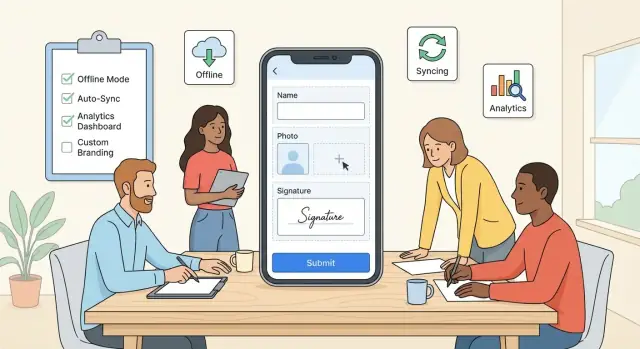
Define the App’s Purpose and Target Users
Before you sketch screens or pick a tech stack, get specific about what your “digital forms app” is actually for and who it serves. A mobile data collection app built for field technicians has very different needs than one used by customers at home or by office staff on company devices.
Clarify who will use the app
Start by naming the primary user group and their context:
- Field teams (inspectors, maintenance crews, delivery drivers): often offline, wearing gloves, working quickly, sometimes sharing devices.
- Customers (claims, onboarding, feedback): need simple language, minimal steps, and trust signals.
- Internal staff (HR, facilities, compliance): usually online, may require approvals and detailed audit trails.
Be honest about constraints: is the user walking around a site, standing in the rain, or sitting at a desk? Those details shape everything from button size to whether offline form submission is mandatory.
List the top 3–5 “jobs to be done”
Avoid a vague goal like “collect data.” Write down the few core activities your app must handle end-to-end, such as:
- Inspections (equipment, property, safety)
- Surveys (customer satisfaction, research)
- Audits (compliance checks, quality control)
- Checklists (opening/closing procedures, deliveries)
For each job, define the outcome users expect. An inspection isn’t “fill a form”—it’s “capture evidence, mark issues, and submit a report that triggers follow-up.” This clarity helps you design workflows, not just screens.
Define success metrics that matter
Pick measurable outcomes that reflect real value, such as:
- Completion rate (how many started forms are actually submitted)
- Time to submit (average minutes per form)
- Fewer errors (less rework, fewer missing fields, fewer invalid entries)
These metrics guide MVP decisions and help you evaluate improvements later (for example, whether auto-fill or better validation actually reduces mistakes).
Decide what “digital forms” means for your use case
A digital forms app can range from a simple mobile form builder UX to a full workflow system.
- Simple forms: one user fills in fields and submits.
- Complex workflows: drafts, multi-step forms, conditional logic, approvals, assignments, and re-submissions.
If you need complex workflows, plan for roles, statuses, and an admin experience early. If you don’t, keep the mobile app MVP tight: prioritize fast entry, clear validation, and reliable data sync and validation over advanced features users won’t touch.
Gather Requirements and Prioritize Features
Once you know the purpose and audience, get clear on what the app must do on day one—and what can wait. Requirements for a mobile data collection app are easiest to validate when they’re grounded in real, end-to-end work.
Start with user stories (real tasks, not features)
Write user stories that describe the full flow from opening the app to submitting data. Aim for 5–10 stories that cover your most common and most risky scenarios.
Examples you can adapt:
- As a field inspector, I open today’s assigned site, fill out an inspection checklist, attach two photos, and submit it before leaving.
- As a clinician, I capture a patient intake form with a signature and submit it to the central system, even if connectivity drops.
- As a warehouse worker, I scan a barcode, confirm quantity, add a note, and sync the update within 5 minutes.
- As a supervisor, I review submitted forms, flag a record for correction, and export weekly totals.
- As an auditor, I see who edited which fields and when.
Decide what ships at launch (MVP) vs later
Create a “Launch” bucket and a “Later” bucket. At launch, prioritize flows that:
- Are used daily/weekly
- Prevent expensive errors (wrong site, missing required fields)
- Are hard to do with paper (photos, GPS, barcode)
Save nice-to-haves—custom themes, advanced conditional logic, complex dashboards—for later once you’ve seen real usage.
Identify required data types
List every input your forms need so your model supports them from the start:
- Text, numbers, dates, dropdowns, checkboxes
- Photos/files
- Signatures
- GPS location
- Barcode/QR scan
Also note constraints: max photo size, allowed file types, and whether GPS is mandatory.
Capture non-functional requirements early
Non-functional needs often decide success:
- Offline form completion and queued submission
- Speed (open form in seconds, save without lag)
- Reliability (no duplicate submissions, safe retries)
- Accessibility (large touch targets, screen reader support)
Document these alongside features so prioritization reflects real-world conditions—not just UI preferences.
Map User Flows and UX for Mobile Forms
Before you think about screens and colors, map the few critical paths your users will repeat all day. For most mobile data collection apps, the core flow is simple—and your UX should make it feel effortless.
Start with a clear “happy path”
A practical baseline flow looks like:
- Login → Form list → Fill → Review → Submit → Sync status
Keep the form list focused: show what’s assigned, what’s due, and what’s already completed. A visible sync status (e.g., “Queued”, “Uploaded”, “Needs attention”) reduces confusion and support tickets.
Design for one-hand use and real-world conditions
Field users often have one hand free, glare on the screen, and spotty connectivity. Prioritize:
- Large tap targets and spacing (especially for dropdowns and date pickers)
- Thumb-friendly placement for primary actions (Next, Save, Submit)
- Clear progress indicators (step count, section completion, or “12 of 20 fields”)
Short sections beat long scrolls. If your forms are lengthy, use sections with a sticky “Next” and allow quick navigation between sections.
Plan error states as first-class screens
Errors are part of the experience, not edge cases. Define what happens when users:
- Miss required fields
- Enter invalid values (wrong format, out-of-range)
- Try to submit while offline
- Experience failed uploads or partial sync
Make messages specific (“Photo is required for the Equipment section”) and point directly to the field.
Drafts and resuming work
Decide where drafts live and how users return to them. A good default:
- Auto-save locally while typing
- Manual Save draft button
- A dedicated “Drafts” filter in the form list
When a user reopens a draft, restore their last position and show what’s incomplete—so finishing feels like checking boxes, not starting over.
Design the Form Model: Fields, Logic, and Validation
A great digital forms app isn’t just a screen with inputs—it’s a consistent form model that can be rendered on iOS/Android, validated offline, and synced without surprises. Treat the form definition as data (JSON or similar) that your mobile data collection app can download and interpret.
Define components and structure
Start with a small set of building blocks and make them predictable:
- Sections/pages to break long forms into scannable steps
- Field types (text, number, date/time, single/multi-select, location)
- Repeatable groups for “one-to-many” data (e.g., multiple assets, household members)
- Conditional logic to show/hide fields based on prior answers
- Calculations for totals, derived values, and scoring (e.g., risk level)
Keep field IDs stable and machine-friendly (e.g., site_id, inspection_date). Stable IDs are crucial later for reporting and data sync and validation.
Validation rules that work offline
Validation should be enforced on-device so users can complete offline form submission with confidence. Use a layered approach:
- Required fields and sensible defaults
- Ranges for numeric values (min/max, step)
- Regex for patterns (phone numbers, IDs)
- Cross-field checks (e.g., “end time must be after start time”)
Design error messages for humans (“Enter a temperature between 0–100”) and place them close to the field. If validation is too strict, it reduces completion rates; if it’s too loose, admins spend hours cleaning data.
Attachments and size limits
Field data collection often needs proof: photos, signatures, PDFs. Decide early:
- Allowed types per field (photo-only vs any file)
- Max size per attachment and max total per submission
- Whether images are compressed on device and stored encrypted
Also define what happens when connectivity is poor: queue uploads separately from the main submission so the form can still be marked “complete” and synced later.
Versioning and updates on devices
Forms will evolve. Plan versioning so updates don’t break work in progress:
- Each form has a version number and publish date
- A submission records the form version used
- Devices can download new versions, but drafts stay tied to the old version until submitted
This keeps your form builder UX flexible while protecting real-world data collection in the field.
Choose the Tech Stack and Architecture
Your tech stack should match your team’s skills, the environments where field teams work, and how fast you need to ship a mobile app MVP. For a mobile data collection app, the two biggest drivers are offline form submission reliability and how often your digital forms app will change.
Native vs cross-platform
Native apps (Swift for iOS, Kotlin for Android) give the best access to device capabilities and predictable performance—useful if you rely heavily on camera capture, background uploads, or complex validation. The trade-off is maintaining two codebases.
Cross-platform (Flutter or React Native) can speed up delivery and keep behavior consistent across devices, which is attractive for field data collection teams. Flutter tends to feel more “all-in-one” for UI, while React Native can fit well if you already have web React expertise.
If your priority is getting a solid MVP into users’ hands quickly (without skipping the fundamentals like roles, drafts, and sync status), platforms like Koder.ai can help you accelerate delivery. Koder.ai is a vibe-coding platform where you can build web, server, and mobile applications from a chat interface—useful when you want to iterate on form flows, validation rules, and admin tooling fast, then export source code when you’re ready to take full ownership.
Backend options: custom API, BaaS, or integration
- Custom API (e.g., Node, Python, .NET): best when you need precise workflows, granular permissions, and custom reporting.
- BaaS (Firebase, Supabase, etc.): faster to prototype and iterate, especially for authentication, file storage, and real-time updates.
- Existing system integration: ideal if submissions must land in a CRM/ERP or legacy database; plan time for data mapping and error handling.
Offline storage and sync architecture
Offline mode starts with local persistence: SQLite (or Room on Android, Core Data on iOS). Store form definitions, drafts, and a queue of submissions. Treat sync as a first-class feature: use versioned payloads, idempotent endpoints, and conflict rules so data sync and validation behave consistently.
Plan for scalability early
Estimate active users, submissions per day, and attachment storage (photos, signatures). Choose object storage for files, add rate limits, and design your database for growth (indexes on user, form, date). If you expect rapid expansion, document an upgrade path from “single region” to multi-region and from simple queues to a message broker.
Build Offline Mode and Reliable Sync
Offline support is often the feature that makes a mobile data collection app usable in the field. Treat it as a first-class workflow, not a fallback. The goal is simple: users should be able to complete work without thinking about connectivity—and trust that everything will sync later.
Define what “offline” means
Start by documenting offline behavior for each action:
- Create/edit drafts: Let users start a form, save it as a draft locally, and return to it later.
- Queue submissions: When a user taps “Submit” offline, store the submission in an outbox queue (don’t force them to keep the form open).
- Conflict handling: If a record can be edited on multiple devices, decide your rule upfront (e.g., last write wins, server wins, or user chooses). For many digital forms apps, submissions are immutable, which avoids most conflicts.
Background sync with retries (and visible status)
Implement background sync that retries automatically and never loses data. Use exponential backoff and resume uploads after app restarts.
Make sync status obvious in the UI:
- A small sync indicator (e.g., “3 pending”) and an outbox screen
- Per-item states: Pending, Uploading, Sent, Failed
- Clear error messages with a “Retry” action
Handle intermittent connectivity and battery
Connectivity may flap between 0–2 bars, so design sync to be battery-friendly:
- Prefer syncing on Wi‑Fi (configurable)
- Sync in batches, not per keystroke
- Use reasonable intervals and pause when the battery is low
Attachments: store first, upload later
Photos, signatures, and files should be stored locally with the draft/submission, then uploaded when connected.
Use resumable uploads where possible, and show progress so users know large attachments are still moving—even if they leave the screen.
Implement the Backend and APIs
Your backend is the source of truth for form definitions, user access, and the data you collect. A clean API makes the mobile app faster to build, easier to maintain, and safer to operate.
Design the core API surface
Start with a small set of endpoints that cover the full lifecycle:
- Authentication & sessions: sign-in, token refresh, logout, device registration.
- Form definitions: list forms available to the user, fetch a single form (including field rules), and fetch version metadata.
- Submissions: create/update a submission, mark it “final,” fetch server status.
- Attachments: upload photos/files, link them to submissions, and track upload state.
- Audit logs: record who did what and when (logins, form edits, submission updates, exports).
Keep payloads predictable and documented so the mobile team can implement quickly.
Support incremental updates (download only what changed)
Mobile users shouldn’t re-download every form definition every time. Add a lightweight sync mechanism:
- Include
version,updated_at, or an ETag for each form. - Provide endpoints like “list forms changed since timestamp” and “fetch form by id + version.”
- Return deleted/archived forms explicitly so the app can clean up local cache.
This reduces bandwidth and speeds up app launch, especially on poor connections.
Mirror key validation on the server
Client-side validation improves user experience, but server-side validation protects data quality and prevents tampering. Re-check critical rules such as required fields, numeric ranges, allowed options, and permission-based visibility.
When validation fails, return structured errors the app can map to fields.
{
  "error": {
    "code": "VALIDATION_FAILED",
    "message": "Some fields need attention",
    "field_errors": {
      "email": "Invalid email format",
      "temperature": "Must be between -20 and 60"
    }
  }
}
Define actionable error codes and messages
Use stable error codes (e.g., AUTH_EXPIRED, FORM_VERSION_MISMATCH, ATTACHMENT_TOO_LARGE) and human-readable messages. This lets the app decide whether to retry, prompt the user to sign in, re-sync forms, or highlight specific inputs.
If you later add an admin portal or exports, you’ll reuse these same APIs—so it’s worth getting the fundamentals right now.
Security, Privacy, and Access Control
Security isn’t a “final sprint” item for a mobile data collection app. Forms often contain personal details, locations, photos, signatures, or operational notes—so you want clear rules for who can access what, and how data is protected on the device and in the cloud.
Pick an authentication method that fits the field
Start with how your users will log in on real job sites (poor connectivity, shared devices, high turnover).
- Email + password: familiar, but can increase support requests (resets, lockouts).
- Magic links / one-time codes: reduces password issues; requires reliable access to email/SMS.
- SSO (Google/Microsoft/Okta): ideal for companies with managed accounts and fast offboarding.
If devices are shared, consider short session timeouts plus a quick re-auth method (PIN/biometric) to prevent the next person from seeing prior submissions.
Protect data in transit and on devices
At minimum, use TLS (HTTPS) for all API calls so data is encrypted in transit. For offline form submission, you may also store sensitive drafts locally; consider at-rest encryption on the device (encrypted database or OS keychain-backed storage) and avoid writing sensitive data to logs.
Also think about “small leaks”: screenshots, clipboard copying, or cached attachments. Restrict these only if your risk level justifies the usability trade-off.
Apply least-privilege access with clear roles
Define roles early and keep them simple:
- Form creators: build and publish forms, manage field logic.
- Reviewers: view/approve submissions for assigned projects.
- Admins: manage users, permissions, retention, and exports.
Limit access by project, region, or team so people only see the data they need.
Plan retention, deletion, and exports
Decide how long you keep submissions, how users request deletion, and how admins export data (CSV/PDF/API) for audits or partners. Document these behaviors in your product UI and help center without making broad compliance claims you can’t back up.
Mobile-Specific Features That Improve Completion Rates
Mobile forms succeed when they feel faster than paper. Completion rates go up when the app reduces typing, avoids rework, and uses phone hardware in a predictable way.
Capture evidence without slowing people down
Support inputs that match field work:
- Camera capture (single photo, multi-photo, and optional video) with clear prompts like “photo of serial number” instead of a generic upload.
- Photo annotation for quick markups (arrows, circles, short labels). Keep tools minimal so it stays fast.
- Signature pad for simple approvals. Make it easy to clear/retry and store a timestamp plus signer name.
These features reduce “I’ll add it later” moments that often lead to incomplete submissions.
Use sensors carefully (especially GPS)
Location can prevent errors, but only if you treat permissions and accuracy responsibly.
Ask for GPS permission only when the user hits a location field, and explain why. Offer an accuracy selector (e.g., “Approximate” vs “High accuracy”) and show a confidence indicator (“± 12 m”). Always allow manual override—workers may be indoors or in poor coverage.
Scan instead of type
Barcode/QR scanning is one of the biggest completion boosters for inventory, assets, patients, samples, and deliveries. Make scanning a first-class input type, with a fallback to manual entry and a visible “last scanned” history to reduce repeats.
Optimize for speed with defaults and memory
Small time savers add up:
- Prefill defaults based on user profile, site, or last job.
- Templates for common tasks (“daily inspection”, “new install”) so users start with the right structure.
- Recent values for fields like equipment type, issue category, or contact—tap to reuse instead of retyping.
Combine these with mobile-friendly controls (numeric keyboards, date pickers, one-tap toggles) to keep forms moving and prevent abandonment.
Analytics, Admin Tools, and Reporting
A mobile data collection app improves quickly when you can see what’s happening in the field. The goal isn’t “more data”—it’s clear signals about friction, reliability, and rollout progress.
Track the events that explain completion (and failure)
Start with a small, consistent set of events tied to real user outcomes:
- Form opened (by form ID and version)
- Save draft (including offline/online state)
- Field validation errors (field name + rule, not the user’s input)
- Submit tapped and submission created
- Sync success and sync failure (error category, retry count)
Keep analytics privacy-friendly: avoid capturing typed values, attachments, or free-text notes. Instead, log metadata like field type, error counts, and timestamps.
Simple dashboards that teams actually use
Reporting should answer operational questions in seconds:
- Submissions per day (overall + by team/region)
- Completion time (median and 90th percentile)
- Drop-off points (where people abandon or save drafts)
- Error hotspots (fields with the highest validation errors)
- Sync health (failure rate, average time-to-sync)
These dashboards help you spot UX issues (a confusing date picker), data model gaps (missing “unknown” option), and connectivity problems.
Admin tools for safe form changes
A lightweight admin panel can prevent chaos when forms evolve:
- Versioned form publishing with staged rollout (pilot group first)
- Ability to disable a form or revert to a previous version
- Visibility into which app versions are still in use
- Export options (CSV) and scheduled reports
If you want to iterate on admin workflows quickly, consider building the first version in Koder.ai: you can prototype a React-based admin portal plus a Go/PostgreSQL backend, ship it to a pilot team, and use features like snapshots and rollback to safely test changes to form publishing and exports.
If you’re still deciding how to implement analytics and admin features, see /blog/choosing-mobile-app-stack. For pricing and plan limits around dashboards and exports, link users to /pricing.
Testing, QA, and Pilot Rollout
A mobile data collection app lives or dies on reliability. Field users won’t forgive a digital forms app that loses entries, validates inconsistently, or behaves differently across devices. Treat testing as part of product design—not a final checkbox.
Build a practical test plan
Start with a clear, layered test plan:
- Unit tests for field rules and validation logic (required fields, ranges, conditional visibility, calculations). These protect the form model as you add new templates.
- UI tests for the most common flows: create form, save draft, edit, attach photo, submit, and review history. Focus on “happy path” plus one failure per step.
- API tests to confirm that submissions, updates, and deletes behave predictably, including versioning and server-side validation.
Stress-test offline form submission
Offline form submission is where bugs hide. Simulate real-world disruption:
- Airplane mode during form load and during submission.
- Low battery and low storage warnings.
- App killed mid-sync (user swipes it away) and device restart.
- Network flapping (switching between Wi‑Fi and cellular).
Verify that drafts never disappear, sync resumes safely, and users can see what’s queued vs. completed. Pay special attention to data sync and validation conflicts (e.g., two edits to the same record).
Device matrix and performance checks
Run a device matrix across screen sizes, OS versions, and low-end devices. Measure time-to-open form, typing latency, and large-form scrolling. Mobile keyboards, autofill, and camera permissions are frequent sources of field data collection friction.
Pilot rollout and feedback loop
Pilot with a small group that mirrors real usage: different roles, locations, and connectivity. Collect structured feedback (what blocked submission, confusing labels, missing fields) and track completion rate. A short in-app survey plus a weekly debrief often surfaces more than bug reports alone.
Launch, Onboarding, and Continuous Improvement
A mobile data collection app succeeds or fails after release: if teams can’t get started quickly, they won’t reach the point where your digital forms app proves its value. Treat launch as the beginning of a feedback loop—shipping is only step one.
Launch checklist (before you hit “Publish”)
Prepare your store presence and your first-run experience together. App store assets set expectations; onboarding confirms them.
- App store essentials: clear screenshots showing form filling, offline form submission, and sync status; a short description focused on outcomes; privacy details and permissions rationale.
- Operational readiness: status page link, escalation process, and a simple “known issues” note in your help center.
- First-run setup: sample project/template form, minimal required permissions, and a quick checklist (e.g., “Download forms”, “Try offline”, “Sync now”).
If you already have documentation elsewhere, link to it with relative URLs like /help/getting-started and /blog/offline-sync-basics.
Onboarding that prevents early drop-offs
Onboarding should answer three questions: What do I do next? What happens if I’m offline? How do I know my data is safe and submitted?
Use short, skippable steps with plain language. Show a visible sync indicator and a “Last synced” timestamp so users trust the system. If your app supports multiple roles, detect role on first sign-in and tailor the tour (field staff vs. admin).
In-app support that feels immediate
Don’t make users leave the app when they’re stuck mid-form.
Include:
- Searchable FAQs (offline-friendly if possible)
- Contact form that attaches logs/sync status (with user consent)
- Clear error messages that explain what happened and what to do next (e.g., “3 answers need attention” instead of “Validation failed”)
Continuous improvement without breaking forms
Plan iteration cycles so you can improve quickly without disrupting active field data collection.
Use feature flags for risky changes, schedule form version migrations (with backward compatibility for in-progress submissions), and prioritize performance tuning for slow networks and older devices.
If you’re moving fast, choose tooling that supports safe iteration. For example, Koder.ai includes planning mode for aligning on requirements, supports deployment and hosting, and offers snapshots/rollback—useful when you’re pushing frequent updates to a digital forms app and want a clean way to revert if a form version or workflow change causes friction.
Finally, measure outcomes post-launch: onboarding completion rate, form completion rate, offline queue size, sync success rate, and time-to-first-successful-submission. Use these signals to refine onboarding and reduce drop-offs in the first week.
FAQ
What should I define first when building a digital forms and data collection app?
Start by defining the primary users (field teams, customers, or internal staff) and their working conditions (offline, gloves, shared devices, desk-based). Then list 3–5 “jobs to be done” (inspections, surveys, audits, checklists) with a clear end outcome, and pick success metrics like completion rate, time to submit, and error reduction.
How do I build reliable offline form submission and sync?
Design offline as a core workflow:
- Save drafts locally with auto-save and a manual Save draft option.
- When offline, send submissions to an outbox queue (don’t block the user).
- Implement background sync with retries (exponential backoff) and resumable attachment uploads.
- Show clear status: Pending, Uploading, Sent, Failed—plus a “Retry” action.
What are the core user flows for a mobile forms app?
A practical MVP “happy path” is:
- Login → Form list → Fill → Review → Submit → Sync status
Keep the form list focused (assigned, due, completed), use short sections instead of long scrolls, add progress indicators, and treat error states (offline submit, invalid inputs, failed uploads) as first-class experiences.
How should I model forms so they can be rendered and validated consistently?
Treat form definitions as data (often JSON) that the app can download and render. Include predictable building blocks (sections, field types, repeatable groups, conditional logic, calculations) with stable, machine-friendly field IDs (e.g., site_id). This makes offline validation and consistent syncing easier across iOS/Android.
What validation rules matter most for mobile data collection?
Use layered, human-friendly rules enforced on-device:
- Required fields and sensible defaults
- Numeric ranges (min/max/step)
- Regex for patterns (email, IDs)
- Cross-field checks (end time after start time)
Make messages specific and field-linked (e.g., “Enter a temperature between 0–100”). Then mirror critical validation on the server to protect data quality.
How should I handle photos, signatures, and other attachments?
Define it per field early:
- Allowed types (photo-only vs any file)
- Max size per attachment and max total per submission
- Compression behavior and whether attachments are encrypted at rest
A strong pattern is “store locally first, upload later,” with queued/resumable uploads and visible progress so large files don’t block completing the form.
How do I update forms over time without breaking in-progress drafts?
Use versioning to prevent updates from breaking drafts:
- Each form has a version number and publish date
- Every submission stores the form version used
- Devices can download new versions, but in-progress drafts stay tied to the old version until submitted
This supports continuous improvement without corrupting field work.
Should I build the app natively or use Flutter/React Native?
Choose based on device needs, team skills, and offline complexity:
- Native (Swift/Kotlin): best device integration and performance (camera, background uploads), but two codebases.
- Cross-platform (Flutter/React Native): faster shared delivery and consistent behavior; good for many field-team apps.
Whichever you pick, plan local storage (SQLite/Room/Core Data) and idempotent sync endpoints.
What backend endpoints do I need for a forms and submission workflow?
Keep the API surface small but complete:
- Auth (sign-in, refresh, device registration)
- Form definitions (list, fetch by id/version, metadata)
- Submissions (create/update, finalize, status)
- Attachments (upload, link, upload state)
- Audit logs (who did what and when)
Add incremental updates (ETags/updated_at) so devices download only what changed.
What analytics should I track to improve completion rates and reliability?
Track events tied to real outcomes while avoiding sensitive payloads:
- Form opened (form ID + version)
- Save draft (offline/online)
- Validation errors (field name + rule, not typed values)
- Submit tapped → submission created
- Sync success/failure (error category, retry count)
Use dashboards for completion time, drop-off points, error hotspots, and sync health to guide UX and reliability improvements.