

How to Build a Mobile App for Coaches to Track Progress
A practical guide to building a coach app that tracks client progress: MVP features, data models, UX flows, privacy, tech choices, testing, and launch.
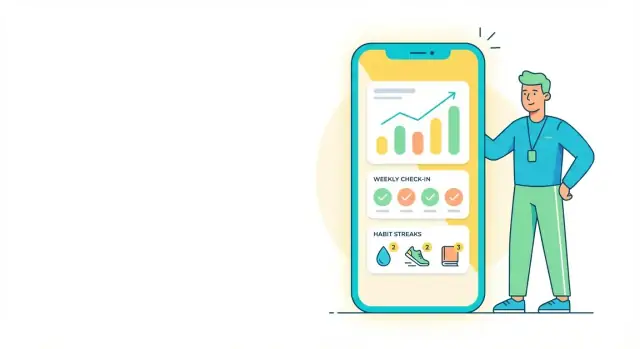
Start with the Coaching Workflow and Goals
Before you sketch screens or pick a tech stack, get clear on what kind of coaching your app is supporting. A “coach mobile app” for strength training behaves very differently from one for nutrition, rehab, life coaching, or business mentoring.
Define the niche and the real workflow
Start by mapping the week-to-week routine as it happens today:
- When does a client log data—daily, after sessions, or only at weekly check-in?
- When does the coach review it—between calls, on a schedule, or ad hoc?
- What decisions does the coach make from the data—adjust a plan, give feedback, spot risks?
Write this in plain language (not feature ideas). You’re trying to capture what happens and why, not “what the app should do.”
Choose the outcomes you’ll track (and what “progress” means)
List the handful of outcomes that matter most for your niche. Common examples include weight, PRs, habits, mood, sleep, and adherence (did they follow the plan?).
For each outcome, define the unit and the cadence (e.g., sleep hours nightly, PRs whenever achieved). This prevents building generic trackers that feel unclear or hard to use.
Identify users and success metrics
Decide who uses the app:
- Coach: reviews trends, comments, updates plans
- Client: logs, checks tasks, submits check-ins
- Admin (optional): billing/support, team management
Then set success metrics you can measure early, such as retention, check-in completion rate, and a small set of client outcomes tied to your niche.
Set constraints early
Document your practical limits: budget, timeline, iOS/Android support, and whether you need offline logging (common for gyms, travel, or low-signal areas). Constraints help you make trade-offs confidently when you define the MVP later.
Turn Real Sessions into App User Flows
The fastest way to design a coaching app that feels “obvious” is to translate what coaches already do into clear, repeatable user flows. Start by mapping the real end-to-end journey:
onboarding → plan setup → daily logs → weekly check-in → plan adjustments.
Treat this as your backbone; every screen should support one step in that chain.
Pick the primary loop that anchors everything
Most coaching programs revolve around one of two loops:
- Daily habit logging (workouts, nutrition, steps, sleep, mood)
- Weekly check-ins (summary, reflection, photos, adherence, next-week goals)
Choose one primary loop to anchor the experience. The other can exist, but it shouldn’t compete for attention on the home screen.
If your coaches live in weekly reviews, design the app so the week “closes” cleanly and the coach can adjust the plan in minutes.
Capture what happens outside the app (and replace only what matters)
Interview coaches and document the tools they use today: spreadsheets, PDFs, notes apps, WhatsApp/Telegram, Google Forms, photo albums.
Then decide what your app should replace immediately versus what can stay external.
A useful rule: replace the pieces that create repeated work (copy/paste plans, chasing check-ins, calculating adherence), not the pieces that are merely “nice to have.”
Decide what’s automated vs. coach-driven
Automate predictable tasks (reminders, streaks, simple charts, check-in prompts). Keep coaching judgment manual (program changes, feedback, context notes). If automation risks misrepresenting progress, make it optional.
Use real artifacts as your blueprint
Collect 5–10 real programs and check-in templates from different coaching styles. Turn each into a flow: what the client enters, what the coach reviews, and what changes next.
Those artifacts become your wireframe requirements and prevent building screens nobody uses.
Define the MVP: What to Build First
An MVP (minimum viable product) for a coach mobile app is the smallest version that solves a real weekly problem for a specific coach—and is simple enough to ship, learn from, and improve.
Pick one clear target user
Start by choosing a single “primary” coach persona. For example: an independent fitness coach managing 20–100 active clients, juggling check-ins in DMs, and tracking progress in spreadsheets.
This focus keeps your first release opinionated: you’ll know what the home screen is for, what gets logged most often, and what can wait.
Define the smallest useful feature set
For a first release, aim for an app that replaces the messy mix of notes + chat + spreadsheets. A practical MVP usually includes:
- Client profiles: name, goals, start date, key notes, and plan reminders
- Progress metrics: weight, measurements, photos, PRs, adherence, mood/energy—whatever your target coaches track most
- Check-ins: a simple weekly form (or daily quick check) that clients can submit consistently
- Coach notes: private notes tied to dates and sessions
- Basic messaging: one-to-one coach–client messages (no group chat, no complex automations yet)
Avoid early overload. Save complex meal planning, wearable integrations, and AI insights for later, once you’ve proven the core logging loop.
If you want to move fast without assembling a full engineering pipeline on day one, a vibe-coding platform like Koder.ai can help you prototype and ship the MVP flow via chat (client logging + coach review), then iterate with features like planning mode to keep scope under control and snapshots/rollback to reduce risk while you test with real coaches.
Write acceptance criteria (define “done”)
Clear acceptance criteria prevent “almost finished” features. Examples:
- Client profile is done when a coach can create/edit a client in under 60 seconds and see their goal + latest check-in on the profile.
- Progress metrics are done when a coach can add a metric entry in 3 taps, and the app shows a simple trend (last 4–8 entries).
- Check-ins are done when clients can submit from their phone, and coaches can filter “not submitted yet” for the week.
- Messaging is done when messages send reliably, show delivery state, and notifications work on iOS/Android.
To keep scope honest, turn these criteria into a checklist your team reviews before moving to QA and beta.
Core Features Coaches Expect
A good coaching app earns its place by making two things easier: collecting consistent client data and turning it into clear next steps. The “must-have” features below are the baseline most coaches will look for before they commit.
Client profiles that set context
Coaches need a quick snapshot of who they’re working with—without digging through messages.
Profiles typically include goals, availability, preferences, and (optionally) medical notes. Keep sensitive fields clearly marked as optional and easy to update, so clients don’t feel like they’re filling out paperwork.
Progress metrics that match real coaching
Different coaches track different signals, so the app should support common categories rather than forcing a single template. The usual set includes:
- Weight and measurements
- Progress photos
- Workouts and training adherence
- Nutrition logs (from simple notes to macro summaries)
- Habits (sleep, steps, hydration)
- Wellbeing scores (stress, energy, soreness)
The key expectation: logging should be quick for clients, and the coach should be able to see what changed since last week at a glance.
Check-ins that combine structure + flexibility
Coaches rely on check-ins to spot problems early. Most want a standard questionnaire (to keep responses consistent) plus free-text for nuance, with attachments for screenshots, meal photos, or technique videos.
Make check-ins easy to complete on a phone, and make them easy to review in a single screen.
Coach-side tools for staying organized
Once a coach manages more than a handful of clients, organization becomes the bottleneck. Useful basics include private notes, tags, a simple status (active/paused), and reminders—so a coach can keep momentum without relying on memory.
History that tells a story
Coaches expect a timeline view of key events (new plan, missed week, check-in submitted) and simple trends like week-over-week changes. You don’t need advanced analytics here—just enough to answer: “Are we moving in the right direction, and why?”
If you want a practical next step, tie these features to your /blog/mobile-app-wireframes so you can see how they’ll fit on real screens.
Design the UX for Fast Logging and Clear Progress
Good UX in a coaching app is mostly about speed: clients should log in seconds, and coaches should understand progress at a glance. If it takes too many taps, adherence drops—no matter how smart the plan is.
Start with two “homes”: client and coach
Client home should answer “What do I do today?” immediately: today’s tasks, current streaks, quick log buttons (workout, nutrition, habit, weight), and the next check-in date. Keep the primary action reachable with one hand and make the “log” buttons consistent across screens.
Coach home should feel like an inbox for action: a client list with clear alerts (missed check-in, low adherence, new message). Prioritize what needs attention first, so coaches don’t dig through profiles to find problems.
Make progress feel obvious
Progress screens should emphasize clarity over complexity: simple charts, photo comparisons, and quick filters like “last 7/30/90 days.” Show context (“trend up/down”) and avoid tiny, overly detailed graphs. If clients can’t interpret it in five seconds, it won’t motivate them.
Reduce typing to near-zero
Most logging should be tap-based: presets, sliders, templates, and favorites. Let clients repeat yesterday’s meal or copy a “usual workout” with one tap. When text input is needed, keep it short and optional.
Accessibility basics that boost retention
Use readable text sizes, strong contrast, and clear tap targets. Design for one-handed use (especially for quick logs) and avoid burying key actions behind small icons or long menus.
Plan Your Data Model: Metrics, Check-Ins, and History
A coaching app feels “simple” to users when the underlying data model is clear. If you get this right early, adding features later (charts, reminders, exports, AI summaries) becomes much easier.
Start with the core entities
Most coaching apps can be described with a small set of building blocks:
- User (login/account) and Coach / Client roles
- Program/Plan (what the client is following: workout plan, habit plan, nutrition targets)
- MetricType (what you track: weight, sleep, steps, protein, mood)
- MetricEntry (the actual logged value + timestamp)
- CheckIn (a structured review: answers, notes, ratings, next-week goals)
- Message (coach–client conversation)
Designing these as separate entities avoids messy “one table for everything” shortcuts.
Decide time granularity per metric
Not all progress is logged the same way. Define this per MetricType:
- Daily: sleep hours, calories, mood, steps
- Session-based: workout performance, practice sessions
- Weekly / periodic: photos, measurements, reflections
This prevents confusing timelines (e.g., multiple “weights” per day) and keeps charts accurate.
Handle units, locales, and conversions
Store a canonical unit internally (e.g., kg, cm), but let clients choose display units (lb/in). Save both the raw input and converted value if you need auditability. Also store locale preferences so dates and decimal separators display correctly.
Photos/files: storage and retention
Progress photos, PDFs, and attachments need their own plan:
- Store files separately from entries (link via IDs)
- Record upload date, type, and optional expiry
- Define retention rules (e.g., delete after X months if the client leaves)
Permissions: who can edit what
Be explicit:
- Clients can edit their own logs within a window (e.g., 24–72 hours)
- Coaches can edit plans, targets, and coach-only notes
- Some items should be append-only (e.g., check-in history) to preserve trust
A thoughtful data model protects history, supports accountability, and keeps progress feel “real.”
Privacy, Security, and Consent (Without Legal Guesswork)
You don’t need to be a lawyer to make good privacy decisions—but you do need to be intentional. A coaching app often stores sensitive information (weight, photos, injuries, mood, nutrition). Treat that data with care from day one.
Keep authentication simple (and safe)
Pick an approach that reduces friction without cutting corners:
- Email + magic link (passwordless) is a great default for coaches and clients.
- Passkeys or a traditional password flow can work if your audience expects it.
- Social login can be convenient, but don’t require it.
Whatever you choose, add basics like rate limiting, device/session management, and a clear “log out of all devices” option.
Role-based access: separate coach vs client
Your app should enforce permissions in the UI and in the API.
A simple rule set covers most cases: clients can see and edit their own logs; coaches can see assigned clients and add coach-only notes; admins (if any) can manage billing and accounts without reading health data by default.
Protect data in transit and at rest
Start with non-negotiables:
- Encryption in transit (HTTPS/TLS everywhere)
- Secure storage for secrets and tokens (platform keychains; never plain text)
- Backups that are encrypted, tested, and access-controlled
If you store files (progress photos, documents), use private buckets with expiring links instead of public URLs.
Get clear consent—especially for health-related data
Use plain-language consent during onboarding: what you store, why you store it, who can see it (coach vs client), and how deletion works. If you’re collecting health-related data, add an explicit checkbox and a link to your policy pages (for example, /privacy).
This isn’t legal advice, but a good rule is: collect only what you need and make consent revocable.
Audit-friendly basics that build trust
When disputes happen (“I didn’t log that” or “my coach changed my plan”), you’ll want traceability:
- Timestamped entries
- “Created by” and “last updated by” fields
- Change history for key items
- Export options (CSV/PDF) so clients can take their data with them
These small choices make your product feel more trustworthy—and reduce support headaches later.
Choose a Tech Stack That Fits a Coaching App
Your tech stack should match what you’re trying to prove first: that coaches and clients will actually log data, review progress, and stick with check-ins. Pick tools that let you ship quickly, measure usage, and iterate without rewriting everything.
Native vs. cross‑platform
Native (Swift for iOS, Kotlin for Android) is a strong choice when you need the best performance, perfect platform UI, and deep device features. The tradeoff is building (and maintaining) two apps.
Cross‑platform (Flutter or React Native) is often ideal for a coaching MVP: one codebase, faster iteration, and easier feature parity across iOS and Android. Most logging, charts, messaging, and reminders work great here.
If your users are split across both platforms (common for coaching), cross‑platform usually wins early.
Backend: managed vs. custom
For most coaching apps, a managed backend (Firebase or Supabase) speeds up authentication, databases, file uploads (progress photos), and basic security rules. It’s a practical default for an MVP.
A custom API (your own server) can make sense if you have complex permissions, advanced reporting, or strict infrastructure requirements—but it adds time and ongoing maintenance.
If you want to ship a full-stack MVP quickly while keeping an option to export and own the codebase, Koder.ai is a practical middle ground: it’s designed to generate and iterate on real applications through chat (commonly using React on the web, Go + PostgreSQL on the backend, and Flutter for mobile), with source code export when you’re ready to take it in-house.
Notifications, analytics, and admin basics
Plan for push notifications from day one: reminders for check-ins, nudges to log workouts/nutrition, and coach messages. They’re a core behavior driver.
Add analytics early so you can answer simple questions:
- Are clients finishing onboarding?
- How often do they log?
- What percentage completes weekly check-ins?
Finally, don’t forget an admin layer (even a lightweight internal panel): view users, handle support cases, and use feature flags to safely test changes with a small group before rolling out to everyone.
Coach–Client Communication and Accountability Features
Communication is where a coaching app either becomes a daily habit—or gets ignored. The goal isn’t “more messaging.” It’s creating a simple loop: client logs → coach reviews → next action is clear.
Pick one communication style first
You generally have two good options:
- In-app chat: best for quick back-and-forth and relationship building, but can create an “always on” expectation
- Comments on check-ins: keeps feedback tied to data (sleep, workouts, nutrition), and makes progress reviews faster
For an MVP, start with one. Many teams begin with comments on check-ins because it naturally supports accountability and reduces noise.
Templates that save time (for both sides)
Add reusable templates so coaches don’t rewrite the same prompts every week:
- Check-in question sets (e.g., “Energy 1–10,” “Wins,” “Barriers,” “Plan for next week”)
- Program blocks (e.g., “3-day strength week,” “mobility routine,” “habit focus”)
Templates reduce friction and make coaching quality more consistent.
Reminders that feel helpful, not annoying
Support scheduled prompts for logs and check-ins (daily, weekly), but give users control:
- Quiet hours and snooze
- “Nudge frequency” settings
- Clear reason for each reminder (“Log your workout to update your plan”)
Simple coach insights
Give coaches lightweight adherence signals, not complicated analytics:
- Days logged per week
- Check-ins submitted on time
- Streaks and recent drop-offs
Set boundaries in the UI (optional but useful)
A small line of UI copy can prevent frustration: “Typical response time: within 24 hours on weekdays.” It sets expectations without sounding strict.
Integrations and Nice-to-Have Features for Later
Once your MVP is helping coaches log check-ins and review progress reliably, “nice-to-have” features can make the app feel magical—without risking early complexity. The trick is to add them in the order that creates clear value and reduces manual work for coaches.
High-value integrations to consider
Start with the integrations that match how clients already track activity and health data:
- Apple Health / Google Fit: useful for steps, weight, heart rate, sleep, and activity minutes
- Wearables (Fitbit, Garmin, Oura, Whoop): great for recovery and adherence signals, but often more complex to support
- Calendar: sync sessions, reminders, and check-in deadlines (and reduce missed appointments)
A practical approach is: import what you can, but don’t depend on it. Coaches should still be able to log a session or check-in even if a wearable disconnects.
Export, sharing, and reports
Coaches often need portable progress summaries for clients, parents, or even healthcare collaborators. Good “later” upgrades include:
- PDF progress summary (weekly/monthly)
- CSV export for spreadsheets
- Shareable progress report link with permission controls (view-only, time-limited)
Payments: keep it simple at first
If you need payments, consider linking to an external checkout first (Stripe payment link, booking platform, etc.). Add in-app payments later, once your subscription and refund rules are stable.
Multi-coach teams (only if required)
Team accounts add roles, permissions, shared clients, handoffs, and billing complexity. Build this only if your target market (gyms, clinics, coaching companies) truly needs it.
Build your roadmap with a clear filter
Prioritize each “nice-to-have” by:
- Coach demand
- Build complexity
- Measurable impact (time saved, retention, adherence)
If a feature can’t show a clear win, it doesn’t belong in the next release.
Validate with Coaches: Prototypes, Beta, and QA
Building the right coach mobile app is mostly about reducing assumptions. Validation is where you confirm that your client progress tracking flow actually matches how coaches work day to day—and where you catch the “small” issues that quickly erode trust (like wrong units or missing data).
Prototype first (before you write code)
Start with clickable wireframes that cover two critical paths: client log (workout, nutrition, habits, check-ins) and coach review (timeline, trends, notes, flags). Keep the prototype narrow: one client, one week of data, and the screens needed to log and review.
When coaches try it, listen for:
- Where they hesitate or tap the wrong thing
- What they expect to see “at a glance”
- Whether the flow fits into a 30–60 second review per client
If your team prefers to validate with something closer to a working product (not just Figma), Koder.ai can help you spin up a functional prototype quickly and iterate safely using snapshots—so you can test real logging and review flows with less upfront engineering overhead.
Run a small beta with real clients
Recruit 5–15 coaches and include their real clients. A fitness coaching app can look great in demos but fail in messy reality. Give beta users one clear goal: use the app for 2–3 weeks as their primary tracking method.
Test the common failure points early:
- Missed logs (what does the coach see, and what does the client see?)
- Poor connectivity (can they log now and sync later?)
- Notification fatigue (too many prompts reduces compliance)
QA checklist that protects trust
Before expanding access, check:
- Crashes and login/session issues
- Slow screens (especially client history and coach dashboards)
- Data sync bugs (duplicates, missing entries)
- Incorrect unit conversions (lbs/kg, miles/km, servings/grams)
Create a tight support loop
Add an in-app feedback form and a simple help link like /help. Track every report, reply quickly, and roll fixes into weekly updates during beta—coaches will notice the momentum.
Launch, Measure Results, and Improve
Launching a coaching app isn’t “done”—it’s the start of a feedback loop. Treat your first release as a clear, stable baseline you can measure against.
App Store / Play Store basics that prevent friction
Before you submit, make the store listing feel trustworthy and easy to understand:
- Screenshots that show the core loop: log → coach reviews → progress view
- Privacy disclosures that match what the app actually collects (health data, messages, files, location if any)
- A support email (and ideally a simple /support page) so coaches can get help quickly
Onboarding: teach the first “win”
Your onboarding should guide users to a small success in the first few minutes:
-
Client completes the first log (workout, habit, check-in, or photo)
-
Coach performs the first review (comment, thumbs-up, quick edit, or next-step assignment)
If you can make that loop happen on day one, you’ll raise activation without adding more features.
Retention plan: stay helpful, not noisy
Retention usually improves when the app does the remembering for people:
- Weekly summaries for clients and coaches (progress highlights + what’s missing)
- Gentle reminders tied to real routines (evenings for nutrition logs, mornings for check-ins)
- Coach prompts like “3 clients haven’t checked in—send a quick nudge?”
Measure what matters
Pick a few metrics and review them weekly:
- Activation rate: % of new users who complete first log + first coach review
- Week-4 retention: who’s still logging after a month
- Average logs per client: volume and consistency
- Coach time saved: minutes per client per week (even a simple in-app survey works)
Plan iterations without breaking trust
Ship small updates on a predictable cadence, keep the changelog clear, and maintain backward compatibility so old clients don’t lose history. Prioritize improvements that reduce logging effort and make progress easier to interpret—those changes compound over time.
FAQ
What should I define before designing screens for a coaching progress-tracking app?
Start by mapping the real coaching routine (daily logs vs weekly check-ins, when the coach reviews, and what decisions follow). Then pick one primary loop to anchor the home screen—usually daily habit logging or weekly check-ins—and design everything else to support that loop without competing for attention.
What’s the minimum viable product (MVP) for a coach mobile app?
For most coaching programs, the MVP should replace the messy mix of notes + spreadsheets + DMs with a small set of essentials:
- Client profiles (goals, start date, key notes)
- A few progress metrics that match the niche
- Simple check-ins (weekly form or daily quick check)
- Coach-only notes
- Basic 1:1 messaging or comments on check-ins
Ship the smallest version that solves a weekly pain point for a specific coach persona.
How do I write acceptance criteria for coaching app features?
Use measurable “done” statements that reflect real speed and usability. Examples:
- Client creation/edit in under 60 seconds
- Add a metric entry in 3 taps and see a trend over the last 4–8 entries
- Coaches can filter clients who haven’t submitted this week’s check-in
- Messaging shows delivery state and notifications work on iOS/Android
Turn these into a checklist the team reviews before QA and beta.
Which progress metrics should a coaching app track?
Choose outcomes that drive coaching decisions and define each one with a unit and cadence. For example:
- Sleep: hours, nightly
- Weight: kg/lb, daily or weekly
- PRs: value + date, whenever achieved
- Adherence: % of planned tasks completed, weekly
This prevents vague, generic trackers and makes progress screens easier to interpret.
How do I design UX so clients log consistently?
Because adherence drops when logging takes too long. Practical patterns that reduce friction:
- Presets, sliders, templates, and favorites
- “Repeat yesterday” for common meals or routines
- Keep text input optional and short
- Make primary log actions reachable one-handed
Fast logging improves data quality, which improves coaching decisions and retention.
What should the coach dashboard prioritize?
It turns the app into an action queue instead of a database. A good coach home typically includes:
- A client list with alerts (missed check-in, low adherence, new message)
- Quick access to the week’s check-ins
- A simple timeline and “what changed since last week” view
The goal is a 30–60 second review per client, not deep analytics.
What data model structure works best for metrics and check-ins?
Model the app around a few clear entities so you can add features later without rewrites:
- User with Coach/Client roles
- Program/Plan
- MetricType and MetricEntry
- CheckIn
- Message
Also define time granularity per metric (daily vs session-based vs weekly) and store canonical units internally while supporting display unit conversions.
How should a coaching app handle photos, files, and history?
Treat them as first-class data with clear rules:
- Store files separately and link by ID
- Use private storage with expiring links (not public URLs)
- Track metadata (type, upload date) and set retention rules
- Consider an edit window (e.g., clients can edit logs for 24–72 hours)
This keeps history trustworthy and reduces support issues later.
What privacy and security steps are essential for a coaching app?
Focus on basics you can implement reliably:
- Authentication that’s low-friction (email magic link, passkeys, or passwords)
- Role-based access enforced in UI and API
- Encryption in transit (TLS) and secure token storage
- Plain-language consent (what you store, why, who can see it, how deletion works)
- Audit-friendly fields (timestamps, created/updated by)
Collect only what you need and make consent revocable.
What tech stack is best for building a coaching app quickly?
For many coaching MVPs, a cross-platform app plus a managed backend is the fastest path:
- Flutter or React Native for one codebase across iOS/Android
- Firebase or Supabase for auth, database, file uploads, and basic security rules
Plan push notifications and analytics early, and have at least a lightweight admin panel for support and feature flags.