

How to Build a Mobile App for Onboarding New Employees
Learn how to plan, design, build, and launch a mobile app that helps new employees onboard faster with clear tasks, training, forms, and support.
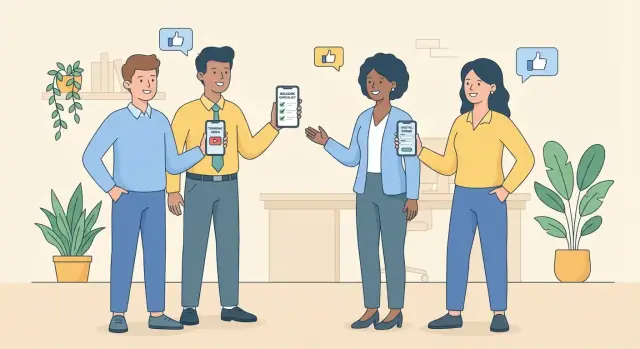
Why use a mobile app for employee onboarding
A mobile employee onboarding app turns onboarding from a scattered set of emails, PDFs, and reminders into a guided flow new hires can complete anywhere. Instead of hoping people find the right file or remember the next step, the app can show exactly what to do next—and confirm it’s done.
Problems a mobile onboarding app can solve
When onboarding lives across multiple tools, small gaps add up:
- Missed steps: forms don’t get signed, policies aren’t acknowledged, accounts aren’t requested on time.
- Slow paperwork: new hires wait for links, logins, or office-based access to complete basic tasks.
- Unclear expectations: people start day 1 unsure about schedules, first-week goals, or who to contact.
A well-designed app supports an HR onboarding workflow with checklists, reminders, and clear ownership (who approves what, and by when).
Who benefits (and how)
- New hires: a single place for their employee onboarding checklist app, schedules, key contacts, and training.
- HR: fewer manual follow-ups, clearer status tracking, and consistent onboarding across locations.
- Managers: less time answering repeat questions; easier to assign tasks and confirm completion.
- IT: structured requests for devices, access, and security setup instead of ad-hoc tickets.
- Compliance: auditable acknowledgements for policies and required training.
Outcomes worth aiming for
Set practical targets such as fewer day-1 “where do I find…” questions, faster time-to-productivity, higher training completion rates, and fewer onboarding exceptions.
When a mobile app is (and isn’t) the right fit
A mobile app is a good fit for distributed teams, frontline roles without laptops, high-volume hiring, or when onboarding spans weeks.
If your pain is mainly “we already have tools but no one uses them,” you may get faster wins by simplifying existing processes first—then adding mobile to make the experience frictionless.
Define goals, users, and the onboarding journey
Before you talk features or technology, get clear on who the app is for and what “good onboarding” means in your company. A mobile onboarding app fails most often when it tries to serve everyone with the same flow.
Identify the target users
Start by listing primary user groups and what each needs in the first few weeks:
- New hires: clear next steps, schedules, required documents, training, and quick answers.
- Managers: visibility into progress, prompts for key check-ins, and role-specific setup tasks.
- HR admins: content management, policy acknowledgements, compliance tracking, and reporting.
- Buddies/mentors: lightweight reminders, introductions, and suggested touchpoints.
Write 2–3 core scenarios per user (e.g., “New hire completes pre-boarding paperwork on the train” or “Manager confirms equipment is ready before Day 1”). These scenarios guide decisions later.
Map the onboarding phases
Break onboarding into phases so the app can deliver the right content at the right time:
- Pre-boarding: paperwork, basic introductions, account setup status, what to expect.
- Day 1: agenda, office/remote logistics, team intros, essential policies.
- First week: role basics, tools training, first deliverables, key meetings.
- First 30/60/90 days: goals, feedback loops, deeper training, performance expectations.
For each phase, list must-have tasks and information. Keep tasks specific and verifiable (e.g., “Sign code of conduct” vs. “Read policies”).
Set success metrics early
Define how you’ll measure success from the start:
- Completion rate by phase and by role
- Time to complete critical tasks (e.g., payroll, security training)
- Satisfaction score (quick in-app pulse surveys after key milestones)
These metrics become your baseline for pilots and ongoing improvements. If you need a simple structure, adapt an employee onboarding checklist app format and align it to your HR onboarding workflow (see /blog/onboarding-checklist).
Decide the core features (MVP)
An onboarding app can quickly turn into “everything HR ever wanted in one place.” For an MVP, focus on the minimum set of features that gets a new hire from offer accepted to productive in week one, without extra complexity.
Start with one clear MVP outcome
Pick a measurable outcome such as “new hires complete paperwork and first-week training before day 3” or “managers can track onboarding progress in one screen.” This keeps feature decisions grounded and prevents scope creep.
Core MVP features to include
Your first release should typically cover these building blocks:
- Employee profile basics and job details: name, start date, role, location, manager, team, equipment needs, and key dates. Keep it editable by HR/admins and read-only for most others.
- Task checklist with due dates and ownership (HR vs manager vs employee): the checklist is the heart of the MVP. Each task should have an owner, a due date, a short instruction, and a simple status (not started / in progress / done). Make overdue items obvious.
- Document collection and e-signature needs (if applicable): support uploading photos/PDFs, tracking what’s missing, and confirming completion. If e-signatures are required, include only the critical documents in MVP and store audit trails (who signed, when, and which version).
- Training modules and quizzes: lightweight lessons (video, PDF, short article) plus quick checks (3–5 questions). Prioritize training needed for compliance, safety, or day-one productivity.
- Directory, org chart, and key contacts: a simple “who to ask” section reduces anxiety and message overload. Include HR, IT helpdesk, manager, buddy, and team members.
What to postpone to later versions
Save advanced features—chat, social feeds, complex workflows, custom role-based journeys, deep analytics dashboards—for after you validate the basics. If you need metrics early, track just a few: checklist completion rate, time-to-complete, and training completion.
A good MVP feels small, but it should feel complete for the new hire’s first weeks.
Plan data sources, integrations, and architecture
A mobile employee onboarding app rarely lives on its own. Most of the “truth” (employee records, org structure, policies, training status) already exists in other tools. Good architecture keeps data reliable, reduces manual work for HR, and prevents conflicting information.
Map your systems of record
Start by listing what your app needs to display or collect (e.g., personal details, start date, manager, required trainings, equipment requests). For each item, decide the system of record:
- HRIS for employee profiles, org charts, employment status
- Payroll for tax and bank details (often better kept out of the onboarding app)
- Identity provider (SSO) for sign-in and access control
- Calendar for orientation sessions and first-week schedules
- LMS for training modules and completion tracking
- Ticketing/ITSM for laptop, accounts, badge, and workspace requests
A simple rule: don’t duplicate sensitive or frequently changing data unless you have a clear reason. Instead, pull it when needed via APIs, and store only what the app uniquely owns (e.g., onboarding task state, acknowledgements, checklists).
Decide what lives in the app
Keep in-app storage focused on:
- Task progress and timestamps
- Content progress (what was read/watched)
- Digital acknowledgements (policy receipt)
For sensitive fields (SSN, bank account), prefer deep links or handoff to existing secure flows rather than rebuilding them.
Plan for offline and low connectivity
New hires may use the app on a commute or in buildings with weak reception. Cache essentials like the first-day agenda, office map, key contacts, and previously opened documents. Queue actions (e.g., checklist updates) and sync when connectivity returns.
Environments and release safety
Set up dev, staging, and production environments early. Staging should mirror production integrations so you can test SSO, HRIS sync, and notifications without affecting real employee data. This also makes pilot programs safer and faster to iterate.
Design the onboarding experience for mobile
Mobile onboarding works best when it respects how people actually use a phone: quick, frequent check-ins between meetings, during commutes, or while waiting for IT access. Your design goal is to reduce friction and help new hires feel progress every time they open the app.
Keep navigation predictable
Aim for a small set of primary destinations that are always easy to find:
- Today: what matters right now (next step, upcoming task, reminders)
- Checklist: all tasks with clear status and deadlines
- Learn: bite-sized training and “how we work” materials
- Forms: anything to read, sign, or submit
- Help: FAQs, contacts, and “what do I do if…?”
A consistent bottom navigation and a prominent “Resume where I left off” pattern prevent users from getting lost.
Use plain language (not internal jargon)
New hires don’t know your acronyms, team names, or tool nicknames. Label tasks with what the person needs to do, not what your HR team calls it. For example, “Set up your work email” is clearer than “Provision O365.” Add short explanations under task titles when context matters.
Build in accessibility from day one
Use readable font sizes, strong contrast, and large touch targets. Provide captions for videos and avoid conveying meaning by color alone (e.g., pair color with icons and text like “Overdue”). Accessibility improvements usually make the app easier for everyone, especially under time pressure.
Personalize the path
Don’t show every checklist item to every employee. Filter tasks and content by role, location, start date, employment type, and department. The app should feel like a guided journey, not a dumping ground.
Design for 1–3 minute sessions
Break training into small modules, allow save-and-return on forms, and provide offline-friendly reading where possible. Each screen should answer one question: What should I do next, and how long will it take?
Create and manage onboarding content at scale
A mobile onboarding app only stays useful if the content stays current. The goal is to make updating policies, training, and checklists easy for HR—without turning every change into a product release.
Admin tools that prevent chaos
Plan an admin area (web-based is common) where HR and managers can build onboarding templates and assign them to people automatically. At minimum, support templates by:
- Role (e.g., Sales Rep vs. Warehouse Associate)
- Location (site-specific rules, maps, safety steps)
- Department (team tools, internal processes)
This helps you avoid one massive onboarding path that fits nobody.
Content types that work on phones
New hires learn in small chunks, often between meetings. Support a mix of:
- Short text modules (quick context, “what to do next”)
- PDFs (benefits guides, policy docs)
- Short videos (welcome message, safety demo)
- Links to internal pages like /handbook or a specific HR FAQ page
Make sure each item can be marked as “read/watched,” and consider adding a quick confirmation (e.g., “I understand”) where needed.
Versioning, approvals, and audit trail
Policies change. Training gets refreshed. Your app should track:
- Versions of each item (what changed, when)
- Approval workflow (draft → review → approved → published)
- Who approved what (useful for internal audits)
Also decide what happens when content updates mid-onboarding: do new hires automatically receive the latest version, or do you lock their assigned version for consistency?
Localization for multi-region teams
If you operate across regions, bake in localization early:
- Language variants per content item
- Region-specific policy packs (e.g., benefits, legal notices)
- Date/time, currency, and measurement formats
Ownership and update cadence
Set a simple model so content doesn’t rot:
- HR owns global policy modules and company-wide steps
- Department leads own role training and tools setup
- Site managers own local instructions and safety content
Document a review schedule (quarterly for training, immediately for policy changes) and assign a clear content owner for every module.
Pick the right tech stack and build approach
The best tech stack for a mobile employee onboarding app depends less on what’s trendy and more on what your HR team needs to run smoothly, securely, and with minimal maintenance.
Native vs. cross-platform: iOS/Android choices
If you need the most polished, platform-perfect experience (or heavy use of device features), native apps (Swift for iOS, Kotlin for Android) are a safe bet—but you’ll maintain two codebases.
For most onboarding use cases (checklists, content, forms, basic media, notifications), cross-platform is usually faster:
- React Native: strong ecosystem, web-like development speed.
- Flutter: consistent UI across devices, great performance and design control.
A practical rule: if your team already has JavaScript skills, React Native reduces ramp-up time; if you want a tightly controlled UI and a single toolkit, Flutter is often simpler.
Backend options: custom API vs. low-code/workflow tools
A custom backend (API + database) gives you flexibility for integrations, analytics, and long-term scale. It’s ideal when onboarding must sync with HRIS, identity systems, and compliance reporting.
A low-code/workflow tool can accelerate early releases, especially for approvals, task routing, and simple forms. The tradeoff is less control over complex integrations and data modeling.
If you want a middle path—moving fast without giving up ownership—vibe-coding platforms like Koder.ai can help teams prototype and ship an onboarding MVP via chat, then iterate with real users. For example, you can generate a React web admin panel plus a Go/PostgreSQL backend quickly, and (if needed) add a Flutter mobile client later—while still being able to export source code, use snapshots/rollback, and deploy with custom domains.
Authentication and device expectations
Plan authentication early, because it affects user setup and security reviews:
- SSO (SAML/OIDC) for internal hires; consider guest/temporary access for pre-start.
- MFA where required by policy.
- MDM/MAM support if employees use managed devices (common in larger orgs).
Push notifications (helpful, not spammy)
Use notifications for high-value moments: day-one reminders, missing documents, manager approvals, and time-sensitive trainings. Let users control frequency (e.g., daily digest vs. instant) and avoid nudging for every checklist item.
Build vs. buy: a quick decision checklist
Consider buying (or starting with a platform) if you need: fast launch, built-in content management, standard HR onboarding workflows, and predictable costs.
Build if you need: unique processes, deep integrations, custom reporting, or a branded experience that spans beyond onboarding.
In practice, many teams start with a rapid build approach for the first pilot—then decide whether to harden the MVP into a long-term internal product. (This is another place where Koder.ai can fit: you can validate the HR onboarding workflow end-to-end, then keep iterating or export the codebase into your existing engineering pipeline.)
Security, privacy, and compliance essentials
An onboarding app quickly becomes a container for highly sensitive information: identity details, employment documents, policy acknowledgments, and sometimes even payroll or benefits data. Treat security and privacy as product requirements from day one—not a final checklist before launch.
Collect less, keep it for less time
Start with data minimization: only collect what’s needed to complete onboarding and meet internal/legal obligations. Be explicit about why each data field exists.
Define retention rules early:
- What gets deleted automatically (e.g., incomplete applications after X days)
- What must be retained (e.g., signed acknowledgments)
- Who can request deletion or correction, and how
Role-based access that matches real workflows
Onboarding involves different audiences with different needs. Set clear roles and permissions:
- New hire: view tasks, upload documents, sign acknowledgments
- Manager: view progress, complete manager tasks, request follow-ups
- HR admin: manage templates, view and export required records
Avoid “everyone in HR can see everything.” Restrict access by team, location, or employee group when relevant.
Secure sessions, encryption, and storage
At a minimum:
- Encrypt data in transit (TLS/HTTPS) and at rest (database and file storage)
- Use secure authentication (SSO where possible), short-lived tokens, and automatic session timeouts
- Protect documents with secure storage and controlled download/sharing (especially on shared devices)
Audit logs for sensitive actions
Create audit trails for actions that matter, such as:
- Document uploads and downloads
- Policy acknowledgments and signature events
- Changes to onboarding checklists, due dates, or assigned tasks
Audit logs help with investigations, compliance reviews, and internal accountability.
Compliance: align with legal and IT early
Requirements vary by company, country, and industry. Review with legal/IT:
- Privacy rules (e.g., GDPR/CCPA where applicable)
- Employment record retention and e-signature validity
- Vendor and data processing agreements if third parties are involved
- Mobile device policies (BYOD vs managed devices) and breach response procedures
If you need a quick way to operationalize this, add a “Security & compliance review” gate to your release checklist before any pilot.
Prototype, test, and run a pilot
A pilot is where your onboarding app stops being a set of screens and starts proving it can support real new hires. The goal isn’t perfection—it’s validating the most important tasks end-to-end with a small, realistic group.
Start with a focused pilot group
Begin with one department, role type, or location. A smaller pilot makes it easier to observe patterns (what confuses people, where they drop off, what content feels irrelevant) without getting buried in edge cases.
Choose participants who represent the typical new-hire mix: different managers, shift patterns, and levels of tech comfort. Include at least one HR admin who will manage content and respond to issues.
Test the key onboarding flows (end-to-end)
During the pilot, prioritize the “must work” flows that make or break trust:
- Account setup and first login (including password reset)
- Checklist completion (marking tasks done, due dates, reminders)
- Training playback (video/LMS content loading, resuming progress)
- Form submission (tax/policy acknowledgements, signatures, uploads)
Run these flows as real scenarios, not demos. For example: “Complete your first-week checklist from home on a spotty connection.”
Device and OS coverage
Test across common phones and OS versions used in your company (including older devices if they’re still in circulation). Pay attention to:
- Notification delivery and timing
- Offline/poor network behavior
- Readability (font size, contrast) and one-handed use
Collect feedback quickly—and act on it
Use in-app prompts at natural moments (after finishing a checklist or a training module) and keep surveys short. Combine qualitative feedback (“what felt unclear?”) with simple metrics (time to complete tasks, error rates).
Fix usability issues and refine content before expanding the pilot so the broader launch starts with a confident, consistent experience.
Launch and drive adoption
A great onboarding app only works if new hires, managers, and HR actually use it. Treat launch like a change-management project: clear messaging, easy first steps, and ongoing nudges.
Choose the right distribution path
How you ship the app depends on company policy and device strategy.
- App stores (public or private store listings): works well when employees use personal devices (BYOD) and you’re comfortable with standard store update cycles.
- Internal distribution via MDM (Mobile Device Management): best for company-owned devices, stricter security requirements, and silent installs/updates. It also helps enforce settings like passcodes, OS versions, and app access.
Whichever path you choose, make installation frictionless: one link, minimal steps, and a simple first-login flow.
Build a launch plan people will notice
Coordinate a short campaign rather than a single email:
- Announcement: what the app does, who it’s for, and what to do first (e.g., “Complete your Day 1 checklist”).
- Manager enablement: give managers a one-page script and expectations (e.g., “Confirm your new hire completed the first 3 tasks by end of week”).
- Quick-start guide: a short PDF or page inside the app with 3–5 screenshots and FAQs.
Put support inside the app
New hires often won’t know who to ask. Include:
- A searchable FAQ
- “Contact HR” (email, chat, or ticket link)
- Links to /support or /help-center for common issues (login, permissions, document upload)
Train HR and admins for self-serve updates
Run a short enablement session covering templates, publishing workflows, and basic reporting. The goal: HR can update content and track progress without waiting on developers.
Use adoption tactics that feel helpful
Drive completion with small, timely prompts:
- Buddy prompts (introduce a buddy and suggest a first check-in)
- Manager nudges when tasks are overdue
- Timed reminders aligned to Day 1, Week 1, and Month 1 milestones
Keep notifications purposeful—too many and people will turn them off.
Measure success and improve over time
If you don’t measure onboarding, you end up guessing what “good” looks like. A mobile employee onboarding app gives you a clean way to see where new hires get stuck, which content actually helps, and what HR teams can stop doing manually.
Track the onboarding funnel (and fix drop-offs)
Start with a simple funnel that mirrors your onboarding journey:
Invite accepted → first login → tasks completed → onboarding finished
Look for the biggest fall-off point.
- If many people accept the invite but don’t log in, your first-day instructions may be unclear.
- If they log in but don’t complete tasks, you may have too many steps, confusing task wording, or tasks that require access they don’t have yet.
Measure content performance, not just completion
Completion alone can be misleading. Track signals that show whether the content is being consumed and understood:
- Video completion rates (where viewers drop off)
- Quiz results (which questions are missed most)
- Most-opened pages and repeated views (often a sign of confusion)
Use this to refine onboarding content and training: shorten videos that lose viewers early, rewrite policies that get re-opened repeatedly, and adjust quizzes to reinforce the right knowledge.
Watch operational metrics that impact HR workload
A good new hire onboarding mobile flow should reduce back-and-forth. Track:
- Support tickets and common questions during week 1
- Time saved on manual follow-ups (chasing forms, nudging managers)
If you still see lots of “how do I…?” tickets, add a quick FAQ module or improve in-app search rather than adding more tasks.
Build feedback loops with new hires and managers
Numbers show where issues happen; people explain why. Add a short pulse survey at key moments (end of day 1, end of week 1, end of onboarding) and ask managers one or two questions about readiness and gaps.
Plan iterations as a routine
Treat your employee onboarding checklist app like a living product:
- Monthly content review (policies, links, org charts, tool instructions)
- Quarterly feature updates based on recurring friction (reminders, offline access, better analytics)
This cadence keeps your HR onboarding workflow accurate while steadily improving the experience for every new cohort.
Common pitfalls and how to avoid them
Even well-designed onboarding apps can fail if the rollout prioritizes shipping features over how people actually onboard. These are common traps—and practical ways to avoid them.
Overloading new hires on day 1
A mobile onboarding app makes it easy to publish a lot of content, but that doesn’t mean new hires should consume it immediately.
Avoid it by breaking onboarding into a timed journey: day 1 essentials (access, safety, key contacts), week 1 (team context, role basics), and month 1 (deeper training). Use short modules, estimated time-to-complete labels, and save-for-later options. If your app supports it, schedule nudges rather than dumping a full library in the first session.
One-size-fits-all checklists
Generic checklists frustrate employees (“not relevant”), managers (“why am I seeing this?”), and HR (“why isn’t anyone completing it?”).
Avoid it with role- and location-based paths. Start with a small set of onboarding templates (e.g., office vs. remote; engineering vs. sales), then personalize using simple rules: department, country, employment type, start date, and required compliance items. Keep a short universal core, then add conditional tasks.
Poor integration and duplicate data entry
If the app asks for information that already exists in your HRIS or payroll system, people will abandon it—and HR will distrust the data.
Avoid it by deciding early what the app is the system of record for. Pre-fill profiles from existing systems, and only collect what’s missing. Test integrations using real onboarding scenarios (name changes, international addresses, manager reassignment) before launch.
Ignoring managers’ tasks (making onboarding “HR-only”)
Many onboarding outcomes depend on the manager: first-week plan, introductions, equipment readiness, and early feedback.
Avoid it by giving managers a dedicated checklist, reminders, and visibility into new hire progress. Make key moments explicit (schedule 1:1s, assign a buddy, confirm access). If managers don’t use the app, adoption usually stalls.
No clear ownership for keeping content up to date
Outdated policies and stale links destroy credibility quickly.
Avoid it with content ownership and review cadences. Assign each policy/module an owner, a review date, and a simple approval flow. Track “last updated” in-app so users can trust what they’re reading.
FAQ
When is a mobile onboarding app the right fit (and when is it not)?
A mobile onboarding app is usually worth it when onboarding spans multiple weeks, you hire at volume, your workforce is distributed/frontline, or new hires don’t reliably have laptops on day 1.
If the core problem is low adoption of existing tools, simplify the process first (fewer steps, clearer owners), then add mobile to reduce friction.
What’s a good MVP goal for an employee onboarding app?
Start with a single measurable outcome for the first release, such as:
- Paperwork + required training completed by day 3
- Managers can see onboarding status in one screen
- Fewer week-1 “where do I find…?” questions
Tie every MVP feature to that outcome to avoid scope creep.
What core features should an onboarding app MVP include?
A practical MVP typically includes:
- Role-based checklist with owners, due dates, and simple statuses
- Document upload (and e-sign where truly required)
- Training modules with quick quizzes
- Key contacts/directory (HR, IT, manager, buddy)
- A “Today” view to show the next best action
Keep it complete for the first week, not “everything HR wants.”
How do we avoid duplicate data entry across HRIS, LMS, and IT tools?
Use a clear rule: decide what system is the source of truth for each data type.
- HRIS: profile, org structure, status
- IdP/SSO: authentication and access
- LMS: training completion
- ITSM: equipment/account requests
Avoid duplicating sensitive or frequently changing data; store what the app uniquely owns (task progress, acknowledgements, timestamps).
How should the app handle offline or low-connectivity situations?
Cache essentials (agenda, key contacts, previously opened docs) and support queued actions.
Common offline-friendly patterns:
- Read-only access to day-1 info and contacts
- Save-and-resume forms
- Sync checklist updates when the network returns
Test low-connectivity scenarios during the pilot, not after launch.
How do we manage onboarding content at scale without constant app releases?
Create role-based templates and keep content phone-friendly.
Practical CMS/admin capabilities:
- Templates by role/location/department
- Mark items as read/watched
- Simple versioning + approvals for policies
- Clear content owners and review cadence
This prevents a single bloated checklist that fits nobody.
Should we build native iOS/Android apps or use React Native/Flutter?
Cross-platform is often enough for onboarding (checklists, forms, content, notifications).
- Choose React Native if your team is strong in JavaScript and wants speed.
- Choose Flutter if you want consistent UI control and a single toolkit.
Go native when you need highly platform-specific behaviors or heavy device integrations.
What security and privacy controls are essential for onboarding apps?
Minimum baseline:
- TLS in transit and encryption at rest
- Role-based access (new hire vs manager vs HR admin)
- Secure document storage with controlled sharing/downloads
- Audit logs for acknowledgements, uploads, and checklist changes
Also apply data minimization: don’t store payroll/SSN-like fields if you can hand off to existing secure systems.
How should we run a pilot for a mobile onboarding app?
Keep the pilot small but realistic, and validate end-to-end flows:
- First login (including resets)
- Checklist completion with reminders
- Training playback and resume
- Uploads/signatures and audit trails
Include multiple device types/OS versions and at least one HR admin who will actually manage templates and content.
What metrics should we track to measure onboarding app success?
Track a simple funnel and a few operational metrics:
- Invite accepted → first login → tasks completed → onboarding finished
- Time-to-complete critical steps (payroll, security training)
- Training completion and quiz misses
- Week-1 support ticket volume and top questions
Use results to shorten confusing content, refine templates, and fix the biggest drop-off before scaling.