

Build a Mobile App From Idea to App Store Using AI Code
A step-by-step guide to turn an app idea into an iOS/Android release using AI-generated code, with clear choices for tools, testing, and app store submission.
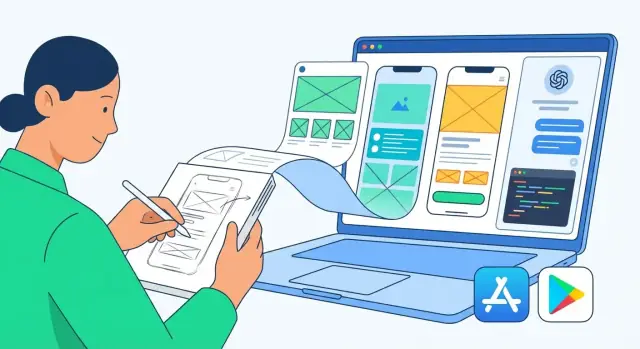
Start With a Clear App Idea and a Narrow MVP
A good AI-assisted build starts before you open a code editor. If your idea is fuzzy, AI will happily generate lots of screens and features that don’t move the needle. Your job is to give it a clear target.
Define the problem (one sentence)
Write one sentence that includes who the app is for and what pain it removes. Keep it specific enough that a stranger can picture it.
Example template:
“Help [type of user] [do a job] by [removing a common friction].”
Example:
“Help freelance designers send invoices in under 60 seconds by saving client details and reusing templates.”
Write 3–5 user stories
User stories describe actions, not features. They keep your MVP grounded in real behavior.
- As a user, I can create an account so my data syncs across devices.
- As a user, I can add a client with name and email so I can invoice them.
- As a user, I can generate an invoice from a template so I don’t retype details.
- As a user, I can share the invoice as a PDF so I can send it quickly.
Must-have vs nice-to-have (first release)
Your first release should prove the core value with the fewest moving parts. Split your ideas into two buckets:
- Must-have: the minimum steps to deliver the main outcome.
- Nice-to-have: anything that improves convenience, appearance, automation, or scale.
A quick rule: if you can remove it and the app still solves the main problem, it’s not must-have.
Pick one success metric
Choose a single measurable result that tells you the MVP is working. Examples:
- Sign-ups per day (for consumer apps)
- Orders completed (for commerce)
- Time saved per task (for productivity)
You’ll use this metric later to decide what to build next—and what to ignore.
Choose Your Platform and Tech Stack (Simple Criteria)
Before you ask AI to generate screens or code, decide where the app will run and what tools will build it. This keeps prompts focused and prevents you from ending up with code that doesn’t match your real constraints.
1) Pick iOS, Android, or both (based on your users)
Start with the simplest question: Where are your users today?
- iOS-first: common for paid apps, U.S./Western Europe audiences, and products targeting creators or professionals.
- Android-first: often best for broader global reach and price-sensitive markets.
- Both: ideal when your app depends on network effects (marketplaces, social features) or you’re validating a universal need.
If you’re unsure, look at your existing signals: website analytics, an email list, customer interviews, or even a short signup form asking for device type.
2) Native vs cross-platform (what to choose when)
For most MVPs, cross-platform gives you the fastest path.
-
Cross-platform (recommended for MVPs)
- Flutter: consistent UI across devices, strong performance, great if you like a “design system” approach.
- React Native: great if you (or AI) can leverage web/JavaScript knowledge, and you want flexibility with libraries.
-
Native (Swift/Kotlin)
Choose native if you rely heavily on platform-specific features (advanced camera pipelines, complex Bluetooth, high-performance animations), or if you have an existing native team.
3) Decide your backend level (none, simple, or full)
Your tech stack should match your data needs:
- No backend: calculators, guided content, offline tools. Fastest and simplest.
- Simple database + auth: user accounts, saved items, basic sync.
- Full API: payments, complex business logic, integrations with other systems.
4) Be honest about constraints
Write down four constraints and keep them in every AI prompt: budget, timeline, your coding comfort level, and maintenance expectations (who fixes bugs next month?). This single step prevents “cool demo code” that’s hard to ship.
If you want a more “guided” workflow than stitching together prompts in multiple tools, a vibe-coding platform like Koder.ai can help keep these constraints attached to the build. You describe the goal in chat, iterate screen-by-screen, and still retain control via source code export when you’re ready to move the project into your own repo.
Design the User Flow and Basic Screens
Before you ask AI to generate code, give it something concrete to build. A simple user flow and a small set of screens keep the project focused, reduce rework, and make your prompts much clearer.
Draft 5–10 core screens (paper or Figma)
Start with the few screens a user must touch to get value—no more than 5–10 for an MVP. You can sketch on paper, use a whiteboard, or create quick frames in Figma.
Typical MVP screen set:
- Welcome / onboarding (optional)
- Sign in / sign up (if needed)
- Home (the “hub”)
- Primary task screen (where the main action happens)
- Details screen (for a single item)
- Create / edit screen
- Settings (minimal)
Give each screen a one-sentence purpose, like: “Home shows the user’s projects and a button to create a new one.”
Map the main flow from first open to success
Write the “happy path” as a sequence:
- Open app → 2) (Optional) sign in → 3) land on Home → 4) create/view an item → 5) see success confirmation.
Add a second mini-flow for returning users: “Open app → see last state instantly → continue.” This helps you and the AI prioritize navigation and default states.
Create a basic data model
List what information you store and where it appears. Keep it simple:
- Entities (e.g., User, Project, Task)
- Key fields (name, status, createdAt)
- Relationships (a Project has many Tasks)
This becomes the foundation for lists, detail screens, and forms.
Identify edge cases early
For each screen, note:
- Empty states (no items yet)
- Errors (invalid input, server failure)
- Offline behavior (read-only? cached?)
- Slow network (loading indicators, retry)
These notes prevent “demo-only” UI and make your first AI-built version feel real.
Prepare Prompts and a Lightweight App Spec
AI-generated code improves dramatically when you give it a “small but complete” spec. Think of this as a one-page brief that removes ambiguity and keeps outputs consistent across screens.
A lightweight app spec the AI can follow
Keep it short, but specific. Include:
- Goal & primary user: what problem you solve and for whom
- Core features (MVP only): 3–6 bullets
- Screens: list each screen with its purpose and main UI elements
- Data model: the few objects you store (e.g., User, Task, Note) with fields
- Key flows: sign-in, create/edit, search, payments—whatever applies
- Constraints: offline/online, supported devices, accessibility needs
If you want something you can paste repeatedly, use a compact template:
App: <name>
Goal: <one sentence>
Users: <who>
MVP features:
1) ...
Screens:
- Home: ...
- Detail: ...
Data:
- <Entity>: field(type), ...
Rules:
- Validation: ...
- Empty states: ...
Out of scope: ...
Tip: if you’re using a chat-first builder like Koder.ai, treat this template as your “planning mode” input. A shared, repeatable spec is what keeps an AI-driven build consistent across sessions (and across different contributors).
Define coding rules upfront
Set expectations once so the AI doesn’t reinvent structure each time:
- Naming & formatting: e.g., camelCase variables, PascalCase components
- Folder structure: where screens, components, services, and models live
- State & navigation conventions: how data passes between screens
- Error handling: how to show errors and log exceptions
Ask for incremental outputs (one module at a time)
Instead of “build the whole app,” request: one screen + navigation + minimal mock data. Then iterate: refine UI, connect real data, add edge cases. You’ll review faster and avoid tangled changes.
Keep a running “context” doc
Maintain a single note you reuse in prompts: app spec, coding rules, decisions made, and current file tree. Paste it at the top of each request so the AI stays consistent—even across separate sessions.
Generate the First Working App With AI (UI + Navigation)
Your goal in this step is simple: get a “tap-through” app running on a real device or emulator, even if the data is fake. A working shell builds momentum and reveals what’s missing.
1) Ask AI to set up the project structure (and sanity-check it)
Start by prompting for a clean starter project in your chosen framework (Flutter or React Native), including:
- A predictable folder structure (screens, components, services, assets)
- Basic routing/navigation setup
- Core dependencies (navigation, form handling, HTTP client)
Then verify what the AI suggests against official docs. AI is great at scaffolding, but versions and package names change.
If you want scaffolding plus a faster path to something deployable, Koder.ai can generate the first working shell (front end + backend) from chat and keep it runnable as you iterate—useful when you want momentum without spending a day on initial wiring.
2) Generate screens one at a time and wire navigation immediately
Prompt screen-by-screen, not “build the entire app.” For each screen, ask for:
- UI layout
- Loading/empty/error states (even if mocked)
- A navigation action (e.g., “Continue” goes to the next screen)
This keeps you in control and makes debugging easier. After each screen is generated, run the app and click through the flow before moving on.
3) Use reusable components for consistency
Ask AI to create a small component set early—then reuse it everywhere:
- Primary/secondary buttons
- Text inputs with validation hints
- Card/list row components
This prevents the “every screen looks different” problem and speeds up future iterations.
4) Store secrets safely (never ship API keys)
Tell AI explicitly: do not hardcode API keys in the app. Use environment variables, build-time config, or secure storage. If you need a backend API key, keep it server-side and expose only safe endpoints to the mobile app.
If you later connect real services, you’ll be glad your foundation is clean.
Add Data, Authentication, and Backend Integration
Once your UI and navigation work, the next step is giving the app a “source of truth”: real data, real accounts, and reliable network calls. This is also where AI-generated code can save time—if you guide it with clear contracts.
Pick a backend path (keep it boring)
For most MVPs, choose one of these:
- Firebase (fast setup, great auth, real-time database options)
- Supabase (Postgres + auth + storage, feels closer to a traditional backend)
- Your own API (if you already have a server or need custom business logic)
A simple rule: if your app needs users, a few tables, and file uploads, Firebase/Supabase is usually enough. If you have existing systems to connect to, use your own API.
If you’re building full-stack from scratch, it also helps to standardize your stack early. For example, Koder.ai commonly generates web apps in React, backends in Go, and PostgreSQL as the database—solid defaults for an MVP that you can later scale and export as source code.
Use AI to draft the data model and auth flow
Give your AI tool a short “data spec” and ask for:
- Database tables/collections (with field types and constraints)
- The authentication flow (sign up, sign in, password reset, sign out)
- Basic security rules (who can read/write what)
- App-side code for API calls and data mapping
Example prompt to paste:
We use Supabase.
Entities: UserProfile(id, name, email, created_at), Task(id, user_id, title, due_date, done).
Rules: users can only access their own tasks.
Generate: SQL tables, RLS policies, and client code for list/create/update tasks.
Then review what it generates. Look for missing indexes, unclear field names, and any “admin access” shortcuts that shouldn’t ship.
Handle failure like a real app
Network calls fail often. Ask AI to implement:
- Input validation (required fields, email format, length limits)
- Timeouts and retries (with a clear “Try again” message)
- Empty states (no data yet) and error states (bad data, permission denied)
- Safe parsing (don’t crash when a field is missing)
Small UX detail: show a loading indicator, but also allow cancel/back so the app doesn’t feel stuck.
Lock down contracts so the app stays stable
Whether you use Firebase, Supabase, or your own API, document the “data contract”:
- Endpoint names (or table names), request/response examples
- Required vs optional fields
- Error codes/messages you expect
Store this in a short README in your repo. When you later ask AI to add features, you can paste the contract back in—so new code stays compatible instead of subtly breaking existing screens.
Test What Matters: Quality, Devices, and Edge Cases
AI can generate a lot of code quickly—but speed only helps if the app behaves correctly on real phones, with real users, and real “weird” inputs. Your goal isn’t to test everything. It’s to test what would break trust: crashes, blocked core flows, and obvious UI failures.
Start with a “must-not-break” checklist
Pick 3–5 core actions users must be able to complete (for example: sign up, log in, create an item, pay, or send a message). Treat these as your release gate. If any of these fail, you don’t ship.
Use AI to generate unit tests for key logic
Ask your AI tool to write unit tests around logic that’s easy to get subtly wrong:
- Input validation (email, password rules, required fields)
- Price calculations, totals, taxes, discounts
- Date/time logic (time zones, “due today” edge cases)
If a test fails, don’t just regenerate code blindly—have the AI explain why the test failed and propose the smallest safe fix.
Add integration tests for core flows
Unit tests won’t catch broken navigation or API wiring. Add a few integration tests that mimic real behavior, such as:
- Login + logout
- Checkout/payment confirmation (even against a test environment)
- Your app’s primary “happy path” from open → complete action
Test on real devices and screen sizes
Emulators are helpful, but real devices catch the issues users complain about: slow startup, keyboard overlap, camera permissions, flaky network.
Test at minimum:
- One small screen and one large screen
- iOS and Android (if you support both)
- Dark mode, poor connectivity, and airplane-mode recovery
Maintain a bug list and fix in priority order
Keep a simple list with: steps to reproduce, expected vs actual result, device/OS, and screenshots.
Fix in this order:
- Crashes and data loss
- Broken core flows (can’t log in, can’t pay)
- Visual issues that block use (buttons off-screen)
- Nice-to-haves (spacing, minor copy)
This discipline is what turns AI-generated code into a shippable app.
Security, Privacy, and Compliance Essentials
AI can help you ship faster, but it can also generate unsafe defaults: hardcoded keys, overly broad permissions, verbose logging, or insecure storage. Treat security and privacy as “release blockers,” even for a small MVP.
Review AI-generated code for the basics
Start with a quick pass through anything related to authentication, data storage, networking, and logging.
- Auth: Prefer proven providers (Firebase Auth, Auth0, Sign in with Apple/Google). Avoid rolling your own password system. Ensure tokens are refreshed properly and never stored in plain text.
- Storage: Don’t put secrets (API keys, tokens) in local preferences or source code. Use platform secure storage (Keychain/Keystore) where appropriate.
- Logs: Remove debug logs that might include emails, tokens, location, or request bodies. Keep production logs minimal and sanitized.
Collect less data (it’s the easiest win)
Only ask for personal data you truly need for the core feature. If your app can work without contacts, precise location, or background tracking—don’t request those permissions. Data minimization reduces risk, shortens your compliance burden, and makes store review smoother.
Privacy policy and in-app disclosures
At minimum, have a clear privacy policy link in your settings screen and store listing. If you collect personal data (email, analytics identifiers, crash reports) or track across apps/sites, add clear in-app disclosure where needed.
A simple pattern:
- Settings → Privacy Policy (/privacy)
- Settings → Delete Account / Delete Data (if you store user data)
Dependencies, updates, and scanning
AI often pulls in libraries quickly—sometimes old ones. Add dependency scanning (e.g., GitHub Dependabot) and schedule regular updates. When you upgrade, re-run your core flows (sign-in, payments, offline, onboarding).
Quick compliance reality check
If you have users in regulated regions, you may need basics like consent prompts (where required), a way to delete/export data, and accurate store “data safety” disclosures. When in doubt, document what you collect and why—then make your app match that description.
If data residency matters (for example, you need to run workloads in a specific country), decide that early because it affects hosting and third-party services. Platforms like Koder.ai run on AWS globally and can deploy apps in different regions, which can simplify compliance planning for international launches.
Polish: Performance, Accessibility, and UX Details
A first working build is a milestone—but polish is what makes people keep the app installed. Use AI to speed up the checklist work (copy suggestions, edge-case screens, performance hints), then verify changes on real devices.
Performance: make “fast” feel obvious
Focus on the moments users notice most: app launch, first screen render, scrolling, and saving actions.
Optimize startup time by removing unused libraries, delaying non-essential work until after the first screen, and caching what you can (like the last viewed items). Keep images lightweight: export at the right dimensions, use modern formats when supported, and lazy-load images below the fold.
Watch your API usage. Batch requests when possible, add simple debouncing (so you don’t spam the server while someone types), and show progress indicators for slower calls. If you use AI-generated code, ask it to point out “expensive” UI rebuilds and suggest small refactors rather than big rewrites.
Accessibility: reduce friction for everyone
Make text readable (respect system font size), ensure good color contrast, and keep tap targets comfortably sized. Add accessible labels for icons and buttons so screen readers can describe actions clearly.
A practical rule: if an action is represented only by an icon, add a text label or an accessibility description.
UX details: errors, empty states, and clarity
Create clear error messages that say what happened and what to do next (“Couldn’t save. Check your connection and try again.”). Avoid blaming the user.
Empty states should be helpful, not blank: explain what the screen is for and offer a next step (“No projects yet—create your first one”). AI is great at drafting microcopy variations—just keep your tone consistent.
Analytics (with consent)
Add a small set of events for key actions (sign up, first success action, purchase/upgrade, share). Keep it minimal and document what you track. Where required, make it opt-in and reflect it in your privacy details.
If you want a reusable QA checklist for this phase, link it in your team docs or a simple internal page like /blog/app-polish-checklist.
App Store Assets and Store Listing Copy With AI
Your app can work perfectly and still struggle if the store listing feels unclear. AI is useful here because it can quickly generate multiple options—then you choose and refine the best one.
Generate store copy (and variations) with one prompt
Ask AI for several distinct angles: problem-first, benefit-first, and feature-first. Keep the tone consistent with your audience and your app’s actual capabilities.
Create 5 app name ideas (max 30 chars), 5 subtitles (max 30 chars),
1 short description (80–100 chars), and 1 full description (up to 4,000 chars).
App: [what it does]
Audience: [who it’s for]
Top 3 benefits: [list]
Top 5 features: [list]
Avoid claims about medical/financial guarantees. Include a clear privacy note.
Also suggest 20 keywords (single words/short phrases).
Then: remove jargon, replace vague promises (“boost productivity”) with specific outcomes, and ensure every feature mentioned exists in your MVP.
Screenshots, preview images, and layout
AI can help you plan a screenshot story: 5–8 screens that show the main flow, each with a short caption. Draft captions in multiple styles (minimal, playful, direct), and keep them readable on small phones.
Don’t let AI guess platform rules—confirm the exact sizes and counts in App Store Connect and Google Play Console, then generate text that fits.
Icons, launch screens, and support details
Use AI to brainstorm icon concepts and color directions, but keep the final icon simple and recognizable at small sizes.
Finally, prepare store-required contact points:
- A support URL (even a simple /support page)
- A contact email (e.g., [email protected])
- A short privacy explanation that matches your in-app behavior (link /privacy)
Treat AI output as drafts. Your job is to make it accurate, compliant, and consistent with the app users will actually download.
Submit to the App Store and Google Play (Step-by-Step)
Submission is mostly paperwork plus a few “gotchas” around signing and review rules. Treat it like a checklist-driven release, not a last-minute push.
1) Finalize identifiers, signing, and release builds
Create (or confirm) your app’s unique identifiers early:
- iOS: Bundle ID, App ID, and signing (Certificates + Profiles) in Apple Developer.
- Android: Application ID (package name) and a keystore you’ll keep forever.
Then build the correct artifacts:
- iOS: Release build (archive) for TestFlight/App Store.
- Android: AAB (Android App Bundle) for Play.
Common failure point: mixing debug settings into release (wrong API endpoints, logging, or permissions). Double-check your release configuration before uploading.
2) Upload to testing tracks first (don’t skip)
Use the official pre-release channels to catch device-specific issues:
- TestFlight (App Store Connect): internal testers, then external testers if needed.
- Play Console testing: internal/closed/open testing tracks.
Aim to run at least one full “happy path” plus account creation/login, payments (if any), and offline/edge cases on real devices.
3) Prepare versioning and release notes
Pick a simple versioning strategy and stick to it:
- Version (user-facing): e.g., 1.0, 1.1
- Build number (upload counter): increment every upload
Write release notes that match what changed. If you use AI to draft them, verify accuracy—stores dislike vague or misleading notes.
4) Submit and avoid common rejection reasons
Before you press “Submit for Review,” scan Apple and Google guidelines for the most frequent issues:
- Missing privacy disclosures (data collection, tracking, SDKs)
- Misleading claims, incomplete features, or broken demo flows
- Permission prompts without clear user benefit
- Login required without a valid reason (Apple often expects access to core features)
- Crashes, placeholder content, or “template-like” apps
If review asks questions, respond with specifics (test account details, steps to reproduce, and what you changed in the next build).
After Launch: Monitor, Iterate, and Keep Improving
Launching isn’t the finish line—it’s when you finally get real-world data. The goal after release is simple: catch problems early, learn what users actually want, and ship small improvements on a steady rhythm.
Set up monitoring (so issues don’t surprise you)
Start with crash reporting and basic analytics on day one. Crash reports tell you what broke, on which device, and often why. Pair that with lightweight events (sign-up completed, purchase attempted, key screen viewed) so you can spot drop-offs without tracking everything.
Also monitor store reviews and support emails daily for the first 1–2 weeks. Early users are effectively your QA team—if you listen.
Turn feedback into an action list with AI
Raw feedback is messy: short reviews, emotional comments, duplicated complaints. Use AI to summarize and group feedback into themes like “login issues,” “confusing onboarding,” or “feature request: dark mode.”
A practical workflow:
- Export reviews and support messages weekly
- Ask AI to cluster them by topic and estimate frequency + severity
- Convert the top themes into clear tickets (“Fix: login stuck on loading on iOS 17”) with acceptance criteria
If you want better results, include context (app version, device, steps users mention) and ask for “probable root cause,” not just a summary.
Keep a simple update cycle
Avoid giant releases. A reliable cadence builds trust.
- Stabilize: quick fixes for crashes, broken flows, and confusing UX
- Improve: small feature enhancements that remove friction
- Expand: only after retention is solid, consider bigger features
Plan “patch releases” (fast) separately from “feature releases” (slower). Even if you use AI-generated code, keep changes small so you can pinpoint what caused a regression.
If you’re shipping frequently, features like snapshots and rollback (available in platforms such as Koder.ai) can be a practical safety net: you can experiment, test, and revert quickly without losing a known-good build.
Next steps
If you’re deciding how to budget tools and iterations, see /pricing.
For better prompting patterns and code review habits, continue with /blog/ai-coding-guide.
FAQ
How do I turn a vague app idea into a buildable MVP with AI?
Write a one-sentence problem statement that names who it’s for and what pain it removes, then turn that into 3–5 user stories (actions, not features).
Before building anything else, split features into must-have vs nice-to-have and pick one success metric (e.g., time saved per task) to guide tradeoffs.
How do I choose iOS, Android, or both for my first release?
Start where your users already are:
- iOS-first if your audience skews paid/professional (often U.S./Western Europe).
- Android-first for broad global reach and price-sensitive markets.
- Both when network effects matter (social, marketplace) or the need is universal.
If you’re unsure, collect a simple signal (analytics, interviews, or a signup form asking device type).
Should I build native or cross-platform for an AI-assisted MVP?
For most MVPs, cross-platform is the fastest:
- Flutter if you want consistent UI and strong performance.
- React Native if you want to leverage JavaScript/web libraries.
Choose native (Swift/Kotlin) when you rely heavily on platform-specific features (complex camera, Bluetooth, high-performance animations) or you already have a native team.
How do I decide whether I need a backend (and how much)?
Match the backend to your data needs:
- No backend for offline tools and simple utilities.
- Simple auth + database for accounts, saved data, and syncing.
- Full API for payments, complex logic, and integrations.
A practical rule: if you need users + a few tables + uploads, Firebase/Supabase is usually enough for an MVP.
What should I include in prompts so AI generates useful, consistent code?
Give it a “small but complete” spec:
- Goal + primary user
- MVP features (3–6 bullets)
- Screens with purpose + main UI elements
- Data model (entities + key fields)
- Key flows (sign-in, create/edit, etc.)
- Constraints (budget, timeline, devices, offline/online)
Keep a reusable context doc you paste into every prompt so the output stays consistent across sessions.
How do I use AI without ending up with a messy “one giant output” codebase?
Ask for incremental deliverables:
- One screen + navigation + minimal mock data
- Loading/empty/error states for that screen
- Then iterate (refine UI → connect real data → add edge cases)
Avoid “build the whole app” prompts; they tend to produce tangled code that’s hard to debug and change.
What’s the fastest way to get a first working app shell (UI + navigation)?
Get a tap-through app running early:
- Create a predictable folder structure (screens/components/services/models).
- Wire navigation immediately as each screen is built.
- Build a small reusable component set (buttons, inputs, rows/cards).
After each step, run the app and click the happy path before generating the next module.
How should I handle API keys and secrets in an AI-generated mobile app?
Don’t ship secrets in the app bundle:
- Never hardcode API keys or tokens.
- Use environment variables/build-time config for non-sensitive values.
- Keep sensitive keys server-side and expose only safe endpoints.
- Store user tokens in secure storage (Keychain/Keystore), not plain preferences.
If AI suggests hardcoding credentials “for convenience,” treat it as a release blocker.
What testing should I prioritize to make AI-generated code shippable?
Test what would break trust:
- Define a 3–5 item “must-not-break” checklist (signup/login, create item, payment, etc.).
- Use unit tests for brittle logic (validation, totals, date/time).
- Add a few integration tests for end-to-end flows (open → complete primary action).
- Test on real devices (small + large screens, dark mode, poor connectivity).
What are the most common app store submission pitfalls (and how do I avoid them)?
Common rejection triggers and fixes:
- Privacy gaps: add a clear Privacy Policy link (e.g., /privacy) and accurate data disclosures.
- Permission misuse: request only what you need and explain the benefit.
- Broken or placeholder flows: ensure the happy path works reliably.
- Login required without reason: let users access core value where possible.
Before submitting, upload to TestFlight/Play testing tracks and run the full happy path on real devices.