

Build a Mobile App with AI-Generated Logic: Idea to Deploy
A step-by-step guide to turn an app idea into a shipped iOS/Android app using AI to draft flows, rules, and code—plus testing and release tips.
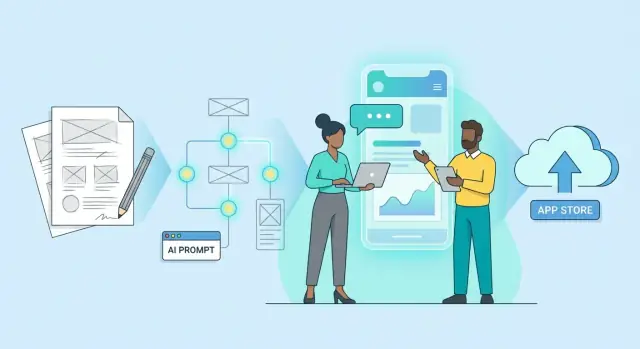
Clarify the Idea: Users, Value, and MVP Scope
A good app build starts before any screens or code: you need a clear problem, a specific user, and a tight first version (MVP). AI can help you think faster—but you still decide what matters.
If you’re using a vibe-coding tool like Koder.ai, this step matters even more. The clearer your user, value, and scope are, the better the platform can turn a chat-based plan into clean, reviewable screens, APIs, and data models.
Define the problem and who it’s for
Describe the problem in plain language, without features.
- Bad: “I want an app with chat, calendars, and reminders.”
- Better: “People forget key follow-ups after meetings, so tasks slip and trust drops.”
Now name the primary user (one group). “Busy professionals” is too broad; try “freelance designers managing 3–10 active clients.” Add context: where they are, what tools they use today, and what triggers the problem.
AI prompt: “Ask me 10 questions to narrow my target user and the exact problem. Then summarize the best user persona in 5 bullet points.”
Write a one-sentence value proposition
Your value proposition should fit on a sticky note:
“For [user], [app] helps [job] by [unique approach], so they get [measurable outcome].”
Example: “For freelance designers, MeetingLoop turns meeting notes into prioritized follow-ups, so client tasks don’t get missed.”
List 3–5 core user jobs
Think in outcomes, not buttons. You’re aiming for the smallest set of jobs that prove the app is useful.
Typical core jobs might be:
- Capture information quickly (in the moment)
- Turn that info into a clear next step
- Review what’s due today
- Get reminders at the right time
- Share progress with someone else (optional)
AI prompt: “Given my user and value proposition, propose 5 core user jobs and rank them by importance for an MVP.”
Identify success metrics
Pick a few numbers that tell you if the MVP works:
- Downloads/installs: Are people curious?
- Activation: Do they complete the first key action (e.g., create first item) within 5 minutes?
- Retention: Do they return in 7 days?
Keep metrics tied to your core jobs, not vanity.
Decide MVP vs “later” features
A simple rule: the MVP must let users complete the main job end-to-end at least once.
Create two lists:
- MVP: must-have to prove value
- Later: nice-to-have, complex, or “it would be cool”
If you’re unsure, ask AI: “What’s the simplest version that still delivers the promised outcome? List what to cut first.”
Turn the Idea into Requirements You Can Build
A clear set of requirements is what turns “a cool app idea” into something your team (or you + AI) can actually build. The goal isn’t a perfect spec—it’s a shared, testable understanding of what the first version must do.
Start with one persona and one main journey
Pick a single primary user and write a quick persona:
- Who are they? (role, context)
- What problem are they trying to solve?
- What’s the moment they decide to use your app?
Then write the main journey as 5–8 steps from “open the app” to “get value.” Keep it concrete (tap, choose, save, pay, share), not vague (“engage,” “interact”).
Draft user stories you can hand to AI (and to testers)
Turn each journey step into user stories:
- As a user, I want to [do something], so that [benefit].
Example:
- As a user, I want to sign in with Apple or Google, so that I can start quickly without creating a password.
- As a user, I want to save an item to favorites, so that I can find it later.
Prioritize: Must / Should / Could
You’re defining an MVP, so be ruthless:
- Must: app doesn’t work without it (core value, legal, payments if required).
- Should: important, but can ship after MVP.
- Could: nice-to-have, easy wins, experiments.
If two “Must” items depend on each other, combine them into one “Must” feature slice you can deliver end-to-end.
Add acceptance criteria in plain language
For each Must story, write 3–6 checks that anyone can verify:
- “Given I’m logged out, when I tap ‘Continue with Google’, then I’m signed in and land on the Home screen.”
- “If the network fails, the app shows a retry message and doesn’t lose what I typed.”
Rough effort estimates to keep scope realistic
Use lightweight sizing, not perfection:
- S (1–2 days), M (3–5 days), L (1–2 weeks)
If a feature is L, split it until most MVP items are S/M. This also makes AI-assisted implementation safer because each change is smaller and easier to review.
Use AI to Draft User Flows and Screen Map
Before you design pixels or write code, you need a clear path through the app: what screens exist, how people move between them, and what happens when things go wrong. AI is great at producing a first draft quickly—but you should treat it as a sketch, not a decision.
Ask AI for screens + navigation
Start with a short product description and your MVP goal, then ask for a proposed screen list and navigation model (tabs, stack navigation, onboarding, etc.). A prompt that works well:
You are a product designer. Based on this MVP: <describe>, propose:
1) a list of screens (MVP only)
2) primary navigation (tabs/drawer/stack)
3) for each screen: purpose, key components, and CTA
Keep it to ~8–12 screens.
Generate a clickable flow outline
Next, convert that into a “screen map” you can review like a storyboard: a numbered list of screens with transitions.
Example output you want:
-
- Welcome → (Continue) → 2. Sign in
-
- Sign in → (Success) → 4. Home; (Forgot password) → 3. Reset
-
- Home → (Tap item) → 5. Details → (Buy) → 6. Checkout
Include empty and error states
Ask AI to draft what each screen shows when there’s no data, slow network, invalid input, or permissions denied. These states often drive real requirements (loading spinners, retry actions, offline messages).
Validate fast with 3–5 interviews
Take the flow outline to 3–5 target users. Ask them to “complete a task” using the screen list (no UI needed). Watch where they hesitate, and note missing steps or confusing transitions.
Lock the MVP flow before UI
After tweaks, freeze the MVP screen map. This becomes your build checklist—and helps prevent scope creep when you move into wireframes and implementation.
Design the Data Model and Business Rules with AI
A clean data model is the difference between an app that’s easy to extend and one that breaks every time you add a feature. AI is useful here because it can quickly turn your feature list into a draft set of entities, relationships, and rules—but you still need to confirm it matches how the business actually works.
Start with core entities (your “nouns”)
List the main things your app stores and references: User, Project, Order, Message, Subscription, etc. If you’re unsure, scan your MVP scope and highlight nouns in each user story.
Then ask AI something specific:
“Given this MVP and these screens, propose the minimum set of entities and fields. Include primary keys, required vs optional fields, and example records.”
Ask AI for relationships (and challenge them)
Have AI propose relationships such as:
- One User → many Projects
- One Project → many Tasks
- One Order → one Payment (or many, for partial refunds)
Follow up with edge cases: “Can a Project have multiple Owners?”, “What happens if a User is deleted?”, “Do we need soft delete for audit/history?”
Make business rules explicit
Ask AI to list rules as testable statements:
- Validation: “Order total must equal sum of line items minus discounts plus tax.”
- Limits: “Free plan allows up to 3 active projects.”
- Pricing: “Discount code applies before tax; cannot stack with referral credits.”
Create one source of truth
Pick one place where rules live and get updated: a short “Business Rules” doc in the repo, a schema file, or a shared spec page. The key is consistency—UI, backend, and tests should all reference the same definitions.
Decide offline vs online behavior
Be clear about what must work without internet (view cached projects, draft orders, queue messages) versus what requires a server (payments, account changes). This decision affects your data model: you may need local IDs, sync states, and conflict rules (e.g., “last write wins” vs “merge fields”).
Pick a Mobile Stack and High-Level Architecture
Your tech choices should make the first version easier to ship, not “future-proof” everything. Pick the simplest stack that meets your MVP goals and your team’s skills.
Choose the app type (and why)
Native (Swift/Kotlin): best performance and platform-specific polish, but you build twice.
Cross-platform (React Native or Flutter): one codebase for iOS + Android, faster iteration for small teams. Great default for MVPs.
PWA: cheapest path for content or simple workflows, but limited access to device features and app-store presence.
If your app relies heavily on camera, Bluetooth, or complex animations, lean native or a mature cross-platform setup with proven plugins.
A common, beginner-friendly stack
A practical option for many MVPs:
- Mobile: React Native (Expo) or Flutter
- Backend: Node.js (NestJS/Express) or Python (FastAPI)
- Database: PostgreSQL
- Auth: managed auth (e.g., Firebase/Auth0) or your backend’s JWT
- Hosting: managed platforms (Render/Fly.io/Supabase/Firebase) to reduce ops work
If you want a more “one platform” approach, Koder.ai can generate full-stack apps from chat and ships well with a modern default stack: React for web, Go for backend services, and PostgreSQL for data. For mobile, Flutter is a strong fit when you want one codebase across iOS and Android.
Ask AI for an architecture diagram (description)
You don’t need a perfect diagram—start with a clear written description AI can generate:
Describe a high-level architecture for a cross-platform mobile app:
- React Native client
- REST API backend
- PostgreSQL database
- Auth (email + OAuth)
- Push notifications
Include data flow for login, fetching list items, and creating an item.
Output as: components + arrows description.
Use that description to align everyone before writing code.
Plan environments: dev → staging → production
Set up three environments early. Staging should mirror production (same services, separate data) so you can test releases safely.
Define what to build first to reduce risk
Build the “thin slice” that proves the hardest parts:
- Authentication
- One core workflow end-to-end (create/read/update)
- Basic error handling + logging
Once that works, adding features becomes predictable instead of stressful.
Plan APIs and Integrations (AI-Assisted Spec)
Before you build screens, decide how the app will talk to your backend and to third-party services. A light API spec early prevents “rewrites” when mobile and backend teams interpret features differently.
Start with integrations you actually need
List the external services your MVP depends on, plus what data you send/receive:
- Auth: email/OTP, social login, or “Sign in with Apple/Google”
- Payments: Stripe/Adyen/In-App Purchases (be clear which flows are required)
- Maps & location: Google Maps/Mapbox, geocoding, distance calculations
- Push notifications: APNs/FCM, notification types and deep links
- Analytics/Crash reporting: event names, privacy constraints
If you’re unsure what’s included in your plan or support level, point stakeholders to /pricing.
Use AI to draft endpoints and payloads
Give AI your feature list and ask for a first-pass API contract. Prompt example:
“Draft a REST API for: user signup/login, create order, list orders, order status updates. Include request/response JSON, auth method, pagination, and idempotency.”
Ask for either REST (simple, predictable) or GraphQL (flexible queries). Keep naming consistent and resources clear.
Define errors and edge cases upfront
Make your error format consistent across endpoints (mobile teams love this):
{ "error": { "code": "PAYMENT_DECLINED", "message": "Card was declined", "details": {"retryable": true} } }
Also document edge cases AI might miss:
- expired auth tokens and refresh behavior
- offline mode (queue requests? block actions?)
- duplicate taps (idempotency keys for create/charge)
- rate limits, slow network timeouts, and partial failures
Treat the spec as a contract
Publish the API contract in a shared doc (or OpenAPI/Swagger). Version it, review changes, and agree on “done” criteria (status codes, fields, required/optional). This keeps AI-generated logic aligned with the real system and saves weeks of rework.
Create UI Wireframes and a Simple Design System
Wireframes keep your app focused on what the user needs to do—not what it should “look like” yet. When you pair quick wireframes with a tiny design system, you get a UI that’s consistent across iOS and Android and easier to build with AI-generated logic.
Use AI to generate per-screen component lists
Start with your screen map, then ask AI to turn each screen into a checklist of UI components. This is more actionable than asking for “a nice layout.”
Example prompt:
For the following screen: "Order Details"
- user goal:
- key actions:
- edge cases (empty, error, slow network):
Generate:
1) UI components (buttons, fields, lists, cards)
2) Component states (default, disabled, loading)
3) Validation rules and error copy
Return as a table.
Treat the output as a draft. You’re looking for completeness: what fields exist, what actions are primary, and what states you must design.
Create a simple design system (small, but real)
You don’t need a full design library. Define just enough to prevent every screen from becoming a one-off:
- Colors: primary, background, surface, text, error, success
- Typography: 2–3 text styles (title, body, caption)
- Spacing: pick a scale (e.g., 4 / 8 / 16 / 24)
- Components: button, text field, card, list row, empty state
Ask AI to propose initial values based on your brand tone, then adjust for readability and contrast.
Accessibility basics that save rework
Bake these into wireframes and component specs:
- Contrast: ensure text is readable on all surfaces
- Tap targets: aim for comfortable touch sizes and spacing
- Clear labels: avoid icon-only actions unless they have text or accessible labels
Design the “non-happy” paths
Many MVPs fail here. Wireframe these explicitly:
- Loading: skeletons vs. spinners, and what stays usable
- Offline: cached content, retry buttons, and clear messaging
- Permissions: pre-permission explanation, denied state, and settings link
Keep iOS and Android consistent (without forcing them identical)
Use the same structure, copy, and component rules everywhere, while letting platform conventions show through (navigation patterns, system dialogs). Consistency is the goal; sameness isn’t required.
Set Up the Project: Repo, CI, and Workflow
Before you generate any “real” logic with AI, set a foundation that keeps changes reviewable and releases predictable. A clean workflow prevents AI-assisted code from turning into a pile of hard-to-trace edits.
Repo setup (structure, branching, reviews)
Start with a single repo (mobile + backend if it’s small) or split repos if teams are separate. Either way, write a short README explaining how to run the app, where configs live, and how to ship.
Use a simple branching model:
main: always releasable- feature branches:
feat/login,fix/crash-on-start
Set code review rules in your Git hosting settings:
- Require at least 1 approval (2 for payment/auth changes)
- Block merges if CI fails
- Prefer small PRs (ideally <300 lines changed)
CI that catches issues early
Configure CI to run on every pull request:
- Lint/format (fast feedback)
- Unit tests (core logic)
- Build artifact (so you know it compiles)
Keep artifacts easy to find (e.g., attach a debug APK/IPA build output to the CI run). If you’re using GitHub Actions, keep workflows in .github/workflows/ and name them clearly: ci.yml, release.yml.
AI scaffolding: safe use, then review
AI is great for generating boilerplate (screens, navigation shell, API client stubs). Treat that output like a junior dev contribution:
- Generate in a new branch
- Ask for minimal, focused changes
- Review for security, data handling, and error states before merging
If you’re working in Koder.ai, keep the same discipline: use Planning Mode to lock scope before generating, then rely on snapshots/rollback so you can safely revert when a generated change goes in the wrong direction.
Task board + “definition of done”
Create a task board (GitHub Projects/Jira/Trello) mapped to user stories from earlier sections. For every feature, define “done” as:
- Works on device/emulator
- Has tests for key logic
- Includes basic docs (what it does, how to verify)
This workflow keeps AI-generated app logic reliable, traceable, and shippable.
Implement Features Using AI-Generated Logic (Safely)
AI can speed up feature delivery, but treat it like a junior teammate: helpful drafts, not final authority. The safest pattern is to use AI to generate starter structure (screens, navigation, and pure functions), then you confirm behavior, edge cases, and quality.
Generate screen + navigation starter code
Ask for “thin” screens that mostly wire UI events to clearly named functions. For example: “Create a LoginScreen with email/password fields, loading state, error display, and navigation to Home on success—no networking code yet.” This keeps your UI readable and makes it easy to replace pieces later.
Keep business logic small, explicit, and testable
Push decisions into pure functions: pricing rules, validation, permissions, and state transitions. AI is great at drafting these when you provide examples.
A useful prompt template:
- Inputs/outputs (with types)
- Rules (“If subscription expired, block export”)
- Edge cases (empty, null, time zones, retries)
- 5–10 concrete examples (“Given X, return Y”)
When the output arrives, rewrite anything unclear into smaller functions before it spreads across the codebase.
Store prompts and outputs in the repo
Add a folder like /ai/feature-login/ containing:
prompt.md(what you asked)output.md(what you received)- Notes on what you accepted or changed
This creates traceability when a bug appears weeks later.
Review for security, correctness, and style
Before merging AI-written code, check: data validation, auth checks, secrets handling (never hardcode keys), error messages (don’t leak details), and dependency usage. Align naming and formatting with your existing style.
Refactor early
If AI introduces awkward patterns (giant files, duplicated logic, unclear state), fix it immediately. Small cleanups early prevent “sticky” architecture that’s painful to change later.
Test Strategy: Unit, Integration, and Device QA
Testing is where AI-generated logic either earns your trust—or exposes gaps. A good strategy mixes fast, automated checks (unit + integration) with real-device sanity checks so you catch issues before users do.
Unit tests: rules, validations, and edge cases
Start by unit testing the “business rules” that can break quietly: validations, calculations, permission checks, formatting, and any mapping between API data and what the UI shows.
Use AI to expand your edge cases, but don’t let it invent behavior. Give it your rules and ask for tests that prove those rules.
- Write unit tests for rules and validations (e.g., password rules, required fields, totals/fees, date boundaries).
- Add tests for failure modes (null/empty values, unexpected enums, offline states).
Integration tests: API + auth flows end-to-end
Unit tests won’t catch “works in isolation, fails together.” Integration tests verify your app can:
- Log in / refresh tokens / handle expired sessions.
- Call real or mocked API endpoints and parse responses.
- Show correct UI states for loading, error, and success.
A practical pattern is a “test server” setup (or recorded fixtures) so tests are stable and repeatable.
Device QA: the screens people actually use
Even if your automated tests are solid, device QA catches the human-facing problems: clipped text, broken keyboard behavior, odd animations, and permission prompts.
- Run device testing on key screen sizes (small phone, large phone, at least one tablet if you support it).
- Test both platforms if you ship iOS and Android—navigation and permissions differ.
AI-assisted test cases (and when to be skeptical)
Use AI to draft test cases and checklists from your user stories (happy path + top 10 failure paths). Then validate the list against your real UI and requirements—AI often misses platform-specific steps.
Release readiness: stability and performance
Before you submit, prioritize what users notice most:
- Fix crashes and performance issues before release (cold start time, scrolling jank, API timeouts).
- Re-test the top flows after each fix (login, onboarding, purchase/action, logout).
Deployment: App Store/Play Store and Backend Release
Deployment is less about “pushing a button” and more about reducing surprises. AI can speed up the paperwork and checklists, but you still need human review for policies, privacy, and the final build.
Prepare store assets (AI-assisted)
Have AI draft your store listing based on your MVP scope: a clear one-line value statement, 3–5 key features, and a short “how it works” section. Then rewrite it in your voice.
Create or finalize:
- App icon (multiple sizes), feature graphic (Android), and screenshots for common device sizes
- A short promo text + full description
- Keywords (iOS) and tags (Android)
AI tip: ask for “five screenshot captions that explain benefits, not buttons,” then match each caption to a real screen.
Signing, certificates, and release builds
Set up signing early so release day isn’t blocked by account issues.
- iOS: Certificates, Identifiers, Profiles; verify App Store Connect access
- Android: Keystore + Play Console app record; lock keystore backups
Generate release builds and test them (not debug builds). Use an internal testing track (TestFlight / Play Internal Testing) to validate installs, login, push notifications, and deep links.
Release checklist (privacy, permissions, policies)
Before submission, confirm:
- Privacy policy URL is correct and matches actual data collection
- Permissions are justified in-app (camera, location, contacts, etc.)
- Tracking/analytics disclosures are accurate
- Account deletion (if required) is available and documented
Backend release: staging first
Deploy backend to staging and run a “release candidate” pass: migrations, background jobs, webhooks, and API rate limits. Then promote the same artifact/config to production.
Phased rollout and rollback plan
Plan a staged release (e.g., 5% → 25% → 100%) and define rollback steps:
- Mobile: halt rollout, revert to previous store version if needed
- Backend: feature flags, versioned APIs, database migration rollback strategy
If your tooling supports snapshots and rollback (for example, Koder.ai includes snapshots/rollback and source code export), use that to reduce risk: freeze a known-good state before major release changes.
If you want AI help, ask it to generate a release checklist tailored to your permissions, integrations, and app category—and then verify each item manually.
Monitor, Learn, and Iterate After Launch
Launch isn’t the finish line—it’s the moment you finally get real data. The goal is to build a tight loop: measure what users do, learn why they do it, and ship improvements on a predictable cadence.
Instrument analytics that map to “activation”
Start with a small set of events that explain whether a new user reached value.
For example: Sign Up → Complete Onboarding → Create First Item → Share/Export → Return Next Day. Track each step as an event, and add basic properties like plan type, device OS, and acquisition channel.
Keep it simple: a handful of events beats “track everything,” because you’ll actually look at it.
Add crash reporting and alerts
Analytics tells you what users try to do; crash reporting tells you what breaks. Set up crash reports with:
- Release version and build number
- Device/OS breakdown
- Alerts when crash-free sessions dip below a threshold
Route alerts to a channel your team watches (email, Slack, etc.), and define an “on-call lite” rule: who checks, how often, and what counts as urgent.
Collect feedback where it’s easy
Don’t rely only on app store reviews. Add a lightweight feedback path:
- A “Send feedback” entry in Settings
- A short in-app prompt after a meaningful milestone (not on first launch)
- A support email form that auto-attaches app version and device info
Use AI to summarize feedback into actions
Once you have a week or two of comments, ask AI to cluster feedback by themes, frequency, and severity. Prompt it to produce:
- Top 5 user pain points (with example quotes)
- “Quick wins” vs. “larger bets”
- Suggested copy changes for confusing screens
Always review summaries for context—AI is a helpful analyst, not the product owner.
Plan the next iteration roadmap
Set a steady update cadence (e.g., weekly bugfix releases, monthly feature releases). Keep a short roadmap that mixes:
- Reliability (crashes, performance)
- Activation improvements (remove friction)
- One user-visible enhancement per cycle
If you’re building in public, consider closing the loop with users: platforms like Koder.ai run an earn credits program for creating content and also support referrals via a referral link—both can help you fund iteration while you grow.
If you want a template to organize this loop, link your team to /blog/app-iteration-checklist.
FAQ
What should I define before building a mobile app with AI?
Start with one specific user, one problem, and one outcome. For example, focus on freelance designers who miss client follow-ups, then build the smallest flow that captures a meeting note and turns it into a task.
How do I decide what belongs in my MVP?
An MVP should let someone complete the main job from start to finish at least once. Leave social features, advanced settings, extra integrations, and visual polish for later unless they directly prove the app's value.
How can I write a clear app value proposition?
Write one sentence: “For [user], [app] helps [job] by [approach], so they get [outcome].” If you cannot say it clearly, narrow the audience or remove features until the promise feels concrete.
What can AI help with during mobile app planning?
Ask it to draft a screen list, navigation flow, user stories, API contracts, test cases, and error states. Give it your user, main task, rules, and examples, then review every draft against what your app actually needs.
Which screens should an MVP mobile app include?
Include the main screens plus loading, empty, offline, invalid-input, and permission-denied states. These cases expose missing requirements before they turn into rushed fixes during development.
How do I create a simple data model for my app?
List the things your app stores, such as users, projects, tasks, orders, or subscriptions. Define their fields, relationships, validation rules, and what happens when records change or someone deletes an account.
Should I use Flutter, React Native, or native development?
For many small teams, Flutter or React Native offers one codebase for iOS and Android. Choose native development when your app depends heavily on platform-specific hardware features or demanding graphics.
What should I build first in an AI-assisted app?
Build a thin slice first: sign-in, one core workflow, basic error handling, and logging. This proves that the client, backend, database, and authentication work together before you add more screens.
How do I safely use AI-generated code in a mobile app?
Treat generated code like an early draft. Keep changes small, review authentication and data handling, avoid hardcoded secrets, test error paths, and refactor duplicated or unclear logic before it spreads.
What should I measure after launching my app?
Track activation, such as whether a new user completes the first useful action, then measure 7-day retention and crash-free sessions. Pair those numbers with direct feedback so you can learn both what happened and why.