

How to Build a Mobile Language Learning App That Users Keep
A practical guide to building a language learning mobile app: features, lesson design, tech choices, content, analytics, monetization, and a roadmap from MVP to launch.
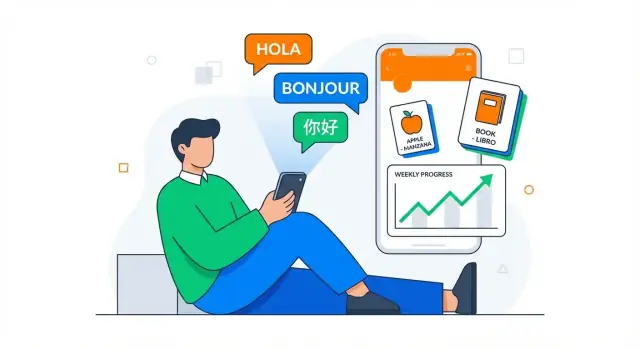
Clarify Your Audience and Learning Goal
A language learning app succeeds or fails based on focus. Before you think about mobile app development details, decide exactly who you’re helping—and what “progress” means for them. This keeps your lesson design, UX for education apps, and analytics aligned.
Define a specific learner
Avoid “everyone who wants to learn Spanish.” Pick a primary audience segment and write it down:
- Beginners who need basics and confidence
- Travelers who want survival phrases and listening
- Exam prep learners who need structured drills
- Kids who need playful repetition and short attention spans
- Professionals who need work vocabulary and speaking practice
Once you pick one, you can make better choices about tone, pacing, and whether features like speech recognition are essential on day one.
Choose 1–2 outcomes you will deliver
Great apps don’t try to improve everything at once. Choose outcomes that are easy to explain in one sentence, such as:
- Speaking confidence in everyday situations
- Practical vocabulary growth using spaced repetition
- Clearer pronunciation with targeted feedback
These outcomes will guide your exercise types, feedback style, and what you measure.
Decide the learning format
Match the format to the learner’s real life: daily practice streaks, short lessons (3–7 minutes), or longer sessions for deeper study. Your core loop later should reinforce this choice.
Set success metrics early
Pick a small set of metrics that reflect learning and user retention:
- Day-7 retention (are learners still returning?)
- Lessons completed per week
- Streak rate and streak recovery (how many come back after missing a day?)
These metrics will shape your MVP for apps and help you avoid building features that don’t move the needle.
Research the Market and Find Your Differentiator
Before you design lessons or write a line of code, get clear on what already exists—and why your app should exist alongside it. Market research isn’t about copying features; it’s about finding an underserved promise you can deliver better than anyone else.
Map direct competitors (and be honest)
Start with 5–10 apps your target learners already use. Include big names and smaller niche products. For each one, note:
- What they do well: onboarding, lesson pacing, audio quality, habit-building, community, pricing clarity
- Where they struggle: shallow speaking practice, repetitive content, confusing levels, poor feedback, lack of offline support
A fast way to do this is to read recent App Store/Google Play reviews and sort complaints by frequency. Patterns will show you where learners feel stuck.
Pick one clear differentiator
Choose a differentiator users can understand in one sentence. Examples:
- Conversation practice first: guided speaking drills, roleplays, and actionable feedback
- A niche language or audience: heritage learners, travel-only goals, or professional vocab (healthcare, hospitality)
- Local content and culture: dialogs and scenarios that match a specific country or region
Your differentiator should shape your product decisions. If you claim “conversation practice,” your first screen shouldn’t be a vocabulary list.
Validate demand with a small test
Create a landing page with your one-sentence promise, 2–3 screenshots (mockups are fine), and a waitlist form. Drive a small paid test (e.g., $50–$200) on search or social ads to see if people actually sign up. If you can, offer a paid pre-order or a “founder price” to measure real intent.
Define v1: must-have vs. nice-to-have
Write two lists:
- Must-have: the minimum needed to deliver your differentiator end-to-end
- Nice-to-have: features users request, but that don’t prove your core promise
This keeps version 1 focused—and makes it easier to ship something learners can judge quickly.
Design a Simple Learning Flow and App UX
A language learning app succeeds when users always know what to do next—and doing it feels quick. Your UX should reduce decision-making and make “today’s practice” the obvious path.
Core screens to design first
Start with a small set of screens you can perfect:
- Onboarding: pick language, goals, daily time, and permissions (mic/audio/offline downloads)
- Home: one clear “Continue” button plus a small preview of progress
- Lesson: short, focused steps (listen → read → answer → speak)
- Practice: targeted drills (vocab, listening, speaking, typing)
- Review: spaced repetition queue, clearly labeled “Due today”
- Profile/Settings: streak, level, reminders, downloads, accessibility options
First-time user experience: placement test vs. quick start
Avoid trapping new users in a long setup. Offer two paths:
- Quick start (recommended default): begin a short starter lesson in under 30 seconds
- Placement test (optional): 3–5 minutes, clearly explaining the benefit (“Skip what you already know”)
If you include a placement test, show progress and allow users to exit without losing what they’ve entered.
Keep navigation simple: one primary daily action
Design around a single daily loop: Home → Lesson/Practice → Review → Done. Keep secondary features (forums, grammar library, leaderboards) behind tabs or a “More” area so they don’t compete with practice.
Accessibility is part of UX (not a checkbox)
Plan for:
- Adjustable font sizes and readable line spacing
- Strong contrast and clear tap targets
- Captions/transcripts for audio
- Offline mode for lessons and review (especially commuting use)
A simple flow plus inclusive design improves both learning and user retention—without adding complexity.
Define the Core Learning Loop
Your app’s “core learning loop” is the small set of actions users repeat every day. If this loop feels satisfying and clearly improves their skills, retention becomes much easier.
Start with the simplest loop that still teaches
A practical default is:
Learn → Practice → Review → Track progress
“Learn” introduces a tiny concept (a phrase, a pattern, or 5–10 words). “Practice” checks recall (not just recognition). “Review” brings back older items at the right time. “Track progress” gives users a clear sense of movement: what they can now say, understand, and remember.
The key is to keep each cycle short enough to complete in 2–5 minutes, while still feeling like real learning—not just tapping through flashcards.
Make spaced repetition a first-class citizen
Spaced repetition works best when it’s not a separate mode hidden behind a menu. Build it directly into the loop:
- After each lesson, add 1–2 quick review prompts from earlier content
- Start each session with a “warm-up” review queue before new material
- Mix vocabulary and phrases (phrases often transfer to real conversations faster)
Even at MVP stage, track outcomes per item (easy/medium/hard or correct/incorrect). That’s enough to schedule smart reviews.
Include listening and speaking early (even if basic)
Listening practice can be as simple as “tap to hear → choose meaning → replay at slower speed.” For speaking, a lightweight flow might be “listen → repeat → self-check,” plus optional speech recognition where available.
The goal isn’t perfect scoring—it’s building confidence and habit. If speech recognition misfires, allow users to skip grading without penalty.
Streaks and reminders: motivating, not noisy
Streaks should reward consistency, not punish real life. Offer a “streak freeze” or grace day, and keep reminders user-controlled (time, frequency, and mute options). Tie notifications to the loop: “2 reviews due—3 minutes to stay on track,” not generic nagging.
If you want a deeper look at engagement mechanics, you can later expand this in a retention section (see /blog).
Create Lesson Structure and Exercise Types
A language learning app succeeds when lessons feel predictable, quick, and rewarding. Before you write lots of content, define a repeatable lesson “container” you can reuse across levels and topics. This helps lesson design scale and keeps mobile app development focused.
Keep lessons small and consistent
Aim for micro-lessons that fit naturally into a day: 3–7 minutes each. Use the same rhythm (e.g., Warm-up → Learn → Practice → Quick check) so learners know what to expect and can start immediately.
Consistency also makes it easier to plug in spaced repetition later, because you can reliably re-surface old items in short sessions without derailing the course.
Define a clear progression path
Pick one progression model and stick to it:
- CEFR levels (A1 → A2 → B1…) for learners who want a standard roadmap
- Topic paths (travel, work, dating, moving abroad) for goal-driven learners
Whichever you choose, show learners where they are and what “done” looks like (e.g., “Order food in a café” or “Past tense: regular verbs”). Clear progression supports user retention because progress feels real.
Mix exercise types (with a purpose)
Vary exercises, but map each to a learning goal:
- Flashcards for fast recall and review loops
- Cloze (fill-in-the-blank) to practice grammar patterns in context
- Dictation to connect listening and spelling
- Matching (word ↔ meaning, audio ↔ phrase) for quick pattern recognition
- Speaking prompts (even simple repeat-after-me) to build confidence and prepare for speech recognition later
Avoid adding exercise types just for novelty. A smaller set, repeated often, is easier for users to learn and cheaper to maintain.
Create writing guidelines for scalable content
Write a short style guide that every author follows:
- Tone and level of formality (friendly, practical, not slang-heavy)
- What makes a “good” example sentence (short, concrete, culturally neutral)
- Rules for acceptable answers (synonyms, punctuation, capitalization, optional articles)
These guidelines reduce inconsistent lessons and make QA faster—critical when you move from an MVP for apps to a growing catalog.
Plan Content Production and Localization
Content is the “curriculum” of your language learning app. If it’s inconsistent, hard to update, or culturally off, even a great UX won’t save retention.
Decide where your content will come from
Start by picking a sustainable source (or mix) that matches your budget and pace:
- In-house writers for tight control over tone and progression
- Teachers or linguists to ensure explanations, examples, and difficulty are accurate
- Partners (schools, creators, publishers) when you want ready-made courses or a recognizable brand
- Licensed datasets for vocabulary, frequency lists, example sentences, or audio—great for speed, but check usage rights carefully
Whatever you choose, define ownership: who can edit content, who approves it, and how often it ships.
Build for localization from day one
Localization is more than translation. Plan for:
- UI localization (menus, onboarding, paywalls, notifications)
- Content localization (examples, names, cultural notes, idioms)
- Right-to-left (RTL) support if you’ll teach or display Arabic/Hebrew (layout, alignment, animations, punctuation)
Keep a glossary for key terms (“streak,” “review,” “level”) so your app stays consistent across languages.
Store content as structured data
Avoid hardcoding lessons into the app. Use structured formats like JSON/CSV or a CMS so you can update exercises, reorder lessons, fix typos, and A/B test content without an app release.
Set up content QA that catches real issues
Create a lightweight QA checklist:
- Typos and grammar checks by native speakers
- Audio QA (timing, volume, accents, file naming)
- Cultural notes to avoid awkward or misleading examples
Treat content like product code: version it, review it, and ship it on a predictable schedule.
Add Key Language Features: Audio, Speaking, Offline
These features often decide whether a language learning app feels “real” or like flashcards with extra steps. The goal is to make practice convenient and credible without overwhelming the MVP.
Audio: set clear quality targets
Start by deciding when you need native recordings vs. text-to-speech (TTS).
Native recordings shine for beginner phrases, pronunciation-heavy lessons, and anything you want learners to imitate. They cost more (talent, studio time, editing), but they build trust fast.
TTS is flexible for long-tail vocabulary, user-generated sentences, and rapid content expansion—especially if you’re iterating weekly.
Define quality targets early: consistent volume, minimal background noise, natural pacing, and a “slow” variant for beginners. Also plan basic audio controls (replay, slow, waveform/seek) so users can practice efficiently.
Speaking: pick an evaluation style
Speaking is tricky because “perfect scoring” isn’t required—use the simplest method that supports your learning goal.
Speech-to-text (STT) checks whether the learner said the expected words. It’s great for structured drills, but be careful with strict grading; accept reasonable variants.
Pronunciation scoring adds detail (sounds, stress), but expectations must be clear and culturally fair. If you can’t score reliably, consider “shadowing”: users repeat after a model, record themselves, and compare. That still increases speaking time, which is what matters.
Offline support: define downloads and sync rules
Offline is a retention feature: commutes, travel, poor connections. Decide what can be downloaded (lessons, audio, images) and set storage limits (e.g., per course or per unit). Define sync rules for progress: queue events locally, resolve conflicts predictably, and show users when changes are pending.
Notifications: helpful, not spammy
Use notifications for daily goals, review reminders, and streak protection—but give users control. Offer frequency options, quiet hours, and an easy “pause reminders” toggle in Settings. Tie reminders to behavior (missed reviews, unfinished lesson) rather than blasting everyone at the same time.
Choose Your Tech Stack and Architecture
Picking the right tech stack isn’t about chasing the newest tools—it’s about matching your product goals, team skills, and the learning experience you want to ship.
Platform strategy: native vs. cross-platform
If you want the best performance for audio playback, smooth animations, and reliable offline mode, native apps (Swift for iOS, Kotlin for Android) are hard to beat.
If your team is small and you need to ship on both platforms quickly, cross-platform frameworks can be a strong choice. Flutter is popular for consistent UI and good performance; React Native is common when you already have JavaScript/TypeScript skills. The tradeoff is occasional platform-specific work (especially around audio, speech, and background downloads).
If you want to move fast without stitching together a full pipeline up front, platforms like Koder.ai can help you prototype a working app from a chat-driven spec, then iterate in “planning mode” before committing to full builds. It’s especially handy when you’re still validating your core learning loop and don’t want weeks of engineering investment before user testing.
Backend: what you actually need
Even a simple language learning app typically needs a backend for:
- Accounts & authentication (email, Apple/Google sign-in)
- Content delivery (lessons, audio files, updates)
- Progress syncing across devices
- Payments & subscriptions (App Store / Google Play, plus receipt validation)
A practical approach is a lightweight API (Node.js, Python, or Go—pick what your team knows) plus managed services for storage/CDN.
If you’re building on Koder.ai, this “standard” setup is a common default: React on the web, Go on the backend, and PostgreSQL for core product data—useful for moving quickly while keeping an architecture that’s easy to export and own later.
Data storage for progress and SRS
Learners expect their streaks and reviews to feel instant. Store core learning data locally first (for speed and offline), then sync.
- On-device: SQLite (or Room on Android) works well for progress and spaced repetition schedules
- Server-side: a relational database (like Postgres) is a good fit for users, purchases, and progress history
Privacy and security by default
Collect the minimum data needed to teach well. Use TLS, store sensitive tokens in secure device storage (Keychain/Keystore), and encrypt sensitive data at rest on the server.
Keep authentication “boring and safe” (OAuth/OpenID, short-lived tokens). If you handle voice recordings, be explicit: what you store, for how long, and how users can delete it.
Prototype and Test with Real Learners
A prototype is the quickest way to learn whether your app “makes sense” before you spend weeks polishing UI or building complex features. The goal isn’t to impress—it’s to reveal confusion early, while it’s still cheap to fix.
Start with wireframes for the critical path
Before high-fidelity UI, sketch 5–7 screens that cover the core journey:
- Welcome / value promise
- Placement or goal selection
- Onboarding permissions (notifications, audio)
- First lesson
- Exercise feedback state (correct/incorrect)
- Progress / streak screen
- Paywall or upgrade preview (if relevant)
These wireframes should focus on flow and clarity: What happens next? What does the user think the button will do?
Build a clickable prototype you can put in someone’s hands
Use a simple clickable prototype (Figma, ProtoPie, even Keynote) that lets a learner tap through onboarding and complete a short lesson. Keep it realistic: include actual example content, error states, and at least one “moment of difficulty” (e.g., a speaking prompt or a tricky translation) so you can see how users react.
If you’re trying to validate quickly, you can also build a thin, functional prototype (not just clickable screens) with a vibe-coding workflow. For example, Koder.ai can generate a basic end-to-end app flow from a chat spec, which is often enough to test lesson pacing, review UX, and retention hooks with real users.
Run usability tests and track confusion points
Recruit learners who match your target audience (level, motivation, age, device). Ask them to think out loud while you watch.
Track:
- Where they hesitate or backtrack
- Buttons or labels they misinterpret
- Moments they ask, “What am I supposed to do?”
- Drop-off points (especially during onboarding and the first exercise)
Keep a simple log with timestamps and severity (“blocked,” “slowed,” “minor”). Patterns matter more than single opinions.
Iterate on copy and micro-interactions
Small details often fix big problems. Tighten onboarding copy, add clearer hints, and improve feedback:
- Make errors actionable (“Try again—listen once more”) rather than judgmental
- Add lightweight confirmations (sound/vibration/animation) so progress feels obvious
- Ensure hints, skips, and retries are visible without clutter
Test again after changes. Two or three quick rounds usually produce a dramatically smoother first-time experience.
Build an MVP That Can Ship
An MVP isn’t a small version of everything. It’s the smallest product that delivers a complete learning experience end-to-end. Define what “done” means for your first release: a user can learn, practice, review, and track progress without hitting dead ends.
Define a shippable scope (what users can do)
For a language learning app, a practical MVP scope often looks like:
- Learn: a short lesson with 5–10 new items (words/phrases)
- Practice: 2–3 exercise types that reinforce the same items
- Review: a basic spaced repetition queue that resurfaces items
- Track: simple progress: lessons completed, streak, and “items mastered”
If any of those four is missing, users may try the app once and leave because it doesn’t support habit-building.
Ship faster by narrowing the first release
Pick one language pair (e.g., English → Spanish) and one learning path (e.g., “Travel basics” or “Beginner A1”). This reduces content production, QA complexity, and customer support. You can still design your system so adding more courses later is straightforward—just don’t launch with them.
Also decide early whether you need source-code ownership and the ability to deploy quickly. Some teams use Koder.ai to get to a shippable baseline faster, then export the code when they’re ready to fully own and extend the implementation.
Avoid heavy social features early
Leaderboards, chats, and friend systems add moderation, edge cases, and ongoing operations. Early on, they also distract from the one thing that matters: the quality of the core learning loop. If you want a lightweight social element, consider a simple “share my streak” button and revisit deeper features post-MVP.
Plan a realistic timeline (including app store review)
A workable plan includes: design (1–2 weeks), content production (ongoing, but enough for the MVP), build (3–6 weeks), QA and bug fixing (1–2 weeks), plus store review time (often several days). Pad for iteration—your first submission is rarely the final one.
Use Analytics to Improve Retention and Learning
Analytics is how you tell the difference between “people like the idea” and “people are actually learning and coming back.” Start small, measure consistently, and tie every metric to a product decision.
Instrument the events that explain behavior
Track a handful of key events end-to-end:
- Lesson start and lesson finish (with lesson ID and difficulty)
- Review session start/finish (including whether it was prompted by a reminder)
- Streak started, streak continued, streak broken
- Key feature usage: audio playback, speaking exercises, offline mode
These events let you see where learners drop off, not just that they did.
Watch the funnel, not vanity numbers
A clean funnel shows whether onboarding and the first learning moments are working:
install → signup → first lesson → first review → Day-7 retention
If “install → signup” is fine but “signup → first lesson” is weak, your app may be asking for too much too soon. If Day-7 retention is low, learners might not be forming a habit or seeing progress.
Measure learning signals (not only time spent)
Good language apps track progress indicators such as:
- Accuracy by exercise type (listening vs. typing vs. speaking)
- Time-to-master for a word or phrase set
- Review intervals (are learners successfully stretching intervals over time?)
These signals help you tune spaced repetition, difficulty, and lesson pacing.
Run focused A/B tests
Use A/B tests to answer specific questions:
- Onboarding: Which first lesson gets more people to finish?
- Reminders: What timing increases review sessions without increasing uninstalls?
- Paywall: When do users understand value enough to consider upgrading?
Keep tests limited to one main change, and define success before you start.
Monetize, Launch, and Maintain the App
Monetization works best when it supports learning instead of interrupting it. Pick a model that matches how your users progress—and keep it simple enough to explain in one screen.
Choose a monetization model that fits the habit
A few common options for a language learning app:
- Freemium + subscription: free basics, paid for advanced practice, offline access, or speaking feedback
- One-time packs: themed courses (Travel Spanish, Interview Prep) that users can buy forever
- Classroom / team plans: schools or companies pay per seat, often with admin dashboards
Subscriptions usually win for long-term retention, but packs can be great if your app is course-based.
Design a fair paywall (and explain the “why”)
Decide what’s free and premium based on value, not pressure. A good rule: keep onboarding and early wins free, then charge for features that cost you money (audio downloads, speech scoring) or save time (personalized review plans).
Make the paywall transparent:
- What is included in Premium?
- What stays free forever?
- How does upgrading improve results?
Trials and discounts without pricing confusion
Trials can boost conversion, but only if users understand what happens next. Show the renewal price, billing frequency, and cancel steps clearly. If you offer discounts, limit them to a few predictable moments (first week, annual plan) so pricing doesn’t feel arbitrary.
If you’re promoting your build process publicly, consider tying your marketing to something tangible: for example, Koder.ai has an “earn credits” program for creating content about what you built, plus referral links—useful if you want to offset early development costs while you validate demand.
Prepare launch assets and support
Before release, build a small “trust kit”: store screenshots, a short demo video, an FAQ, and an in-app support flow (report a problem, refund requests, account restore). A simple /pricing and /help center link inside the app reduces support load.
Maintain: content, fixes, and performance
Post-launch, ship on a steady rhythm: new lessons, bug fixes, and speed improvements. Tie updates to learning outcomes (completion rates, retention) so every release improves the learning experience—not just the changelog.
FAQ
How do I choose the right target audience for a language learning app?
Start by choosing one primary learner segment (e.g., travelers, exam prep, kids, professionals) and writing a one-sentence promise of progress.
Then pick 1–2 outcomes you’ll deliver (like “speaking confidence in daily situations” or “vocabulary growth via spaced repetition”) so lesson design, UX, and analytics all point in the same direction.
What learning outcomes should my app focus on in version 1?
Pick outcomes that are easy to explain and measure, such as:
- “Speak common phrases confidently in everyday situations”
- “Remember 200 high-frequency words in 30 days”
- “Improve pronunciation with targeted feedback”
Avoid vague goals like “be fluent,” especially for an MVP.
What is a “core learning loop,” and what should it include?
A practical daily loop is:
- Learn a small concept (5–10 items)
- Practice recall (not just recognition)
- Review with spaced repetition
- Track progress so users feel momentum
Keep the loop short (about 2–5 minutes) so it fits real life and supports habit-building.
How do I implement spaced repetition without overbuilding it?
Make it part of the default session instead of a hidden mode:
- Start sessions with a “Due today” review queue
- Add 1–2 quick review prompts after each lesson
- Track simple outcomes (correct/incorrect or easy/medium/hard) to schedule repeats
This is enough to get value from SRS without complex algorithms on day one.
What screens should I design first for a language learning app?
Design a small set you can perfect:
- Onboarding (goals + time + permissions)
- Home with one clear “Continue” action
- Lesson flow (listen → read → answer → speak)
- Practice + Review (SRS queue)
- Profile/Settings (streak, reminders, downloads, accessibility)
If users always know what to do next, retention improves naturally.
Should I include a placement test during onboarding?
Offer two paths:
- Quick start (default): begin a short starter lesson in under 30 seconds
- Placement test (optional): 3–5 minutes with a clear benefit (“Skip what you already know”)
If you include a test, show progress, allow early exit, and don’t punish users for skipping.
How do I find a differentiator in a crowded language app market?
Map 5–10 competitor apps your learners already use, then mine recent reviews for repeated complaints.
Choose one differentiator users understand in one sentence (e.g., “conversation practice first” or “professional healthcare vocabulary”), and make sure your first screens reflect it—no mismatch between promise and experience.
How can I validate demand before building the full app?
Run a small validation test:
- Create a landing page with your one-sentence promise
- Add 2–3 mock screenshots
- Collect a waitlist signup
- Drive $50–$200 of targeted ads
If possible, offer a pre-order or “founder price” to measure real willingness to pay, not just curiosity.
How should I handle speaking and listening features in an MVP?
Ship speaking and listening in a lightweight way:
- Listening: tap to hear → choose meaning → replay/slow speed
- Speaking: listen → repeat → self-check; optionally add speech-to-text
Don’t require perfect scoring. If speech recognition is unreliable, allow skipping grading without penalty so users keep practicing.
What analytics should I track to improve retention and learning?
Instrument events that explain behavior:
- Lesson start/finish, review start/finish
- Streak started/continued/broken
- Audio playback, speaking usage, offline usage
Then track a simple funnel:
- install → signup → first lesson → first review → Day-7 retention
Use learning signals (accuracy by exercise type, time-to-master, review intervals) to tune difficulty and spaced repetition.