

Build a Loyalty Rewards Mobile App for Your Local Business
Learn the steps to plan, design, build, and launch a loyalty rewards mobile app for local businesses, from features and tech to testing and growth.
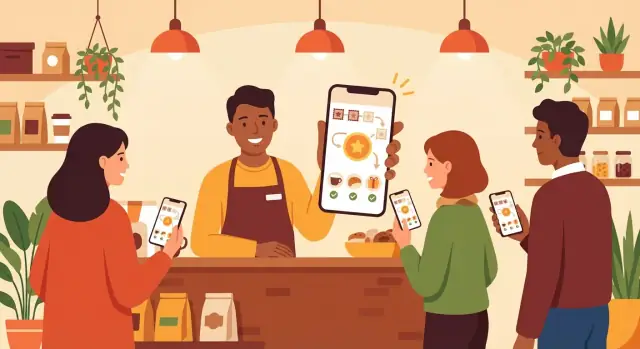
What a Local Loyalty App Should Achieve
A loyalty rewards app isn’t “an app because everyone has one.” It’s a tool to change customer behavior in a measurable way. Before you think about features, get clear on the outcome you want and the simplest way to track progress.
Define the primary goal (pick one to lead)
Most local programs aim at one of these goals, then support the others:
- Repeat visits: get occasional customers to return more often (the classic coffee-shop problem).
- Higher average order: encourage add-ons, bundles, or upgrades (common for cafes and quick-service food).
- Referrals: turn regulars into advocates via shareable rewards or “bring a friend” perks.
You can pursue all three, but if you try to optimize everything at once, your rewards and messaging get confusing. Choose a primary goal and make the reward logic match it.
Business types that fit best
A loyalty rewards app works best when customers come back regularly and the purchase is simple:
- Cafes, bakeries, quick-service restaurants
- Salons, barbershops, spas
- Gyms, studios, classes, local clubs
- Retailers with repeat purchases (beauty, pet supplies, specialty food)
If your business is mostly one-time purchases, a loyalty app usually needs a stronger referral or membership angle to pay off.
Who the app is for: customers, staff, or both
A practical local setup usually involves both:
- Customers: collect rewards, see progress, redeem benefits.
- Staff: quickly check in purchases, fix mistakes, and answer “how many points do I have?” without slowing the line.
Choose one success metric from day one
Pick a single metric you’ll review weekly. Examples:
- Repeat rate: % of customers returning within 30 days
- Visits per active member per month
- Redemption rate: % of earned rewards actually used
A clear goal plus one metric keeps your first version focused and makes improvements easier later.
Research: Learn What Customers and Staff Actually Need
Before you sketch screens or choose features, spend time understanding how loyalty works in your store today—and why it sometimes doesn’t. A loyalty rewards app succeeds when it fits real habits at the counter, not when it looks impressive on a roadmap.
Start with short, practical interviews
Talk to the people who will use the app the most: cashiers, floor staff, and a small set of regular customers.
- Interview staff and 5–10 customers about current loyalty habits
- Ask customers when they typically join loyalty (first visit vs. after a few visits) and what rewards actually motivate them
- Ask staff what slows checkout down and what creates awkward moments (e.g., searching for accounts, explaining rules)
Keep interviews lightweight: 10–15 minutes, focused on specific recent experiences (“Tell me about the last time you used a loyalty card”).
Audit your current loyalty setup
Document how loyalty is handled today and what data (if any) is tracked.
- Review the current loyalty method (paper cards, punch cards, POS points)
This helps you avoid recreating old problems in a new format—and often highlights quick wins like digitizing stamps or simplifying redemption.
Find the friction that kills repeat use
Most loyalty programs fail for straightforward reasons:
- Forgetting cards
- Slow checkout
- Unclear rewards
Also note edge cases: shared family accounts, customers without email, poor cell service, or staff working peak hours.
Turn insights into 3–5 user stories
Write a handful of “who/what/why” statements that guide your build and keep everyone aligned.
- Write 3–5 user stories (customer and cashier) to guide the build
Example: “As a cashier, I want to apply a stamp with one scan so the line keeps moving.” These stories become your decision filter when features compete for attention.
Pick the Right Rewards Model (Points, Stamps, or Membership)
Your rewards model is the “contract” customers think they’re agreeing to. If they can’t understand it in under 10 seconds at the counter, they won’t use it—no matter how nice the app looks.
Points: flexible, great for varied baskets
Points work well when purchase sizes vary (cafés, salons, boutiques). You can reward based on spend (e.g., 1 point per $1) and offer different rewards at different thresholds.
Keep it simple:
- Earn rate: one clear rule (avoid multipliers in the first version)
- Redemption: a small reward customers can reach quickly (e.g., 100 points)
- Expiry: a basic policy customers can remember (e.g., points expire after 12 months of inactivity)
Stamps: easiest to explain, perfect for repeat visits
Stamps mimic a paper card: “Buy 9, get the 10th free.” This is often the fastest model to grasp and a strong choice for a first-time loyalty rewards app.
Use stamps when:
- Most visits are similar value
- You want to emphasize frequency over spend
Paid membership: perks for your regulars
Membership can boost predictable revenue, but only if perks feel immediate. Think “member pricing,” “free add-on,” or “priority booking.” Avoid complicated tiers until you’ve proven demand.
Define reward rules and prevent abuse
Whatever model you pick, write down the basics before building:
- Earn rules: per visit, per item, or per spend
- Redemption thresholds: one or two options at launch
- Limits: caps per day/visit if needed
Plan lightweight protections from day one:
- One scan/check-in per visit (QR code or staff code)
- Staff approval for redemption
- Simple flags for unusual activity (e.g., many check-ins in a short time)
A clear model with clear rules beats a clever system customers don’t trust.
Core Features for a First Version (MVP)
A good MVP loyalty app does a few things extremely well: it makes joining easy, earning rewards fast, and redemption unambiguous at the counter. Everything else can wait until you’ve proven customers actually use it.
1) Low-friction customer sign-in
Start with a sign-in that doesn’t feel like “creating an account.” Phone number with a one-time code is often the smoothest option in a store. Email can work too, but keep the form minimal.
Make the first screen answer one question: “How do I get started?” Avoid long profile forms; you can collect optional details later.
2) A digital loyalty card that’s instantly understandable
The home screen should look like a loyalty card: progress bar, current status, and the next reward clearly stated.
Use plain language (“2 visits left to a free coffee”) and show the customer exactly what counts (purchase, visit, specific items). If rewards expire, show that clearly—no tiny fine print.
3) Fast earning and redeeming at the counter (QR or short code)
Staff need a fast way to validate actions without guessing.
Support one primary method:
- QR code scanning (customer shows code; staff scans)
- Short code (staff enters a 4–6 digit code shown in the app)
Keep steps to a minimum: open staff view → scan/enter → confirm. Add a visible confirmation screen for both staff and customer.
4) Offer list + simple terms + redemption history
Customers should be able to see available offers in a single list with short terms: what it costs (points/stamps), what they get, and any limits.
Include basic redemption history (“Free coffee redeemed on Oct 12”) so people trust the system and staff can resolve “I think I already used that” moments quickly.
5) Basic admin/staff view for validation
Even in an MVP, you need a lightweight staff mode: view a customer’s reward status, approve redemption, and prevent double-use.
Keep permissions simple (staff vs. owner), and log each redemption with time and staff identifier. That small detail reduces disputes and makes the program feel reliable.
User Experience: Simple Flows That Work in a Busy Store
A loyalty app succeeds or fails in the two moments that matter most: when a customer is at the counter, and when staff are trying to keep the line moving. Your UX should reduce decisions, typing, and uncertainty.
Account creation: ask less, explain more
Keep sign-up to the minimum needed to run the program. For many local businesses, that’s just a phone number or email plus a one-time code.
If you ask for anything extra (birthday, name, location), add a short “Why we ask” note right below the field. People are more willing to share when the benefit is clear (e.g., “Birthday = a free treat during your birthday week”).
Home screen: make progress obvious
Your home screen should answer two questions instantly:
- How many points/stamps do I have?
- What’s my next reward and how close am I?
Show the balance in large type, and the “next reward” as a single card with a progress indicator (e.g., “2 more stamps to a free coffee”).
Earning flow: fast and satisfying
Design the earning flow to be usable one-handed in a busy store:
Scan QR → quick confirmation screen (store name + “Add 1 stamp?”) → success message → updated balance shown immediately.
That final “updated balance” moment is the payoff—make it unmissable.
Redemption flow: clear details, clear action
For each reward, show what it includes, any limits (expiry, weekdays), and a single primary button: Redeem now. After tapping, display a staff-facing confirmation state (e.g., “Show this screen to the cashier”) to prevent confusion.
Accessibility basics that help everyone
Use readable text sizes, strong contrast, and large tap targets. These aren’t “nice to have”—they make the app faster for customers in bright light, older users, and anyone rushing in line.
Technical Approach: Platform, Stack, and Integrations
The “right” tech setup for a loyalty rewards app isn’t about chasing trends—it’s about matching how your customers actually shop and how your staff actually works.
Choose iOS, Android, or both
Start with your audience. If most of your customers are on iPhones, launching iOS first can get you traction faster. If your customer base is more mixed (or you’re in markets where Android is more common), plan for both.
A practical rule: if you can only afford one platform for the first release, pick the one that covers the majority of your active customers, then schedule the second platform once the in-store flow is proven.
Native vs cross-platform: what you trade
Native (Swift for iOS, Kotlin for Android) usually gives the smoothest performance and the most “at home” feel on each device. It can be a better choice if you expect heavy use of camera scanning, wallets, or advanced notifications.
Cross-platform (React Native or Flutter) can reduce cost and development time because you maintain one codebase for both iOS and Android. For many loyalty apps (QR code check-in, offers, points balance), this is often the most cost-effective route—especially for an MVP.
Your team’s skills matter as much as the framework. A great React Native team will beat a struggling native team every time.
If you want to validate the product quickly before investing in a full engineering pipeline, a vibe-coding platform like Koder.ai can help you prototype the web admin/staff portal and core workflows from a chat-based spec, then iterate with snapshots/rollback and export source code when you’re ready to take it in-house.
Backend essentials (the part customers never see)
Even a simple MVP needs a backend to handle:
- User accounts (phone/email sign-in, device linking)
- Transactions and check-ins (who earned what, when)
- Rewards rules (points per visit, stamps, tiers, expiry)
- Admin tools for staff (manual adjustments, customer support, offer creation)
Plan for weak connectivity in-store
Shops have dead zones, and checkout lines don’t wait. Decide what happens when the connection is poor:
- Can staff still scan a QR code and queue the action to sync later?
- Do you show a clear “Pending” status to avoid double rewards?
Build vs integrate (POS/CRM)
If you already use a POS or CRM, integration can unlock automatic points and better reporting—but it adds complexity and depends on what your provider supports.
For an MVP, many local businesses start with standalone check-in + manual promotions, then integrate POS later once the program is working. If you’re unsure, define a “Phase 2” integration plan early so you don’t paint yourself into a corner.
Privacy, Security, and Trust for Local Customers
Trust is a feature. If customers worry you’ll spam them or misuse their data, they won’t install the app—or they’ll delete it after the first visit. For a local loyalty rewards app, the safest approach is to collect the minimum you need, explain it clearly, and protect it by default.
Collect only what you truly need
Start by listing the data required to run the program:
- A customer identifier (often email or phone, or even an anonymous ID until they choose to create an account)
- Loyalty balance and visit/redemption history
- Basic device/app data for debugging (crash logs), ideally anonymized
Avoid “nice-to-have” fields (birthday, gender, contacts, exact location) unless you can point to a specific benefit the customer asked for.
Permissions in plain language
Ask for permissions only at the moment they’re needed, and explain the value:
- Notifications: “We’ll send rewards updates and expiring offers. You can turn these off anytime.”
- Camera (QR scan): “Used to scan the in-store QR code to collect stamps/points.”
If a feature works without permission (e.g., manual code entry instead of camera), offer that fallback.
Security basics that prevent real problems
Even an MVP should include:
- HTTPS everywhere (including your API and admin/staff tools)
- Hashed passwords (never store passwords in plain text)
- Access control for staff roles (cashier vs. manager vs. owner; least privilege)
If you have a staff-facing portal, use strong admin authentication and log key actions (issuing points, reversing redemptions).
Retention and account deletion
Decide how long you keep data (e.g., “activity for 24 months”), and document what happens when a customer deletes their account: loyalty balance, receipts/history, and backups. Make the delete flow easy to find in settings.
Simple fraud checks
Loyalty fraud is often basic—and easy to reduce:
- Rate-limit check-ins and redemptions
- Flag unusual activity (too many scans in a short time, repeated reversals)
- Notify managers for review instead of blocking legitimate customers automatically
Design the Rewards Engine and Data Model
A loyalty app feels simple to customers (“scan, earn, redeem”), but it works because the rewards engine has clear records and rules. Before you build screens, decide what you’re tracking and how those records relate.
The core data you need
At minimum, design entities (tables/objects) like these:
- Customer: name (optional), phone/email (optional), created date, status
- Transaction / Earning Event: a visit, purchase, or check-in with timestamp, store location, staff/device ID, and earning method (QR scan, manual)
- Balance: points total or stamp count (can be calculated from events, but many apps cache it for speed)
- Reward: what can be claimed (e.g., “Free coffee”), cost (points/stamps), limits, and expiry rules
- Redemption: when a reward is used—what was redeemed, where, by whom, and its status (pending/approved/voided)
This structure makes audits easy: you can explain why someone has 120 points, not just that they do.
Rules for adjustments (so staff can fix mistakes)
Real stores have returns, double-scans, and “I forgot to scan” moments. Write rules now, not after complaints:
- Returns/refunds: create a reversing event linked to the original transaction
- Mistaken scans: allow voiding within a time window, tracked with a reason
- Manual overrides: require staff permission levels and always log who did it
Staff/admin actions to support operations
Plan common controls: approve redemption, reverse a transaction, flag suspicious activity, and the ability to ban a device/account (with an appeal path if you want to be customer-friendly).
Multiple locations and shared points
If you have more than one store, decide whether points are shared across locations. If yes, keep one customer balance and tag every earning/redemption with a location. If no, treat each location as its own “program,” so customers don’t get surprised at checkout.
Notifications and Messaging That Customers Won’t Hate
Notifications can drive repeat visits—or teach people to mute your app forever. The goal is to send fewer messages, but make each one feel useful and timely.
Map the few messages that actually matter
Start with a small message library tied to real customer value:
- Welcome offer: sent after sign-up with a clear next step (e.g., “Show this QR at checkout for 50 bonus points”)
- Points earned / stamp added: a quick confirmation right after a visit, ideally with progress (“2 stamps to go”)
- Unused reward reminder: only when a reward is available and nearing expiry, with a simple redemption prompt
If a message doesn’t answer “what should I do next?”, skip it.
Set frequency limits (and stick to them)
Build hard caps into your plan so marketing doesn’t turn into spam. For example: no more than 1 push per week per customer, and no more than 2 per month for promotional campaigns. Transactional messages (like “you earned points”) should be instant, but optional.
Simple segmentation beats guesswork
You don’t need complex AI to be relevant. Use a few rules:
- New: joined in the last 7 days → welcome + one nudge to make a first purchase
- Active: visited recently → progress updates and occasional reward reminders
- Inactive: no visit in 30–60 days → a single “we miss you” offer, then pause
Use in-app messages for promos
For weekly specials or seasonal promos, prefer in-app banners/inbox so customers see them when they open the app—without interrupting dinner. Push should be reserved for truly time-sensitive items.
Make opting out painless
Include a simple settings screen: toggle Offers, Reward reminders, and Visit confirmations. A clear opt-out builds trust and keeps your audience subscribed long-term.
Testing and Store Readiness Before You Launch
Testing a loyalty rewards app isn’t just about finding bugs—it’s about making sure the app works during a real rush, with real customers, on devices and networks you can’t control. Before you submit to the app stores or announce anything publicly, run a focused store-readiness pass.
Test the critical paths (end-to-end)
Start with the flows that directly affect trust: customers need to see rewards earned and redeemed correctly every time.
Make sure you can complete these paths without confusion or extra taps:
- Sign-up and first login
- Scan/check-in to earn (QR code or staff-assisted)
- Reward balance and visit/points history
- Redemption at the counter
- Post-redemption state (updated balance, receipt/confirmation)
Don’t test only in the best-case scenario. Repeat each flow from a fresh install, from a logged-out state, and after an app restart.
Run in-store scanning tests (real devices, real lighting)
If you use QR code check-in, test it where it will actually happen: at the register, near the entrance, or wherever customers will point their camera.
Check:
- Bright sunlight through windows, dim evening lighting, glare from overhead LEDs
- Older phones with weaker cameras
- Different screen brightness settings (if the QR is shown on a staff tablet)
- Typical customer distance and angles—people rarely hold phones perfectly straight
If scanning is inconsistent, consider printing the QR larger, improving contrast, or adding a manual fallback (e.g., staff enters a short code).
Handle edge cases before customers find them
A few “rare” situations can quickly become support headaches:
- Slow or unstable internet: the app should clearly show loading states and avoid duplicate actions
- Double scans: prevent customers from earning twice for the same visit, and explain why
- Canceled redemption: if a cashier starts a redemption and stops, make sure points aren’t lost or locked
You don’t need every edge case perfectly elegant for v1, but you do need them predictable and recoverable.
Train staff with a short script and checklist
Even the best UX fails if staff aren’t confident. Create a one-page checklist and a simple script, such as:
- “Open the app, tap Scan, and point it at the QR.”
- “If it doesn’t scan, we can do a manual check-in.”
- “Here’s where your rewards show up.”
Add a quick “what to do if…” section: phone offline, customer can’t log in, scan fails, redemption dispute.
Add a simple support channel and an in-app FAQ
Make help easy to find: a Help button in settings with an FAQ and a contact option (email or a lightweight form). Include 5–10 practical questions (scan issues, missing points, changing phone numbers, redemption rules). Link to a relative page like /support or /faq, and keep responses human and short.
Launch Plan: App Store Setup, Soft Launch, and Promotion
A loyalty rewards app doesn’t “launch” once—it launches in phases. The goal is to get a clean store listing, validate the app with real customers in a low-risk setting, and promote it in-store without confusing staff or slowing down checkout.
App Store & Google Play checklist
Before you invite customers, make sure your listing is complete and believable. People judge quickly—especially when they’re scanning a QR code at the counter.
- App name and subtitle that clearly say it’s a rewards app for your business
- Screenshots that show the key moments: joining, earning, viewing rewards, redeeming
- Short description that answers: “What do I get?” and “How does it work?”
- Privacy details (be transparent about what you collect and why). If you use location, contacts, or tracking, explain it plainly.
- Support links: a simple help page and contact email (e.g., /support)
- Release notes for version 1.0 (even if short)
If you’re using keywords like digital loyalty card, QR code check-in, or points and stamp program, weave them into the description naturally—don’t stuff them.
Build onboarding that prevents confusion
Most failed loyalty apps fail in the first two minutes. Add a short onboarding flow (or a “How it works” screen) that shows:
- How to earn (scan at checkout, enter receipt code, etc.)
- How to redeem (tap redeem, show screen to cashier, confirm)
- Where to scan (at register, table tent, receipt footer)
Keep it skimmable. Customers in a busy store won’t read paragraphs.
Soft launch before you promote widely
Start with one location, one cashier shift, or a small group of friendly regulars. A soft launch helps you catch issues that don’t show up in testing—spotty Wi‑Fi, staff forgetting steps, confusing reward rules, slow QR scanners, and edge cases around redemption.
During the soft launch, track:
- “I can’t sign in” and “I didn’t get points” reports
- Time added at checkout
- Redemption failures (and what staff did to recover)
Fix fast, release a quick update, then expand.
In-store promotion that actually gets downloads
Your best marketing channel is the place where the rewards happen. Add a counter sign with one clear message and one action:
- A small sign at the register: “Get rewards—scan to download.”
- A QR code to install the app (linking to a simple page like /app that routes to iOS/Android)
Train staff on a one-sentence script: “If you want rewards, scan the code and we’ll help you earn your first one today.” The combination of clear signage, a frictionless install path, and staff confidence is what turns the launch into customer retention.
Measure Results and Improve the Loyalty Program Over Time
A loyalty rewards app isn’t set-and-forget. The fastest way to waste effort is to launch, then guess what’s working. Decide what success looks like, measure it, and make small, steady changes.
Define the metrics that matter
Start with a simple scorecard you review weekly (then monthly). For most local programs, these core metrics are enough:
- Activation rate: % of new installs that complete sign-up and earn their first reward action
- Repeat visits: how many customers come back within 7/30 days after their first visit
- Reward redemption rate: % of issued rewards that get redeemed (too low can mean the reward feels unreachable; too high can mean it’s too generous)
If you also track average spend or visit frequency (when possible), you’ll be able to connect the program to real revenue—not just downloads.
Instrument the key steps to find drop-offs
Make sure analytics events exist for both earn and redeem flows, not only for “app opened.” At minimum, track:
- Earn started → earn completed
- Reward viewed → redeem started → redeem completed
When you see a big drop (for example, “redeem started” is high but “redeem completed” is low), you’ll know where to focus: confusing staff steps, unclear instructions, QR code scanning issues, or customers not understanding the benefit.
Run small experiments, one at a time
Instead of major redesigns, test small changes for 1–2 weeks:
- A different welcome reward (e.g., free add-on vs. percentage discount)
- A different threshold (e.g., 8 stamps vs. 10)
- A clearer redemption screen with fewer words
Keep notes on what you changed and the time window, so results aren’t ambiguous.
Collect feedback inside the app
Add a lightweight survey prompt after a milestone (first earn, first redemption): one rating question plus one optional text field. Keep it easy to dismiss.
Plan ongoing updates and seasonal content
Build a calendar for seasonal offers and reminders (holidays, slow periods, new menu/services). Regular updates give customers a reason to re-open the app and help staff talk about it. If you need a structured rollout, reuse your /blog/app-launch-checklist process for each new campaign.
FAQ
What should a local loyalty app achieve first?
Start by choosing one primary goal to lead your decisions:
- Repeat visits (increase frequency)
- Higher average order (upsells/bundles)
- Referrals (bring-a-friend, shareable perks)
Then pick one weekly success metric (e.g., repeat rate within 30 days, visits per active member, or redemption rate) so you can tell if the app is working.
Which local businesses benefit most from a loyalty rewards app?
A loyalty app fits best when purchases are frequent and simple, such as:
- Cafes, bakeries, quick-service restaurants
- Salons, barbershops, spas
- Gyms, studios, classes
- Retail with repeat needs (beauty, pet supplies, specialty food)
If your business is mostly one-time purchases, lean harder on referrals or a membership offer so the program still pays off.
How do I figure out what customers and staff actually need before building?
Keep research fast and practical:
- Interview cashiers/floor staff and 5–10 customers (10–15 minutes each)
- Ask about the last loyalty interaction: what was confusing, what slowed checkout
- Audit your current setup (paper card, punch card, POS points)
Turn what you learn into 3–5 user stories (customer + staff) that guide your MVP decisions.
Should my loyalty program use points, stamps, or paid membership?
Choose the model customers can understand in under 10 seconds:
- Stamps: best for repeat visits and similar-sized purchases ("Buy 9, get 1")
- Points: best when basket sizes vary (earn by spend; multiple reward thresholds)
- Paid membership: best when perks feel immediate (member pricing, free add-on)
If you’re unsure, launch with stamps (simplest), then expand once usage is proven.
How do I prevent loyalty fraud and abuse without making it hard to use?
Define rules up front and add lightweight protections:
- Earn rules (per visit, per spend, per item)
- Redemption thresholds (keep to 1–2 options at launch)
- Limits (e.g., one check-in per visit; optional caps per day)
Operational safeguards that work well:
- QR/short-code check-in with one scan per visit
- Staff approval for redemption
- Flags for unusual activity (many scans in a short time)
What features are essential in a first-version (MVP) loyalty app?
An MVP should nail the counter flow and build trust:
- Low-friction sign-in (often phone + one-time code)
- A home screen that looks like a digital loyalty card (progress + next reward)
- Fast earn/redeem at checkout (QR scan or short code)
- Offer list with simple terms + redemption history
- Basic staff/admin view (validate, approve, log redemptions)
If a feature doesn’t help earning or redeeming reliably, it’s usually not MVP.
How should the UX work at the counter so it doesn’t slow staff down?
Design for speed and clarity in a busy line:
- Ask for the minimum info; explain “why we ask” for anything optional
- Make the home screen answer: balance and next reward instantly
- Keep earning to a few steps: open → scan/enter → confirm → updated balance
- Make redemption unambiguous: "Redeem now" + a clear show-to-cashier screen
Also build accessibility basics (large tap targets, readable type, strong contrast) because they reduce checkout friction for everyone.
Should I build native or cross-platform, and do I need a backend?
Pick based on your audience and team:
- If you can only launch one platform, start where most customers are (iOS or Android)
- Native (Swift/Kotlin): best for maximum polish and heavy device features
- Cross-platform (React Native/Flutter): often fastest and most cost-effective for MVP loyalty apps
Whatever you choose, plan a backend for accounts, earning events, reward rules, redemptions, and staff/admin controls.
What privacy and security basics should a local loyalty app include?
Collect the minimum data needed to run the program:
- Customer identifier (phone/email or an anonymous ID)
- Balance + earning/redemption history
- Basic diagnostics (e.g., crash logs), ideally anonymized
Practical trust builders:
- Ask permissions only when needed (camera for QR; notifications for reminders)
- Use HTTPS and role-based staff access
- Provide clear data retention and an easy account deletion path in settings
How do I test and launch a loyalty app without hurting the in-store experience?
Run a focused “store readiness” check:
- Test end-to-end flows: sign-up → earn → balance/history → redeem → post-redeem state
- Do QR scanning tests in real conditions (lighting, glare, older phones, peak hours)
- Decide how you handle weak connectivity (clear loading/pending states; avoid double rewards)
- Train staff with a short script + a “what to do if…” checklist
Soft launch in one location/shift first, fix issues fast, then promote with simple signage and a QR link like /app.