

Building a Mobile App for Location-Based Task Nudges
Learn how to design and build a mobile app that triggers helpful task nudges by location—covering UX, geofencing, privacy, backend, testing, and launch.
Define the Problem and Best-Fit Use Cases
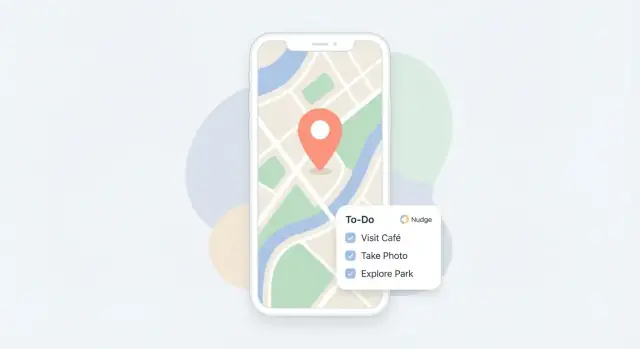
A location-based “task nudge” is a gentle prompt triggered by context—most often where someone is—so they can act at the moment it’s easiest. In practice, nudges typically fall into three types.
What “task nudge” should mean in your app
Reminder: “When I arrive at the pharmacy, remind me to pick up my prescription.” This is explicit and user-created.
Suggestion: “You’re near the hardware store—want to grab lightbulbs?” This is optional and should be used sparingly.
Routine: “When I get home on weekdays, prompt me to prep tomorrow’s lunch.” This is recurring and needs easy scheduling and snoozing.
Best-fit everyday scenarios
The sweet spot is tasks that are easy to forget but easy to complete when nearby:
- Errands near stores: groceries, returns, prescriptions, printing documents
- Office tasks: submit a form when you reach the office, pick up mail from the front desk
- Home chores: take out recycling when you get home, water plants when you arrive
Avoid building for edge cases first (high-frequency tracking, complex automation). Most people want a small number of high-value nudges, not dozens.
Target users and notification tolerance
Define who you’re building for: busy parents, commuters, neurodivergent users, field workers, or “occasionally forgetful” users. Each group has a different tolerance for prompts.
A strong baseline: users should be able to limit nudges by time window, days, and priority, and quickly silence a place without deleting it.
Decide success metrics early
Pick metrics that reflect real value and alert fatigue:
- Tasks completed after a nudge
- Snooze rate and “not now” actions
- Disable/opt-out rate for notifications or location access
- Place/task deletions shortly after creation (signal of confusing setup)
These decisions shape your UX, trigger logic, and privacy choices later.
Pick the Right Platform Strategy
Your platform choice shapes everything: what “location-based reminders” are feasible, how reliable notifications feel, and how much battery you’ll spend earning that reliability.
Native vs cross‑platform (and why it matters)
If your nudge experience depends on tight background location behavior (e.g., geofences that must trigger consistently), native iOS/Android gives you the most control and fastest access to OS changes.
Cross‑platform can still be a great fit:
- Flutter: strong UI consistency and good plugin ecosystem for maps/location.
- React Native: quick iteration, especially if you already have JavaScript skills.
The trade-off is usually more time debugging edge cases around background execution, permissions, and OEM quirks. If you’re validating a new “task nudges app,” cross‑platform can be the fastest route to learning—just be honest about limits.
Know the OS limits before you promise features
Both iOS and Android aggressively manage battery and background work. Plan around these constraints early:
- Background location: iOS requires clear user justification and will surface permission prompts that users can deny. Android background access often needs extra steps and can be impacted by manufacturer battery settings.
- Notification delivery: notifications can be delayed if your app is not allowed to run background tasks, or if the device is in power-saving modes.
- Battery rules: continuous GPS is expensive; the OS may throttle your app if it appears wasteful.
Design your feature set so it still works when users grant “While Using” location only, and treat “Always” as an upgrade—not a requirement.
Choose the smallest location feature that achieves the goal
Ask what you truly need for context-aware tasks:
- Geofencing: best default for “remind me when I arrive/leave.” Lower battery cost and easier to explain.
- Continuous tracking: only if your core use case depends on live movement (often unnecessary for reminders).
Start with geofencing plus a time-based fallback to avoid silent failures.
Plan an MVP that proves value
A first version can be simple: create a task, attach one place, trigger a push notification on enter/exit. Defer advanced routing, multiple locations per task, and complex rules until you’ve confirmed people don’t disable the nudges.
If you want a checklist for what to ship first, you can mirror the approach in /blog/test-location-features-without-surprises.
If you’re moving fast on an MVP, a vibe-coding workflow can help. For example, Koder.ai lets you prototype the UX (React web) or a mobile client (Flutter) and pair it with a lightweight Go + PostgreSQL backend via chat—useful for quickly validating the create-task → attach-place → trigger-notification loop before you commit to a full native build.
Design a Nudge UX People Won’t Disable
A location-based reminders app lives or dies on trust. If people feel spammed, confused, or tracked, they’ll mute notifications or uninstall. The goal is a “quietly helpful” experience that earns the right to interrupt.
Ask for permissions at the moment it makes sense
Explain location permission in plain language, tied to an immediate benefit:
- “Allow location so we can remind you when you arrive at the grocery store.”
Avoid asking on first launch. Instead, prompt when the user creates their first place-based task, and give a clear fallback (“You can still use time-based reminders”). If the user declines, keep the feature visible and explain how to enable it later in Settings.
Give people simple, strong controls
Put the most-used controls one tap away from the reminder itself:
- Pause nudges (for a day, a week, or until turned back on)
- Quiet hours (e.g., nights and meetings)
- Location radius slider with simple presets (Small / Medium / Large)
These controls reduce frustration, especially when GPS is imprecise around dense buildings.
Prevent alert fatigue with smart defaults
Nudges should be selective. Add guardrails such as:
- Frequency limits (e.g., don’t re-alert the same task within 2–4 hours)
- One nudge per arrival unless the user explicitly asks for repeats
- Bundling when multiple tasks match the same place (“3 things at Hardware Store”)
Default to “less often” and let power users tighten it.
Make “nudge cards” instantly actionable
Design the notification (and in-app card) to be a micro-workflow:
- Done (with optional “mark all” for bundles)
- Snooze (15 min, 1 hour, tomorrow)
- Edit (change list, place, or radius)
If a nudge can’t be completed in under five seconds, it’s too heavy—and it will get disabled.
Choose a Location Trigger Approach (Geofencing and Beyond)
Location triggers are the “when” behind your nudge. The right approach depends on how precise you need to be, how often you can check location, and what users will allow.
Compare your trigger options
Geofencing is the go-to for “remind me when I get to the grocery store.” You register a virtual perimeter and get notified on enter/exit. It’s simple, but accuracy varies by device, OS, and environment.
Significant location changes (or coarse background updates) are lower-power alternatives that wake your app only when the device moves meaningfully. They’re great for “when I’m back in my neighborhood,” but too blunt for small-radius places.
Beacon / Wi‑Fi cues help indoors or in dense areas. Bluetooth beacons can detect proximity inside a building; Wi‑Fi SSID/BSSID matching can hint at “home/work” (with platform restrictions). These cues are best as confirmations rather than your only trigger.
Define trigger rules clearly
Support a small set of predictable rules:
- Enter and Exit (most common)
- Dwell time (e.g., “only nudge if I stay 5 minutes” to avoid drive-bys)
- Time windows (e.g., weekdays 8–10am; mute outside hours)
Combine rules carefully: “Enter + within time window + not completed today” prevents spam.
Handle real-world edge cases
GPS drift can fire fences early/late. Dense cities cause “urban canyon” jumps, and multi-story buildings can blur floors. Mitigate by using slightly larger radii, adding dwell requirements, and deduplicating triggers (cooldowns).
Plan fallbacks when location is limited
If users deny “always” location, offer reduced functionality: manual check-ins, time-based reminders, or “notify when app is opened near a place.” When location is unavailable (offline, no GPS), queue evaluations and run them when a reliable fix returns—without backfilling a burst of old notifications.
Create a Simple Data Model for Tasks, Places, and Rules
A location-based nudge app lives or dies by its data model. Keep it small, explicit, and easy to reason about—so you can add features later without breaking existing reminders.
Core objects (and what they should contain)
Task is the user’s intent. Store: title, notes, status (active/completed), optional due date, and lightweight metadata like priority.
Place is a reusable location definition. Store: label (“Home”, “Pharmacy”), geometry (lat/lng + radius, or other shape), and optional hints like “indoor” (useful if you later add Wi‑Fi/Bluetooth triggers).
Rule/Trigger links a task to one or more places and defines when to notify. Store: event type (enter/exit/nearby), schedule window (e.g., weekdays 8–20), and a nudge style (silent banner vs. full notification).
User preferences are global knobs: quiet hours, notification channels, preferred units, and privacy choices (e.g., “precise” vs “approximate” location).
Many-to-many without complexity
Real life is messy: one task can apply to multiple places (“Buy milk” at any grocery), and one place can host multiple tasks (“Home” tasks). Model this with a separate TaskPlaceRule (or Rule) table/collection rather than embedding everything inside Task.
State you’ll thank yourself for later
Location triggers can spam if you don’t track state. Store per rule:
- lastFiredAt and a cooldownMinutes
- lastSeenAt (useful for debugging and “why did this fire?” screens)
- completion history (completedAt, skippedAt, snoozedUntil)
Where the data lives
Decide early:
- On-device only: simplest, best for privacy; harder to switch phones.
- Cloud sync: convenient across devices; requires accounts and careful security.
- Hybrid: keep sensitive location state on-device, sync tasks/places/rules only.
If you’re unsure, hybrid is often the safest default because it limits what your server ever sees.
Implement Notifications and Actions
Notifications are the “moment of truth” for a task nudges app. If they’re late, generic, or noisy, users will disable them—even if the rest of the experience is great.
Pick the right notification type
Use local notifications when the phone can decide and deliver the nudge on its own (e.g., “arrived at grocery store → show list”). They’re fast, don’t depend on a network connection, and feel immediate.
Use push notifications when the server needs to be involved (e.g., shared tasks, team rules, or cross-device consistency). Many apps use a mix: local for instant, context-aware nudges; push for syncing and edge cases.
Deep link to the exact task
A notification should never drop someone at a generic home screen. Add a deep link that opens:
- The specific task
- The matching place/rule
- The intended state (e.g., “arrival view” vs. “leave view”)
If the task was deleted or already completed, handle it gracefully: open the task list with a small message like “This reminder is no longer active.”
Add actions people actually use
Actions reduce friction and prevent “I’ll handle it later” fatigue. Keep them consistent across iOS/Android:
- Complete
- Snooze 15 min
- Remind later (choose 1 hour / tonight / tomorrow)
- Not relevant (silence this rule for this place or this task)
Respect delivery limits without spamming
Mobile OSes may throttle notifications, and users hate repeats. Track a simple “cooldown” per task/place (e.g., don’t notify again for 30–60 minutes). If delivery fails, retry once with backoff rather than looping. When multiple tasks trigger at once, bundle them into a single notification with a clear summary and a tap-through list.
Plan the Backend and Sync (Only What You Need)
A location-based nudge app can work surprisingly well with a “thin” backend. Start by listing what must be shared or backed up, and keep everything else on-device until you have a clear reason to centralize it.
What the server actually needs to do
In many early versions, the backend only needs to handle:
- Accounts and sessions (or anonymous users with an upgrade path)
- Sync across devices (same user, multiple phones)
- Shared lists (optional: families/teams)
- Remote rule distribution (only if rules must update without an app release)
If your app is single-device and personal, you may be able to ship with local storage first and add sync later.
A small, clear API surface
Keep the first API set boring and predictable:
- Auth: sign in/out, refresh token
- Tasks (CRUD): create/read/update/delete tasks and completion state
- Places: saved locations, labels, and any geofence metadata
- Rules: links between tasks and places (if you store them server-side)
- Device tokens: register push tokens per device/user
Document this early so the app and backend don’t drift.
Sync and conflict resolution
Conflicts happen when someone edits the same task on two devices offline.
- Last-write-wins is simplest and often fine for personal reminders.
- Merge is better for shared lists (e.g., merge notes, preserve both edits), but adds complexity.
Pick one rule, state it in product terms, and test it with real “airplane mode” scenarios.
Keep integrations optional
Calendar, external to-do apps, and automation platforms are tempting—but they expand permissions, support, and edge cases. Ship the core loop first, then add integrations behind settings later.
If you don’t want Firebase, plan a lightweight alternative early (e.g., a small REST API + Postgres), but don’t overbuild. Your backend should earn its complexity.
Build Privacy-First Location Handling
Privacy isn’t a “legal page” you tack on later—it’s a product feature. Location-based reminders feel helpful only if people trust you won’t track them unnecessarily.
Collect less, nudge more
Start by minimizing what you store. To trigger a reminder, you usually don’t need raw GPS trails or a timeline of everywhere someone has been.
Store only what’s needed for nudges:
- The saved place (e.g., a named location with a radius)
- The task and its rule (e.g., “When arriving at Grocery Store, remind me to buy milk”)
- A minimal delivery record (e.g., “sent at 5:32pm” to avoid repeat spam)
If you’re tempted to keep full location history “just in case,” treat that as a separate, opt-in feature with clear value.
Prefer on-device trigger checks
Whenever possible, evaluate geofence and trigger logic on the device. That means your servers don’t need to receive continuous coordinates. The app can decide locally when a user enters/leaves a place, then only sync the task state you actually need (like “completed”).
Be explicit about retention
Tell users what you keep, for how long, and why—inside the app, not only in a policy.
Examples:
- “Notification delivery logs: 14 days to prevent duplicate nudges.”
- “Completed task history: 30 days (editable).”
Make retention configurable when reasonable, and default to the shortest period that still prevents annoying repeat reminders.
Give control: export and delete
Add clear controls in Settings:
- Export tasks and saved places
- Delete location-related data (single item or all)
- Delete account (and what happens next)
Document these controls plainly (e.g., /settings/privacy), and confirm deletions with understandable outcomes: what’s removed locally, what’s removed from sync, and what may remain in backups (with timelines).
Optimize Battery, Performance, and Offline Use
A location-based nudge app only feels “smart” if it’s quiet in the background. If it drains battery or lags, people will disable permissions or uninstall. The goal is simple: do less work, less often—and still be accurate enough.
Prefer low-power location signals
Avoid constant GPS polling. Instead, rely on platform-provided modes that trade a little precision for big battery savings:
- Use significant-change / activity-based updates when possible, then “zoom in” briefly only when you’re near a relevant place.
- Increase update intervals when the user is stationary or at home/work.
- Treat GPS as a short-lived tool, not a permanent subscription.
A good mental model: most of the day, you’re waiting; only occasionally do you need to verify.
Cache places locally and evaluate triggers fast
Every location update should be cheap to process. Keep a small local cache of places (geofences, saved addresses, radii) and evaluate triggers efficiently:
- Precompute simple bounding checks (e.g., quick distance approximations) before doing heavier calculations.
- Only test rules that could possibly match (e.g., those near the user’s last known region).
- De-duplicate: if you already nudged for “Arrived at Grocery Store” in the last X minutes, skip.
This reduces CPU churn and makes the app feel instant when it opens.
Offline-first task management
People create tasks in elevators, subways, or while roaming. Let them create/edit tasks and places without a network:
- Store tasks, rules, and recently used places locally.
- Queue changes and sync later (conflict rules can be simple: “last edit wins” for most fields).
- If geocoding fails offline, allow a placeholder and resolve it when online.
Measure real battery impact before launch
Battery use is rarely obvious in the simulator. Test on a few common devices (older and newer) with realistic movement: commuting, walking, driving. Track:
- Battery drop over a few hours
- Number of location updates and wake-ups
- Notification rate (too many nudges also feels like “battery drain”)
If you can’t explain where the power went, users will notice faster than you do.
Test Location Features Without Surprises
Location features fail in the gaps between “it worked on my phone” and real life: weak GPS, background limits, spotty data, and people changing permissions mid-week. A good test plan treats movement, device state, and permissions as first-class scenarios—not afterthoughts.
Test with real movement (not just around your desk)
Run field tests that mirror how people actually travel: walking, driving, public transit, and stop-and-go traffic. Repeat the same route a few times on different days.
Pay attention to:
- Enter/exit timing (is the nudge late, early, or duplicated?)
- Border behavior near the edge of a geofence
- App states: foreground, background, killed, and after reboot
Simulate locations and automate critical flows
Use OS tooling to simulate routes and jumps:
- iOS: Xcode location simulation (including GPX routes)
- Android: Developer options “Select mock location app” + Android Studio emulator location controls
Automate what you can: create task → set place → receive notification → complete/snooze. Even a small suite catches regressions when you tweak rules or upgrade SDKs.
Verify every permission path
Test the full permission lifecycle:
- Deny on first prompt
- Allow once / while using the app
- Allow always (when applicable)
- Permission revoked later in Settings
Confirm the app responds gracefully: clear explanations, fallback behavior, and no broken “silent failures.”
Build a geofence edge-case checklist
Keep a lightweight regression checklist you run before releases:
- Fast boundary crossing (highway)
- Multiple nearby fences
- Low-power mode enabled
- No network / airplane mode
- Clock change and time zone travel
This is where “surprises” get caught—before users do.
Add Analytics and Feedback Loops (Privacy-Safe)
You can’t improve location-based reminders without measuring what people experience—but you also don’t need a trail of precise location data to do it. Focus analytics on nudge outcomes and quality signals, not where someone was.
Track a small set of product signals
Define a minimal event vocabulary that tells you whether nudges are relevant and timely:
- Nudge shown (notification delivered or in-app card displayed)
- Opened (tap-through or view)
- Acted on (task marked done, action button used)
- Snoozed (and for how long)
- Disabled (notifications off, location permission downgraded, rule muted)
Add light context that doesn’t identify places: app version, OS version, permission state (“always/while using/denied”), and trigger type (“geofence/Wi‑Fi/manual”).
Add “Was this helpful?” at the right moments
After a nudge is dismissed or completed, offer a one-tap micro-survey:
- Helpful / Not helpful
- Optional reason chips (e.g., “Wrong place”, “Wrong time”, “Too frequent”, “Already did it”)
Use this to tune relevance rules (frequency caps, cooldowns, or smarter suggestions) and to surface tasks that users repeatedly ignore.
Detect trouble early
Watch for patterns that signal broken UX or noisy triggers:
- Rising opt-out or permission drop-offs
- High false trigger indicators (“Not helpful → Wrong place”)
- Increased snooze loops (snooze repeatedly without action)
- Support tickets and reviews mentioning battery drain
Keep analytics privacy-safe
Avoid sending or storing raw latitude/longitude in analytics. If you need location-derived metrics, use coarse buckets on-device (e.g., “home/other” based on user-labeled places) and send only aggregated counts. Prefer short retention windows and document what you collect in a clear privacy screen (see /privacy).
Launch, Monitor, and Iterate
A location-based nudge app lives or dies on user trust. Your launch should make it obvious what the app does, why it needs location, and how to control it—before users hit “Allow.”
Ship a store listing that sets expectations
Write your App Store/Play listing like a mini onboarding:
- Explain location permissions in plain language (“We use location to trigger reminders when you arrive/leave saved places”).
- Include screenshots that show the permission screen, the “Add place” flow, and how to pause/disable nudges.
- Call out privacy choices (e.g., “You can use the app without background location, with fewer triggers”).
If you have a deeper explanation, link to a short privacy/permissions page (e.g., /privacy) that matches the wording in the app.
Roll out gradually and watch the right signals
Avoid a big-bang release. Use TestFlight/internal testing, then a staged rollout. During each step, review:
- Crash reports (especially around permission prompts and background events)
- Battery and background usage complaints
- Notification delivery issues (missing, late, or duplicated nudges)
Keep a “stop button”: if battery spikes or crashes increase, pause the rollout and ship a hotfix.
Make support easy (and in-app)
Add a simple Help entry with an FAQ: enabling location, choosing “Always” vs “While Using,” fixing missed reminders, and turning off specific nudges. Include a contact path that captures context (device, OS version) without asking users to describe everything.
Iterate with user-friendly upgrades
Plan small, safe iterations: smarter rules (time windows, frequency caps), gentle suggestions (“Do you want a reminder here again?”), shared tasks for families/teams, and accessibility improvements (larger tap targets, VoiceOver/TalkBack-friendly flows, reduced motion).
As you iterate, keep your build pipeline lightweight so you can ship improvements quickly without compromising privacy. Teams sometimes use platforms like Koder.ai for this phase: snapshots/rollback help test trigger logic changes safely, and source-code export keeps you in control when the prototype graduates into a long-term product.
FAQ
What should a location-based task nudge do first?
Start with user-created reminders for arriving at or leaving a saved place. They are easy to explain and give people direct control. Add suggestions and recurring routines only after the basic reminder flow feels reliable.
Should I use geofencing or continuous location tracking?
Geofencing is usually the best starting point. The app watches for entry into or exit from a saved area without constant GPS polling, which saves battery and suits errands, office tasks, and home chores.
When should the app ask for location permission?
Ask when someone creates their first place-based reminder. Explain the immediate benefit, such as reminding them to buy groceries on arrival, and keep time-based reminders available if they decline.
How can I stop reminders from firing at the wrong time?
Use a slightly larger radius, add a short dwell time for places where people pass by, and set a cooldown after each alert. These rules reduce early, late, and duplicate nudges caused by GPS drift.
Which notification actions matter most?
Give each reminder clear actions: Done, Snooze, and Edit. For several matching tasks at one place, show one bundled notification so people can handle the list without receiving a stack of alerts.
Should location nudges use local or push notifications?
Prefer local notifications for arrival and departure reminders because the phone can show them immediately, even without a connection. Use push notifications when shared tasks or cross-device updates need server involvement.
What location data should the app store?
Keep task titles, saved places, rules, quiet hours, and recent notification records on the device. Sync only the data needed across devices, such as tasks and completion status, unless users choose a feature that needs more.
How do I make a location reminder app more private?
Do not collect a continuous history of where people go. Run geofence checks on the device when possible, explain retention in plain language, and let users export or delete their tasks and location-related data.
How can I reduce battery drain from location features?
Avoid constant GPS updates. Use geofences or significant location changes, cache saved places locally, test only nearby rules, and stop repeated checks after a reminder has fired.
What should I test before launching location-based reminders?
Test outside the office with walking, driving, transit, weak signal, airplane mode, low-power mode, and permission changes. Check foreground, background, closed-app, and post-reboot behavior, then verify that alerts arrive once and open the right task.