

How to Build a Mobile App for Managing Home Maintenance
Learn how to plan, design, and build a mobile app that helps homeowners track tasks, schedules, warranties, and service pros—step by step.
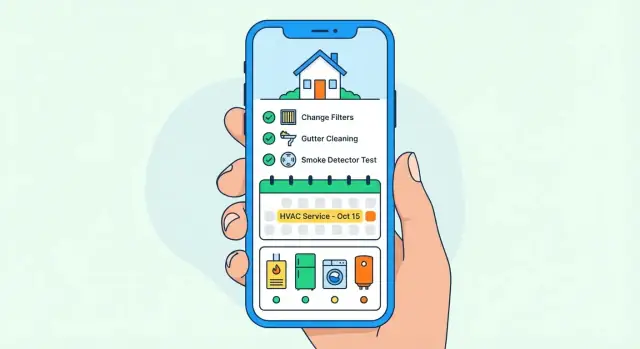
Define the Goal and Target Users
Before you sketch screens or pick a tech stack, decide what your home maintenance app is for. A clear goal keeps the MVP focused and makes product decisions (features, pricing, onboarding) much easier.
Who you’re building for
Most home maintenance apps can serve multiple audiences, but each group has different motivations:
- Homeowners want fewer unexpected breakdowns, easier planning, and a single place for receipts, manuals, and warranty details.
- Renters usually need lightweight reminders and simple issue tracking (what they fixed vs. what the landlord should handle).
- Landlords care about repeatable processes across units, documentation, and faster turnover readiness.
- Property managers need coordination—assigning tasks, tracking vendor work, and proving compliance (inspections, smoke detectors, filters).
Pick a primary audience for version 1. If you try to satisfy everyone at once, you’ll likely ship a complicated tool that feels generic.
The core problems to solve
Home upkeep fails for predictable reasons:
- Forgotten tasks (seasonal checks, filter changes, gutter cleaning)
- Lost receipts and warranties (no proof of purchase, no service history)
- Scattered schedules (calendar here, notes there, emails everywhere)
Your app’s job is to turn these pain points into a simple routine: capture the home’s assets, generate a realistic checklist, and keep people on track.
Define outcomes and success metrics
Be specific about what “better” looks like. Common primary outcomes:
- Fewer surprises: issues caught earlier through recurring tasks and inspections
- Lower repair costs: preventative maintenance completed on time
- A more organized home: documents, warranties, and service history in one place
Then translate that into measurable success:
- Retention (e.g., 30-day retention for new users)
- Task completion rate (weekly/monthly completion per active user)
- Paid upgrades (conversion to subscription or add-ons after a “first win,” like completing 3 tasks or uploading 5 receipts)
With goals, audience, and metrics defined, you’ll know what to prioritize—and what to ignore—for the first release.
Choose the Features That Matter Most
Feature decisions will either keep your home maintenance app focused—or turn it into an expensive “everything” product that’s hard to finish. The simplest way to stay on track is to prioritize what users will open the app for weekly, not what sounds impressive in a demo.
Start with the core jobs users need done
Most people want fewer surprises: missed filter changes, forgotten inspections, and lost warranty papers. That points to a small set of features that create repeat value.
Property support: decide early whether you’re building for a single household or for multiple properties (landlords, short‑term rentals, family members managing parents’ homes). Multi-property support affects navigation, permissions, and data structure—so it’s best treated as a first-class choice, not an add-on.
Task reminders: reminders should cover seasonal tasks (gutters, HVAC servicing), monthly routines, and one‑off repairs. Let users set recurrence patterns, due dates, and “snooze,” and make push notifications optional and configurable.
Make the app a trusted source of truth
A strong home maintenance app isn’t only a checklist—it’s a history.
Home inventory: organize by rooms and major appliances, and allow attaching documents and photos (manuals, receipts, serial numbers). This naturally supports appliance warranty tracking without extra complexity.
Service history: capture what was done, when, by whom, and cost. Even a lightweight log helps with resale, insurance questions, and planning future budgets.
Defer the extras on purpose
Some features are valuable, but they rarely belong in an MVP: smart home integrations, advanced automation, and complex AI workflows. Keep them on a “later” list and validate demand after users rely on the basics.
Research Competitors and Define Your Edge
Before you write requirements, spend a day acting like a picky homeowner. Download the top options, try to set up your own place, and note where you feel friction. Your goal isn’t to copy features—it’s to understand what people actually struggle with.
Quick competitor scan (and common complaints)
Here are a few well-known options in the home maintenance app category, plus the kinds of issues that show up repeatedly in reviews:
- HomeZada: Powerful, but many users complain about complex setup, too many steps, and features feeling “built for power users.”
- Centriq: Great for appliances, yet reviews often mention limited customization and frustration when auto-detected product info isn’t accurate.
- Thumbtack / Angi (more service-focused): Useful for hiring pros, but homeowners complain about spammy outreach, lead quality, and the experience being more “marketplace” than “maintenance plan.”
- Google Calendar / Reminders (DIY alternative): People like simplicity, but it lacks maintenance-specific templates, asset/warranty tracking, and history per item.
Define your differentiation (one clear edge)
Pick 1–2 advantages you can deliver consistently:
- Simpler setup: “Add your home in 3 minutes” using a guided checklist (home type, key systems, appliances).
- Better reminders: Maintenance reminders that support seasonality, snooze rules, and “done in 2 taps,” not a complicated task editor.
- Better warranty tracking: A dedicated flow for warranty date, proof of purchase, serial number, and service contact, tied to each asset.
Decide how you’ll measure product–market fit
Choose metrics that reflect real upkeep behavior, not vanity installs:
- Weekly active households (WAU) and percentage completing at least one task weekly
- Reminder-to-completion rate (do notifications lead to action?)
- 30/90-day retention (do people keep using it past the initial setup?)
- Review signals: average rating + top recurring complaint themes
Positioning statement for your app listing
Use a simple formula: For [who], [app name] is the [category] that [key benefit], unlike [alternative] which [pain].
Example: “For busy homeowners, [App Name] is a home maintenance app that sets up your upkeep plan in minutes and never lets warranties slip, unlike generic reminder apps that don’t track your home’s assets.”
Plan the MVP Scope and Timeline
An MVP (minimum viable product) is the smallest version of your home maintenance app that solves one clear problem: helping a homeowner stay on top of upkeep without stress. The goal is to launch something useful, learn quickly, and avoid burning budget on “maybe later” ideas.
Start with a tight MVP feature list
For a first release, keep the feature set focused on creating and completing maintenance work.
MVP essentials: user account, one or more properties (home/condo/rental), tasks, reminders, and attachments (photos, PDFs, manuals, receipts).
That’s enough to cover recurring chores, one-off repairs, and basic appliance warranty tracking through stored documents.
Define the must-have screens
Your UI should support the main loop: add a task → get reminded → complete it → keep proof.
Must-have screens: onboarding, home dashboard, task list, calendar, and task detail.
Task detail is where the value lives: due dates, recurrence, notes, attachments, and a clear “mark done” action.
Park “nice-to-have” features for later
Be explicit about what won’t be in version 1. Common phase-2 items include a service provider marketplace, family sharing/permissions, and analytics (e.g., spend summaries or completion trends). These can be powerful, but they also add complexity, support needs, and privacy considerations.
Build a realistic timeline and budget
A typical MVP timeline is 8–12 weeks for a small team (design + development + QA) if scope stays tight. If you need multi-property support, reminders, calendar views, and attachments across iOS and Android, plan closer to the upper end.
Budget varies by region and team setup, but a practical range for this MVP is $25,000–$80,000. The best way to control costs is to lock the MVP checklist, ship, then use real user feedback to prioritize what’s next.
Map the User Journey and App Screens
A home maintenance app succeeds when it feels effortless. Before you draw any UI, sketch the simplest “happy path” a new homeowner can complete in under five minutes: add home → add items → schedule tasks → get reminders. Every extra step will show up later as skipped setup and churn.
Start with the main flow (the screens you can’t skip)
Design your first set of screens around that path:
- Home setup: address (optional), home type, a few quick details (year built, HVAC type if known).
- Home dashboard: today/this week’s tasks, a clear “Add” button, and a progress-style overview.
- Items / Assets: appliances, systems, rooms, and documents (manuals, receipts, warranties).
- Task details: what to do, frequency, next due date, time estimate, and attachments.
- Reminders / notifications settings: simple controls (on/off, timing, quiet hours).
Reduce effort with smart templates
Most people don’t want to invent a maintenance plan. Offer one-tap templates for common routines—HVAC service, gutter cleaning, smoke detector tests, filter changes—so users can add a working schedule quickly, then edit details later.
Make accessibility a default, not an add-on
Use readable font sizes, strong contrast, and large tap targets (especially for checkboxes and date pickers). Home maintenance is often done on the move—gloved hands, bright light, and quick glances.
Empty states that teach and motivate
Empty screens are a chance to guide:
- Show example tasks (“Replace fridge water filter every 6 months”).
- Suggest a short starter checklist tailored to the home type.
- Provide a Quick Add (task + reminder in one step) to get users to their first win.
If you later publish onboarding tips, link them from these empty states (e.g., /blog/maintenance-checklist-starter).
Design the Data Model (Tasks, Assets, Warranties)
A home maintenance app lives or dies by whether it can remember the right details—and surface them at the right time. A clear data model keeps your features consistent (tasks, reminders, warranties, attachments) and prevents “where do we store this?” debates later.
Start with a baseline set of entities
Most apps can cover the majority of homes with these core entities:
- User: account, preferences, notification settings
- Property: address, timezone, household name (e.g., “Main Home”)
- Room: optional structure to help organize assets (Kitchen, Garage)
- Asset: appliances and systems (HVAC, water heater, roof)
- Task: what needs doing (replace filter, gutter cleaning)
- Reminder: when to notify (push/email), tied to a task
- Document: receipts, manuals, photos, inspection PDFs
- Provider: plumbers, electricians, handypeople
- ServiceLog: history of work performed on an asset or property
Define relationships you’ll rely on
Keep linking simple and predictable:
- Tasks should attach to a Property and optionally to an Asset (e.g., “Service boiler”)
- Documents should attach to Assets and/or ServiceLogs (e.g., receipt for a repair)
- ServiceLogs typically link to an Asset (and can reference a Provider)
This structure supports both “property-wide” checklists and asset-specific maintenance without duplicating data.
Capture the fields that actually drive value
For tasks, the highest-impact fields are: due date, recurrence rule (every 3 months, first Monday), reminder timing, notes, and attachments/photos.
For assets, include: model/serial (optional), purchase date, warranty start/end dates, and estimated replacement date. For service logs: date, cost, provider, and before/after photos.
Required vs optional: reduce onboarding friction
Make only what’s necessary required. A good default is:
- Required: Property name/timezone, Task title, Due date (or “someday”)
- Optional: Room, Asset details, cost, documents, provider info
Let users get their first reminder in under a minute, then encourage richer data when they add an asset or log a service visit.
Pick Your Tech Stack and Architecture
Your tech choices should support what a home maintenance app actually does: capture tasks quickly, send reliable maintenance reminders, store photos/receipts for appliance warranty tracking, and sync a property upkeep checklist across devices.
iOS vs Android (or both)
Start with where your target users are. If you’re aiming at homeowners in a region where iPhone usage is high, iOS-first can get you to an MVP faster. If you’re targeting property managers, contractors, or broader affordability, Android may be the better first bet.
If you don’t have strong evidence either way, plan for both—especially if subscription pricing is part of your model.
Native vs cross-platform
- Native (Swift/Kotlin): Best “platform feel,” smoother performance for heavy UI, and deep OS integrations (widgets, background tasks). Higher cost if you build two apps.
- Cross-platform (Flutter/React Native): Faster to ship one codebase, easier to keep features consistent, and a strong fit for an MVP (tasks, schedule views, and home inventory screens).
A practical approach: cross-platform for v1, with the option to add native modules later for edge cases (background sync, advanced notifications).
Backend: managed vs custom
- Managed backend (Firebase, Supabase): Quick auth, database, file storage for attachments/receipts, and push notifications support.
- Custom API (Node/Django/Rails + Postgres): More control over data model, permissions (multi-property, family accounts), and reporting.
If you expect richer roles, multi-property access, and reporting, a custom API can pay off.
If you want to move from idea to working prototype quickly, a vibe-coding platform like Koder.ai can help you validate the product loop (tasks → recurrence → reminders → attachments) via a chat-driven build process. It’s particularly useful when you’re iterating on scope: you can test flows early, then export source code and take the project forward with a traditional team if needed.
Third-party services you’ll likely need
Use proven services for:
- Push notifications: APNs/FCM to deliver reminders reliably.
- Analytics: Track what users actually use (templates, recurring tasks, reports).
- Crash reporting: Catch issues early (e.g., attachment upload failures offline).
Choose tools that integrate cleanly with your stack and keep data collection minimal by default.
Handle Accounts, Privacy, and Security
Accounts and security choices shape trust—and they’re much harder to “bolt on” later. For a home maintenance app, you’re dealing with addresses, schedules, photos, receipts, and warranties, so it’s worth deciding early what you’ll store, where, and why.
Account options: reduce friction, keep flexibility
Start with a small set of sign-in methods that match your audience:
- Email + password for universal access.
- Apple / Google sign-in for fast onboarding (and fewer forgotten passwords).
- Guest mode for “try before you commit,” letting users create tasks and reminders without an account.
A common approach is to let guest users use the app normally, then offer one-tap upgrade to an account to sync and back up data.
Privacy choices: be clear about what you store
Decide what data must be on your servers versus what can stay on-device:
- Store in the cloud only what’s needed for sync, multi-device access, and collaboration (e.g., tasks, due dates, household membership).
- Keep on-device anything optional or sensitive when possible (e.g., certain notes or documents), and let users choose whether to upload.
Add simple settings like “Store attachments in cloud” vs “On device only,” and write privacy copy in plain language.
Security basics you should treat as non-negotiable
- Encrypt in transit: use HTTPS/TLS for all API calls.
- Secure file storage: store attachments (receipts, inspection photos) in a private bucket with time-limited access links.
- Least access: your app and backend should only request permissions it truly needs (e.g., notifications are optional; photo access should be user-initiated).
Also plan for account recovery, device loss, and safe session handling (short-lived tokens, revoke on logout).
Roles and sharing (if you support households)
If the app supports more than one person per home, define roles early:
- Owner: billing, household settings, member management.
- Household member: create/complete tasks, upload receipts.
- Manager/landlord (optional): access to multiple properties, limited tenant visibility.
Clear roles prevent accidental over-sharing and make collaboration feel safe.
Build the Core: Tasks, Recurrence, Reminders, Attachments
This is the “daily driver” of a home maintenance app: a reliable way to capture tasks, see what’s next, and prove work was done (with photos and receipts). If this part feels effortless, users will forgive missing extras.
Tasks that fit real home routines
Start with a task object that’s simple on the surface—title, due date, status, priority, notes—but supports home-specific details like location ("Kitchen"), asset ("Water heater"), and estimated time/cost.
For recurrence, cover the patterns people actually use:
- Monthly and seasonal schedules (e.g., “every 3 months,” “every spring”)
- Exceptions (skip a cycle, pause while away, one-off reschedule after completion)
- “After completion” rules for chores that slip (e.g., change HVAC filter every 90 days from the day it’s done)
A practical tip: store both the recurrence rule and the next due date. The rule drives future dates; the next due date drives performance.
Reminders: local notifications vs push
Reminders should work even when the app isn’t open.
- Local notifications are scheduled on the device. They’re fast, private, and work offline, but can be lost if the app is deleted, and timing may change if the user switches phones.
- Server-driven push notifications (via a backend) are better for multi-device users and “smart” reminders (e.g., notify if overdue for 7 days). They require accounts and careful privacy handling.
Many apps use both: local for basic due alerts, push for account-aware nudges.
Calendar and filters that reduce anxiety
A calendar view should answer one question: “What needs attention this week?” Include filters for upcoming, overdue, and completed, and make overdue items visible without feeling punishing—clear labels and one-tap reschedule help.
Attachments that stay useful (and affordable)
Let users attach photos, PDFs, and receipts to tasks. Plan for:
- Compression and resizing (store a readable original option when needed)
- Storage limits (per item and per account) with clear messaging
- Fast previews (thumbnails for images, first-page preview for PDFs)
Attachments turn maintenance from memory-based to evidence-based—especially valuable for warranties, landlords, and future home sales.
Add Helpful Tools: Templates, Pros, and Reports
Once the core task system works, the next leap in “this is actually useful” is reducing setup time and helping people stay organized when something breaks. Templates, a lightweight service provider directory, and shareable reports can do that without turning your first release into a giant project.
Task templates that feel ready on day one
Most users don’t want to invent their upkeep plan from scratch. Offer a small, curated template library they can add with one tap, then edit.
Examples that cover common homes:
- Change HVAC filter (with a quick note on filter size and where it’s stored)
- Test smoke alarms (including which alarms are connected)
- Clean dryer vent (with a checkbox for “inside lint trap” vs “external vent”)
Make templates smart but simple: default title, frequency, seasonality hint, and an optional “what you’ll need” field. Keep them editable so users can match their home.
Schedule suggestions (optional)
If you want to go further, you can suggest frequencies based on broad region/climate (e.g., humid vs dry). Keep it conservative: present it as “recommended starting point,” and always allow manual override. The goal is guidance, not guarantees.
A service provider list users trust
A “Pros” area should be lightweight:
- Saved contacts (plumber, electrician, HVAC)
- Notes (license number, gate code, preferences)
- Last used date and what they did
- Optional ratings/tags (e.g., “Fast,” “Expensive,” “Great with pets”)
Avoid becoming a marketplace early. A personal directory is easier to build, more private, and still highly valuable.
Exportable maintenance reports
Let users export/share a clean report for resale, warranty claims, landlords, or HOA records. Include completed tasks, dates, photos/attachments references, and key assets serviced.
Offer sharing via PDF/email and a simple “Generate report” flow with filters (last 12 months, by category, by room). A link to /blog/home-maintenance-checklist can also help users fill gaps without leaving the app.
Offline Mode, Sync, Performance, and Testing
A home maintenance app gets used in basements, garages, and utility closets—places where reception is unreliable. If the app depends on a connection to load your checklist or save a photo, people will stop trusting it.
Offline-first expectations
Design the core flows so they work without internet:
- View upcoming and overdue tasks, including recurrence rules and reminders.
- Add a new task on the spot (e.g., “Replace furnace filter”), attach notes, and mark tasks complete.
- Capture photos of labels/serial numbers so users can log warranties and manuals even when offline.
This usually means keeping a local database on the device and treating the server as a sync partner—not the source of truth during everyday use.
Sync strategy and conflict handling
Sync is where “simple” apps can get messy. Start with clear rules you can explain:
- Every record (task, asset, warranty) has updated timestamps and a stable ID.
- Use a predictable conflict rule like last-write-wins for non-critical fields (title, notes), based on server time or a trusted monotonic timestamp.
- For sensitive changes (deletes, recurrence edits), consider keeping a small change history so you can recover mistakes.
Even with last-write-wins, be explicit about what happens if two devices edit the same task. A short “This task was updated on another device” message can prevent confusion.
Performance that feels “instant”
Homeowners expect fast startup and smooth scrolling through long checklists and photo-heavy inventories.
Focus on:
- Fast app launch: load cached data immediately, then refresh in the background.
- Smooth lists: paginate, avoid heavy work on the main thread, and precompute recurring task instances.
- Image caching: store thumbnails locally and lazy-load full-resolution attachments.
Testing and QA without guesswork
Combine automated tests (unit tests for recurrence/reminder logic, UI tests for key flows) with a realistic device matrix.
Test on a mix of iOS/Android versions, small and large screens, and low-memory devices. Include “real life” scenarios: airplane mode, poor connectivity, low battery mode, and interrupted uploads.
Launch, Pricing, and Continuous Improvement
A great home maintenance app isn’t “done” when it ships. Launch is when real usage starts—what people tap, where they get stuck, and which reminders they actually keep.
App store checklist (so people can find and trust you)
Before submitting, prepare the store assets as carefully as the app itself:
- Screenshots that show the core value fast: upcoming tasks, reminders, warranties, and attachments.
- Preview video (optional but useful) demonstrating “add a task → set recurrence → get reminder.”
- Keywords and description that match user intent (e.g., “maintenance reminders,” “property upkeep checklist,” “home inventory”).
- Privacy details/labels that clearly explain what you collect, why, and whether data is linked to identity.
- A simple support contact and FAQ link from day one (see /contact).
Pricing that fits household expectations
Most users want to try a maintenance app before committing. Common approaches:
- Free + Premium (freemium): Free covers basic checklists and a few reminders; Premium unlocks unlimited schedules, warranty tracking, attachments, and export.
- Subscription vs one-time: Subscription works well if you continuously add value (templates, reports, sync). One-time purchases can reduce friction but make ongoing development harder.
Keep pricing simple: 1–2 paid tiers, clear benefits, and a direct explanation on /pricing.
Onboarding that reduces churn
Aim for a “first win” in under two minutes:
- Offer ready-made templates (seasonal checklist, HVAC filter, smoke alarm tests).
- Ask for only essential setup (home name, notification permission when it’s needed).
- Use short in-app tips triggered by actions (e.g., after adding a task, suggest recurrence).
Continuous improvement after release
Set up a tight feedback loop:
- Add an in-app feedback prompt after a successful moment (e.g., completing 3 tasks).
- Track usage data (which screens are visited, where drop-off happens) to guide your roadmap.
- Maintain a lightweight help center and quick links to support (/contact) and plans (/pricing).
Ship small updates regularly: fix confusion, improve reminders, and expand templates based on what people actually use.
FAQ
What should my home maintenance app focus on first?
Start by picking a primary audience for v1 (homeowners, renters, landlords, or property managers) and a single core outcome (e.g., “stay on top of recurring maintenance”). Then scope features around the weekly loop:
- add a task
- get reminded
- mark done
- store proof (photo/receipt)
If a feature doesn’t support that loop, defer it.
Which success metrics matter most for a home maintenance MVP?
Use behavior-based metrics tied to upkeep, not installs:
- 30/90-day retention
- Task completion rate per active household
- Reminder-to-completion rate (do notifications drive action?)
- Weekly active households completing at least one task
Also track a “first win” moment (e.g., completing 3 tasks or uploading 5 receipts) and correlate it with upgrades.
What features belong in an MVP for a home maintenance app?
A practical MVP set is:
- user accounts (plus optional guest mode)
- one or more properties
- tasks with recurrence and due dates
- reminders/notifications
- attachments (photos, PDFs, receipts/manuals)
- a basic service history log (even lightweight)
This covers recurring upkeep, one-off repairs, and basic warranty tracking through stored documents.
Should I support multiple properties in version 1?
Multi-property impacts your entire structure—navigation, permissions, and data relationships. If you might support landlords/property managers soon, design it in from day one:
- property selector and property-scoped data
- roles/permissions if multiple people share a property
- consistent IDs and sync rules per property
If you are certain you’ll stay single-home, keep it simpler and add multi-property later with a migration plan.
How do I design task recurrence without making it complicated?
Build recurrence for real-life patterns:
- fixed intervals (every 30/90 days)
- seasonal rules (every spring/fall)
- “after completion” schedules (next due is 90 days after it’s done)
- exceptions (skip, pause, reschedule)
Implementation tip: store both the recurrence rule and the next due date so the app stays fast and predictable.
Should reminders be local notifications or server push notifications?
Use both when it helps:
- Local notifications: great for offline use and privacy; can break if the app is deleted or the user changes devices.
- Server-driven push: better for multi-device users and overdue nudges; needs accounts and careful privacy/security.
Many apps do local for basic due alerts, plus push for account-aware reminders.
What data model do I need for tasks, assets, and warranties?
Keep the baseline entities small and link them consistently:
- User, Property, optional Room
- Asset (appliance/system)
- Task (optionally linked to an asset)
- Reminder (linked to a task)
- Document (manual/receipt/photo)
- ServiceLog (work performed, cost, date; linked to asset)
Make only essentials required (property name/timezone, task title, due date or “someday”).
What are the key privacy and security decisions for this kind of app?
Make trust visible and reduce friction:
- offer email/password plus Apple/Google sign-in
- add guest mode with an easy “upgrade to account” for sync/backups
- encrypt in transit (TLS) and use private file storage with time-limited links
- request permissions only when needed (notifications optional; photos user-initiated)
If households are supported, define roles early (Owner vs Member vs Manager).
How important is offline mode, and what should work offline?
Design for basements and garages with poor reception:
- cache tasks/assets locally so lists load instantly
- allow creating/completing tasks and adding photos offline
- sync in the background with clear conflict rules (often last-write-wins for non-critical fields)
- handle interrupted uploads gracefully
Offline reliability is a major trust factor for maintenance apps.
How can I differentiate from existing home maintenance apps?
Common ways to win:
- simpler setup (e.g., guided “add your home in 3 minutes”)
- better reminders (seasonality, snooze rules, “done in 2 taps”)
- clean asset + warranty flows (serial, proof of purchase, warranty dates tied to each item)
Competitors often struggle with complex onboarding, inaccurate auto-detection, or feeling like a marketplace instead of a maintenance plan.