

How to Build a Mobile App for Personal CRM Contact History
Learn how to plan, design, and build a mobile personal CRM that tracks contact history, reminders, and notes—plus data model, privacy, and launch tips.
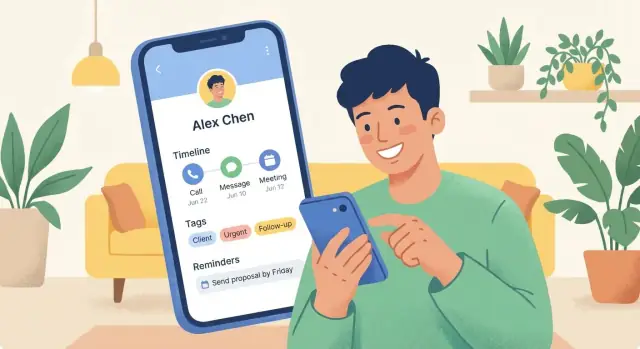
Clarify the Goal and Your Ideal User
A personal CRM app succeeds or fails based on one thing: whether it fits into someone’s real day. Before you think about mobile app development details, decide who you’re building for and why they’ll bother opening it again next week.
Pick a primary user (and say “no” to the rest—for v1)
Personal CRM can serve many “sales-lite” scenarios, but the needs differ:
- Job seekers want to track recruiters, applications, interview notes, and follow-up dates.
- Freelancers/consultants need a lightweight relationship management tool for clients, referrals, and project context.
- Founders care about investors, mentors, partnerships, and warm intros.
Choose one primary persona for v1. You can still support other users later, but early focus helps you make sharper product decisions—especially around the contact history timeline and reminders.
Define the top problems you’re solving
Write down the problems in plain language and keep them visible during design:
- Remembering context: “What did we last discuss?” “Where did we meet?” “What did I promise?”
- Following up consistently: Turning good intentions into actual next steps (without feeling like a task manager).
- Capturing notes fast: One-tap logging after a call/meeting, with minimal typing.
If your MVP doesn’t make these three things easier, it won’t earn habitual use.
Decide what “contact history” means in your product
“Contact history” can be manual, automatic, or mixed. For v1, define the exact event types you’ll show in the timeline:
- Manual notes (quick text, optionally tagged)
- Meetings (manually logged, or later via calendar integration)
- Calls/texts/emails (only if you plan integrations and can handle data privacy expectations)
Be explicit: is your timeline a source of truth or a memory aid? That decision shapes everything from your CRM database schema to privacy prompts.
Set v1 success metrics that match the goal
Avoid vanity downloads. Track behaviors that signal real value:
- Weekly active use (e.g., opened 2+ days per week)
- Follow-ups created and completed (push notifications can help, but only if they’re relevant)
- Retention (e.g., week-4 retention for your primary persona)
Clear goals and metrics will keep your personal CRM app focused while you iterate.
Choose MVP Features for Personal CRM + Contact History
A personal CRM succeeds when it’s faster than your memory and simpler than a spreadsheet. For an MVP, aim for a small set of features that make it effortless to capture context and reliably prompt follow-ups.
MVP features that earn daily use
Start with these core building blocks:
- Contacts: create/edit people, basic fields (name, company, role, phone, email), and a “how we met” field.
- Notes: quick notes tied to a contact (with timestamps).
- Interaction timeline: a chronological feed of notes, calls/meetings logged manually, and reminders—everything in one place.
- Tags: lightweight categorization (e.g., “Investor”, “Family”, “Potential client”, “Met at conference”).
- Reminders / follow-ups: set a date, optional recurrence, and a push notification.
Keep it opinionated: fewer fields, fewer taps, faster capture.
Nice-to-have features to postpone
These are valuable, but they increase complexity and privacy risk—save them for later iterations:
- AI-generated summaries or “next step” suggestions
- Business card scanning / OCR
- Deep integrations (full email sync, automatic call/SMS logging, two-way calendar sync)
- Advanced analytics dashboards and scoring
Manual entry vs. auto-import (decide early)
For the MVP, prefer manual entry for interactions and notes: it’s predictable, privacy-friendly, and easier to build.
Consider light auto-import only where it’s low-risk and high-confidence, such as importing existing contacts from the device address book (with explicit permission) and then managing interaction history inside your app.
8 user stories to guide your MVP
- After a call, I add a note in 10 seconds from the contact screen.
- After meeting someone, I create a contact and tag them “Conference” before I forget.
- I can see a timeline of every interaction with a person in one scroll.
- I set a reminder “Follow up next Tuesday” and get a notification.
- I search a name or tag and instantly find the right person.
- I edit a note later without losing the original timestamp.
- I can add “how we met” so future me has context.
- I can merge duplicates when I accidentally create the same person twice.
If your MVP nails these, you’ll have a personal CRM app people actually return to.
Pick Your Tech Stack and Platform Strategy
Your platform choice shapes everything else: development time, budget, access to device features (contacts, notifications), and how smooth the app feels.
Pick platforms: iOS, Android, or both
If your users are mostly professionals in the US/UK or your app depends on Apple-first habits (iMessage, iCloud), start with iOS. If you’re targeting broader international reach or value-conscious users, Android can be the better first bet. If you expect teams, families, or mixed-device audiences, plan for both—especially for a personal CRM app where people switch phones and still expect their contact history timeline to follow them.
Cross-platform vs native: what you’re trading
Cross-platform frameworks (Flutter or React Native) are usually the fastest path to “both platforms” with one codebase. They’re great for typical CRM screens: lists, timelines, tags, search, and reminders.
Native (Swift for iOS, Kotlin for Android) tends to win when you need the best performance, the most reliable background behavior, or deep device integrations (advanced notifications, contact sync edge cases, call/message log access where allowed).
A practical approach: cross-platform for the app UI + a small amount of native code for tricky device features.
Suggested stacks (common combos)
- Flutter + REST (or GraphQL): quick UI iteration, consistent design across devices.
- React Native + REST/GraphQL: strong ecosystem, lots of libraries.
- Native Swift/Kotlin + REST: best platform fit, higher development cost.
Backend options often pair well with any client: Postgres + a lightweight API (Node, Python, or Go).
A fast MVP path (without locking you in)
If your priority is getting a working prototype into users’ hands quickly, consider building the first version on Koder.ai. It’s a vibe-coding platform where you can create web, server, and mobile apps through a chat interface—useful for iterating on core flows like contact creation, the contact history timeline, reminders, and search.
This can be especially practical for a personal CRM MVP because Koder.ai’s common stack (React on the web, Go + PostgreSQL on the backend, Flutter for mobile) matches the architecture many teams choose anyway, and you can export source code later if you want to move into a more traditional development pipeline.
Versioning and future integrations from day one
Even if your MVP doesn’t include email or calendar, design for it now:
- Add an event “source” field (manual, email, calendar) in your interaction records.
- Use API versioning (e.g.,
/api/v1/...) so you can evolve the schema without breaking old app versions. - Keep integrations behind feature flags so you can ship safely and iterate.
Design the App Experience (Key Screens and Flows)
A personal CRM wins or loses on how fast it lets someone capture a detail and find it later. Aim for “one-handed, in-a-hurry” flows: minimal typing, clear next steps, and predictable navigation.
Core screens you should design first
Contact list is the home base. Keep it simple: search at the top, recently viewed, and quick filters (e.g., “Needs follow-up”). A prominent “Add” button should support creating a new contact or adding an interaction to an existing one.
Contact profile should answer: “Who is this, and what should I do next?” Show key fields (name, company, tags), a big action row (Call, Message, Email), and a clear next reminder.
Timeline (contact history) is where the app feels valuable. Present interactions as a chronological feed with clear icons (call, meeting, note, email). Make each item tappable for details and editing.
Add interaction needs to be extremely quick: type + date/time + type + optional tags. Avoid forcing users to fill every field.
Reminders should be accessible from both the profile and a global “Upcoming” view.
Make note-taking fast
- Use quick add from anywhere (floating button or long-press on a contact).
- Provide templates (e.g., “Coffee chat,” “Sales follow-up,” “Networking event”) that pre-fill fields.
- Support voice dictation in the note field and keep formatting lightweight (bullets, line breaks).
Timeline UX that people actually use
Add filters by type and date range, plus “Pinned” items for important context (e.g., preferences, family details).
Include search within a contact so users can find “birthday,” “pricing,” or “intro” instantly.
Accessibility basics
Use large tap targets, readable typography, and clear contrast. Offer dark mode, respect system font sizing, and keep interaction controls reachable with one thumb.
Model the Data: Contacts, Interactions, Tags, and Reminders
A personal CRM app succeeds or fails on its data model. If the structure is too rigid, you can’t capture real life. If it’s too loose, search and reminders become unreliable. Aim for a small set of core entities, with room to grow.
Core entities (start simple)
At MVP, you’ll typically need:
- Contact: the person (or organization) you’re tracking.
- Interaction: a single moment in the contact history timeline (call, meeting, email, message, note).
- Reminder: a planned follow-up tied to a contact (and sometimes to an interaction).
- Tag: lightweight labeling for filtering and quick grouping.
Optional, but useful later:
- Relationship: links between contacts (e.g., “works with”, “spouse of”, “introduced by”).
- Attachment: files or links connected to an interaction (photos of business cards, PDFs, shared docs).
Modeling interactions (the “timeline” backbone)
An Interaction should carry enough detail to be meaningful, but still be quick to log. Common fields include:
- type (call, meeting, email, note)
- timestamp (when it happened)
- direction (incoming/outgoing, if relevant)
- channel (phone, WhatsApp, in-person, Zoom)
- summary (one-line memory jog)
- full notes (richer context)
- participants (who was involved)
One contact vs. many contacts?
If you only allow “one interaction → one contact,” group events become awkward (e.g., dinner with two friends). A many-to-many model handles real life better:
Contact
Interaction
InteractionParticipant (interaction_id, contact_id, role?)
You can still keep the UI simple by choosing a “primary contact” for display, while storing all participants under the hood.
Tags and reminders: keep them attachable
Tags often apply to contacts (e.g., “Investor”, “Family”) and sometimes to interactions (“Intro call”). Reminders usually relate to a contact, with an optional link to the interaction that created it (“Follow up on proposal”).
Flexible custom fields without breaking your schema
People track different things: birthdays, kid names, last gift, dietary preferences. Instead of adding columns constantly, consider a custom fields approach:
- Store key/value pairs (e.g.,
field_name,field_value,field_type) - Scope them to Contact (and later Interaction)
This keeps your personal CRM app adaptable without turning every update into a database migration.
Store and Sync Data Reliably (Offline and Multi-Device)
Your personal CRM is only useful if it feels instant and never “forgets” a conversation. That means deciding early how data lives on the phone and how (or if) it syncs.
Choose a storage strategy: local-only, cloud-first, or hybrid
Local-only keeps everything on-device. It’s simpler, cheaper, and can be attractive for privacy-minded users—but you must nail backup/restore or people will lose trust after a lost phone.
Cloud-first stores the source of truth on your server and caches on-device. This makes multi-device easy, but it increases cost and security responsibilities.
Hybrid sync (offline-first + cloud sync) is the most common “best of both”: the app works fully offline, then syncs in the background when a connection returns.
Offline-first basics that feel “invisible” to users
For offline-first, start with three building blocks:
- Local database: store contacts, interaction events, tags, and reminders locally so timelines load instantly.
- Background sync: queue changes (create/edit/delete) and upload them reliably. Treat sync as a repeatable job, not a one-time request.
- Conflict handling: assume edits can happen on multiple devices. Pick a rule that’s easy to explain (e.g., “latest edit wins” per field) or design merges for specific objects (e.g., append-only interaction history).
A practical tip: model interaction history as append-only events (calls, notes, meetings). Conflicts are rarer because events don’t overwrite each other.
Keep search fast: on-device index vs server search
If you want search to work offline (and feel instant), favor on-device indexing for names, tags, and recent interactions. Server search can help for heavy use cases (very large datasets, advanced ranking), but it can introduce latency and “no results” moments when connectivity is poor.
Backup and restore: set expectations clearly
Local-only apps should offer export + restore (file-based or OS backup) and communicate what is (and isn’t) included. For synced apps, make “sign in on a new phone and everything returns” a core promise—and test it like a critical feature.
Capture Contacts and Prevent Duplicates
A personal CRM only feels “smart” when adding people is effortless and the contact list stays clean. The goal is to let users capture contacts from wherever they already have them—without turning their database into a pile of near-identical entries.
Contact creation sources
Start with three practical entry paths:
- Manual entry: fast “add” screen with name + one identifier (phone or email) as the minimum. Everything else can be optional.
- Phone contacts import: offer a picker (not an all-or-nothing dump) so users can select specific people. This keeps intent high and reduces junk.
- CSV import: useful for people migrating from spreadsheets or another CRM. Provide a simple column-mapping step (Name, Email, Phone, Company) and preview the first few rows.
Permissions UX that builds trust
Ask for permissions only when the user triggers the feature that needs it.
For example, when they tap “Import from phone,” show a short explainer: what you’ll read (names, phones, emails), what you won’t do (no messaging), and the benefit (faster setup). If they decline, keep a visible fallback: “Add manually” or “Import CSV.”
Deduplication and merge flow
Define clear rules:
- Match on normalized phone (E.164), lowercased email, and optionally name + company as a weak signal.
- When a possible duplicate is found, don’t block the user. Create the contact, then prompt: “Looks like Alex Chen already exists. Merge?”
In the merge screen, show a side-by-side comparison and let users choose which fields to keep. Always keep interaction history from both.
Keep an audit trail
To keep the timeline trustworthy, store a lightweight change log (what changed, when, and from where—manual edit, import, CSV). When users wonder “Why did this email change?”, you can answer it without guesswork.
Build Follow-Ups and Reminders That People Use
Reminders are where personal CRM apps either become a daily habit or get ignored. The difference is simple: reminders must feel relevant, easy to manage, and fully under the user’s control.
Choose reminder types people actually need
Start with a small set that maps to real behavior:
- Follow-up date: “Reply by Friday” or “Check in next week.”
- Recurring check-ins: monthly/quarterly pings for friends, mentors, clients, or leads.
- Location-based (optional): “When I’m near downtown, remember to drop by.” Keep this off by default and explain why it needs location access.
Push notifications vs. in-app reminders (and control)
Use push notifications for time-sensitive nudges, but always provide an in-app reminders list as the source of truth. Let users set frequency and quiet hours, and offer simple presets (e.g., “Low”, “Normal”, “High”) instead of forcing them into complicated settings.
If you add push, include a clear path to manage it from the reminder itself (not buried in settings): “Mute this contact,” “Change schedule,” or “Turn off push.”
Make completing reminders frictionless
Design three actions as one-tap options:
- Mark as done (with an optional note)
- Snooze (suggested options like 1 day / 3 days / 1 week)
- Reschedule (opens date picker)
Add context so reminders don’t feel random
Every reminder should include the last interaction summary (e.g., “Last: call on Oct 12, discussed partnership”) and a suggested next step (“Send the intro email”). This turns a ping into a plan—and makes your contact history timeline genuinely useful.
Privacy and Security for Personal Relationship Data
A personal CRM stores more than phone numbers. It can hold private context about people’s lives and your relationship with them—exactly the kind of data users will only trust you with if security is intentional and visible.
Know what “sensitive” really includes
Before writing code, list every field you plan to store and treat these as sensitive by default:
- Free-form notes (personal details, preferences, private observations)
- Relationship context (how you met, family/work connections)
- Meeting details (times, locations, agendas, follow-up outcomes)
- Interaction history (calls, messages, emails, frequency patterns)
- Reminders and tags that may reveal intent (“Job search”, “Health”, “Investor”)
Even if you never store message content, metadata alone can be personal.
Encryption basics (and where apps go wrong)
Use encryption both in transit and at rest:
- In transit: HTTPS/TLS for all API calls. Enable certificate validation and keep your TLS stack updated.
- At rest (server): encrypt databases/disks and lock down backups with the same care as primary storage.
- At rest (device): store sensitive values in the platform’s secure storage (iOS Keychain / Android Keystore). Avoid plain SQLite for secrets.
Also protect tokens/keys: never hardcode them, rotate when possible, and store refresh tokens only in secure storage.
Authentication and app-level locking
Offer a login method that matches your audience, then add an optional “second door” inside the app:
- Email + magic link or password (simple, familiar)
- OAuth (Google/Apple) to reduce password handling
- App lock with passcode and/or biometric (useful if someone borrows a phone)
For extra safety, auto-lock after inactivity and hide content in the app switcher preview.
Privacy-by-design features users look for
Make privacy controls easy to find in settings:
- Data minimization: only collect what your MVP needs
- Export your data (portable format like CSV/JSON)
- Delete account + data with clear timelines
- Granular permissions (contacts, calendar, notifications), with explanations in plain language
A small, transparent privacy section can become a product feature—not just a legal requirement.
Optional Integrations: Email, Calendar, and Call/Message Logs
Integrations can make a personal CRM app feel “alive,” but they also introduce permission prompts, edge cases, and user trust issues. Treat them as optional add-ons, not requirements for the core contact history timeline.
Define what’s feasible (and permitted)
Before building anything, map each integration to what the platform actually allows.
- Email: Direct inbox access is often limited, complex, and sensitive. Many apps start with email forwarding into a special address instead of full sync.
- Calendar: Usually feasible via Google/Apple calendar APIs with clear consent and narrow scopes.
- Call/SMS/message logs: On iOS, access is highly restricted; on Android it’s possible but increasingly limited and can raise privacy concerns. Don’t promise “automatic tracking” unless you can deliver it reliably.
Start lightweight: high value, low risk
Good first integrations that don’t overwhelm your MVP:
- Calendar event import: attach meetings to a contact and create a timeline entry.
- Email forwarding: let users forward a message to
timeline@…and parse sender, subject, date, and notes. - Zapier-style hooks: a simple webhook or “send to CRM” endpoint lets power users connect forms, spreadsheets, or other tools without you building dozens of native integrations.
Be explicit about what is (and isn’t) auto-tracked
In the integration screens, use plain language:
- What you read (event title/time, attendees) vs. what you never store (full event description, email body, attachments).
- What requires user action (forwarding an email) vs. what syncs automatically (calendar events).
Keep settings simple and reversible
Make every integration easy to:
- Enable/disable with one switch
- Change scope (which calendars, which email address)
- Disconnect and delete imported data
If you have a privacy page, link it from each integration panel (e.g., /privacy).
Analytics, Feedback, and Onboarding
A personal CRM succeeds when people keep using it after the first few days. That means you need two things early: clear product analytics (to see where usage drops) and a lightweight onboarding flow that gets users to their first “aha” moment quickly.
Instrument the events that matter
Start with a small, opinionated event list tied to your core loop. At minimum, track:
- Create contact (and whether created manually or imported)
- Add interaction (note, call, meeting, message)
- Set reminder (when, for whom, and what channel)
- Complete reminder (done, snoozed, rescheduled, dismissed)
Keep event properties practical (e.g., interaction type, time spent, source screen) and avoid collecting the content of notes.
Define quality signals (not vanity metrics)
Downloads don’t tell you whether the app is helping. Better signals include:
- Time-to-add-note: how fast a new user records their first interaction
- Reminder completion rate: completed vs. snoozed vs. ignored
- Churn points: where users abandon (permissions, import, first reminder setup)
Use these to identify friction. For example, if “create contact” is high but “add interaction” is low, your add-note UI may be too hidden or too slow.
Build a feedback loop users will actually use
Add a simple “Send feedback” entry in Settings and after key moments (e.g., after completing the first reminder). Combine:
- In-app feedback (free text + optional email)
- One-question micro-surveys (e.g., “Was this reminder helpful?”)
- A small beta group for weekly calls and early builds
Onboarding: checklist + help content
Make onboarding a short checklist: add one contact, log one interaction, set one reminder. Back it with concise help pages (e.g., /help/importing-contacts, /help/reminders) and tooltips that appear only once.
Testing, Launch, and Iteration Plan
A personal CRM is only useful if people trust it, and trust is earned through reliability. Treat testing and launch as part of product design: you’re validating that contact history is correct, reminders fire at the right moment, and nothing “mysteriously disappears” across devices.
MVP testing plan (keep it small, but serious)
Start with tests that protect the core promise: a clean contact profile with a dependable contact history timeline.
- Unit tests for the data model: create/update contacts, append interactions, apply tags, schedule reminders, and ensure sorting is stable (newest-first or oldest-first—whatever you choose). Include tests for import/merge logic so duplicates don’t corrupt history.
- UI tests for core flows: add a contact → log an interaction → set a follow-up → confirm it appears on the timeline and in the reminders list. Also test “edit interaction” and “delete interaction” so history doesn’t show ghost entries.
Edge cases you should explicitly test
These edge cases are common in real life and will generate most support tickets if ignored:
- Timezone changes: interactions logged during travel should still display with the intended local date/time and not shift days unexpectedly.
- Deleted contacts: if a user deletes a contact, decide whether interactions are deleted, archived, or reassigned to an “Unknown contact” state—and ensure the UI explains it.
- Sync conflicts: simulate offline edits on two devices and define your conflict strategy (e.g., last-write-wins plus a conflict log). Make sure the timeline doesn’t duplicate entries.
- Notification permissions: reminders must degrade gracefully when permissions are denied. Provide an in-app banner with a clear path to enable notifications.
App Store / Play Store basics
Plan launch assets early so release isn’t blocked.
- Screenshots that show the timeline, tagging, and reminders—your differentiators.
- Privacy details that match your actual data handling (especially for relationship management data).
- A working support link and simple FAQ page.
Post-launch iteration: roadmap, tiers, and feedback loops
After release, track where people drop off (import step, first reminder setup, etc.) and prioritize fixes over new features. A common roadmap is:
- Free tier: core contact management + limited reminders.
- Paid tier: advanced tagging, richer history search, and multi-device sync.
If you offer tiers, keep pricing clear and link it from onboarding and settings (see /pricing).
FAQ
Who should I build a personal CRM for first?
Pick one primary persona for v1 (job seeker, freelancer/consultant, or founder) and optimize the product around their weekly workflow. Say “no” to edge cases early so you can ship a timeline + reminders loop that feels effortless.
A practical way to decide:
- Interview 5–10 people in each persona.
- Choose the group with the highest pain around follow-ups + context.
- Define one “core loop” you’ll measure (add note → set follow-up → complete follow-up).
What features should a v1 personal CRM include?
Aim for the smallest set that makes the app faster than memory and simpler than a spreadsheet:
- Contacts (basic fields + “how we met”)
- Fast notes with timestamps
- A chronological interaction timeline
- Tags for lightweight organization
- Reminders/follow-ups with notifications and an in-app list
Defer complexity like full email sync, OCR business card scanning, AI summaries, and advanced analytics until you have retention.
Should contact history be manual or automatically imported?
For most MVPs, prefer manual logging for interactions and notes because it’s:
- More predictable to build and test
- Lower-risk for privacy and permissions
- Easier to explain to users (“you control what’s stored”)
If you add any automation early, keep it narrow and opt-in—e.g., importing selected contacts from the phone address book instead of auto-tracking calls/messages.
What exactly should “contact history” mean in my app?
Decide whether the timeline is a source of truth or a memory aid, then define exactly which event types appear.
A simple v1 timeline often includes:
- Manual notes
- Manually logged calls/meetings
- Reminders (created, snoozed, completed)
Be explicit in the UI about what is and isn’t tracked automatically, especially if you later add calendar/email integrations.
How should I model contacts, interactions, and reminders in the database?
Start with a small set of core entities:
- Contact: who you’re tracking
- Interaction: a timeline event (note/call/meeting/email)
- Reminder: a follow-up tied to a contact (optionally tied to an interaction)
- Tag: labels for filtering
For real-life scenarios (like group dinners), consider a many-to-many model with an InteractionParticipant join table, even if your UI still shows a “primary contact.”
How do I import contacts while preventing duplicates?
Use a hybrid approach:
- Keep required fields minimal (name + phone/email)
- Offer a picker-based phone contacts import (not an all-or-nothing dump)
- Add CSV import with column mapping for spreadsheet migrants
For dedupe:
- Match on normalized phone (E.164) and lowercased email
- Treat name + company as a weak signal
- Don’t block creation; instead prompt a merge (“Looks like Alex already exists—merge?”)
Always preserve interaction history from both records during merges.
How do I handle offline use and multi-device sync?
If you need reliability and multi-device continuity, plan for offline-first behavior early:
- Store contacts/interactions/reminders in a local database so timelines load instantly
- Queue creates/edits/deletes for background sync
- Define a conflict rule you can explain (e.g., last-edit-wins per field)
A practical simplification: model interactions as append-only events. Conflicts are rarer because you’re mostly adding history, not overwriting it.
How do I design follow-ups and notifications that people won’t ignore?
Make reminders feel relevant and controllable:
- Support follow-up dates and simple recurrence (monthly/quarterly check-ins)
- Provide an in-app “Upcoming” list as the source of truth
- Add one-tap actions: Done, Snooze, Reschedule
Include context in the reminder (last interaction summary + suggested next step) so notifications don’t feel random or spammy.
What privacy and security basics should a personal CRM implement?
Treat relationship data as sensitive by default, especially free-form notes and interaction metadata.
Baseline practices:
- TLS for all API traffic
- Encrypt data at rest (server disks/backups) and use secure storage on-device (Keychain/Keystore) for tokens
- Offer optional app lock (passcode/biometrics) and auto-lock after inactivity
- Provide export and delete options, plus granular permissions (contacts/calendar/notifications)
If you have a privacy page, link it from integration screens (e.g., /privacy) and keep the language plain.
What success metrics should I track, and what should I test before launch?
Use behavior-based metrics tied to your core loop, not downloads.
Good v1 metrics:
- Weekly active use (e.g., opened 2+ days/week)
- Time-to-first-note and time-to-add-note
- Reminders created vs. completed vs. snoozed
- Week-4 retention for your primary persona
For launch readiness, test the end-to-end flow (add contact → add interaction → set reminder → verify it appears on timeline and in reminders) and common edge cases like timezone changes, denied notification permissions, and merge logic.