

How to Build a Mobile App for Journaling and Mood Tracking
A practical guide to building a journaling and mood tracking mobile app: core features, UX, data model, privacy, analytics, testing, and launch.
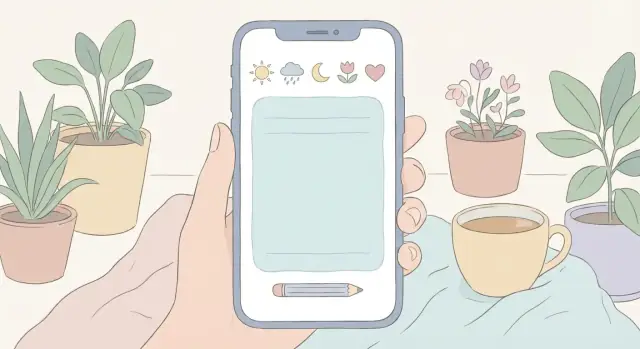
Start With the App’s Purpose and Audience
Before you think about screens or features, get clear on what problem your app solves. “Journaling” and “mood tracking” sound similar, but users often want them for different reasons—and that changes what you build.
Define the problem you’re solving
Ask a simple question: what should a user be able to do in 60 seconds?
If it’s primarily a personal journaling app, the core promise might be “capture thoughts quickly and safely.” If it’s mainly a mood tracking app, it could be “log how I feel and spot patterns over time.” If you’re doing both, decide which one leads and which one supports—otherwise the product can feel unfocused.
Identify who it’s for (and who it isn’t)
Pick a primary audience and write it down as a one-sentence persona. Examples:
- Students who want a private space to reflect after classes
- Busy professionals who need quick check-ins between meetings
- People using therapy support tools who want consistent logs to discuss in sessions
Each group has different needs: students may want expressive writing and tags, professionals may need speed and reminders, therapy support users may value exports and clear summaries. You don’t need to serve everyone on day one.
Clarify what success means
Success shouldn’t be “more time in app.” Choose a small set of outcomes that align with user wellbeing goals and your business goals, such as:
- Retention: do users come back after week 1 and week 4?
- Consistency: how many days per week do they log an entry or mood?
- Perceived benefit: do users report feeling more aware or less overwhelmed?
Stay focused with must-have vs nice-to-have
Create a short list of must-haves that directly support your core promise (e.g., “create an entry,” “log a mood,” “search past entries,” “lock with passcode”). Everything else—streaks, themes, social sharing, advanced mood analytics—goes into “nice-to-have.”
This early clarity will keep your mobile app development effort lean, help you prioritize journal app features, and make later decisions (like onboarding and privacy) much easier.
Decide the Core Features (MVP) Before Anything Else
An MVP isn’t “a worse version” of your app—it’s the smallest set of features that lets people reliably journal, log moods, and find past entries. If you try to ship everything (prompts, AI summaries, streaks, community), you’ll slow down decisions and dilute what users actually came for.
The non-negotiables for v1
Start by defining the two daily actions your app must make effortless:
- Write a journal entry
Journal entry basics are simple but important: free-text, date/time, and tags (so entries are retrievable later). Consider optional edit history if your audience cares about seeing how thoughts evolve over time; if not, skip it for MVP to reduce complexity.
- Do a mood check-in
Mood logging should take seconds. Include a scale (e.g., 1–5 or 1–10), an emoji set for quick selection, a small set of mood words (happy, anxious, tired, calm), and an intensity slider or tap options. These basics cover most users without turning the experience into a questionnaire.
Finding things later: search and filters
A journaling app becomes useful over time, so retrieval is an MVP feature—not a “nice to have.” Support search by keyword plus filtering by date range, tag, and mood. Keep the UI lightweight: a single search bar and a filter sheet is usually enough.
Exports users expect (and why they matter)
Data portability builds confidence and reduces churn. For MVP, offer at least one human-friendly option (PDF) and one structured option (CSV or JSON). Even if exports are tucked into Settings, having them from day one signals that users stay in control of their writing.
Speed up prototyping (optional)
If you want to validate your MVP quickly, a vibe-coding platform like Koder.ai can help you prototype the journaling flow, mood check-in screens, and basic backend faster through a chat-driven workflow. It’s particularly useful when you need a working React web app, a Go + PostgreSQL backend, or a Flutter mobile client, with options like snapshots/rollback and source code export once the product direction is clear.
If you’re unsure what to cut, ask: “Does this help someone capture a thought or reflect on it later?” If not, it’s probably not MVP.
Design Mood Tracking That Feels Simple, Not Clinical
Mood tracking only works if it feels quick, safe, and human. The goal isn’t to “diagnose” users—it’s to help them notice patterns over time with minimal effort.
Pick a mood input style that matches your audience
Start with the simplest interaction you can.
- Single mood check-in: one tap (e.g., “Great / Okay / Low”). Best for consistency and low friction.
- Multi-select: users pick several feelings (e.g., “tired + anxious + hopeful”). Better for nuance, slightly slower.
- Mood wheel: visually engaging and expressive, but can feel like work if shown every day.
A practical approach is to default to single mood, then offer “Add more details” for multi-select or a wheel.
Capture context—but keep it optional
Context is what makes later insights meaningful, but too many questions can feel like homework. Offer lightweight tags users can skip:
- Activities (work, exercise, family time)
- Sleep (hours or “poor/okay/good”)
- Weather (auto-suggested, editable)
- Social interactions (alone, friends, partner)
Use sensible defaults, remember last-used tags, and allow custom tags so users don’t feel boxed in.
Add “why” prompts carefully
Asking “Why do you feel this way?” can be helpful—or intrusive. Make prompts gentle and skippable:
- Use softer wording (“Want to add a note?”)
- Offer prompts only after trust is built (e.g., after a few check-ins)
- Keep answers private by design (no sharing nudges)
Plan for missing data
Users won’t check in every day. Design your charts and streaks to tolerate gaps:
- Show “no entry” days clearly instead of guessing
- Avoid guilt-inducing messaging
- Let users backfill entries without friction
When mood tracking respects time, privacy, and energy levels, people stick with it—and the data becomes genuinely useful.
Shape the Journaling Experience
A journaling feature succeeds when it feels effortless to start and safe to continue. Treat the journal as the “home base” of the app: a place users can quickly capture thoughts now, then return later to reflect.
Entry types that match real life
Different days call for different formats. Offer a few entry types up front, but keep the creation screen consistent so users don’t feel like they’re learning a new tool each time:
- Free write for unstructured notes
- Guided prompts (one question at a time, optional)
- Gratitude entries (short and repeatable)
- Reflections (e.g., “What went well / What was hard / What I’ll try next”)
Let users set a default entry type, and remember the last used option.
Attachments that feel optional (and respectful)
Attachments can make journaling more expressive, but they also raise privacy expectations. Support them thoughtfully:
- Photos (with clear “remove” and “hide from timeline” controls)
- Voice notes (show duration and storage impact; allow transcription only if explicitly enabled)
- Location (strictly opt-in, with an obvious indicator when it’s attached)
If you support attachments, explain where they’re stored in plain language and link to /privacy.
Gentle structure without forcing it
Templates and prompts should reduce blank-page anxiety, not turn journaling into homework. Use lightweight patterns: suggested prompts under the text box, “shuffle prompt,” and the ability to save personal templates.
Editing, saving, and drafts must be predictable
Journaling is emotional; the UI must never surprise the user. Auto-save frequently, show a subtle “Saved” state, and keep drafts easy to find. Support fast editing (tap-to-edit, undo) and make entry dates/times editable when users are logging something retroactively.
A reliable journal experience builds the trust you’ll need for everything else—reminders, insights, and long-term retention.
Create a Calm UX and Navigation Flow
A journaling and mood tracking app should feel like a safe, quiet space—not another task manager. A calm UX starts with clear navigation, minimal decisions per screen, and wording that supports the user without sounding clinical.
Map the key screens (and keep them predictable)
Most apps in this category can stay simple with a small set of destinations:
- Home: today’s snapshot (last entry, streak/last check-in, a gentle prompt)
- New entry: writing area with optional add-ons (tags, attachments, mood)
- Mood check-in: fast selection and “why?” as optional, never required
- Calendar/timeline: browse and search past entries
- Insights: simple trends and reflections (not diagnoses)
Use a bottom navigation bar with 3–5 items. Avoid hiding core actions behind menus. If “New” is your primary action, make it a prominent button that stays visible.
Reduce friction with fast paths
Speed matters when someone is tired or anxious. Offer:
- One-tap mood check-in from Home
- Quick add entry templates (e.g., “3 lines,” “Gratitude,” “Free write”)
- Recent tags and suggested tags to avoid retyping
Make optional fields collapsible so the default experience stays lightweight.
Accessibility and tone
Build accessibility in from the start: readable contrast, scalable text size, and clear screen reader labels (especially for mood icons and charts).
Keep microcopy supportive and non-medical: “How are you feeling right now?” and “Want to add a note?” Avoid claims like “This will treat anxiety.” Small details—gentle confirmations, neutral error messages, and “You can edit later”—help the app feel calm and trustworthy.
Plan the Data Model (What You Store and Why)
A journaling and mood tracking app lives or dies by its data model. Get it right early and you’ll ship faster, sync more reliably, and avoid “mysterious” bugs when you add features like insights or attachments.
Start with the core entities
Most apps in this space can be built around a small set of building blocks:
- User: profile basics plus settings (reminder preferences, privacy options, units/timezone).
- Entry: the journal note itself (text, created/updated timestamps, optional location if you truly need it).
- MoodCheckIn: a mood rating and quick context (energy, stress, sleep, etc.).
- Tag: user-defined labels like “work,” “family,” “health.”
- Prompt: optional writing prompts (built-in or saved favorites).
- Attachment: photos, audio, or files linked to an Entry.
Define relationships and timestamps clearly
Keep relationships simple and explicit:
- Entry ↔ Tags: many-to-many (an entry can have multiple tags; a tag can belong to many entries).
- MoodCheckIn ↔ context factors: store context as structured fields (e.g., stress 1–5) or a small key/value map.
- Record timestamps consistently (e.g., UTC + user timezone for display).
Decide whether mood check-ins can exist without a journal entry (often yes).
Design for offline-first and future sync
Even if you add cloud later, assume users will write offline. Use sync-ready IDs from day one (UUIDs), and track:
createdAt,updatedAt- a simple
deletedAt(soft delete) to avoid sync confusion
Decide what you store vs what you compute
Store raw data (entries, check-ins, tags). Compute insights (streaks, weekly averages, correlations) from that raw data so results can improve without migrating everyone’s database.
If you later add analytics screens, you’ll be grateful you kept the raw timeline clean and consistent.
Pick Storage and Sync: Local, Cloud, or Hybrid
Where you store journal entries and mood logs shapes everything else: privacy expectations, reliability, and how “portable” the app feels. Decide this early so your design, onboarding, and support docs all match.
Option 1: Local-only (on-device)
Local-only is simplest for users who want maximum privacy and zero accounts. It also supports an offline-first experience by default.
The tradeoff is portability: if someone loses their phone or switches devices, their history is gone unless you offer an export or device backup guidance. If you choose local-only, be explicit in settings about what’s saved, where, and how users can back it up.
Option 2: Cloud sync (account-based)
Cloud sync is best when users expect seamless multi-device access. But it adds real product requirements beyond “save to the cloud”:
- Sign-in and account recovery: email/password, Apple/Google sign-in, or magic links—keep it simple.
- Multi-device behavior: define what happens when two devices edit the same day.
- Conflict resolution: pick a user-friendly rule (e.g., “keep both versions” or “latest wins” with a clear activity log).
- Backups and restore: users should feel confident they can get their data back after reinstalling.
Also decide what happens when users log out: does data remain on the device, get deleted, or become “locked” until they sign in again? Spell this out in plain language.
Option 3: Hybrid (local + optional sync)
Hybrid often fits journaling best: entries are stored locally for speed and offline access, with an optional sync toggle for those who want it.
Consider an anonymous mode: let people start writing without an account, then invite them to enable sync later (“Protect and sync your journal across devices”). This reduces onboarding friction while still supporting growth.
If you offer sync, add a small “Storage & Sync” screen that clearly answers: Where is my journal stored? Is it encrypted? What happens if I change phones?
Privacy and Security: Build Trust From Day One
A journaling and mood tracking app is only useful if people feel safe using it. Privacy isn’t just a legal checkbox—it’s a product feature that affects retention and word-of-mouth.
Minimize what you collect (and prove it)
Start with a simple rule: only store what you truly need to deliver the features you’ve promised. If a feature doesn’t require a data point, don’t ask for it.
For example, a personal journaling app rarely needs a real name, contacts, or precise location. If you want optional analytics, consider on-device processing first, or store aggregated data rather than raw entries.
Make this visible in the app: a “What we store” screen in Settings builds confidence quickly.
Explain privacy in plain language—inside the app
Don’t hide privacy details only in a long policy page. Add a short, readable privacy summary in Settings with clear answers:
- What data is stored on the device vs in the cloud
- Whether entries are used for personalization
- How deletion works (and what “delete” actually removes)
Use straightforward wording like “Your journal entries are private. We don’t read them. If you turn on sync, they are stored encrypted on our servers.” Link to a longer page if needed (e.g., /privacy), but keep the essentials in-app.
Security basics you should treat as non-negotiable
- TLS in transit: protect data sent between the app and servers.
- Encryption at rest (where possible): encrypt stored data on the device and on the server. If full encryption at rest isn’t feasible everywhere, be explicit about what is and isn’t encrypted.
- Access controls: limit who (internally) can access production data, and log access.
Lock screen and notification privacy
Give users control over how private the app feels day-to-day:
- App lock: PIN and/or biometric unlock.
- Auto-lock timer: lock after inactivity (e.g., 30 seconds, 1 minute, 5 minutes).
- Private notifications: reminders that avoid sensitive wording on the lock screen (e.g., “Time to check in” vs “Log your mood”).
Done well, these choices make your mood tracking app feel respectful—without adding friction.
Onboarding and Personalization Without Overload
Onboarding for a journaling and mood tracking app should answer one question fast: “How will this help me today?” The goal isn’t to tour every feature—it’s to get someone to a first entry (and a small win) with minimal friction.
Start With a “Write First” Path
Don’t make onboarding mandatory before someone can log their first mood or write a note. Offer a clear choice:
- Start journaling now (no account, no setup)
- Personalize my app (quick preferences)
That simple split respects different mindsets: some users want to explore; others just need a quiet place to type.
Teach value quickly, not everything
Instead of showing five slides about features, teach one behavior in context:
- After the first entry, show how to tag a mood or add a prompt.
- After a few entries, introduce search or filters.
- Only once there’s meaningful data, show insights.
This keeps onboarding relevant and prevents the “too much, too soon” feeling.
Preferences that actually matter
Personalization should be optional, skippable, and easy to change later (e.g., in Settings). Focus on choices that shape daily experience:
- Reminders: time of day, frequency, and the ability to turn them off
- Mood scale: simple emojis, 1–5, 1–10, or custom labels
- Prompts: none, gentle daily prompts, or topic-based packs (gratitude, stress, sleep)
- Themes: light/dark, calming color options, larger text
A good rule: if a setting doesn’t change what happens in the next 24 hours, it probably doesn’t belong in onboarding.
Progressive disclosure for insights
Insights feel supportive only when they’re based on enough entries. Until then, use friendly placeholders like:
- “Log 3 days to see your first trend.”
- “Add a tag to discover what lifts your mood.”
That approach sets expectations and avoids charts that look empty or “clinical.”
Reminders, Habits, and Engagement (Without Pressure)
Reminders can make a journaling or mood tracking app feel supportive—or instantly annoying. The difference is control. Treat notifications as a user-owned tool, not a growth lever, and you’ll keep engagement high without making people feel chased.
Offer a few reminder types (and let users combine them)
Most people want different prompts on different days. Provide a small set of clear options:
- Daily journal: “Want to write a few lines?”
- Mood check-in: a quick tap-to-log prompt
- Custom schedules: specific days, multiple times, or “only weekdays”
Keep setup lightweight: a default suggestion, plus an “Advanced” option for people who like fine control.
Keep notifications discreet and user-controlled
Journaling is private. Notification text should be neutral by default (e.g., “Time for your check-in”), with an option to show more context only if the user wants it. Add per-reminder toggles for sound/vibration, and a single “Pause all reminders” switch for travel, busy periods, or mental breaks.
Streaks and goals—optional, gentle, and non-guilt
If you use streaks, frame them as “patterns” rather than “promises.” Make them opt-in and easy to hide. Replace guilt cues (“You missed yesterday”) with supportive language (“Welcome back—want to log today?”). Consider goals like “3 check-ins per week” instead of daily streaks, so users don’t feel punished for having a life.
Time zones, quiet hours, and snooze behavior
Reminders should respect real routines:
- Time zones: schedule by local time; handle travel without duplicating or skipping prompts.
- Quiet hours: let users set “do not disturb” windows, including overnight.
- Snooze: offer simple choices (e.g., 15 min, 1 hour, tomorrow) and avoid infinite snoozes that create notification clutter.
Finally, add a subtle in-app prompt (not a pop-up) that says “Want reminders?” after a few successful entries—when the app has earned the right to ask.
Insights and Analytics Users Can Understand
Analytics in a mood tracking app should feel like a gentle mirror, not a report card. The goal is to help users notice patterns they might miss day to day—while keeping the interpretation simple and optional.
Show trends with “small, safe” summaries
Start with easy-to-read views that don’t overpromise precision:
- Weekly averages (or a “weekly mood score”) to smooth out noisy days.
- Mood distribution (e.g., how often each mood appears over the last 14 or 30 days).
- Top tags and themes (work, sleep, relationships) so users can connect context to feelings.
Keep charts minimal: one screen, one idea. A short caption under each chart (“Based on entries from the last 7 days”) prevents confusion.
Be clear about limitations
Mood data is personal and messy. Say it plainly: correlation isn’t causation. If a user tags “coffee” on anxious days, the app shouldn’t imply coffee causes anxiety. Use language like “often appears together” or “frequently tagged on days you felt…” instead of “leads to” or “causes.”
Offer reflection prompts (opt-in)
Insights are more useful when they invite reflection, not conclusions. Make prompts optional and user-controlled:
- “You’ve tagged ‘sleep’ on lower-mood days this week. Want to add a note about bedtime?”
- “Your mood looks steadier on weekends. Any routines worth keeping?”
Let users turn prompts off or limit frequency.
Give users control to hide analytics
Some people want a personal journaling app with no numbers at all. Provide a simple setting to hide insights (or pin journaling as the default tab), so the app supports both tracking-focused and journal-only users.
Testing, Launch Checklist, and Iteration Plan
Shipping a journaling and mood tracking app isn’t just “does it work?”—it’s “does it feel safe, smooth, and predictable when life is messy?” A good release plan focuses on the everyday moments: quick entries, forgotten passwords, spotty internet, and users who are cautious about privacy.
Test the key flows users repeat
Start with the actions people will do most often and measure how many taps and seconds they take.
- Create a journal entry (including attachments, tags, and saving drafts)
- Do a mood check-in (fast path and detailed path)
- Search and filter (by date, mood, tags, keywords)
- Export data (common formats, clear warnings, and confirmation)
- Lock screen / app lock (PIN/biometric, timeout, failed attempts)
Cover the edge cases that break trust
Many issues appear only outside “perfect conditions.” Make these part of your test plan, not a last-minute scramble.
- Offline mode: create/edit entries, queue sync, resolve conflicts
- Low storage: graceful errors, no data loss, clear guidance
- Notification permissions: denied, later-enabled, OS quiet mode
- Time and date changes: time zones, daylight saving, backdated entries
- Accessibility checks: dynamic type, screen readers, contrast
Launch checklist (store + support)
Prepare store assets that match the actual product: screenshots of real screens, a concise feature list, and plain-language privacy details. Ensure you have a support path (in-app link to /support) and a clear “How we handle your data” page (e.g., /privacy).
Post-launch iteration plan
Treat launch as the start of learning. Add lightweight feedback prompts after meaningful moments (e.g., after a week of use), track crashes and drop-offs, and fix reliability issues before adding big features. Use feature flags for experiments so you can roll back quickly without disrupting users.
If your team wants to iterate faster without committing to a long setup upfront, tools like Koder.ai can help you spin up a working app, test flows with real users, and roll changes back via snapshots—then export the source code when you’re ready to move into a more traditional development lifecycle.
FAQ
How do I decide whether my app should be a journaling app, a mood tracker, or both?
Start by defining the core promise in one sentence and a 60-second success action.
- Journaling-led: “Capture thoughts quickly and safely.”
- Mood-led: “Log how I feel and spot patterns over time.”
If you do both, choose which one leads; the other should support it (e.g., mood check-in attached to an entry, or a quick note attached to a mood).
Who should I build a journaling and mood tracking app for first?
Write a one-sentence persona and design around their highest-frequency need.
Examples:
- Students: expressive writing, tags, privacy controls.
- Busy professionals: one-tap check-ins, fast entry templates, reminders.
- Therapy support users: exports (PDF/CSV/JSON), consistent summaries, clear timelines.
Trying to serve everyone in v1 usually bloats onboarding and confuses navigation.
What are the must-have MVP features for a journaling + mood tracking app?
Treat MVP as the smallest set that supports daily capture and later retrieval.
A practical v1 set:
- Journal entry: free text, date/time, tags
- Mood check-in: quick scale + mood labels/emoji, optional intensity
- Search + filters: keyword, date range, tag, mood
- App lock (PIN/biometric)
- Export: at least one readable format (PDF) and one structured format (CSV or JSON)
How can I design mood tracking so it feels simple, not clinical?
Default to the fastest possible flow, then let users optionally add nuance.
Good pattern:
- Default: single-tap mood (e.g., Great/Okay/Low)
- Optional: “Add details” for multi-select feelings, intensity, or a mood wheel
- Optional context: sleep, stress/energy, activity tags
Keep anything that feels like a questionnaire strictly skippable.
What makes a journaling experience feel trustworthy and easy to use?
Make writing feel predictable and safe:
- Offer a few entry types (free write, guided prompt, gratitude, reflection) but keep one consistent creation screen
- Auto-save and show a subtle “Saved” state
- Keep drafts easy to find
- Let users backdate entries (editable date/time)
If you add attachments, be clear about storage, removal, and privacy expectations.
What navigation structure works best for these kinds of apps?
Use a small, predictable set of destinations and keep core actions visible.
A common structure:
- Home (today snapshot)
- New (primary action)
- Timeline/Calendar (browse + search)
- Insights (optional)
- Settings
Aim for 3–5 bottom nav items, and provide fast paths like one-tap check-in and quick entry templates.
What data model should I use for journal entries and mood check-ins?
Start with a few core entities and keep relationships explicit:
- User (settings, reminders, privacy options)
- Entry (text, timestamps, optional location)
- MoodCheckIn (rating, optional context)
- Tag (user-defined)
- Prompt (optional)
- Attachment (linked to Entry)
Use UUIDs, track createdAt/updatedAt, and consider deletedAt for soft deletes. Store raw data; compute insights (streaks, averages) from it.
Should I store data locally, in the cloud, or use a hybrid sync approach?
Pick based on privacy expectations and multi-device needs:
- Local-only: simplest and private, but requires exports/backups to avoid data loss
- Cloud sync: best multi-device experience, but needs sign-in, recovery, conflicts, and clear logout behavior
- Hybrid: local by default + optional sync toggle (often ideal for journaling)
Whichever you choose, add a “Storage & Sync” screen that answers where data lives, whether it’s encrypted, and how restore works.
What privacy and security features are non-negotiable for a journaling app?
Build trust with clear defaults and user control:
- Collect the minimum data needed for promised features
- Explain privacy inside the app (not only in a long policy)
- Use TLS in transit and encryption at rest where possible
- Provide app lock + auto-lock timer
- Keep notifications discreet (neutral text by default)
Link to detailed docs with relative paths like /privacy and /support.
What should I test before launching a journaling and mood tracking app?
Test what users repeat under messy real-world conditions.
Checklist:
- Create/edit entries (drafts, tags, attachments)
- Mood check-in (fast and detailed paths)
- Search/filter accuracy
- Export flows and confirmations
- Offline behavior, queued sync, conflict handling
- Time zones/DST + backdated entries
- Accessibility (dynamic type, screen readers, contrast)
Post-launch, prioritize reliability and clarity before adding big features like advanced analytics or AI summaries.